1. How to Connect a New Agent to the Agent Control Board Using OAuth2 Username-Password Authentication?
Introduction:
In this tutorial, you will learn the steps to create a Connection Destination using OAuth2 Username-Password Authentication. Once you have created the Connection Destination, you can then use it to work with agents on the Salesforce side. For example, you can use this Connection Destination to import and export data directly through the Salesforce UI.
Pre-require:
- First, you need to create an integration or use an existing one.
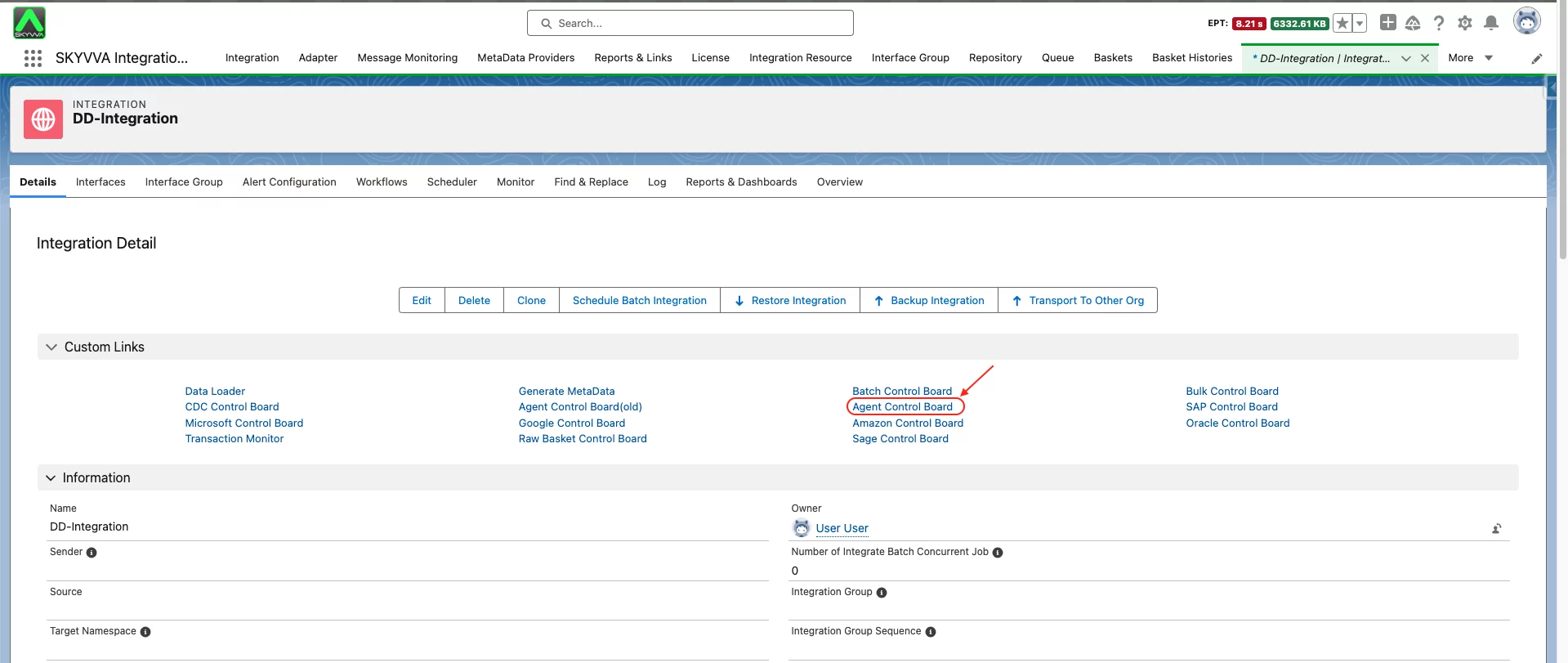
- Go to the Integration Detail page
- Please check the Custom Links section. There, you will find the Agent Control Board link. Go ahead and click on it.
- Connection Destination Step: you have to create a new Connection Destination
Input any name of your Connection Destination
- Select a Type based on your purpose. For example, if you are working with a file, you should choose the Agent File Type.
- Click Continue Button

- Salesforce -> Agent Step:
Enter your Agent Host URL
- Enter your Agent Port Forward
- Enter your Agent's Username
- Enter your Agent Password
- Click the Ping Agent Connection Button

- Agent -> Salesforce Step:
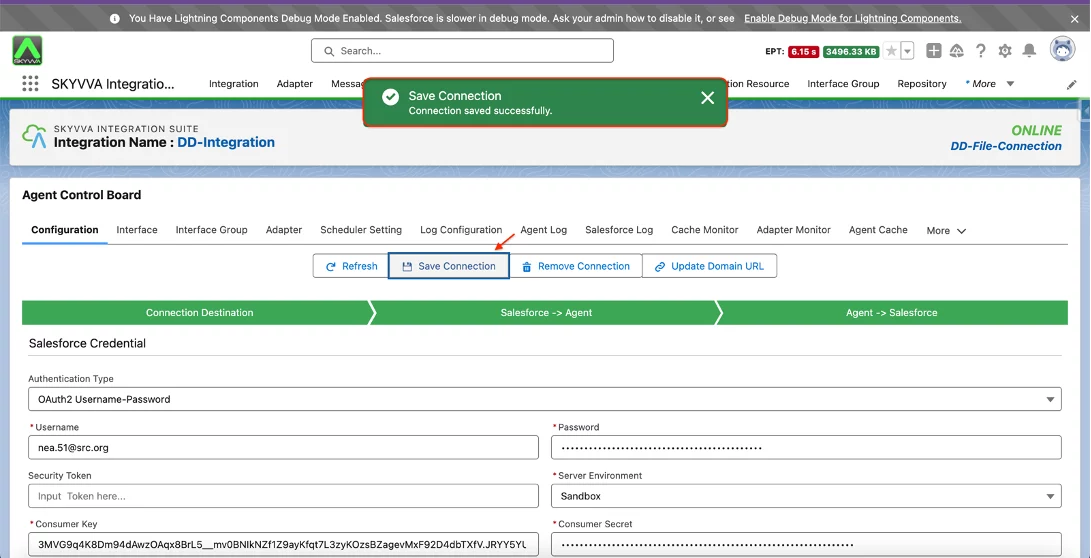
Select 'OAuth2 Username-Password' as the Authentication Type. In this example, we will demonstrate the use of OAuth2 Username-Password authentication.
- Enter Salesforce Username
- Enter Salesforce Password
- If your Salesforce account requires a Security Token, please enter it. If not, you can proceed without entering a Security Token
- Select your Server Environment based on your organization. For this example, we will use the Sandbox environment.
- Enter the Consumer Key for your organization.
- Enter the Consumer Secret for your organization. Note: If you don't have the consumer key and consumer secret yet, please refer to the following document to obtain them: #article/how-to-create-salesforce-connected-app-to-get-client-id-and-client-secret
- Click the Ping Salesforce Connection Button

- After a successful ping, please save the Connection Destination
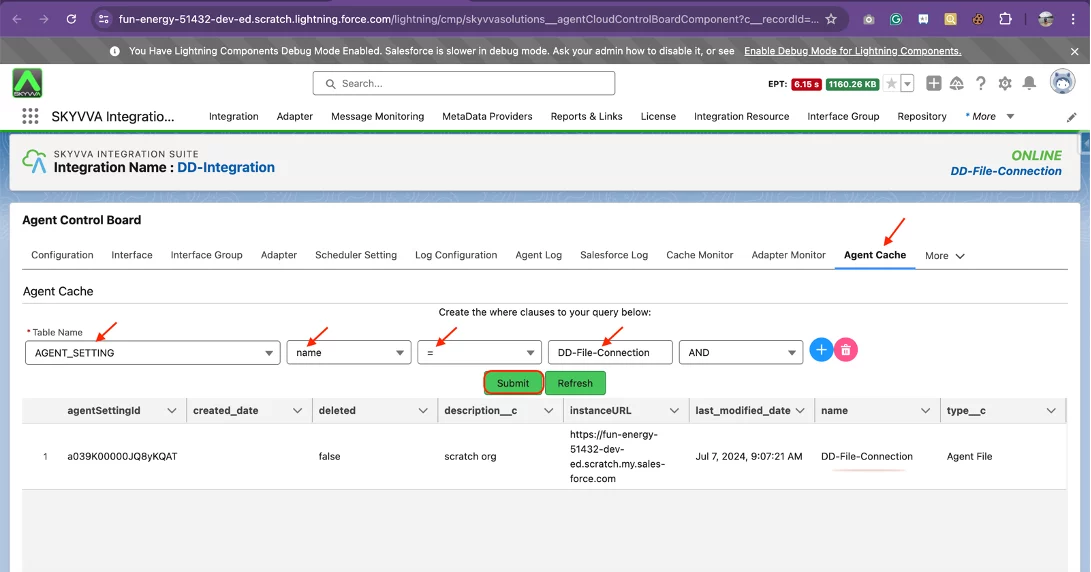
- After saving, please check the cache to verify if it has been synchronized with the Postgres Database.
Click on the Agent Cache Tab
- Select AGENT_SETTING->Select name-> Select “=”-> Enter your Connection Destination Name
- Click the Submit button
Summary
You have now successfully created a Connection Destination using OAuth2 Username-Password Authentication. This will allow you to use the New Agent Control Board on the Salesforce side.