10.4. How to Message Reprocess In Batch on Message Details?
Introduction:
This tutorial explains to you what the Message 'Reprocess In Batch' is and why we need this functionality. It describes the manual process which is performed by the 'IServiceBatchReprocess' job.
What is Reprocess In Batch?
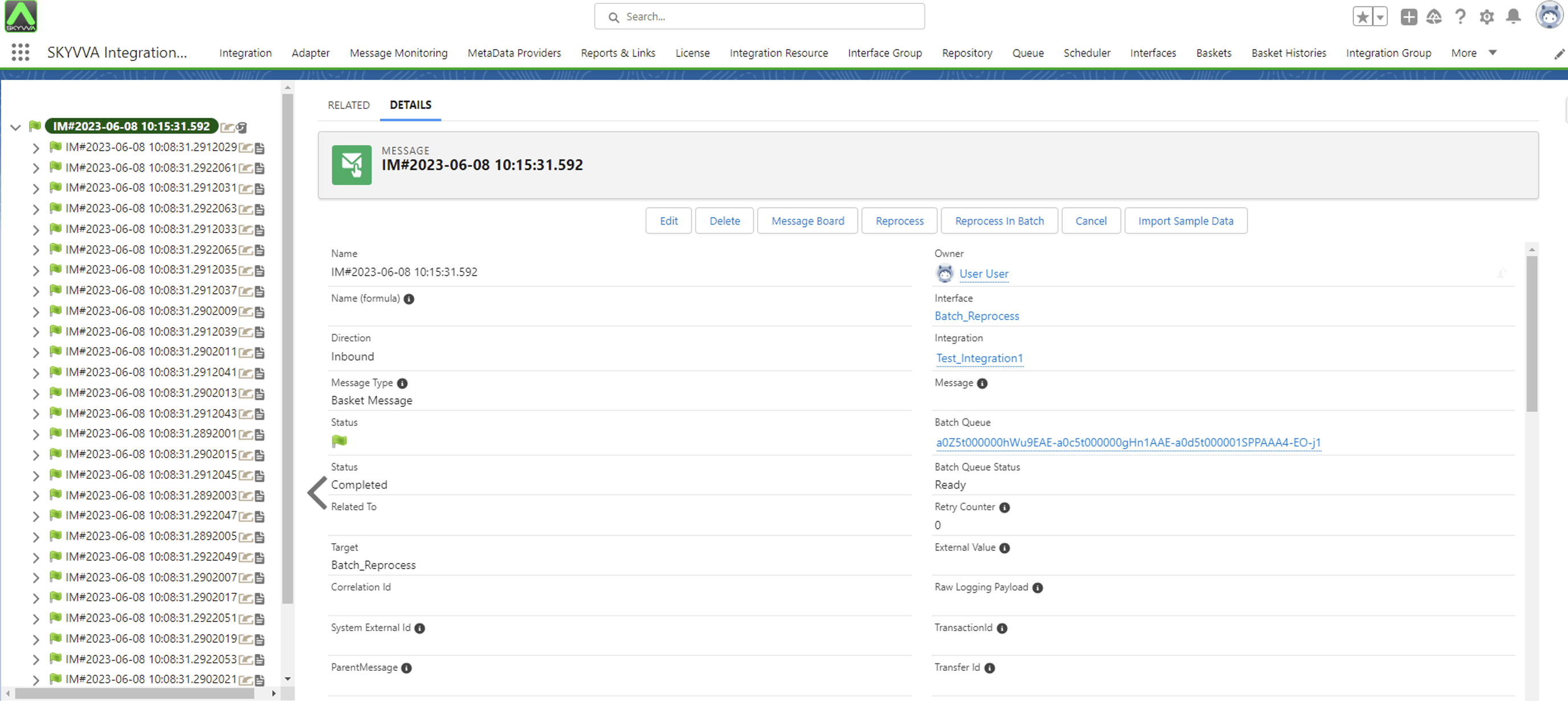
The ‘Reprocess In Batch’ button, located on the Message Detail page, triggers the ‘IServiceBatchReprocess’ job to perform message reprocessing in the batch. You will need it when you have many messages in a root message in order to reprocess to avoid unexpected limit exceed happening.
Pre-requisite
- Create an Integration
- Create an Inbound Interface with batch mode
- Do Mapping, we have to make the failed message by missing the ‘External Key’ child (contact).
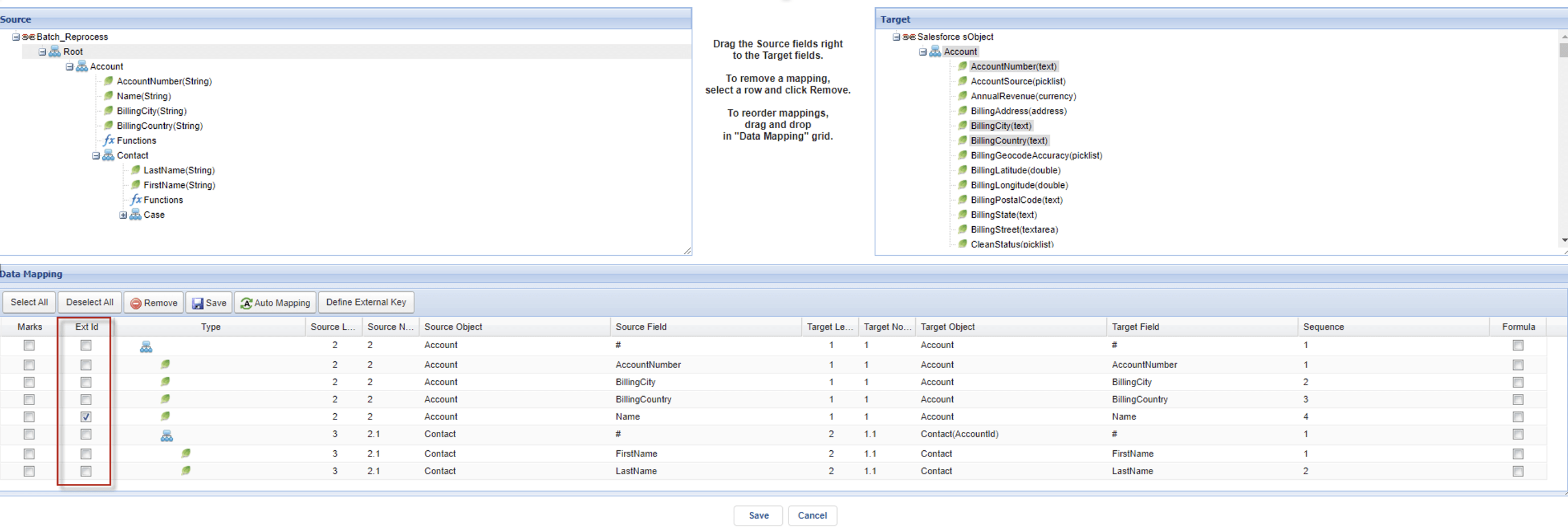
We will show you how to repossess many messages from the batch basket.
- Check the 'Batch Mode' option on your interface.
- Set '2000' on 'Batch Package Size'
- Push two thousand records per batch basket to ensure that Basket Message covers the two thousand businesses message. You can use either the Skyvva Agent or IntegrateWithIMessage API to push the records.
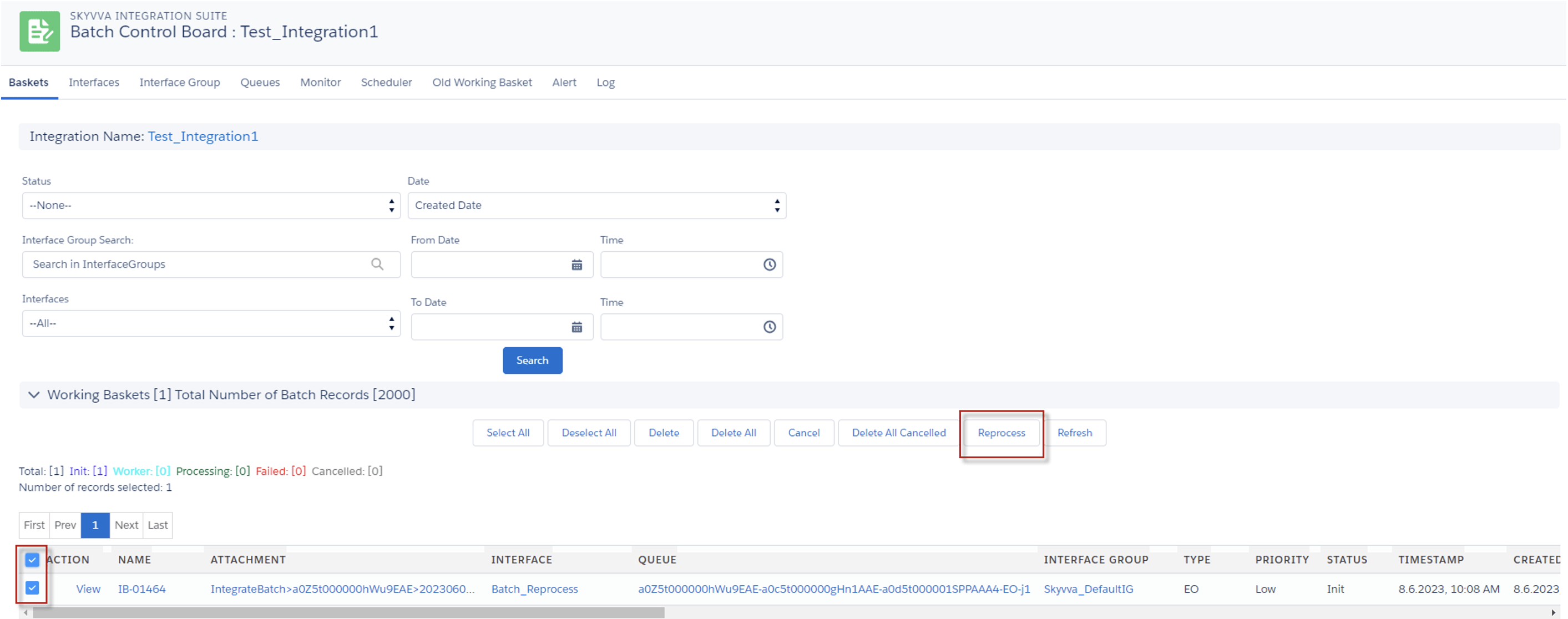
Here is the batch basket that has been pushed.

- Please select this batch basket
- Click Reprocess button
After the Basket Processing, the Apex Job will process 2 batches per job, with each batch containing up to 1000 records.

After the Apex job was completed, we received two partial completed Basket Messages because the contact child of the account message had failed (No Define External Id). Please review the messages on the Message Monitoring page.

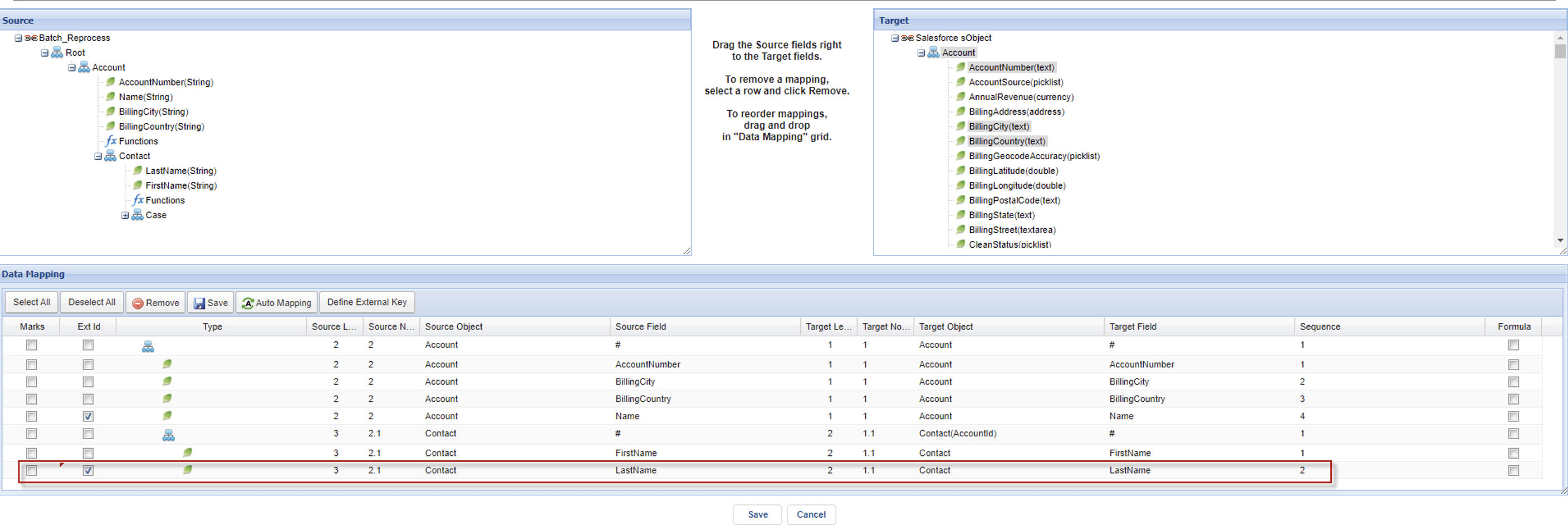
- Navigate to the Mapping page to define the External Id for the contact, so that message reprocessing can be performed for completed messages.
- Select a message above in order to view all messages associated with the corresponding Basket Message listed below.
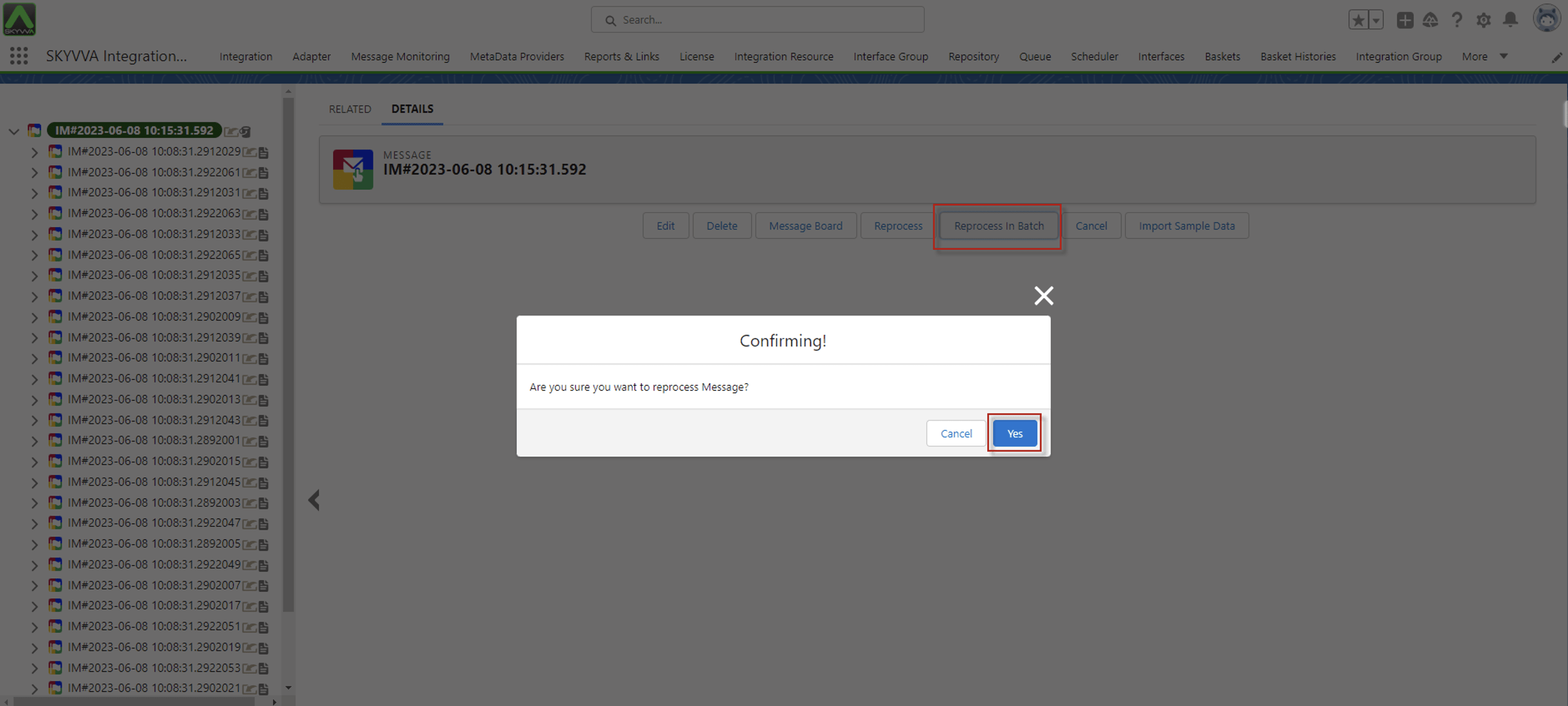
- Click the 'Reprocess In Batch' button

When clicked, it will open a popup screen to confirm the processing.
- Click the 'Yes' button
After clicking the 'Yes' button, it will alert message ‘The Selected message are under Processing…, Please check ApexJob and Refresh’

Here is the Apex job for the reprocessed message. Please wait for the processing to complete, and then check the message.

After the Apex job is completed, it will update the status of the message to indicate that it has been processed. They are all completed messages now.