4. Automatic Reprocessing per job.
Message reprocessing job reprocess all messages from all integration. We can exclude or include an integration to be reprocessed or not. With the flag "Automatic Reprocessing" on the integration detail, we can include (checked) or exclude (unchecked) the integration from the reprocessing. All messages are reprocessed at the same time because we have one global reprocessing scheduler.

[su_box title="Note" box_color="#2a8af0" title_color="#000000"]This flag is set at Integration level and it has been set by default when integration is created.[/su_box] We can use the MessageReprocess job to correct the message records in different cases. The different cases we support are:
- Pending Message (Yellow)
- Failed Message (Red)
How to use Automatic reprocessing jobs for pending messages?
Pending messages are shown in yellow color. The reason for pending status is also mentioned in a comment on message monitoring. [su_box title="Note" box_color="#2a8af0" title_color="#000000"]You must correct your data to meet the condition first before you can reprocess.[/su_box]
Pre-requisite
- Create Integration.
- Create the Interface. (Inbound Interface).
- Please select bulk or batch mode.
- To reprocess all the interface automatically, we have to check the Automatic Reprocessing flag at the integration level.
#### Different use cases to reprocess messages per Integration
We can reprocess messages as:
- MessageReprocessPerIntegration scheduler with every min Time Interval
- MessageReprocessPerIntegration scheduler with Run At (IntegrationOnDemand)
- MessageReprocessPerIntegration scheduler with Run At Every Hour (IntegrationOnDemand)
Case 1: MessageReprocessPerIntegration scheduler with every min Time Interval:
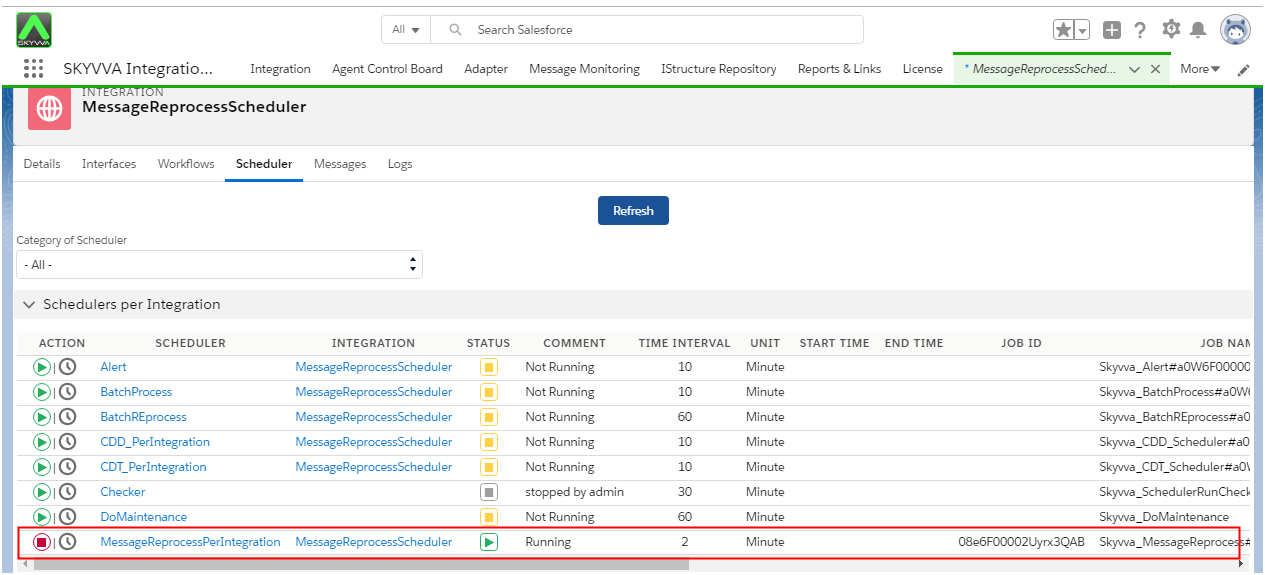
- Testing MessageReprocessPerIntegration scheduler with every min Time Interval (IntegrationOnDemand) with using Automatic Reprocessing flag. We have to follow the given step to reprocess messages per integration.
- Go to the scheduler tab and Set scheduler 2 min in MessageReprocessPerIntegration.
Case 2: MessageReprocessPerIntegration scheduler with Run At (IntegrationOnDemand)
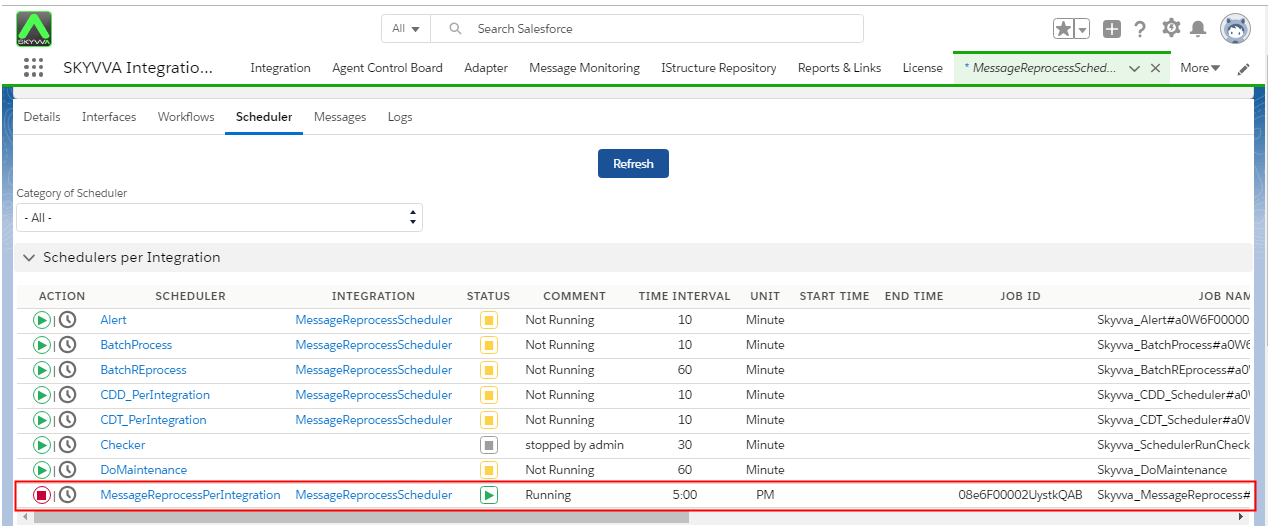
- Testing MessageReprocessPerIntegration scheduler with Run At (IntegrationOnDemand) using Automatic Reprocessing flag.
- Set time Run At 5:00 PM.
Case 3: MessageReprocessPerIntegration scheduler with Run At Every Hour (IntegrationOnDemand)
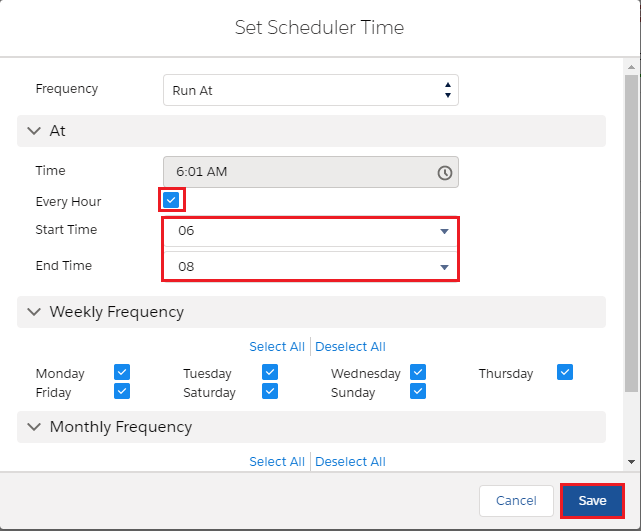
- Testing MessageReprocessPerIntegration scheduler with Run At Every Hour (IntegrationOnDemand) using the Automatic Reprocessing flag.
- Set time Run At Every Hour = 6->8:00 AM.
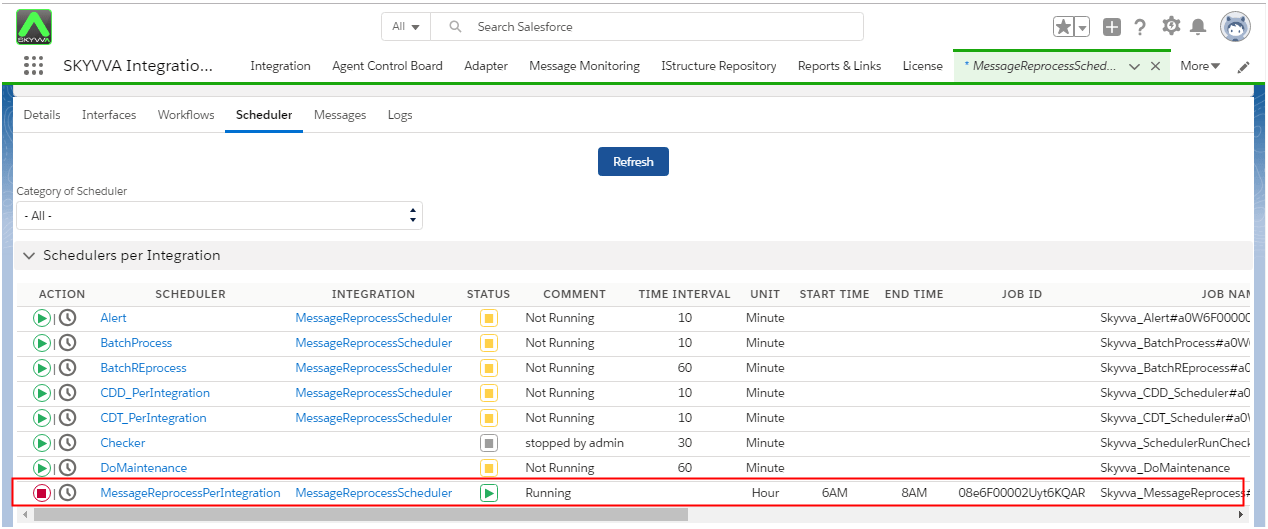
- It will run at 6-8:00 AM every day and running all Interfaces stays in this integration.