115. How to run inbound interface through the manually and scheduler?
Introduction
The manual interface execution is a new feature that allows the user to process the interface manually. To use this function need to connect to a database adapter such as an SQL server, Oracle, My SQL Server, etc... We have the SQL statement inside the interface in the new "databaseQuery__c" filed. [su_box title="Note" box_color="#2a8af0" title_color="#000000"]Manual processing can only use with inbound database processing. We don't need this function for file, Kafka, or Pulsar. Therefore, they have a consumer for inbound interface already. If the interfaces bind into the interface group, it will be possible to process it with the file adapter.[/su_box]
Pe-required
- Create Integration and configuration on the new Agent Control Board
- Create database adapter (for inbound) on new Agent Control Board
- Create Metadata Provider, Repository and generate Message Type from the database
- Create an inbound Interface (Response)
- Checking Cache monitoring status
- Do manual process button
How to do manually data using an inbound Interface?
Step1: Create integration and connection destination
- Go to the integration detail page and click on Agent Control Board.

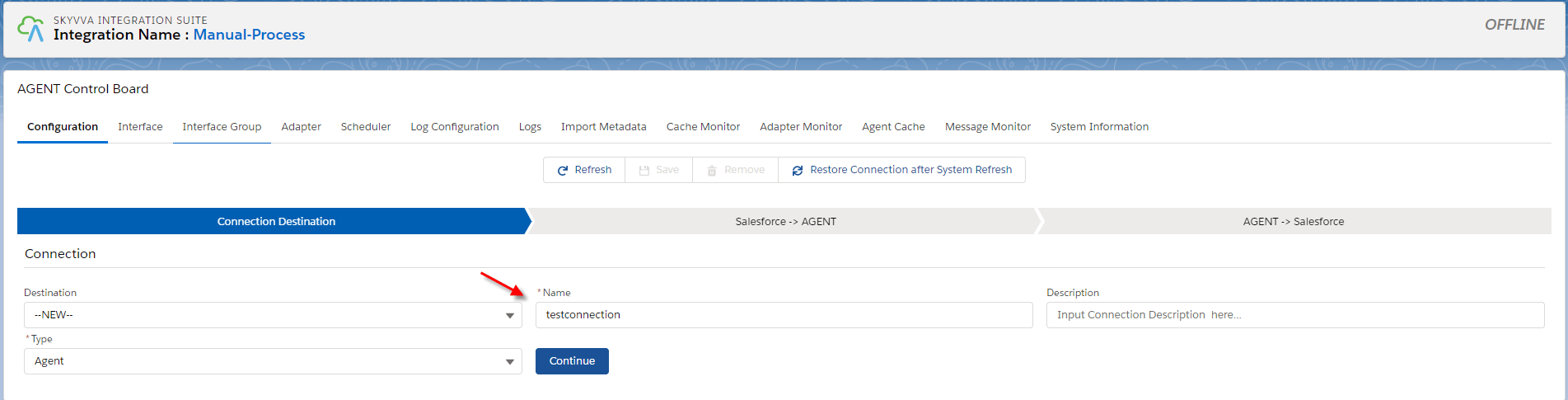
- Create Agent connection
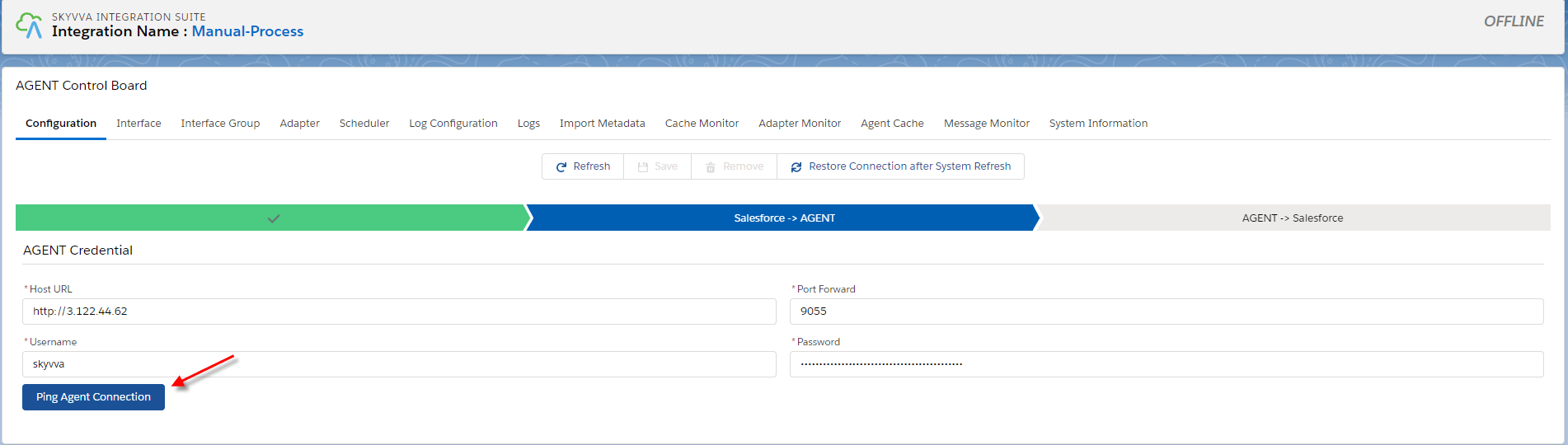
- Create connection Salesforce to Agent =>Fill the agent credential
- Create connection Agent to Salesforce =>Fill the Salesforce credential
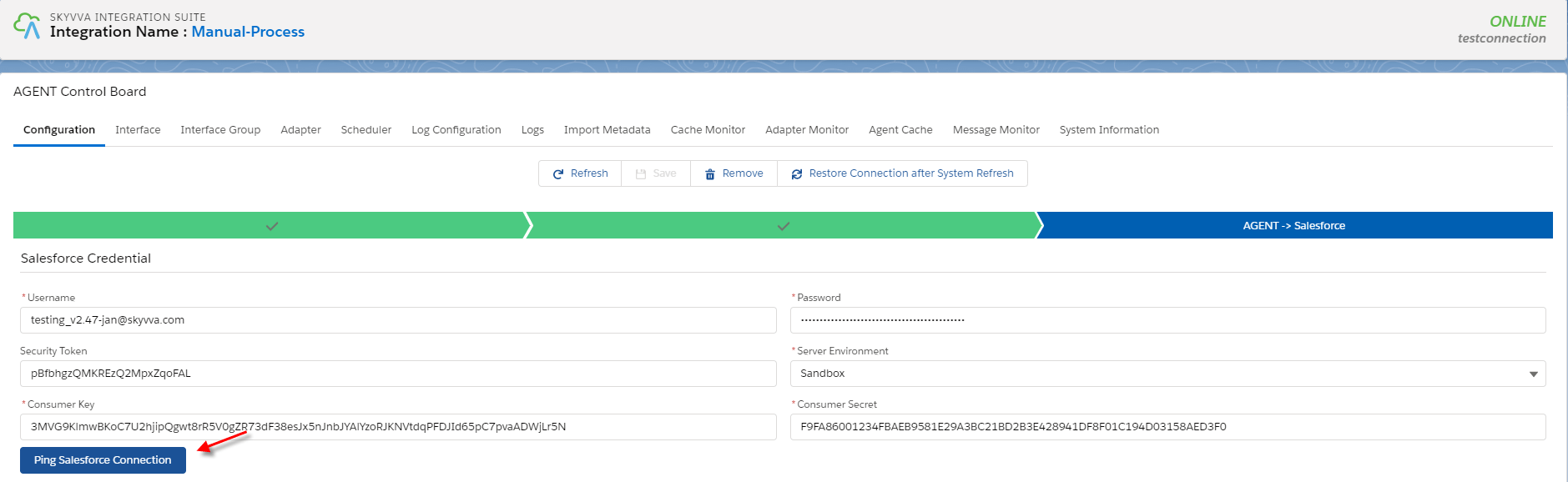
- Save connection
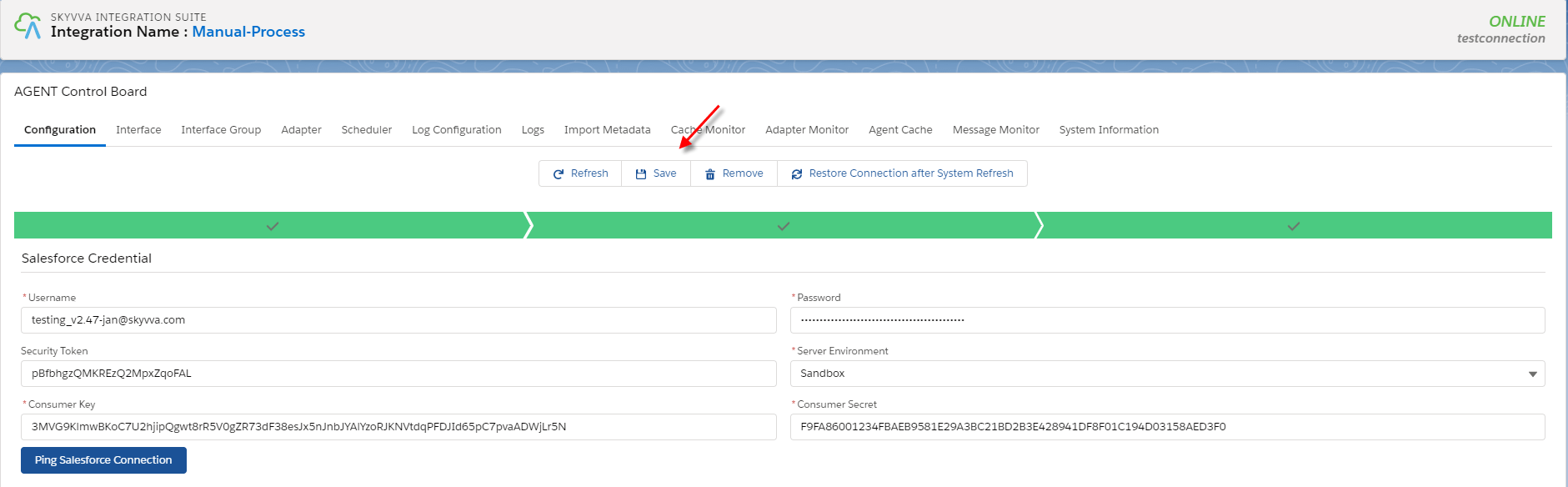
Step 2: Creating adapter in the Agent control board
- Navigate to the adapter tap after that click the new button.

- Fill all required field
- Name: any name
- Type: Agent Database
- Direction: Inbound
- Status: Active
- Database type: oracle
- Driver : oracle.jdbc.driver.OracleDriver
- Username: Your user name on the database
- password: your password on the database
- Hostname: 3.124.40.194
- Port:1522
- SID/Service Name: orcl
- Insert Operation Mode: Internal Key Management
- Connection URI : jdbc:oracle:thin:@//ec2-3-124-40-194.eu-central-1.compute.amazonaws.com:1522/orcl (Connection URI has followed the systax: jdbc:oracle:thin:@
: : )) - Connection Destination: your destination name
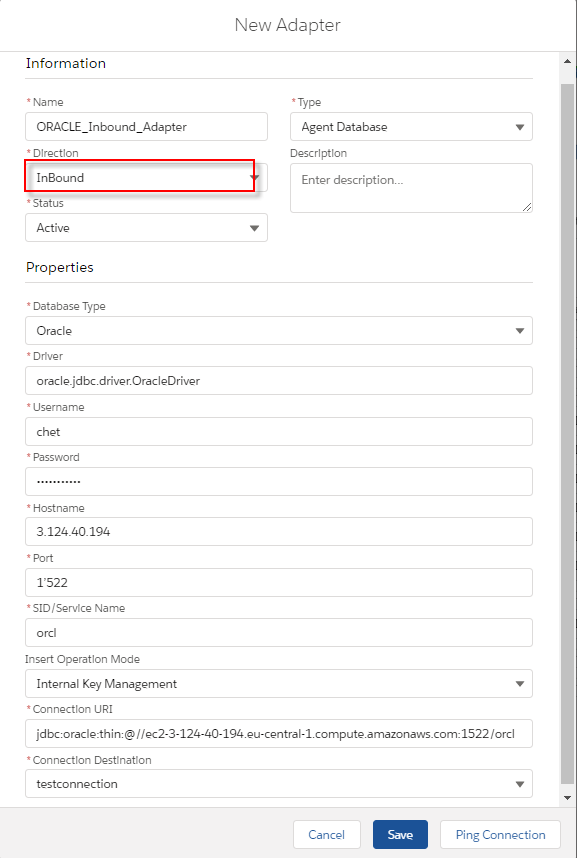
Step 3: Generate message type from the database
- Create Metadata Provider and a repository
- Go to the repository detail page then click the Import Database Metadata.
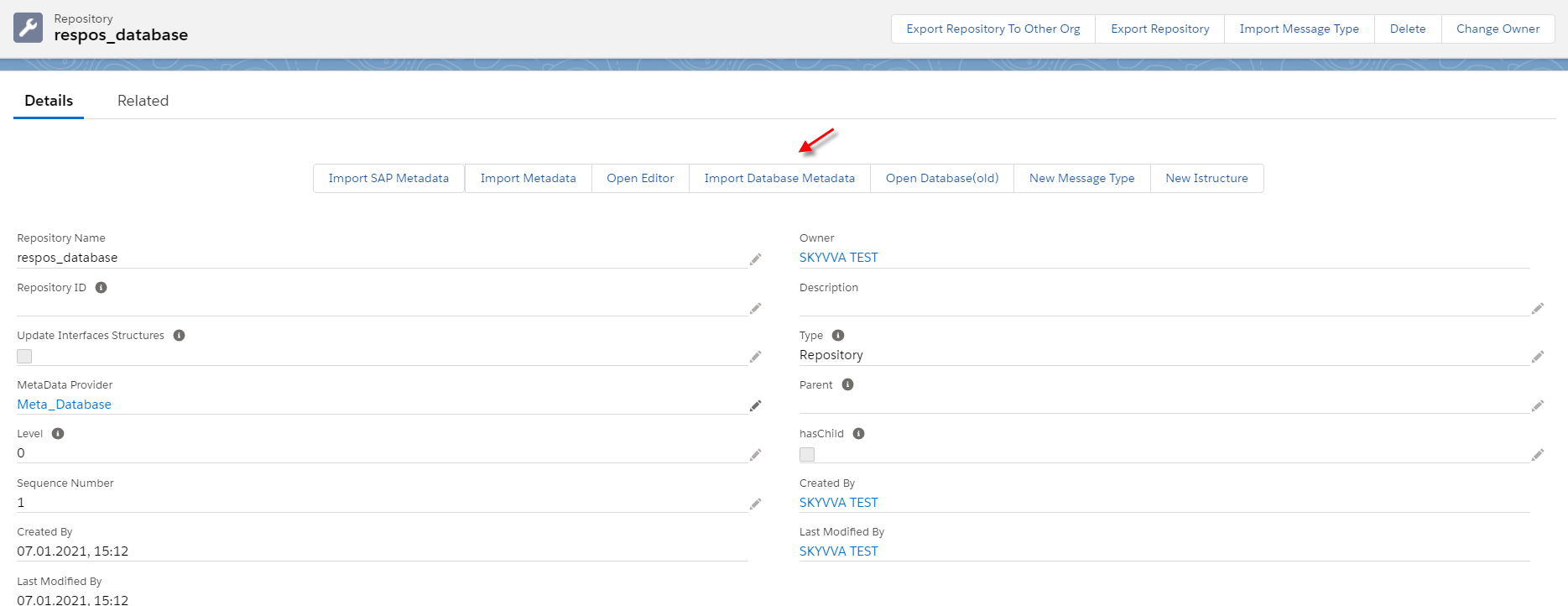
- Fill all required field then click Retrieve Database to get the Table's record
- Agent Instance: your instance name
- Adapter Name: your adapter name
- Object type: Table, View, Procedure
- Database Operation: Insert (database's template will be generated based on operation)
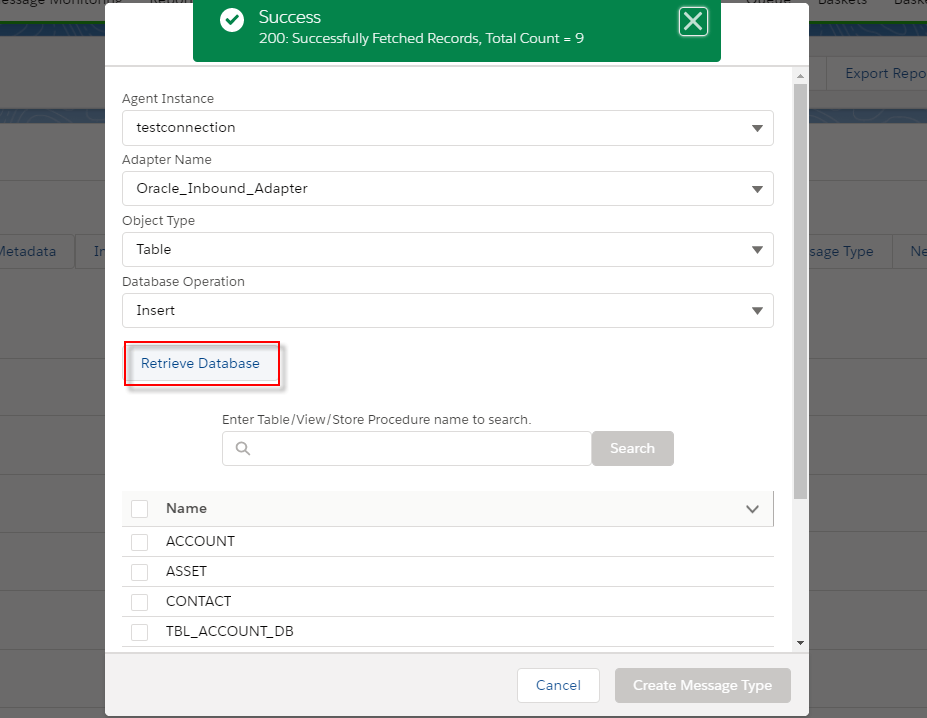
- Chose Table's name to create a message type
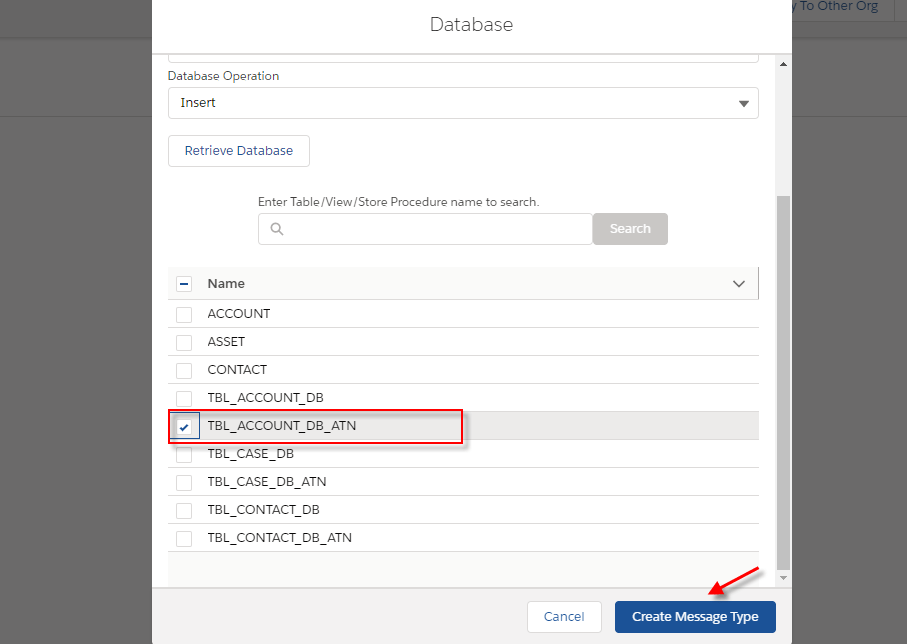
- After that, we got the message type that we generate as a template from the database.
[su_box title="Note" box_color="#2a8af0" title_color="#000000"] For Insert operation, we have a template for generating message type for a single table
- Create a root message type with the prefix” Database_”+” Table’s name” within type as “Database table template”
- Create two messages type as a child of the root with the fixed name. The first one is “Request”, and another one is “Response”.
- Under request, create a message type as the child. The Table’s name is used for this Message Type within type as “Database Table”.
- Under response, create a message type as a child that has the fixed name” record” within type as “Plain Structure”.
- Under “record”, create message type as the child. the table’s name is used for this message type within type as “Plain structure”.(In this message type, was generated the field name like on the table)[/su_box]

Step 4: Create an inbound interface
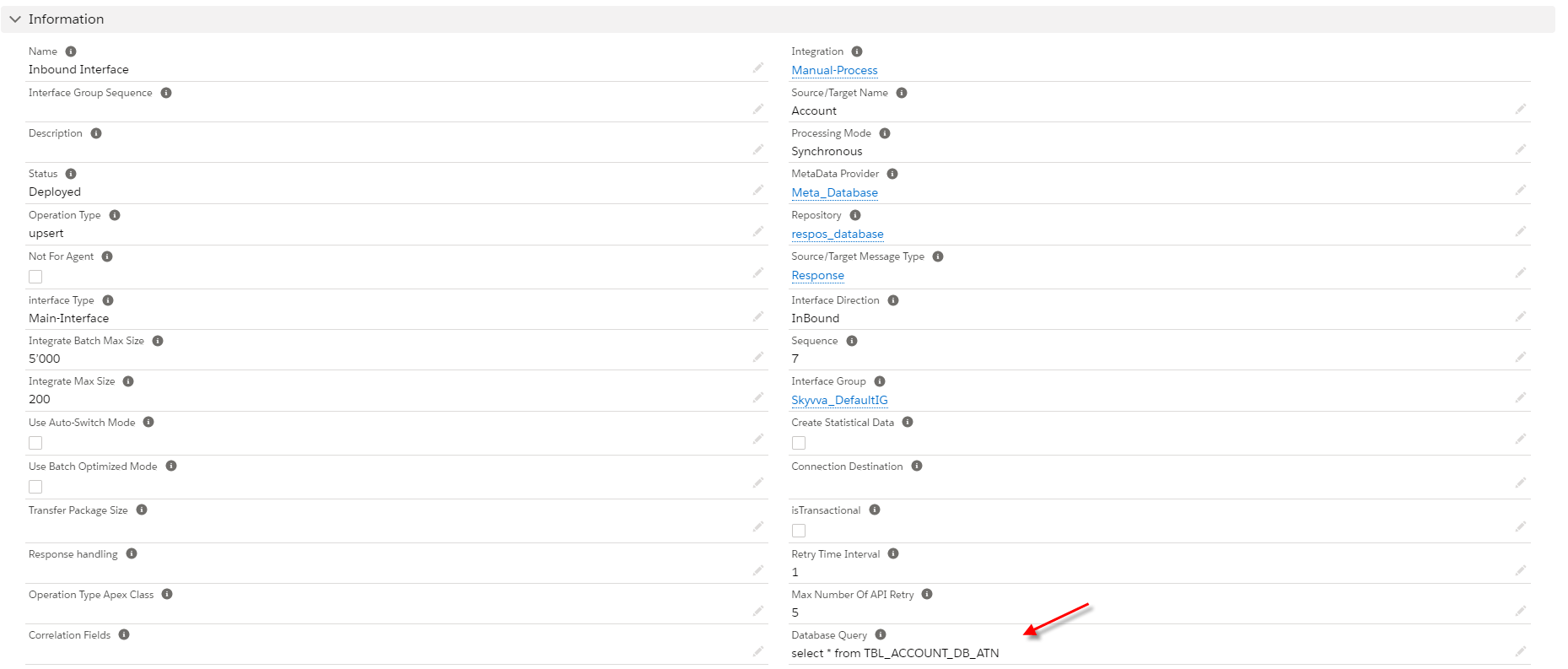
- create an inbound interface and link message type into the interface

- Input database query statement to query data from the database.
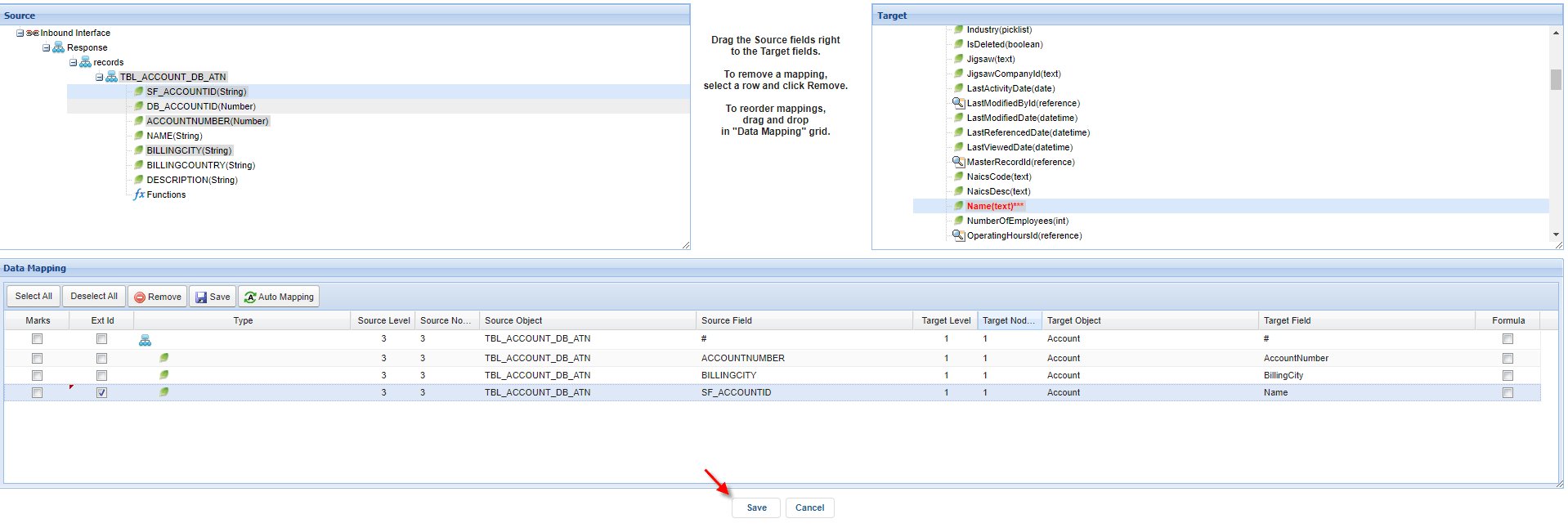
- Do mapping and click the save button.
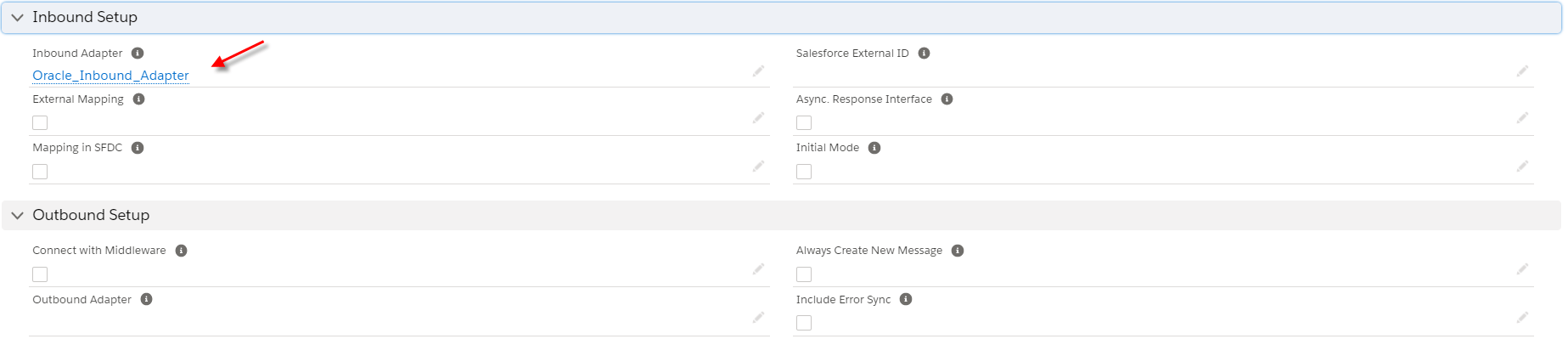
- LInk adapter into the inbound interface
Step5: Do manual process button
- Before you do the manual process you need to check the cache to make sure that the Interface group, Adapter, Integration, Interface, Ichain, mapping, or workflow that we set on an interface is cache retrieved.

- Select one inbound interface and click on Manual Process Button.
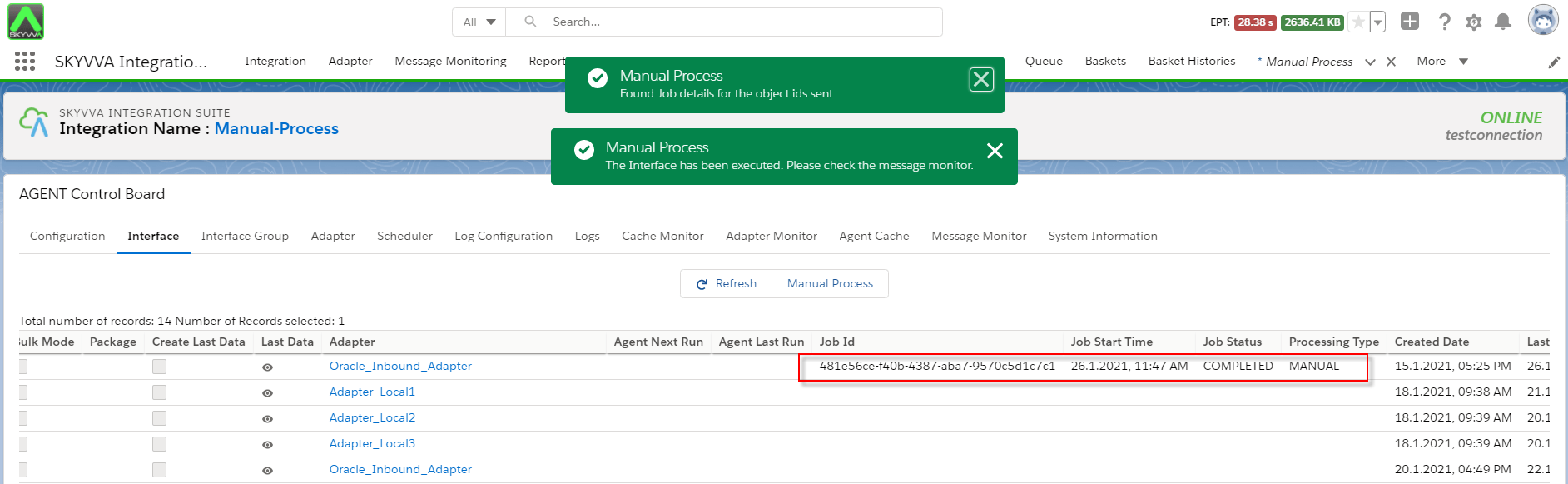
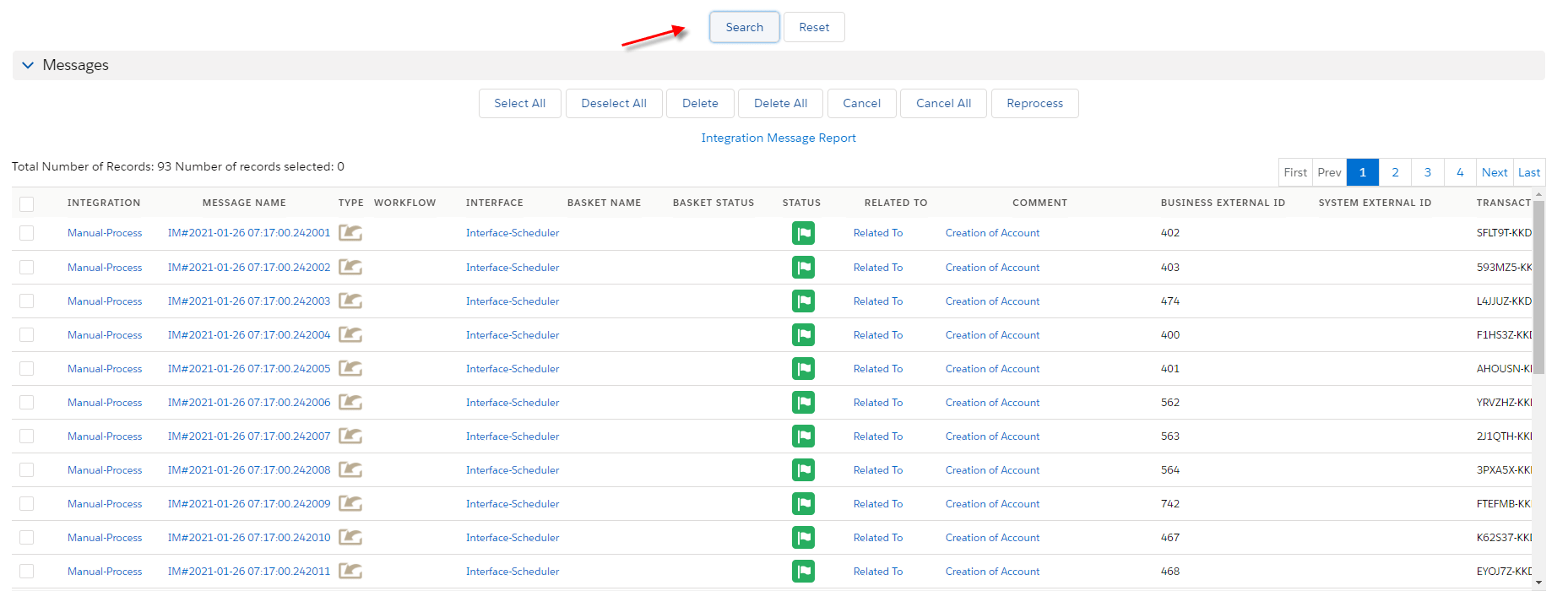
- You need to check the message monitor to ensure that salesforce received data from the database correctly.
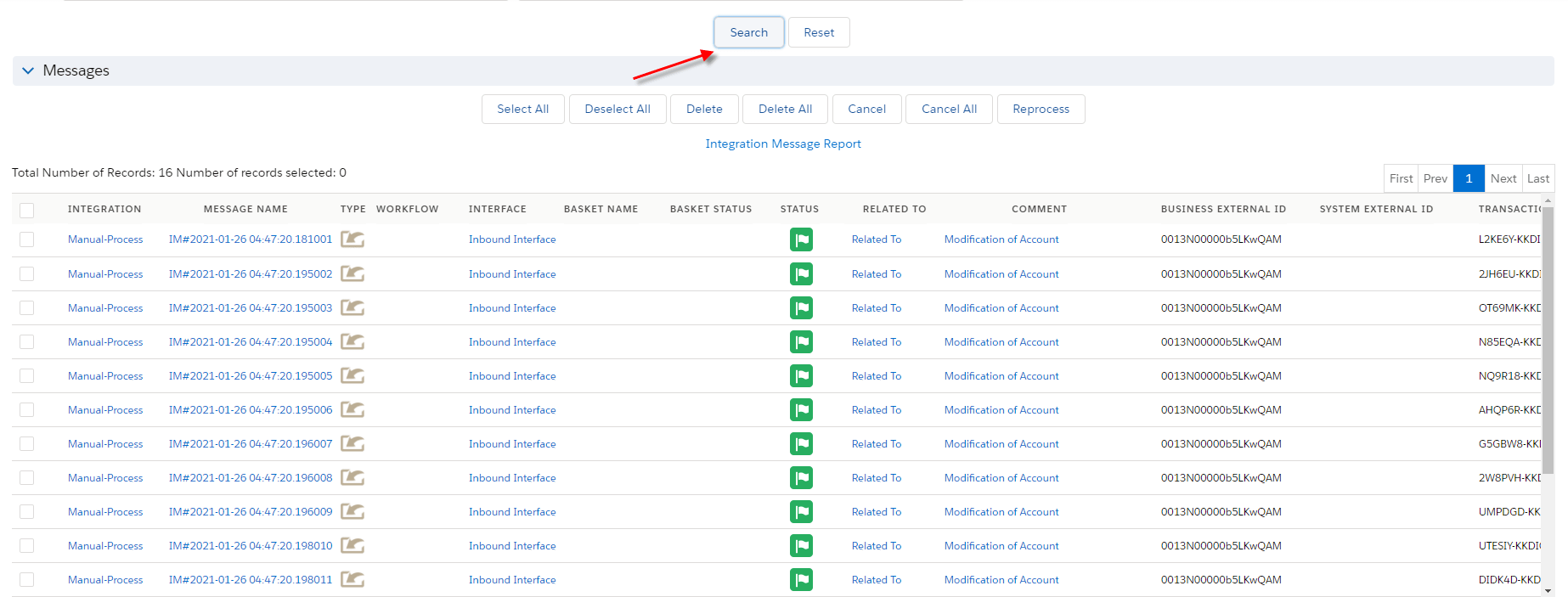
How to run the inbound interface using the scheduler?
In this case, we need the scheduler to synchronize data from the database into salesforce. Step1: Create an inbound interface and link message type to the interface

- Input select statement into Database Query's field.
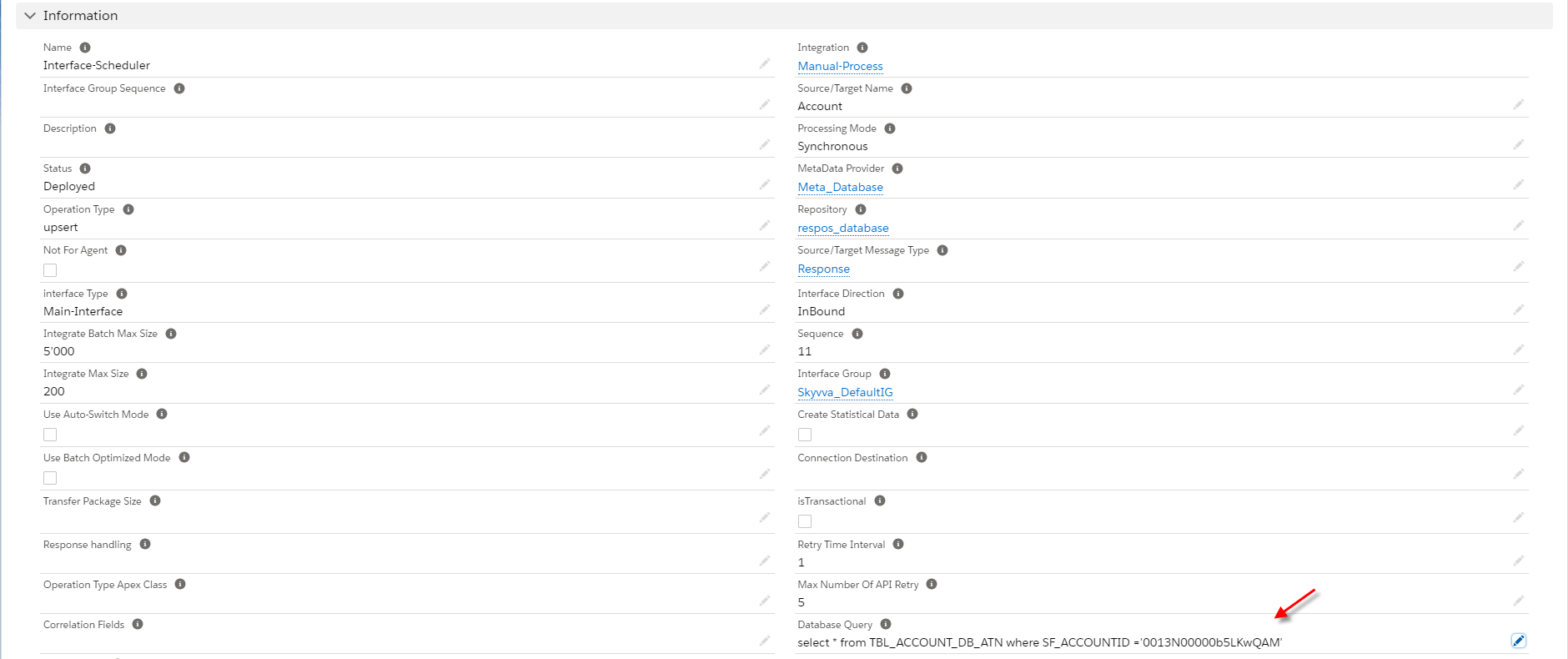
- Do mapping and click the save button.
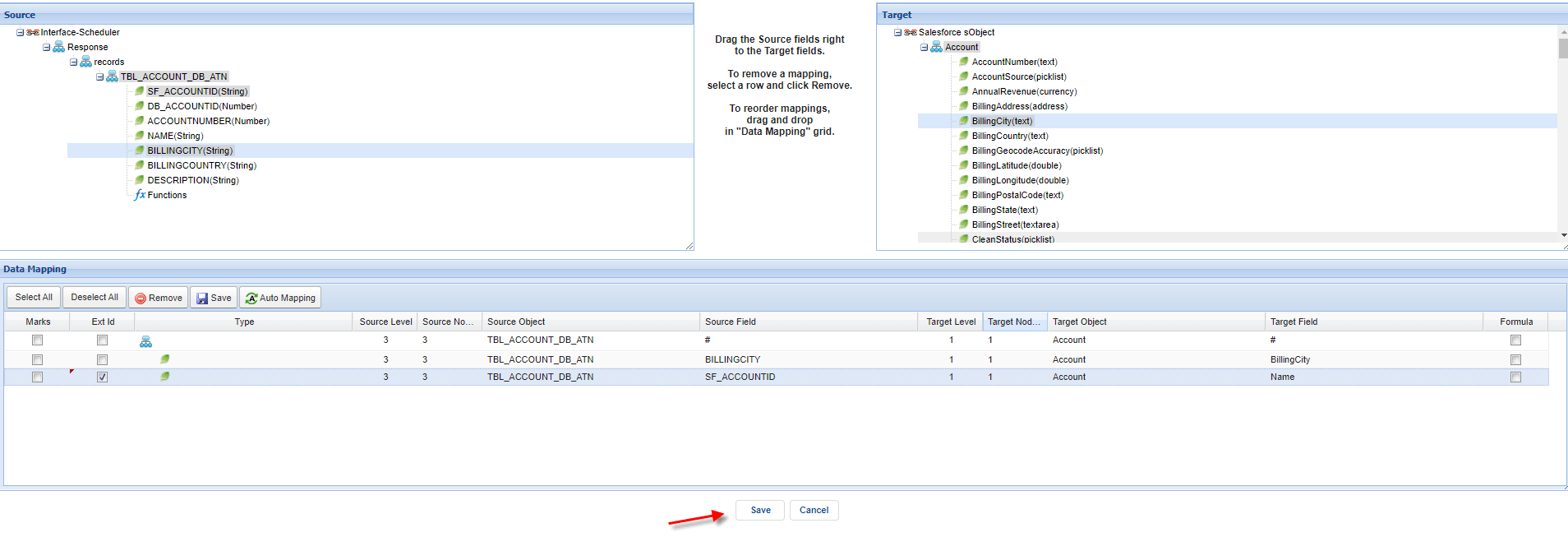
- Link adapter into the interface.
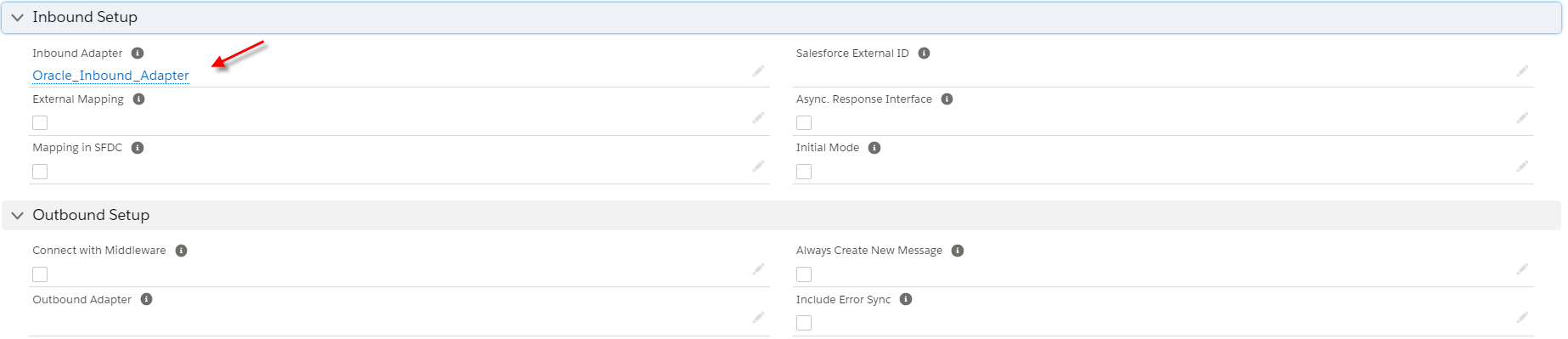
Step 2: Run scheduler
- You need to check the cache to make sure that Interface group, Adapter, Integration, Interface, IChain, Mapping, or workflow that we set on an interface is cache retrieved correctly.
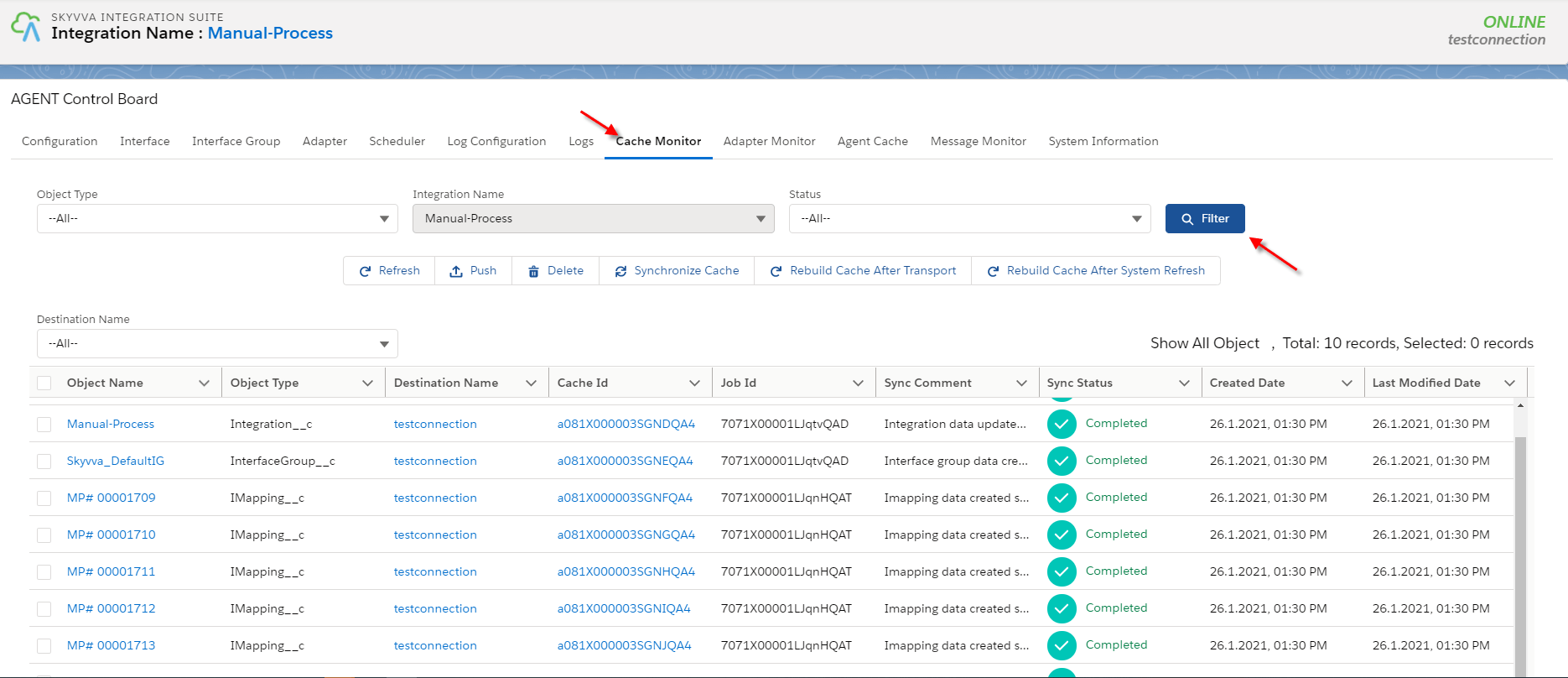
- Agent scheduler will be generated after the user clicks the scheduler tap.
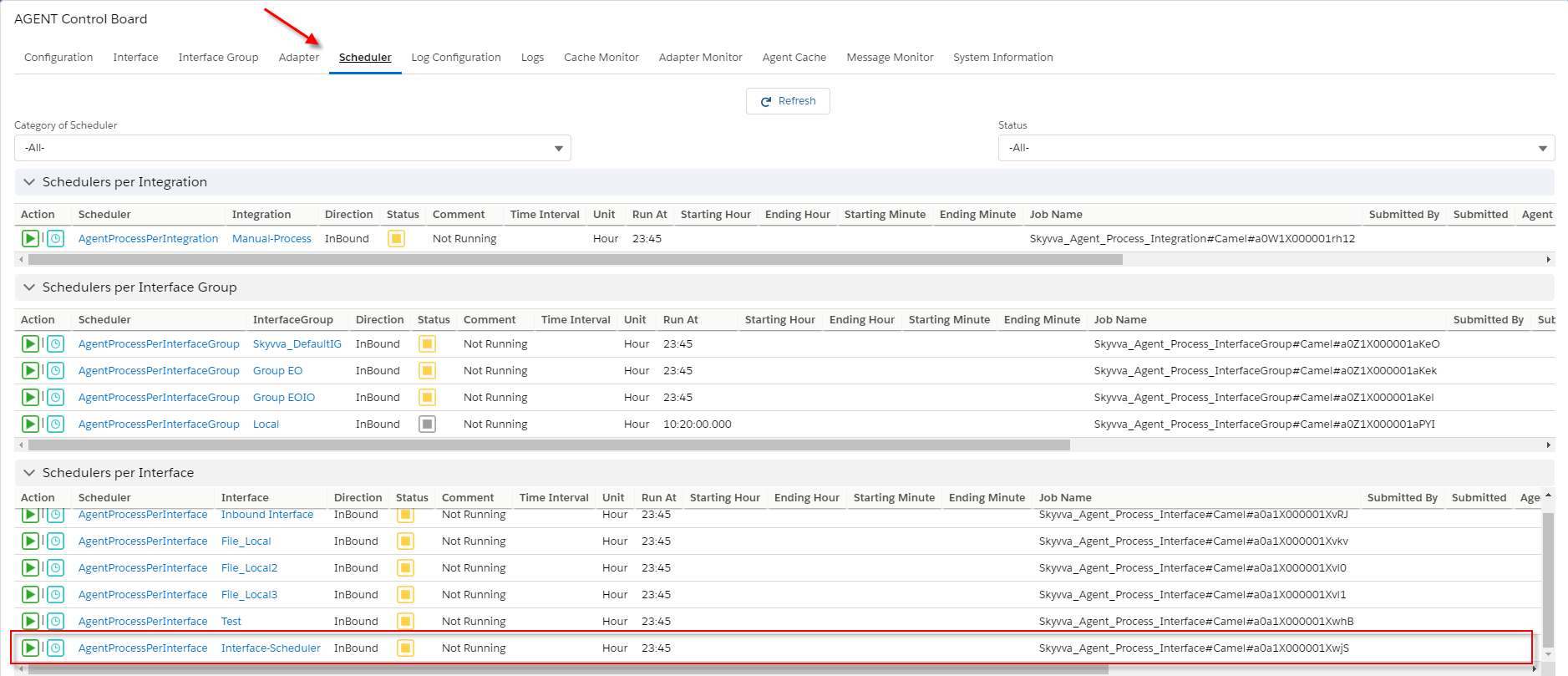
- Set the time to run every 1 minute

Note: If the machine has small memory, We should not set the time for running every 1 minute because it will block another job. You have to run every 5 or 10 minutes or more is a good recommendation.
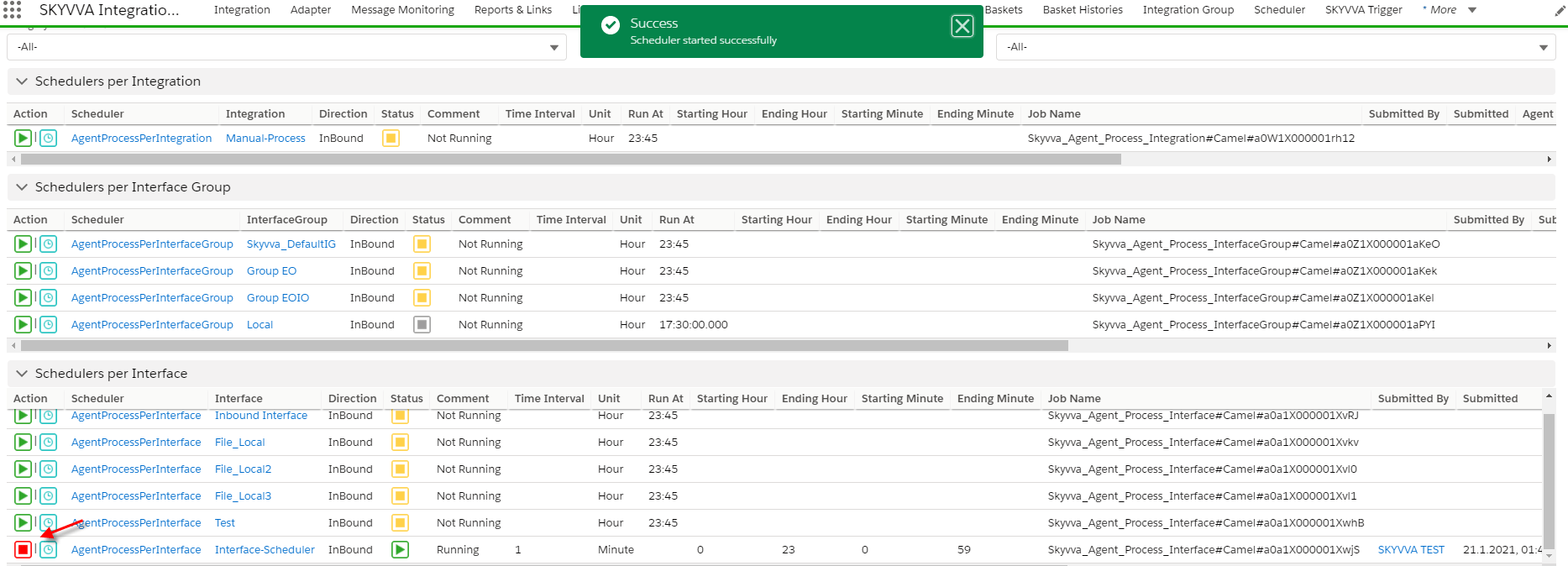
- You need to check the message monitor tap to ensure that salesforce received data from the database is correct.