116. How to run inbound interface group through the manually and scheduler?
Introduction
An interface group is a unit to group logical interface together. You can group an interface that is related to each other (Account and contact to one interface group) to the processing at the same time. Interface group is the object user define at configuration time. This processing can read data from Agent database adapter such as Oracle, Ms. SQL, My SQL,..... and it also can read data from Agent file adapter such as SFTP, FTP, and FTPs. We have two type interface group
- EO: this group the member of the interface group can be processed in any sequence. We just need to start the execution of the different interfaces in the group after the order. The execution order can follow the sequence of the group, if the user has not defined the sequence then the execution order is random.
- EOIO: The interface in this group will have the sequence number. The user must define the sequence number because we are processing the interface based on this sequence. If the group has an error, it will stop the processing of the group.
Pe-required
- Create integration
- Configuration Agent control Board
- Create agent database adapter
- create inbound interface and interface group
How to do manually an interface group type EO?
Step1: Create integration

**Configuration Agent Control Board **
- Go to integration detail and click on Agent Control Board

- Create Agent Connection
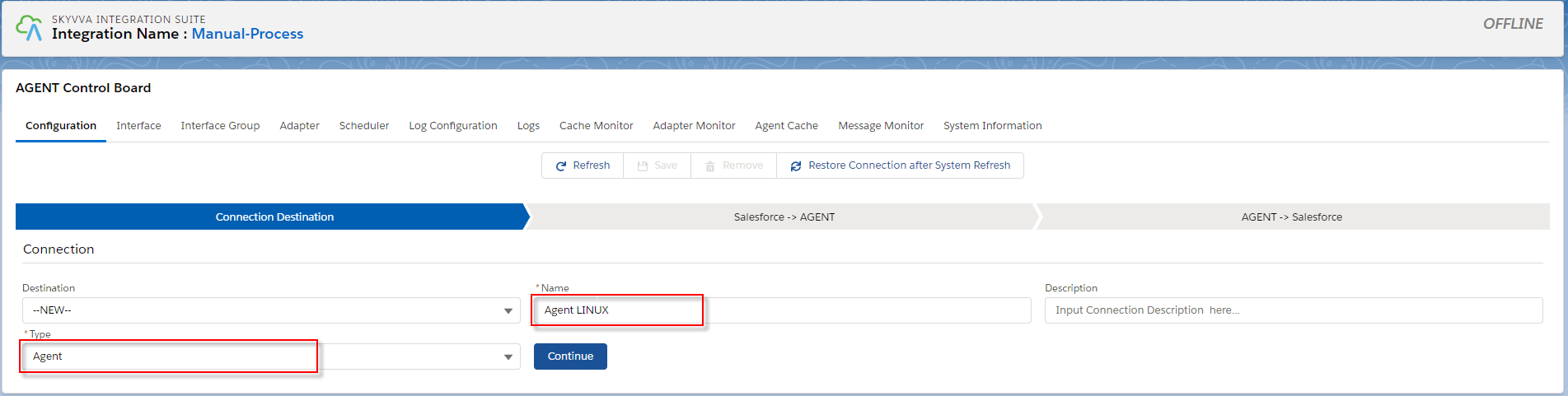
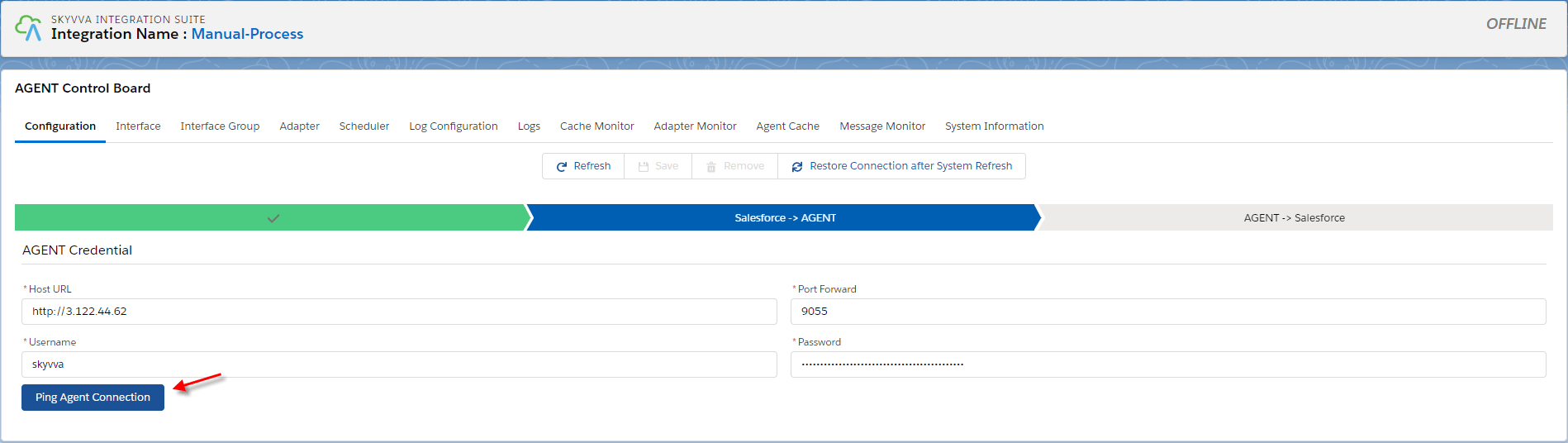
- Fill the Agent Credential
- Fill the Salesforce Credential

- Save Connection
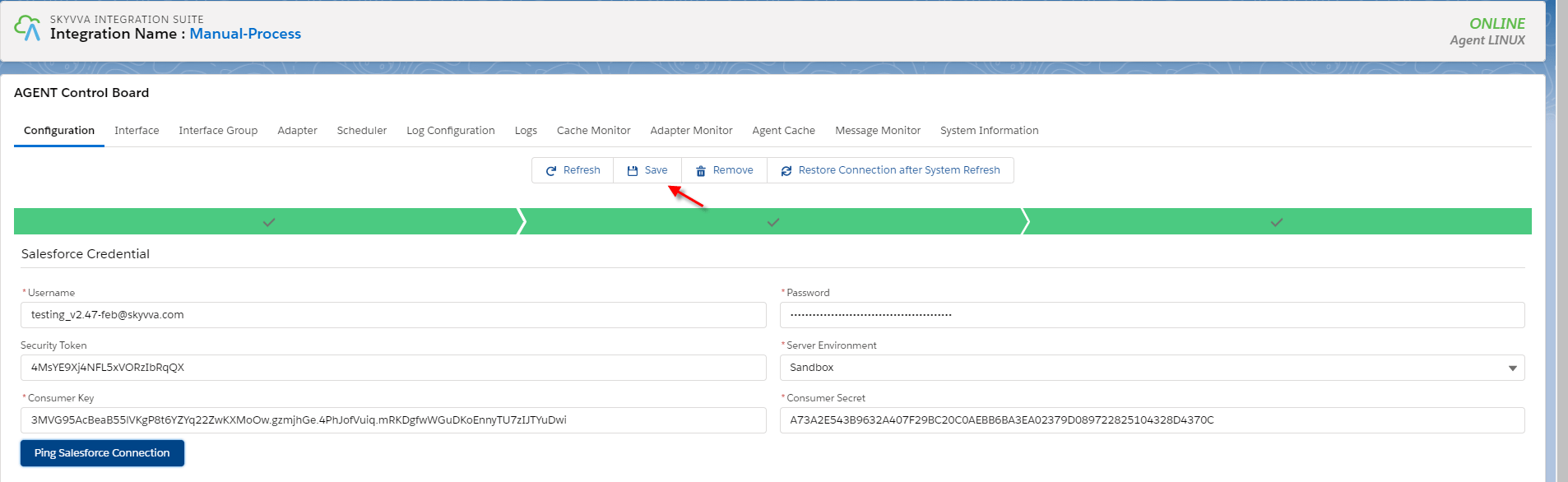
Step2: Create Database adapter in Agent Control Board
- Navigate to the adapter tab and then click the new button.

**Fill all required field **
- Name: any name
- Type: Agent database
- Direction: Inbound
- Status: Active
- Database type: oracle
- Driver : oracle.jdbc.friver.OracleDriver
- Username: your username on the database
- Password: your password on the database
- Hostname: 3.124.40.194
- Port: 1522
- SID/Service Name: orcl
- Insert Operation Mode: Internal Ky Management
- Connection URL : jdbc:oracle:thin:@//ec2-3-124-40-194.eu-central-1.compute.amazonaws.com:1522/orcl (Connection URI has followed the systax: jdbc:oracle:thin:@
: : )) - Connection Destination: your destination name

Import Metadata from the database

Fill all required field then click Retrieve database to get the table's record
- Agent Instance: your instance name
- Adapter Name: your adapter name
- Object type: Table, View, Procedure
- Database operation: Select (database's template will be generated base on operation)
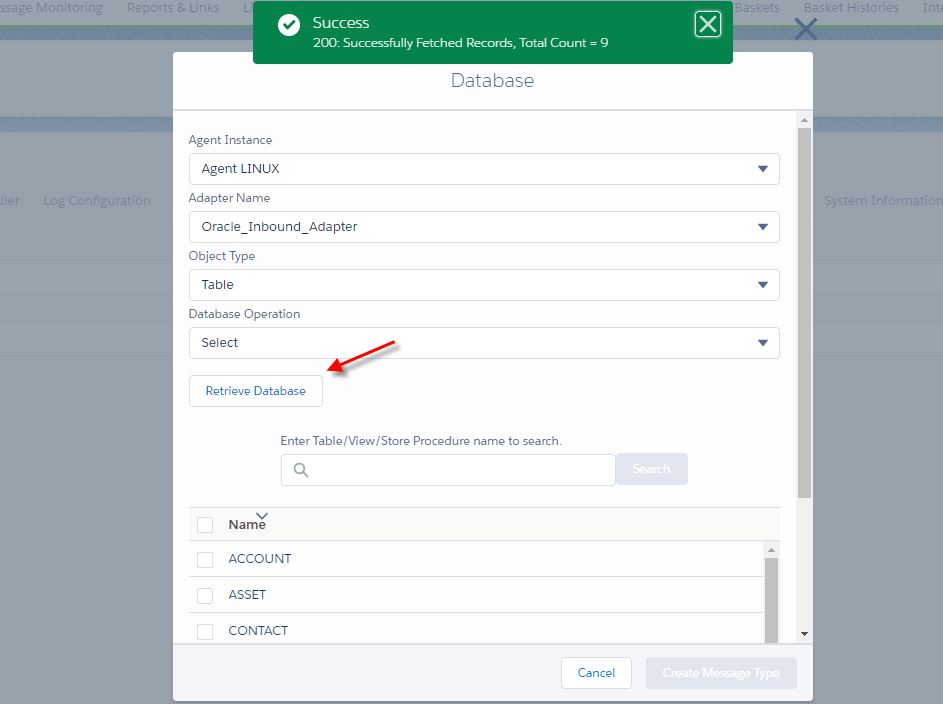
- Choose Table's name to create a message type

[su_box title="Note" box_color="#2a8af0" title_color="#000000"]For Insert operation, we have a template for generating message type for single table
- Create a root message type with the prefix "Database_"+"Table's name" within the type as "Database table template".
- Create two message types as a child of the root with the fixed name. The first one is "Request", and another one is "Response".
- Under request, create a message type as the child. The table's name is used for this message type within type as "Database Table".
- Under response, create a message type as a child that has the fixed name "record" within type as "Plain Structure".
- Under "record", create message type as the child. The table's name is used for this message type within type as "Plain structure" .
(In this message type, was generated the field name like on the table)[/su_box]
- After that, We got the message type that we generate as a template from the database

Step3: Create interafces
- Create some inbound interfaces and link metadata into interfaces.
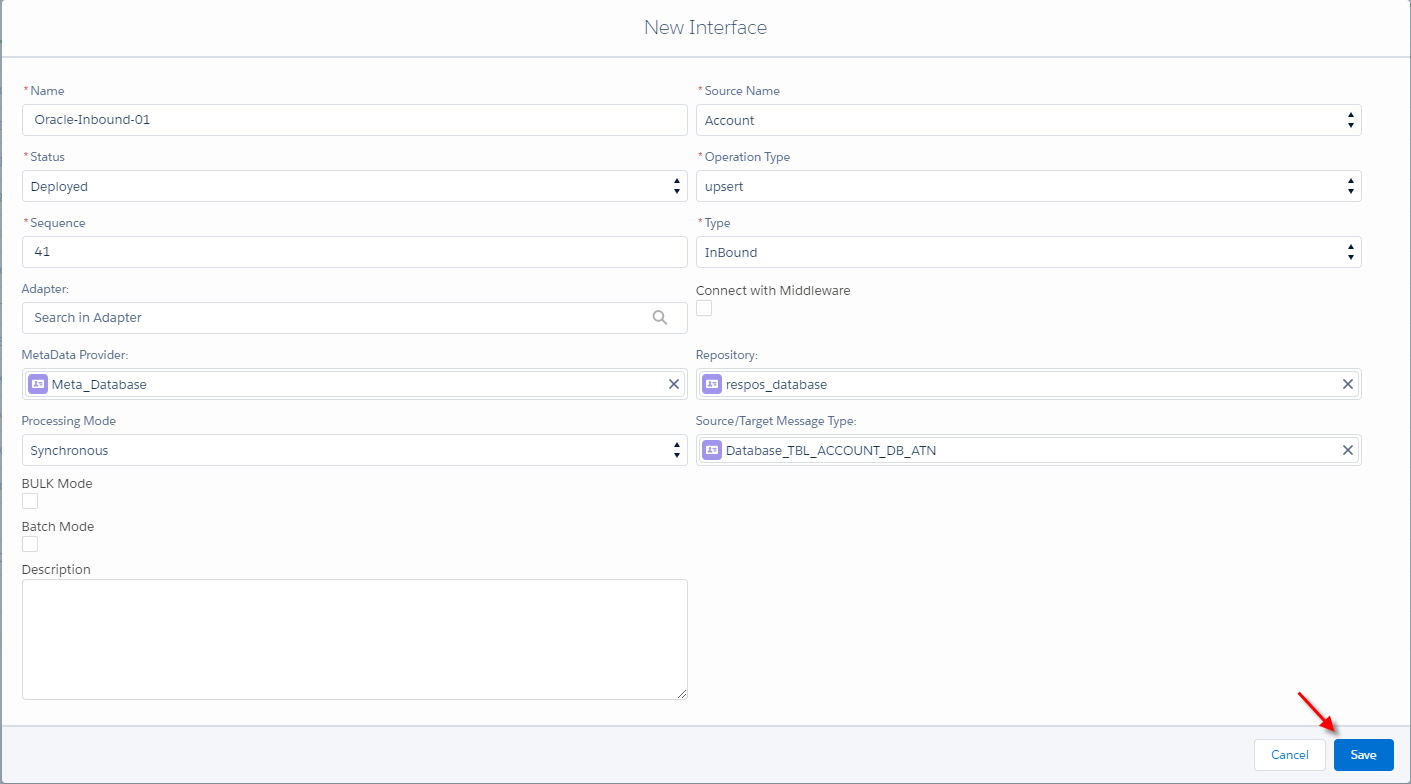
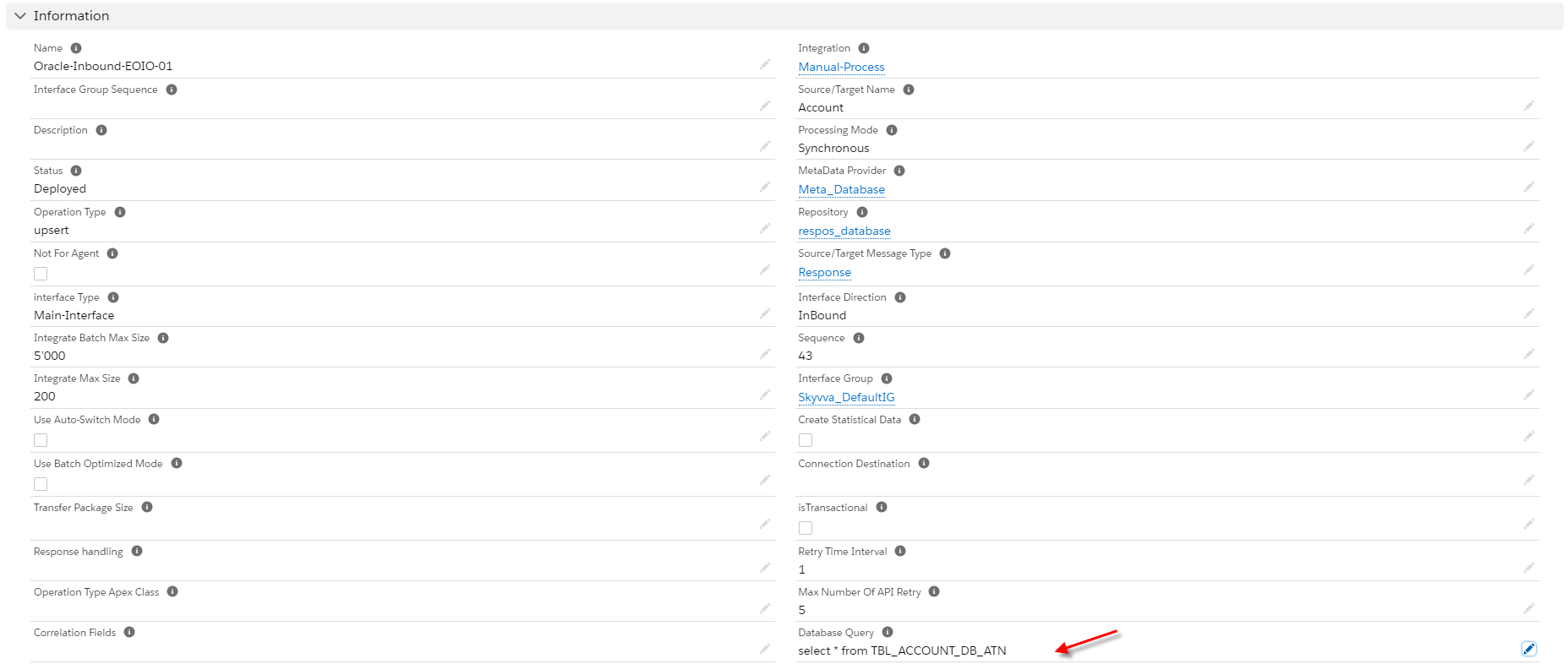
- Input database query statement into interfaces.

- Link adapter into those interfaces

- Do mapping
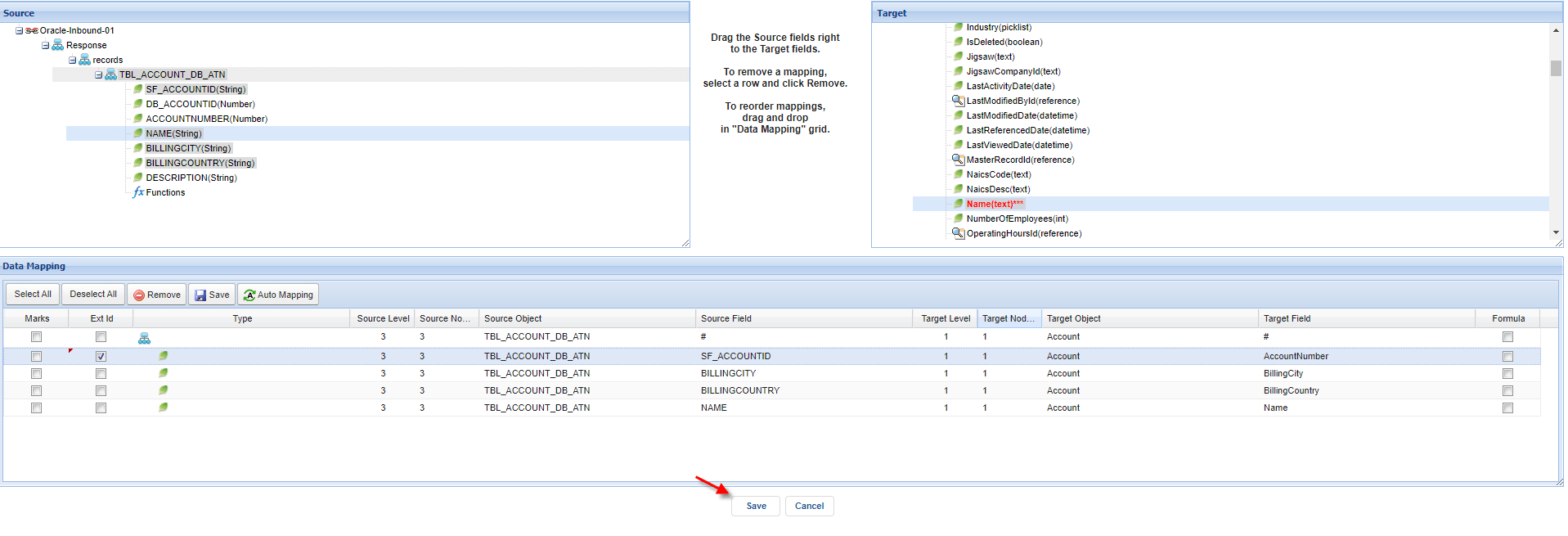
Step4: Agent Control Board
- create an inbound interface group
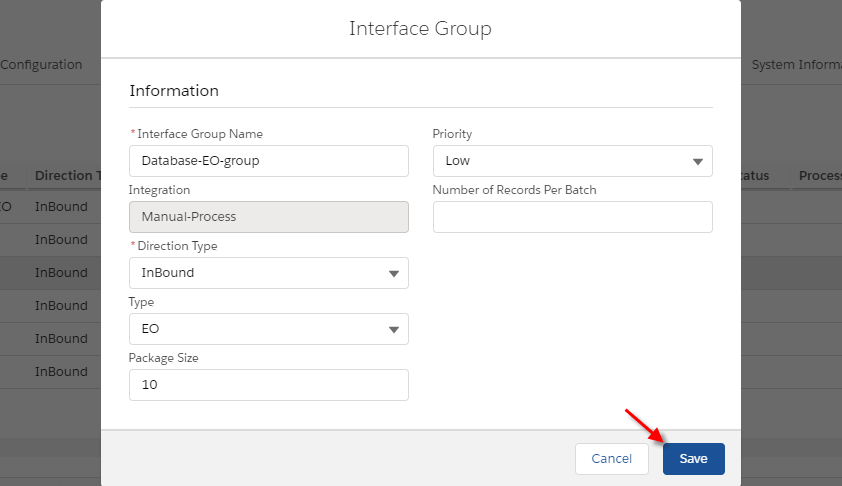
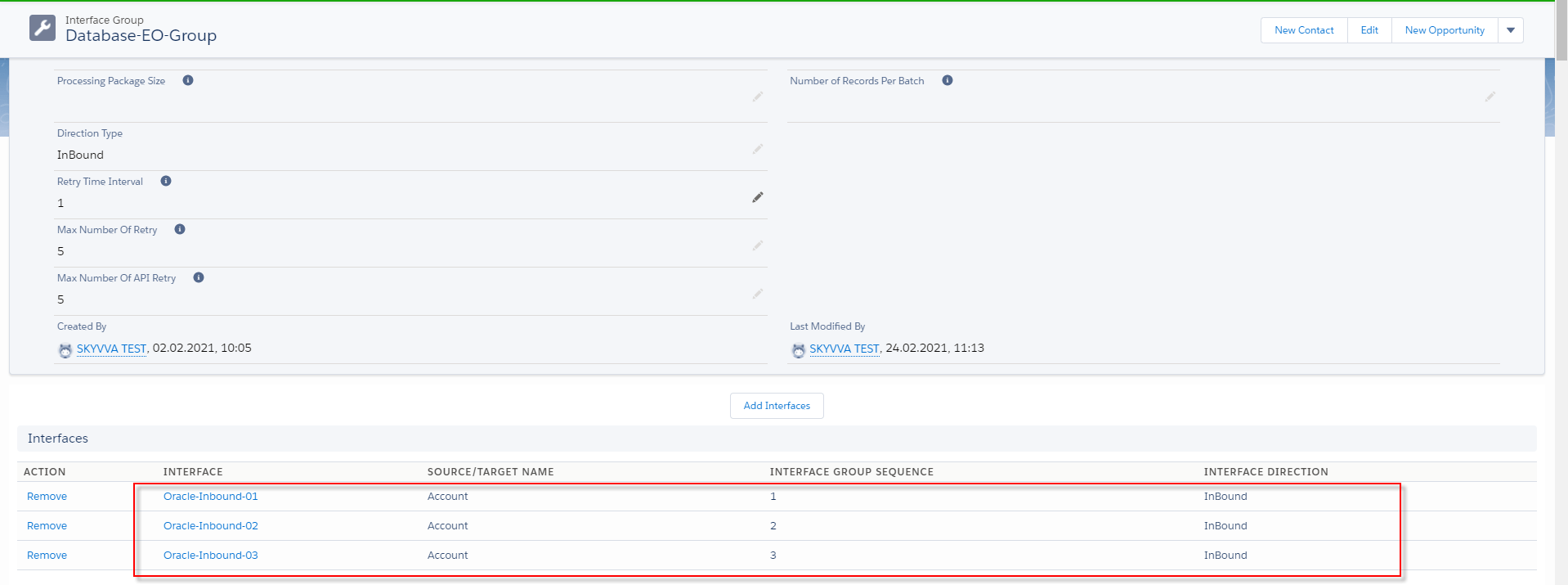
- Add interfaces into an interface group
Go to interface group detail and click on the "Add interface" button.
Step5: Do Manual process per-interface group
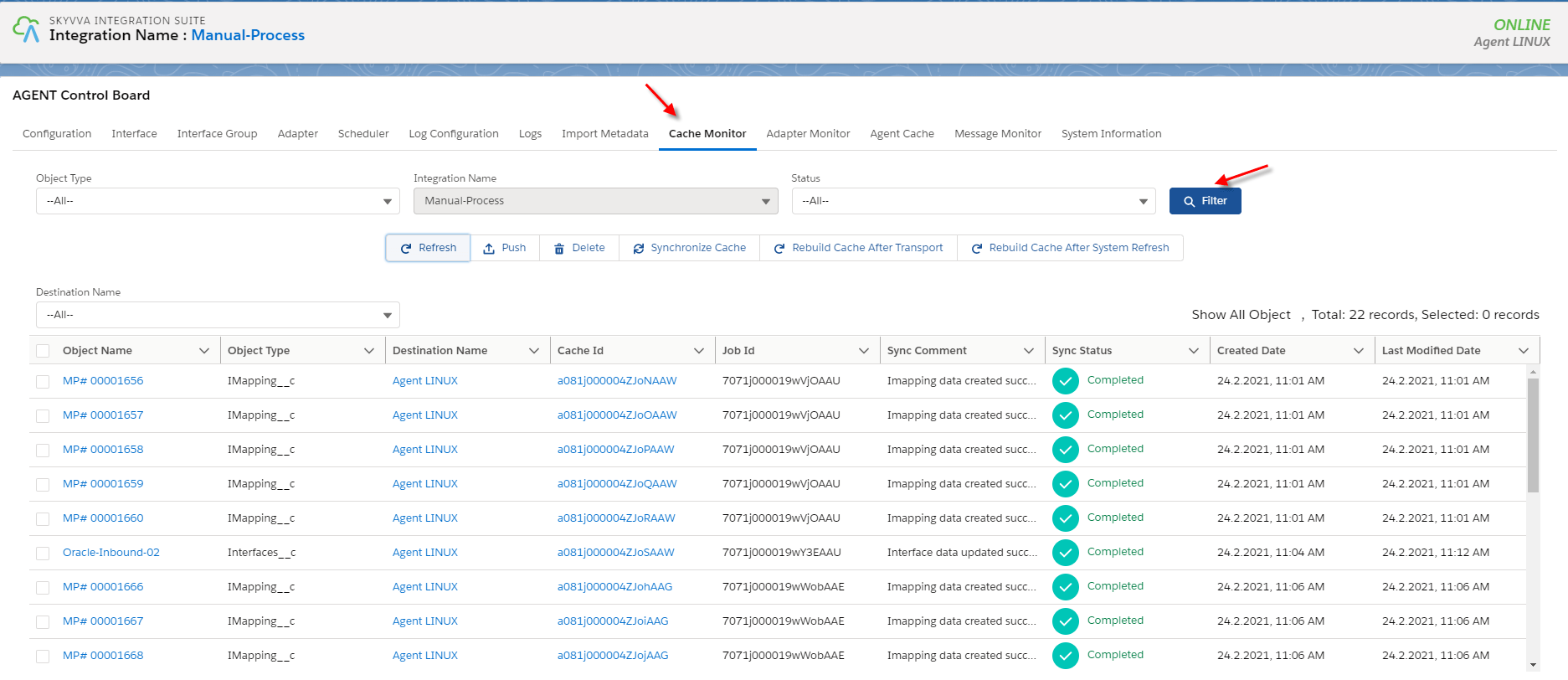
- Before you do the manual process you need to check to make sure that the interface group, Adapter, Integration, IChain, mapping, or workflow that we set on an interface is caches retrieved.
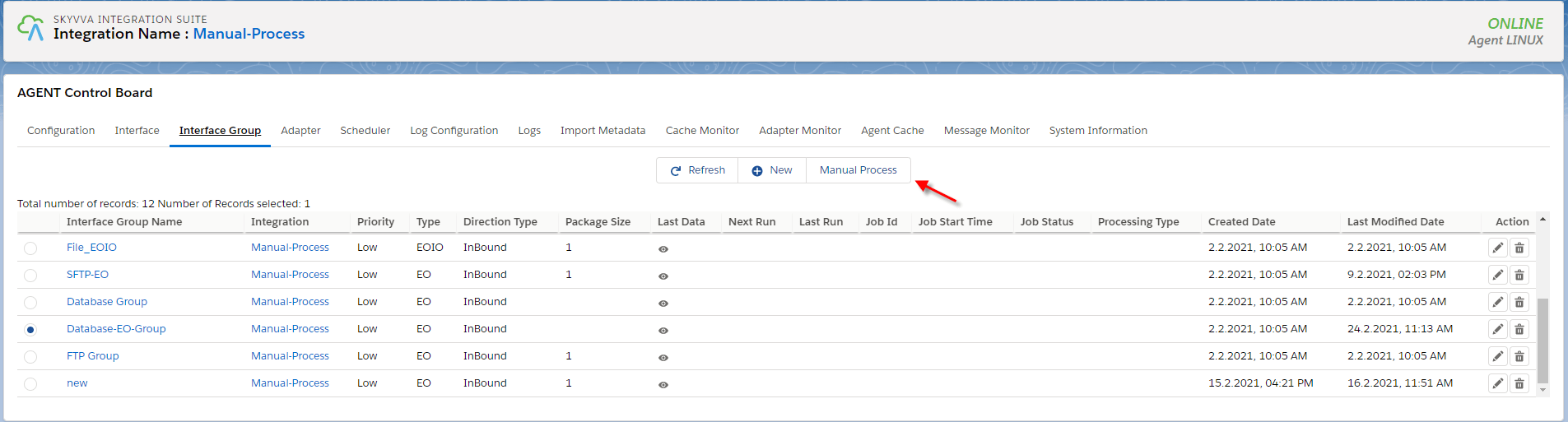
- Select on interface group and click on the Manual Process button.
- After the user click on the Manual Process button.

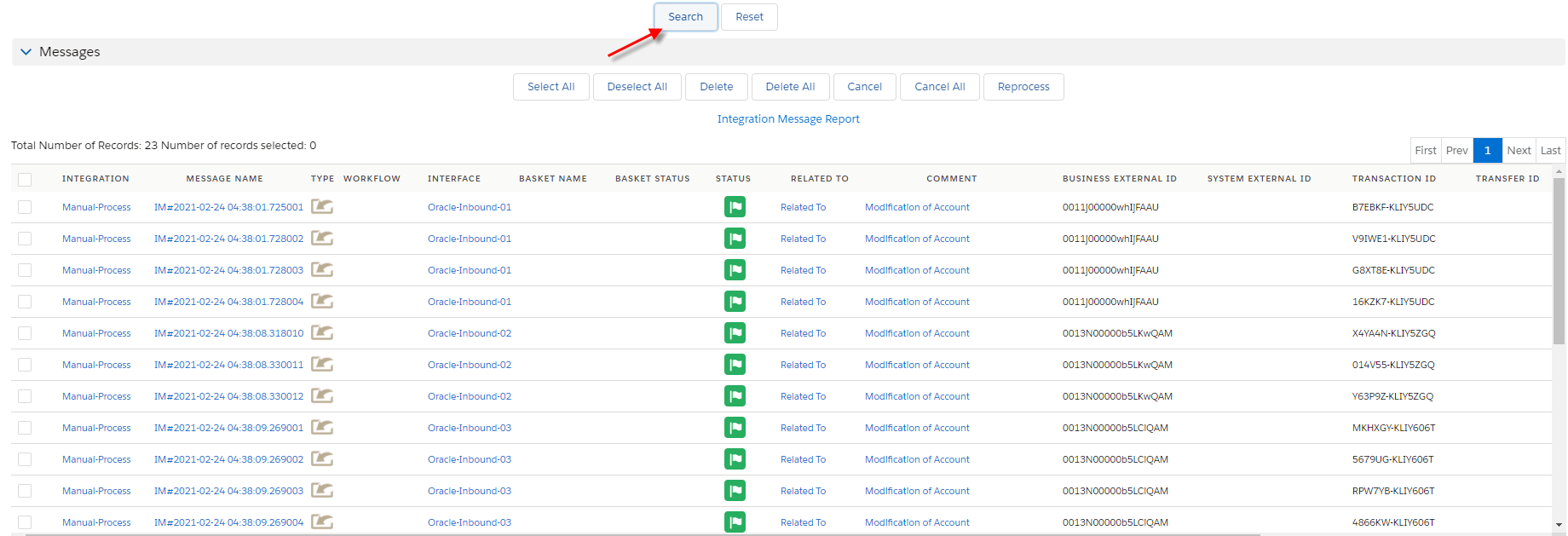
- You need to check the message monitor to ensure that salesforce received data from the database correctly.
How to run the scheduler per-interface group type EO? In this case, We require the following case 1, and we need to create a scheduler, per-interface group. Pre-require
- Goto Integration
- Configuration Agent control board
- Create adapter agent database
- Create inbound interface and interface group
- Create scheduler per inbound interface group
Step1: Agent Control Board
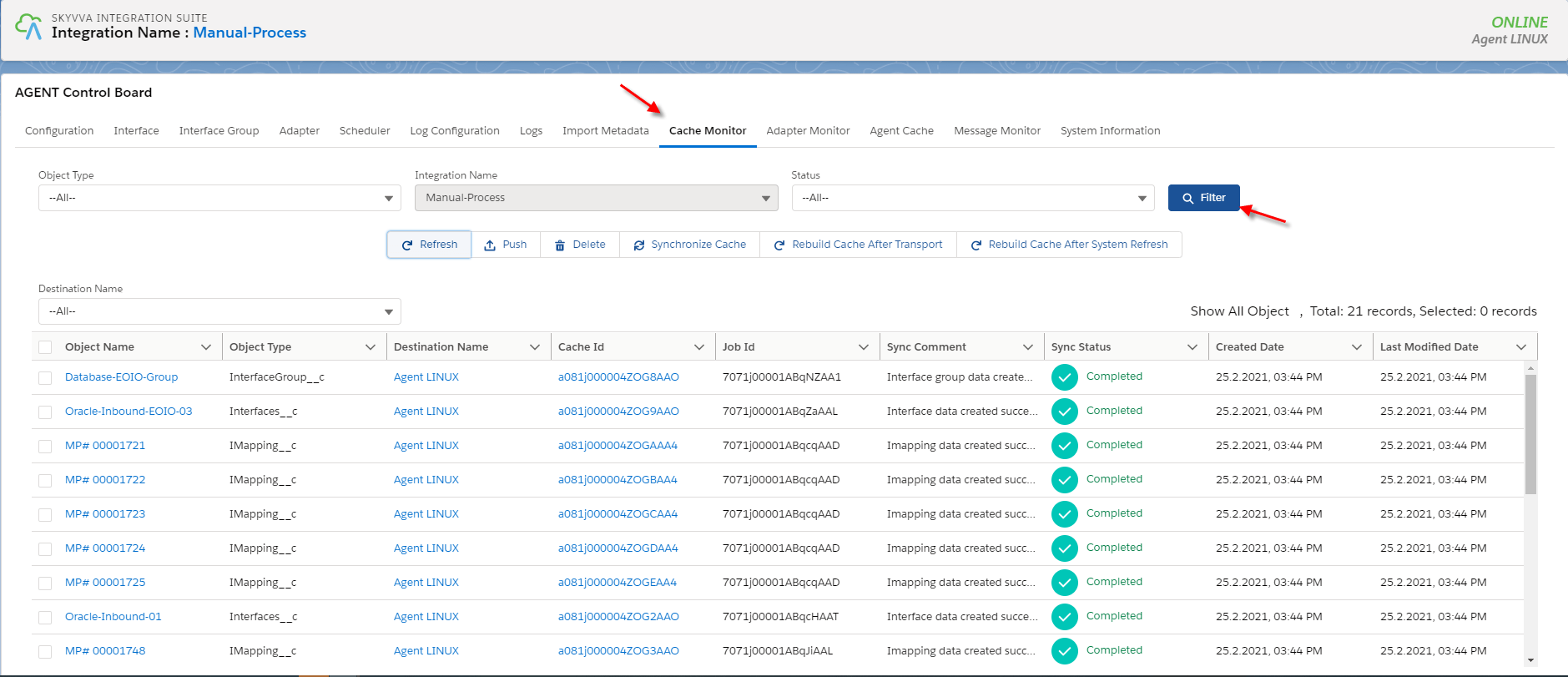
- Before you run the schedule you make sure your interface group, Adapter, Integration, Interface, mapping, IChain, Workflow, is cache retrieved correctly.
- The agent will be generated scheduler after the user click the scheduler tab

- Set the time to Run At

- Click on Action Button
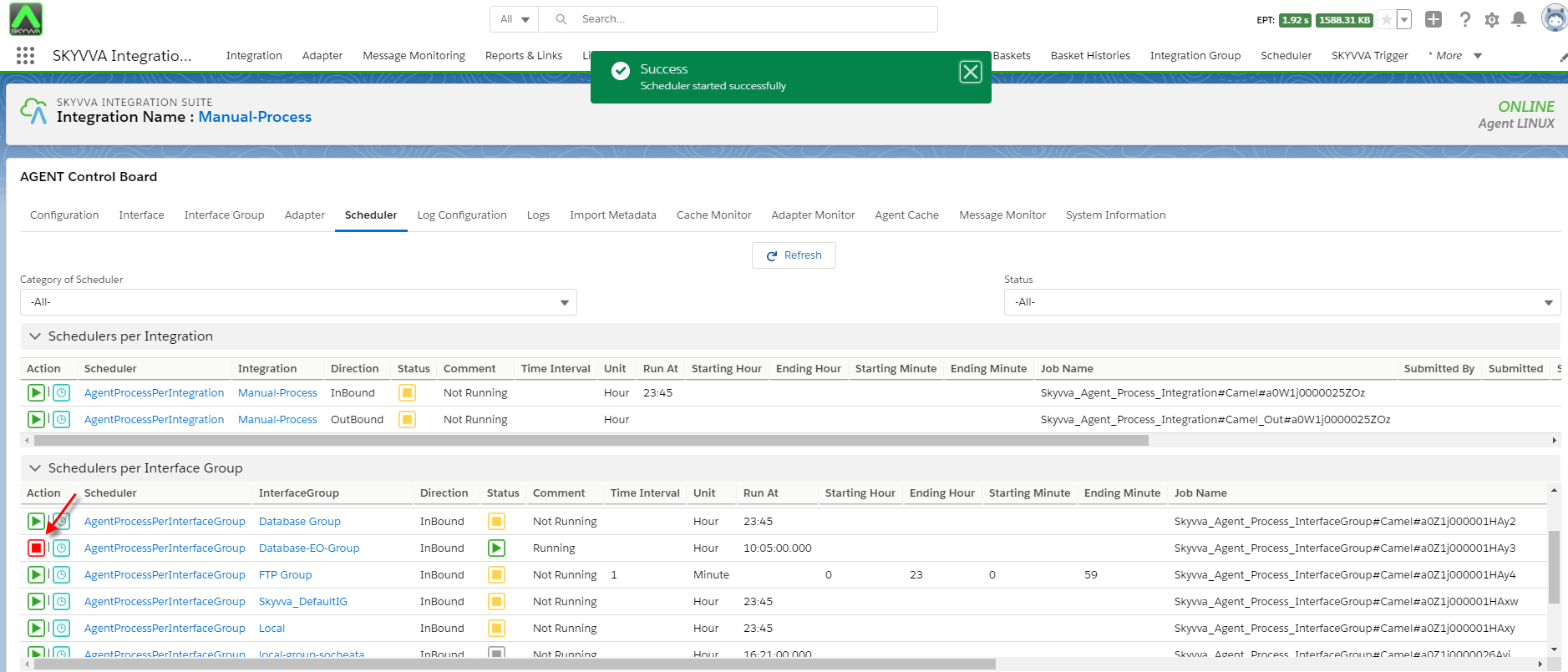
- After start the scheduler
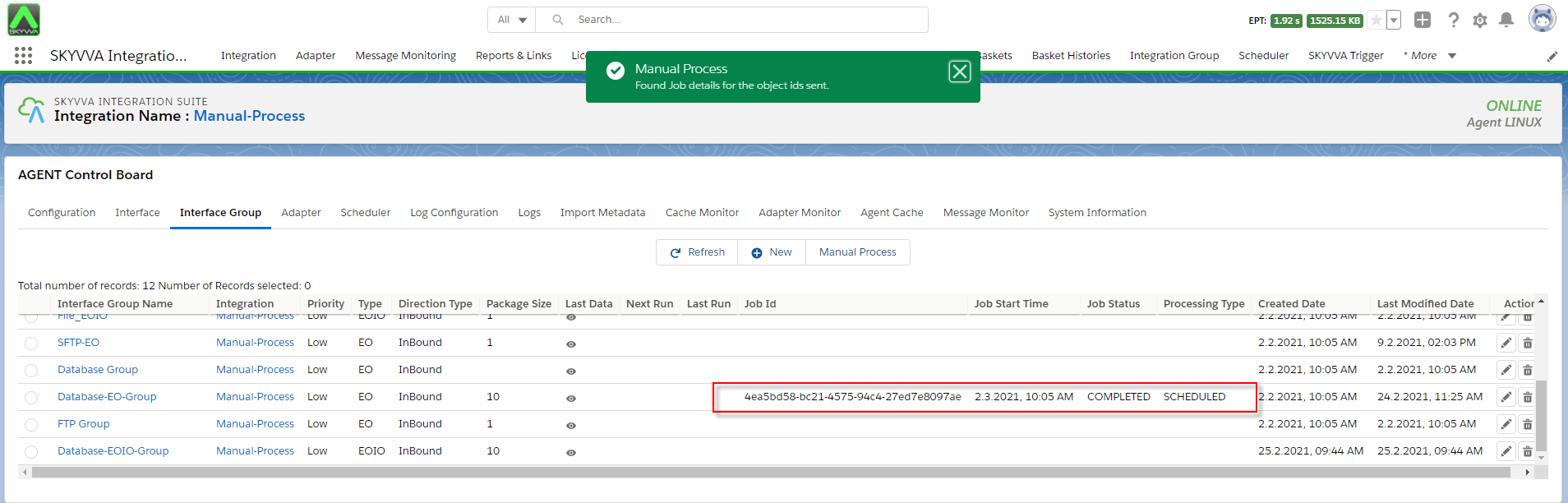
- Navigate to message monitor to check the result

How to do manually per-interface group EOIO? In this case, we have some requirements from case 1, we just need to create more interfaces to do interface group type EOIO. Step1: Create some inbound interfaces
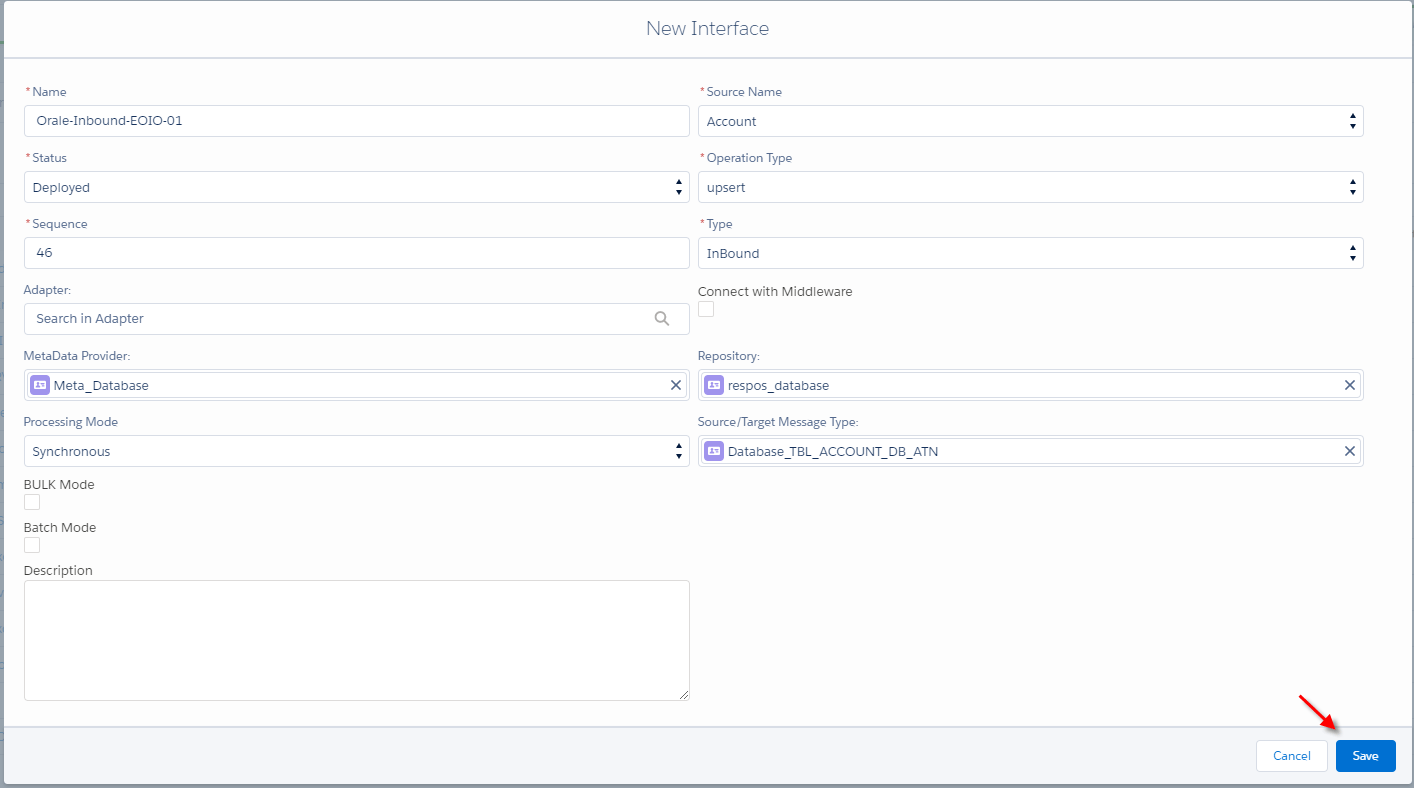
- Input database query into inbound interfaces
- Link adapter into interfaces

- Do mapping

Step2: Create an interface group Navigate to the Agent control board and click on the interface group tab.

- Create inbound interface group type EOIO

- Add interfaces into an interface group
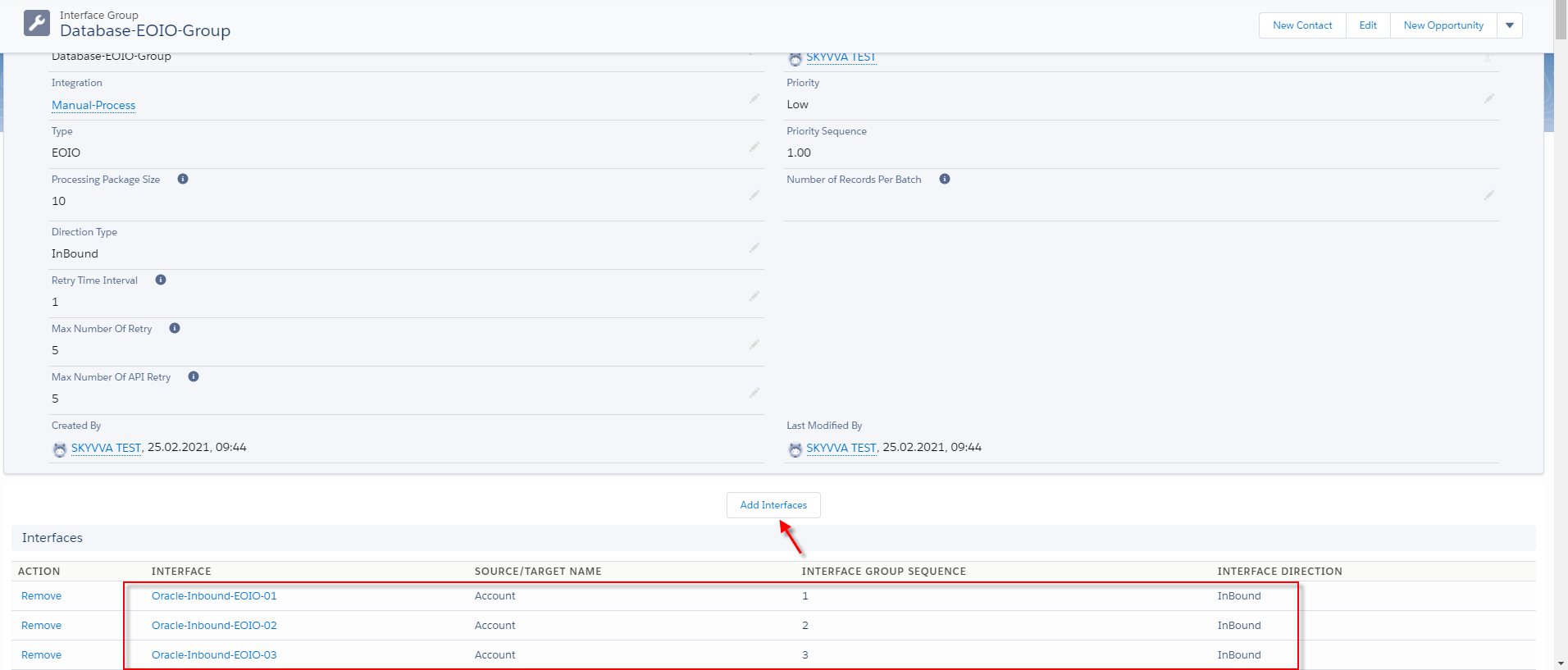
Step3: Do manual process per-interface group
- Before you do the manual process you need to check to make sure your properties are cache retrieved.

- Go to the Interface group tab
select one interface group and click the Manual Process button.
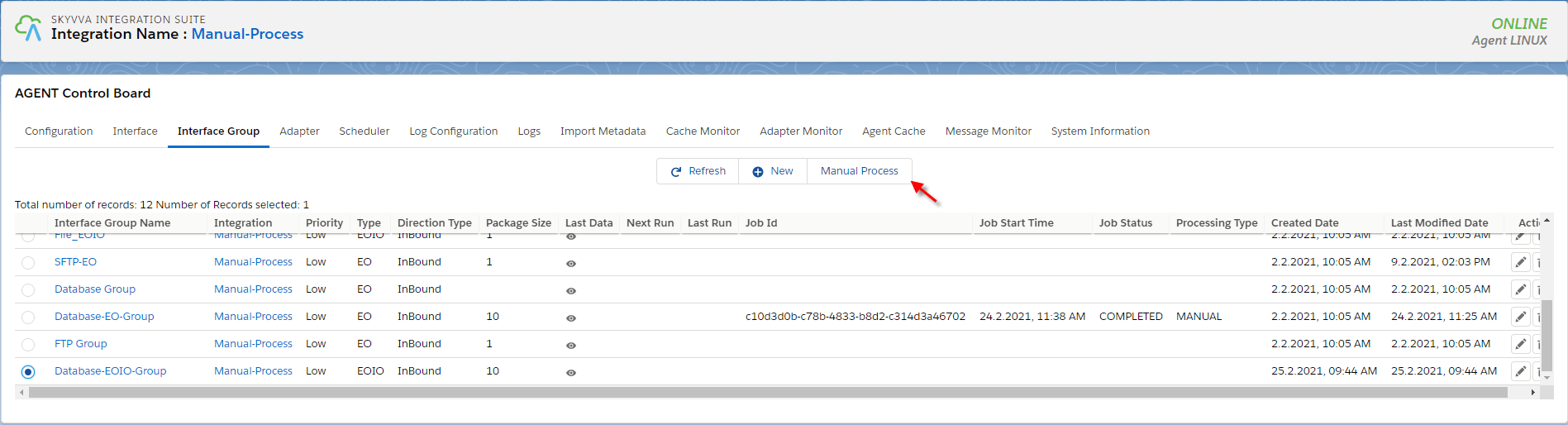
- After clicking the Manual Process button.
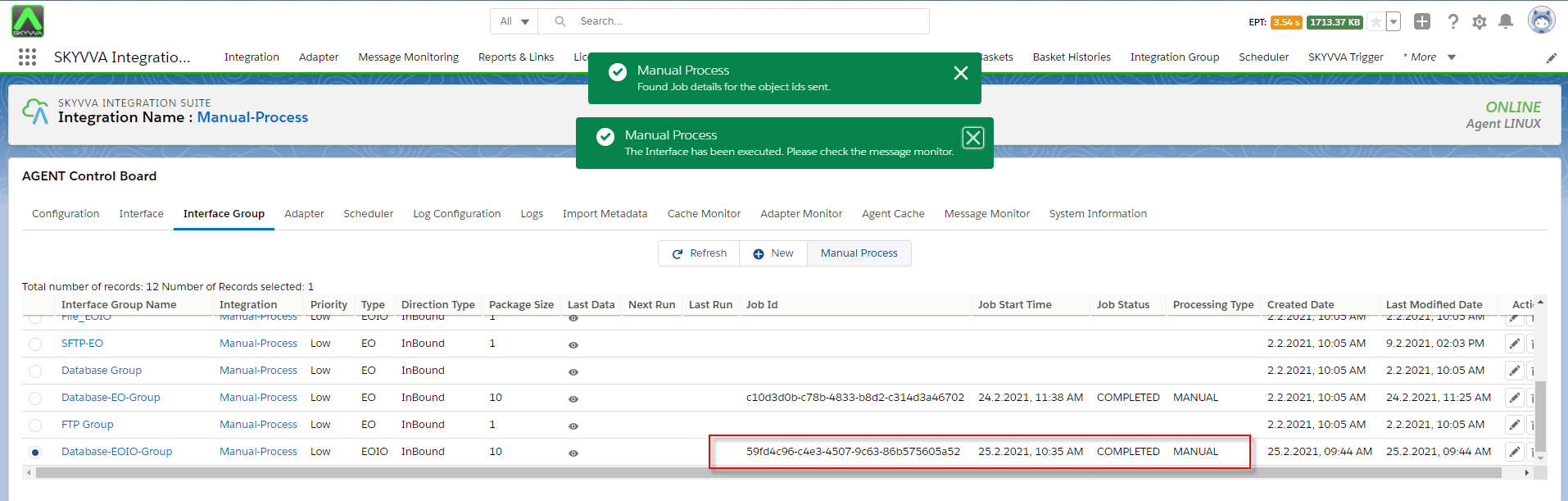
- Checking the result on message monitor to ensure that database sends data to salesforce correctly.

How to run the scheduler per-interface group type EOIO? Pre-require
- Go to Integration
- Configuration Agent Control Board
- Create adapter agent database
- create inbound interface and interface group
- create scheduler per inbound interface group
Step1: Agent Control Board
- Before you run the scheduler you need to check to make sure that the interface group, adapter, interface, Ichain, Mapping, or workflow that we set on an interface is cache retrieved.
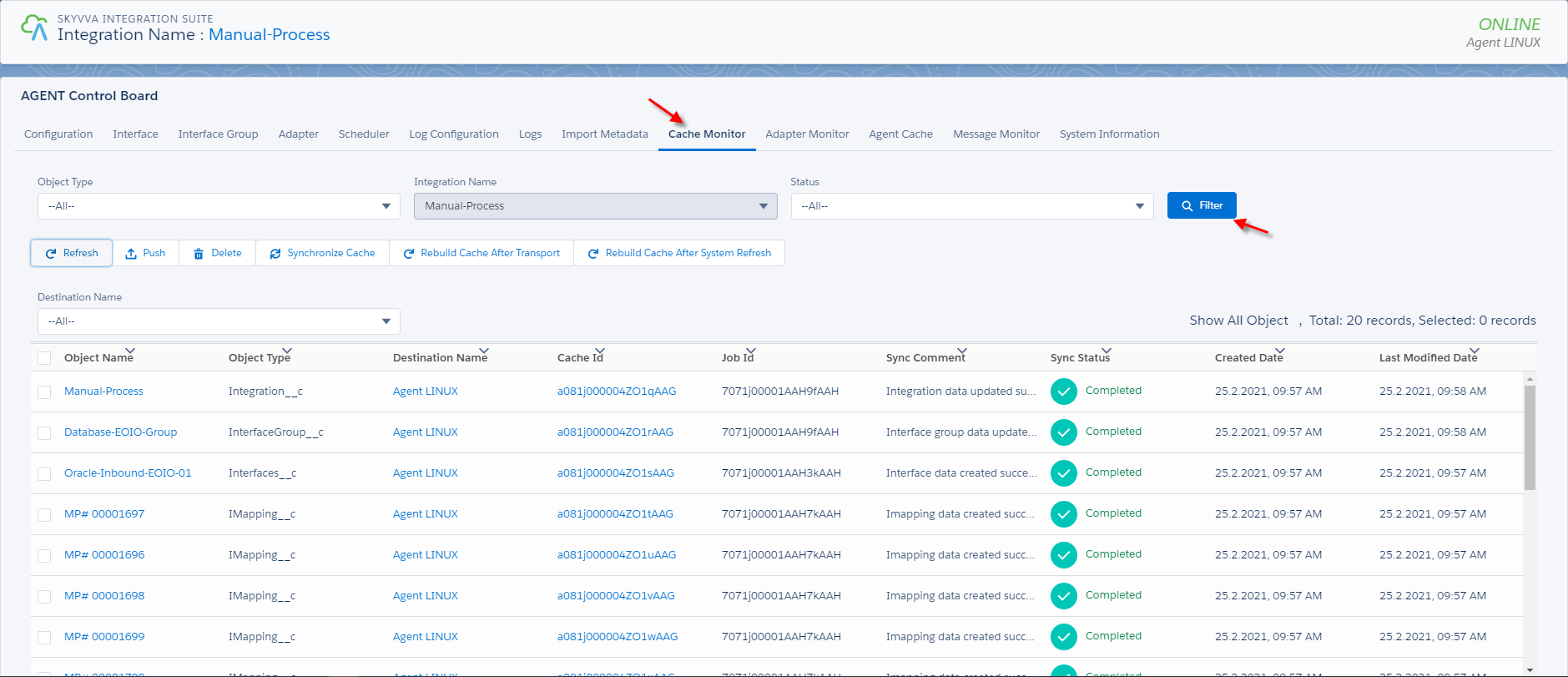
- The agent will be generated a scheduler after the user clicks the scheduler tab.

- Set the time to Run At

- Click on the Action button.

- After you start the scheduler.

- You need to check the message monitor tab to make sure salesforce is received data from the database is correct.

How to do manual process inbound per-interface group using file adapter? In this case, the user can use a file adapter to read data from sever to salesforce by group base on the sequence. Pre-require :
- Create integration
- Create some interfaces
- Agent Control Board
- Create file adapter
- Create interface group
- Do manual process
Step1: Create integration
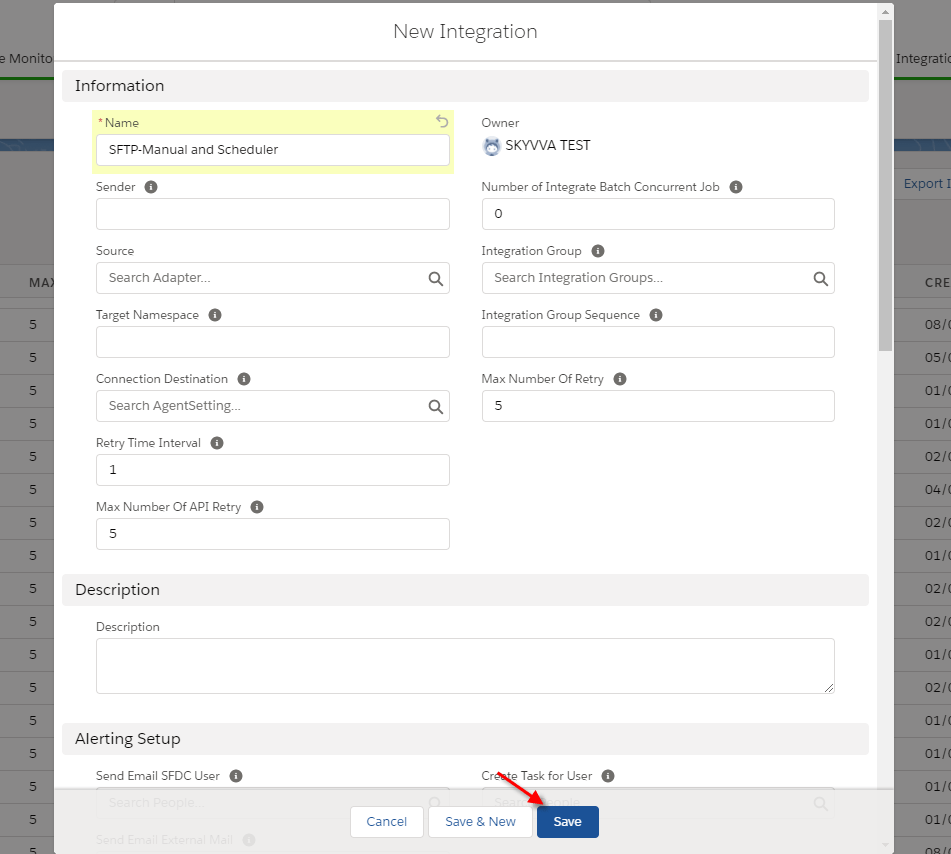
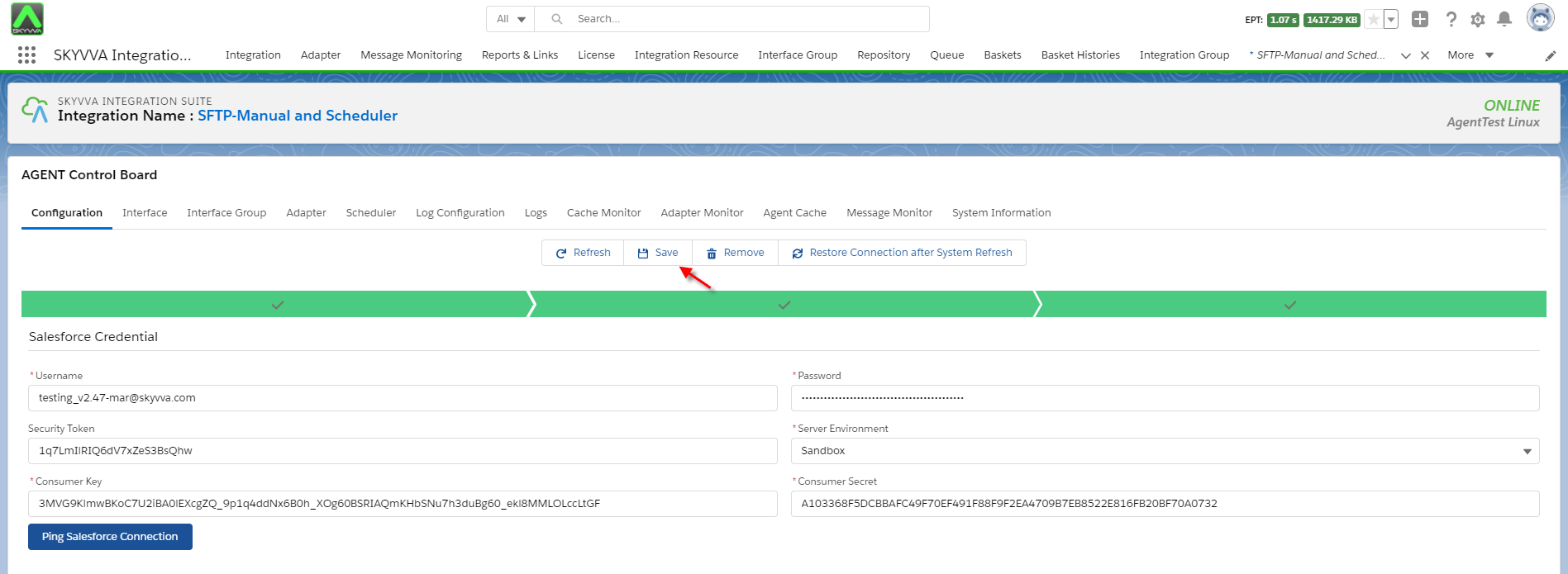
- Go to Agent Control Board
Configuration Agent control board and click Save
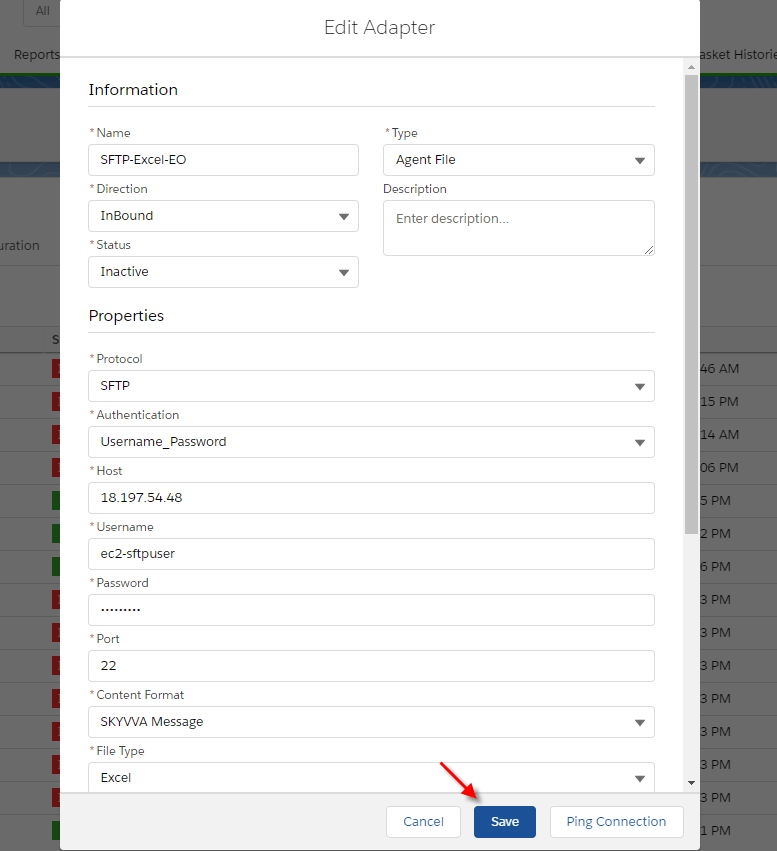
- Create file adapter inbound direction

Fill all require all field
- Name: any name
- Type: Agent File
- Direction: Inbound
- Protocol: SFTP
- Host: Public IP Address
- Username: SFTP username
- Password: SFTP password
- Port: SFTP Server Port
- File type: Excel
- Folder: SFTP/Inbound/Excel
- File Name: Excel.xlsx
- What to do with the file after processing?: Delete file
- Connection destination: your destination name
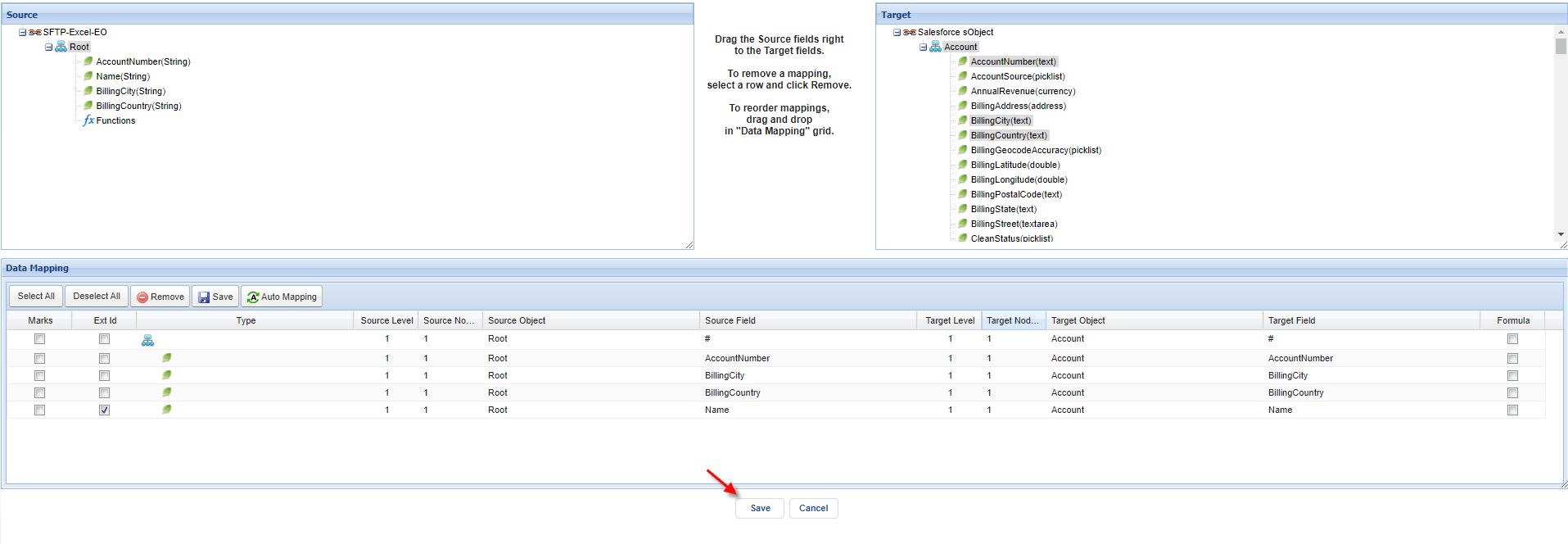
- Create an inbound interface and link message type into the interface

- Link adapter to interfaces

- Do mapping
Step2: Agent Control board
- G to cache monitor to make sure their properties that the user set on the interface is cache retrieved.

- Navigate to interface group tab on agent control board

- Create a new interface group

- Add interface into an interface group
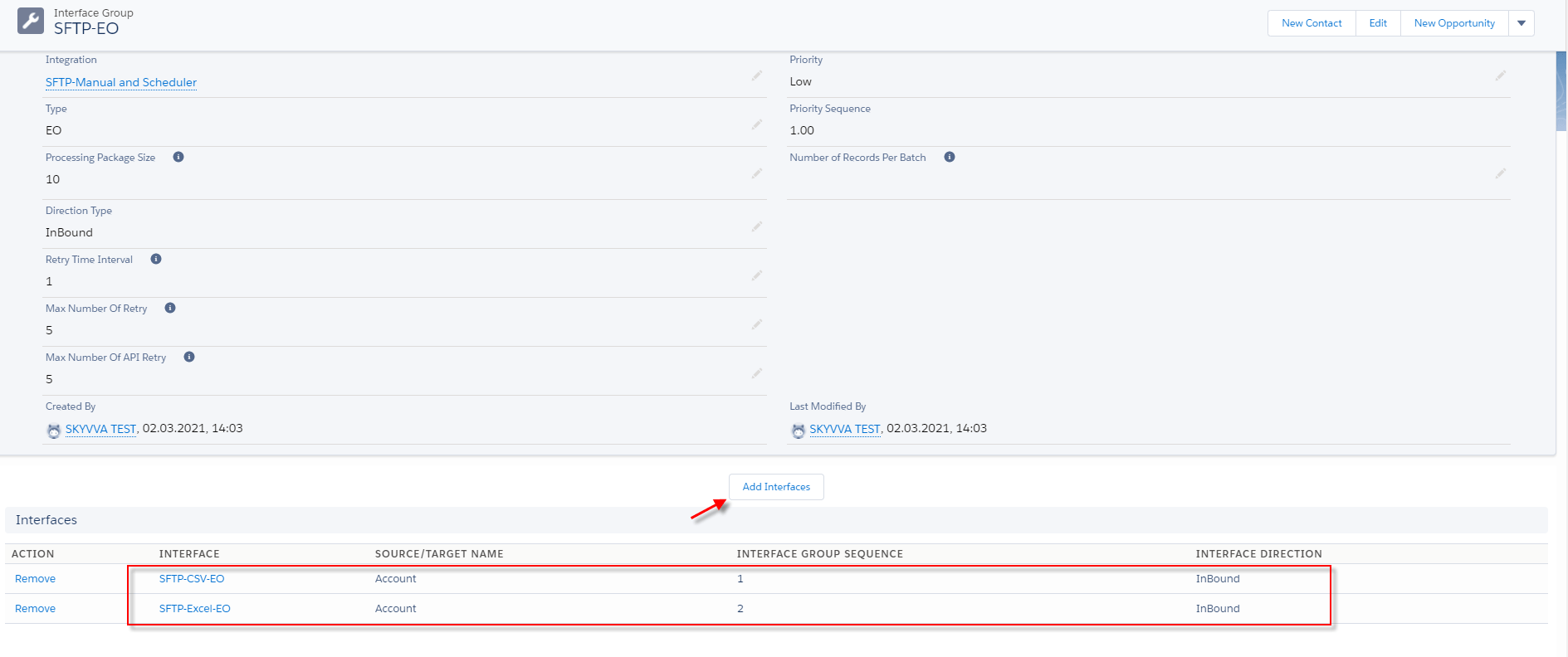
- Choose one interface group and click Manual Process Button.

- After clicking the manual process button.
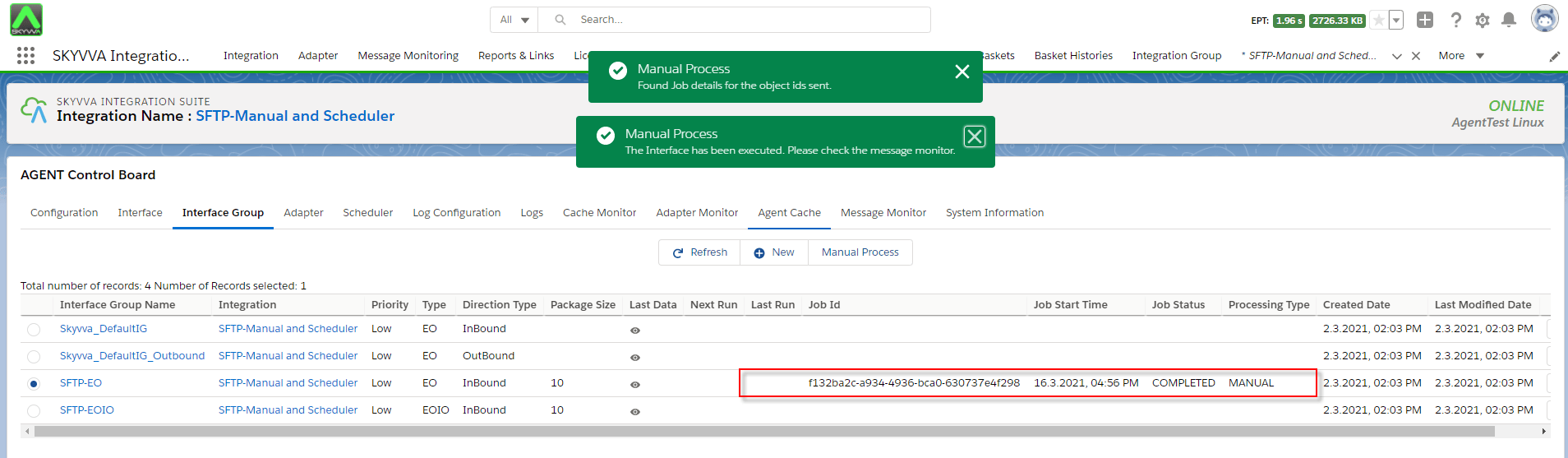
- You need to check the message monitor to ensure that salesforce received data from the server correctly.

How to run the scheduler per-interface group using a file adapter? In this case, We need to create a schedule,per-interface group. Pre-require:
- Go to integration
- Configuration
- Create agent file adapter
- Create inbound interface and interface group
- Create scheduler per-interface group
Step1: Create the scheduler per-interface group
- Go to the agent control board, the scheduler will create after the user scheduler tab.
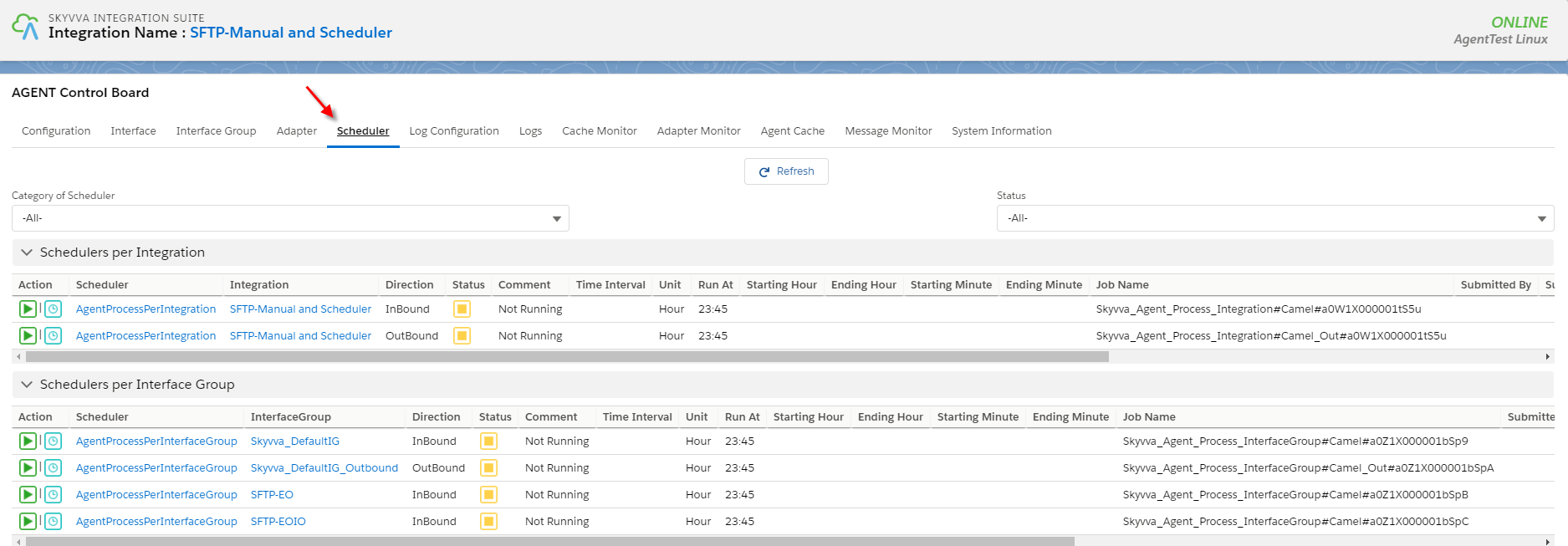
- Set the time to run the scheduler

- Click on the Action button to start the scheduler

- After start the scheduler
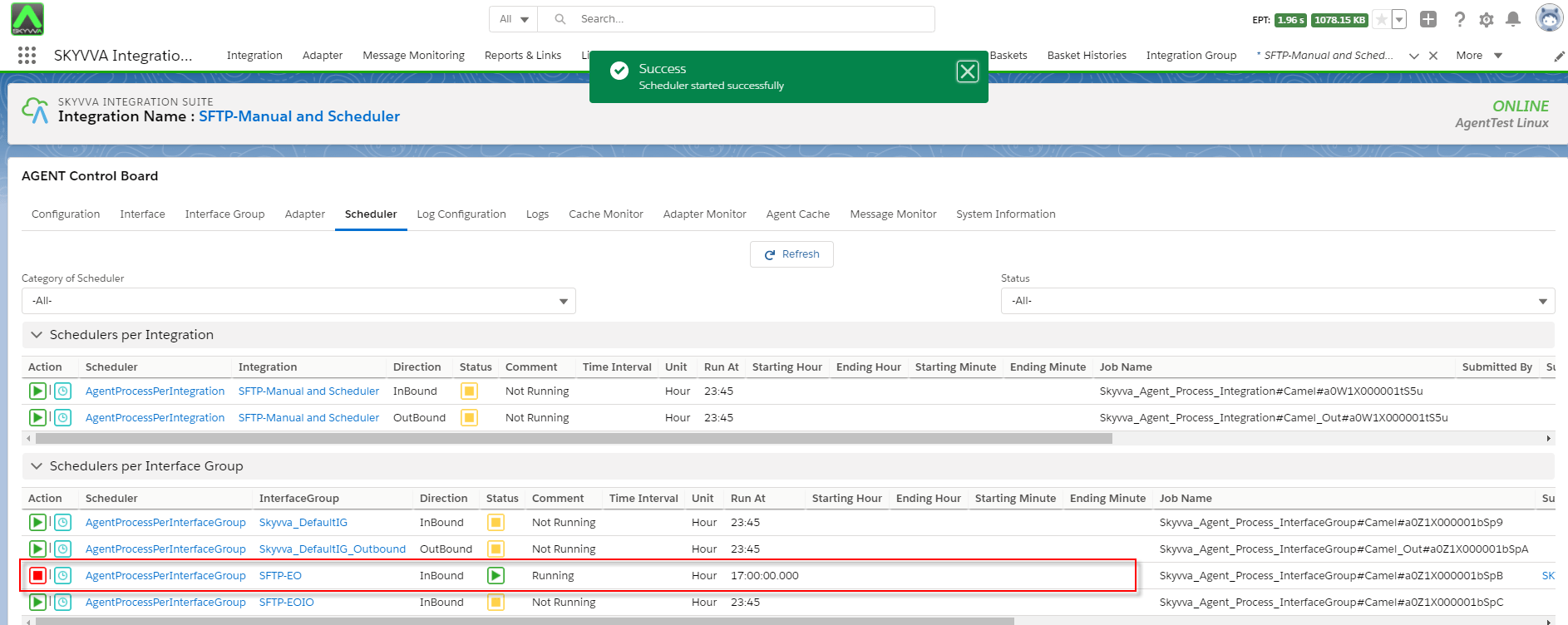
- After the scheduler run, you will get the job id that processing by the scheduler.
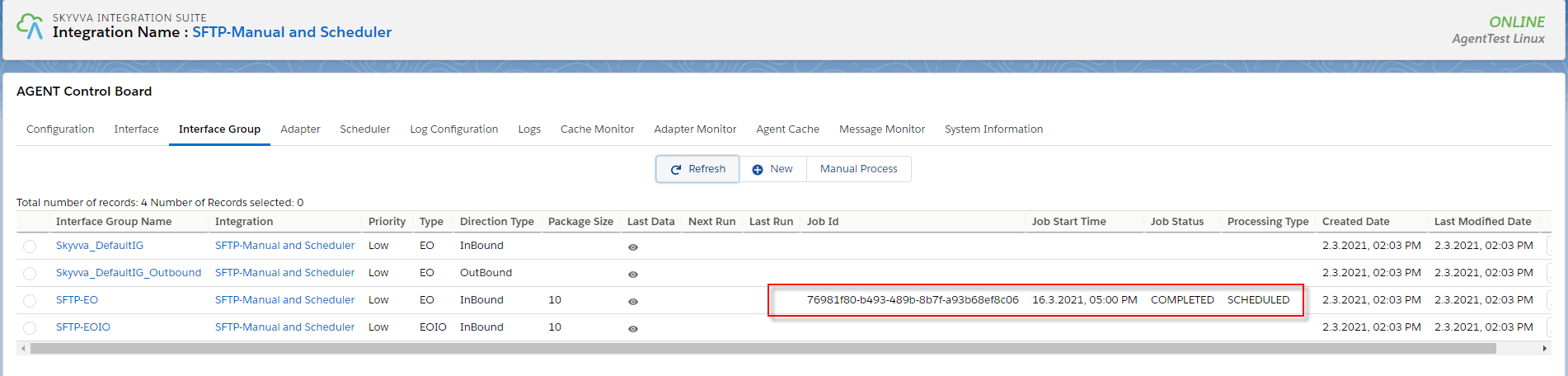
- Go to message monitor to check the message that salesforce received data from the server correctly.
