120.1 How to develop outbound interface to publish data into Google Pub/Sub topic?
Learning Objectives:- This unit describes:-
- How to develop an outbound interface to publish data into Google Pub/Sub topic?
Introduction:
In this tutorial, we will learn how the Google Pub/Sub adapter works for the outbound interface to publish data into the Google Pub/Sub topic. This functionality is available from v2.47 onwards. In simple words, Google Pub/Sub adapter to publish data means Outbound google pub/sub Adapter. We need an Outbound Google Pub/SubAdapter when we want to send data out from salesforce, here We need to create a topic first. Then we can publish data into Google Pub/Sub topic. So now we are going to check the use cases for Outbound Google Pub/Sub Adapter i.e, for Publisher. To configure, firstly we need to learn and follow some steps: Authorize Google App with Cloud Pub/Sub API and Get Access Token Step1: Now we have to create a project in the Google developer console. So follow the below step to do that.
- Go to Google developer console. Hit the link- https://console.developers.google.com/cloud-resource-managerand create a project.
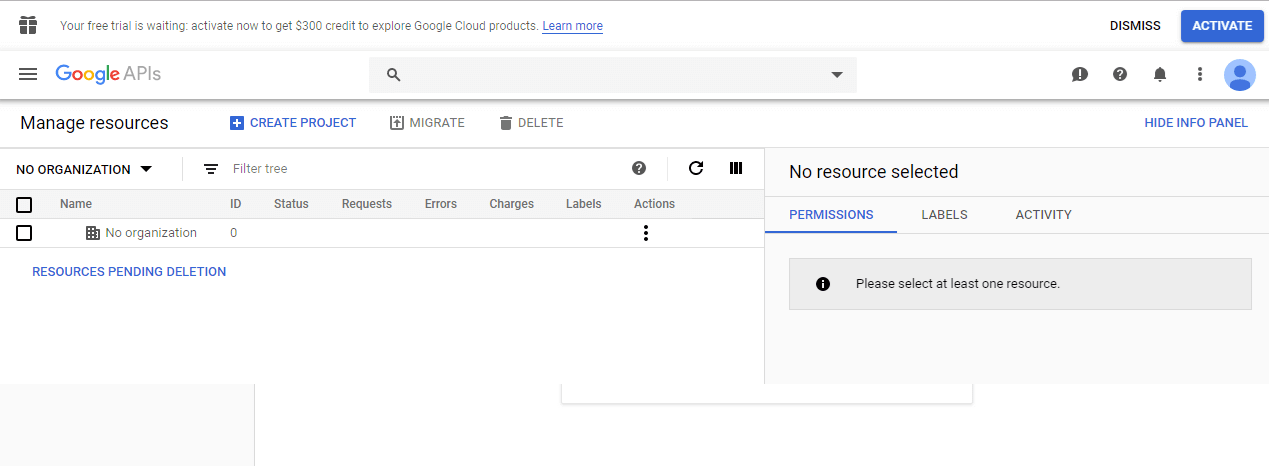
- To create a new project we have to click on the “Create project link”.
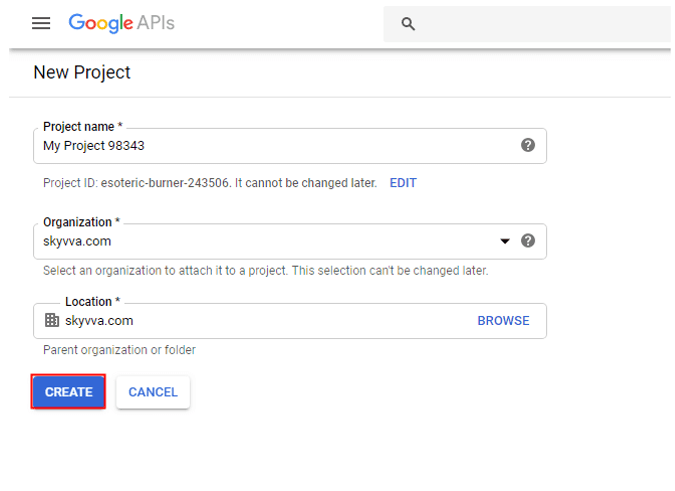
- Click on create button. Once the project is created we have to set credentials to our project. Follow the given steps to set credentials.
- Click on the navigation menu.
- Go to APIs& services.
- Click credentials.

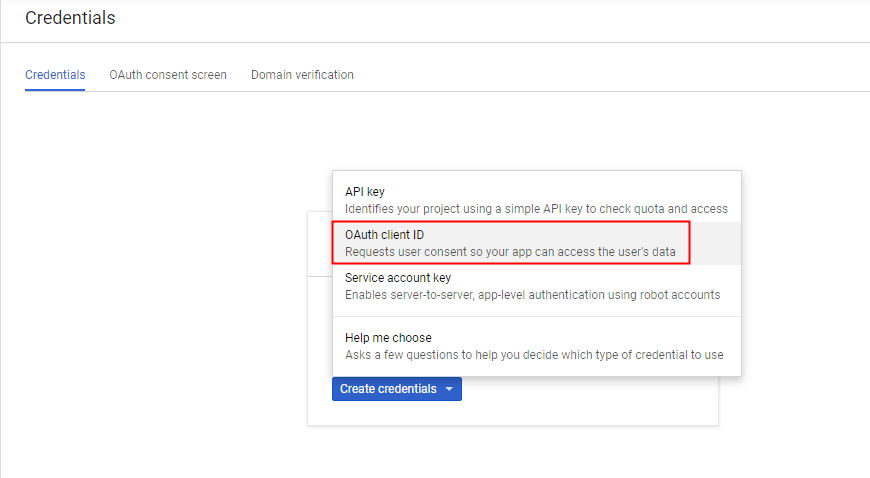
- Click on create credentials button.
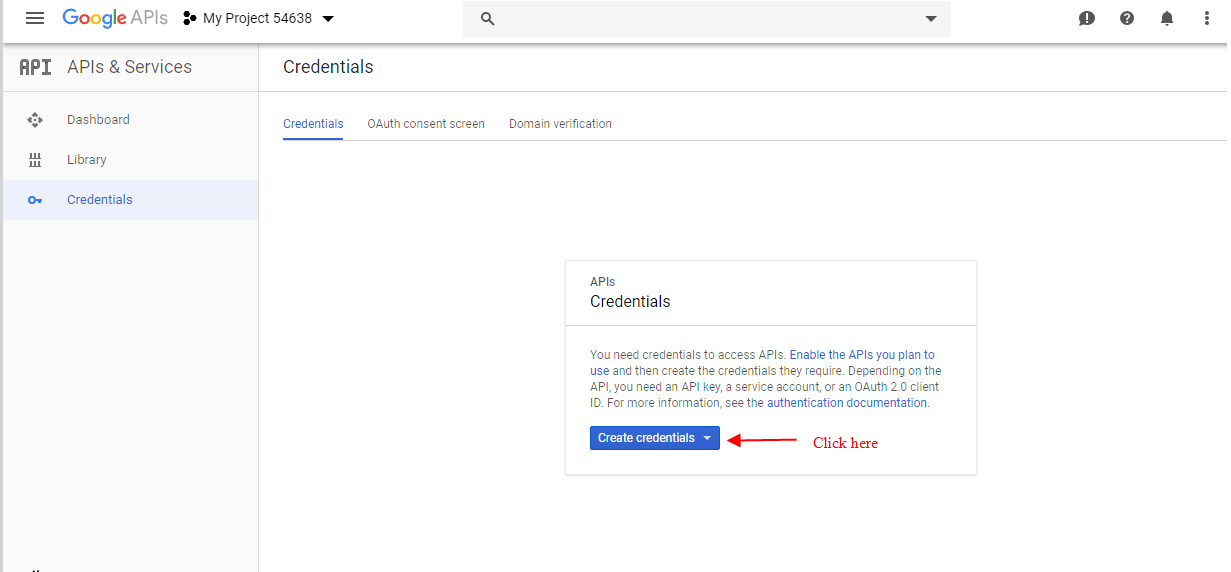
- Select OAuth client Id from the list. Client ID: This is used to identify the application. … As per oAuth standard you need both Client ID & Client Secret along with user credentials to generate an access token. It’s the standard defined by OAuth.
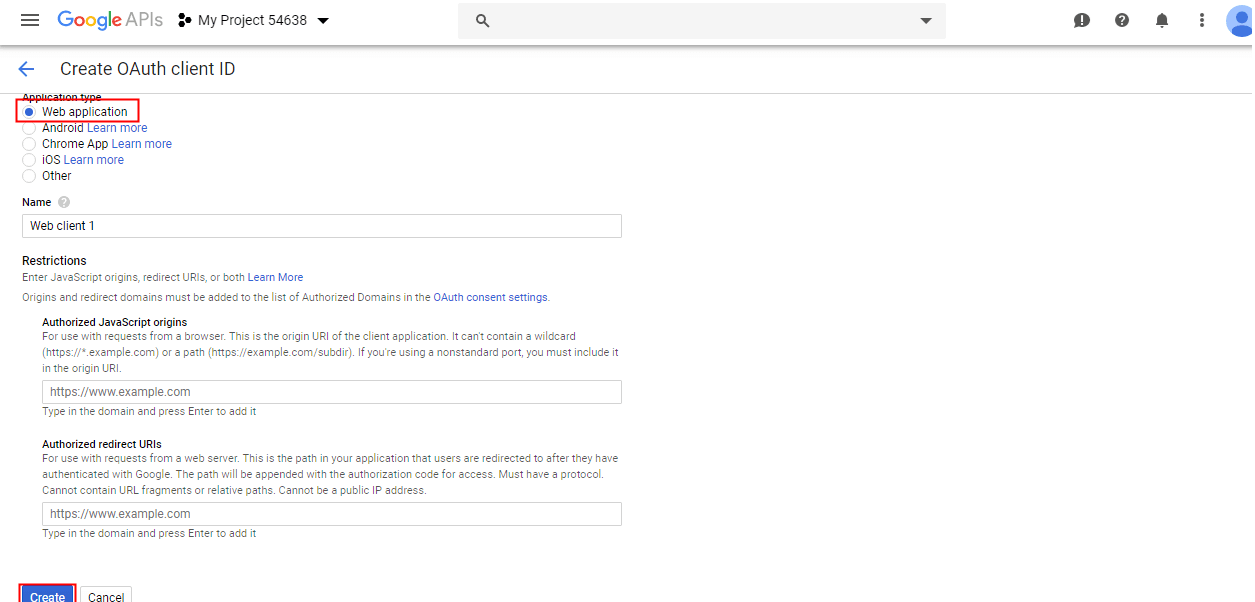
- Select Web application and give the name and click on create.
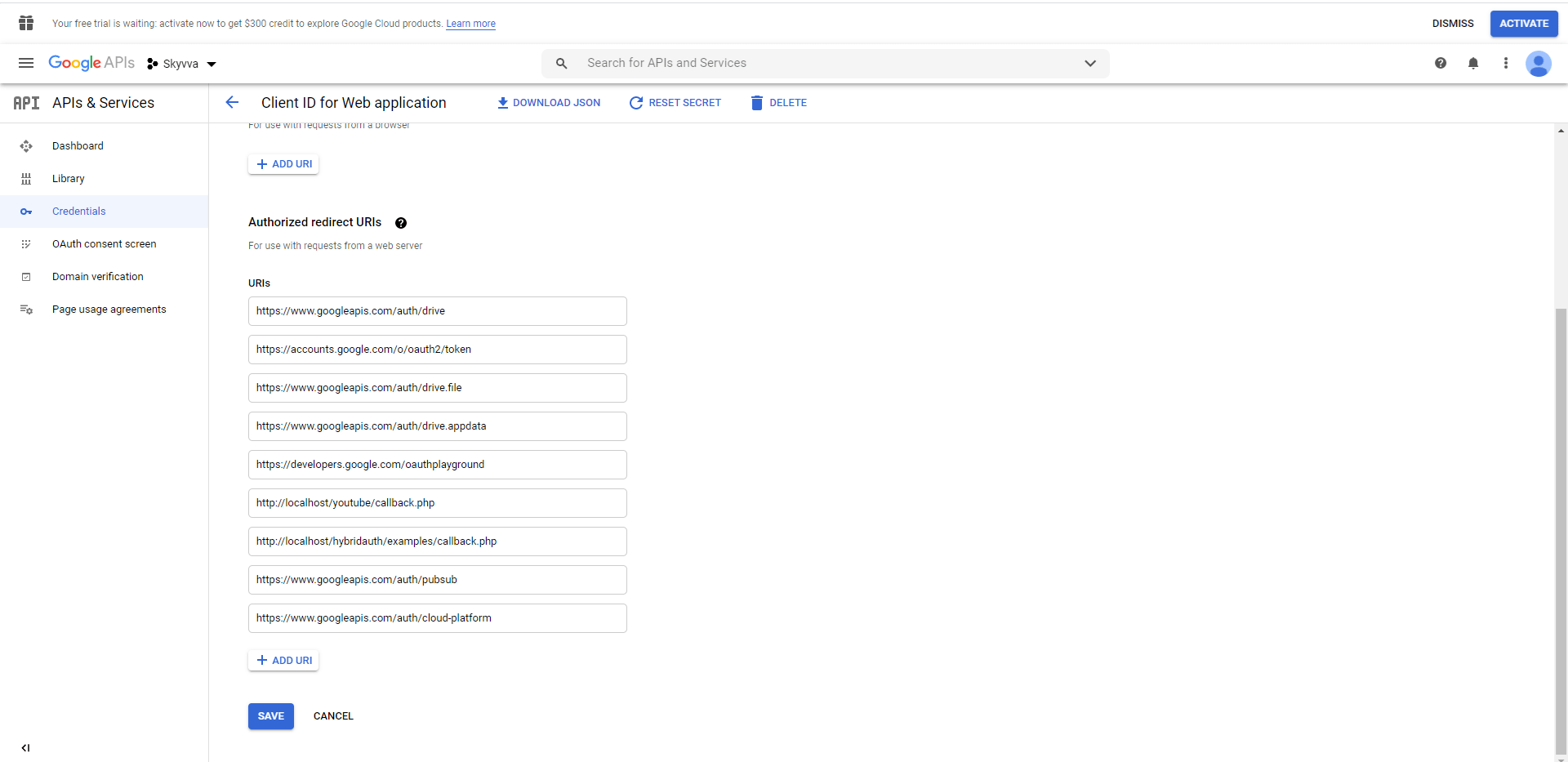
Authorization Scopes:
Requires one of the following OAuth scopes: https://www.googleapis.com/auth/pubsub https://www.googleapis.com/auth/cloud-platform Step2: For oAuth2 authentication with Google API, we need to visit developers.google.com. We should click on Link: - https://developers.google.com/oauthplayground/. And Select Drive API v3 and click on Authorize API.
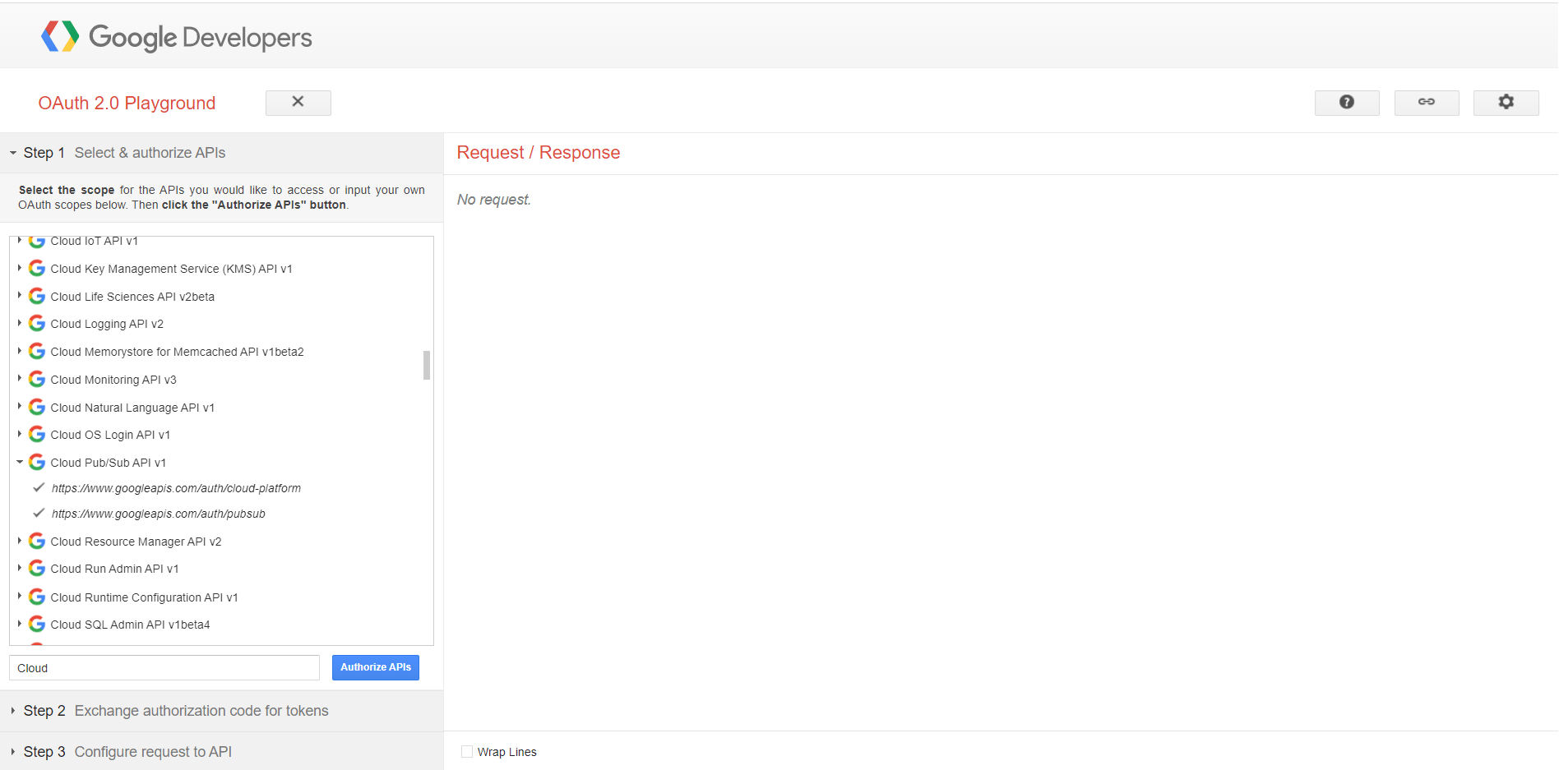
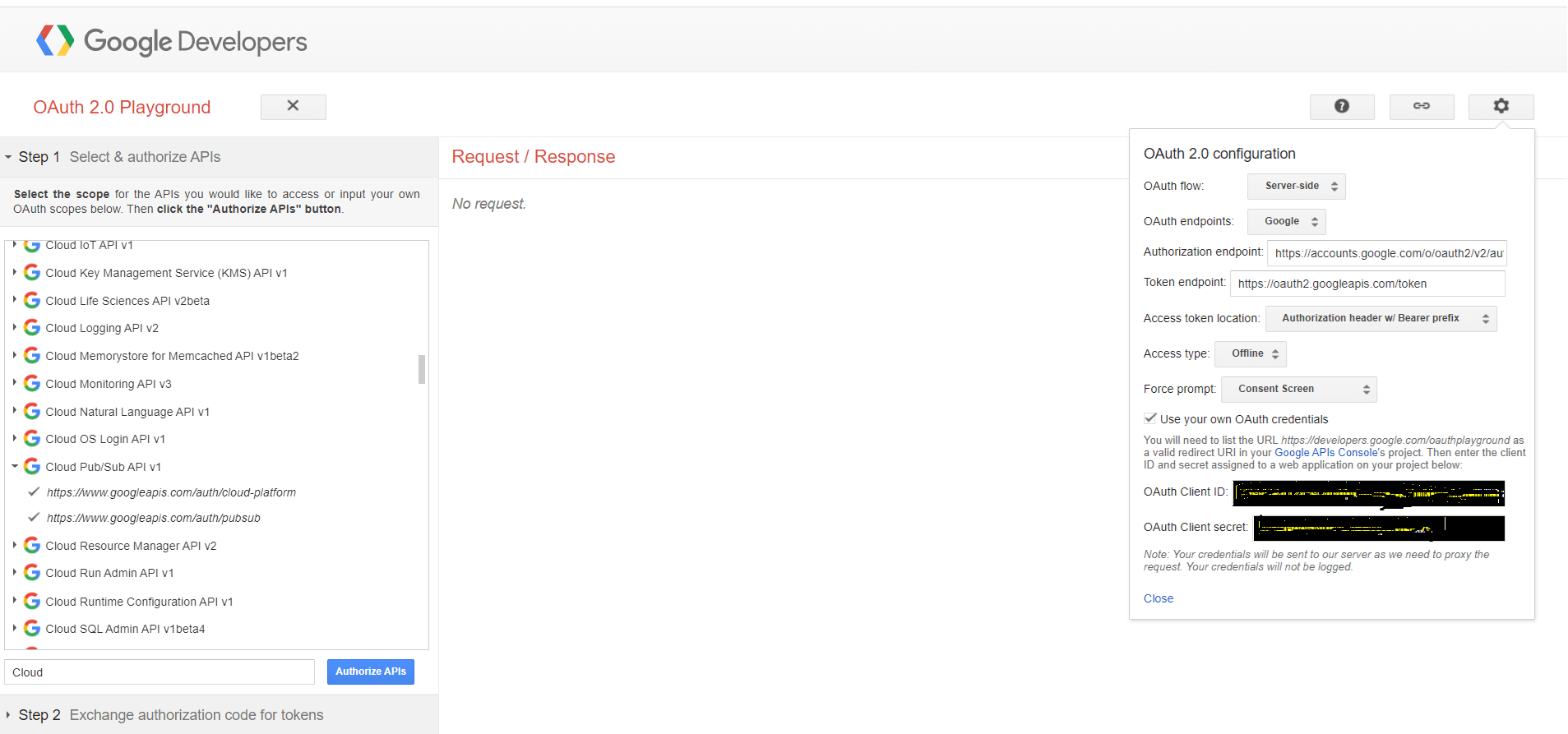
[su_box title="Note" box_color="#2a8af0" title_color="#000000"]We should have our Google account, If not then create a new Google account. Once we select drive API then authorize it with our Google account.[/su_box]
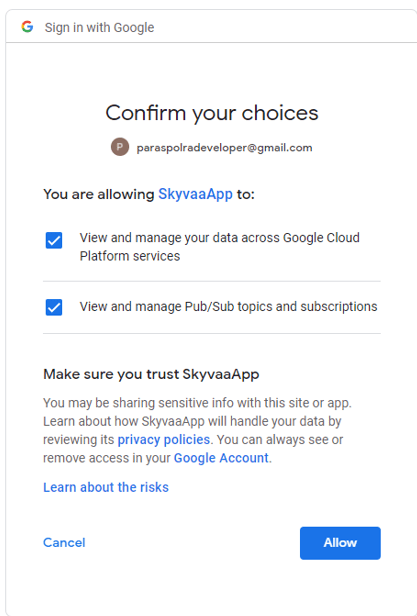
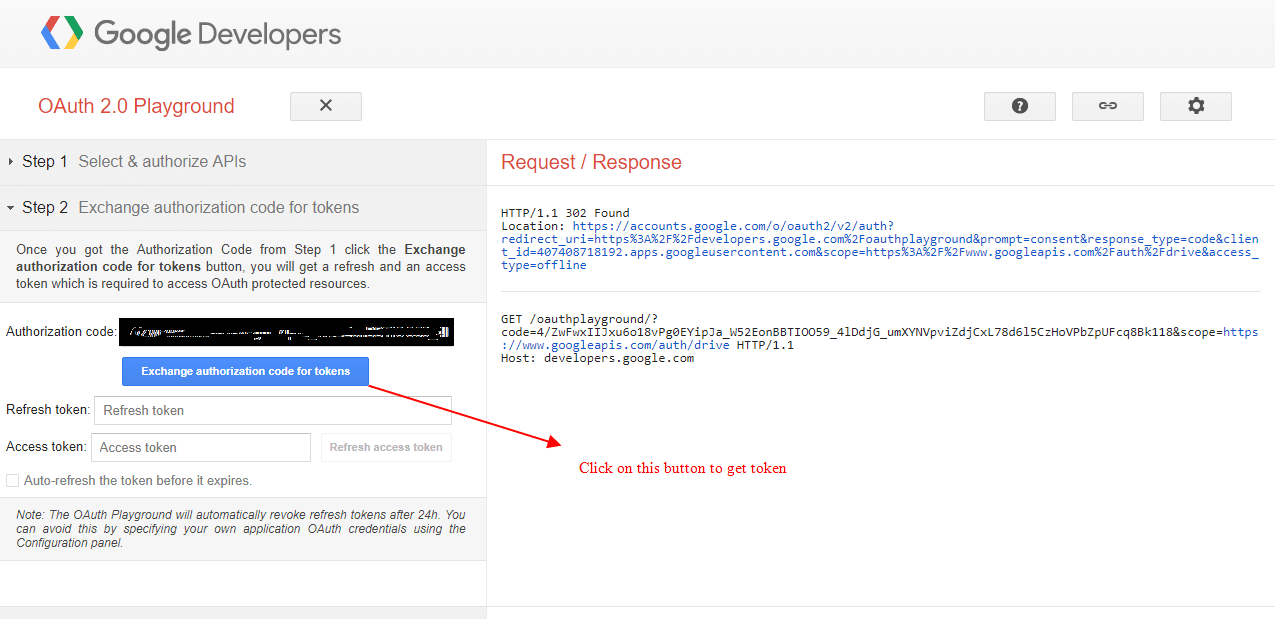
- When refresh token and Access token are generated then copy it and paste to notepad. (We need it later)
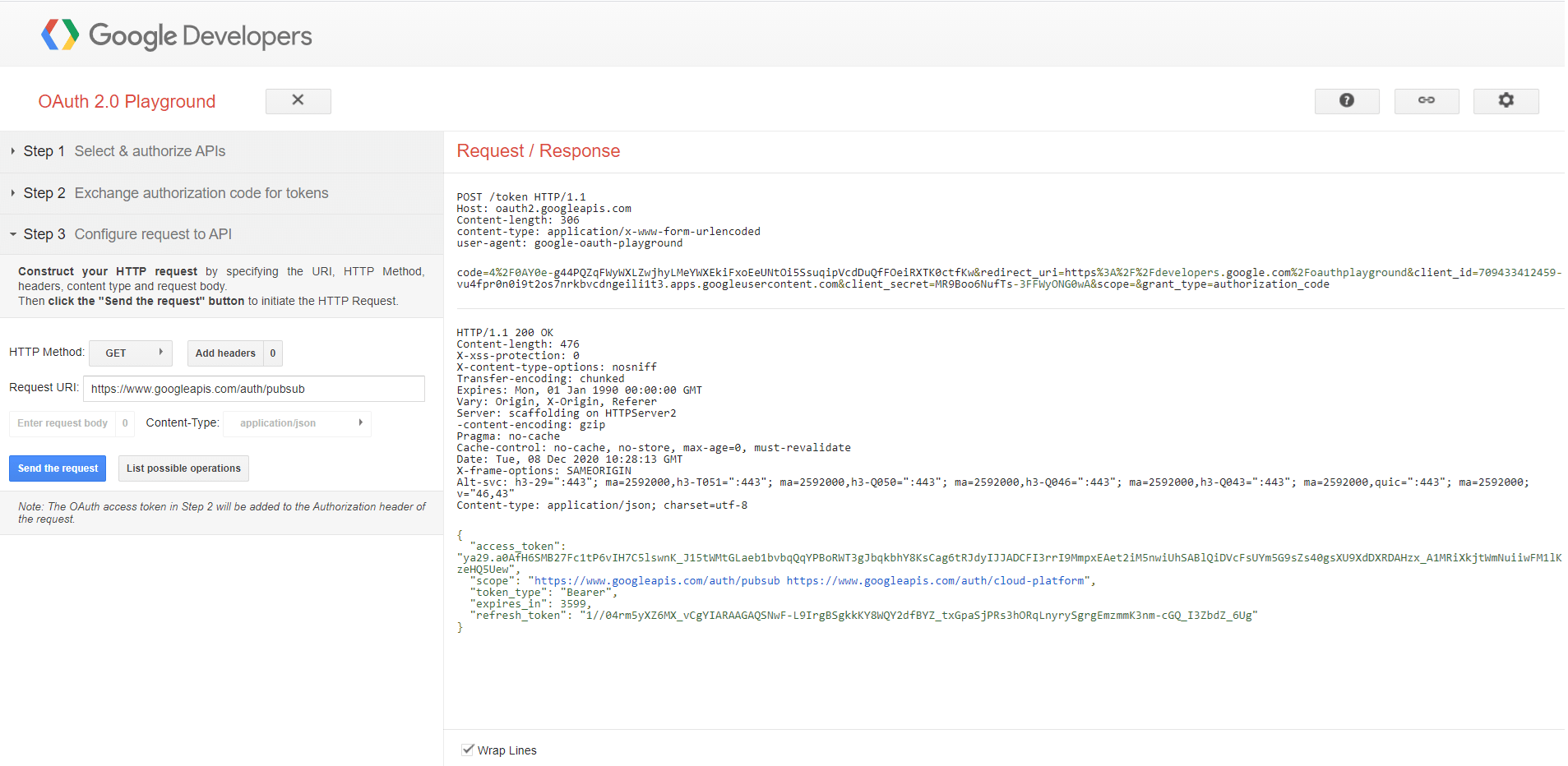
{ "access_token": "ya29.a0AfH6SMB27Fc1tP6vIH7C5lswnK_J15tWMtGLaeb1bvbqQqYPBoRWT3gJbqkbhY8KsCag6tRJdyIJJADCFI3rrI9MmpxEAet2iM5nwiUhSABlQiDVcFsUYm5G9sZs40gsXU9XdDXRDAHzx_A1MRiXkjtWmNuiiwFM1lKzeHQ5Uew", "scope": "https://www.googleapis.com/auth/pubsub https://www.googleapis.com/auth/cloud-platform", "token_type": "Bearer", "expires_in": 3599, "refresh_token": "1//04rm5yXZ6MX_vCgYIARAAGAQSNwF-L9IrgBSgkkKY8WQY2dfBYZ_txGpaSjPRs3hORqLnyrySgrgEmzmmK3nm-cGQ_I3ZbdZ_6Ug" } Step 2: Enable API(Follow the link given below) https://cloud.google.com/pubsub/docs/quickstart-client-libraries?authuser=1
- Set up a Cloud Console project.
- Set up a project
- Create or select a project.
- Enable the Pub/Sub API for that project.
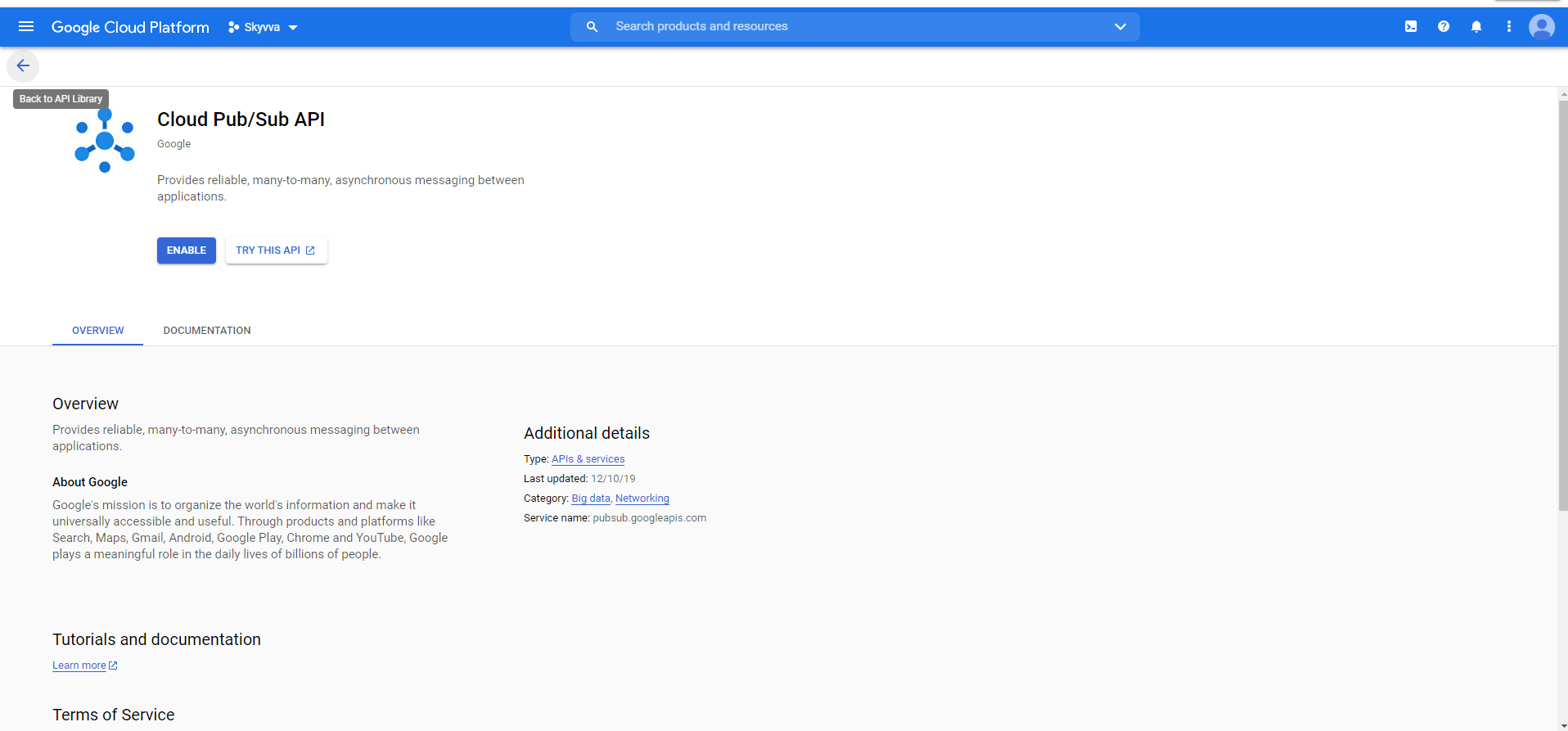
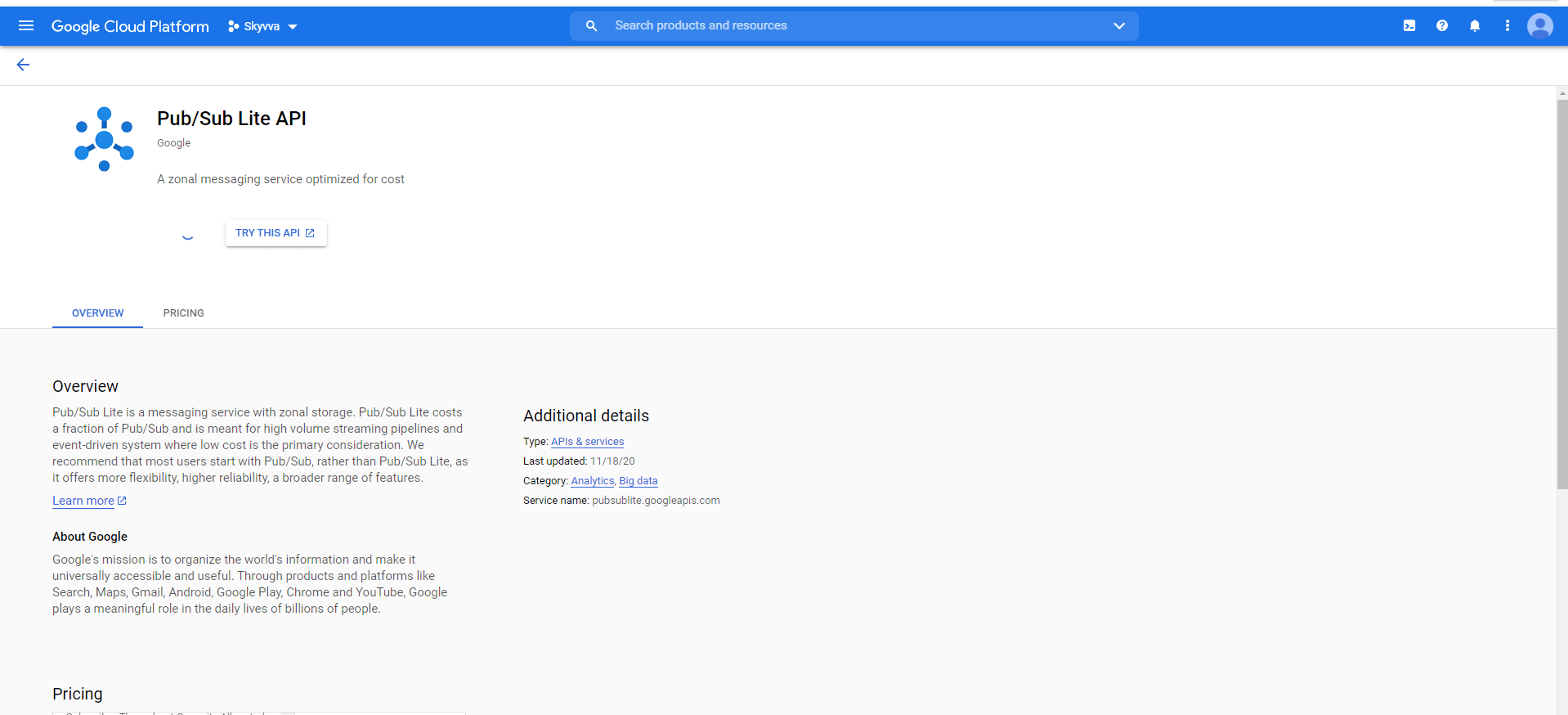
- Install and initialize the Cloud SDK. [su_box title="Note" box_color="#2a8af0" title_color="#000000"]You can run the gcloud tool in the Cloud Console without installing the Cloud SDK. To run the gcloud tool in the Cloud Console, use Cloud Shell .[/su_box]
We can use Google cloud shell: https://console.cloud.google.com/cloudpubsub/subscription/list?authuser=1&cloudshell=true&project=skyvva-278208 Quickstart using the gcloud command-line tool: https://cloud.google.com/pubsub/docs/quickstart-cli

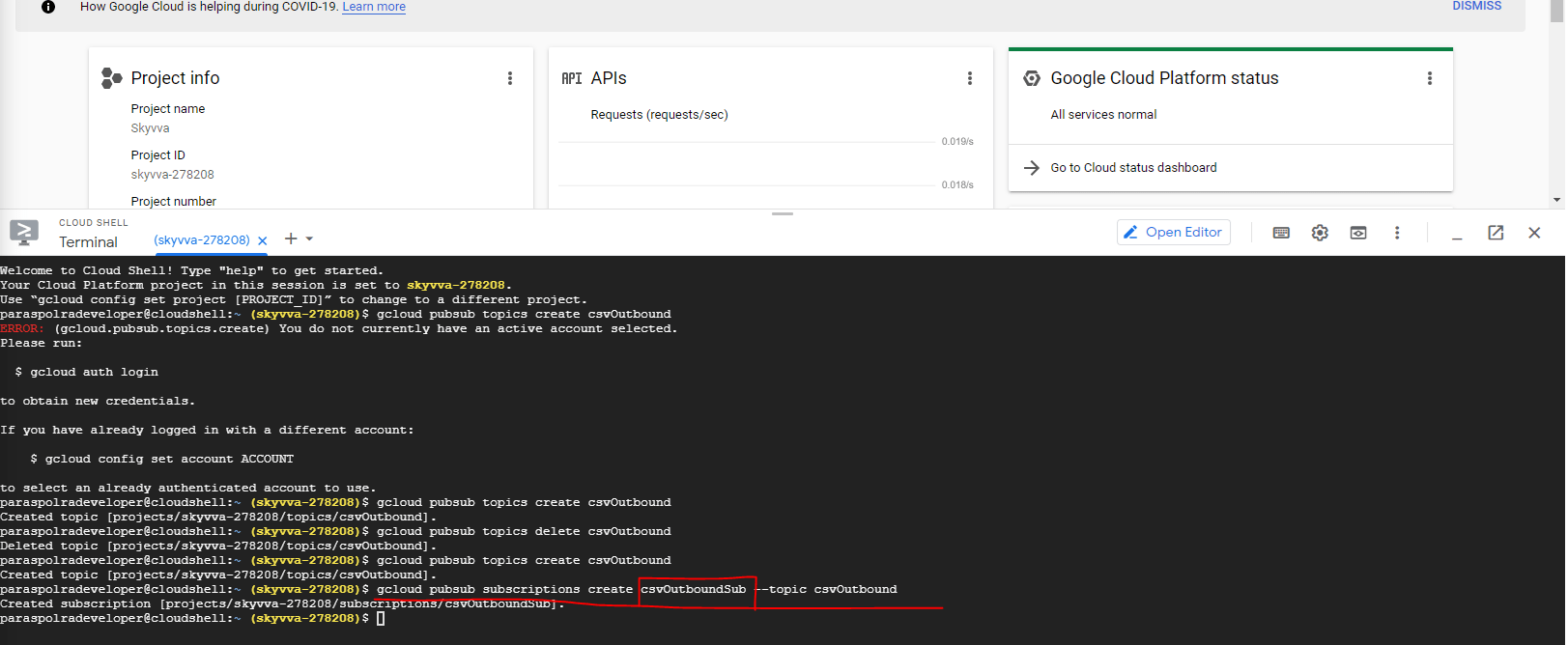
Step: 3 Create New Topic: Example: gcloud pubsub topics create csvOutbound
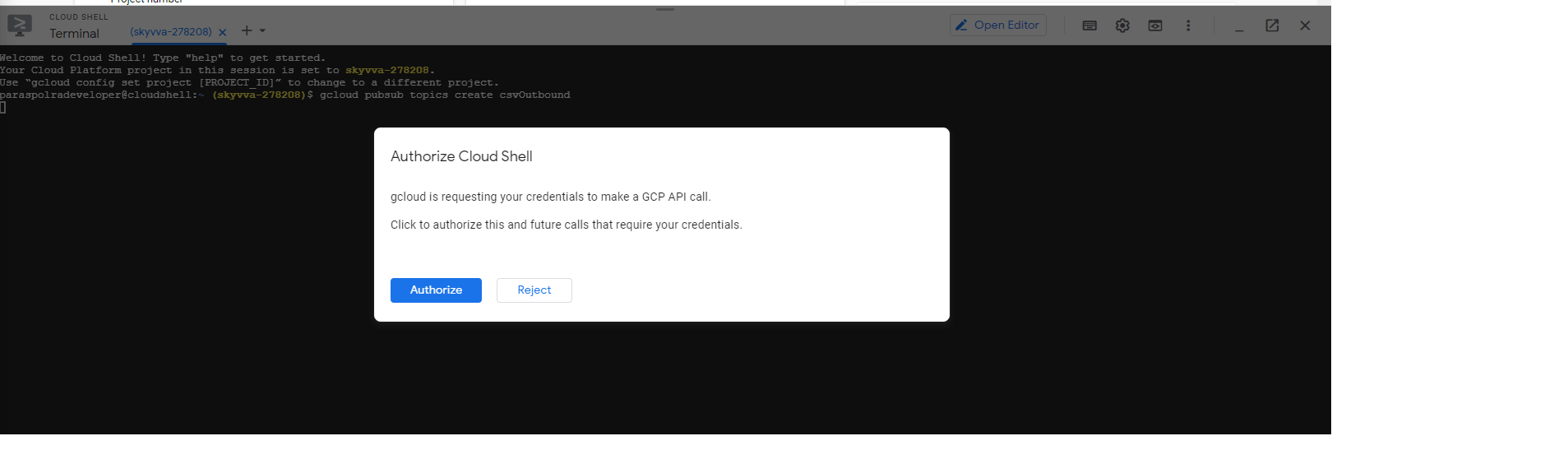
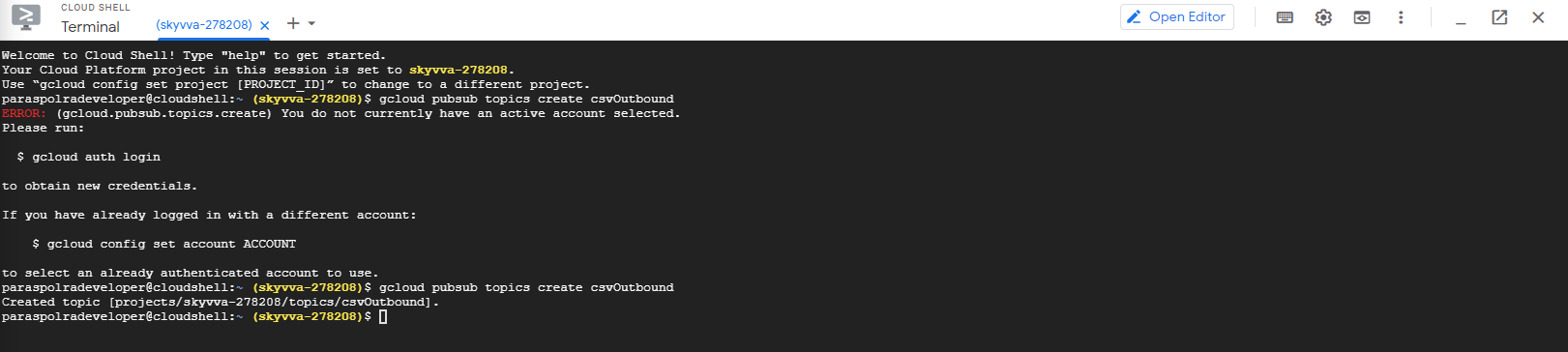
- Create New Subscription:
Example: gcloud pubsub subscriptions create csvOutboundSub --topic csvOutbound.
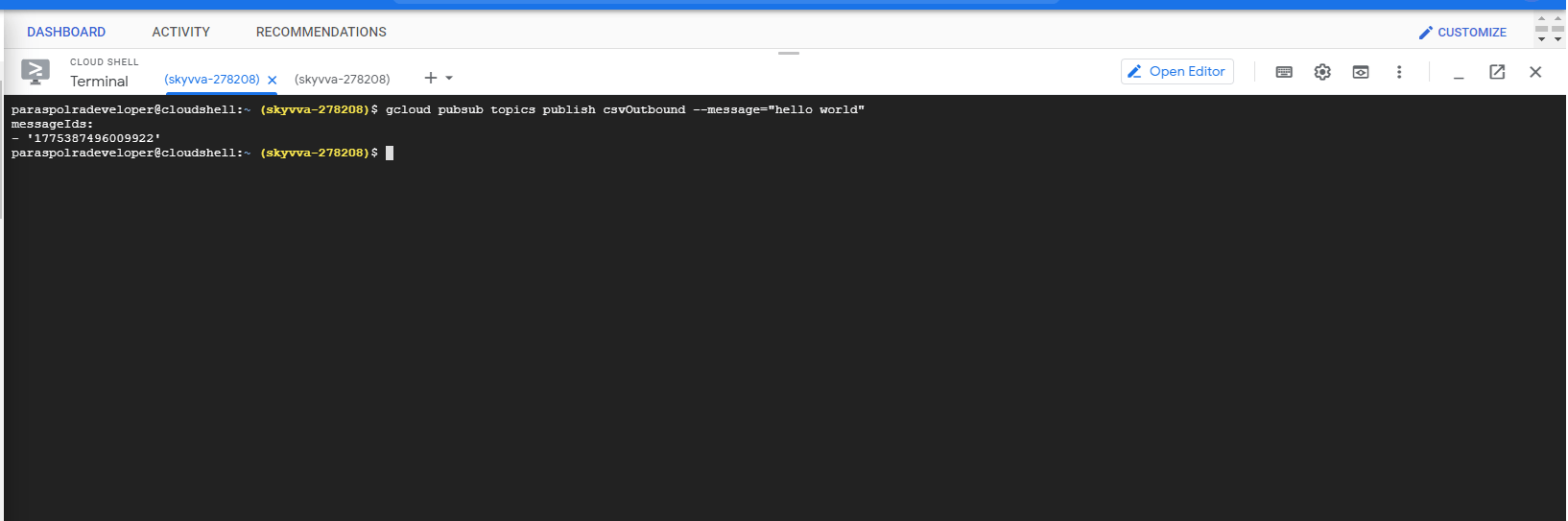
Publish messages: Publish a message to my-topic: gcloud pubsub topics publish my-topic --message="hello" Receive messages: Receive the message from my-sub: gcloud pubsub subscriptions pull my-sub --auto-ack Publish Messages: Example: gcloud pubsub topics publish csvOutbound --message="hello world"
Receive Messages: Example: gcloud pubsub subscriptions pull csvOutboundSub --auto-ack

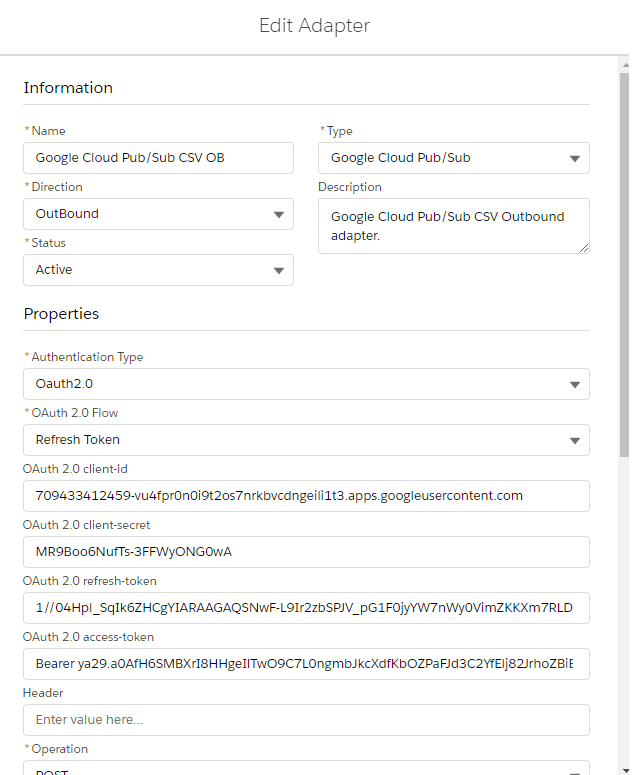
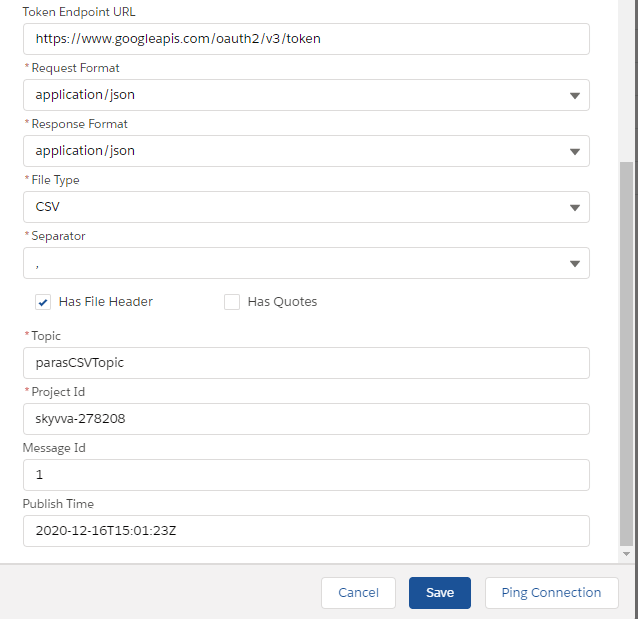
Step: 4 Create Metadata provider, Repository, and Message type(Pre-Requisite) Step: 5 Create Integration(Pre-Requisite) Step: 6 Create Outbound Adapter.
Step 7: Create Outbound Interface [su_box title="Note" box_color="#2a8af0" title_color="#000000"]Adapter must be linked with only 1 inbound or 1 outbound interface.1 topic must be linked with only 1 subscription.[/su_box] Integration: Google_Integration [su_box title="Note" box_color="#2a8af0" title_color="#000000"] CSV, JSON, and XML Outbound Examples: In outbound case, we are sending data from Salesforce to Google pub/sub server side.[/su_box]
CSV Outbound Case:
Outbound Interface Name: Cloud_Pub_Sub_CSV_OB Outbound Adapter Name: Google Cloud Pub/Sub CSV OB
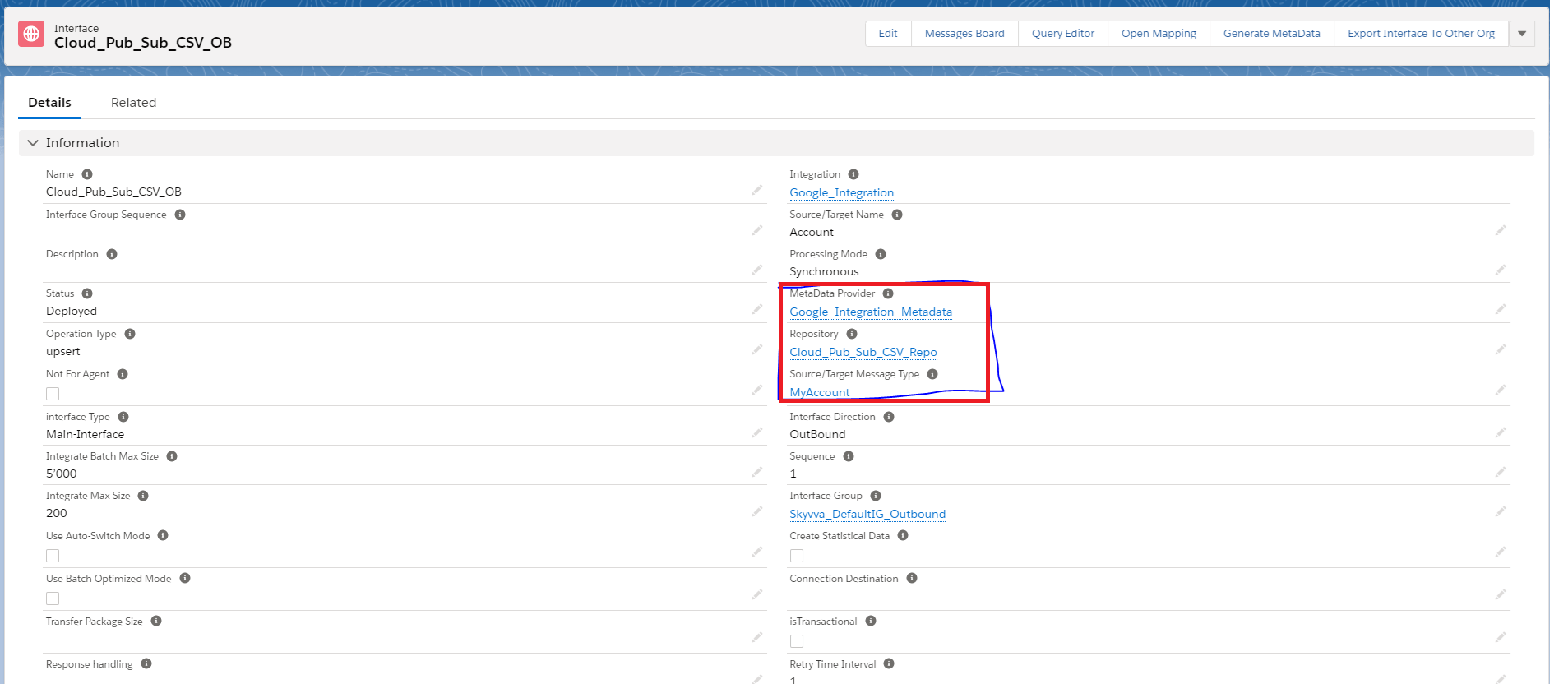
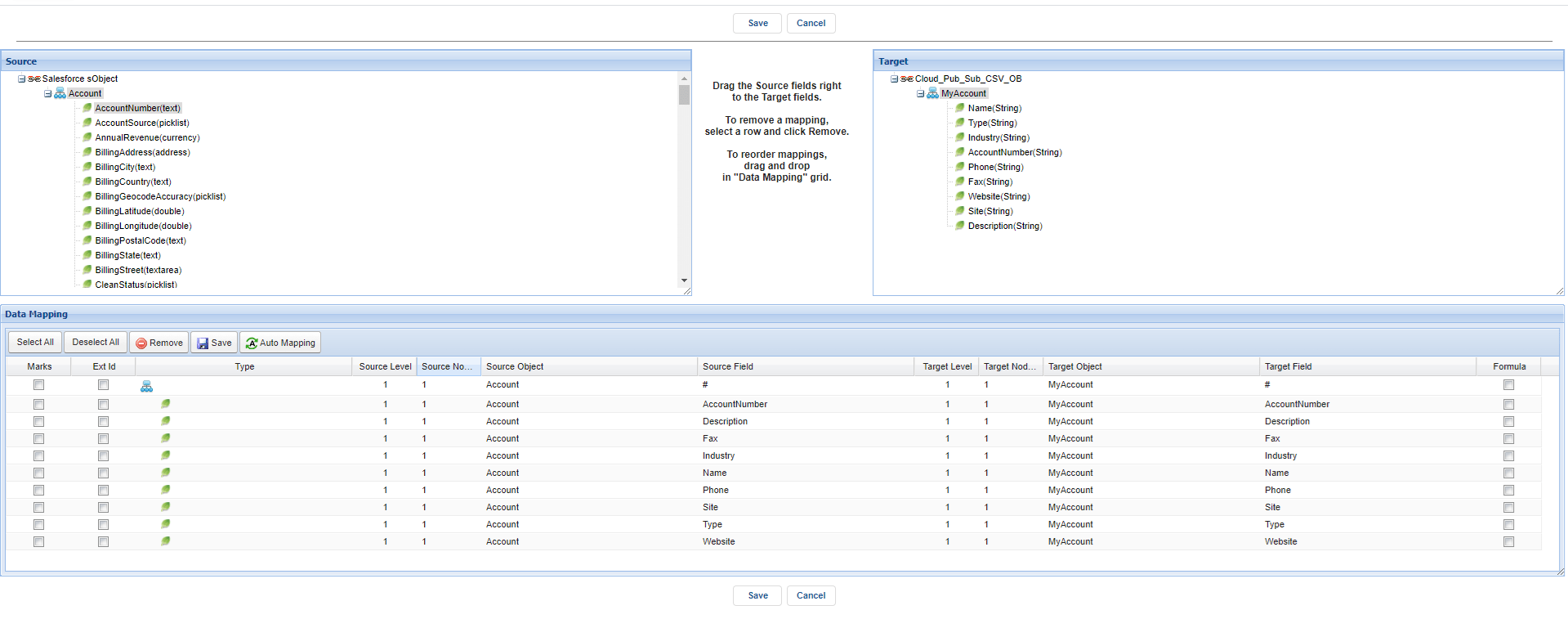
V3 Callout: skyvvasolutions.CallOutControl c = new skyvvasolutions.CallOutControl(); c.returnJSONComplete=true; c.actionDoIntegrate=true; c.isCreateMessage=true; String[] ids= new String[]{'0011x00001ArjkCAAR','0011x00001ArjkDAAR'}; skyvvasolutions.Iservices.invokeCalloutV3('Google_Integration','Cloud_Pub_Sub_CSV_OB',ids,'SYNC',c); Messages:

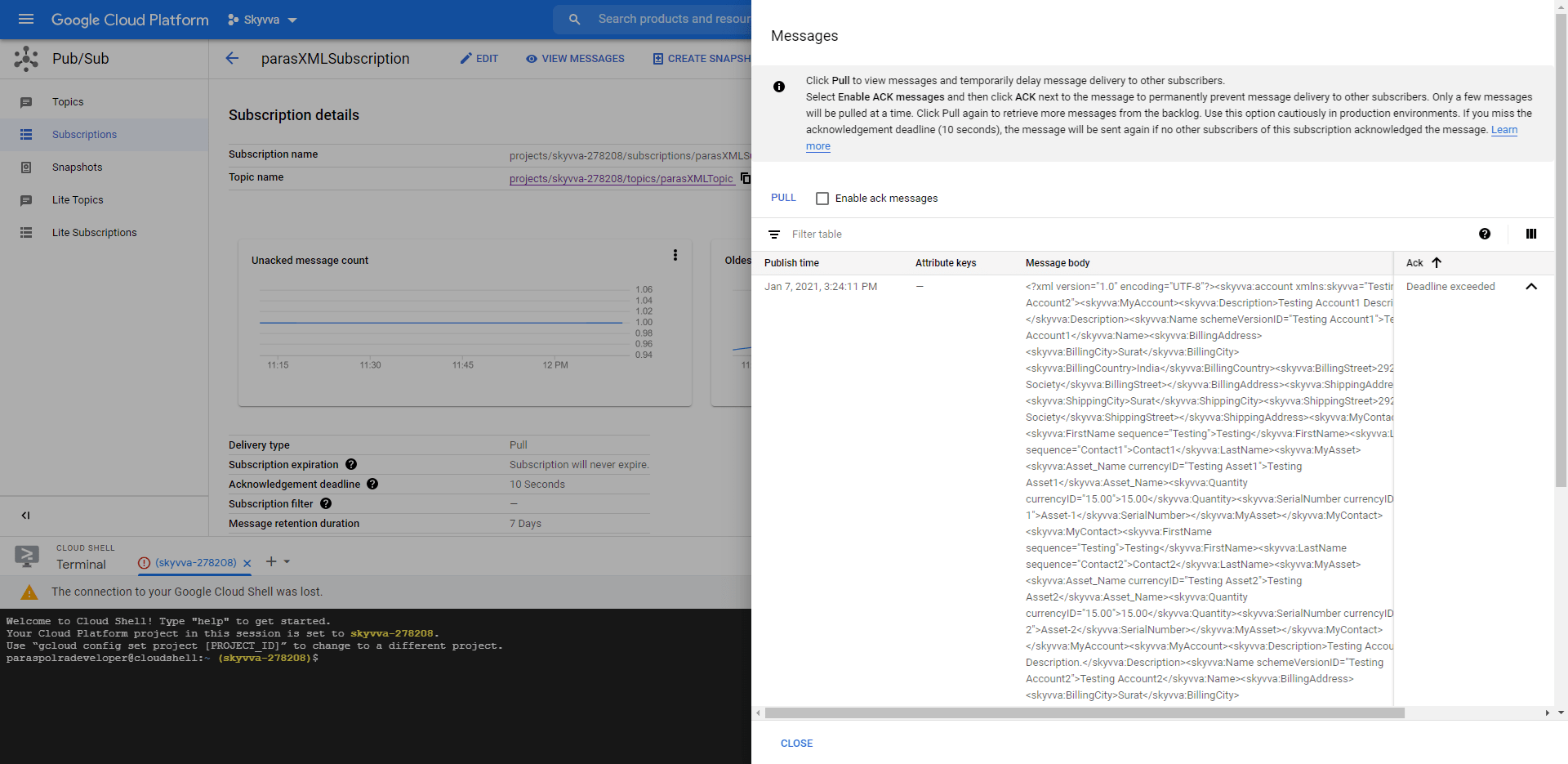
Google Console:
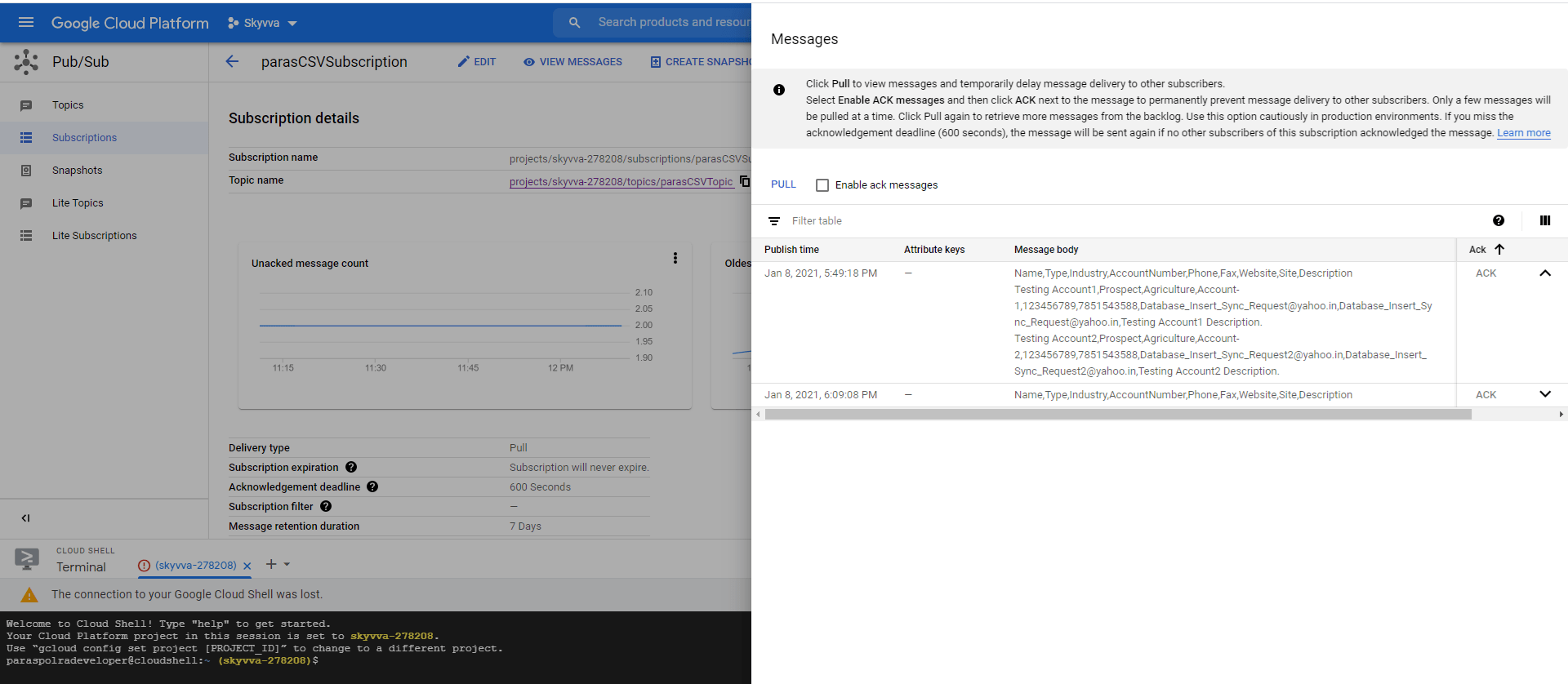
JSON Outbound Case
Outbound Interface Name: Cloud_Pub_Sub_JSON_OB Outbound Adapter Name: Google Cloud Pub/Sub JSON OB
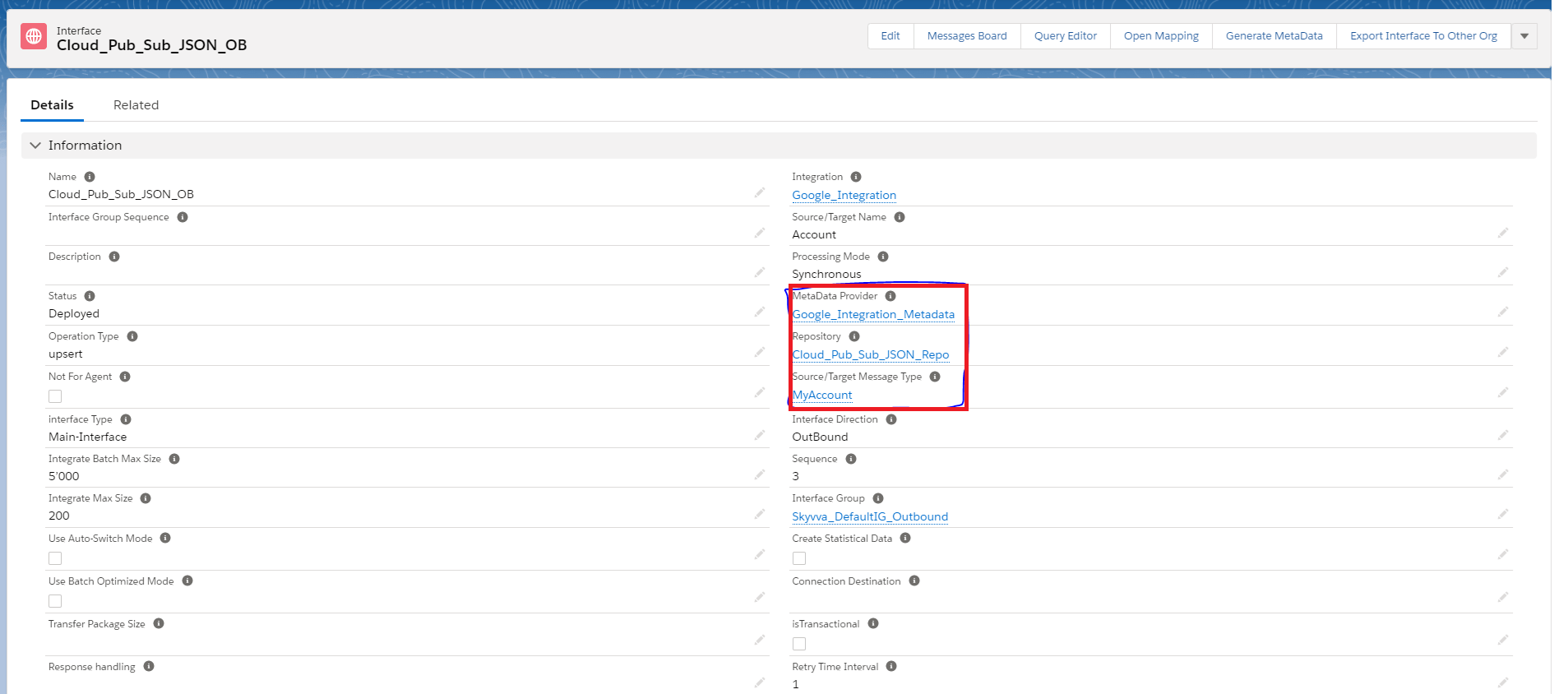
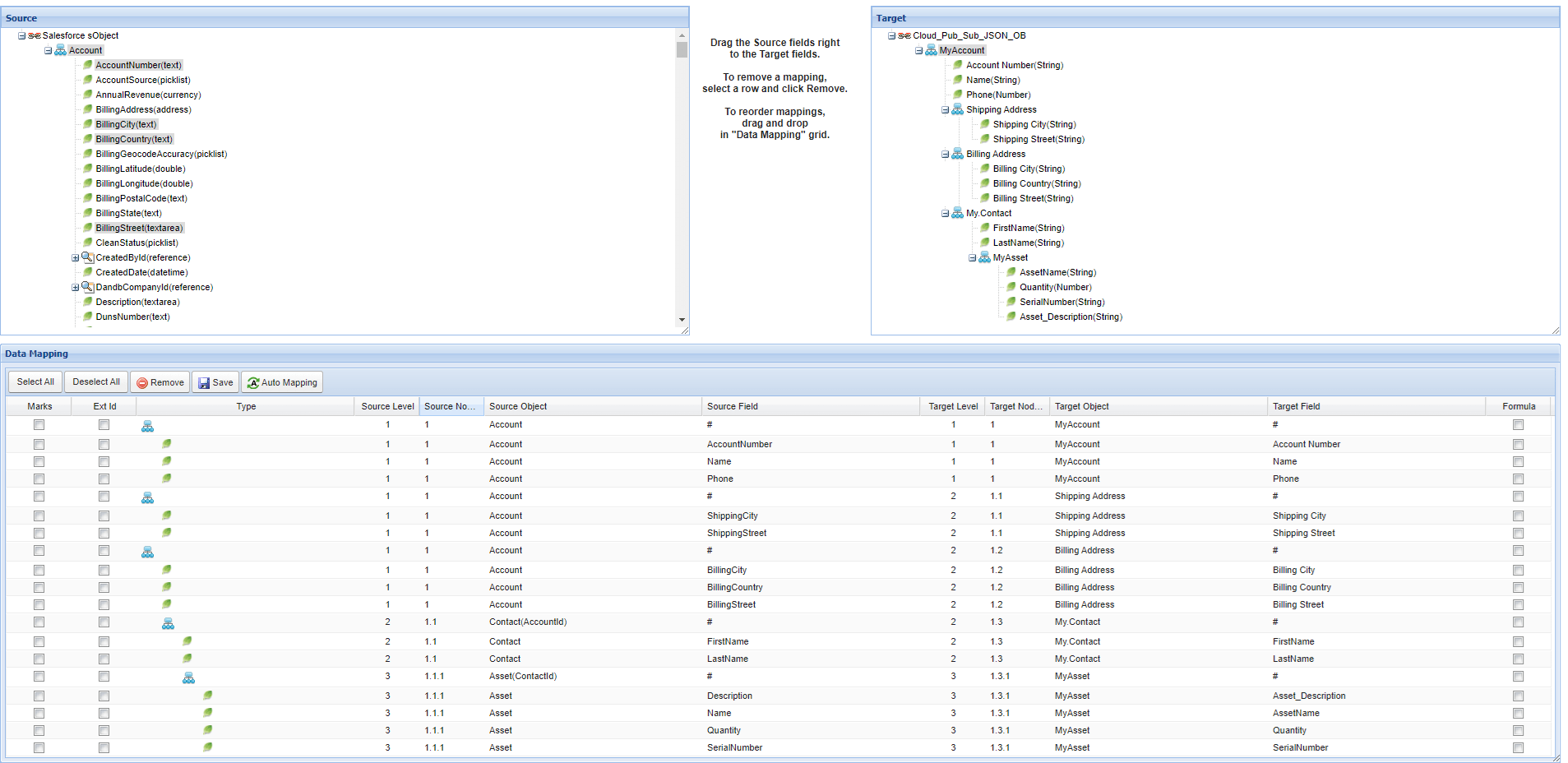
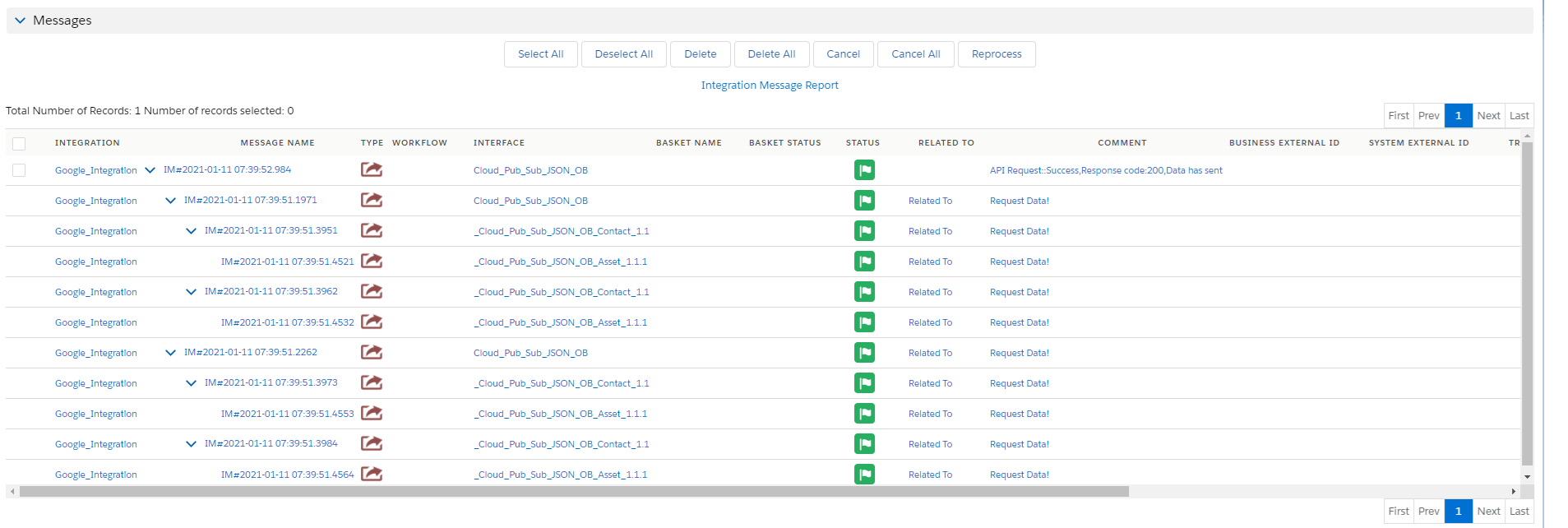
V3 Callout: skyvvasolutions.CallOutControl c = new skyvvasolutions.CallOutControl(); c.returnJSONComplete=true; c.actionDoIntegrate=true; c.isCreateMessage=true; String[] ids= new String[]{'0011x00001ArjkCAAR','0011x00001ArjkDAAR'}; skyvvasolutions.Iservices.invokeCalloutV3('Google_Integration','Cloud_Pub_Sub_JSON_OB',ids,'SYNC',c); Messages:
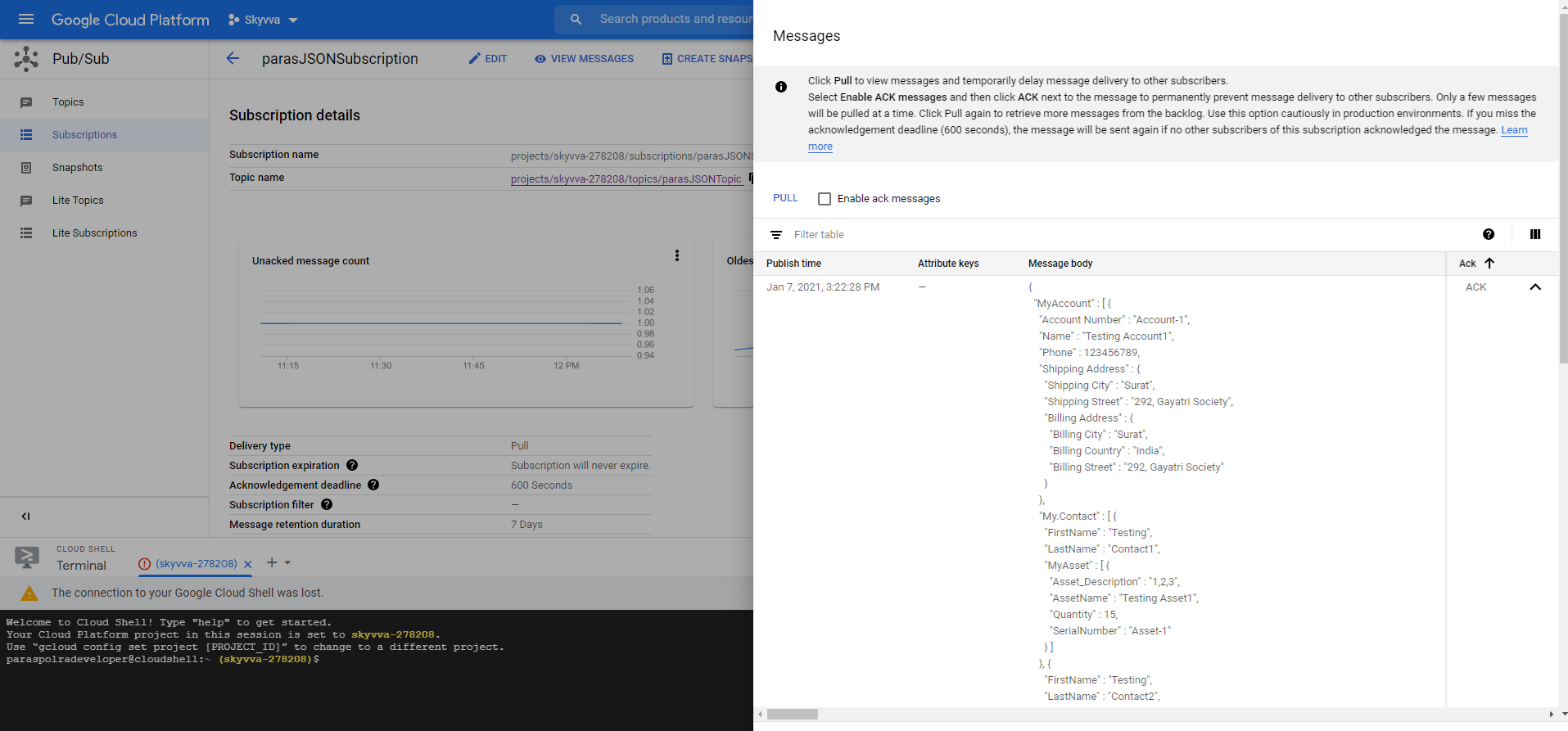
Google Console:
XML Outbound Case:
Outbound Interface Name: Cloud_Pub_Sub_XML_With_NP_OB Outbound Adapter Name: Google Cloud Pub/Sub XML OB
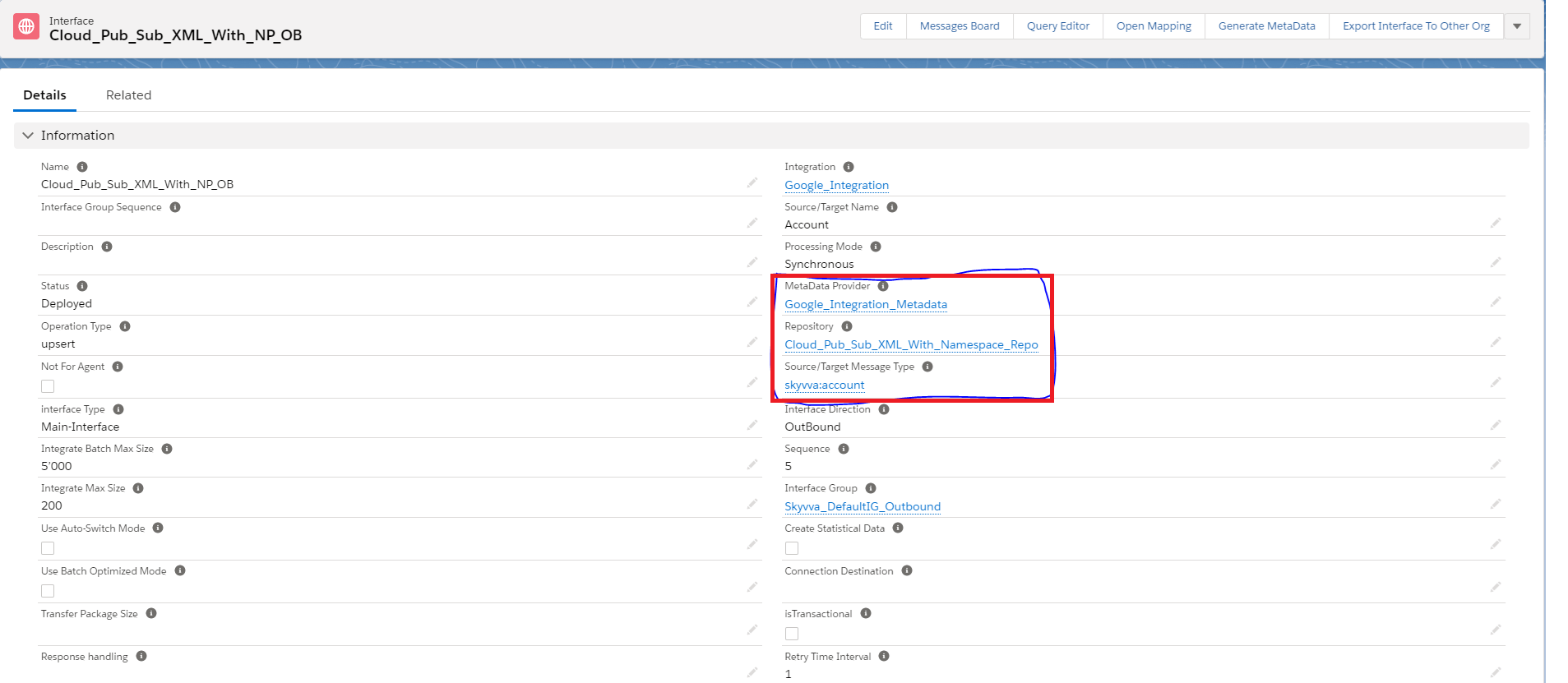
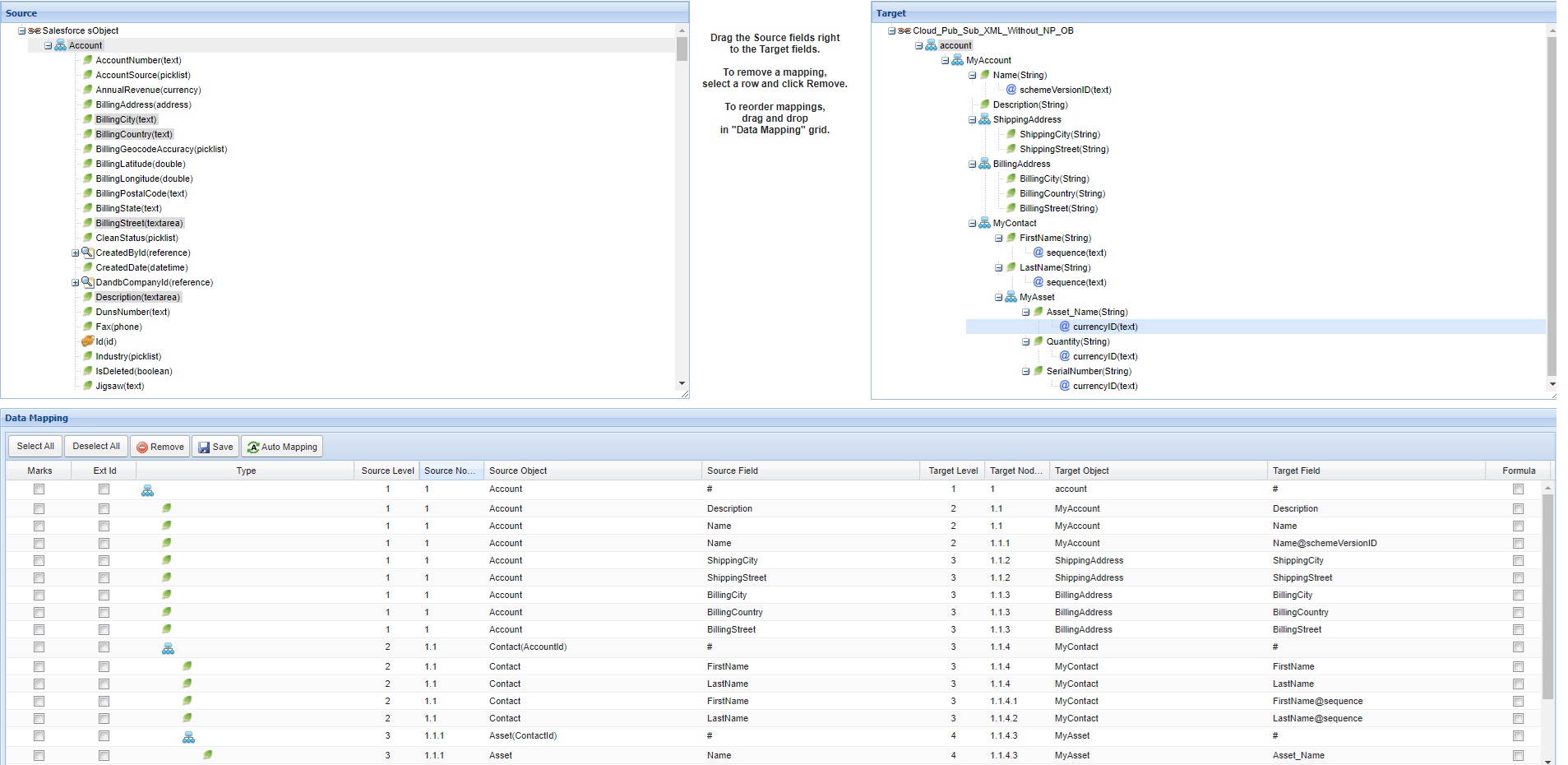
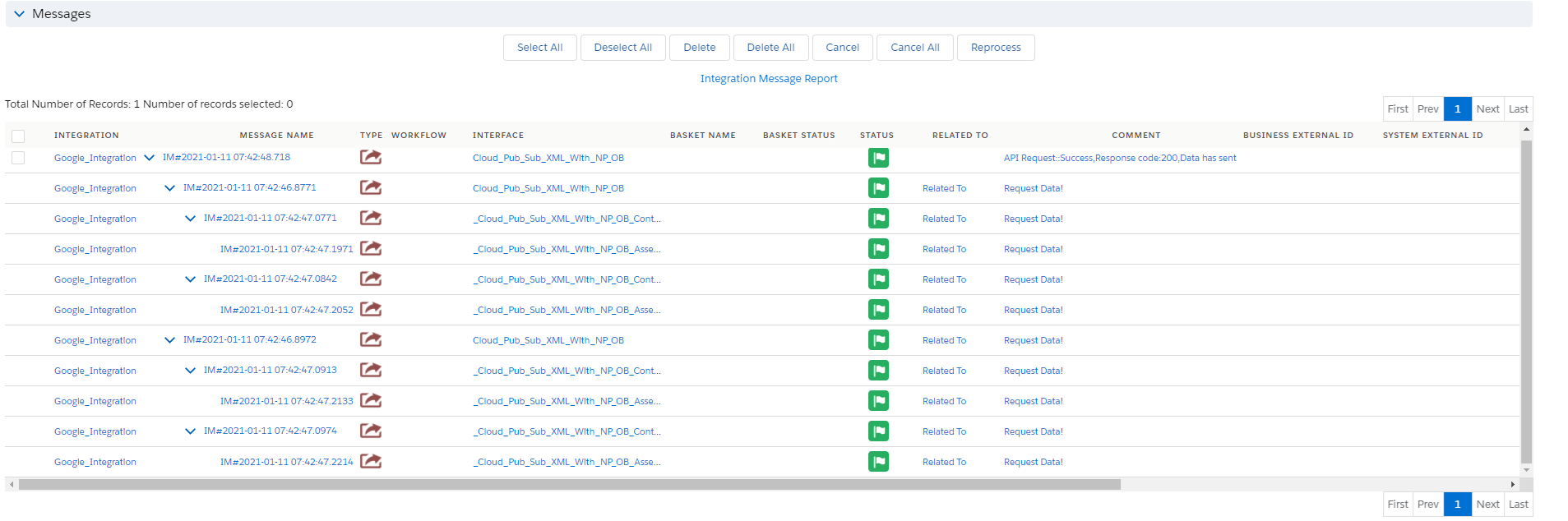
V3 Callout: skyvvasolutions.CallOutControl c = new skyvvasolutions.CallOutControl(); c.returnJSONComplete=true; c.actionDoIntegrate=true; c.isCreateMessage=true; String[] ids= new String[]{'0011x00001ArjkCAAR','0011x00001ArjkDAAR'}; skyvvasolutions.Iservices.invokeCalloutV3('Google_Integration','Cloud_Pub_Sub_XML_With_NP_OB',ids,'SYNC',c); Messages:
Google Console: