125.3 How to use ActiveMQ Inbound Adapter with JSON Payload?
ActiveMQ adapter is used to send messages. Messages are just what they sound like, payloads of data that can be shipped between various systems. These payloads can have headers and properties associated with them This adapter supports 3 types of data formats i.e. CSV, XML and JSON.
UseCase: Agent ActiveMQ Adapter for JSON payload.
Objective: Test ActiveMQ Inbound adapter for JSON Format
Pre-requiste:
- Create Integration.
- Create Metadata Provider, IStructure Repository and Create Flat Message Type.
- Metadata Provider:Agent_ActiveMQ_RabbitMQ_JMS_Metadata
- IStructure Repository: ActiveMQ_JSON
- Message Type:Root

Step1:To Create Agent ActiveMQ Json Inbound Adapter:
- Go to Integration (Example: Agent_new _adapter)
- Click on link AGENT Control Board.
- Go to Adapter Tab and Click on New Button.

Step2: How to Create Agent ActiveMQ Json Inbound Adapter:
- Click on link AGENT Control Board.
- Go to Adapter Tab and Click on New Button.
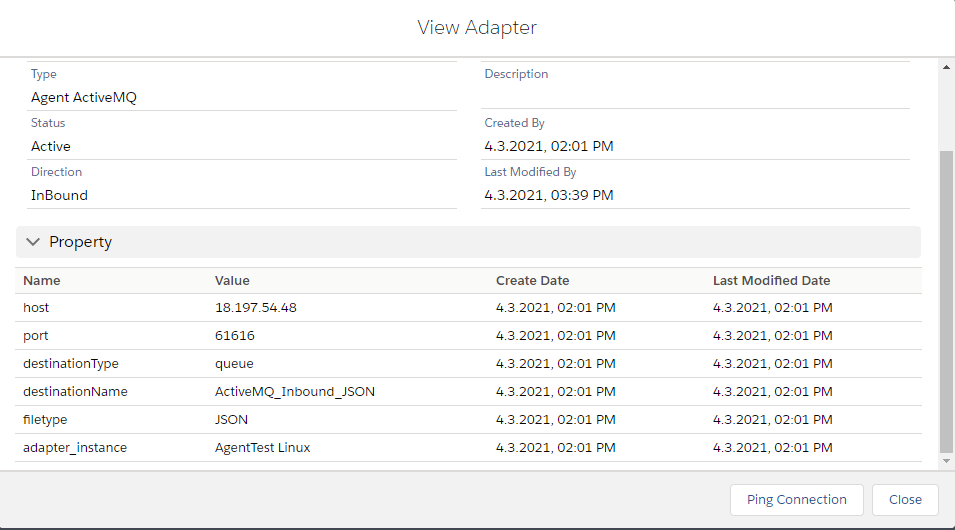
Configure Agent RabbitMQ CSV Inbound Adapter: you need to enter adapter properties base on system requirement and Select Connection Destination (Example:Agent LINUX). Step3: Create Integration and Inbound Interface:
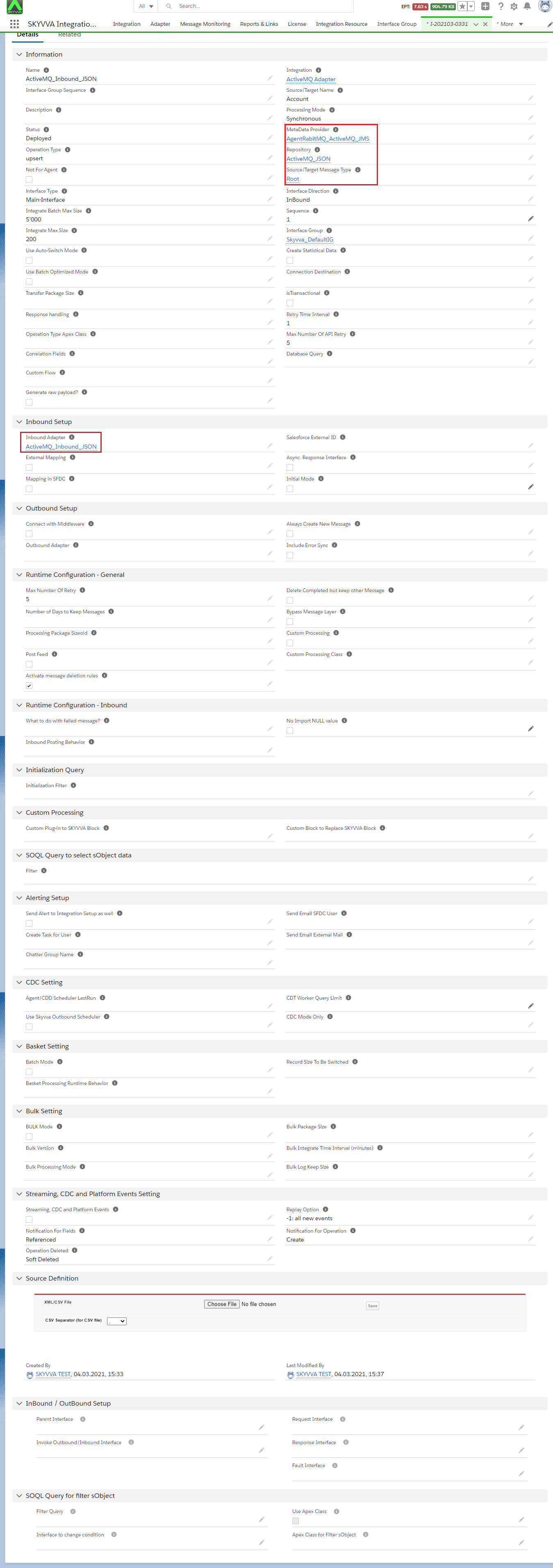
- Inbound Interface: ActiveMQ_Intbound_xml
- Metadata: AgentRabitMQ_ActiveMQ_JMSCSV
- Respository:RAbitMQCSV
- MessageType:Root
- Adapter: ActiveMQ_Inbound_JSON
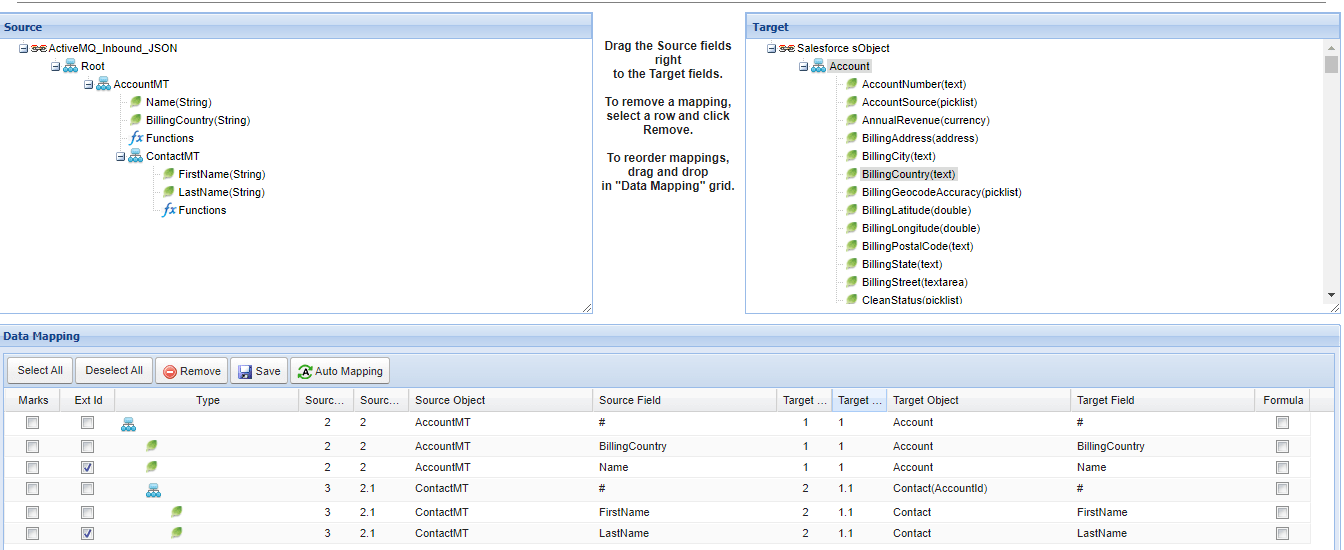
Step4: Do mapping
[su_box title="Note" box_color="#2a8af0" title_color="#000000"] In Inbound direction we don't need to execute any callout logic because you are sending data RabbitMQ server to Salesforce side. You just need to start route example: go to adapter tab => All adapter will display in list view and you just need to click on start button and your route will be start automatically or you can change adapter status inactive to active and it’s also start route automatically. If you will make any changes inside adapter property then you need to stop route and start again after your changes will reflect to server.[/su_box]
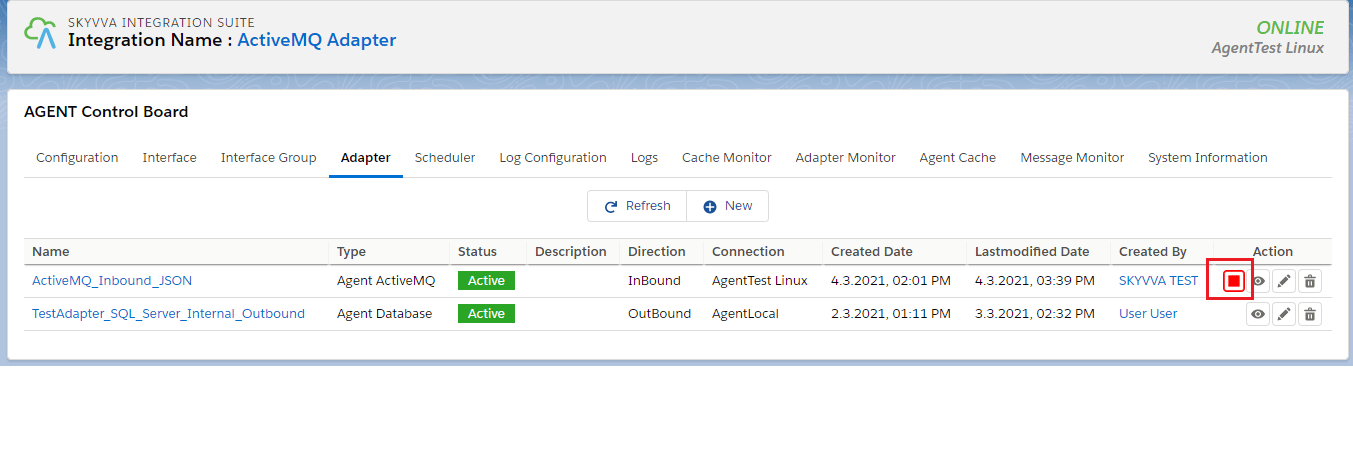
Step 5: To Send Data ActiveMQ Server to Salesforce side follow the given step: Check CSV Data on ActiveMQ Server:
- Open Link: http://18.197.54.48:15672/#/queues
- Username: admin
- Password: admin
Go to Queues:
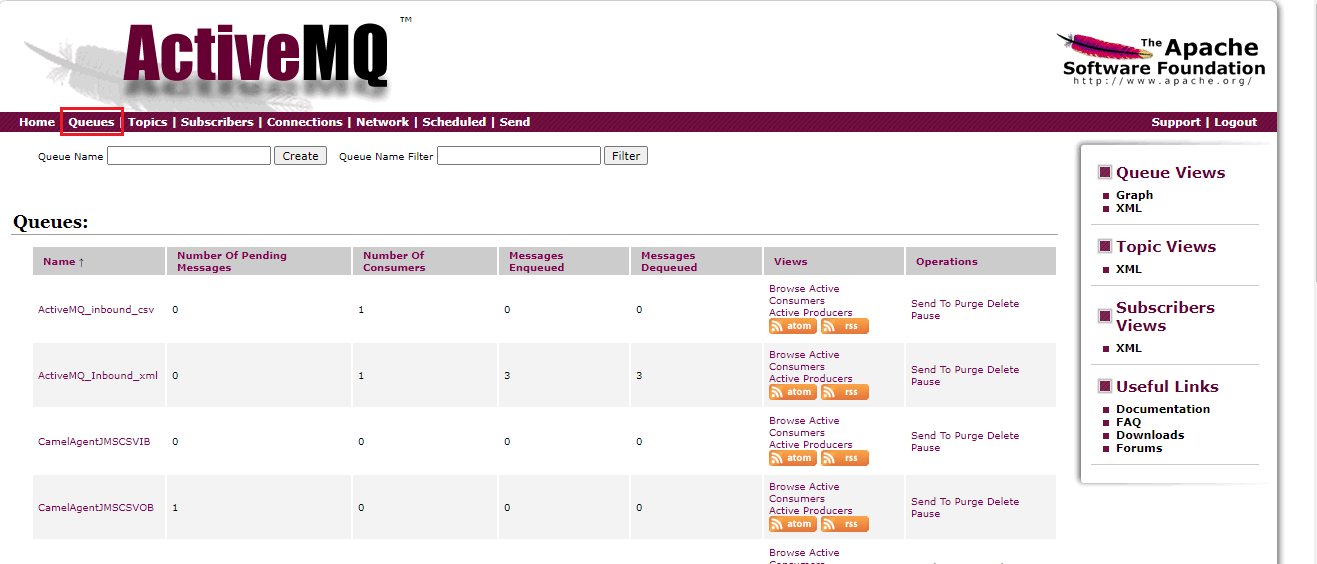
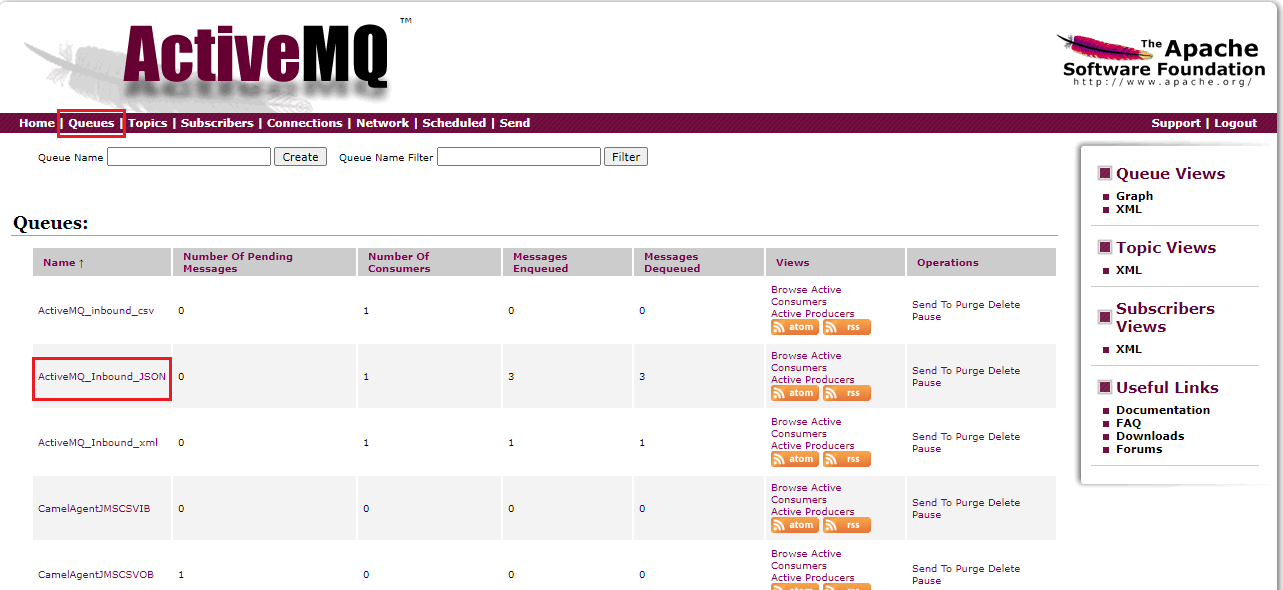
- click on queues.
- check your queue is created. Here Name is ActiveMQ_Inbound_JSON.
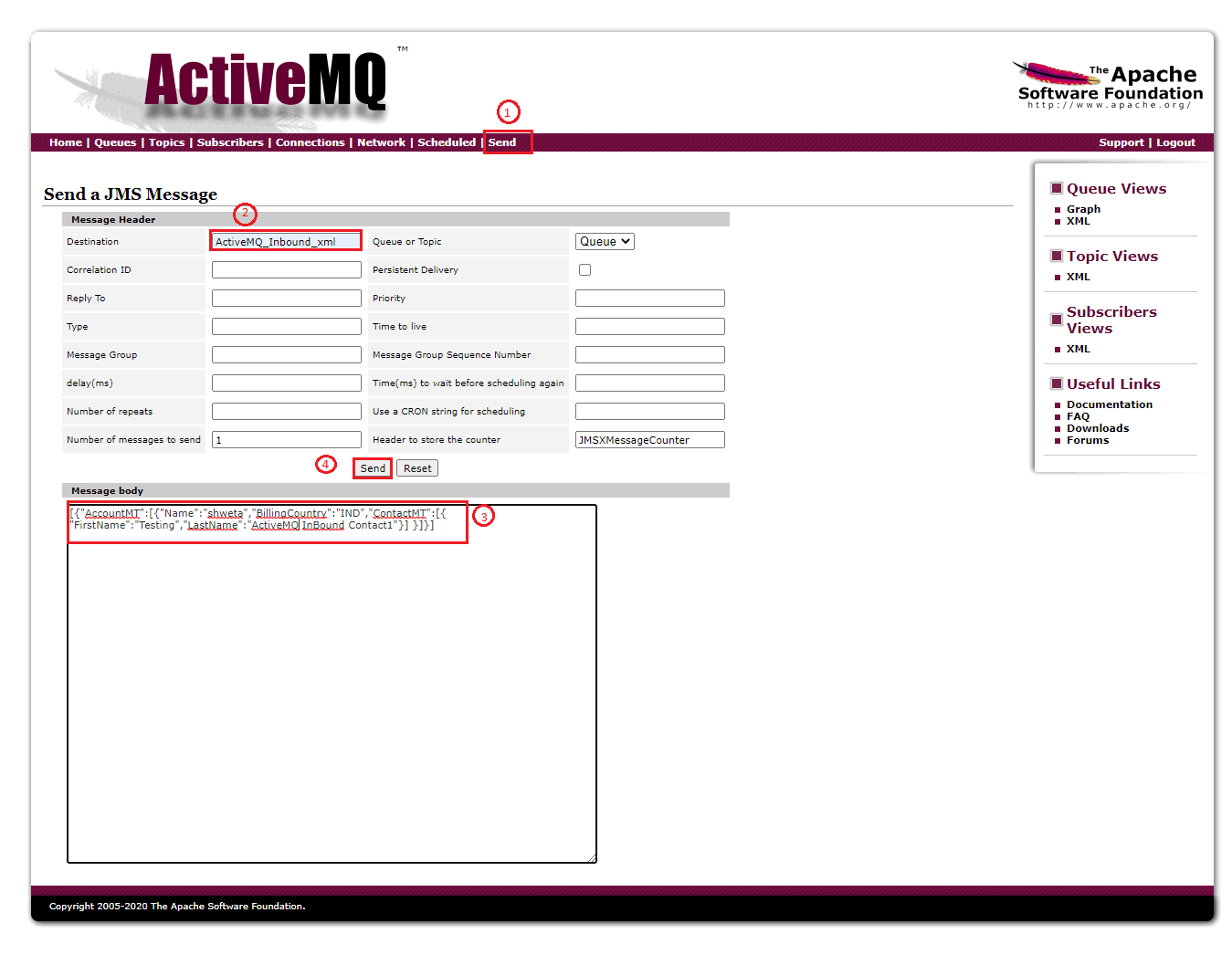
To send data click from ActiveMQ server:
- click on SEND
- Select your Destination
- Put your data in Message body section(It should be be minified)
- Click on send button to send data.
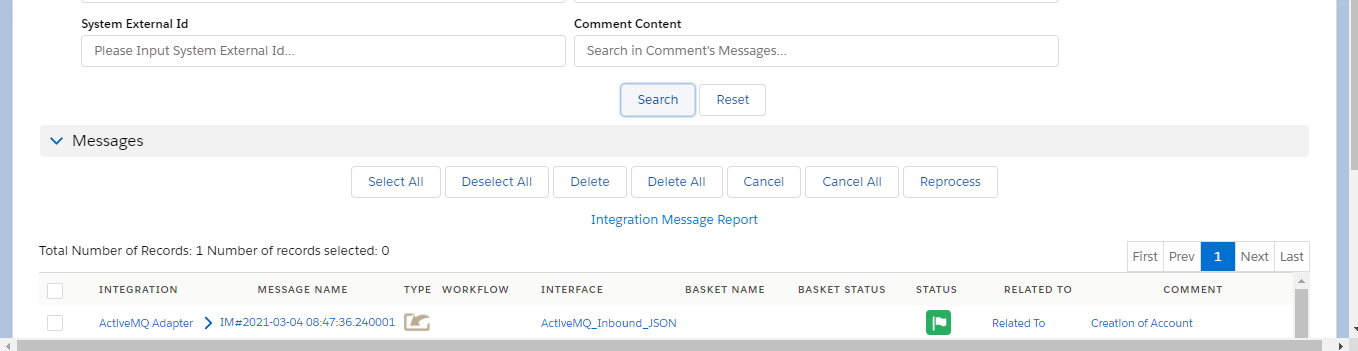
Check result on message monitoring: