3. How to use SAP Control Board?
Introduction
The SAP control board is a component which can connect different application system. It is basically related to SAP ERP related monitoring and configuration. In the Sap control board, we have different tabs with different functionalities. The user can select the integration which he wants to maintain. If we invoke this SAP control board screen from an integration then the integration is preselected by the integration we have jumped from. But the SAP Control Board can be added as a general entry point to the SKYVVA Admin page.
How to configure SAP Control Board:-
Pre-Requisite
- Create Integration
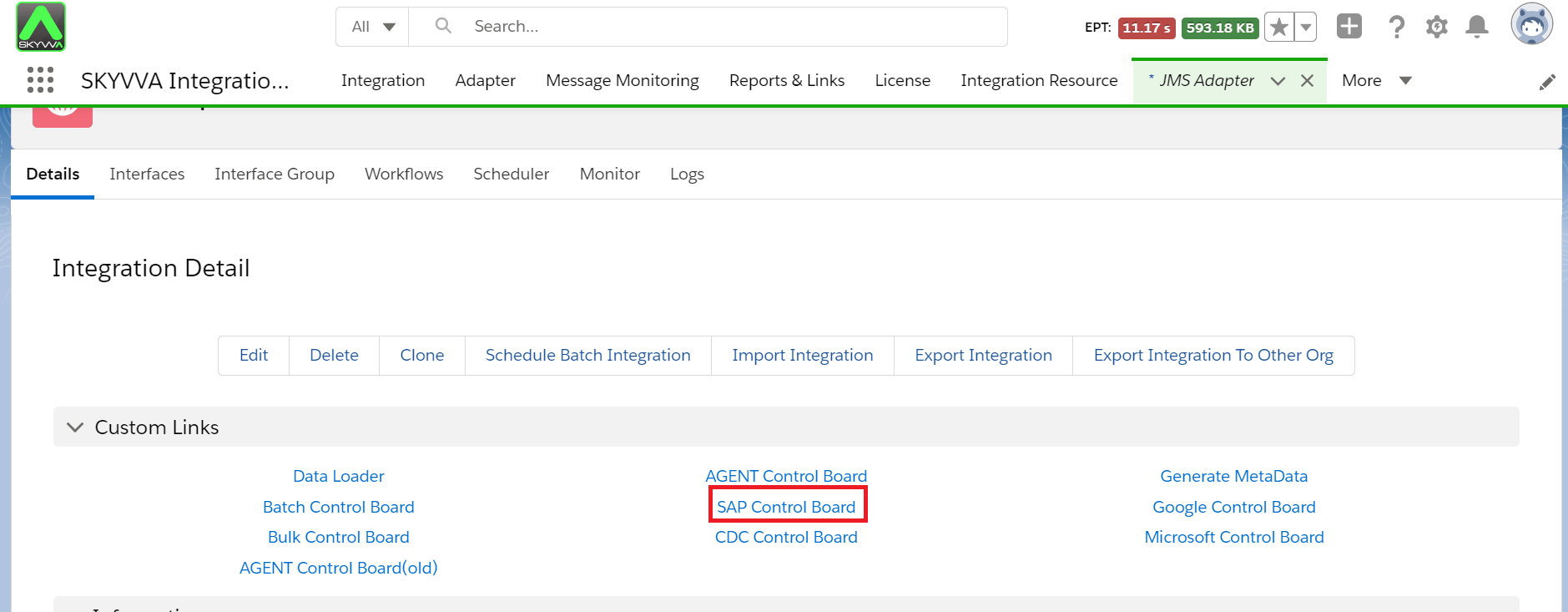
Step1: Go to the Integration details page
- Click on the "SAP Control board" Tab.
Step2: Select the "Configuration" tab on the SAP control board.
- Select Connection Destination.
- Fill in all the required fields like Name, Type, and Logical system.
- You can fill the description field which is optional.

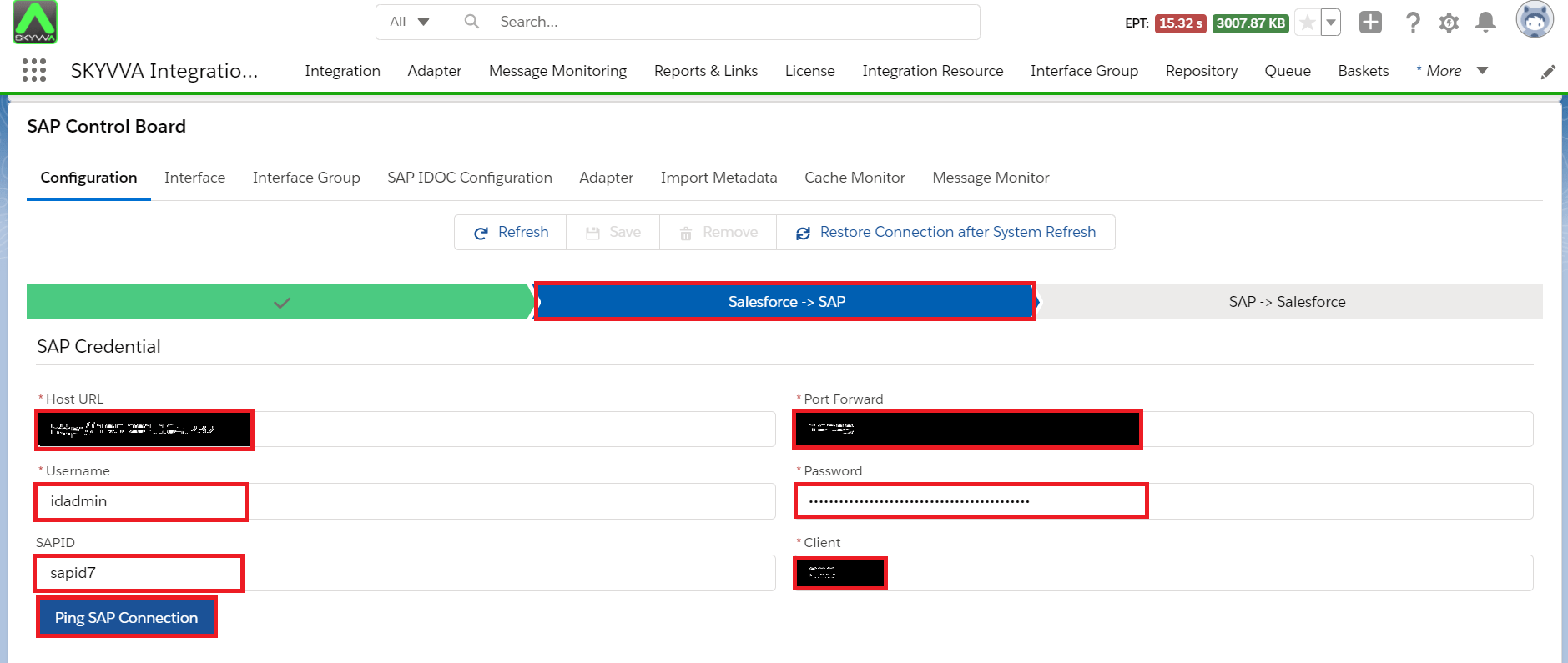
Step3: Here we need to provide the SAP connection details, Please provide your SAP connection details below.
- Host Url: http://xxxx.com
- Port: 16xxx
- Username: XXXX
- Password:
- SAPID: System Id
- Client: *
- Once we provide the details we need to ping the SAP Connection.
Step4: Here we need to provide the salesforce details as shown below.
- Username
- Password
- Security Token
- Server Environment
- Consumer Key
- Consumer Secret
- Once we provide the details we need to ping the Salesforce Connection.

Step5: Save the Connection Destination.
