132. How to use Import SAP Metadata Provider?
Introduction
In SKYVVA, we have generated a Metadata SAP Business One function called Import SAP Metadata to make the user access to use the template of every module in SAP Business One. This function contains a search button that makes the user quickly find the template he wants to use. Also, this function is contained with the URL or endpoint to use with the module that we are choosing.
How to use SAP Metadata
Pre-required
- Create Integration
- Go to SAP Control Board
- Connection Destination.
- Import SAP Metadata.
Step1: Create Integration. Click this link below to see more detail about What is Integration #article/integration
- Go to Integration => click the New button.
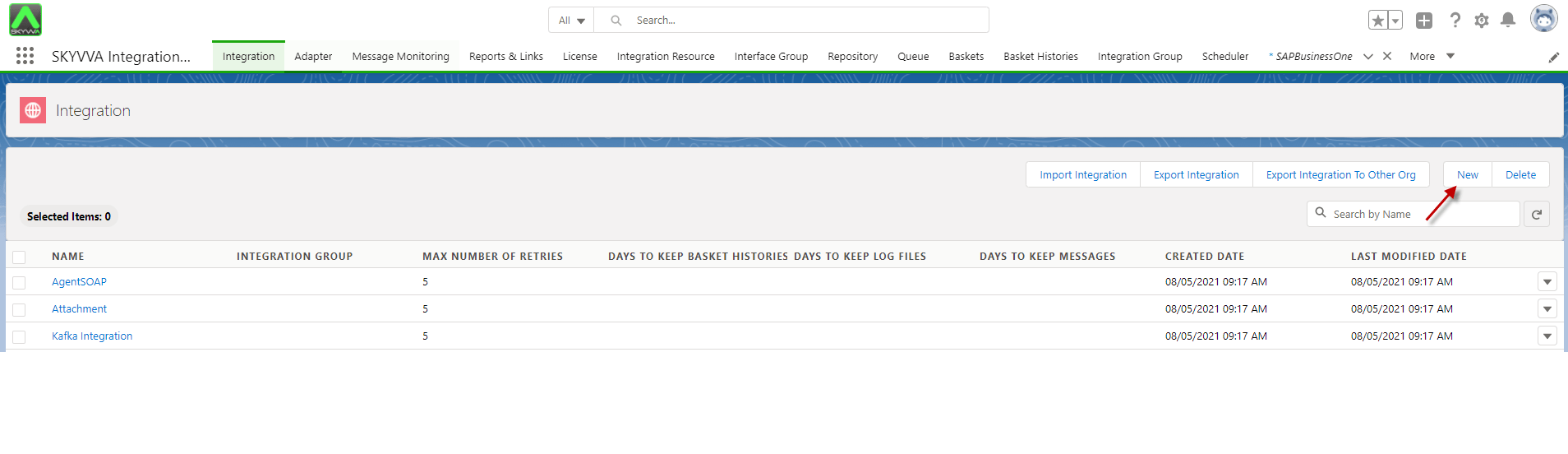
- Fill in the name and click Save Button. see the picture as an example.

Step2: Connection Destination on Sap Control board.
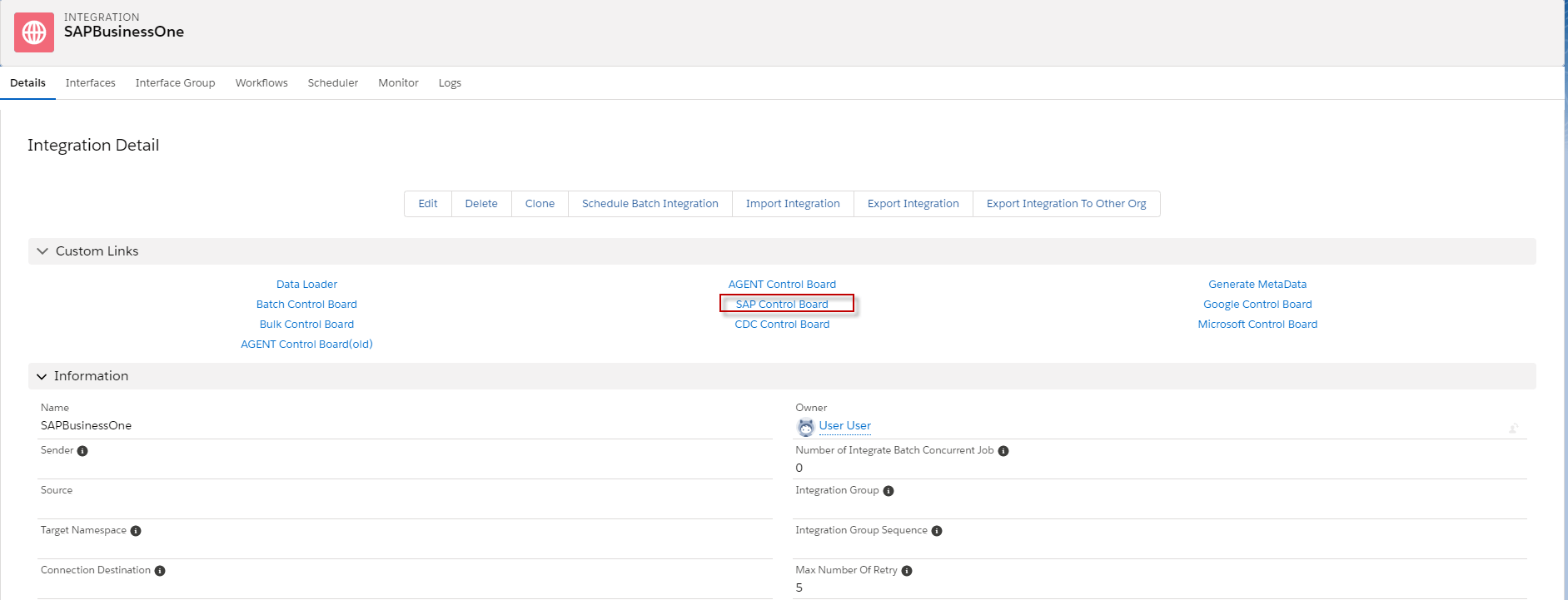
- Go to Integration and click SAP Control Board. Here’s an Example below.
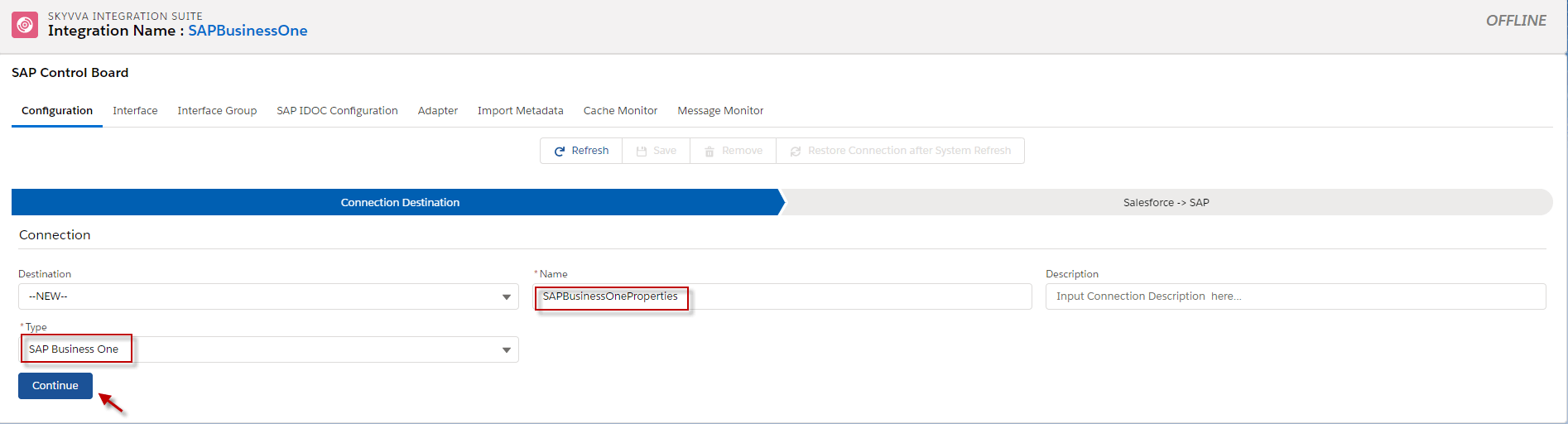
- Create Connection Destination.
- Choose Type to SAP Business One, fill in the Name, and click continue.
After we click Continue, we need to configure SAP Credential.
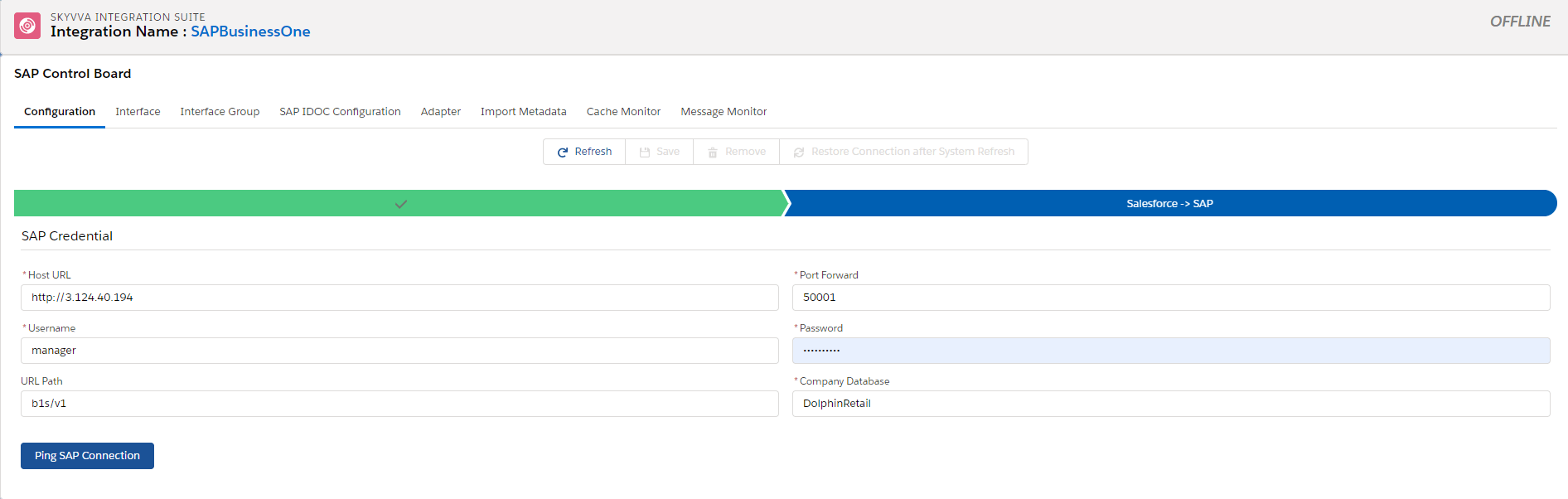
- Fill the Host URL: That’s the URL which SAP Business One Client installed.
- Port Forward: That’s the Port that we have forwarding of SAP business one client installed application.
- UserName: That’s the Username to log in to SAP business one client application.
- Password: That’s the Password to Login to SAP business one client application.
- URL path: That’s the path of login to SAP Business one client application
- Company Database: That’s the Company Name of Database
[su_box title="Note" box_color="#2a8af0" title_color="#000000"] First, We need to create Remote Site for the URL and Port. Here’s the picture. [/su_box]

- When we configured SAP Credential done we need to click the save Button and click the Ping SAP Connection Button to make sure that the credential is correct.

Step 3: Import SAP Metadata.
- To use this function, we need to Create Metadata Provider first, and then we need to create a Repository.
- Go to Metadata and click New Button.

- Fill in the name of Metadata Provide and click the Save button.
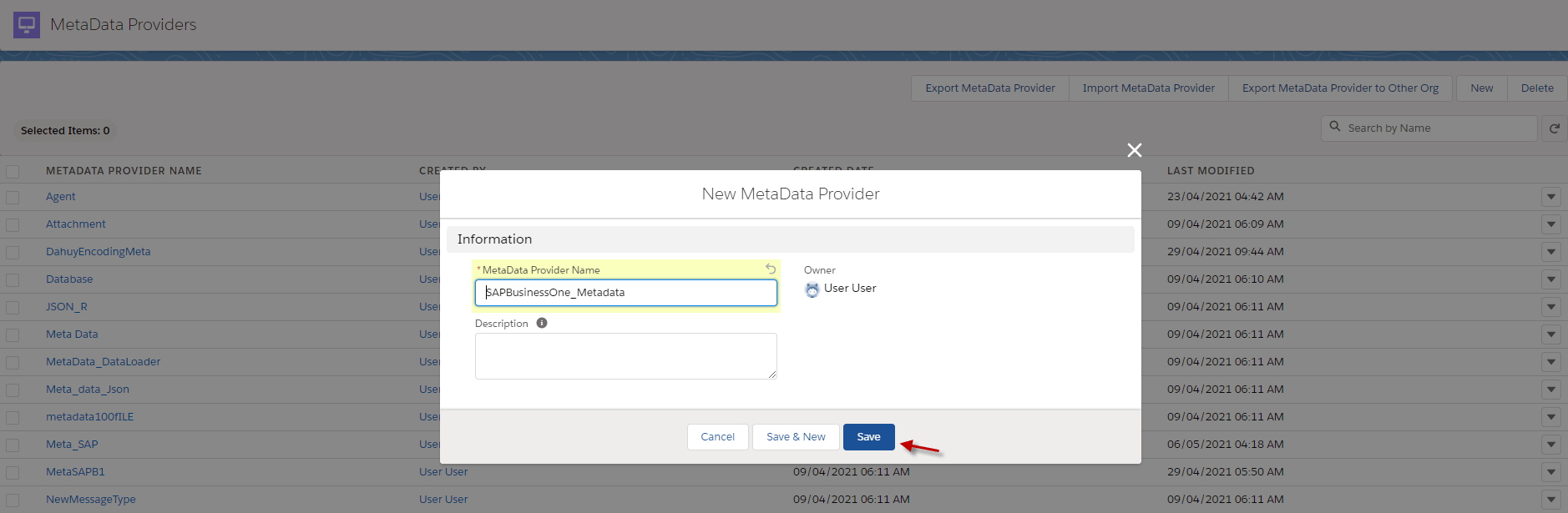
- After creating Metadata, we need to Create a Repository.
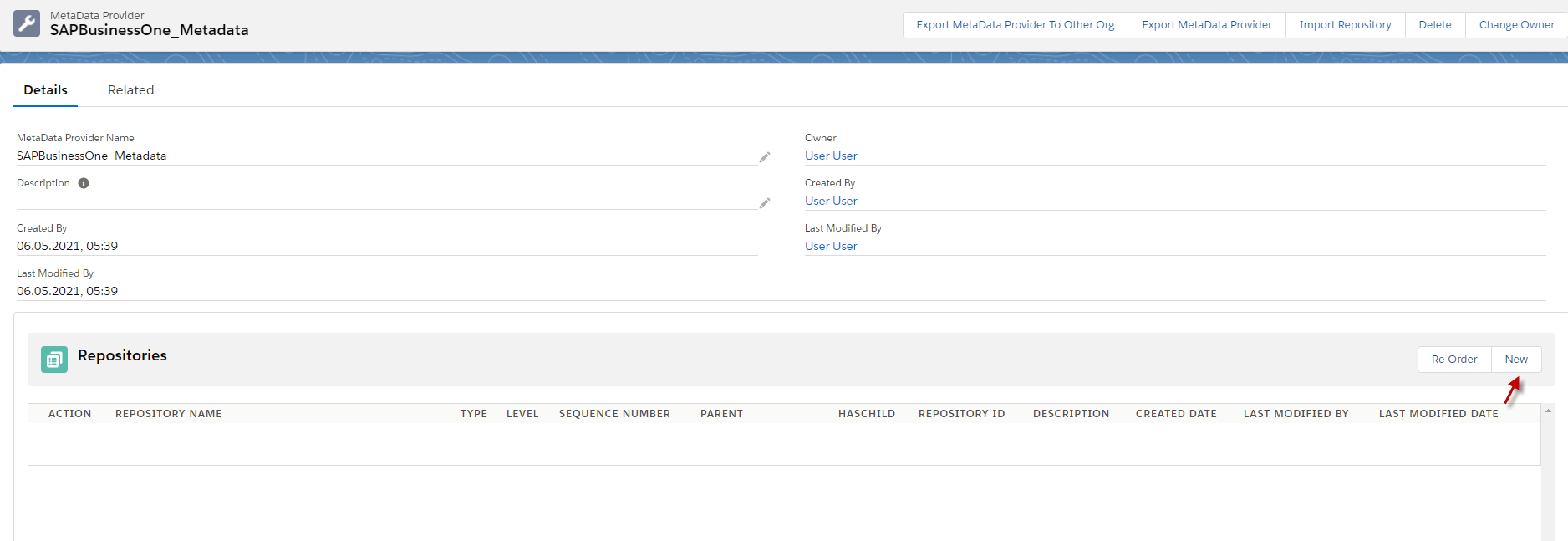
- Fill in the name of the repository and type
- Click the Save button.
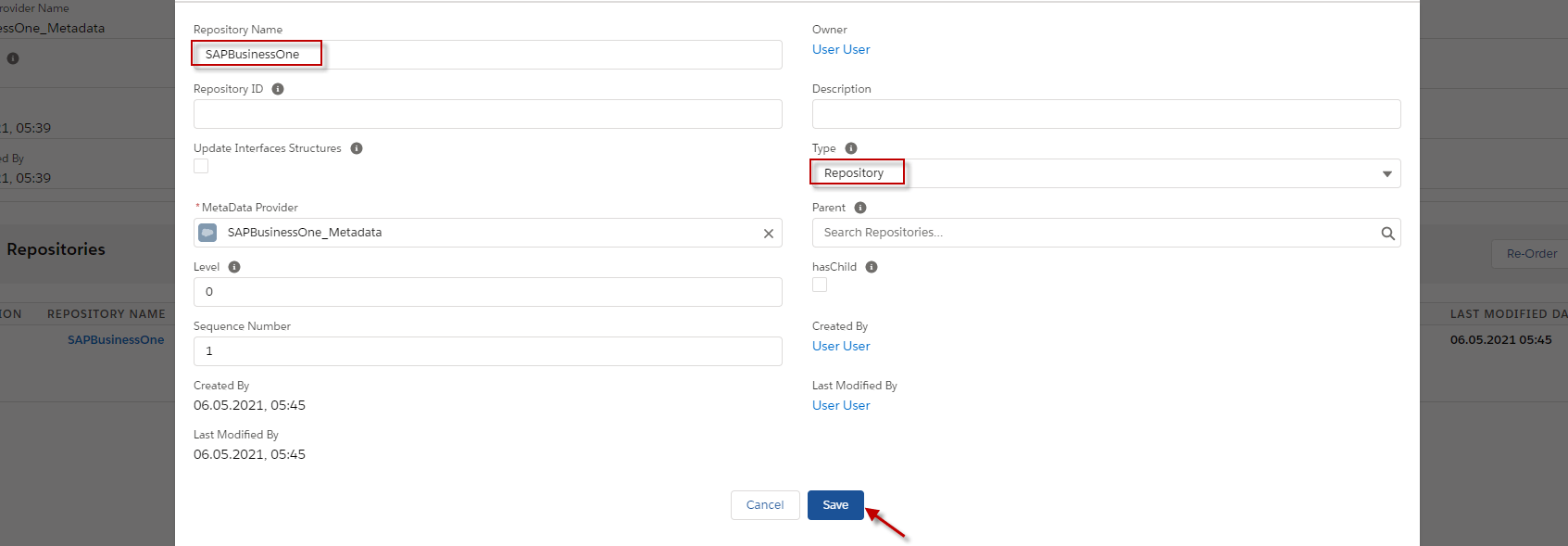
After we create a Repository, we can use the Import SAP Metadata in the Repository.
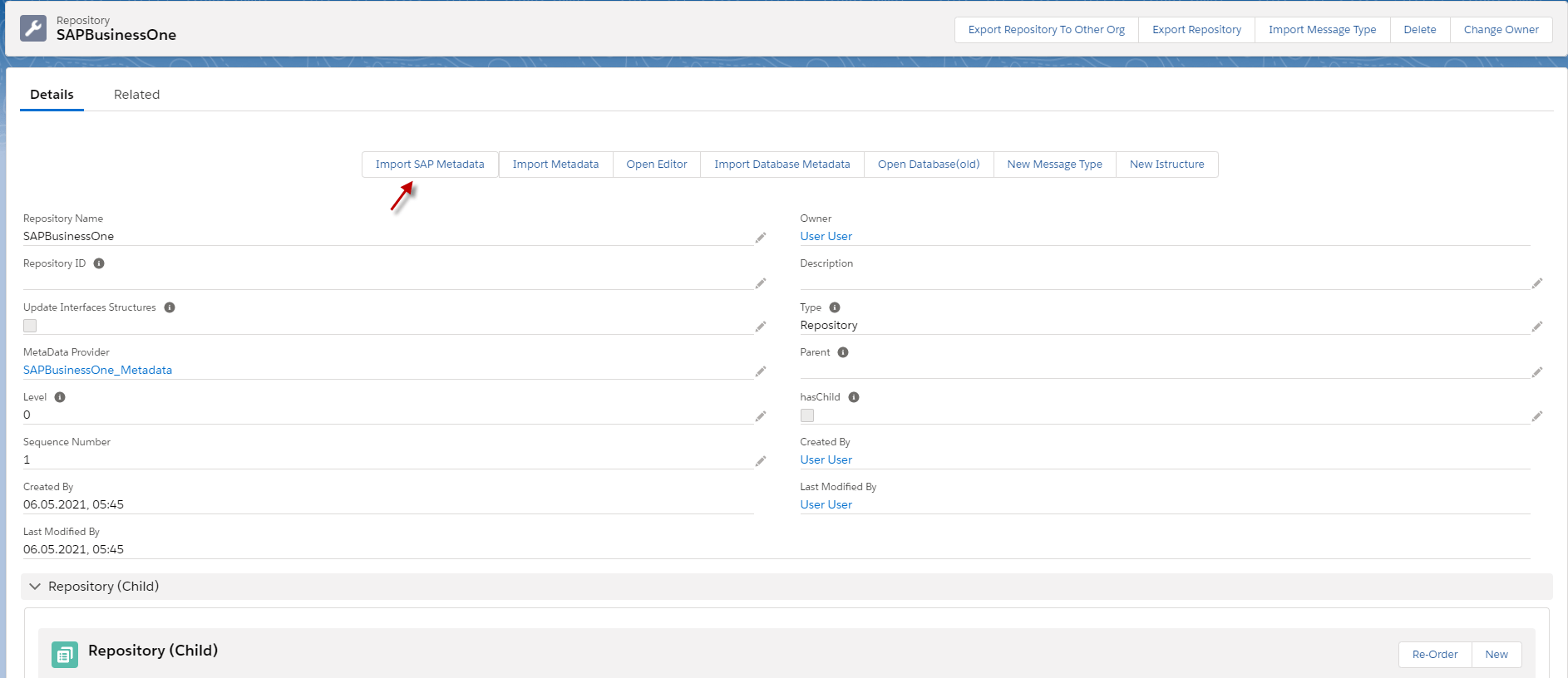
- Go to Repository and click Import SAP Metadata.
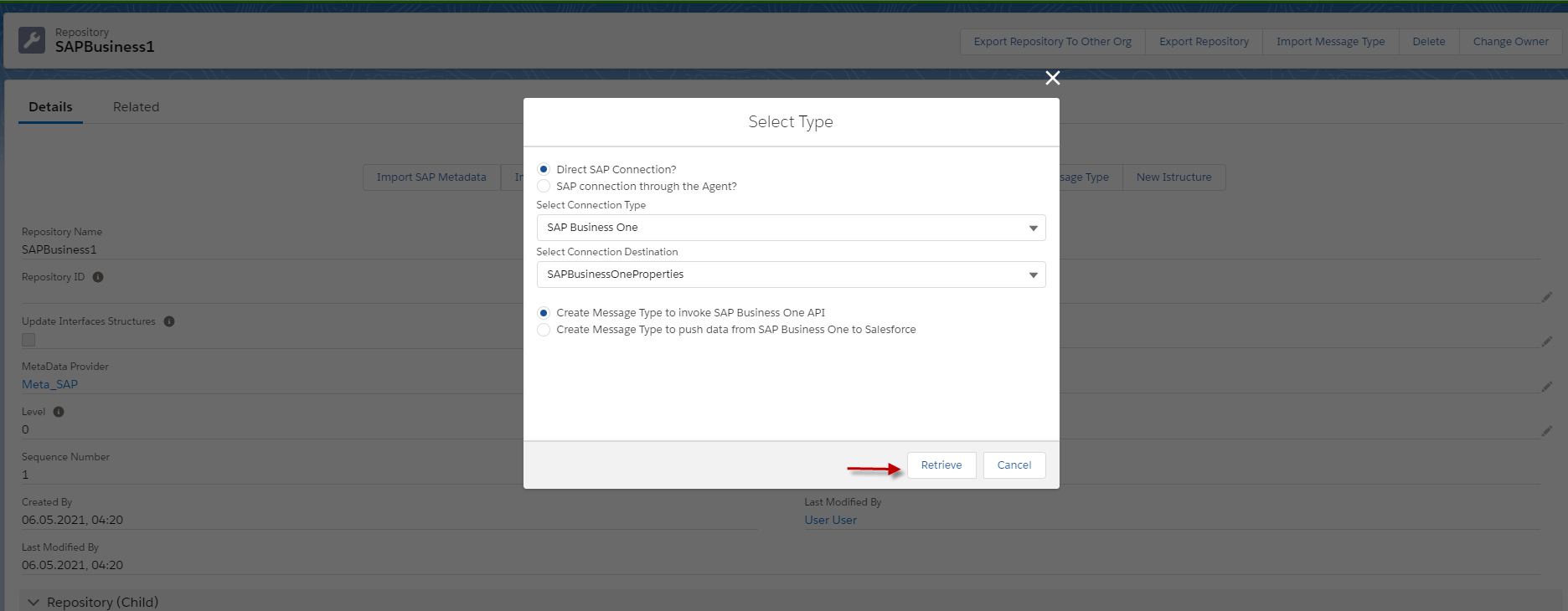
- Choosing Direction SAP Connection
- Select Connection Type
- Select Connection Destination.
- Choosing to Create Message type to invoke SAP Business One API.
- And click Retrieve.
Here’s an Example:
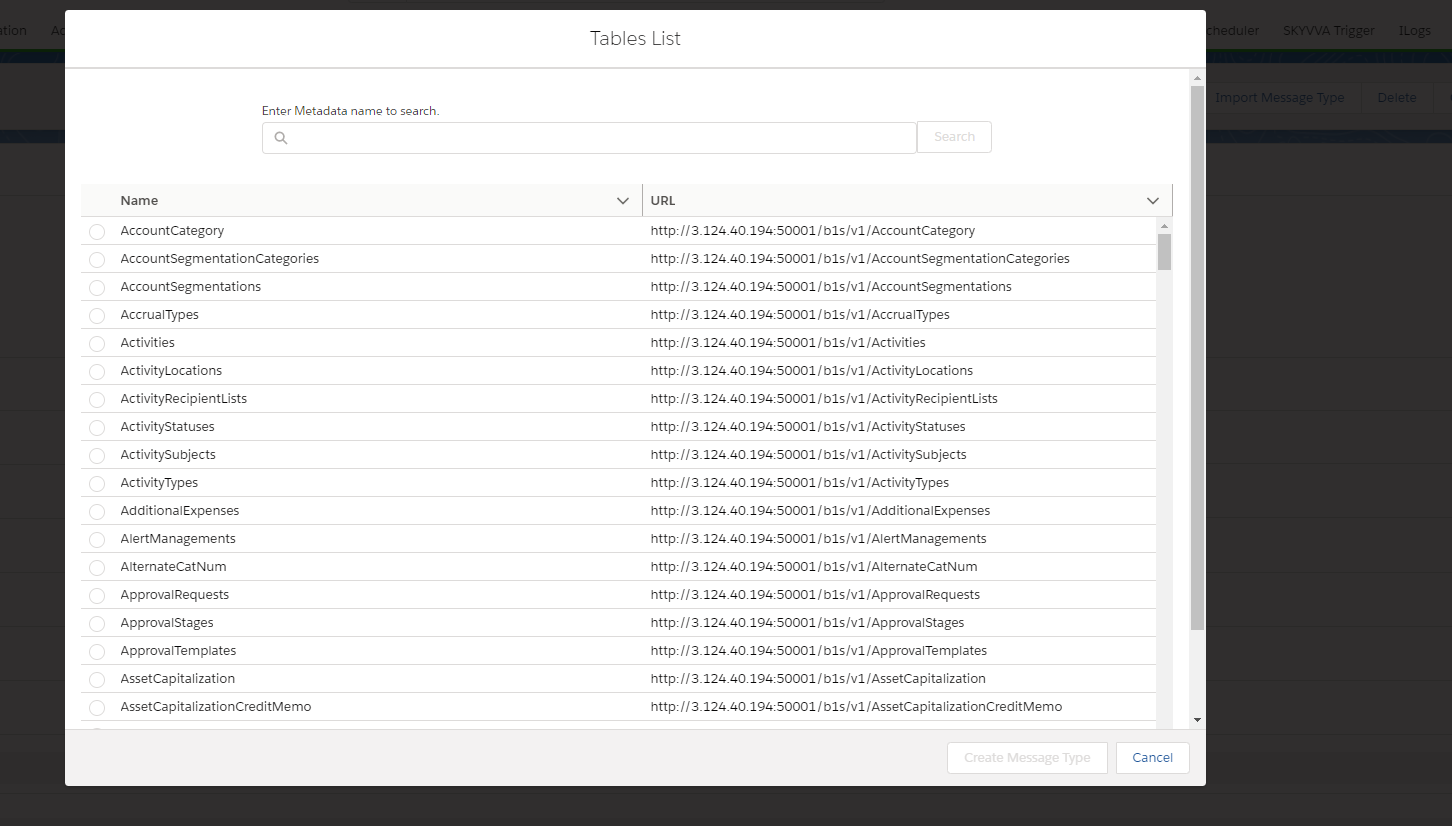
After we click Retrieve, we can see modules of SAP Business One.
- Here’s an example.
We can use the template of the module that we want. Example We want to use Order so we can search Order.
- Here’s Example.
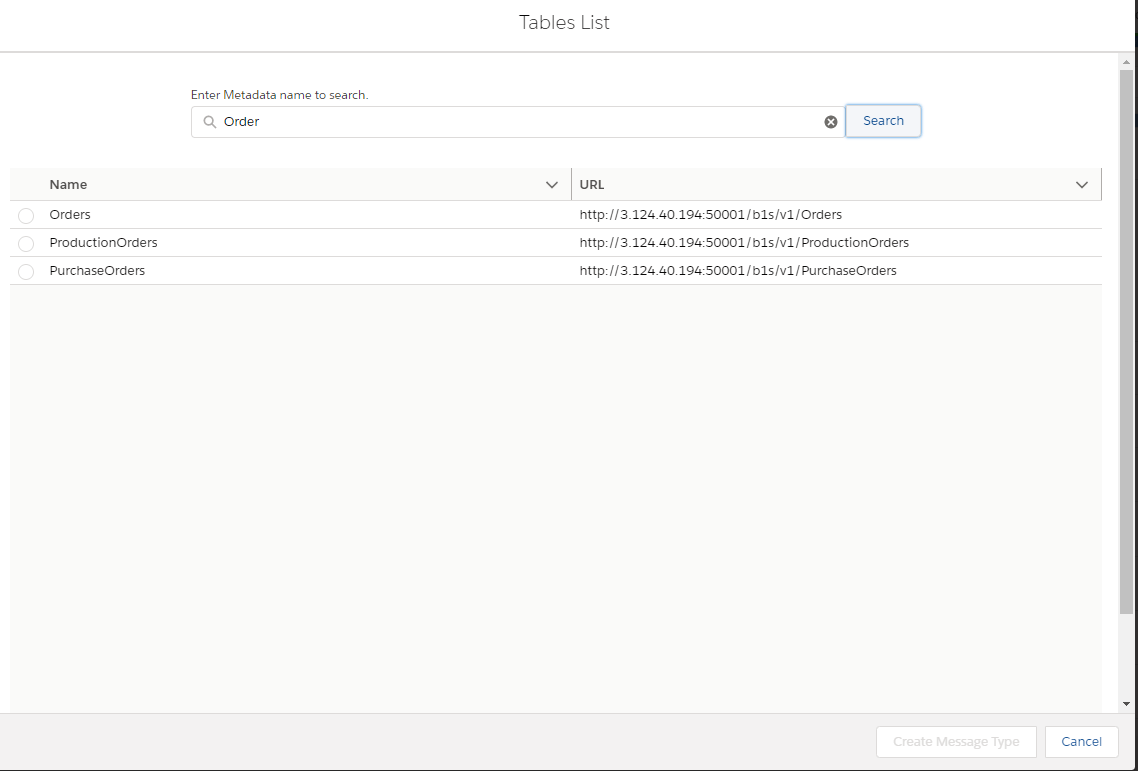
- Select Orders and click Create Message Type.
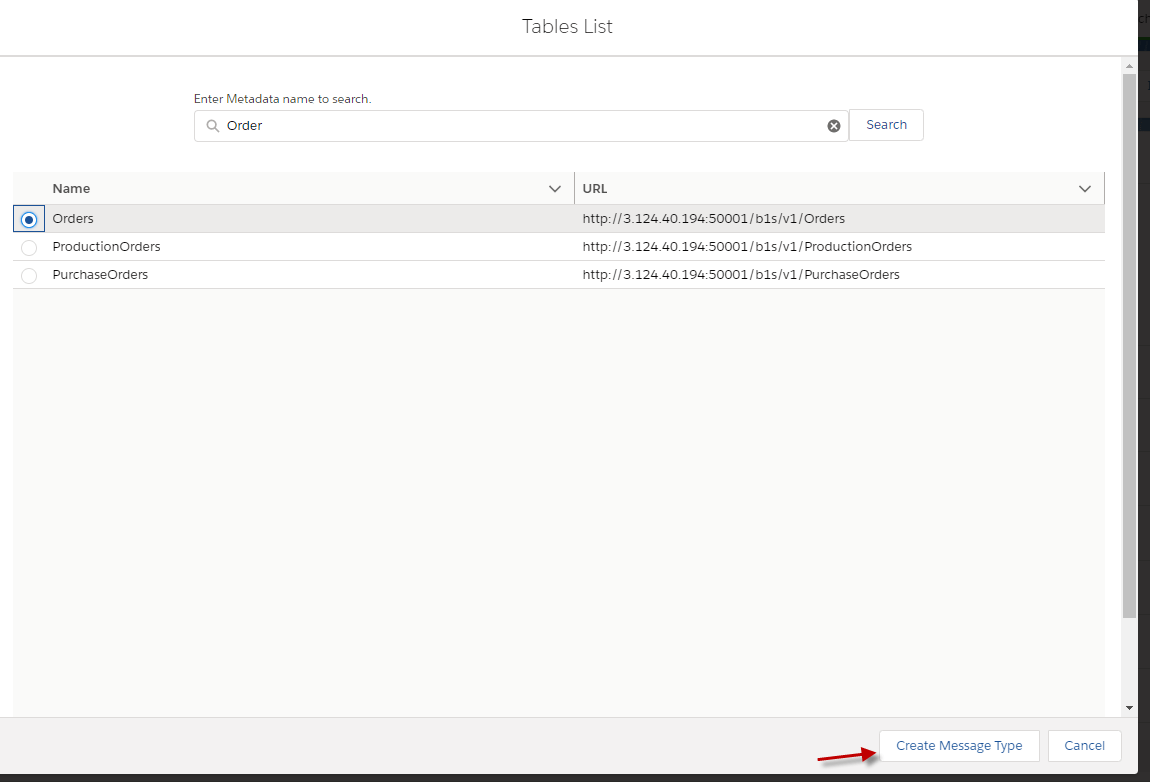
[su_box title="Note" box_color="#2a8af0" title_color="#000000"] The URL is helpful for put to endpoint in properties SAP Business One Adapter because different Modules have different APIs. [/su_box]
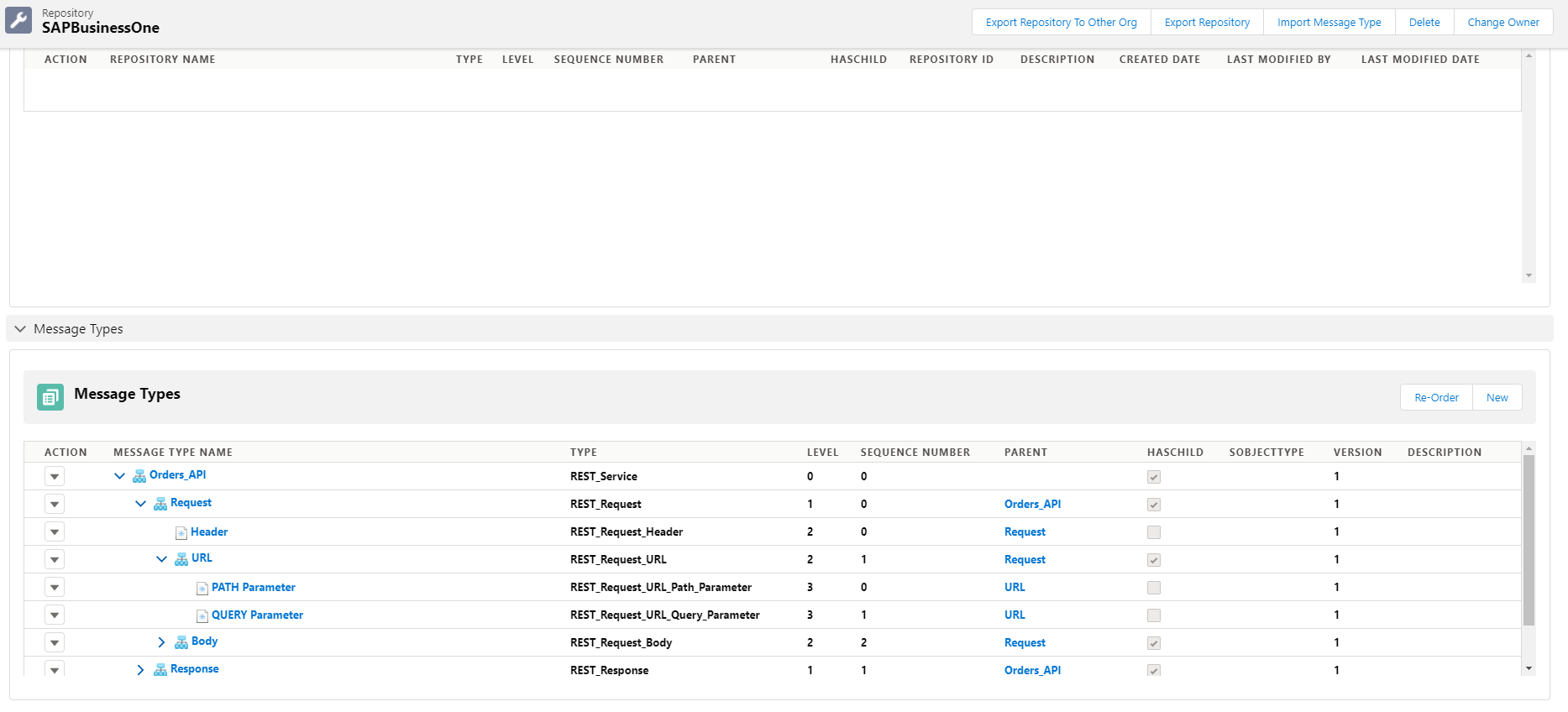
- Here’s the result that we create the template of Order in SAP Business One.