6. How to Create SQL Query in SAP Business One ?
Learning Objectives:- This unit describes:-
- How to create SQL Query in SAP Business One?
SKyvva has created a new function that helps the user who wants to use SAP Business One to create SQL Query in their System. To create SQL Query in SAP Business One we need to create a connection destination in the SAP control board.
Pre-required:
- Create Integration
- Create Connection Destination SAP business one in SAP Control Board.
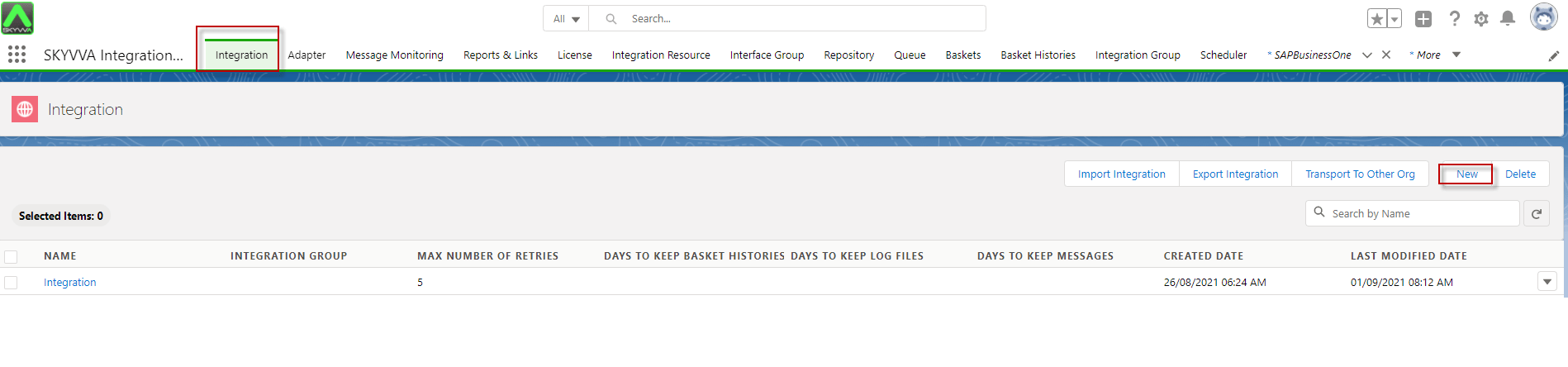
Step 1: Create Integration
- Go to Integration Tap and click New Button.
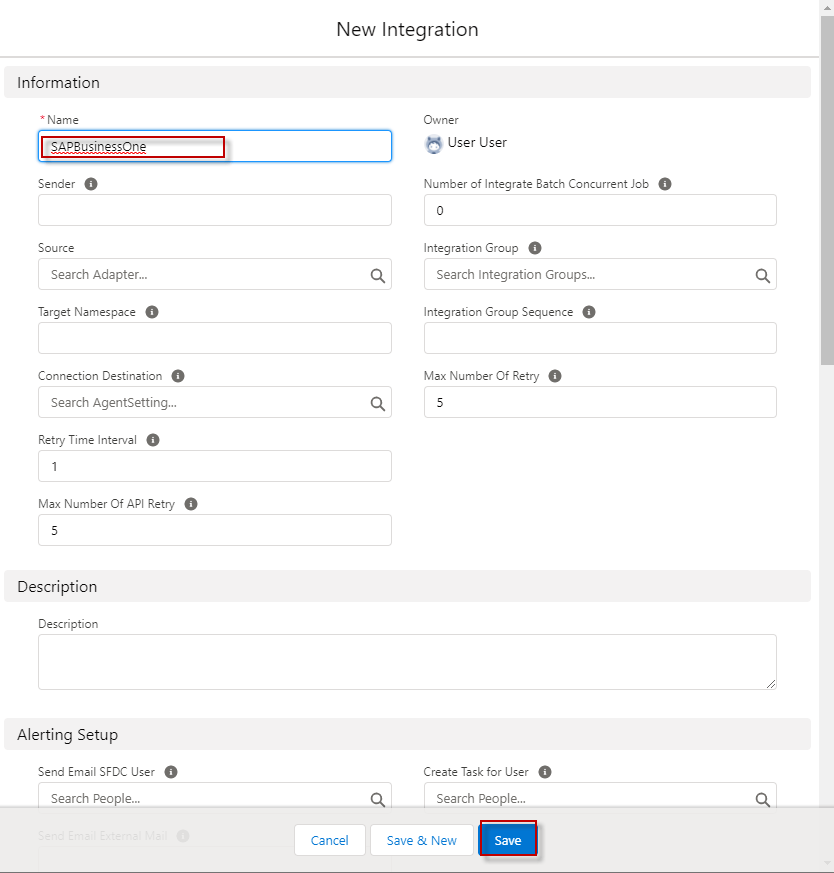
- Fill in the name and click the save Button.
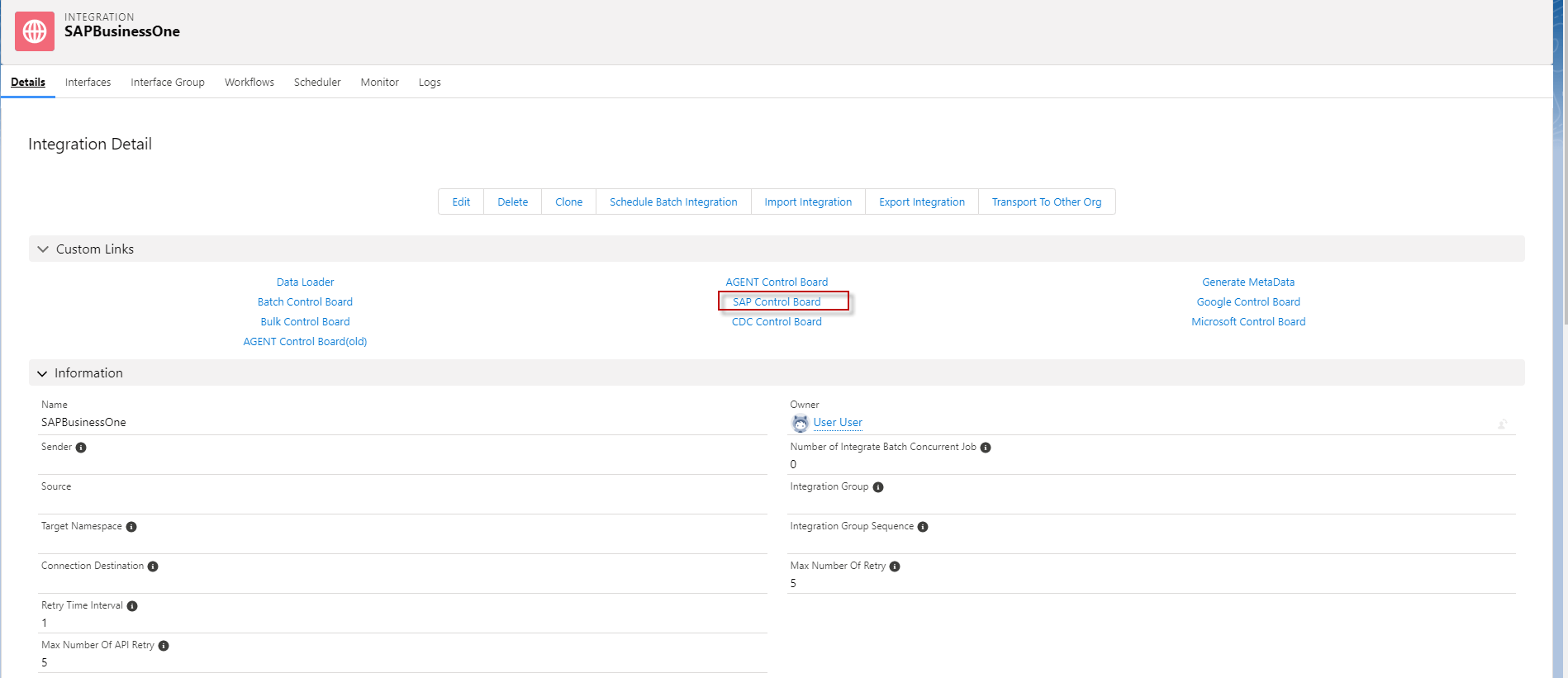
Step 2: Create Connection destination SAP business one in the SAP control board.
- Go to Integration and click SAP control board.
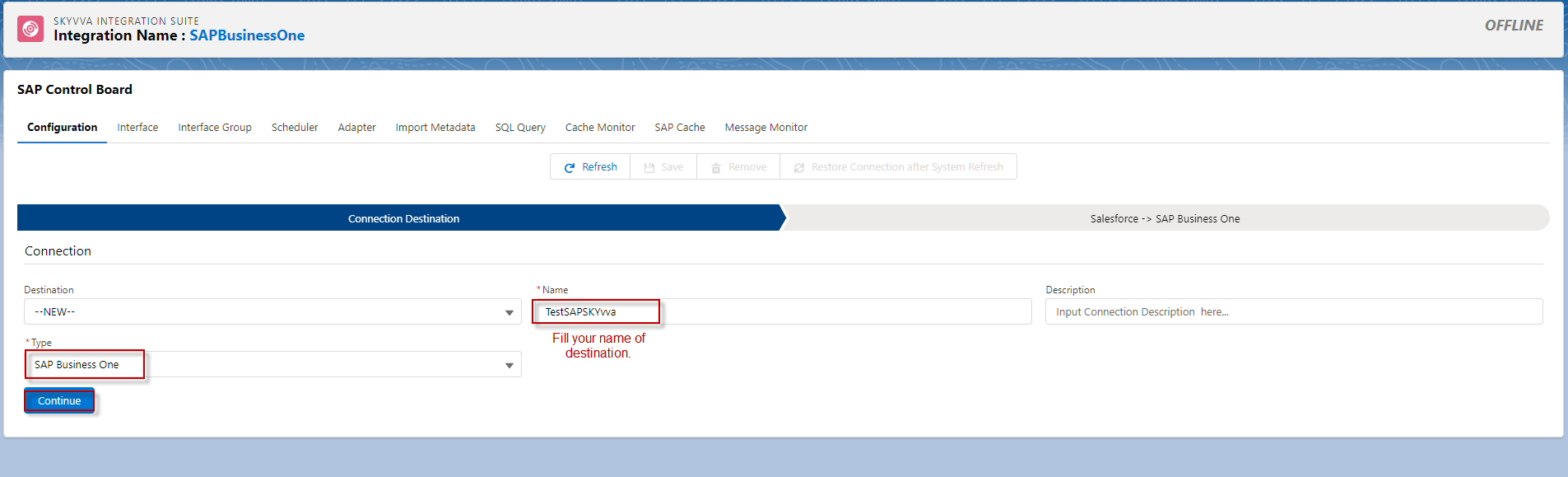
- Choosing type: SAP BusinessOne and fill in the name.
- Click Continue.
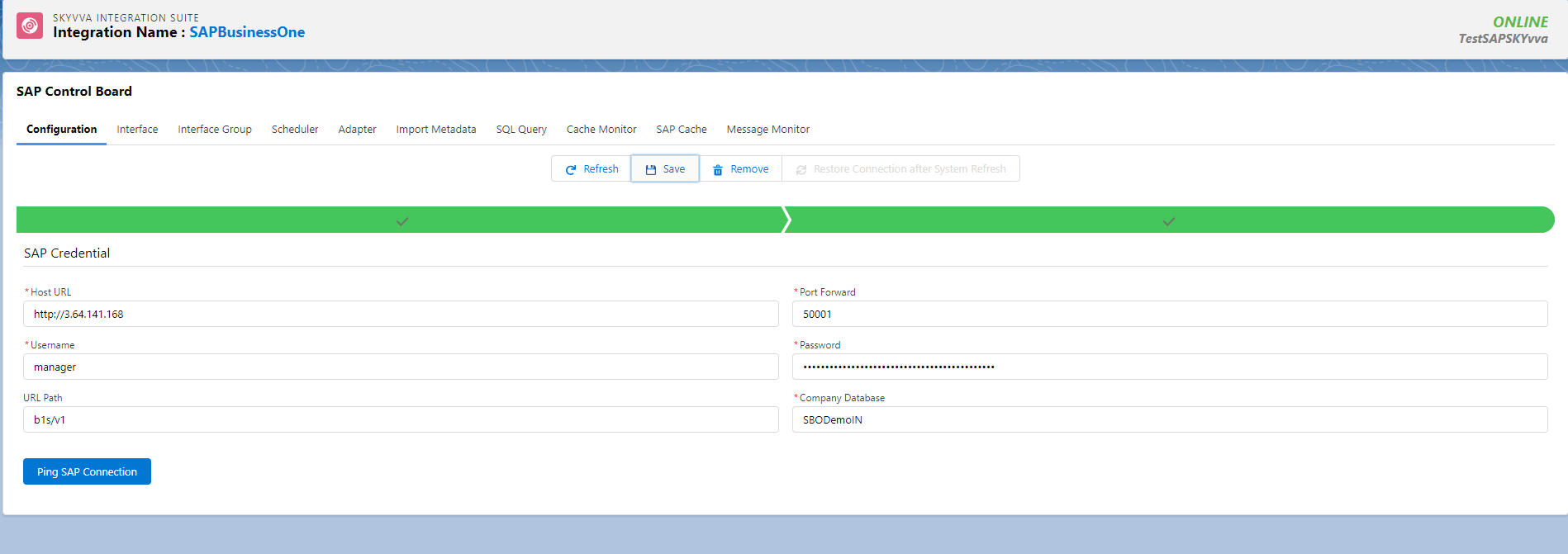
- Fill Host URL, Port Forward, Username, Password, URL Path, and Company Database of SAP Business one Application.
- Click ping SAP Connection and Click Save Button.
- Here’s Example.
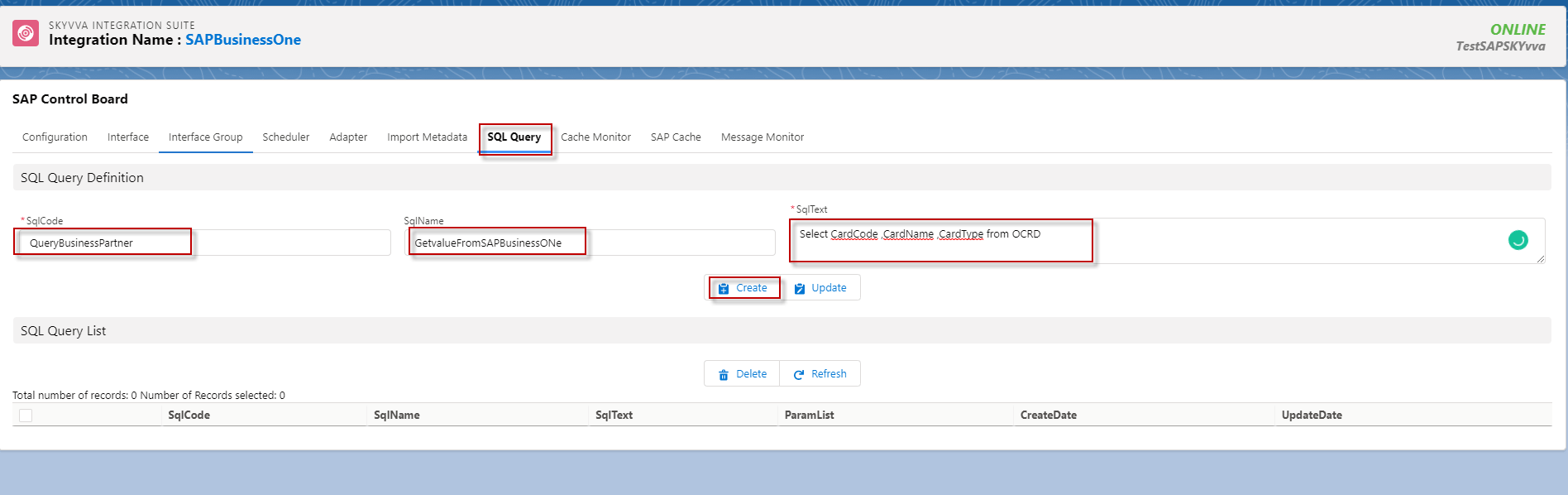
Step 3: Go to SQL Query Tab.
- Fill the SQLCode, SqlName, SqlText and click Create button.
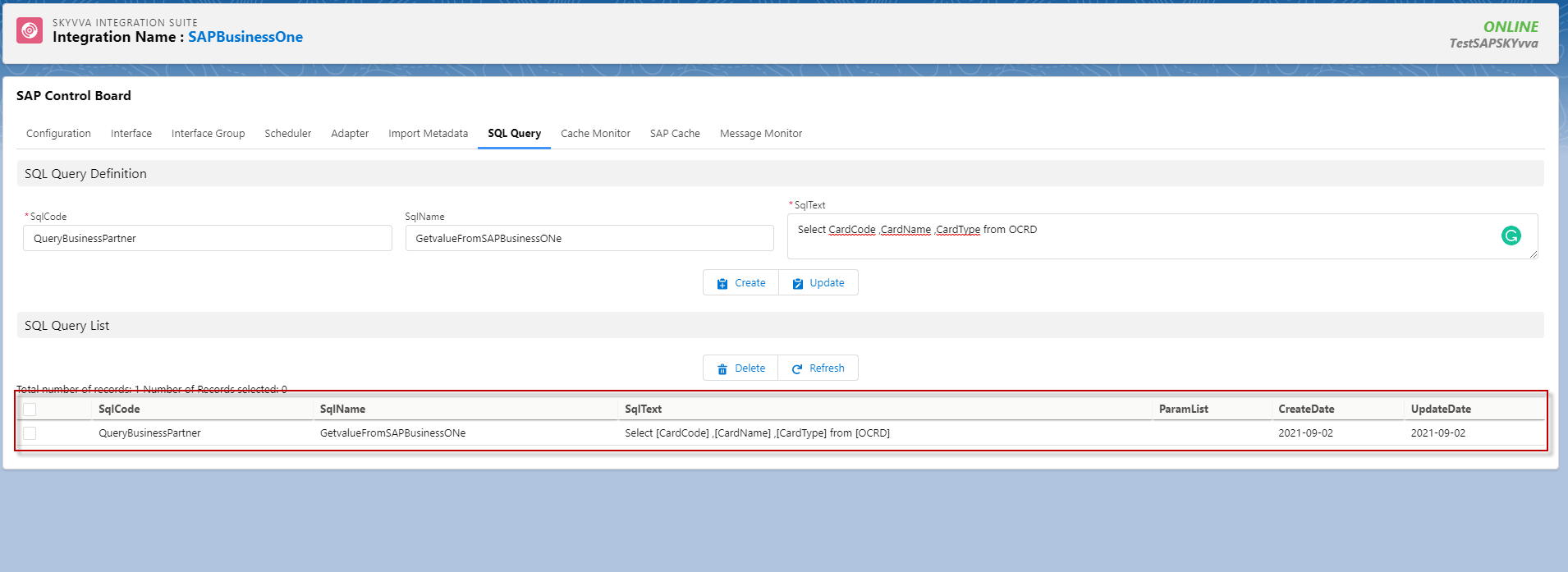
- After click creates a button, it will show in the SQL Query List.
- Here's the result.
Summary
Finally, we have learned how to create SQL Query in SAP BusinessOne, This function is very helpful for users who want to create SQL Query in sap business one system. To create SQL Query we need to have Integration and connection Destination with SAP Control Board.