7. How to use query parameter to get last data changed from SAP Business One?
Learning Objectives:- This unit describes:-
- How to get the last modified business object data of SAP Business Partner in SAP Business One using SKYVVA SAP Business one adapter.
Introduction:
In this tutorial, we will learn How to get the last modified Business partner object in SAP Business one using Operation GET in SAP business one Adapter. To get the data from SAP Business partner in the SAP business one application to Salesforce. we need to have SAP Business Partner Message Type and SAP Business one Adapter. We can process data manually and scheduler to know detail about How to run the outbound interface manually or scheduler please follow this link: #article/129-how-to-run-the-outbound-interface-through-the-manually-or-scheduler
Pre-required:
- Create Integration
- Create Connection destination on SAP Control Board.
- Generate SAP Business one Metadata by using Import SAP Metadata.
- Create Outbound Interface and Inbound Interface linked with Metadata SAP Business one.
- Create SAP Business one Adapter on SAP Control Board.
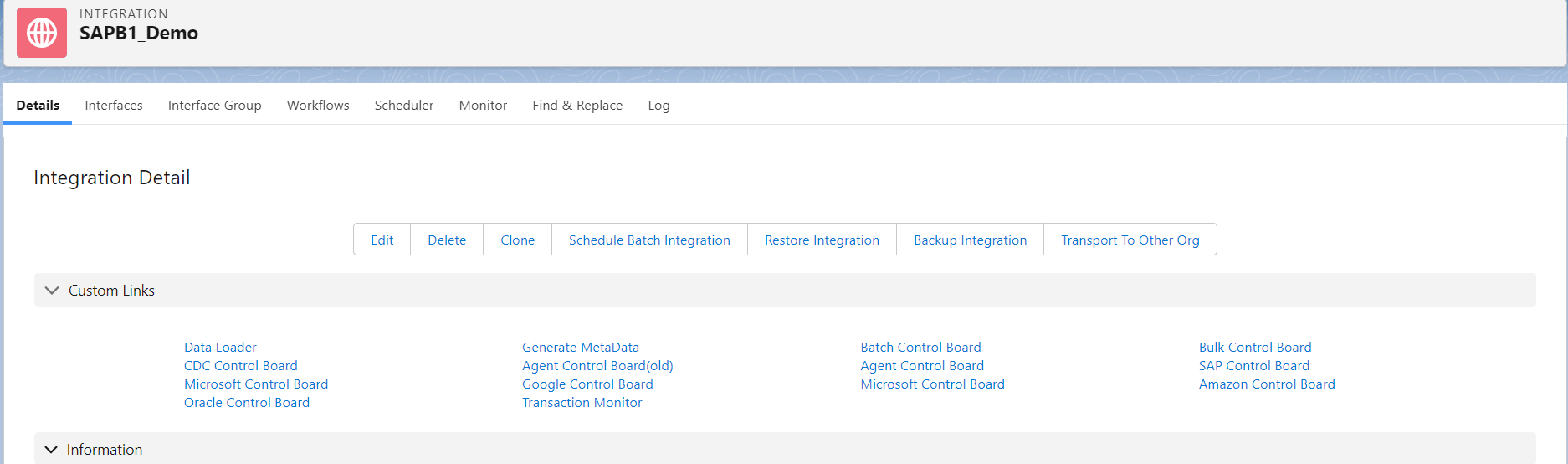
Step 1: Create Integration: To know detail about Integration, please follow this tutorial. What is Integration, and How to use it?
- Here's Integration
Step 2: Create Connection Destination SAP Control Board.
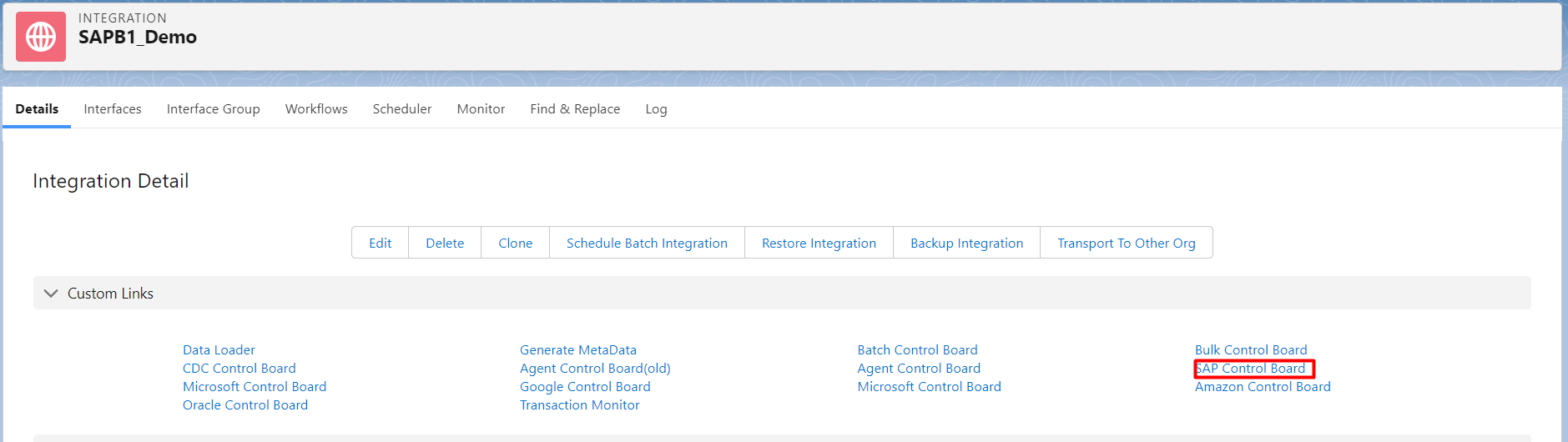
- Click SAP Control Board on Integration.
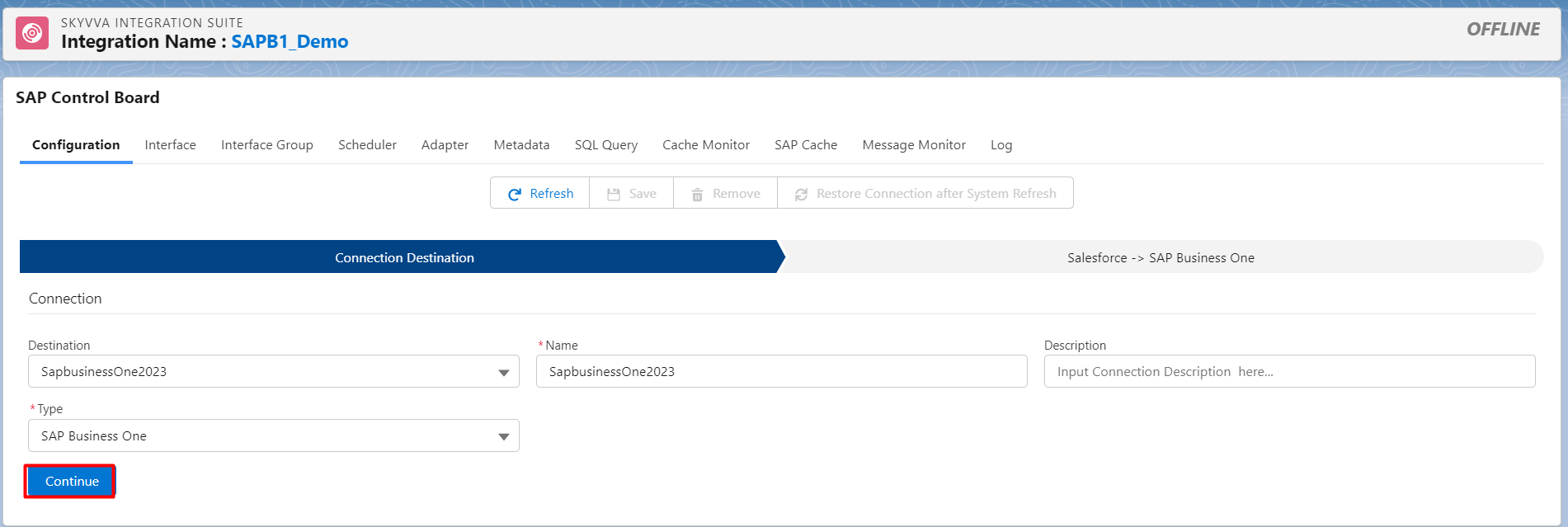
- Enter the Name, Description and choose the type SAP Business One then click on continue.
- Here’s an example.
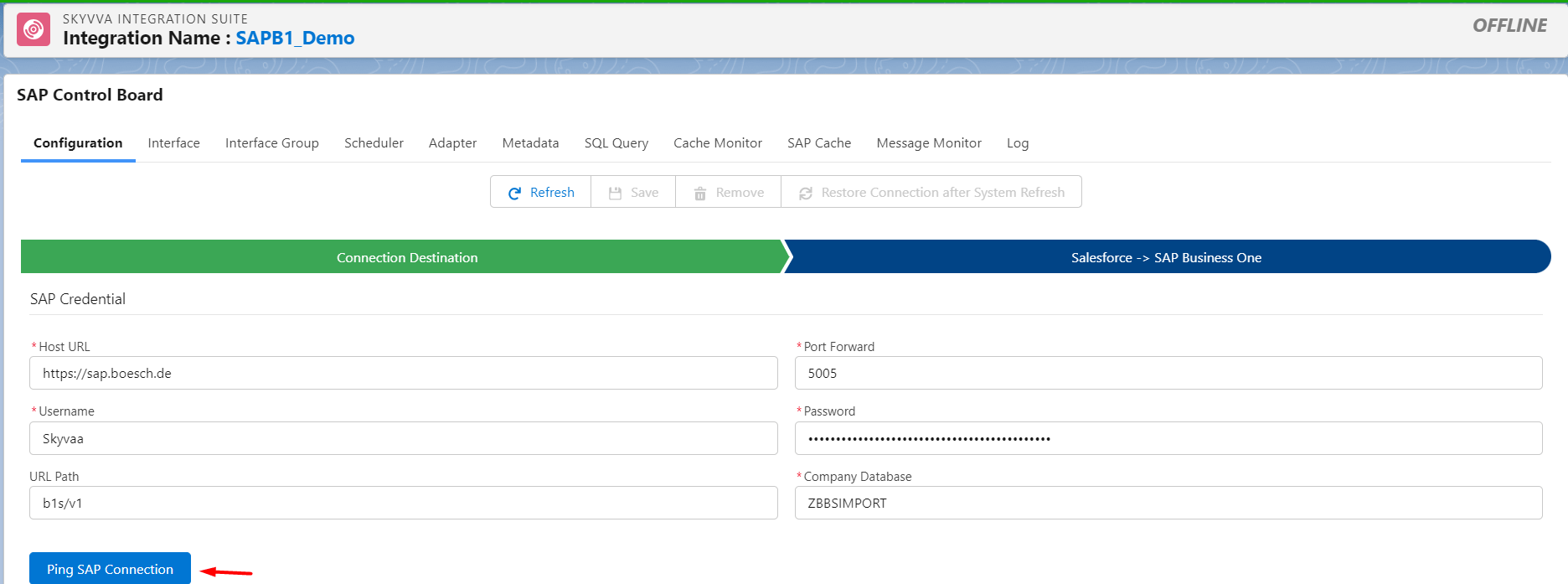
- Fill Host URL, Port Forward, Username, Password, URL Path, and Company Database of SAP Business one Application.
- Click ping SAP Connection and Click Save Button.
- Here’s Example.
Step 3: Create Metadata SAP by using SAP Import Metadata. [su_box title="Note" box_color="#2a8af0" title_color="#000000"] We need to create Metadata Provider and a Repository. [/su_box] Follow this link to see detail about How to use and create Metadata Provider and Repository.
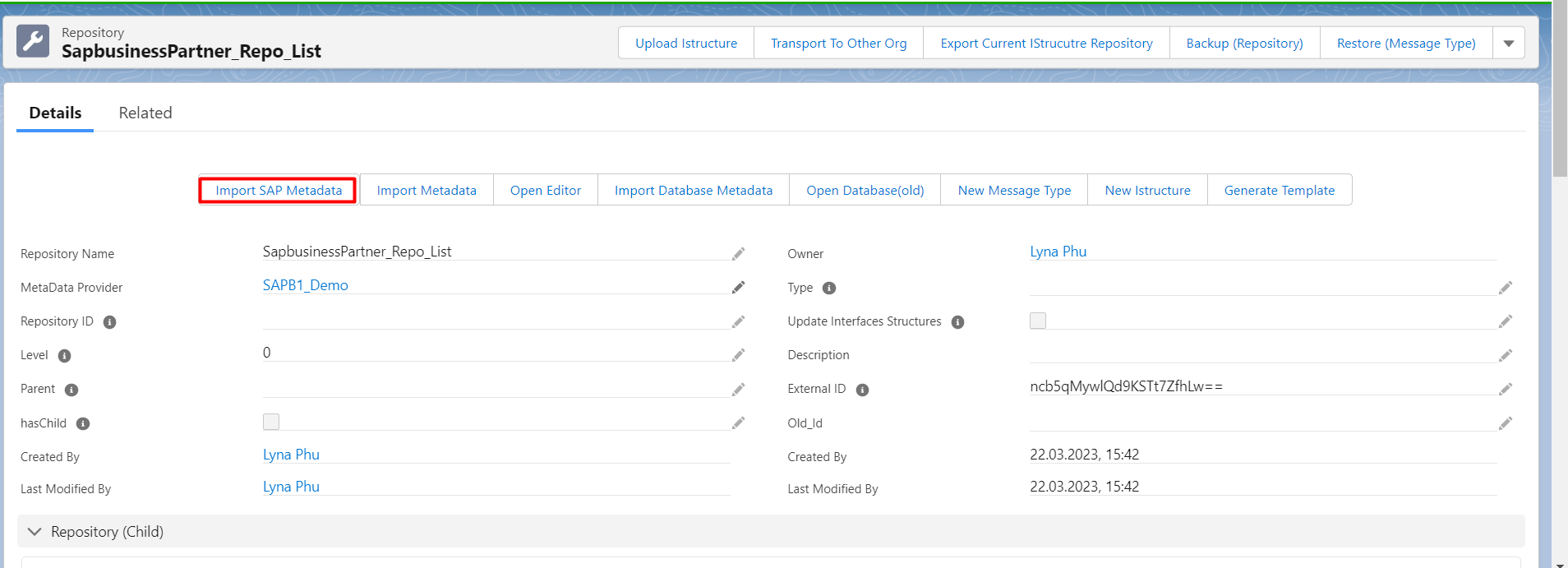
- Go to Repository and click Import SAP Metadata
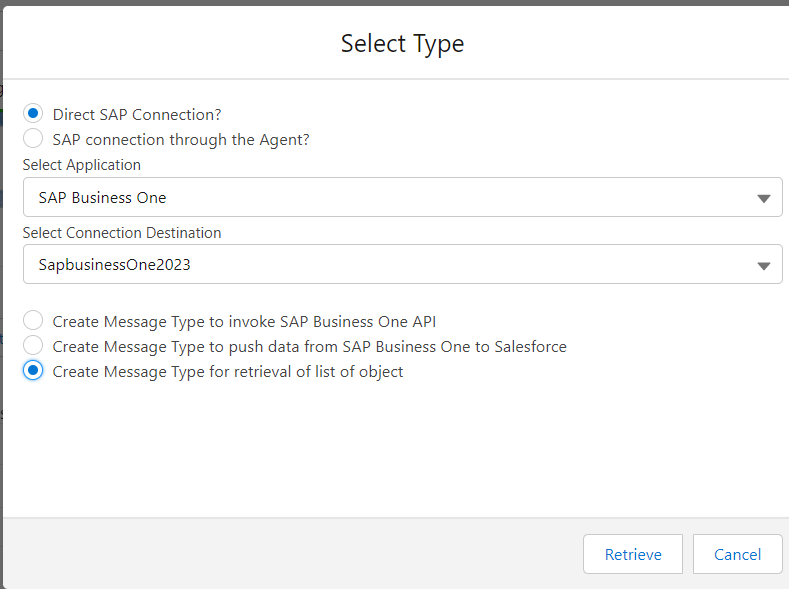
- Choosing Direct SAP Connection
- select Connection Type,
- Select Connection Destination,
- Choose to Create Message Type for retrieval of list object
- Click Retrieve.
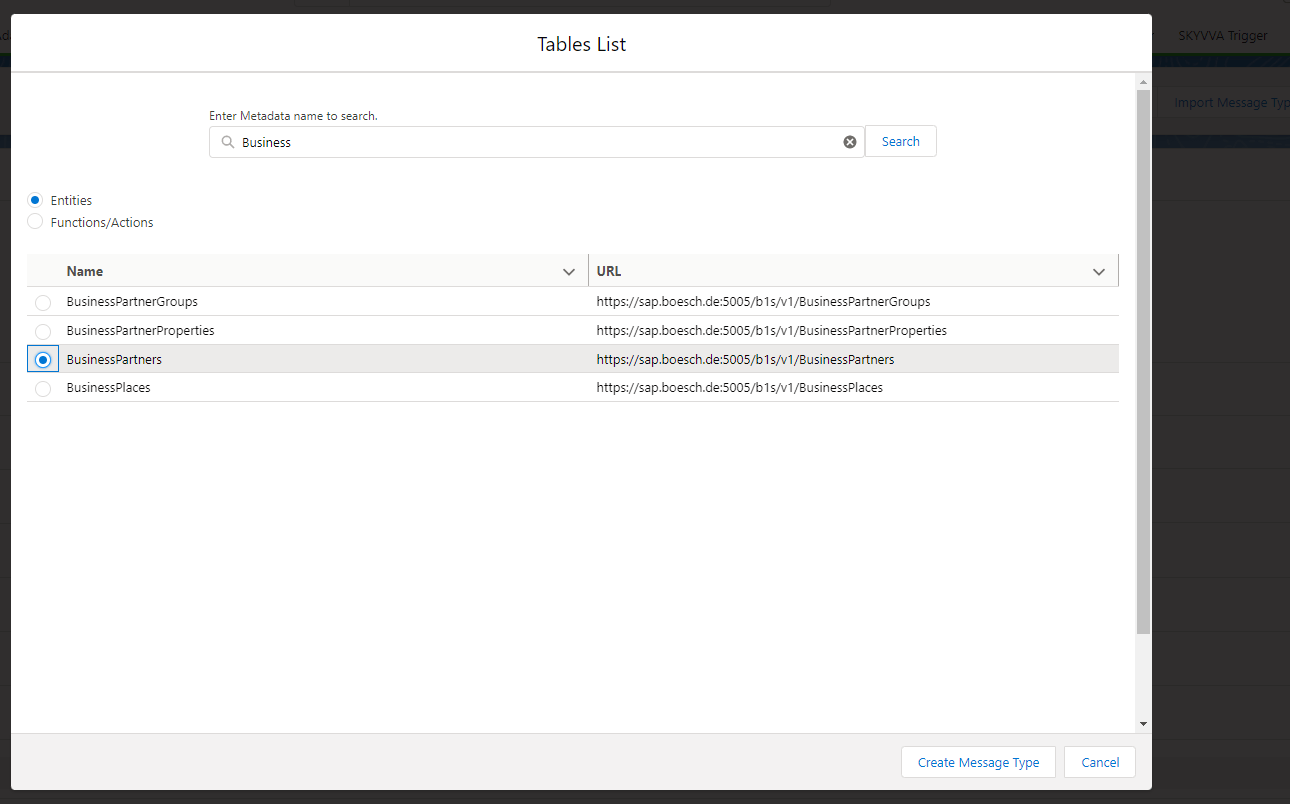
- Search Metadata Name Business Partner, choose a business partner and click create Message Type.
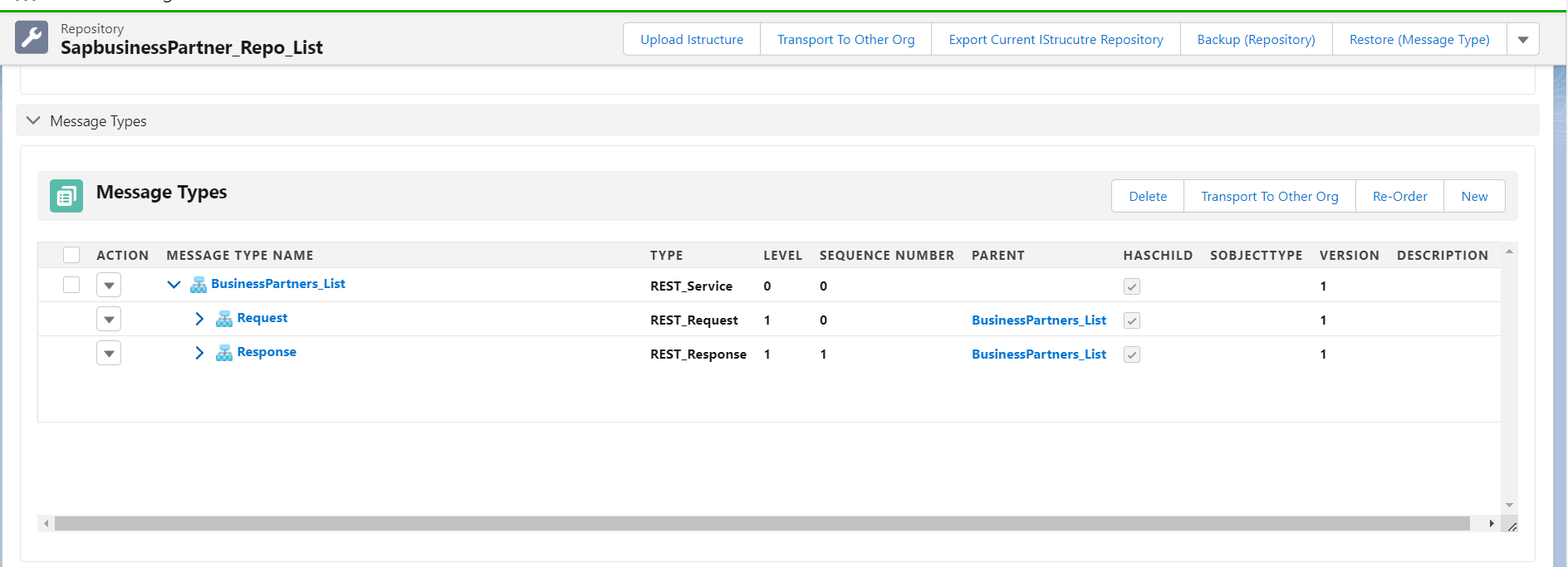
After that, we will see the message type object Business Partner.
- Here’s the message type of business Partner.
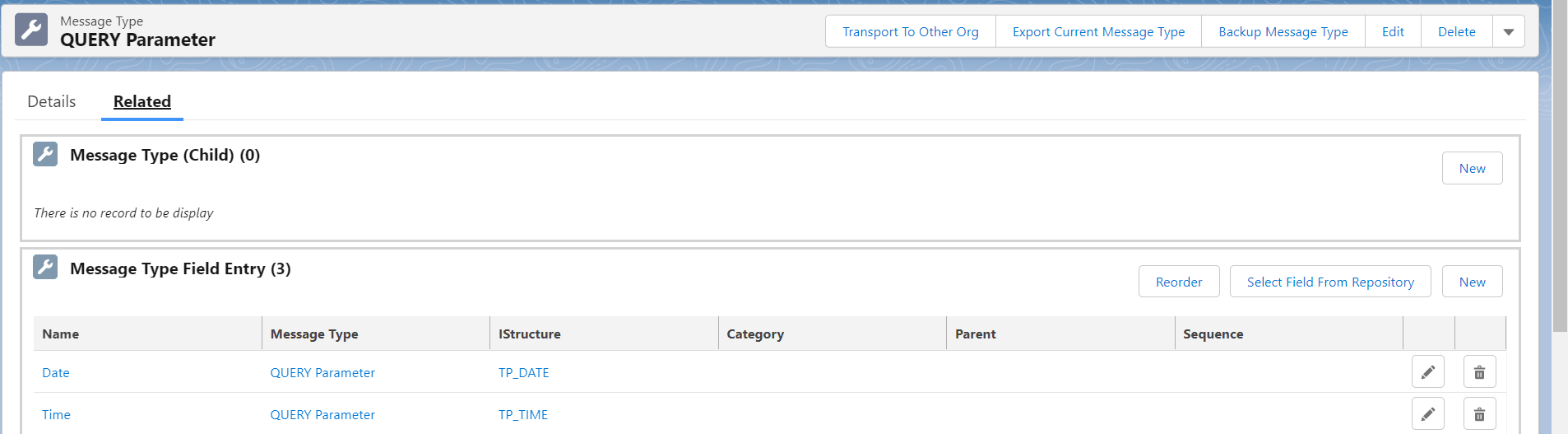
We need to create two new fields in the message type Request for QUERY Parameter. Which are Date and Time.
- Here's the picture.
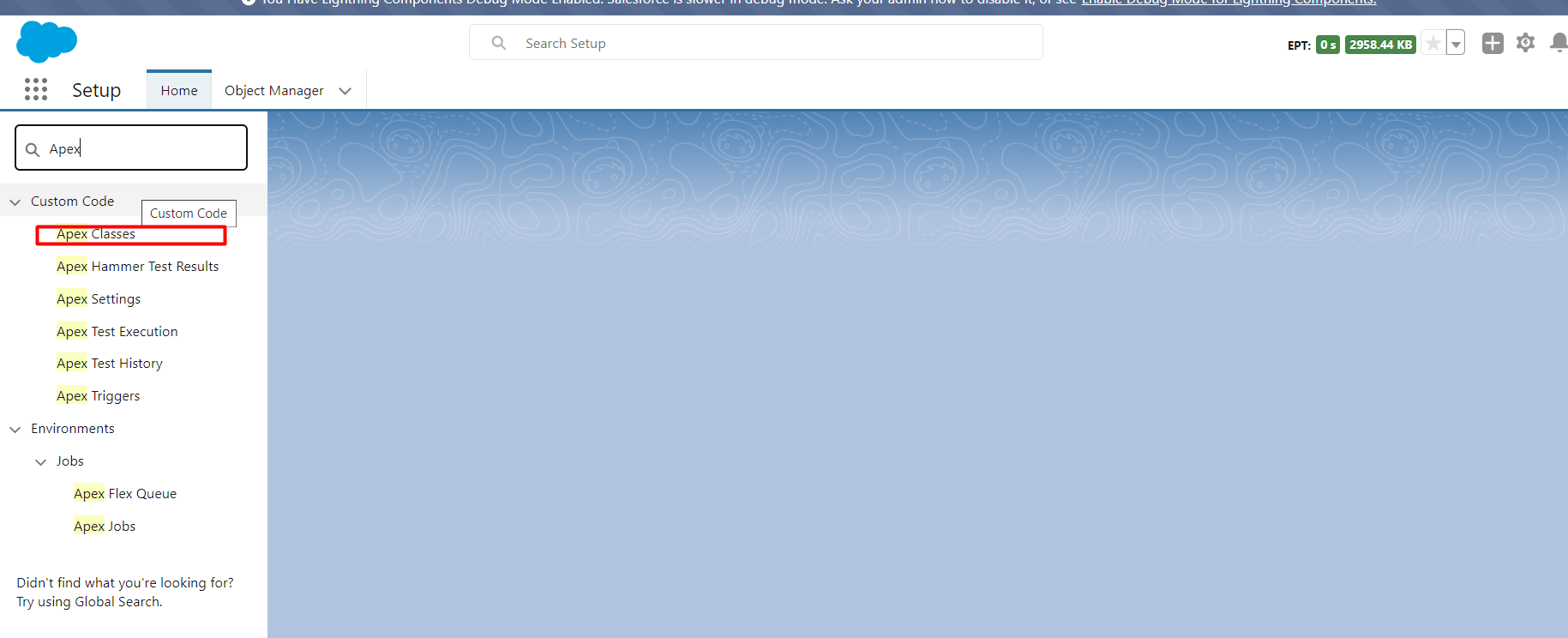
We also need to create Apex code for get the time. Go to setup and search Apex and click Apex Classes
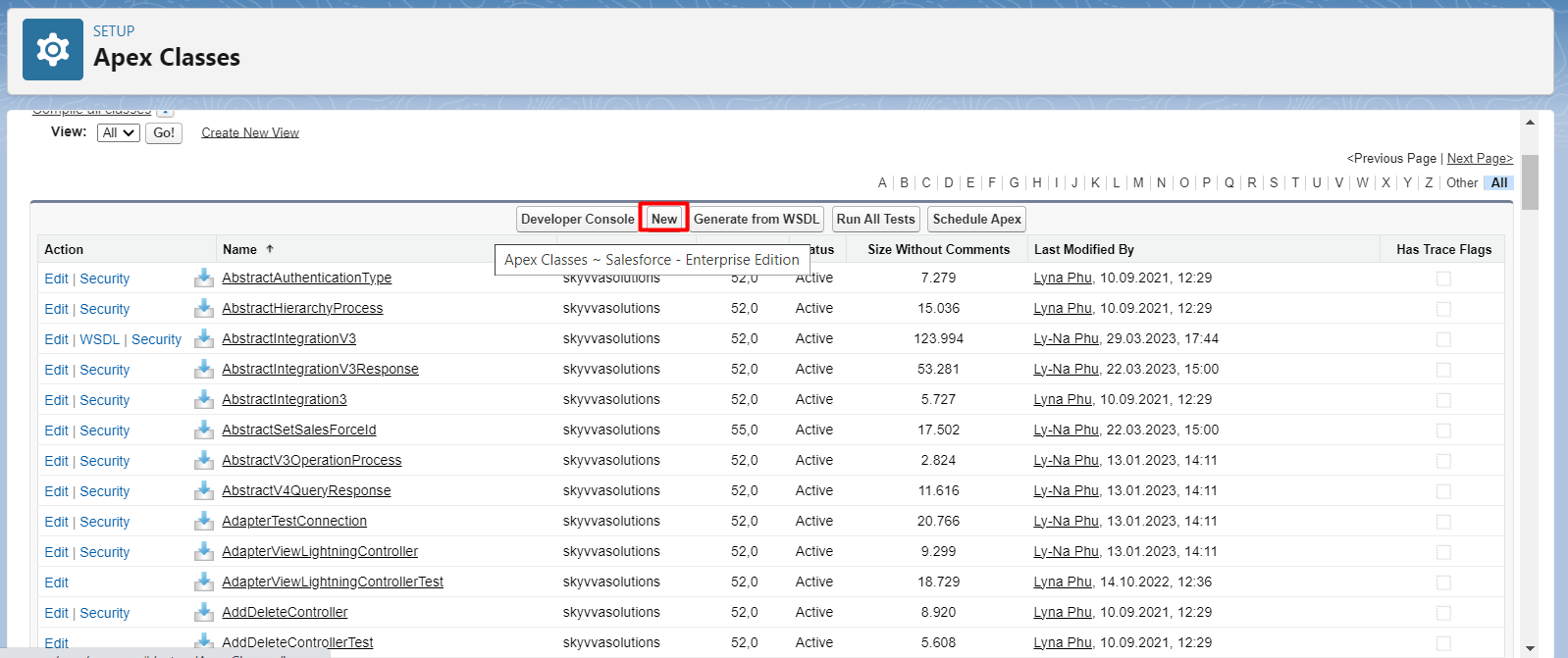
- Click new
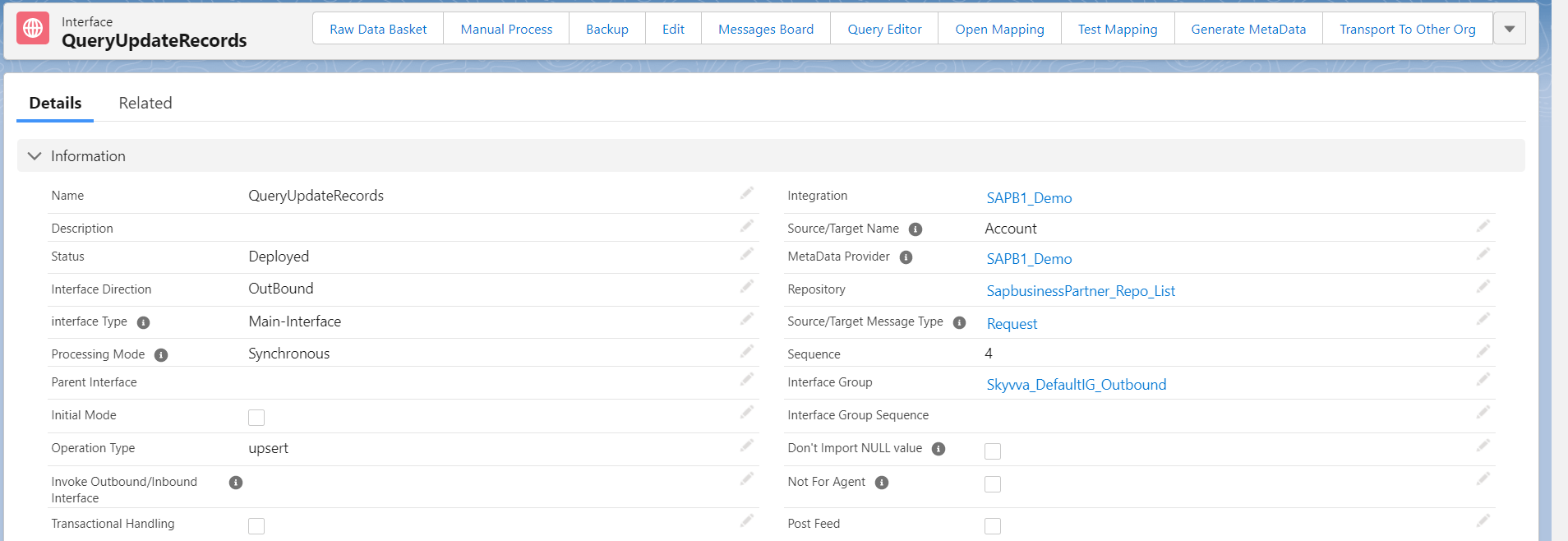
Step 4: Create Outbound Interface, Inbound Interface, and linked with Message Type that we generated.
- Here’s Request Interface.
- Here's the mapping.
We need to using formular to map the apex code with date and time.
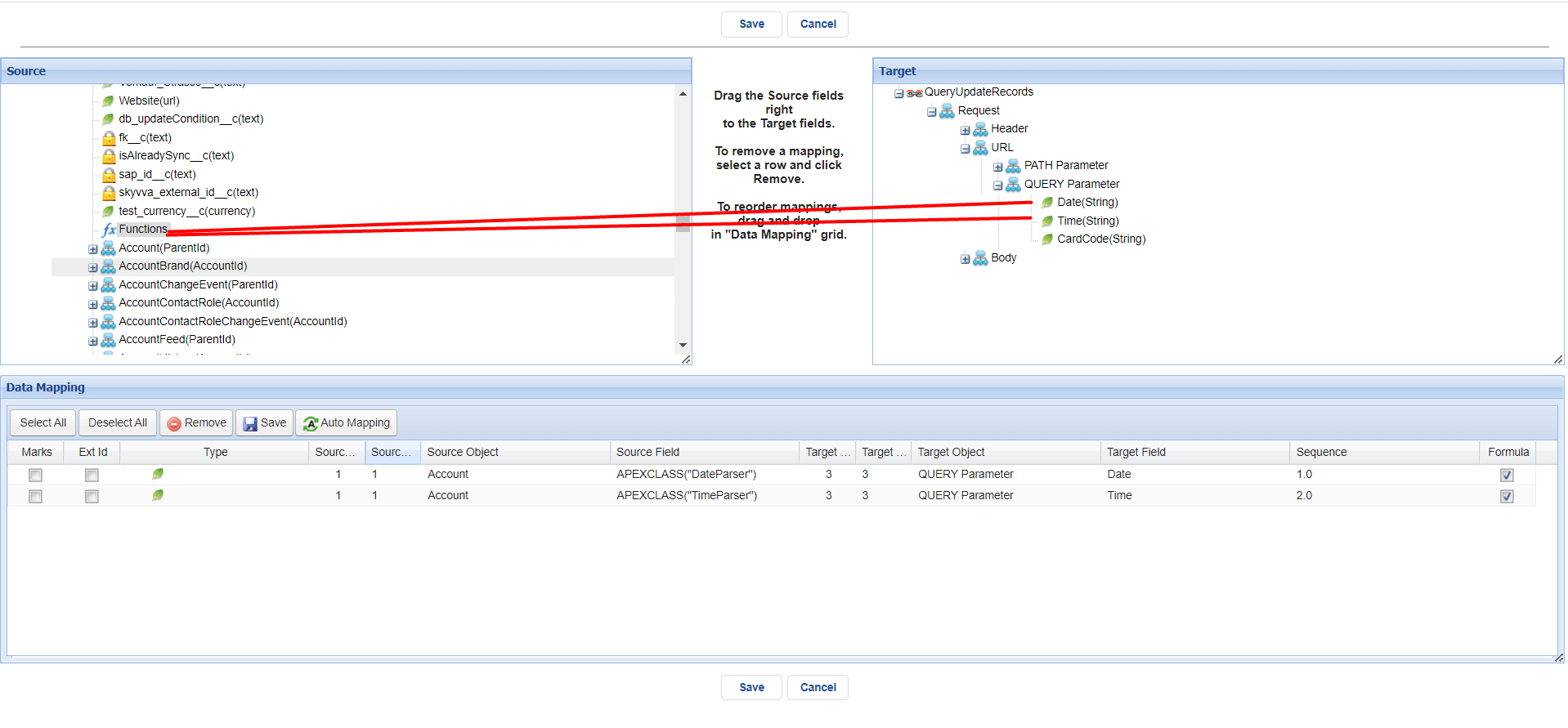
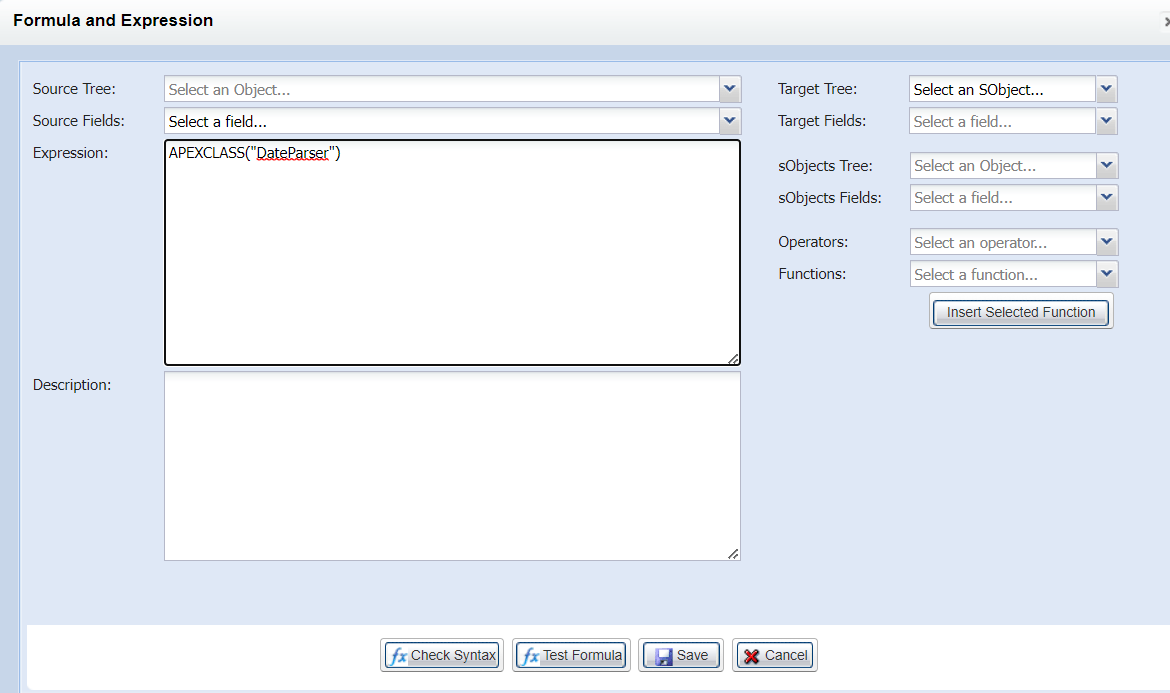
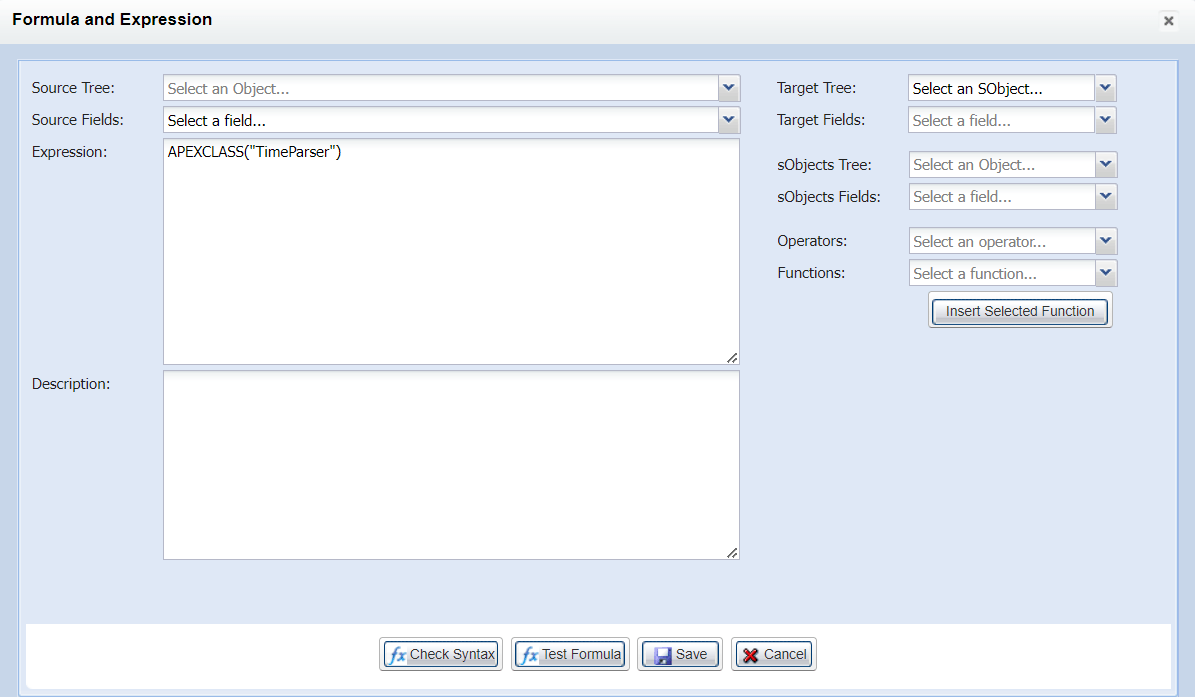
- Create Inbound Interface as Response Interface and linked Response of SAP Business Partner message type.
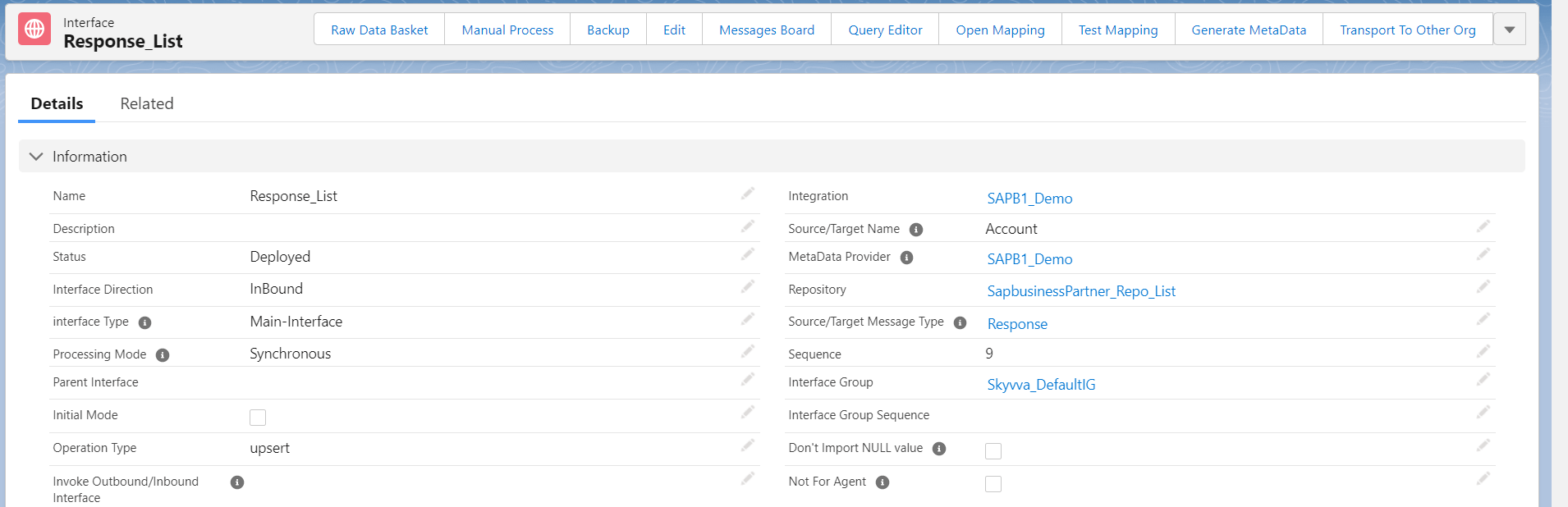
- Do mapping
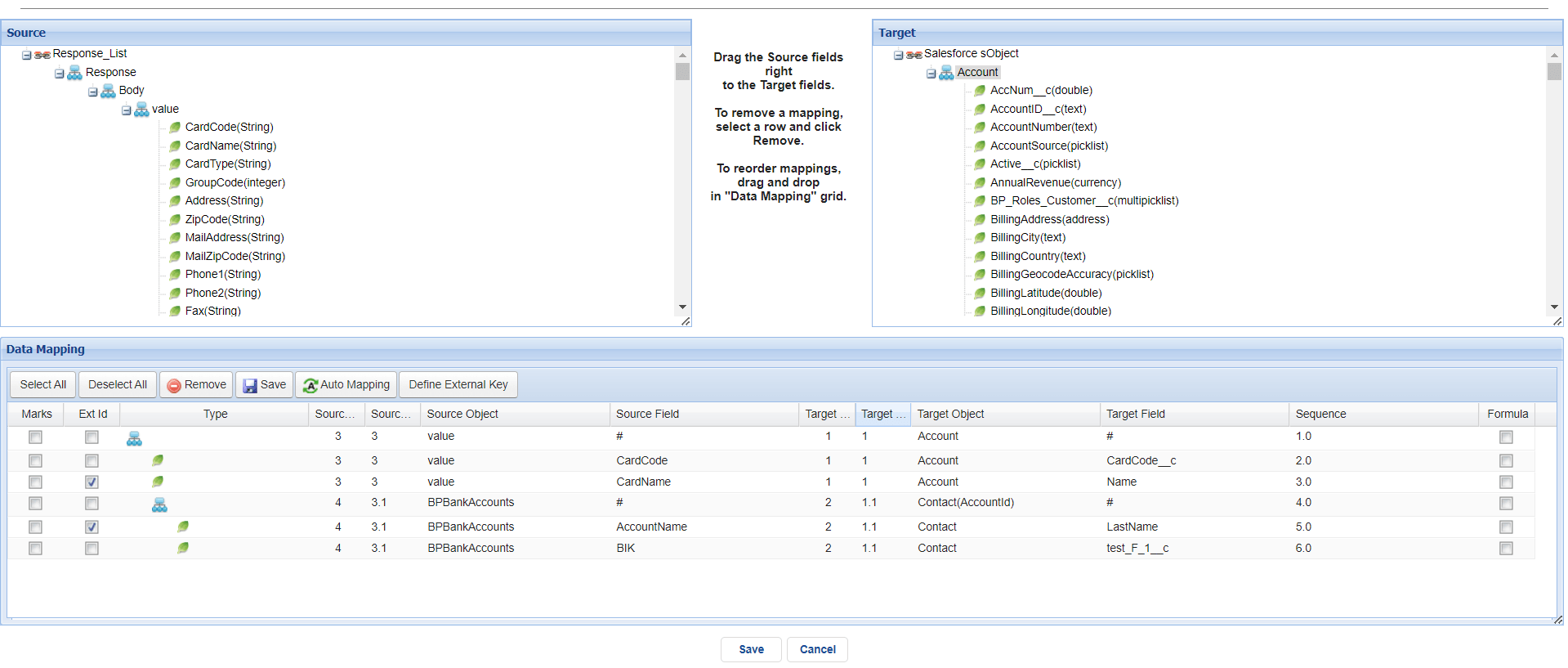
Step 5: Linked Request and Response Interfaces.
- Linked Request Interface and Response Interface. We need to request Interface Detail and scroll down to see Inbound/Outbound set up.
- Put Response Interface in field Response Interface by clicking the pencil and clicking the Save button.
- Here’s Example.
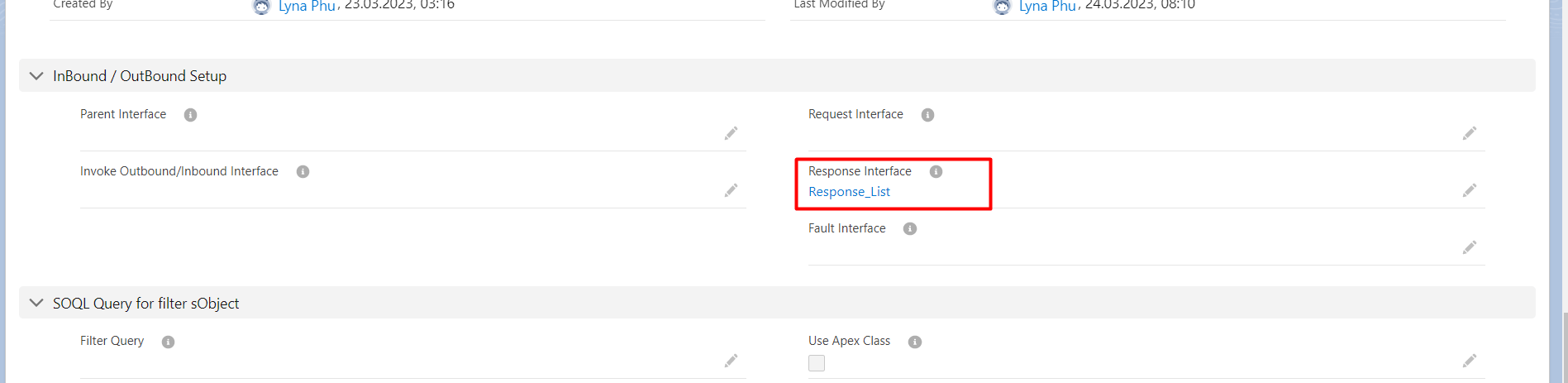
Step 6: Create SAP Business One adapter.
- Go to the SAP control board and click tap Adapter.
- Click New Button.
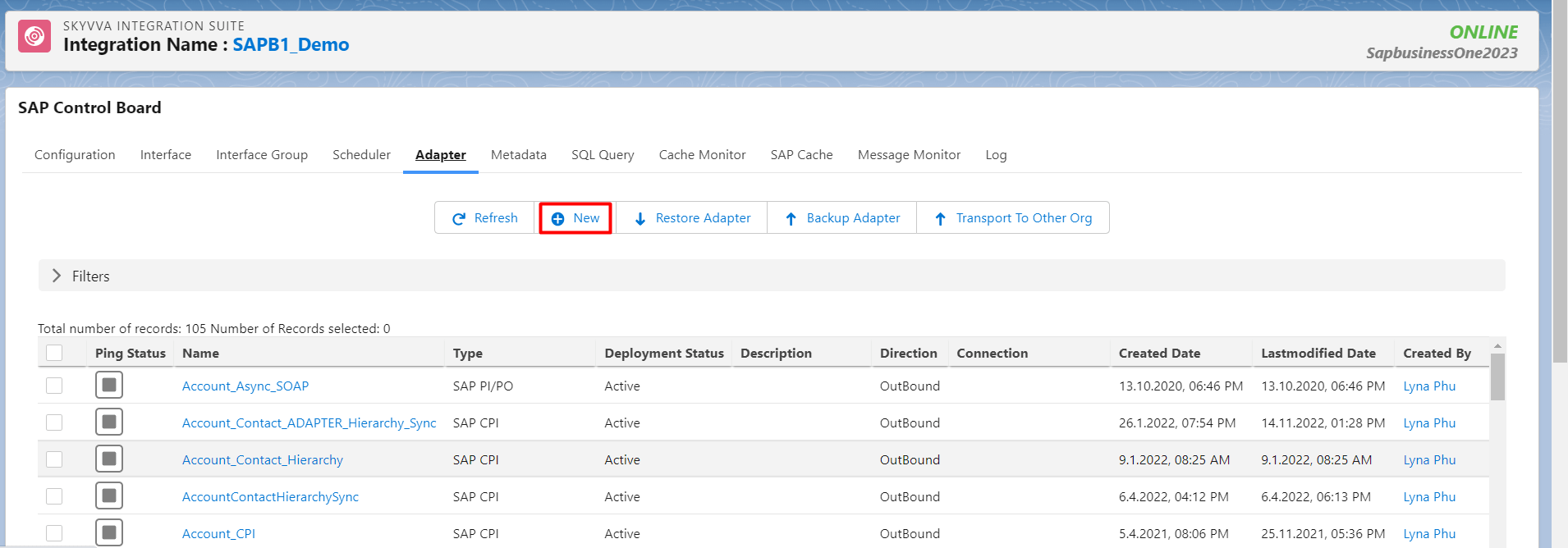
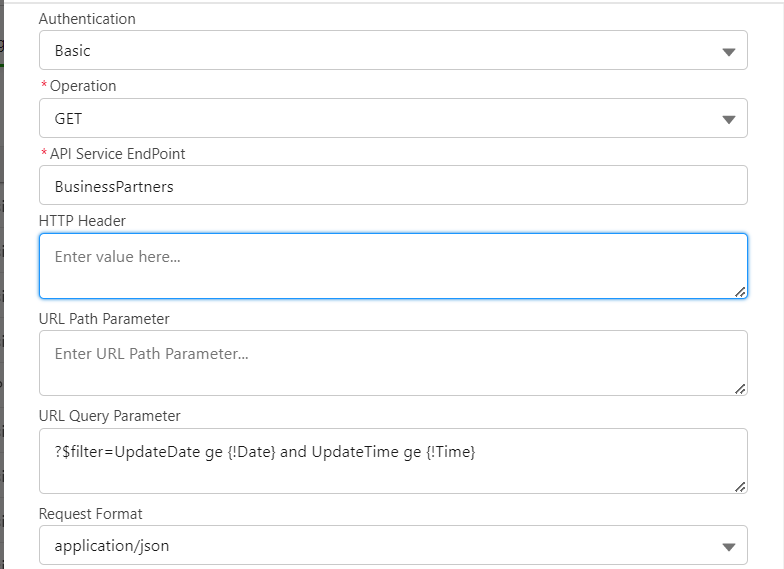
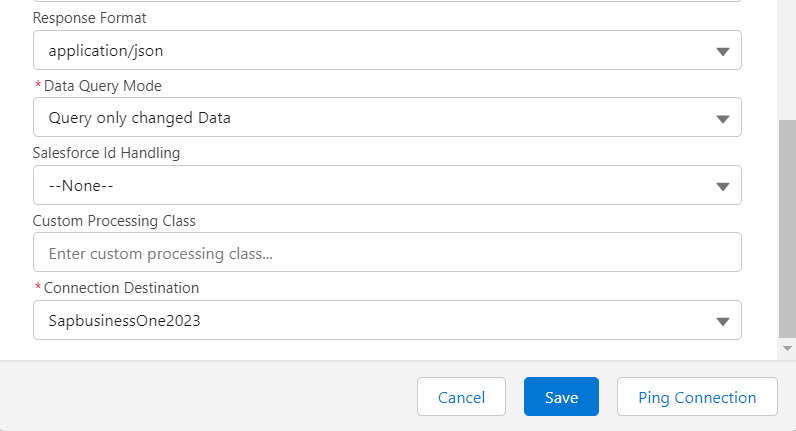
- Fill Name, Type: SAP Business one, Deployment: On Premise, Integration Framework: Service Layer, Protocol: Rest, Authentication: Basic, API Service EndPoint: BusinessPartners,URL Query Parameter : ?$filter=UpdateDate ge {!SKYVVA_Last_Run_Date} and UpdateTime ge {!SKYVVA_Last_Run_Time}, Choosing Operation GET, Request and Response Format Json, Data query Mode: Query only changed Data,and choose connection Destination.
- Here we have select the non in Salesforce Id Handling. It means in the response it will not return the salesforce Id back.
- Click ping connection to make sure that the configuration adapter is successful.
- click save
- Here’s Example.
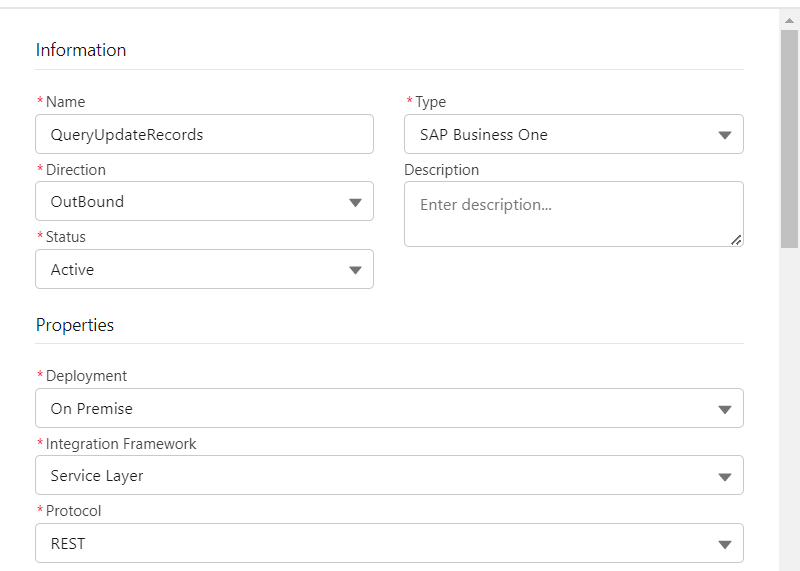
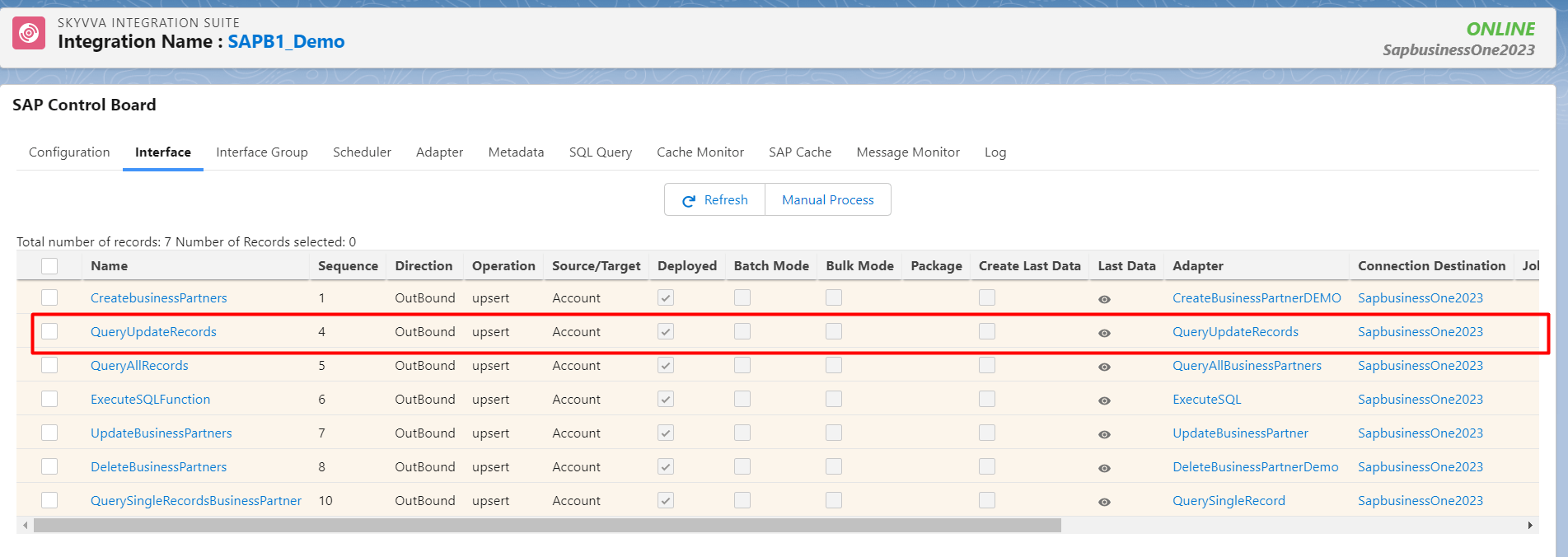
• Go to Request Interface and Linked this adapter. Here’s an example.
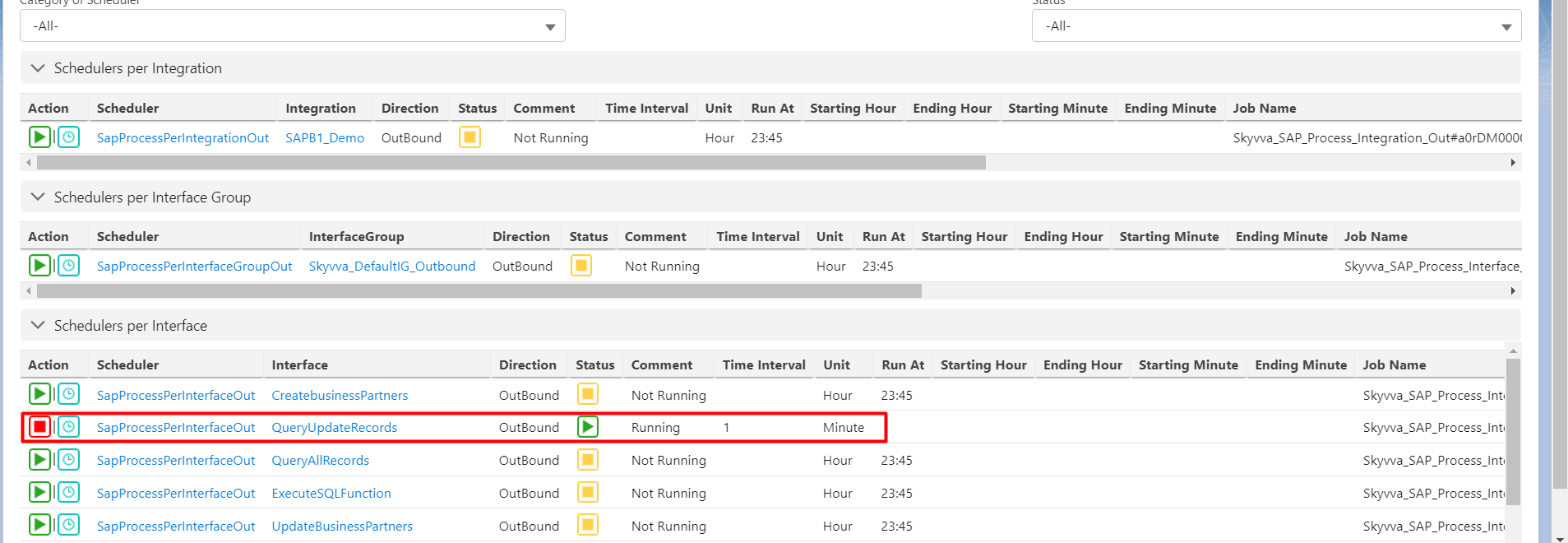
Step7: Executing by Scheduler To know the what is scheduler and how to using it please follow this tutorail. Go to Sap Control Board, click Scheduler
- Go to Message Monitor to see the result.

Summary
Finally, we have learned how to create a record from salesforce to SAP Business One Application using operation POST in SAP Business one Adapter. In the next section, we will learn how to update Business Partner using Operation PATCH in SAP Business One Adapter.