4. Export Metadata
The Export function creates an export file for each format(xsd, wsdl, json Schema, swagger and openApI), and that export files are consolidated into that specific format. You can use the same file if you want to use the files as import files (for example, when importing file to create msg type by importing function). Skyvva provide flexible export. SKYVVA provides a feature of exporting metadata where we can find in the message type. For easy access, we added this function in the form of a button to the interface detail page. We can export metadata in different File format: JSON Schema,XSD Schema, WSDL1.1,WSDL2.0,Swagger2.0, OpenAPI3.0,XML. And we can also select API.
There are several ways to obtain an export:
- Generate MetaData from Integration
- Generate MetaData on Interface
- Export MetaData from Repository
Let's take an example, Consider we have one inbound interface. In this case, the user needs to call our web service URL. While calling this service they need to provide input the same as we have the structure in message type. For this purpose, they need to check the SalesForce structure, but as we provide exported (WSDL) files, they will easily get which field they need to send and which hierarchy they need to send. Also, this file will help to know what type of req they need to send and what type of response they will get. WSDL file used for the SOAP request structure. Pre-requisite :
- We have to create hierarchical Message type:
- We have to create Integration.
- We have to creation Interface.
Export metadata from Integration.
To process the message type-based interface we have to follow the given steps: Step1: We have to Create a hierarchical Message type. There is some pre-requisite to creating a message type.
- Create a metadata provider.
- Create IStructure repository in metadata provider
- We can manually create a message type or we also can use the upload file feature to create a message type.
Step2: We have to create Integration.
- Go to detail tab of integration
- Click on customLink "Generate Metadata.
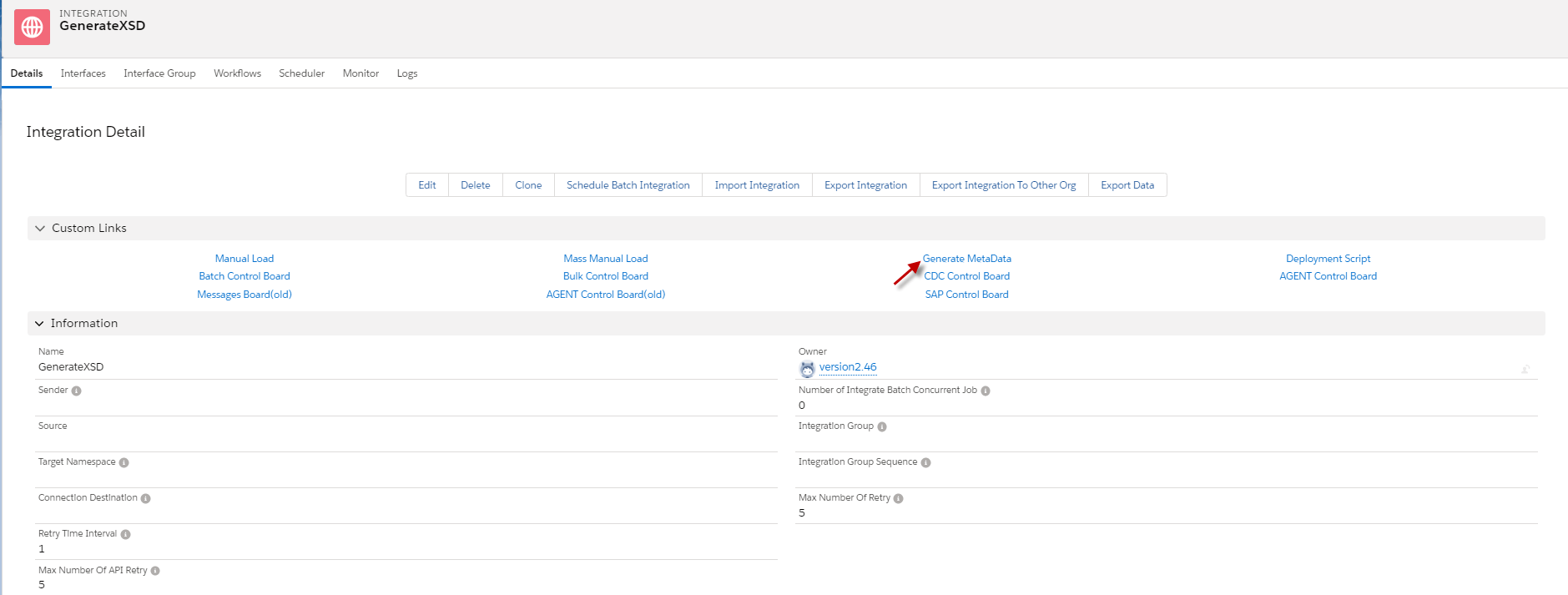
- Select Interface -> choosing a format file = XSD -> and click export button.

- After we click the Export button, we will receive the message “file generated successfully,” and we will see the XSD file in the class file. Click the View button to download the XSD file.

- Here’s the XSD file that we have generated.

Export Metadata from Interface
Generate XSD file from Generate MetaData on Interface is useful for a user who knows the exact Interface that he/she wants to generate.
- Go to Interface -> click Generate MetaData (The picture is below).

- Choosing a format file =XSD and click the Export button.

- After we click the export button, it will download the XSD file automatically.
- Here’s the XSD file that we generate On Interface.

Export Metadata from repository
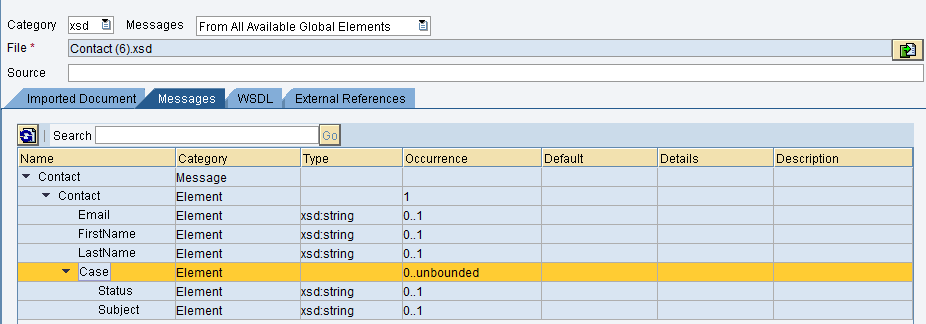
Generate XSD/ Json file from Export MetaData on Repository is to allow users to choose the Message Type that the user wants to use. The Message Types that User choosing will be takes the whole child message type. Example We have hierarchical Message Types that are parent and child like Account, Contact, and Case, then we want to generate XSD start from Contact. So when we click the Button Export Metadata will get XSD file Contact and Case because Case is a child of Contact.
- Go to the Repository that we want to generate XSD and click Export Metadata.
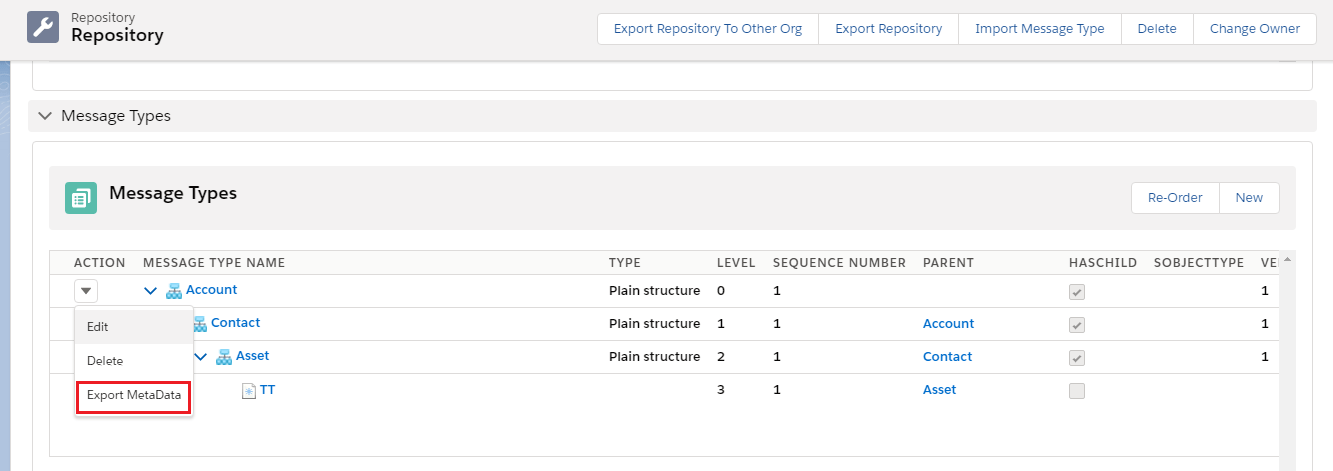
- Choosing Message Type that we want and click the Export button.
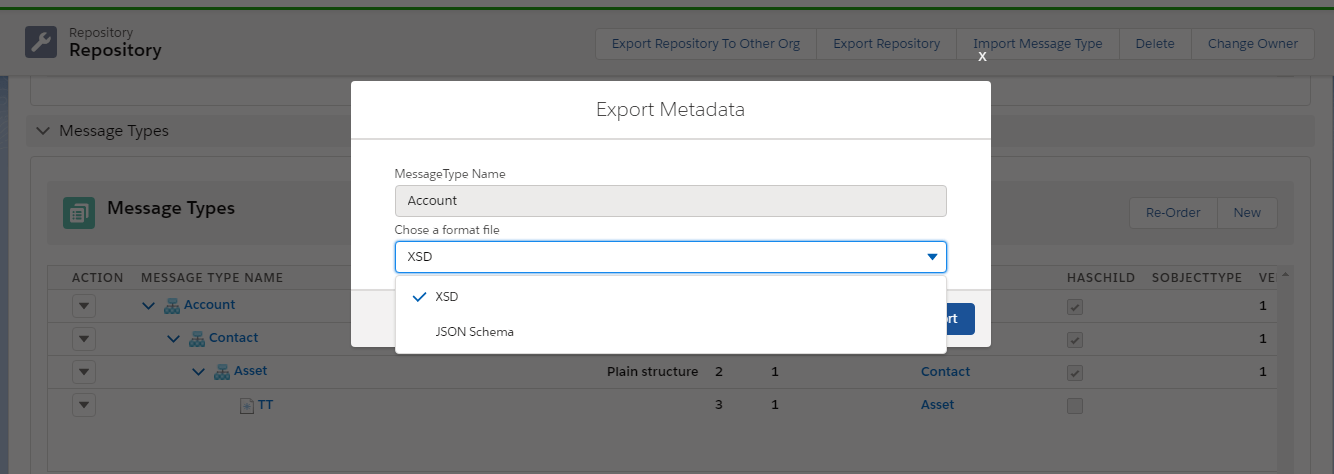
- After we click the export button, it will download the XSD file automatically.
- Here’s the XSD file that we generate On Repository.