7. How to Import MetaData Provider to Create Message Type?
Skyvva support different file formats(xsd, json schema, wsdl 1.1 & 2.0, swagger 2.0 and openAPI 3.x) to create message type. Upload button automatically create a hierarchical structure like msgtype Istructure from hierarchical file.
What is message type?
Message Type: Skyvva provide message type feature to create Istructure repository using different file format. We introducing the new concept of using message type as interface data type. So basically there are two way to put field mapping in interface is:
- Use sobject: we use the sobject fields as source field in interface
- Message type: we use costume fields created in message type as source field.
- MetaData Name is unique.
- IStructure Repo name is also unique in the SAME level
- MessageType Name is also unique in the SAME level
- The combination of IStructure Name and type must be unique.
- Previously, when we import the file we didn‘t apply this rules so we create duplicate but now we apply these rules. The result is we have less duplicate record which use less storage.
Pre-requisite
1. Metadata:
What is Metadata Provider? Metadata Provider tell the data processing layer of libmd which metadata fields (types) they can extract. When requested, Metadata read as many of the metadata fields listed by the client as possible from the specified media item. In Skyvva, when we create metadata, Name filed is only mandory field. On MetaData the Name cannot be duplicate.
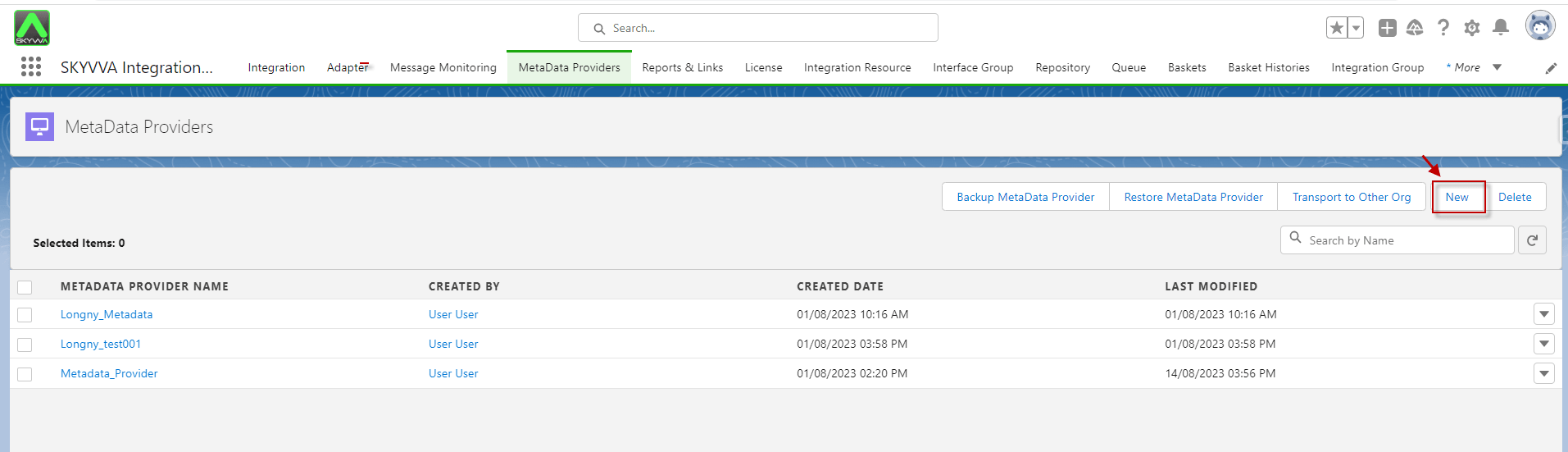
How to create Metadata Provider? Step 1: We have to click on metadata provider tab and click on New button.
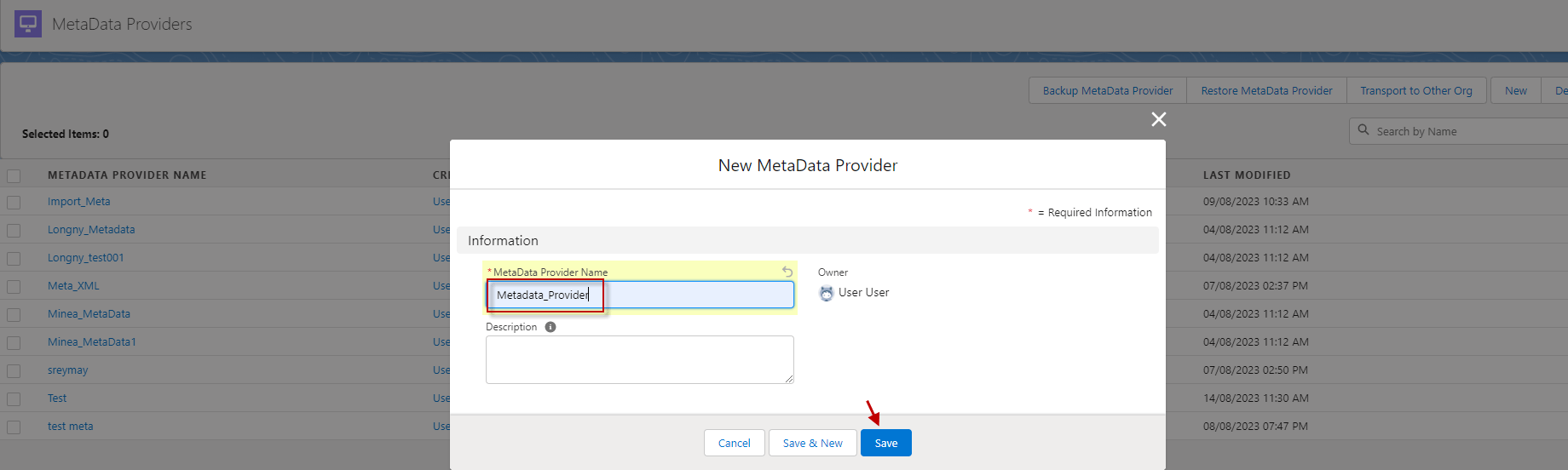
Step 2: Fill in the name of the metadata provider.
2. Istructure Repository:
What is Istructure Repository? The term Repository is in fact to store data and structure of a message. The purpose of Istructure is An Interface for a structure that contains the metadata of a structure. Istructure repository fields:
Fields Description
Repository ID External Id which is coming from SAP
Type Type to distinguish between different type to be able to built hierarchy structure.
Update Interfaces Structures Update related Interfaces when Istructure is updated
Parent Set this field to Indicate which repository Is the parent of the record.This record Itself Is a repository.
Level Hierarchy level to organise the repository.We can built hierarchical structure of repository.
hasChild Set this flag If the repository Is a folder which contain other repository in a hierarchical structure.
External Id This field is for storing the external id of the object to be use for update the record.
Path This filed store the path of the record from the root record until the current record name.
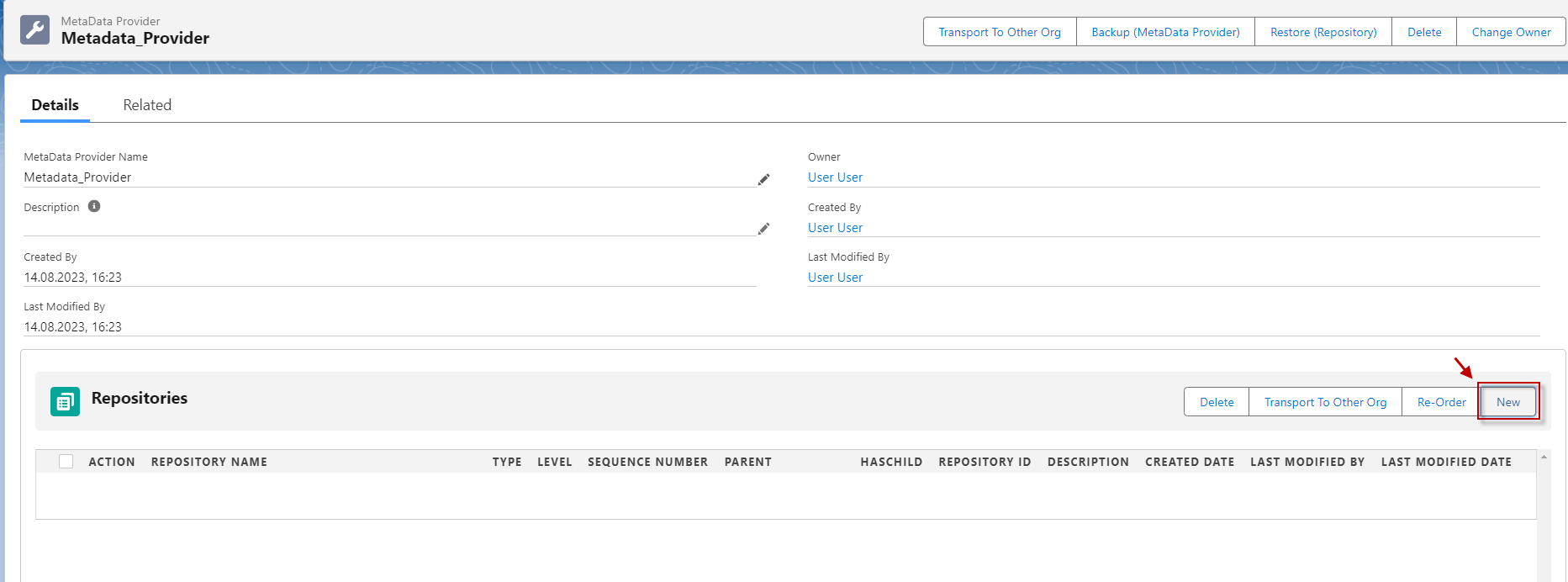
Step 3: Click on the 'New' button to create repository.
Step 4: Fill the name of the repository.
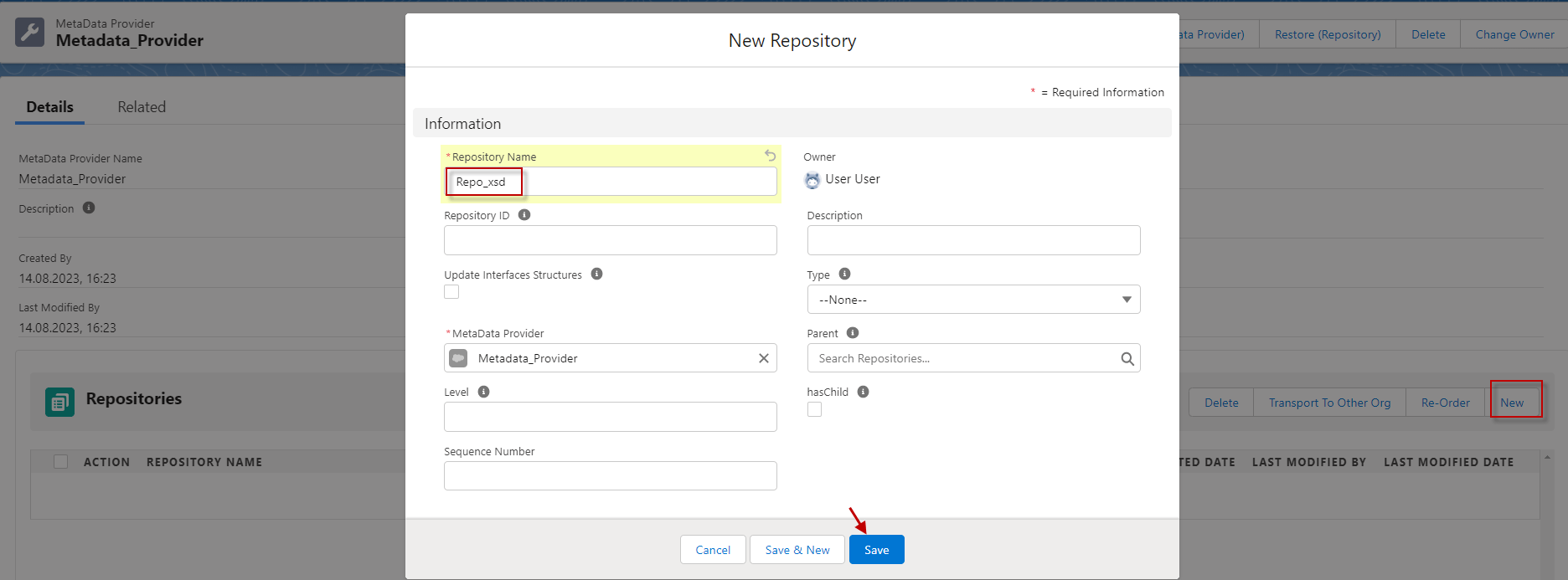
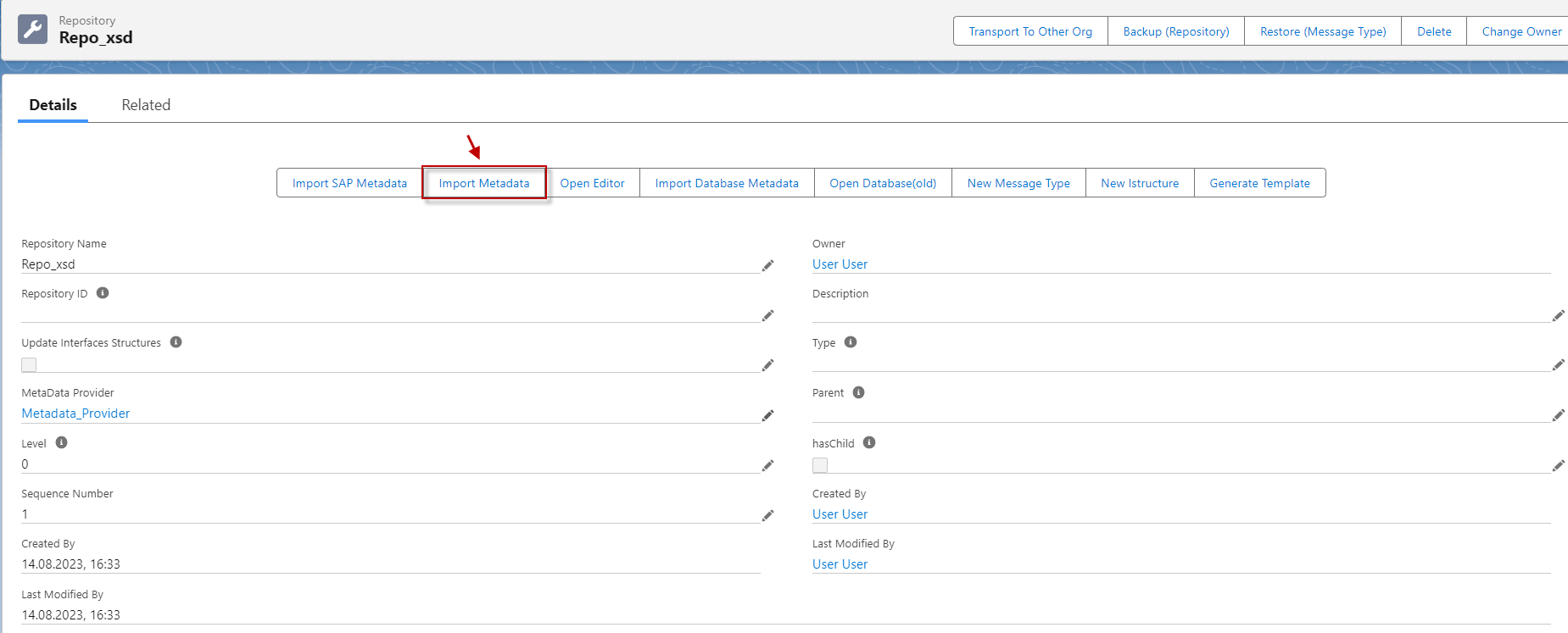
Step 5: Click 'Import Metadata' button.
Step 6: Select File Type as XSD and Attach upload file.
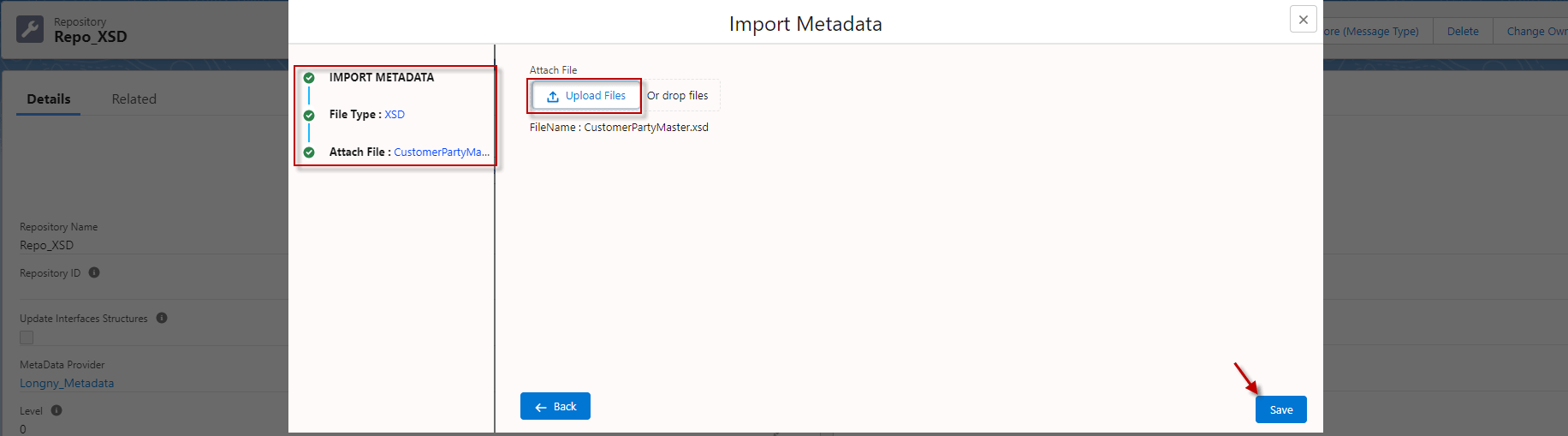
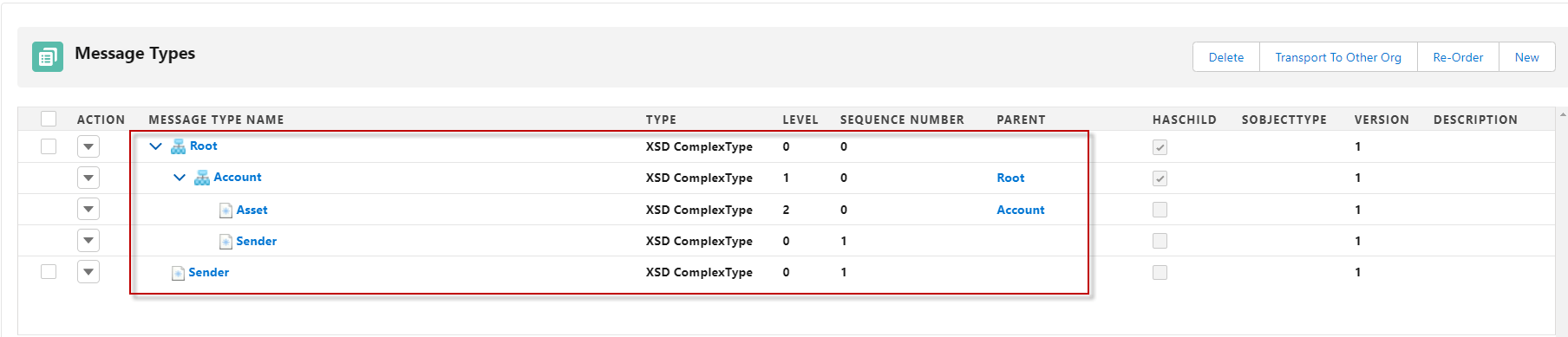
- Here’s the message type generate already.