6. How to Import MetaData Provider to Create Message Type?
We enhance importing feature more due to the fact see in data structure is quite complicated from client. different schema. So First initial version is now extended to support more complex msg type. We can support that different format to create msg type like XSD, wsdl1.0/2.2, Swagger/ Open API. For instance when we use Rest API, data format, API description layout is different . User does not use WSDL they are the use of swagger which is first model and now we move swagger and identify it as OpenAPI So this is latest version. That some API describe the usage of Open API, grammar and then we import it and create msg type. This msg type we use to generate request to invoke Rest api . we assist creating msg type base on different msg data structure so you do not want to create msg type manually.
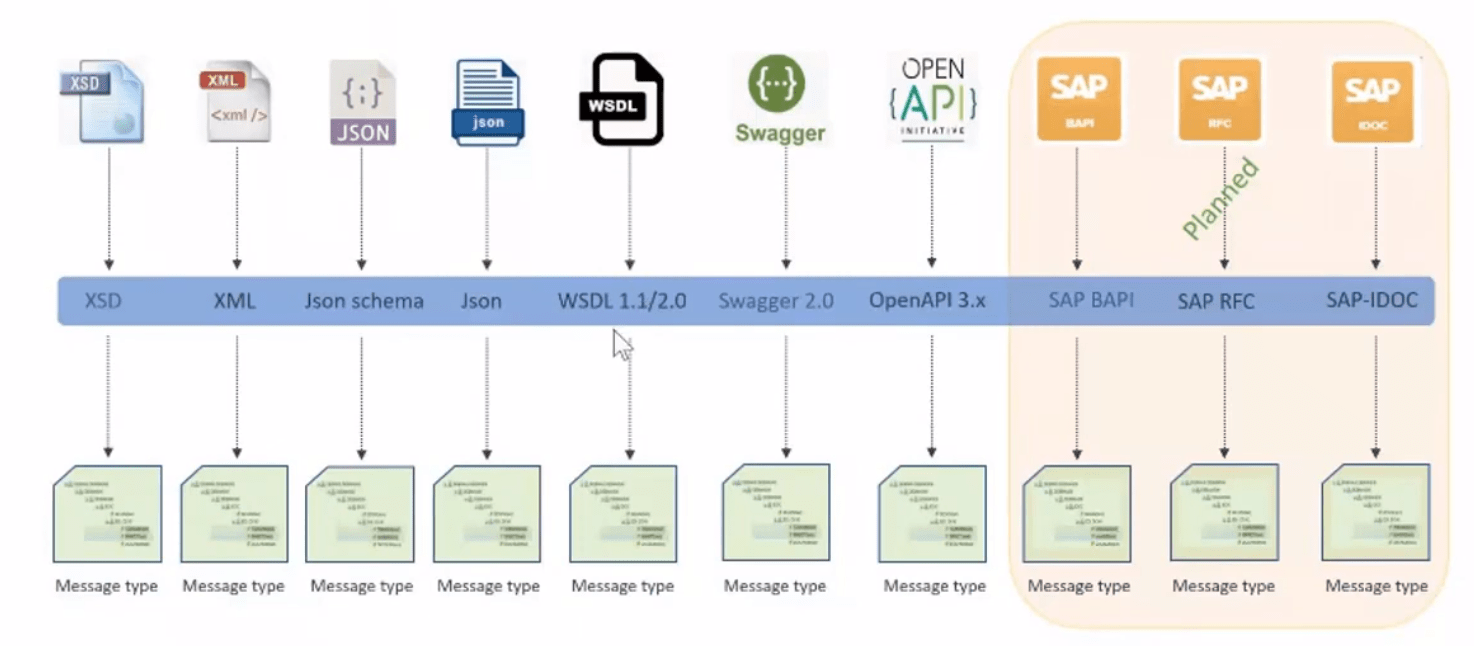
[su_box title="Note" box_color="#2a8af0" title_color="#000000"]Import Swagger/OpenAPI feature is used to create Rest Template [/su_box] We use a message type which we create according to the response structure of the REST response then the message name should be the root node. The processing should be based on the message node. To secure our data transmission system need specific formatted data. We have create message type. The messaging contain message data and metadata i.e. information about message itself. In Skyvva we have specific Rest template message type contains URL, header and body. We have different template for request and response. As we have three element in Request: ,
- Request URL
- Request Header
- Request Body
How to Import File:
Follow the steps:
- Create Metadata Provider.
- Go to your Repository.
- Click on Import Metadata button.

- Choose file type as Swagger 2.0/OpenAPI 2.0 and click next button, then Attach upload file.
- Choose the API Name.
- Click Save button it will generate message type.

- Here's the result: After clicking the save button, it will create an API and ReferenceObject, and this file type generates the REST template, including the Request and Response.

How to use Rest Template for processing?
Step1: Create Adapter
- First Insert Adapter Record By giving prefer Name and select Type = REST
- Now Insert Properties If Need Authorization.
- REST API Service Endpoint URL : “” , Insert Endpoint URL where Request will direct
- Username : “”, Your Endservice UserName
- Password : “”, Your Endservice Password
- Authentication : “BASIC”
- REST Operation : “POST”

Step 2 :Create interface request(outbound) and interface response (inbound) , link interface inbound to outbound :Configuration on Interface using for google
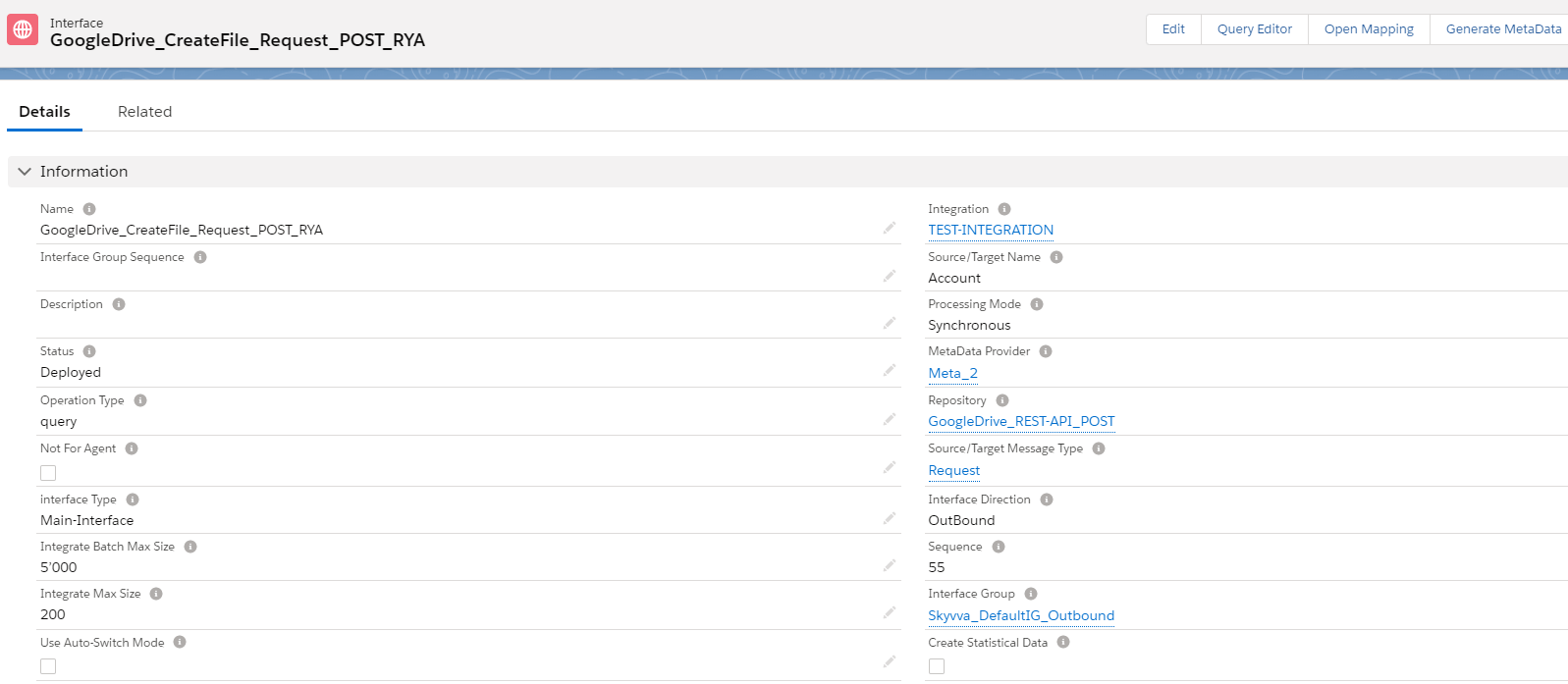
How to Link response Interface:
Scroll the page to the Inbound/Outbound set up section. And select the response interface.

Link rest Adapter to Request interface

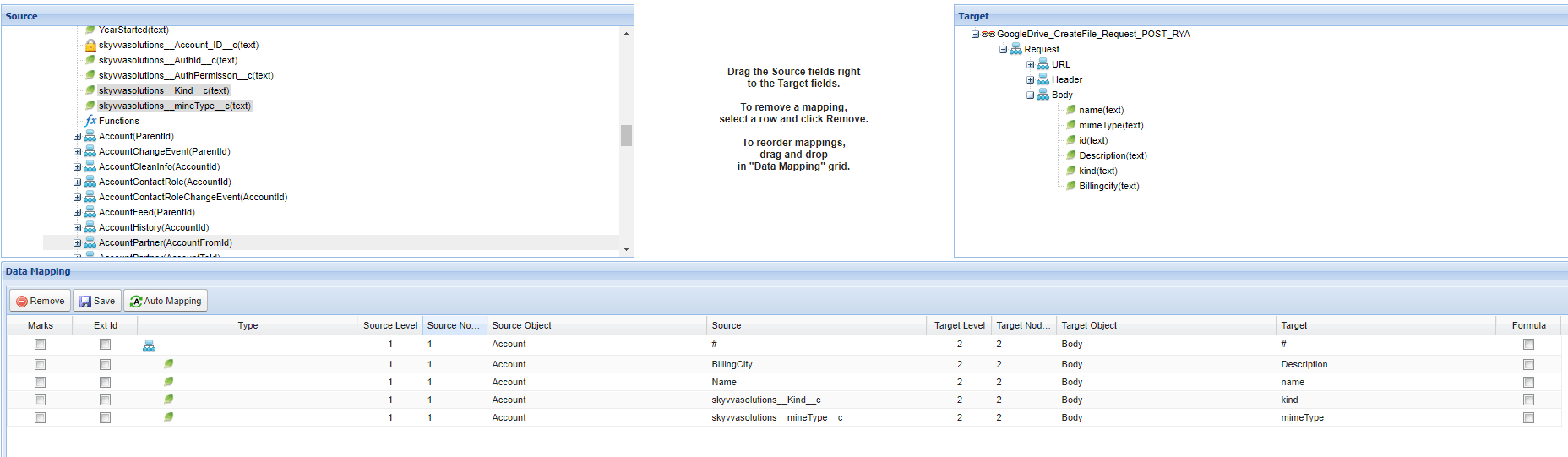
Mapping
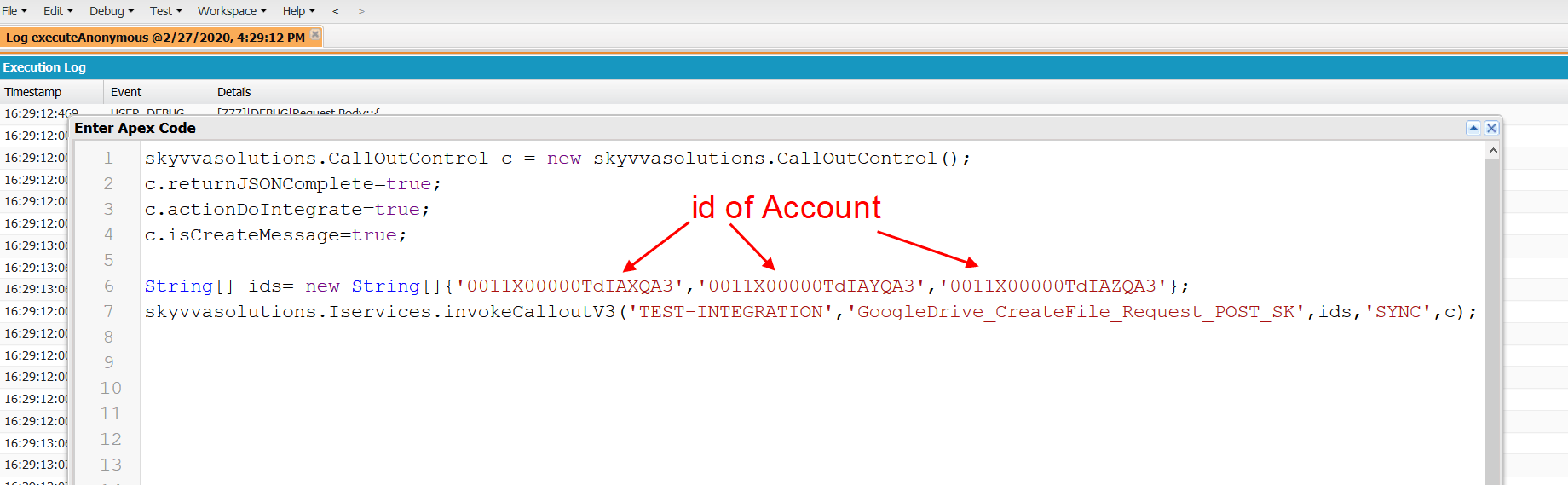
Call lout the data from developer console