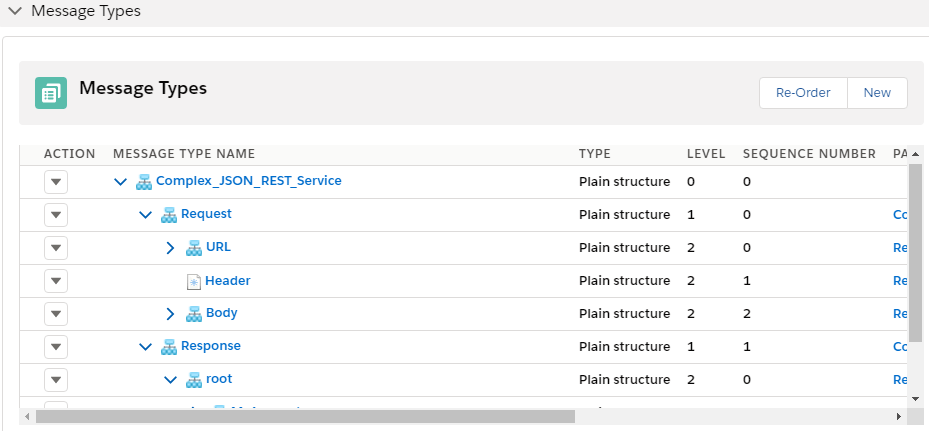
7. Message type by importing wsdl file format
We enhance importing feature more due to the fact see in data structure is quite complicated from client. different schema. So First initial version is now extended to support more complex msg type. We can support that different format to create msg type like XSD, wsdl1.0/2.2, Swagger/ Open API. For instance when we use SOAP API, data format, API description layout is different . Customer uses WSDL .When you call soap api that describe using wsdl that we should import wasdl. When we have structure for mapping request mapping, response mapping with soap api This msg type we use to generate request to invoke Rest api . We assist creating msg type base on different msg data structure so you do not want to create msg type manually.
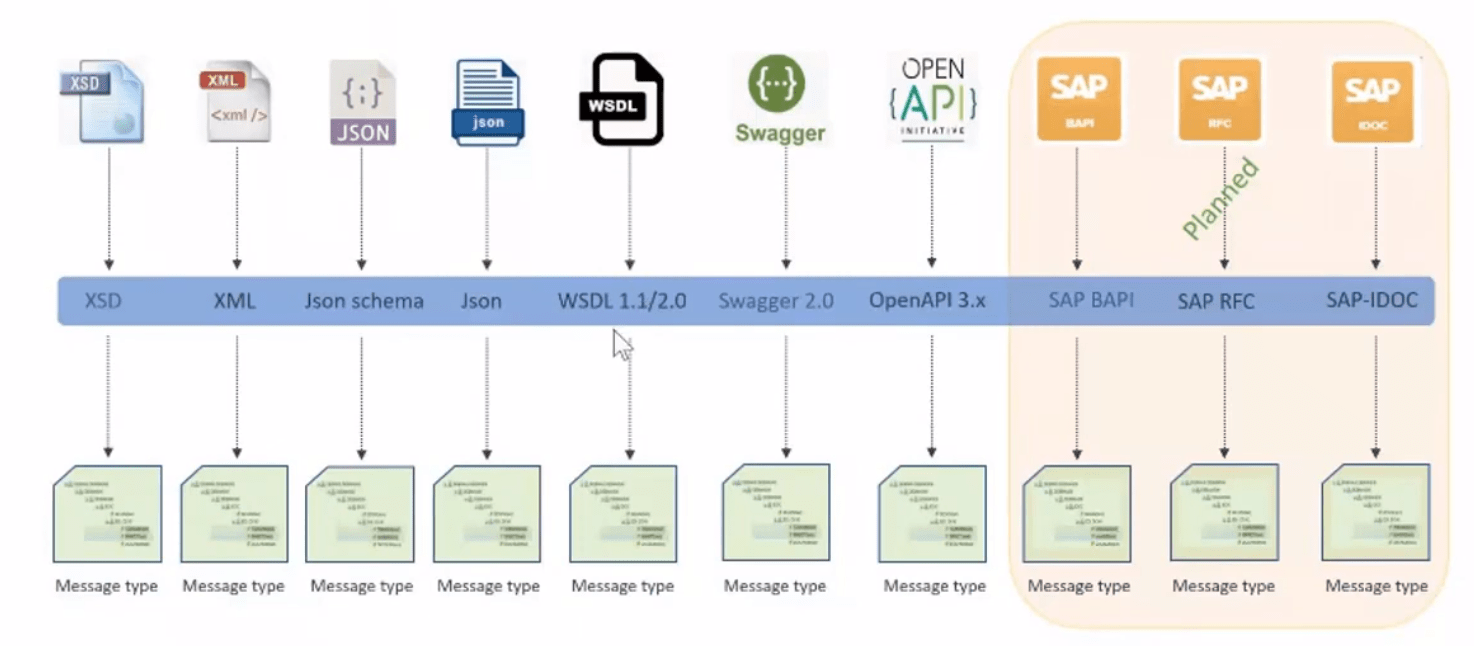
[su_box title="Note" box_color="#2a8af0" title_color="#000000"]Import Swagger/OpenAPI feature is used to create Rest Template [/su_box] To secure our data transmission system need specific formatted data. In Skyvva we have specific soap template message type contains URL, header body. We have different template for request and response. . As we have three element in Request: ,
- HTTP Header
- URL Query Parameter
- SOAP Header
- SOAP Body
As we have two element in Response
- HTTP Header
- SOAP Header
- SOAP Body
So , when we get response and we will get both header and body so based on mapping we will perform DML operation for the data we got in response.
How to Import File:
Follow the steps:
- Create Metadata Provider.
- Create Istructure Repository.
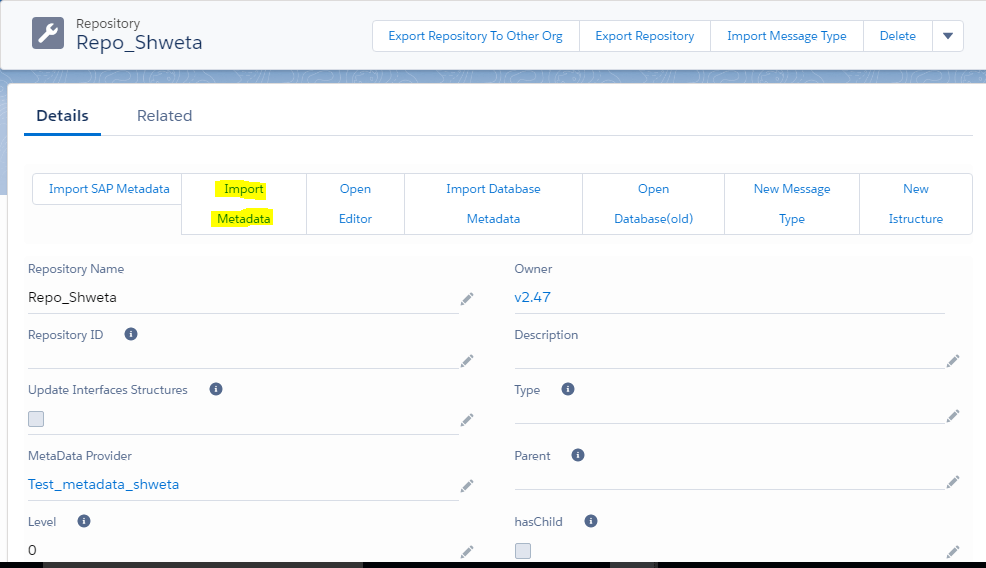
- Go to your repository page and click on Import metadata button.
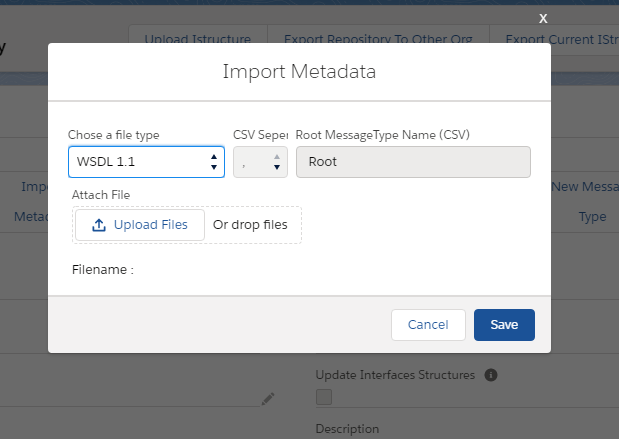
- Select file type and upload file.
- Scroll down the page to msg type section.