142.How to transfer Salesforce business data to store in Dropbox?
142.How to transfer Salesforce business data to store in Dropbox?
Learning Objectives :- This unit describes:-
- About Dropbox.
Introduction This tutorial is used to show user how the business data is transferred from salesforce and stored in the dropbox. Dropbox:- Dropbox is a file hosting service, often referred to as a "cloud storage" service. Dropbox is one of the oldest and most popular cloud storage services in use today, though there are many alternatives, including Microsoft OneDrive, Box, Sync, and Google Drive. This adapter will be used to create CSV, EXCEL, XML, and JSON files inside the dropbox drive folder. Dropbox Configuration: We need to configure dropbox to use an adapter. Here is a link from where you can configure dropbox: https://www.dropbox.com/developers/documentation/http/documentation Pre-Requisite:-
- Create Integration.
- Create Adapter.
Step 1 :-
We have to create the following data for inbound processing:
- Create Metadata for message type -> Create I structure Repository in it -> Create appropriate message type.
- The next step is to create Integration.
- Then Create an Inbound Interface where we have to select your Metadata, Repository, and message type. Then Select your adapter.
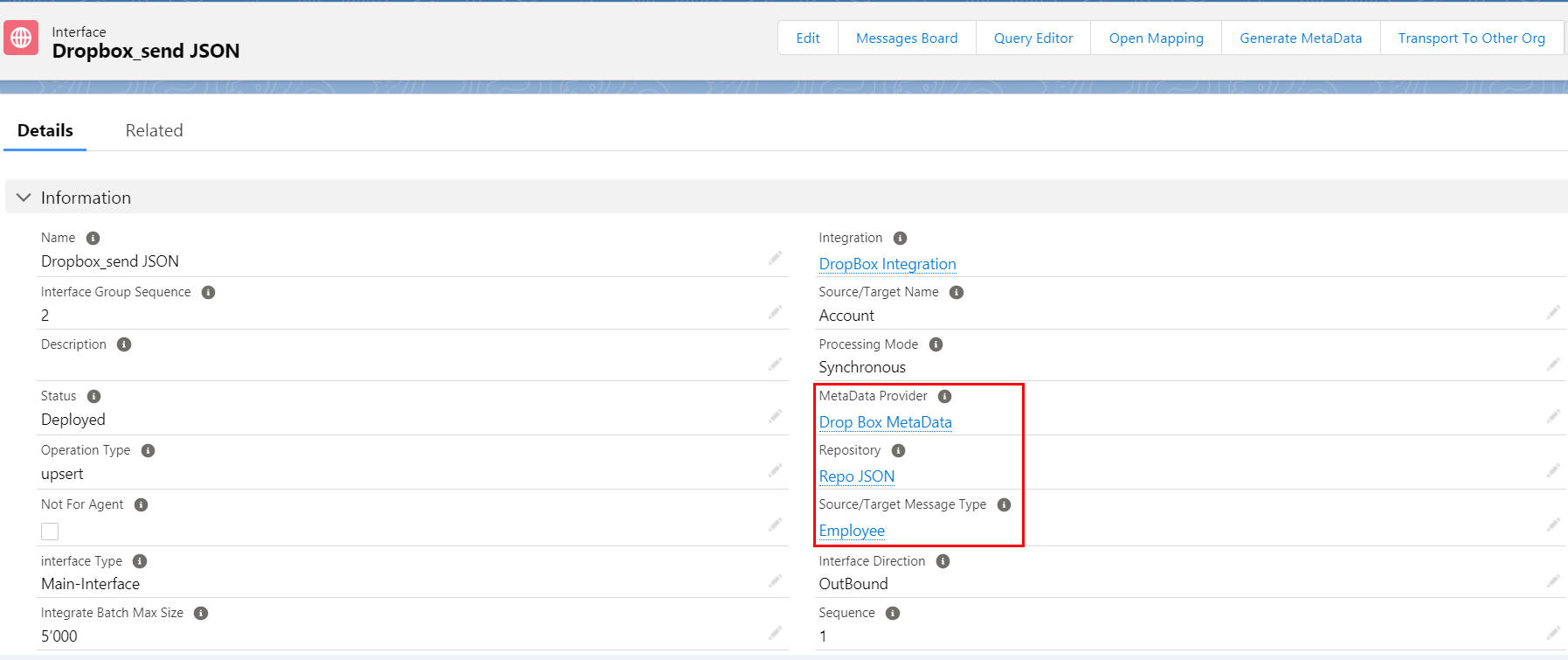
Step 2 :-
Click on open mapping
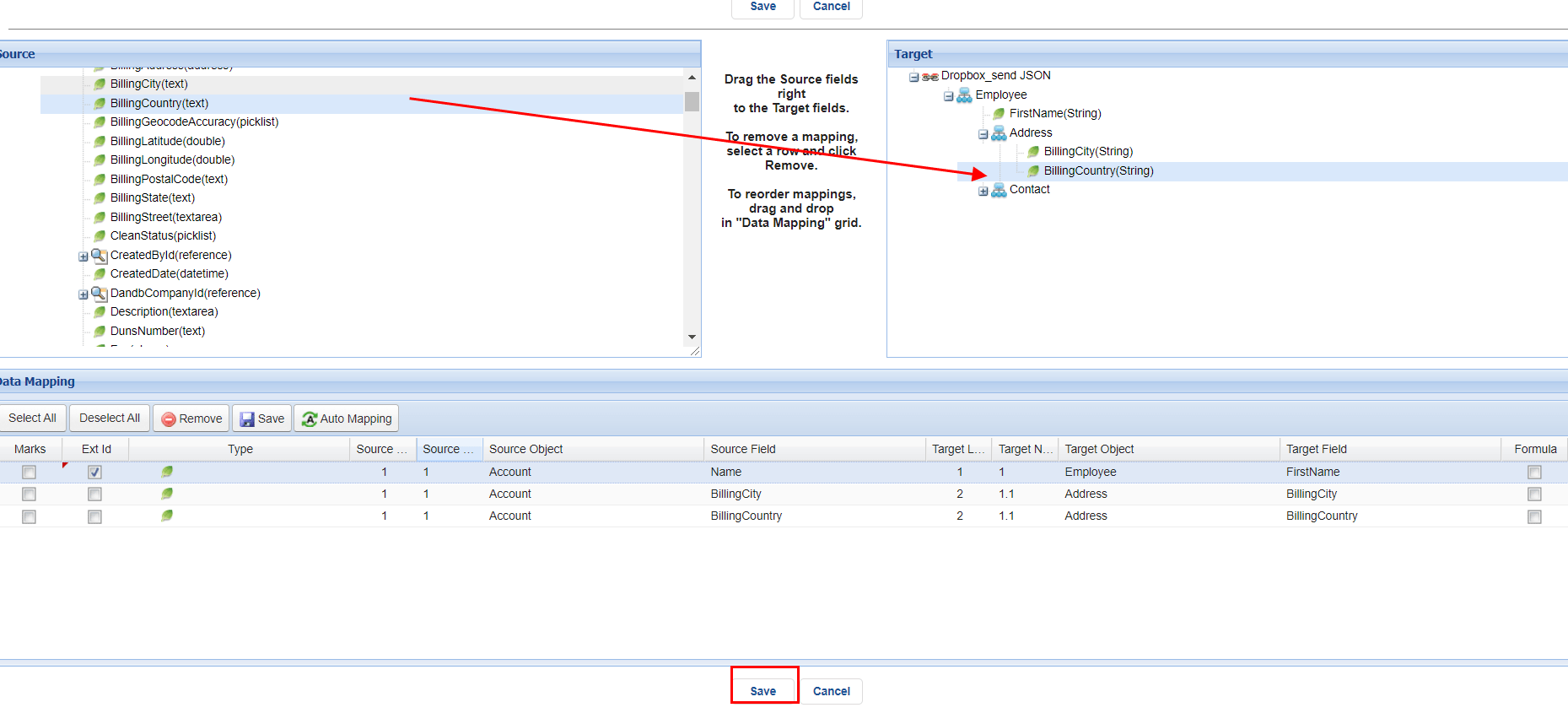
We need to drag fields from Source and drop it to Target and save it.
Step 3 :-
Create the adapter


fill all the fields and save it.
Step 4 :-
Ping the connection.
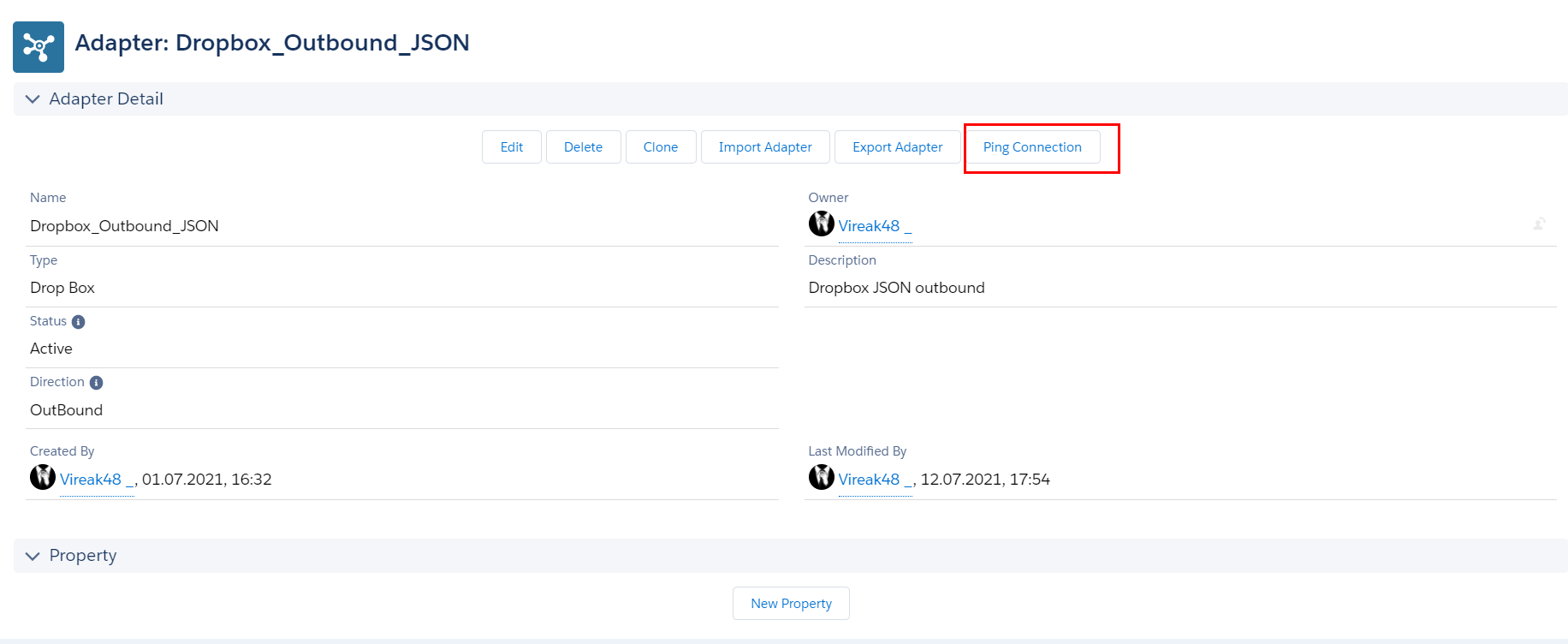

as shown in figure it shows if its succesfull.
Step 5 :- Dropbox
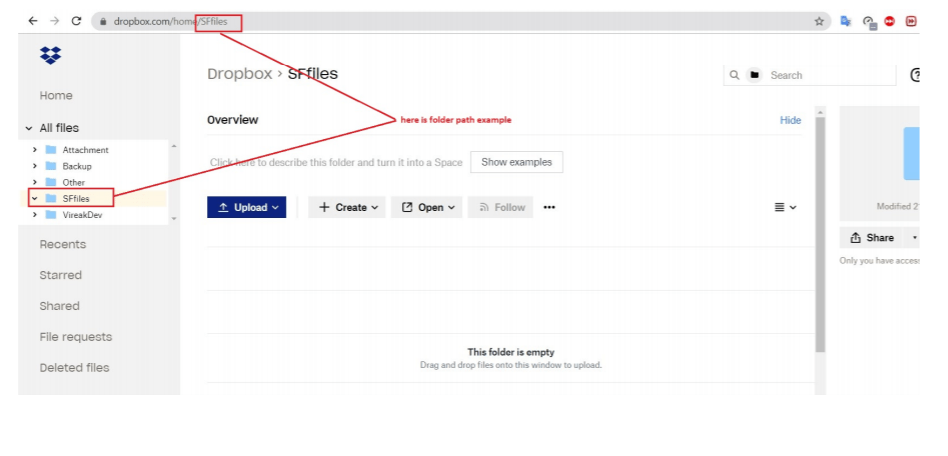
Create new folder in dropbox.
The file has been send from salesforce to dropbox.

The content of the file is as shown in figure.

Step 6 :-
Check on message monitoring.