148. How to use Flow to call our invokeCallOutV3() API?
How to use Flow to call our invokeCallOutV3() API ?
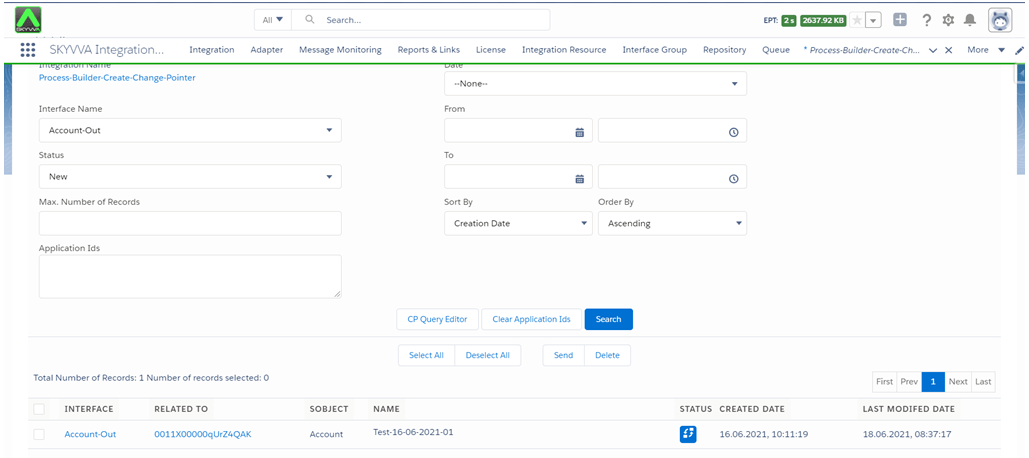
A flow is the part of Salesforce Flow that collects data and performs actions in your Salesforce org or an external system. Salesforce Flow provides two types of flows: screen flows and Autolaunched flows. To automate a business process that collects data from people, use a screen flow. To launch a flow internally when a record changes or when a user clicks a button, use an Autolaunched flow. Case 1: Flow executes SKYVVA apex to create change pointer Description: Provide the possibility to invoke SKYVVA Api to create changed pointer or process outbound interface from Flow (record triggered flow). Create Change Pointer Record [su_box title="Note" box_color="#2a8af0" title_color="#000000"]User must have outbound interface and check flag Use SKYVVA Outbound Scheduler on that interface [/su_box] Expectation: When we update Billing City, Flow will be creating CP record that show on CDC Control Board
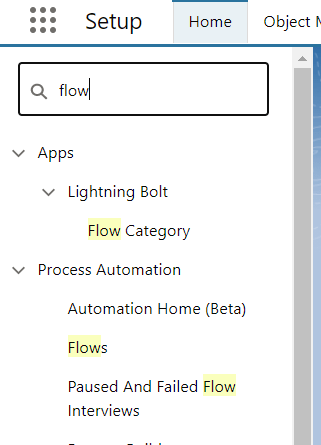
- Click on Setup gear icon
- Enter Flow in the Quick Find Box, and select Flow
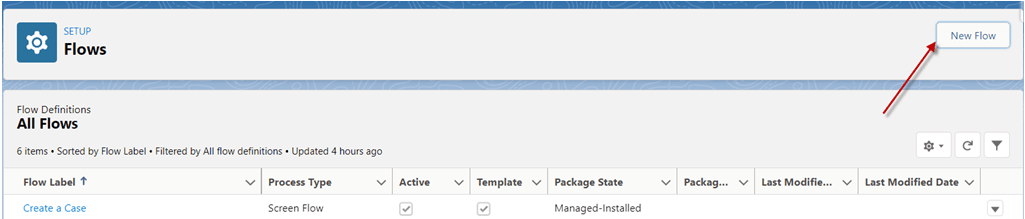
- Click New Flow button
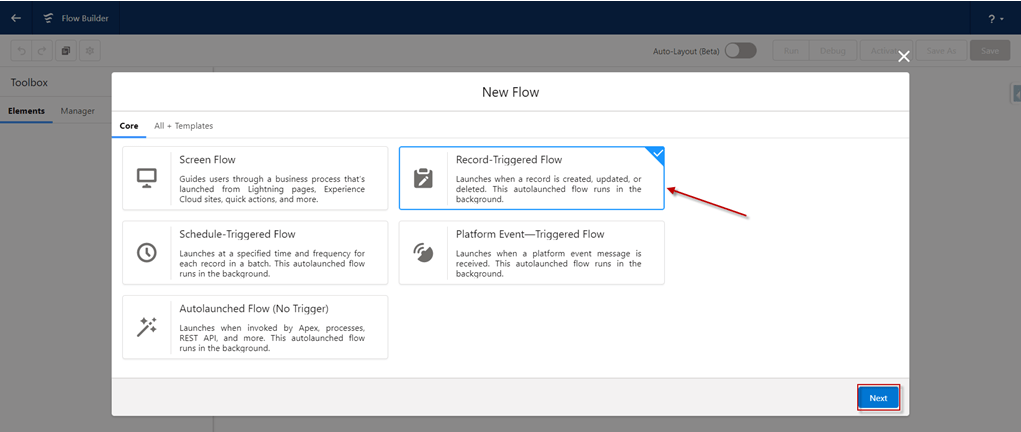
- Select Record-Triggered Flow -> Click Next
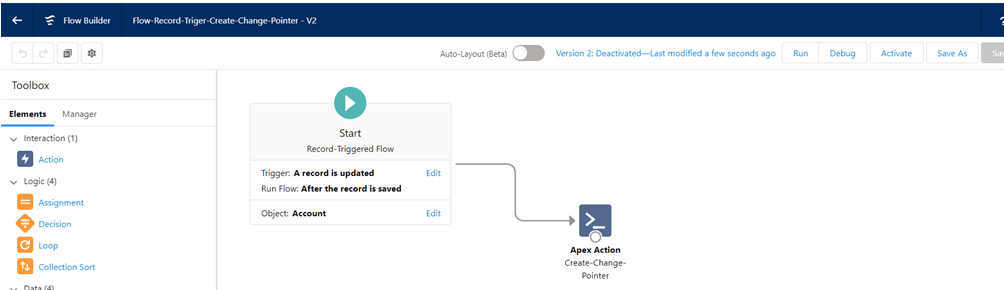
- Choose object: e.g. Account
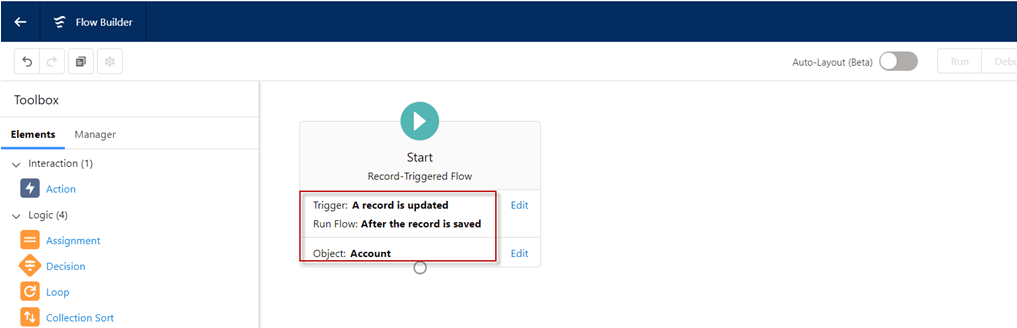
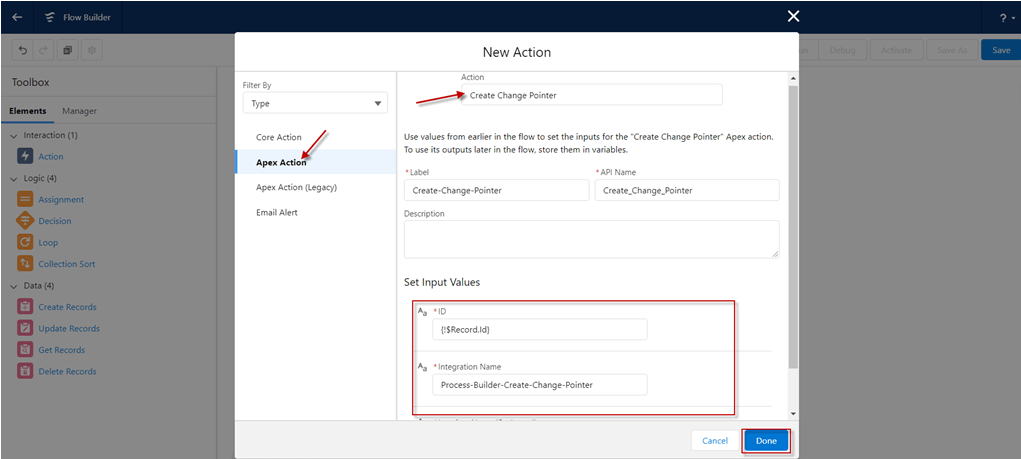
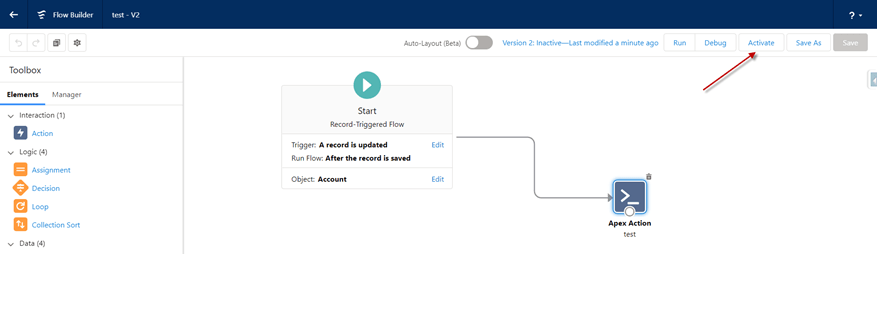
- Drag Action into Flow
- Action: Create Change Pointer
- ID:
- Integration Name:
- Interface Name:
- Click Done
- Click Save
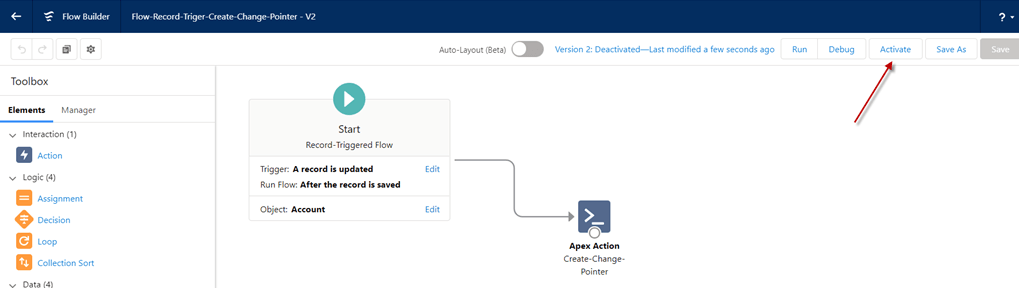
- At the end click Activate button on the right side
- Now we change Billing City value on Account object then Save
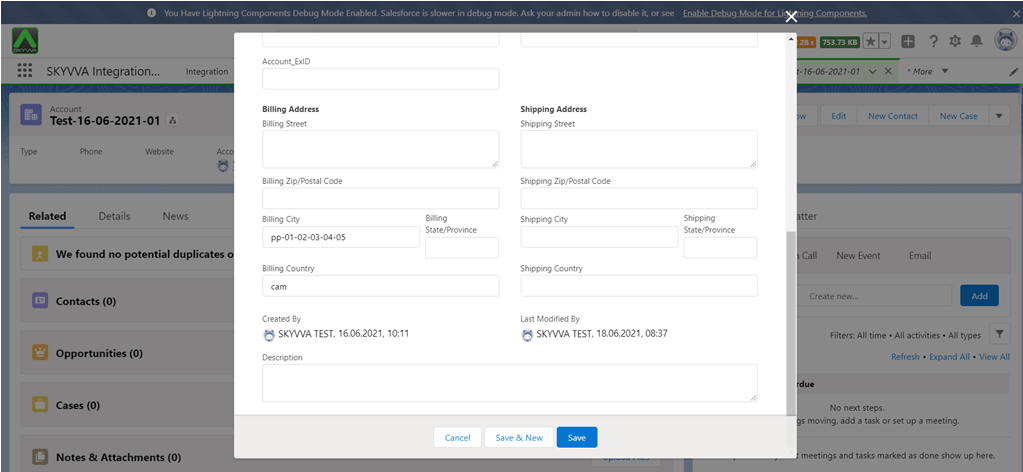
- Result: After update Billing City Process Builder will be create CP record and show in CDC Control Board
Case 2: Flow executes skyvva apex to execute callout Execute invoke callout old version by default. However, user can execute outbound V3 by specify the version number (3) by including the input value for
- At the end click Activate button on the right side
- Now we change Billing City value on Account object then Save
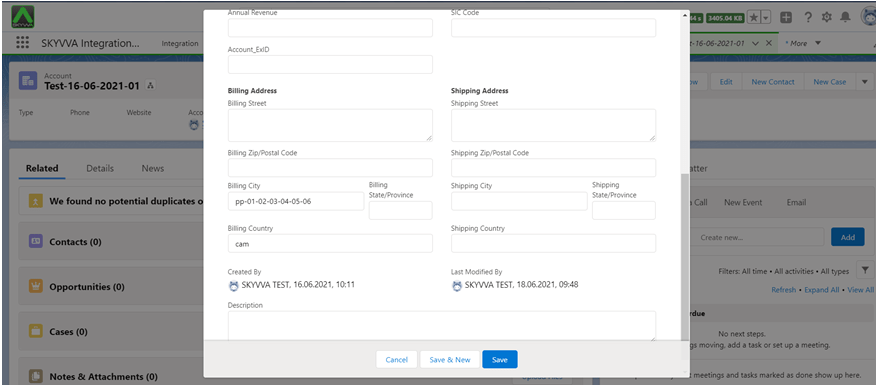
Result: After update Billing City Process Builder will be sent to external system

Summary Now user learn how to invoke SKYVVA Api to create changed pointer or process outbound interface from Flow (record triggered flow).
####