149. How to use Process Builder to call our invokeCallOutV3() api?
Process Builder is a Salesforce’s point-and-click tool that lets you easily automate if/then business processes and see a graphical representation of your process as you build. Every process consists of a trigger, at least one criteria node, and at least one action. You can configure immediate actions or schedule actions to be executed at a specific time. To keep things simple, this unit focuses on the most common process type: Record Change, which means the process, will start when the records are created or edited. Provide the possibility to invoke skyvva Api to create changed pointer or process outbound interface from Process Builder or Flow (record triggered flow).
Pre-requiste:
- Create Integration
- Create Outbound adapter
- Create Interface -> add adapter
- Do mapping
Case#1: Create Change Pointer Record Note: At first, we must have an outbound interface and check the flag “Use Skyvva Outbound Scheduler” on that interface Expectation: When we update Billing City, Process Builder will be creating CP record that show on CDC Control Board.
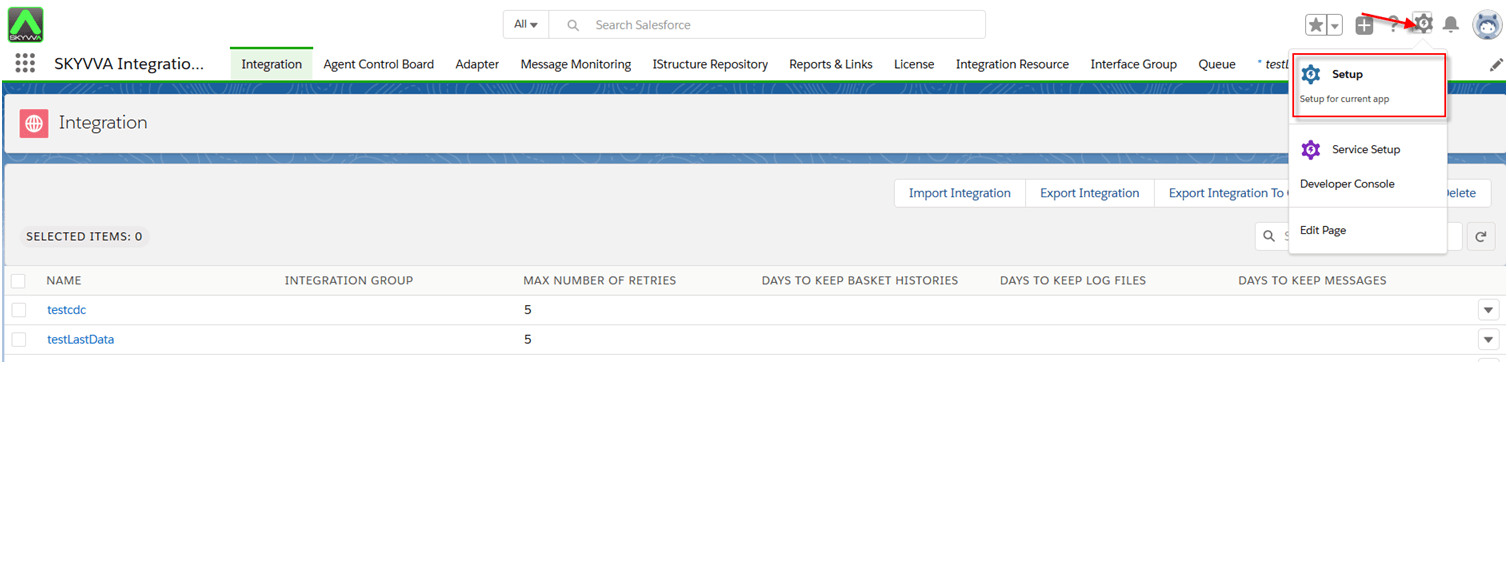
- Enter Process Builder in the Quick Find box, and select Process Builder

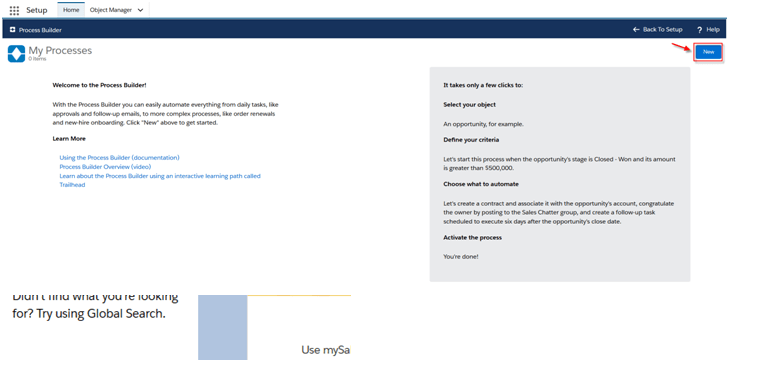
- Click New button
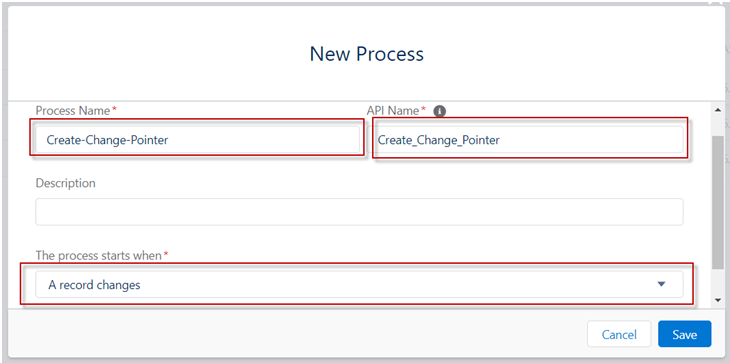
- Put Process Name then select A record changed for the process starts when
- Click Add Object
- Choose object e.g. Account
- To start, the process, select when a record is created or edit
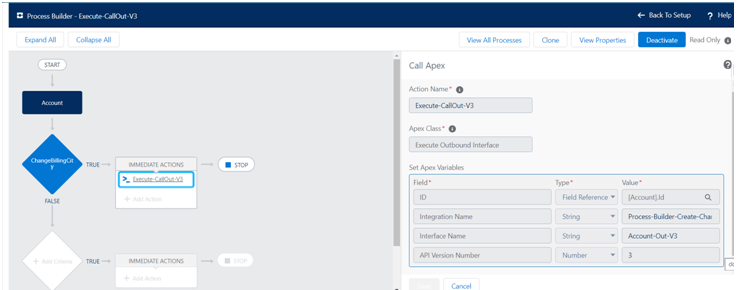
Note:User can specify the version number by setting variable
- At the end click Activate button on the right side then click Confirm button when popup message
- Now we change Billing City value on Account object then Save
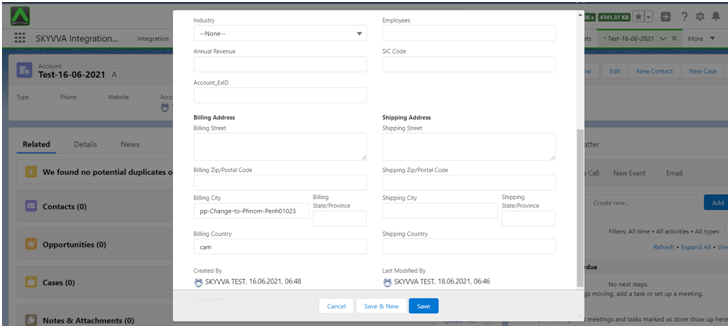
Result: After update Billing City Process Builder will be sent to external system
