2. Deleting messages
Delete Messages
We have to set the flag when we want that this integration should be taken into account by the scheduler "DoMaintenance". For each integration, you have to decide to set or not set the flag. When this flag is set then the messages of this integration will be deleted after the retention time. When this flag is set then no deletion of messages from this integration will be done. Note that setting this flag only tells the scheduler to consider this integration. By default, only messages with status "Completed" is deleted. If you want to delete other statuses then the status "Completed" then you have to add the additional statuses available under the section "Additional Message Statuses to Delete".
We can delete messages using do maintenance scheduler:-
doMaintenance is another global scheduler which locates among others in the Scheduler tab. It provides all the functionalities to keep the data storage clean. In simple words it deletes pending, failed and completed records You have to activate and run this scheduler otherwise no data cleaning activities are carried out. It exists only 1 in skyvva and processes all integrations. There are two ways to find DoMaintenance Scheduler:-
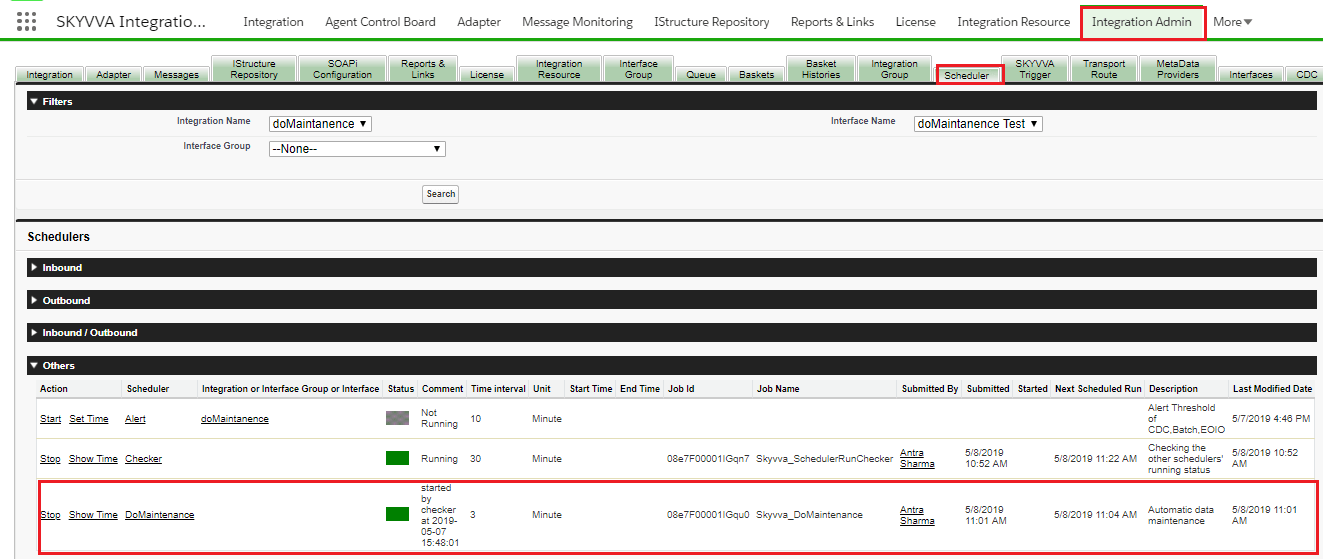
- Using the Scheduler tab in the Admin page.
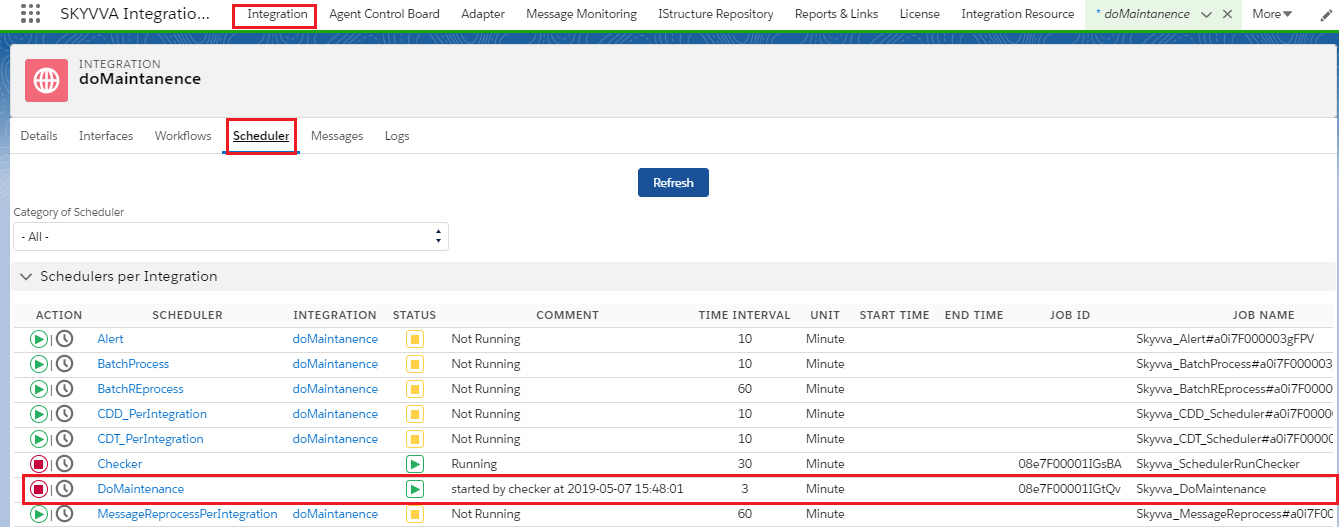
- Using the Separate tab 'Scheduler' in the integration detail page.
- Using Scheduler Tab in Admin page to find DoMaintenace :-
The picture is given below for reference-
- Using the Separate tab 'Scheduler' in the integration detail page:- Enter in Integration detail page and click on Scheduler Tab.
Picture is given below for reference-