156.2 Salesforce Authentication Provider (AWS - Signature)
Integration Name : Raj-REST-Integration Outbound Interface : AWS API Outbound
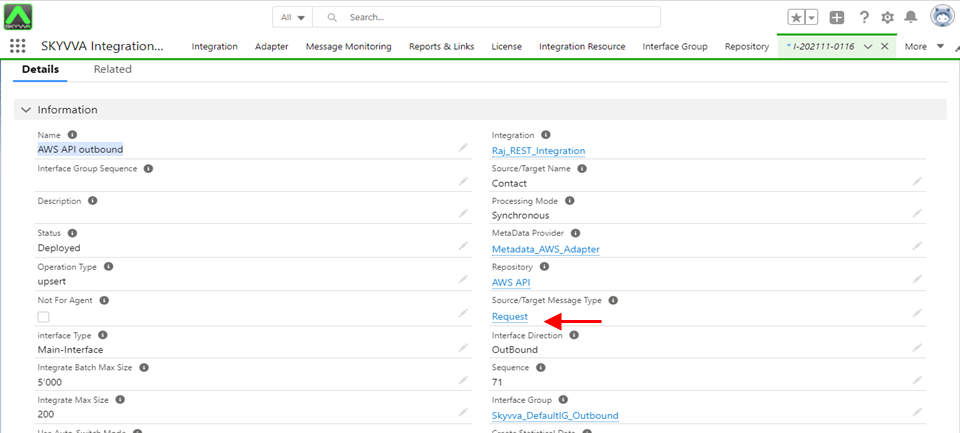

Inbound interface : AWS-API-Inbound

Select an External id

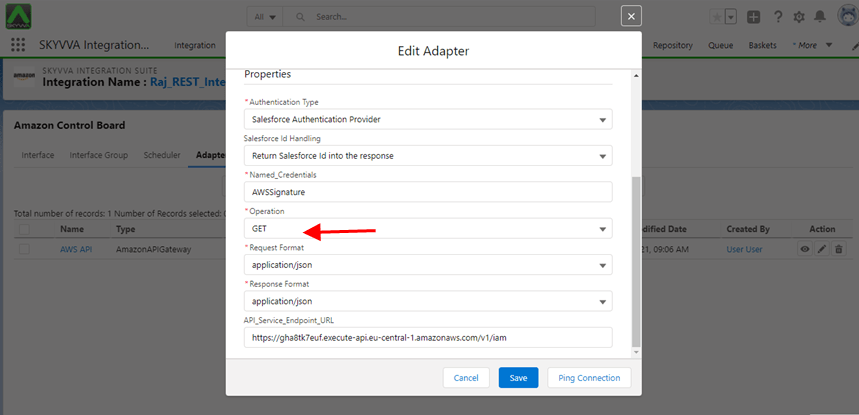
Using GET Method Select Type AmazonAPIGateway

Select Operation GET
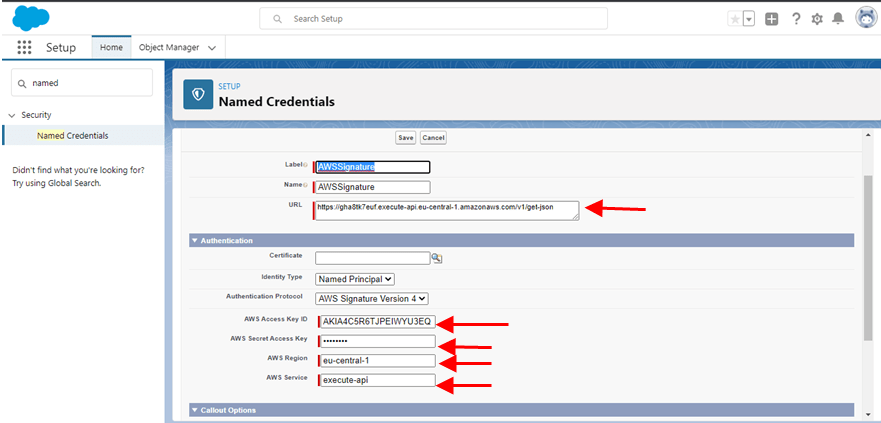
- Now go to Salesforce
- Click on security
- Provide Name Credentials
- URL
- AWS Access Key ID
- AWS Secret Access Key
- AWS Regions
- AWS Service
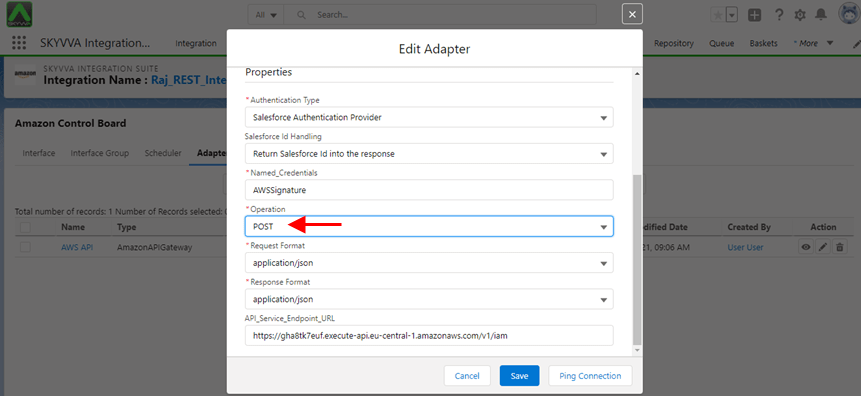
Using POST Method Select Operation POST
User have to Specify the callout endpoints URL and the authentication settings that are requires for Salesforce to make callouts to the remote System

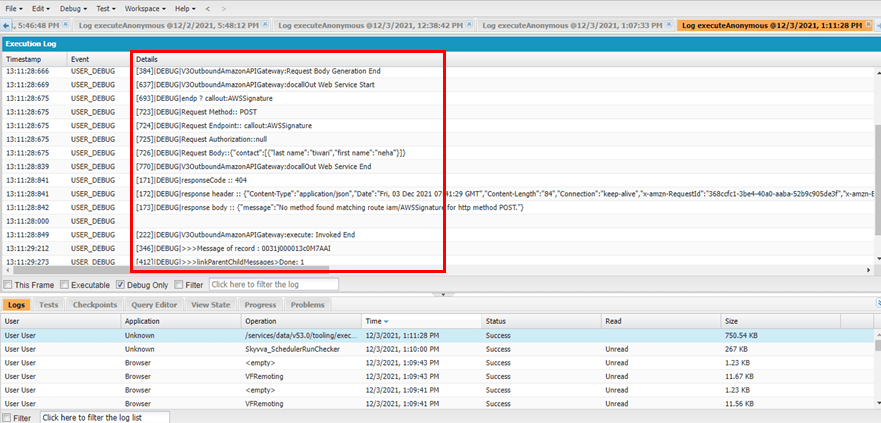
Go to Dev Console and see all Details
- V3OutboundAmazonAPIGateway:Request Body Generation End
- V3OutboundAmazonAPIGateway:Resquest Body Generation End
- Request Method:: POST
Go to message monitor board and click on search button

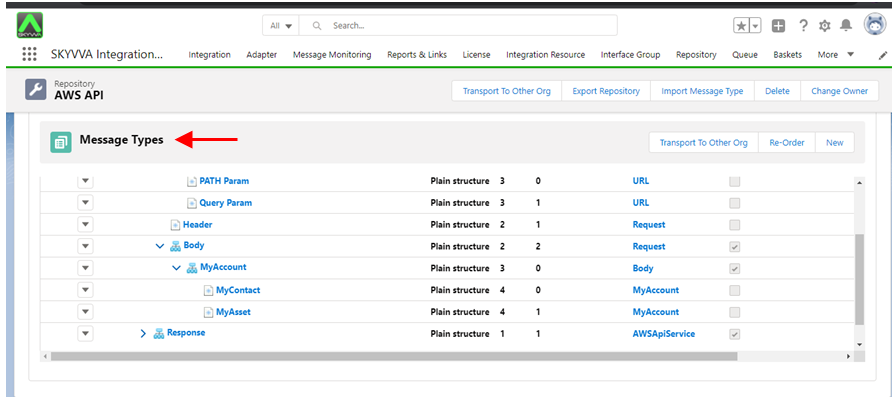
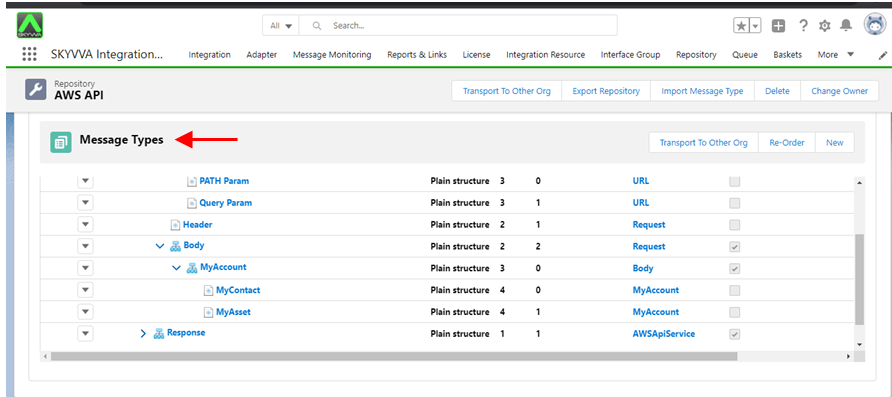
Callout Script : [aux_code language="javascript" theme="tomorrow" title="" extra_classes=""]skyvvasolutions.CallOutControl c = new skyvvasolutions.CallOutControl(); c.returnJSONComplete=true; c.actionDoIntegrate=true; c.isCreateMessage=true; String[] ids= new String[]{'0031j000013c0M7AAI'}; skyvvasolutions.Iservices.invokeCalloutV3('Raj_REST_Integration','AWS API outbound',ids,'SYNC',c); [/aux_code] Hierarchical Message Type

Request
Response
Open Mapping and select Ext Id and Save for Inbound

Open Mapping and Map Name(text) to MyContact and Save for Outbound

Go to Message Monitor and click on search button

Callout script [aux_code language="javascript" theme="tomorrow" title="" extra_classes=""]skyvvasolutions.CallOutControl c = new skyvvasolutions.CallOutControl(); c.returnJSONComplete=true; c.actionDoIntegrate=true; c.isCreateMessage=true; String[] ids= new String[]{'0011j00001FyP0xAAF'}; skyvvasolutions.Iservices.invokeCalloutV3('Raj_REST_Integration','AWS API outbound',ids,'SYNC',c);[/aux_code]