How to use the API invokeCallout3() to pass data from the screen with Developer Console?
After completing this unit, you’ll be able to:
- How to pass data from a screen and apex class to invokes callout v3
Introduction
We can pass data from the screen and apex class where the data is going into the mapping instead of coming from the database through the select statement in the interface. The caller is an apex class and uses the class method invokes callout3(). Inside this method, we have a map parameter where the user can pass the Parameter, Query parameter name/value pair to the method. The map with the key/value he has to build in the apex caller program.
Why and when to use Screen pass data?
We always need to pass the subject Id to select the data from the database. Here the requirement is that the user doesn't want to select data from the database. The data is coming from a screen and they want to make a call to other systems with that data. We have to pass the data which the user enters into a screen to invokeCallout3() They don't want to have the data to be written into a table in Salesforce. Just whatever user enters the screen needs to be put a request for the HTTP callout through the other adapters. In this tutorial, we will use SAP business one adapter to send data by the screen to SAP Business one.
How to use the API invookeCallout 3() to pass data from the screen?
Pre-required
- Create connect destination of SAP Business One.
- Create Metadata SAP, business Partners.
- Create SAP business one Adapter
- Create Outbound Interface.
Step1: Create the Connection destination of Sap Business one.
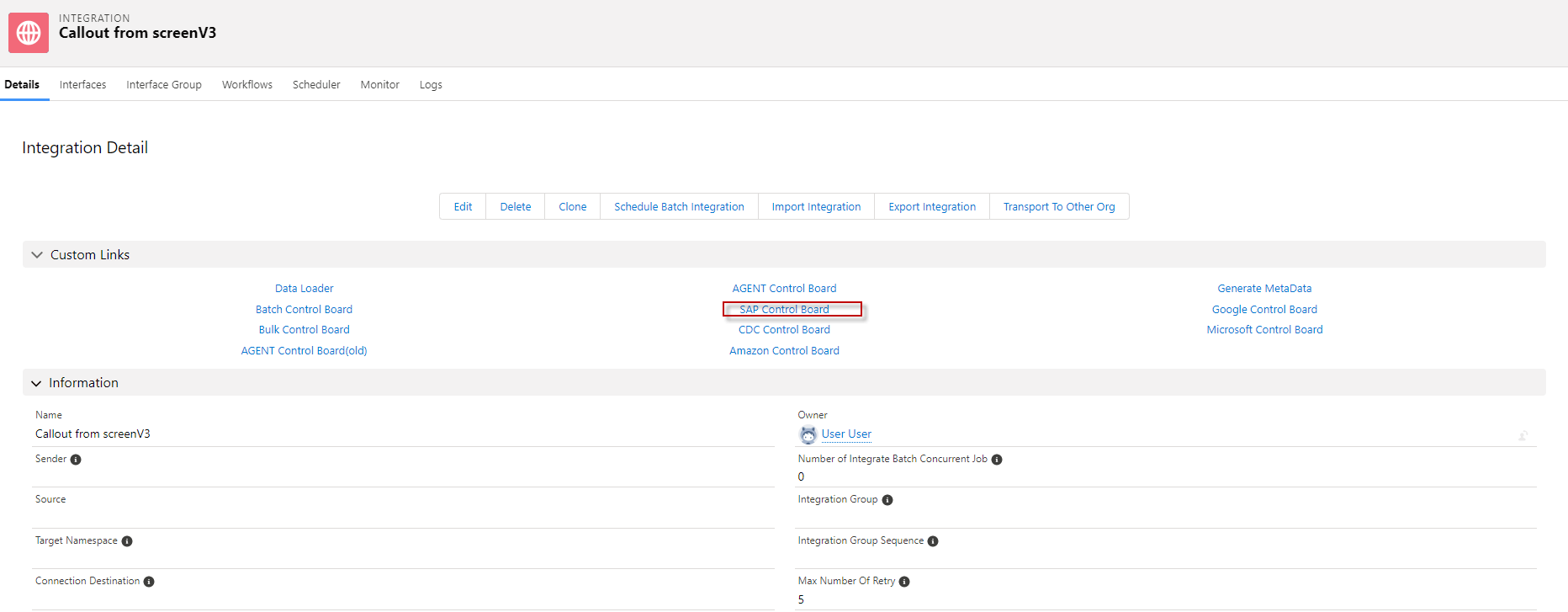
- Go to Integration => click SAP Control Board.
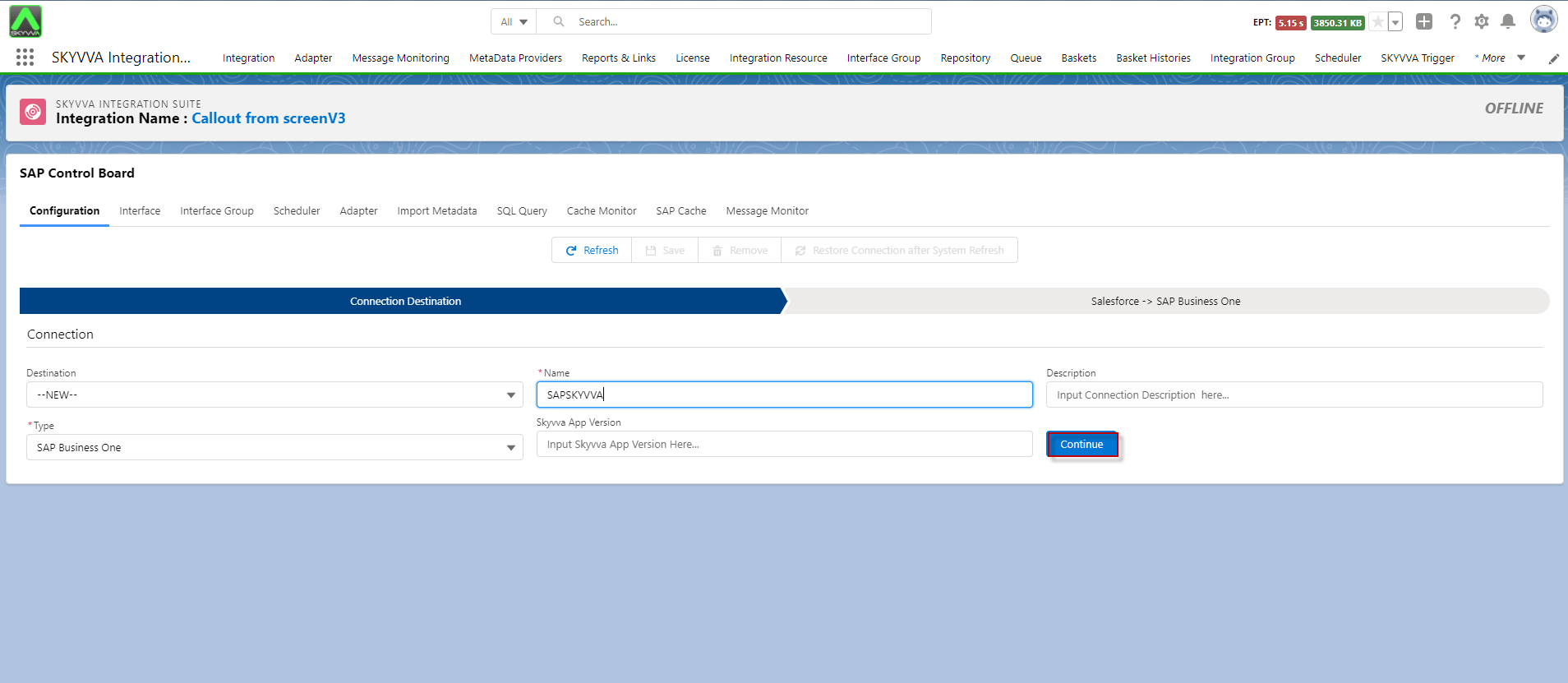
- Select Destination New, Choose Type: Sap Business one, Fill Name, version, click Continue button. see the example below.
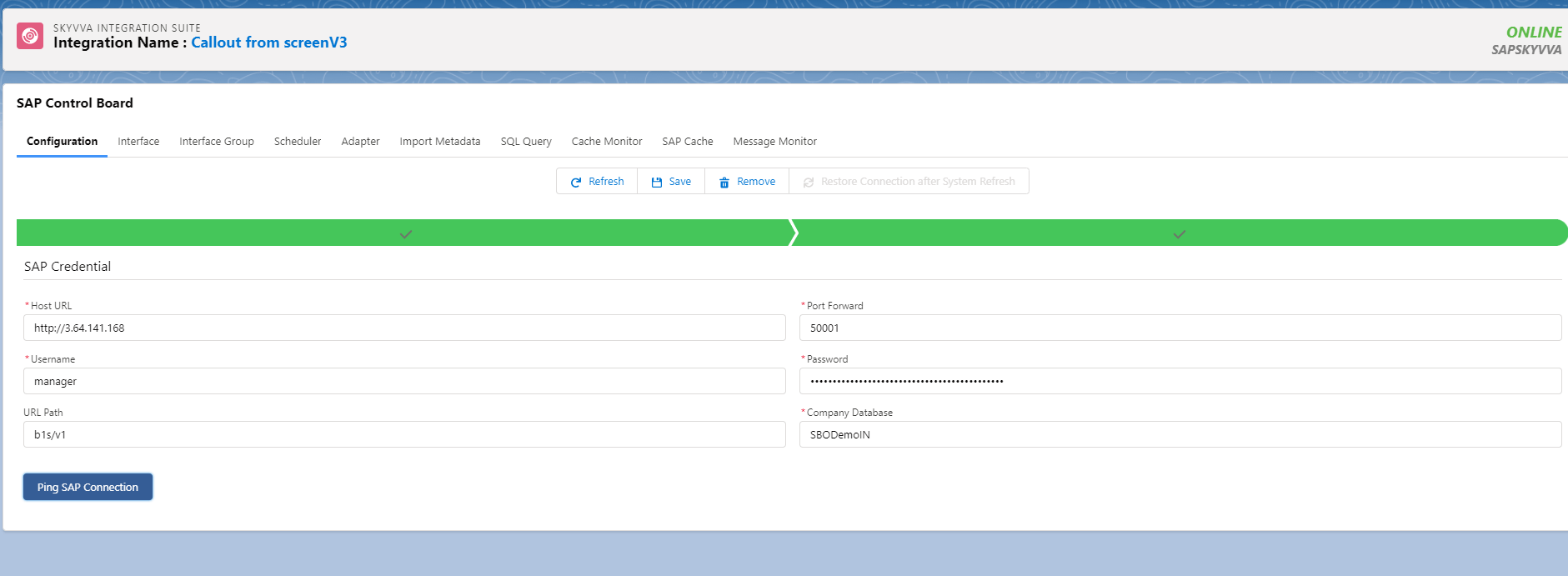
- Fill Host Url, Port Forward, Username, Password, Url Path, Company DataBase, and click Ping Connection, see the example below.
Step2: Generate message type of SAP business partners module.
- Create Metadata and create Repository.
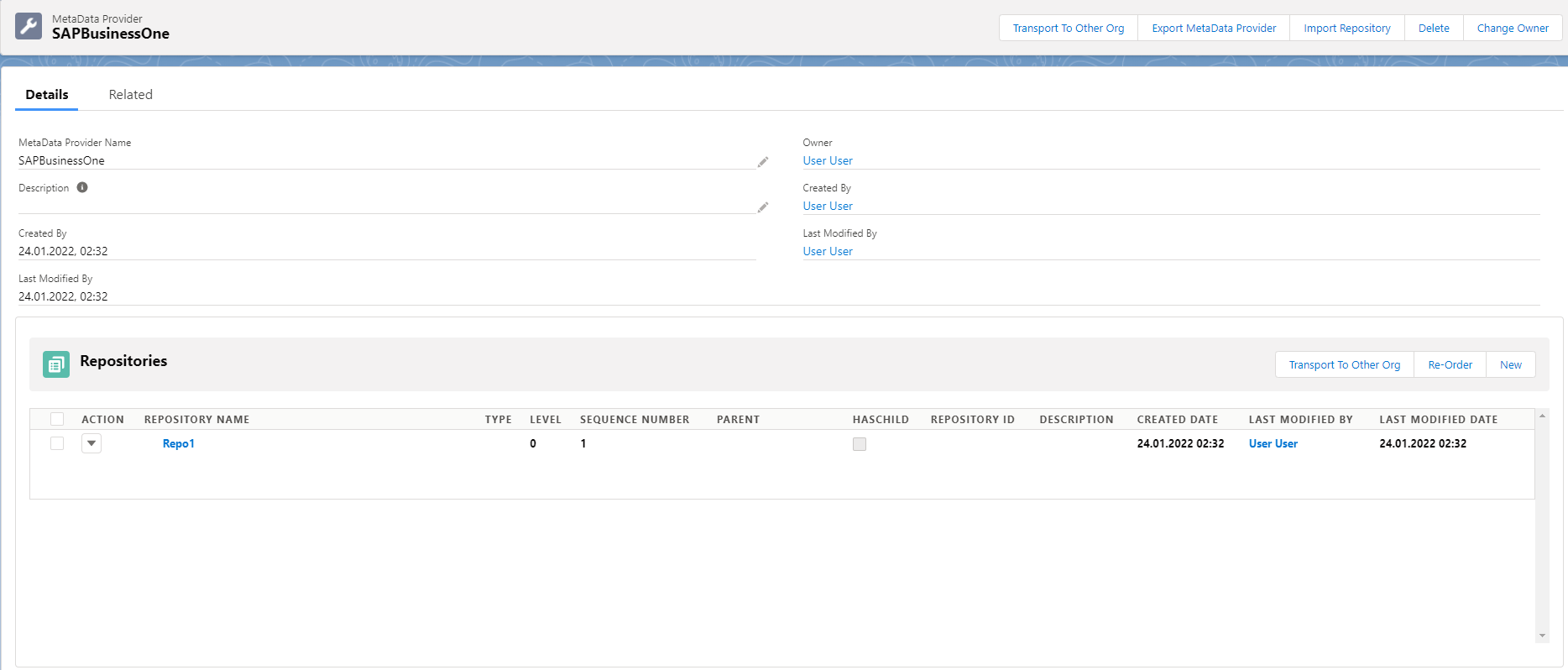
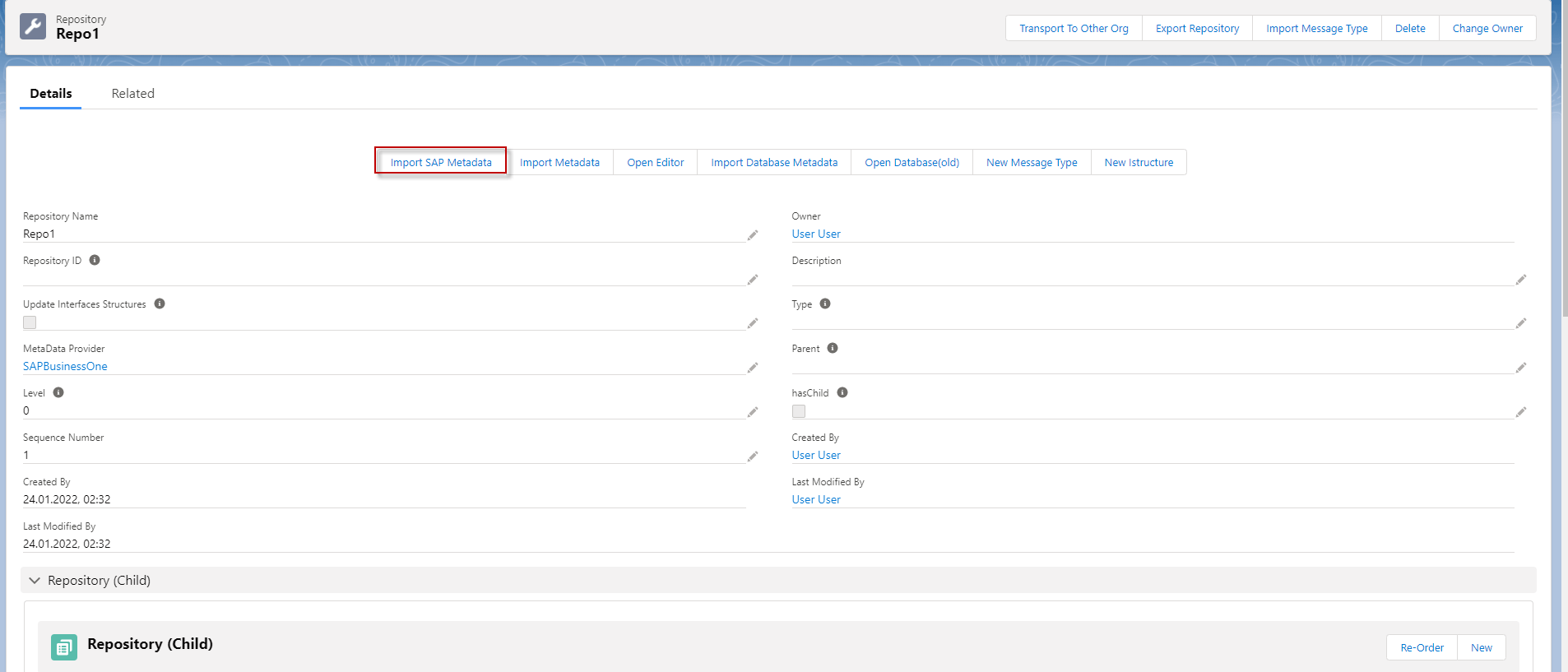
- Go to Repository and click Import SAP Metadata
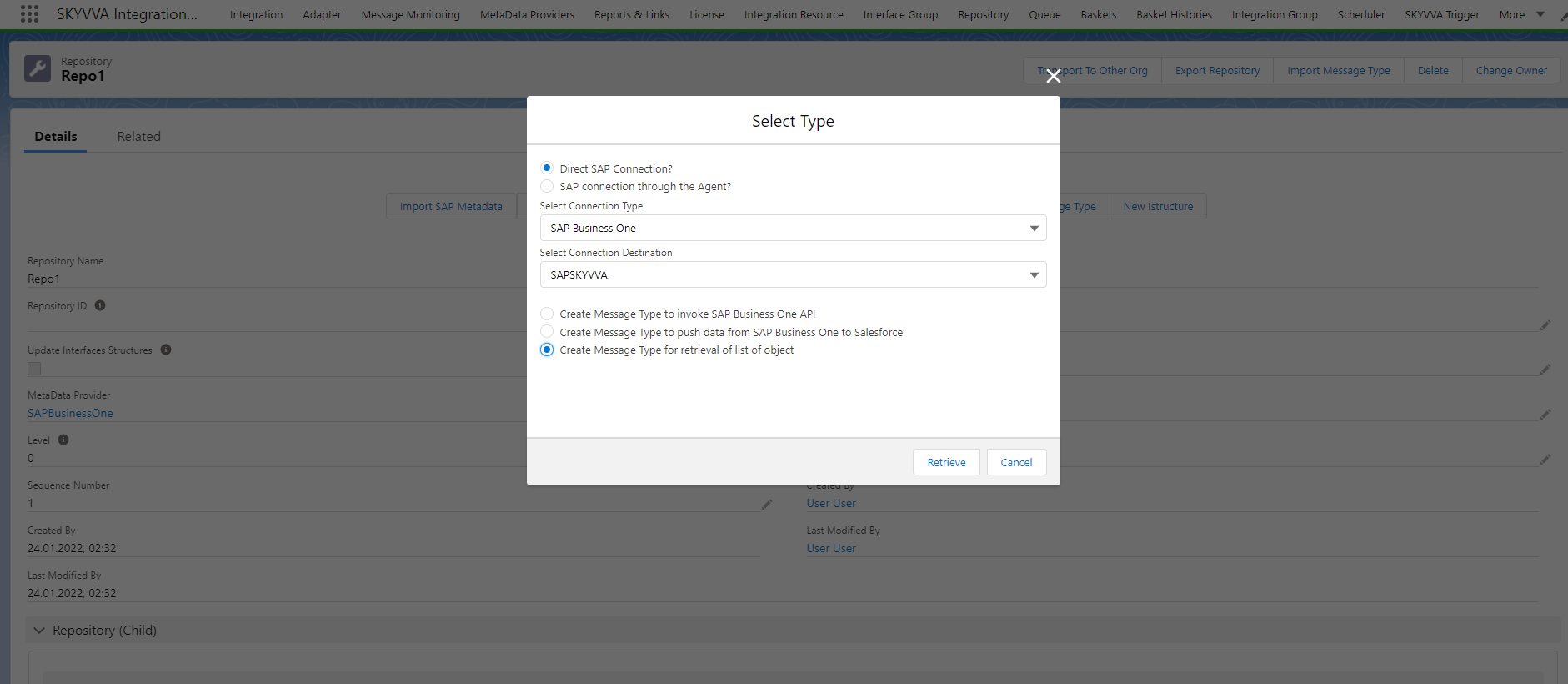
- Select Direct SAP Connection => select Connection Type: SAP Business One => Select Connection Destination: => select Create Message Type for retrieval of List object and click Retriev Button.
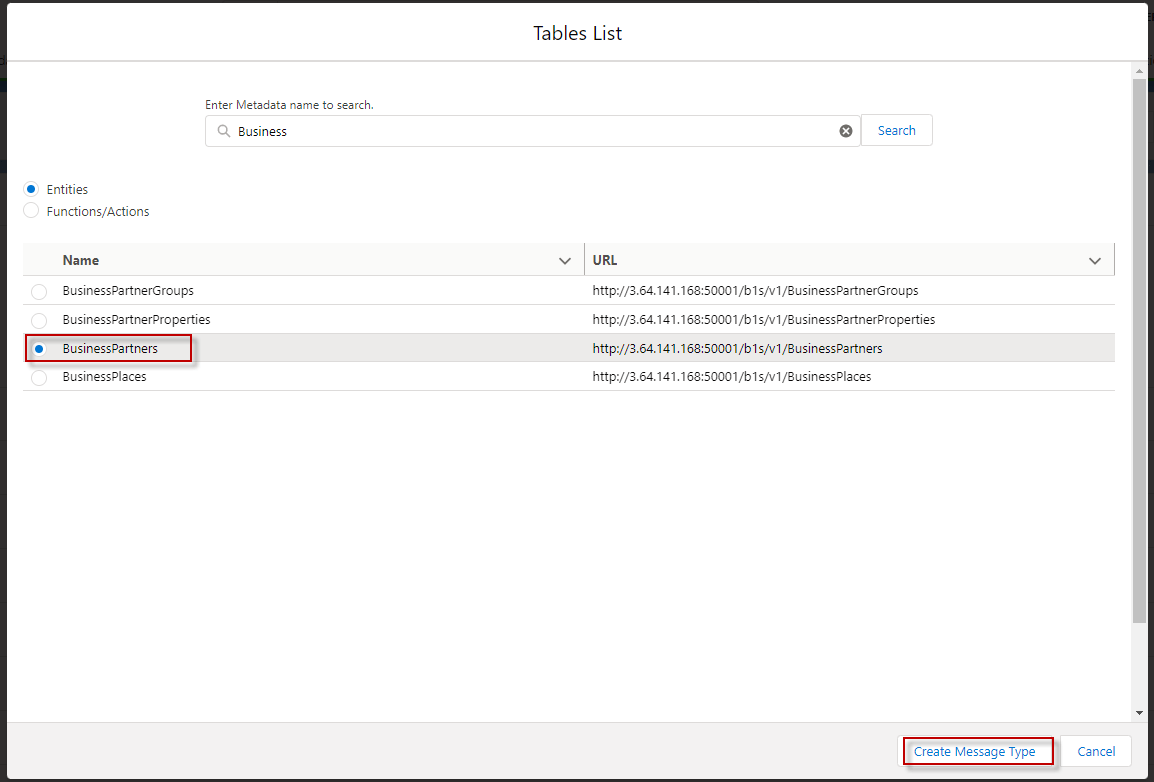
- Select Entities, type Business Partner keyword and click Search and then select Business Partner. Click Create Message Type.
- Here's Business One Message Type.
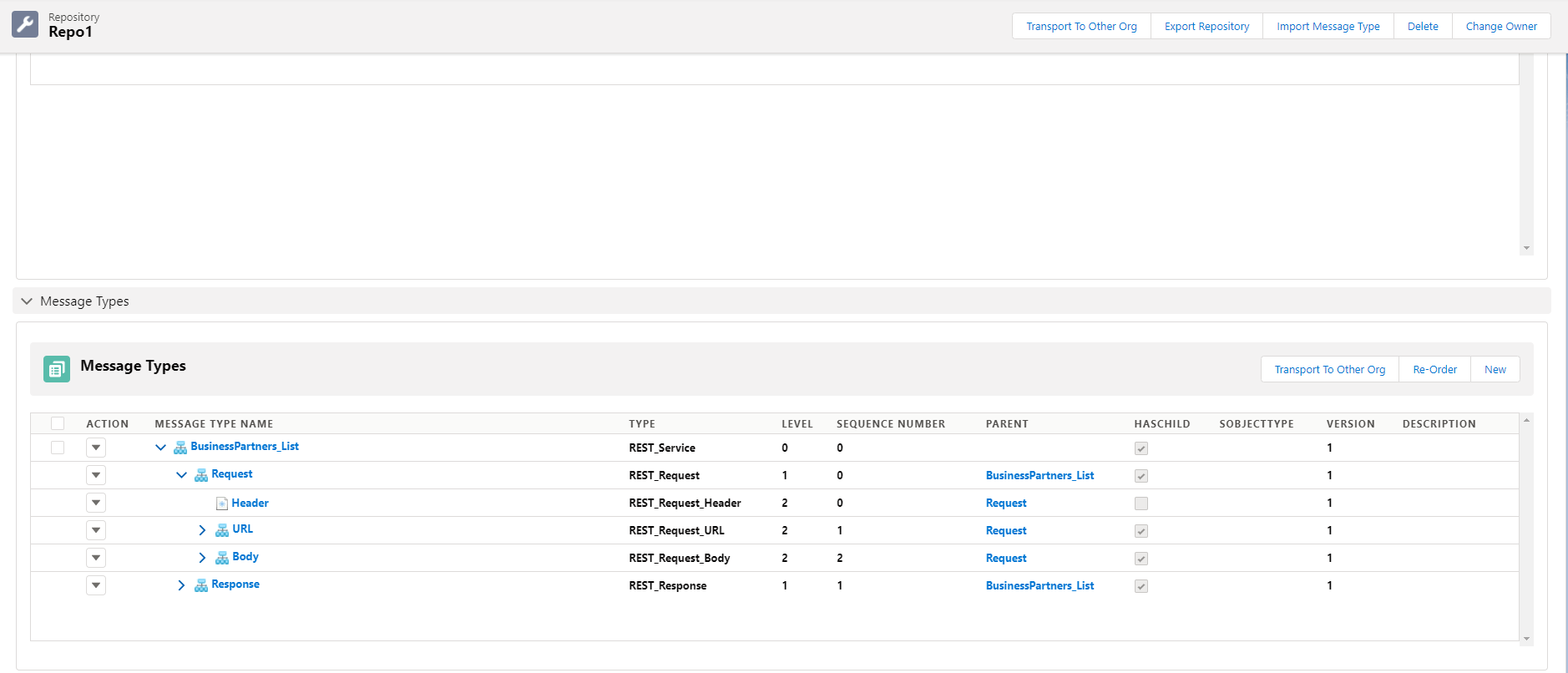
Step3: Create Outbound Interface.
- Create Outbound Interface and linked with Message Type.
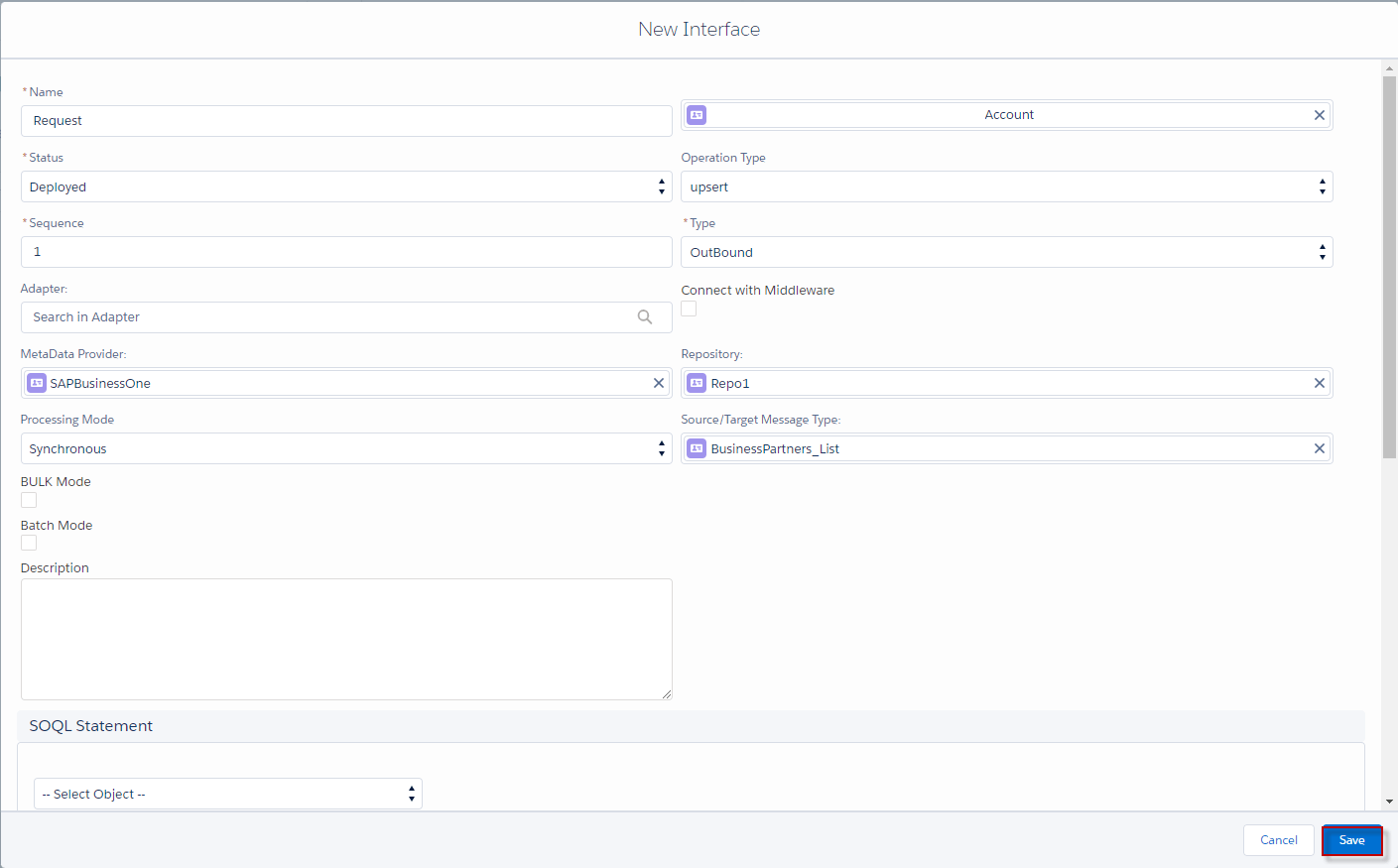
- do mapping.
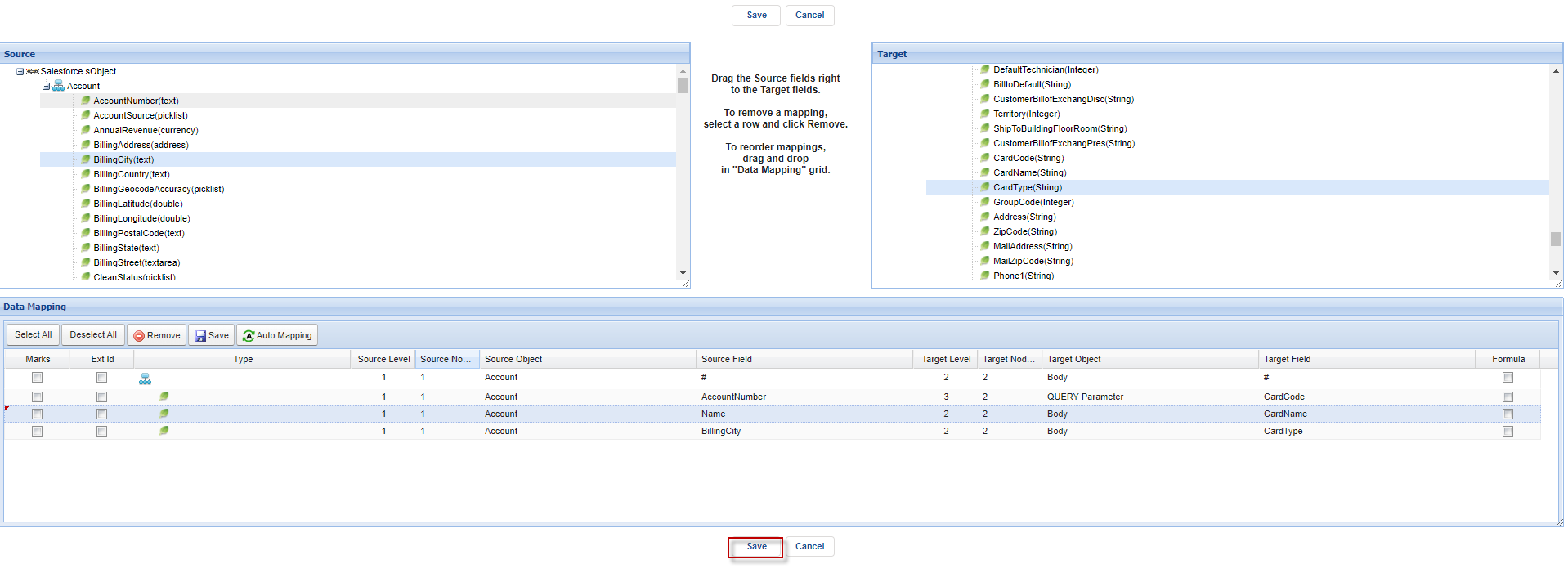
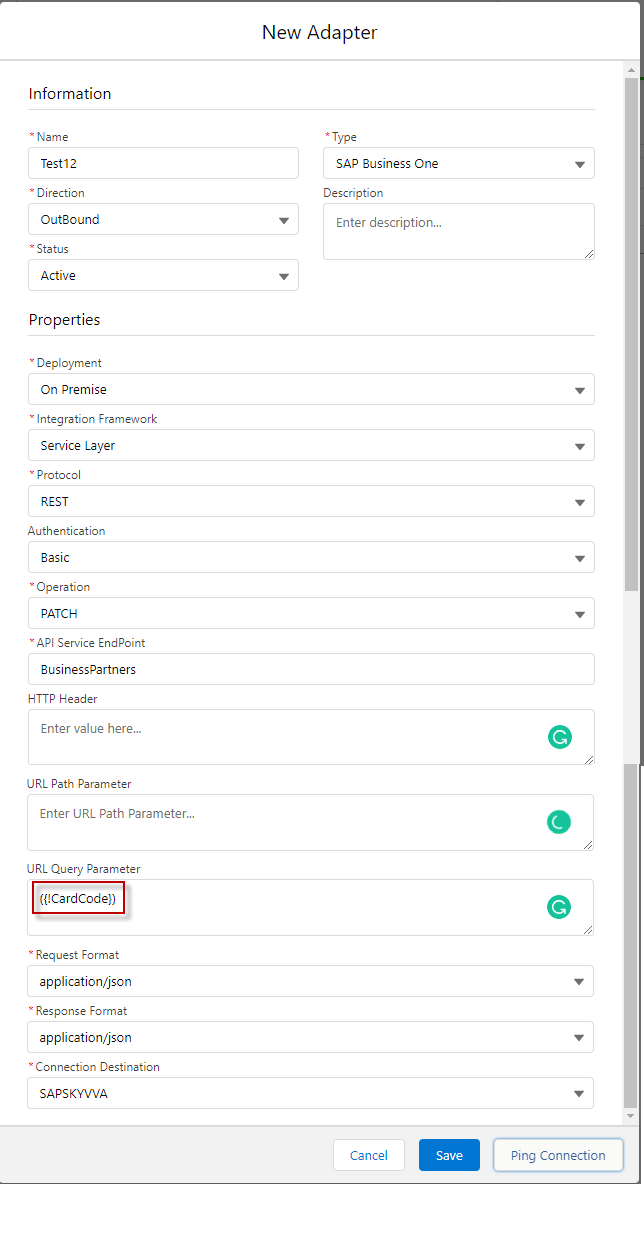
Step4 Create SAP business one Adapter.
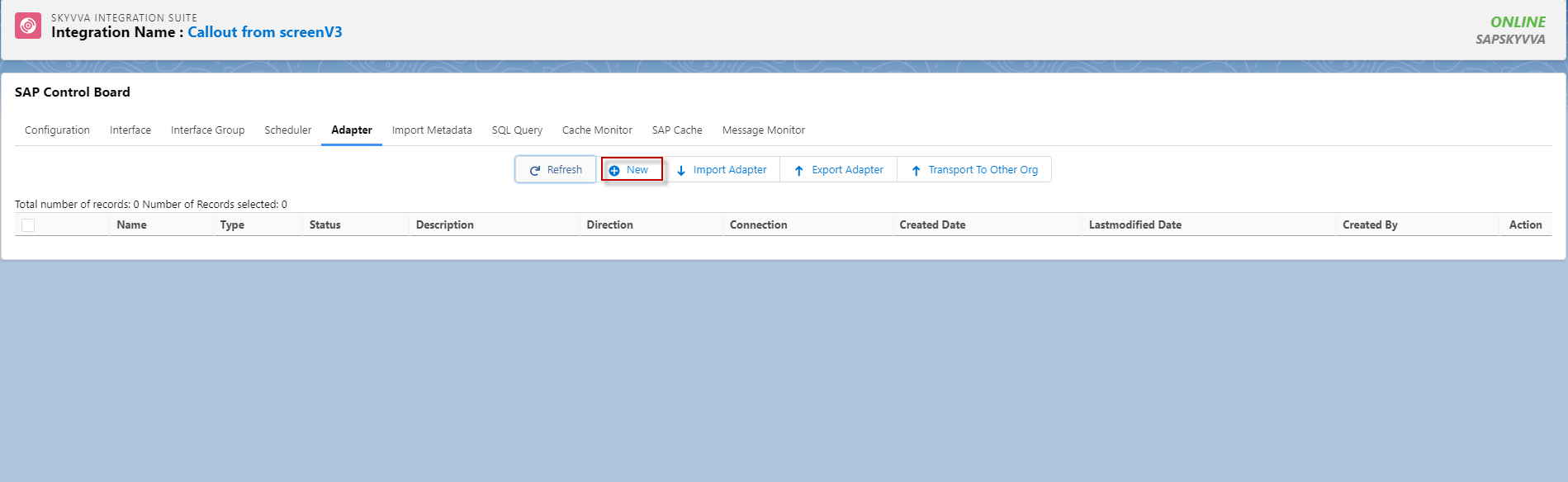
- Go to Sap Control Board => Click Adapter => Click Button New.
- Here's Adapter SAP Business One.
Step5: Linked this Adapter with Interface.
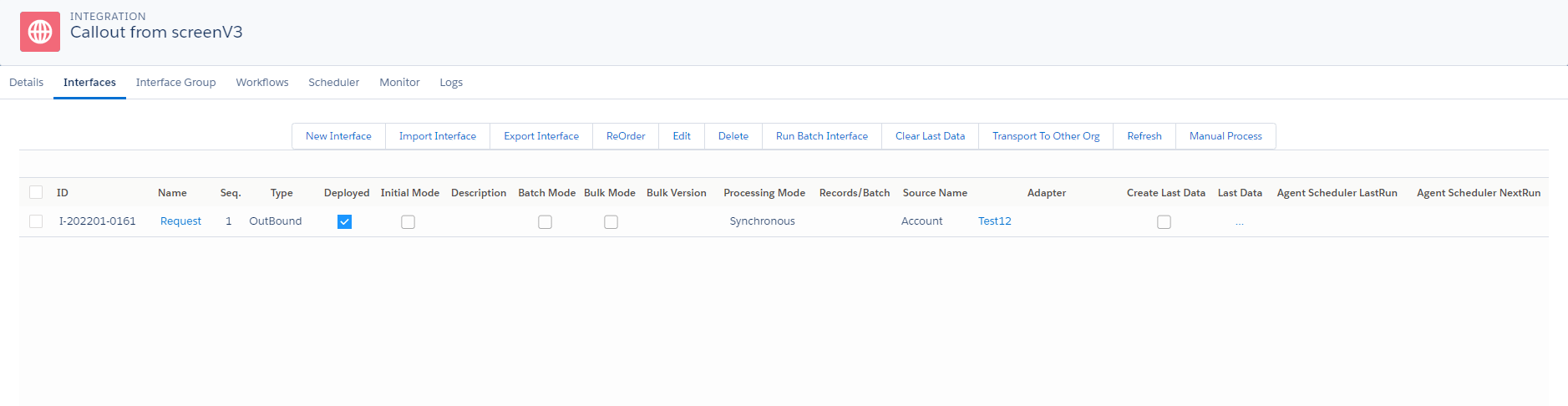
Step 6: Callout v3 with a developer console.
- Here's the format callout.
[aux_code language="javascript" theme="tomorrow" title="" extra_classes=""]skyvvasolutions.CallOutControl c = new skyvvasolutions.CallOutControl(); c.returnJSONComplete=true; c.actionDoIntegrate=true; c.isCreateMessage=true; Map