159. How to use OData Adapter ?
OData Adapter Template
[aux_code language="javascript" theme="tomorrow" title="" extra_classes=""]{ "OData Service":{ "Request":{ "URL":{ "PATH Parameter":{ //flat Structure }, "QUERY Parameter":{ //flat Structure } }, "Header":{ //flat Structure }, "Body":{ //flat Structure //Custom Hierarchical Business Message type } } } } [/aux_code]
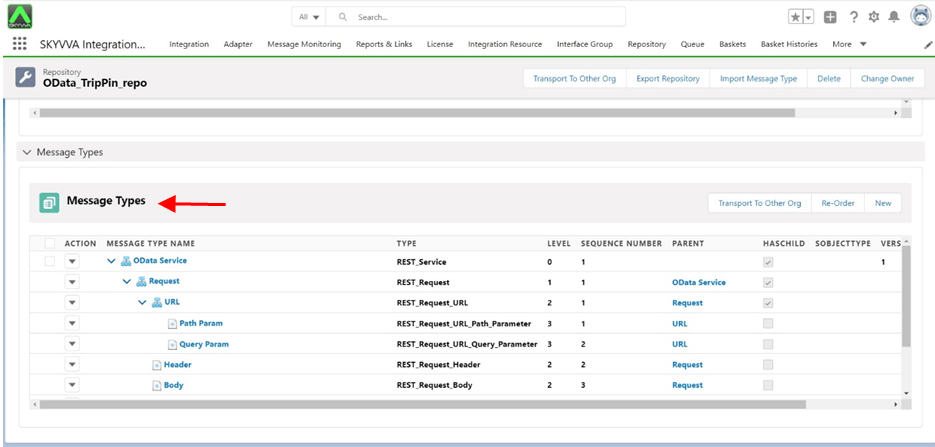
[su_box title="Note" box_color="#2a8af0" title_color="#000000"]Here, the "Google Service" name can be anything. But Node Request, URL, PATH Parameter, QUERY Parameter, Header, Body should be exactly like these.[/su_box] Test Case 1 : Public OData API
- Integration Name: OData Api Testing
- Outbound Interface: OdataApI Outbound Interface
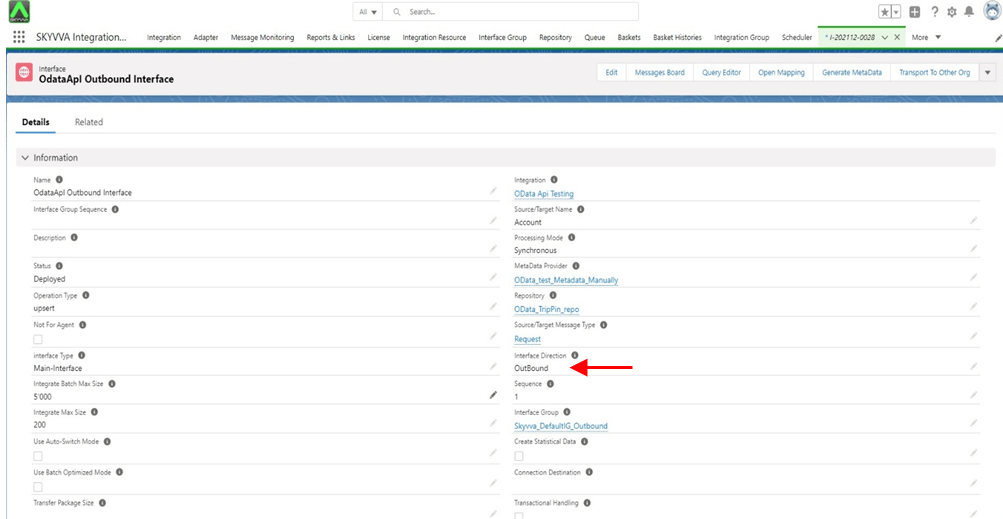
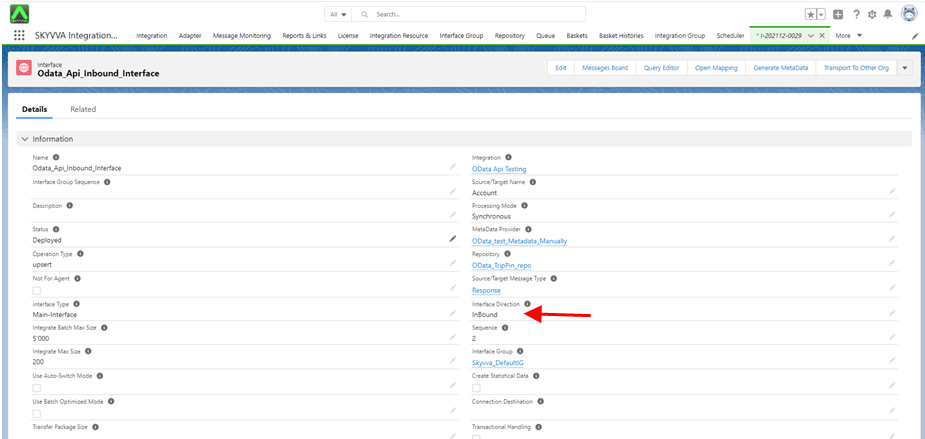
Inbound Interface: Odata_Api_Inbound_Interface
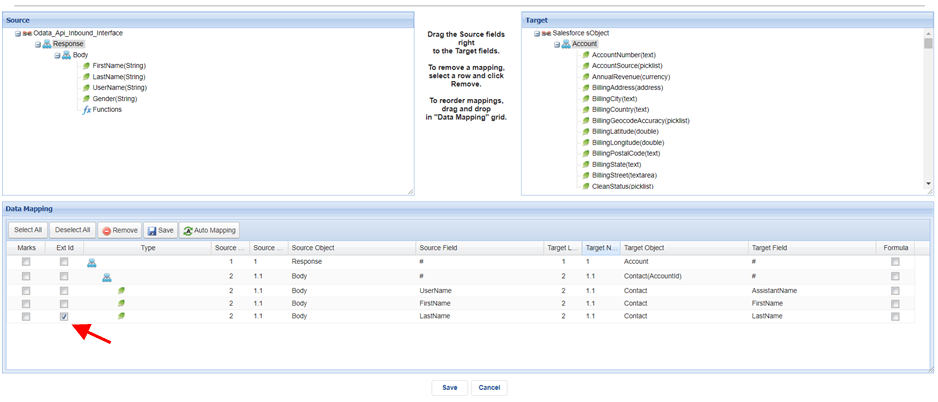
- Select Ext Id
- Save
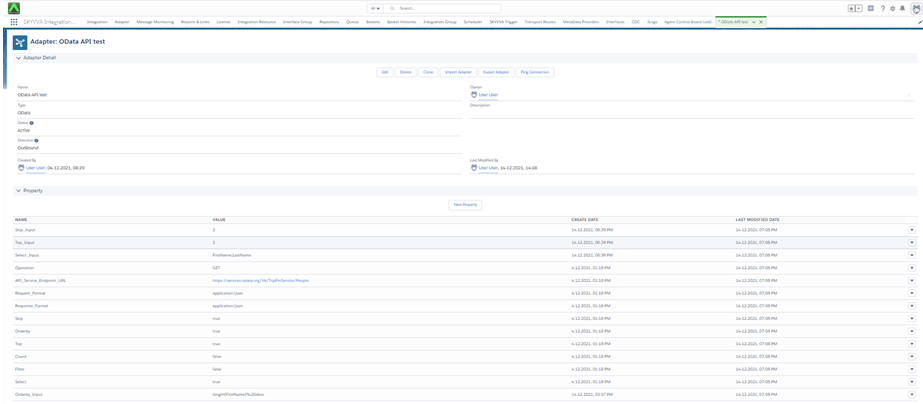
Adapter: OData API test
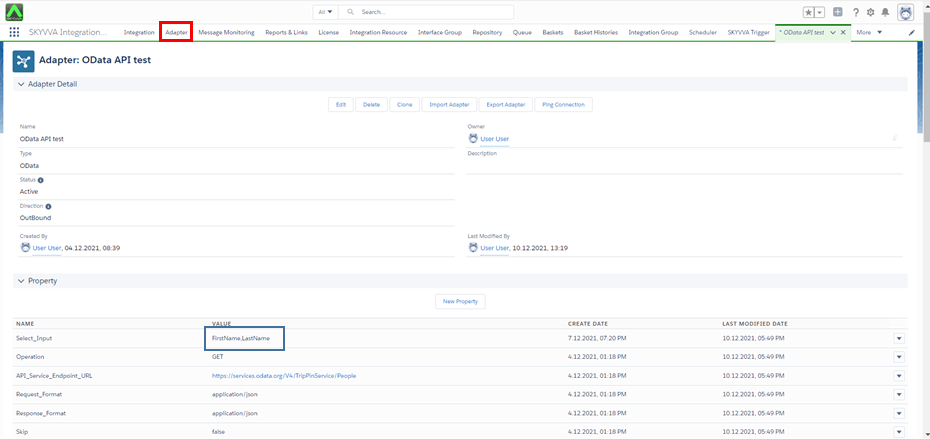
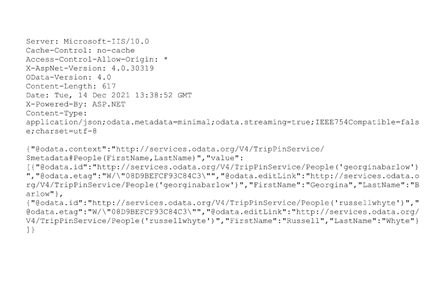
Here, we perform Select query option with get operation using OData Service Endpoint URL.
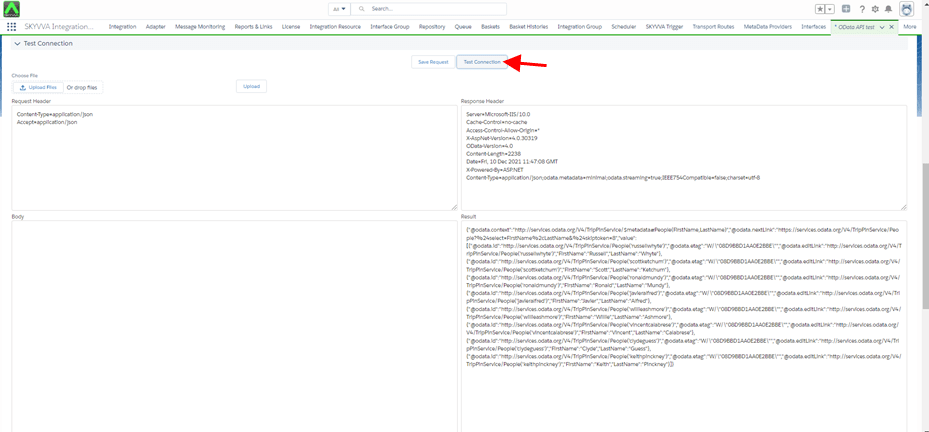
Callout: [aux_code language="javascript" theme="tomorrow" title="" extra_classes=""]skyvvasolutions.CallOutControl c = new skyvvasolutions.CallOutControl(); c.returnJSONComplete=true; c.actionDoIntegrate=true; c.isCreateMessage=true; String[] ids= new String[]{'0011X00000tlbs5QAA'}; skyvvasolutions.Iservices.invokeCalloutV3('OData Api Testing','OdataApI Outbound Interface',ids,'SYNC',c); [/aux_code]
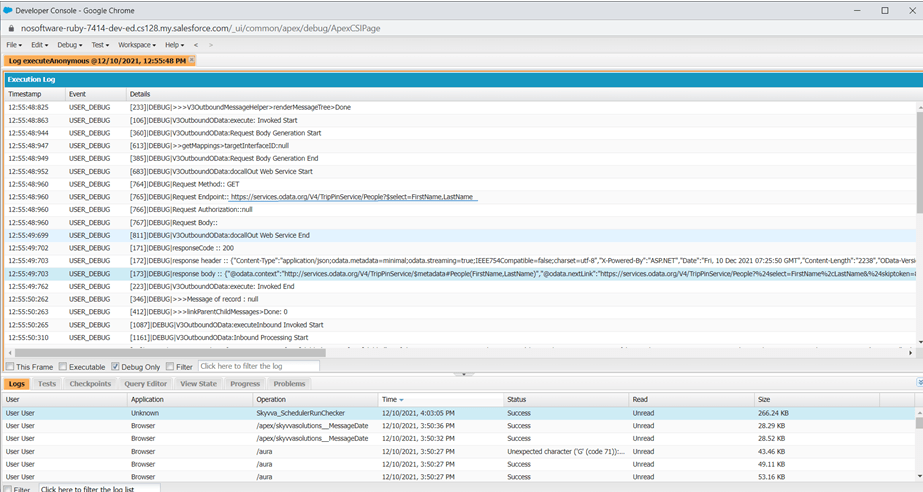
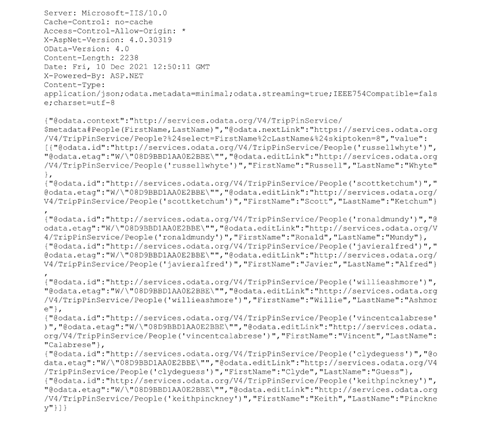
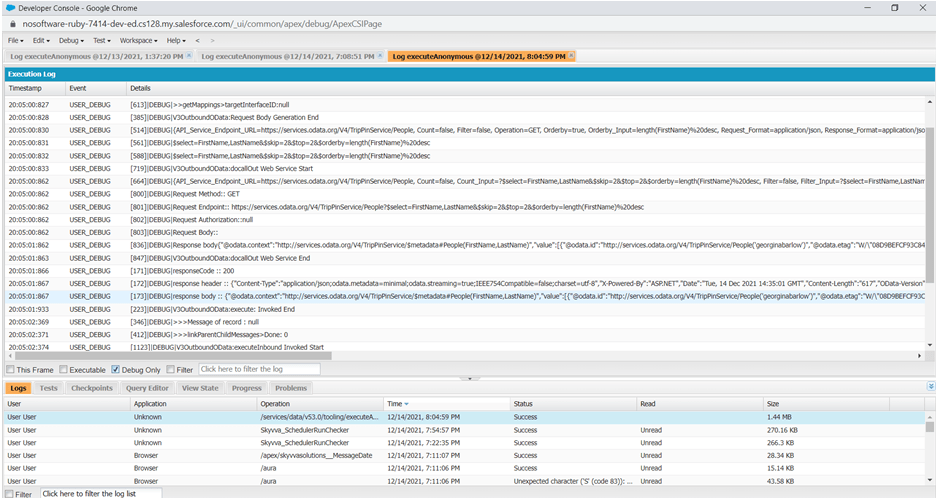
Here, we selected multiple query options in single request like select, skip, top, orderby, etc.
- Open Dev Console
- Check Debug Only
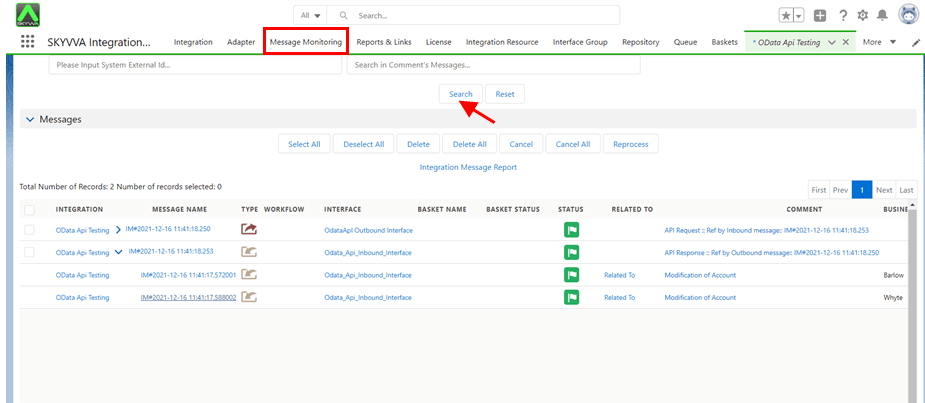
- Go to Message Monitoring
- Click on Search button