13. Set Context Filter
In this chapter, We will see how the "Set context" filter works and what is the use of it.
- We have a new function for mapping which supports hierarchical data mapping. The new function is "Set Context". The use of a set context is that we can change the hierarchy level in the mapping so that we can easily map it to the target interface. It is used in Inbound processing only. In the set context, we have a filter function.
- When you have many instances of the children, you have to filter which one it should use to map. Therefore we build the function "Set context filter" to add a condition to filter and to find only one record. Here you can select which record you want to use.
How to use "Set Context" Filter for hierarchical mapping:-
Pre- Requisite:-
- Create Integration.
- Create Inbound Interface.
- Create a metadata provider.
Step 1:-
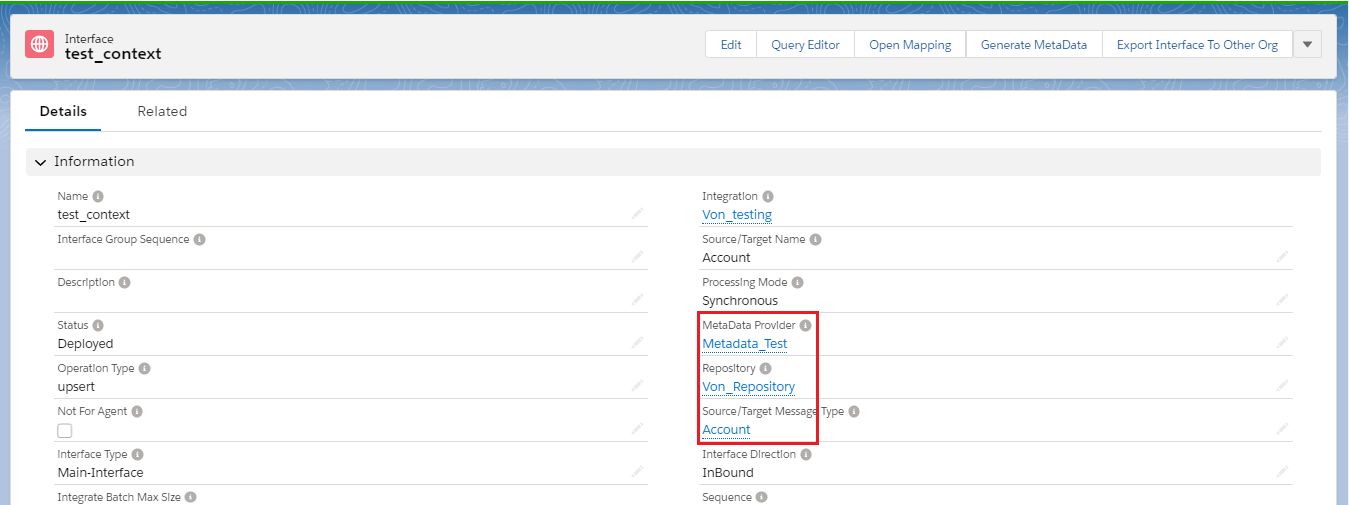
- Add metadata provider, Repository and message type as shown in the given picture below:-
Step 2:-
- Open Mapping.
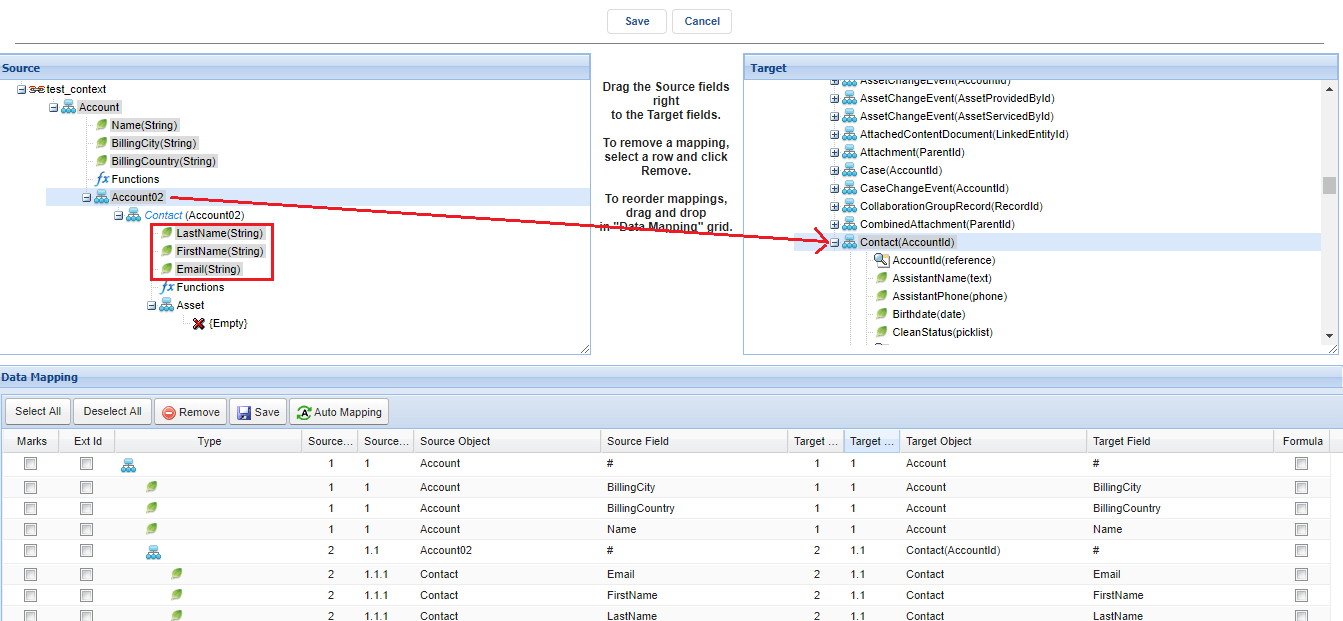
- Here first we need to understand why we need to set context level. Like we can see that contact is the third level on the source side. So we need to map it to the same level but Contact(AccountId) is on the second level on the target side. At this time if we map the third level to second level we will see an error as shown in the picture given below.
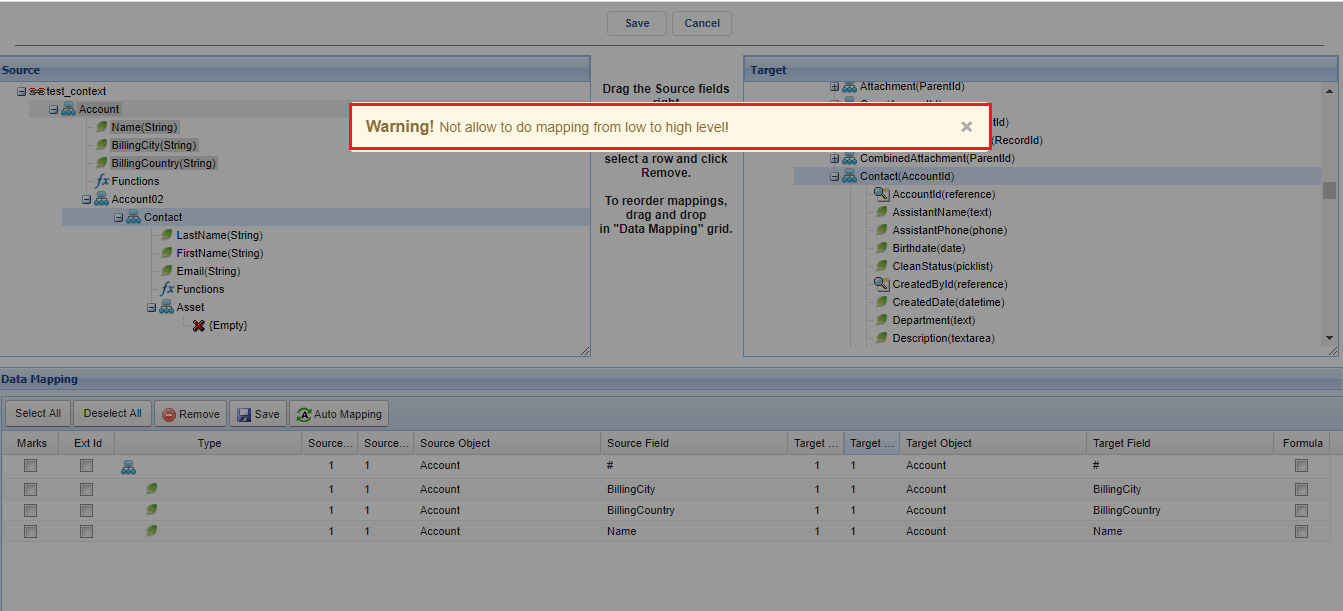
- Now we can deal with this issue with the help of "context level".
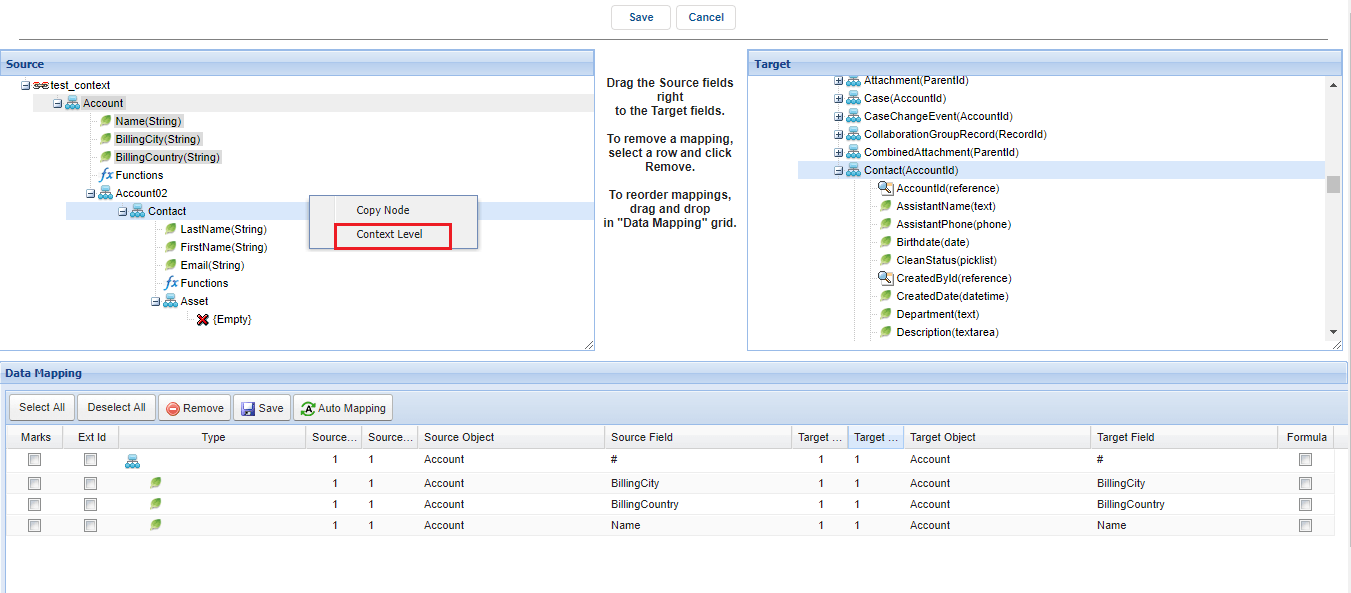
- We will set context level on contact as shown in the picture given below.
- Right-click on contact.

- Click on the context level.
- Select Account02 and here we have filer in which we can add a condition to find one record we want to use to map. Click on ok as shown in the picture given below:-
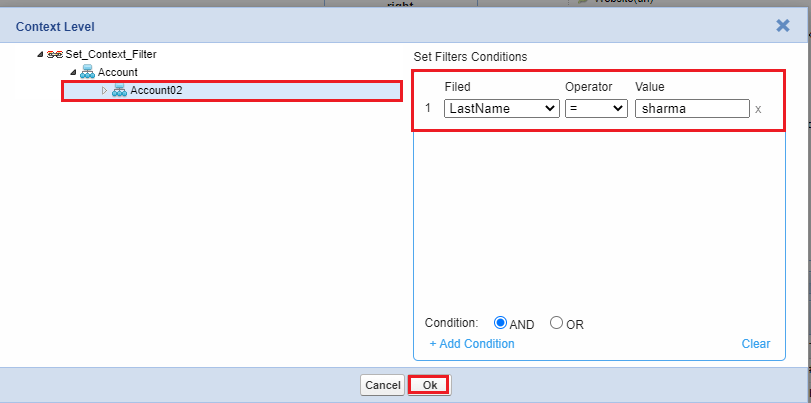
[su_box title="Note" box_color="#2a8af0" title_color="#000000"] If one condition is not enough to find one record then you need to add a second condition to become more precise in the filter.So you can define 3 different conditions to be able to fetch the desired records.[/su_box]
- Now map Account02 from the source side to contact(AccountId) from the target side. As we set the context level so now Contact changed to the second level and belongs to Account02 and the fields of Contact is also belonged to the second level Account02. Shown in the picture given below.
- Save the mapping.
Step 3:-
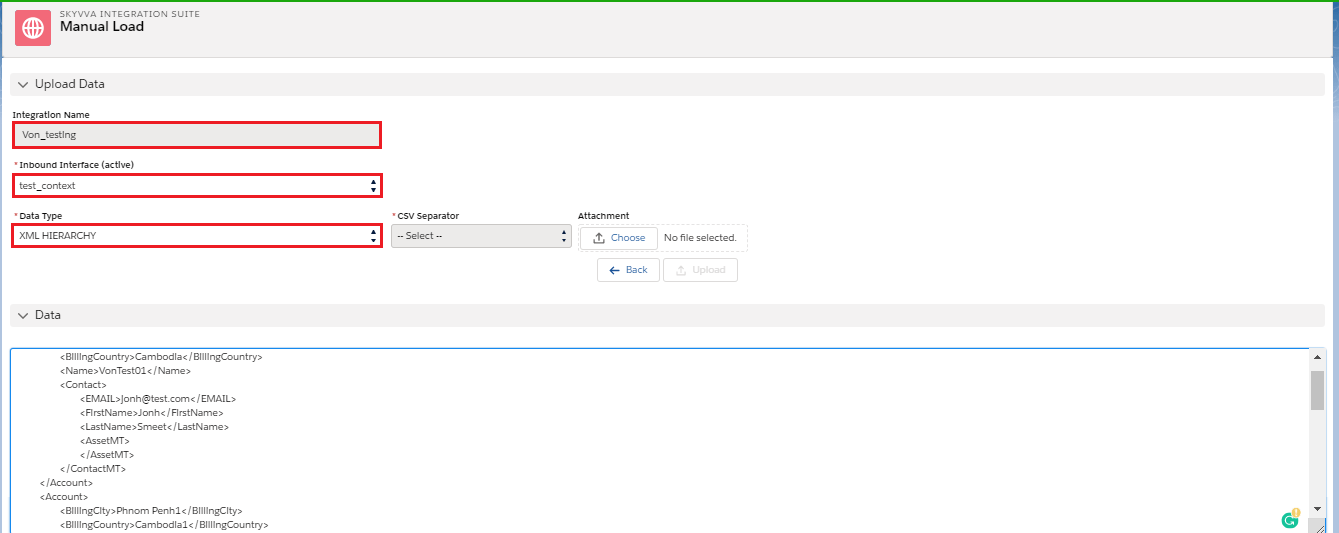
- Go to manual load.
- Manually load data and select XML HIERARCHY as a data type.
- Check the result on message monitoring:-
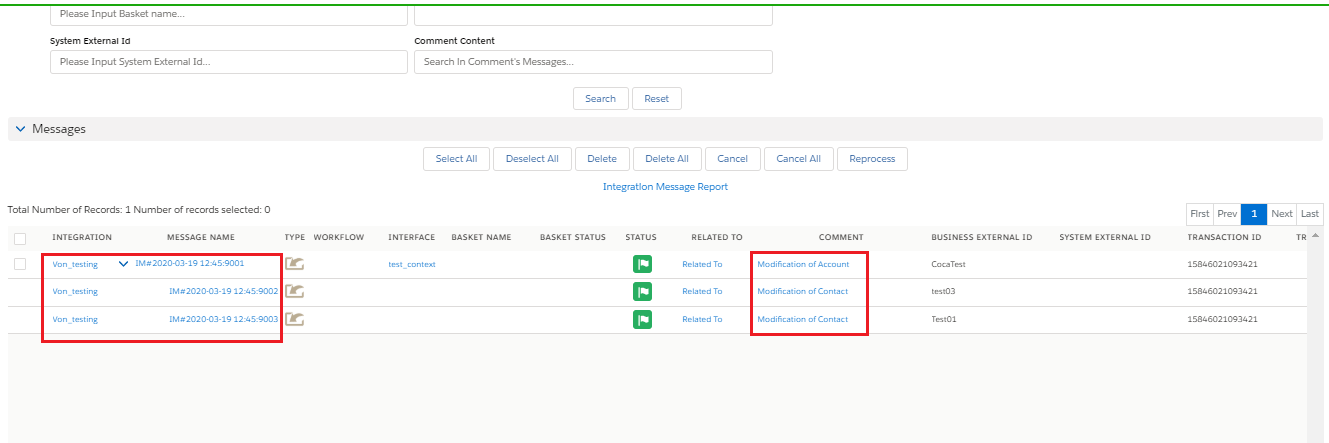
[su_box title="Note" box_color="#2a8af0" title_color="#000000"]Contact(AccountId), No Foreign key could generated. Please select external Id fields to use with foreign key. If there are no external Id fields then make sure you use vlookup to link the object.[/su_box]
Enhancement of SET FILTER on mapping in v2.47
We have the function to set context on the node level, to fetch data specify by condition value. But the user can pick up the value from one node occurrence only followed by condition input. On the new enhancement of set filter function, we have modified from the node level to the field level. In this way, the user has the possibility to get value from multiple node occurrence to map on target side. Pre-required
- Generate MessageType from payload
- Create inbound Interface
- Mapping and set filter
- Post data from V4 Integrate
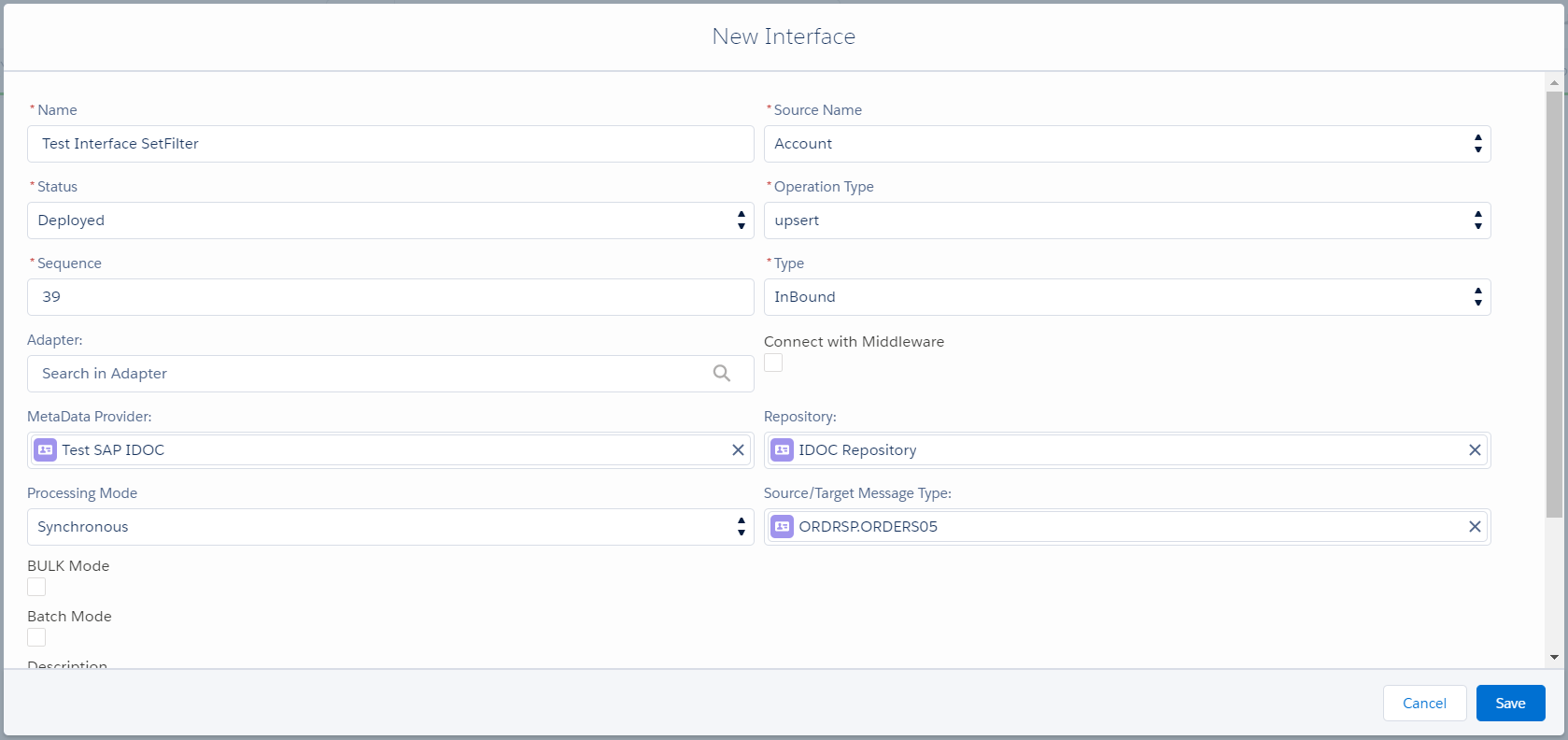
Steps to see the use of set context Step-1 create Integration -> Create Inbound Interface.
Step-2 Do Mapping
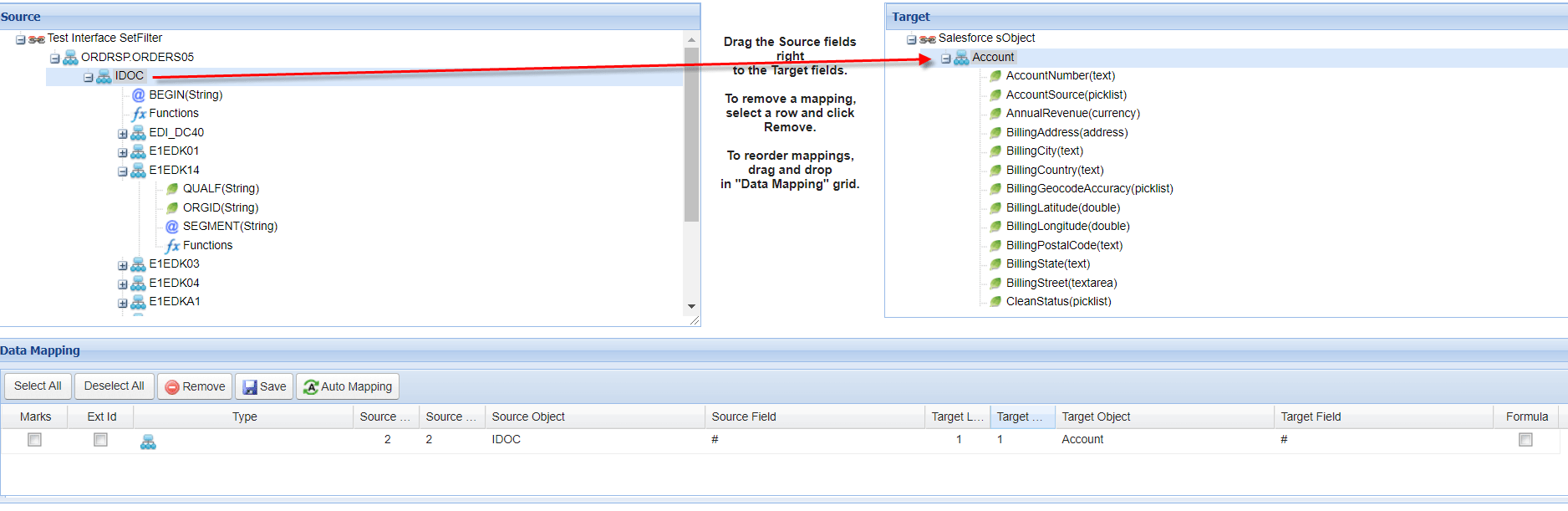
In this case, I have choose IDOC as the master node to map on target side. Then I need the field from node E1EDK14 to map the target with the same level as master node. But this node is stayed on lower level than IDOC. So in this case we need to set context to move node level from lower to higher.
- Right click on E1EDK14 => Set Context Level

- Select IDOC to move level from lower equal to IDOC level then click Ok
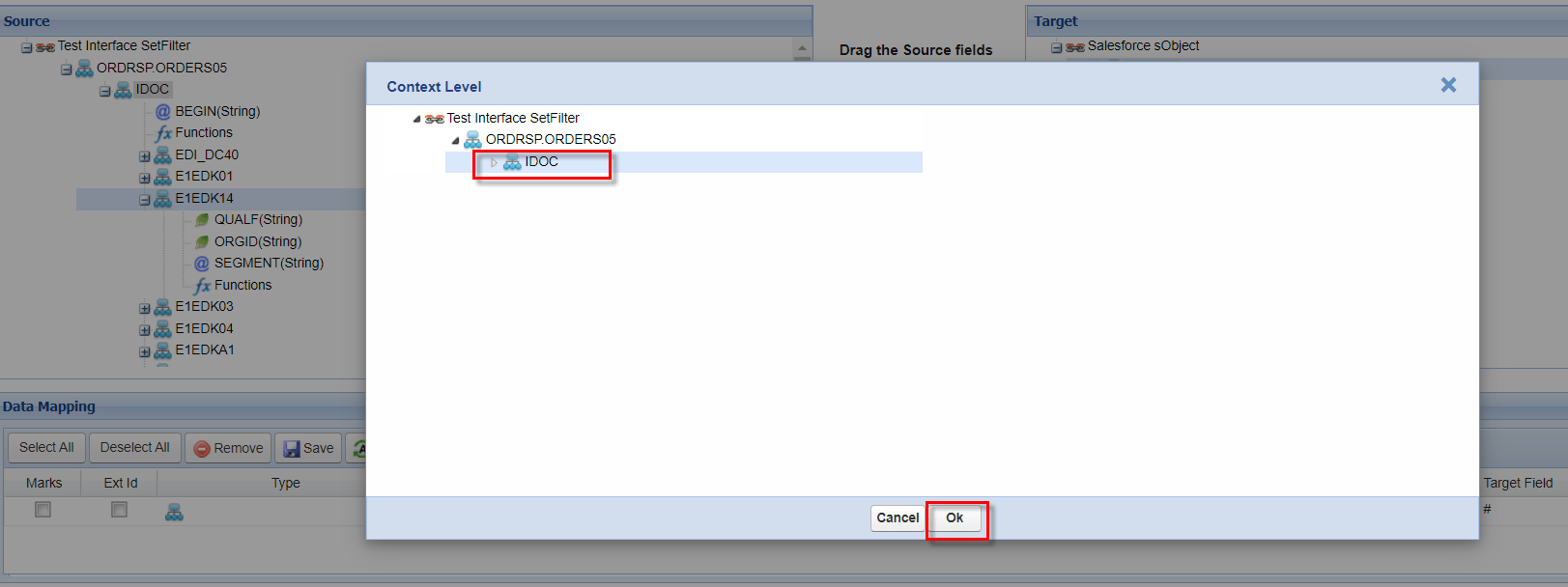
- Choose field from source to map on target
In this example below I want to map field ORGID to different field on target
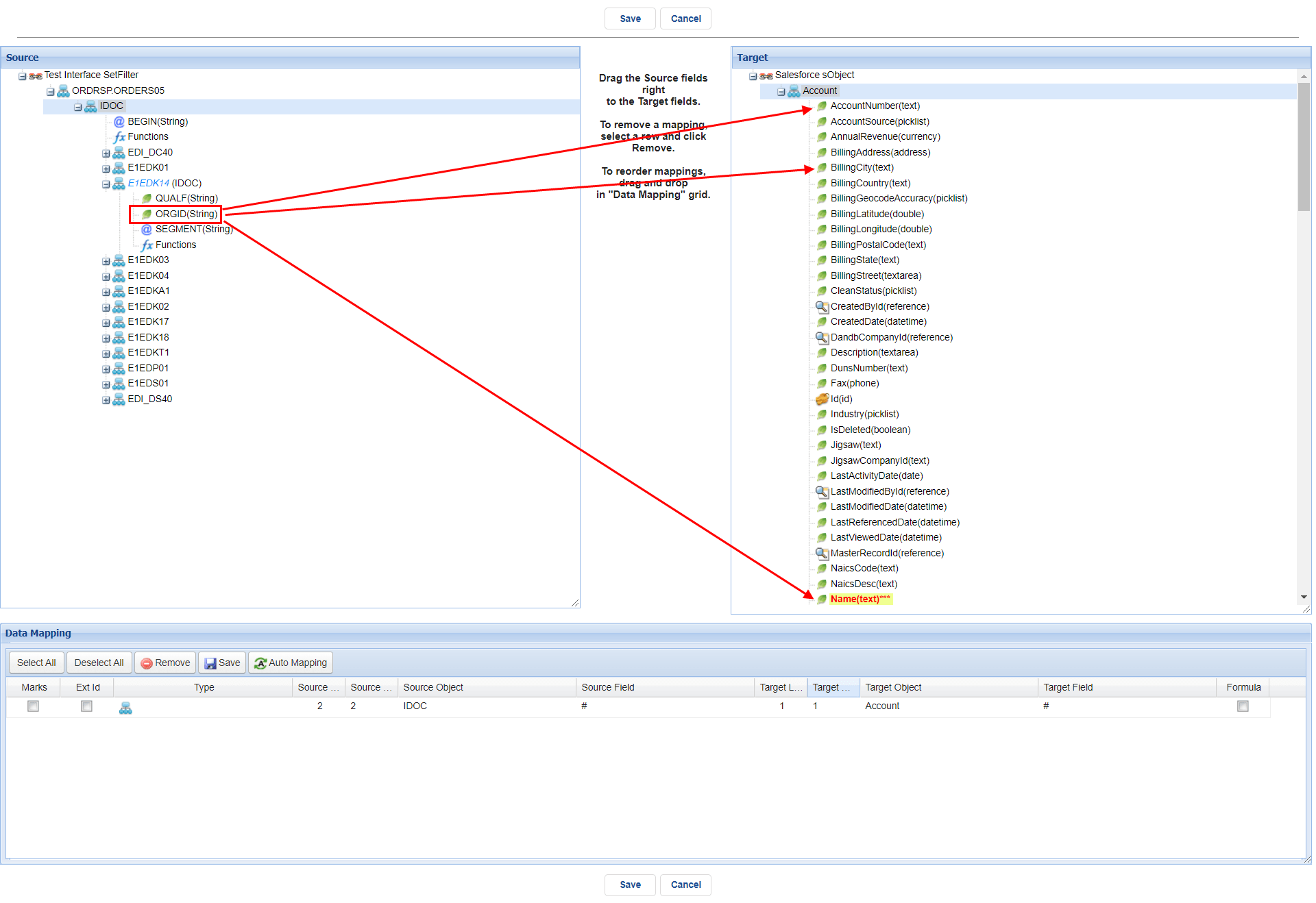
- Drag from source to target => Ok for set the condition
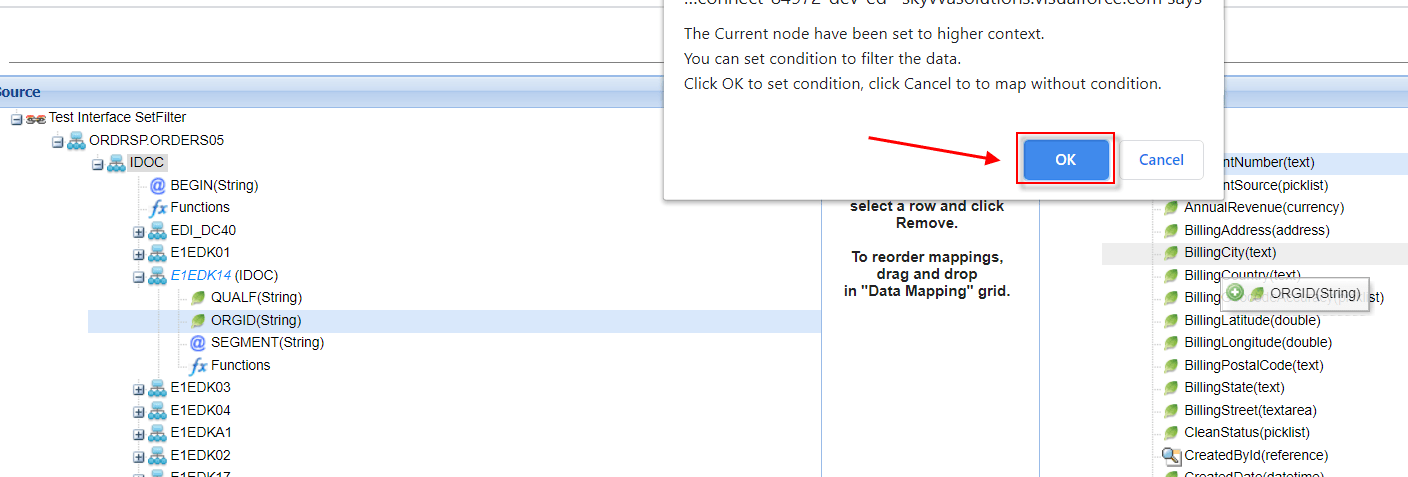
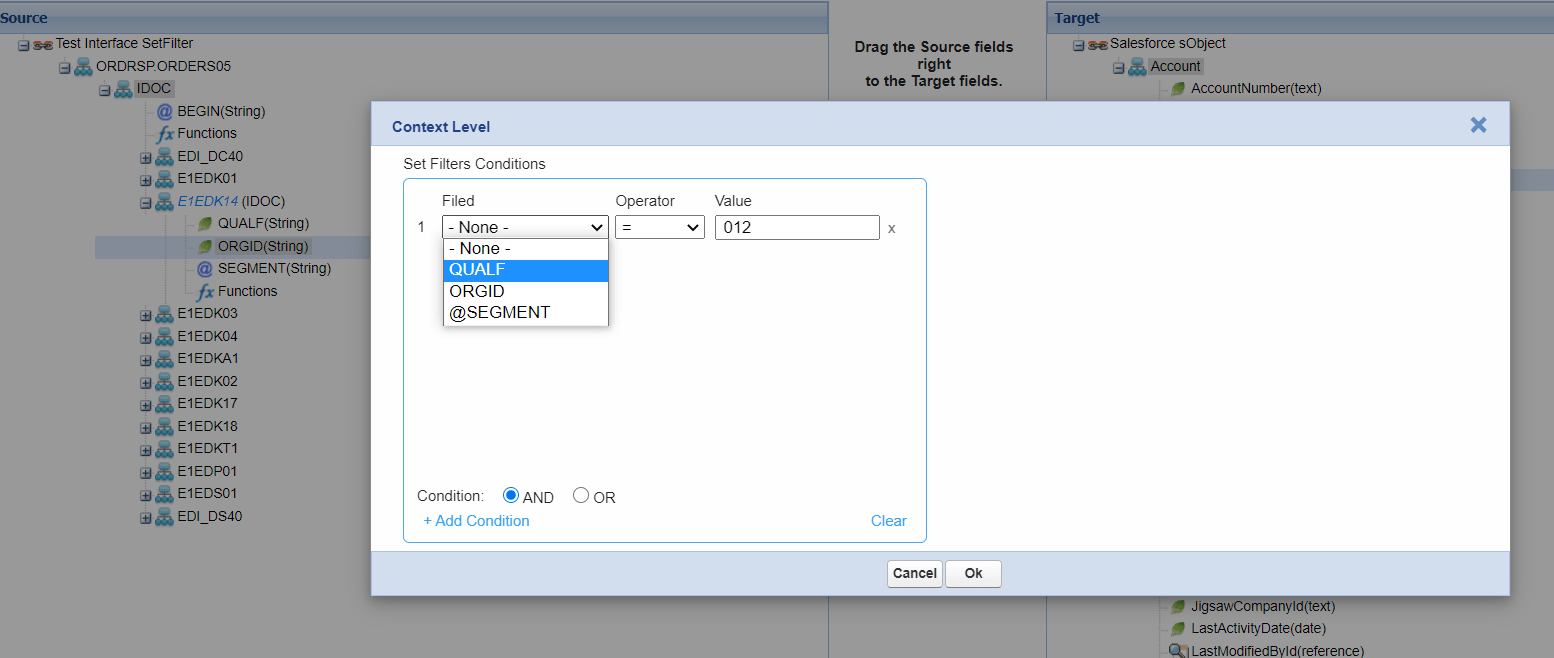
- Put the condition.
- ORGID to BillingCity if QUALF = 012
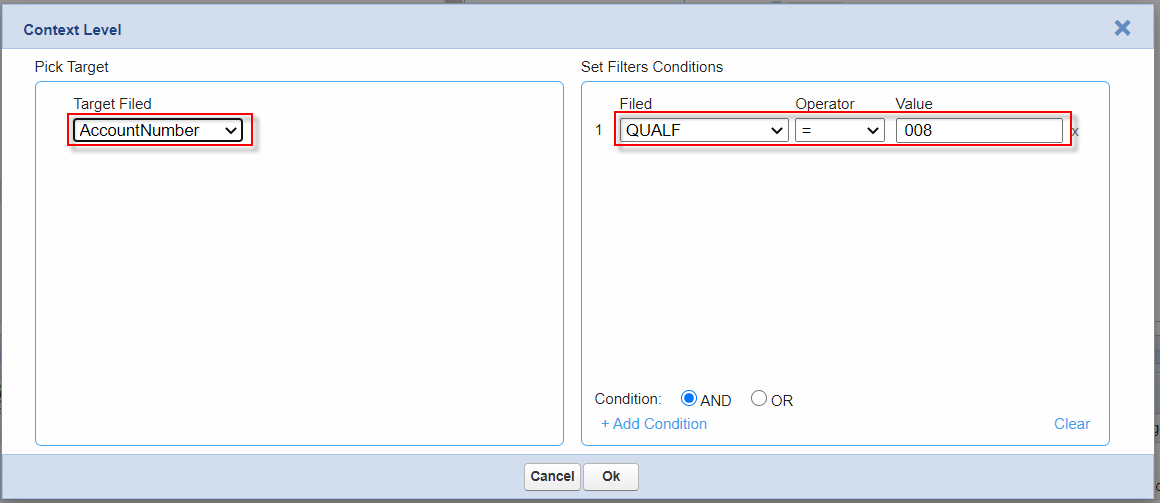
- ORGID to AccountNumber if QUALF = 008
- ORGID to Name if QUALF = 016
Note: The Condition value must be unique, otherwise the run-time will give the unexpected result
After save the mapping we can validate what the value that we have set on the condition. By right click the field that we have set context => Set/Remove Filter
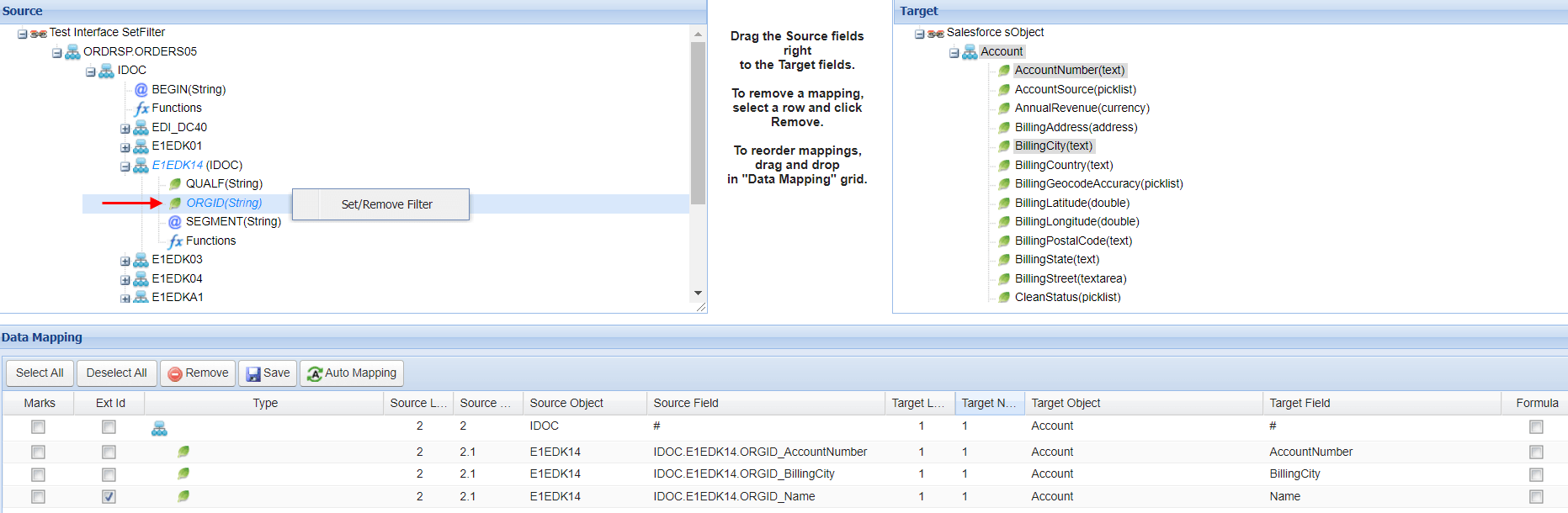
Note: The node or field that we have set Context or Filter will be remark with blue italic letter
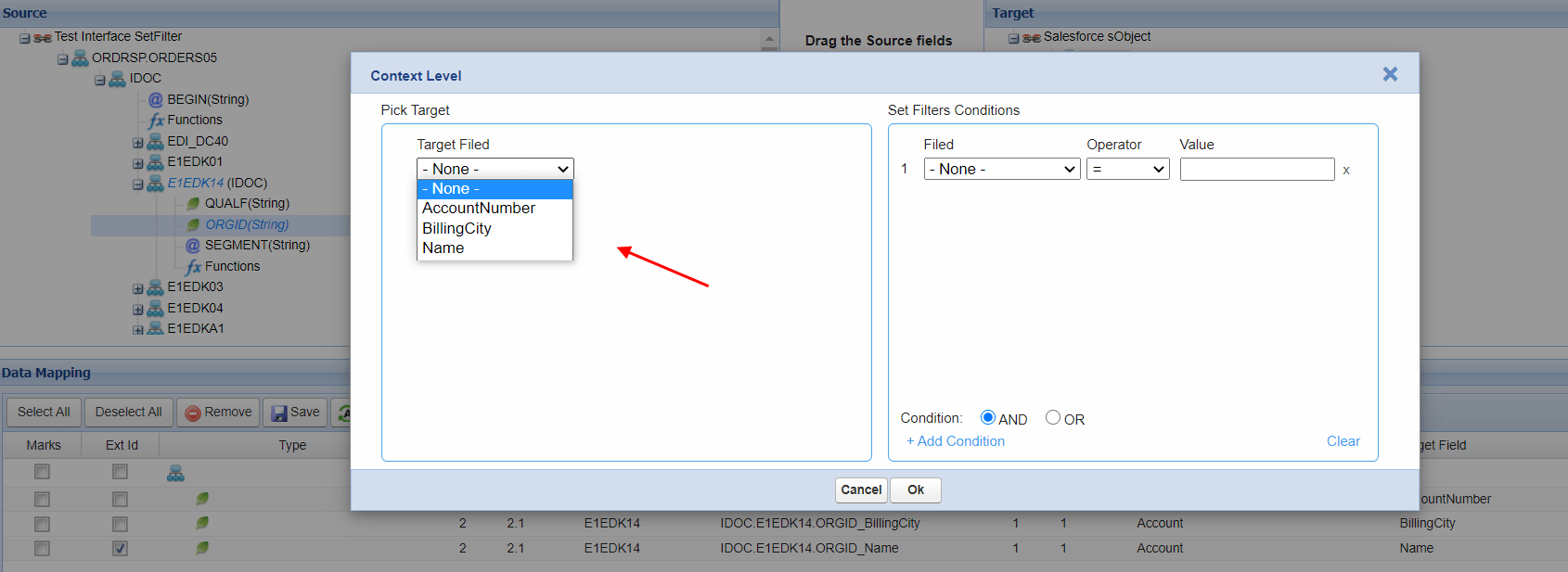
- With this condition AccountNumber will get value = 1000
- With this condition BillingCity will get value = TA
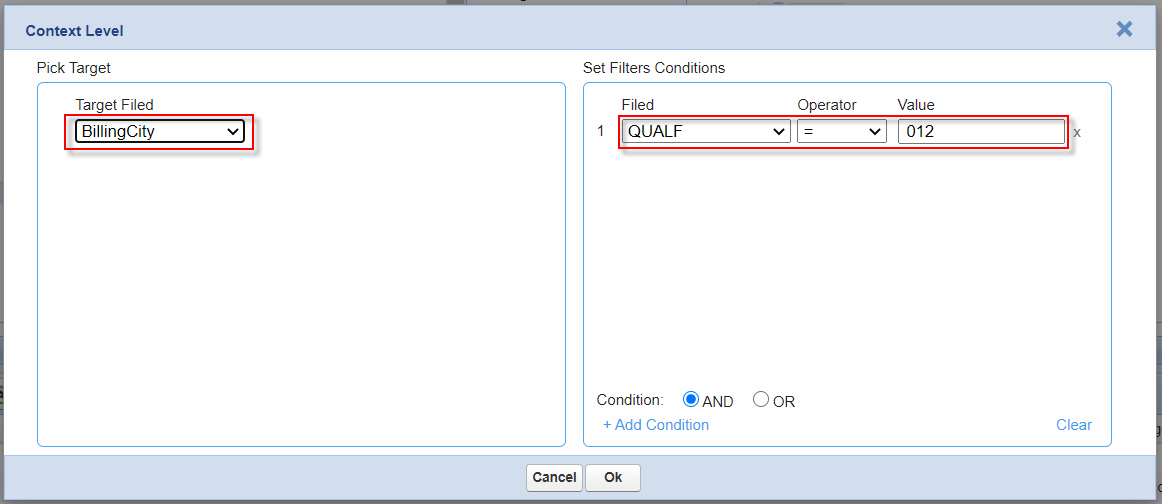
- With this condition Name will get value = 2000

Within the condition defined on QUALF and ORGID has been map to different target field so we can briefly work below:
- If QUALF = 008 then AccountNumber will get value “1000”
- If QUALF = 012 then BillingCity will get value “TA”
- If QUALF = 016 then Name will get value “2000”

Post data from Postman
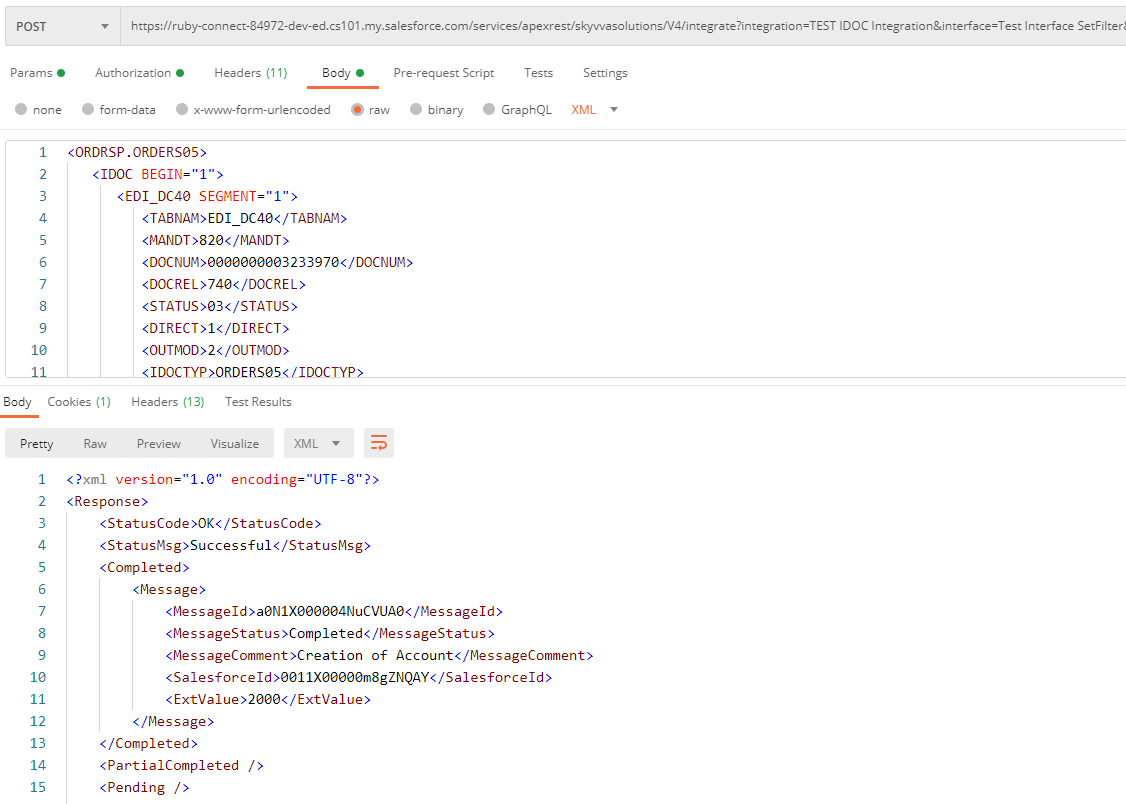
The data has been insert correctly
