9. The new v3 message monitoring with hierarchical view
Message Monitoring is used to check the integration result after processing the Inbound or Outbound interface. The integration result includes Pending, Failed, Completed, Cancelled status and the reason why it failed. Additionally, we can know the real sObject is integrated successfully with completed status. In this section of message monitoring, we will see new V3 message monitoring with a hierarchical view. It includes a few main points. Which will help us to learn its functionality or working and we can make use of it.
Viewing in message detail with the right panel where we can navigate through the different nodes. Each node represents a message.
Firstly we need to check the configuration for it. Hence the process is given below.
- Create integration.
- Create Interface.
- Add Metadata Provider, Repository and message type on Interface detail page.
- Hierarchical mapping is shown below.
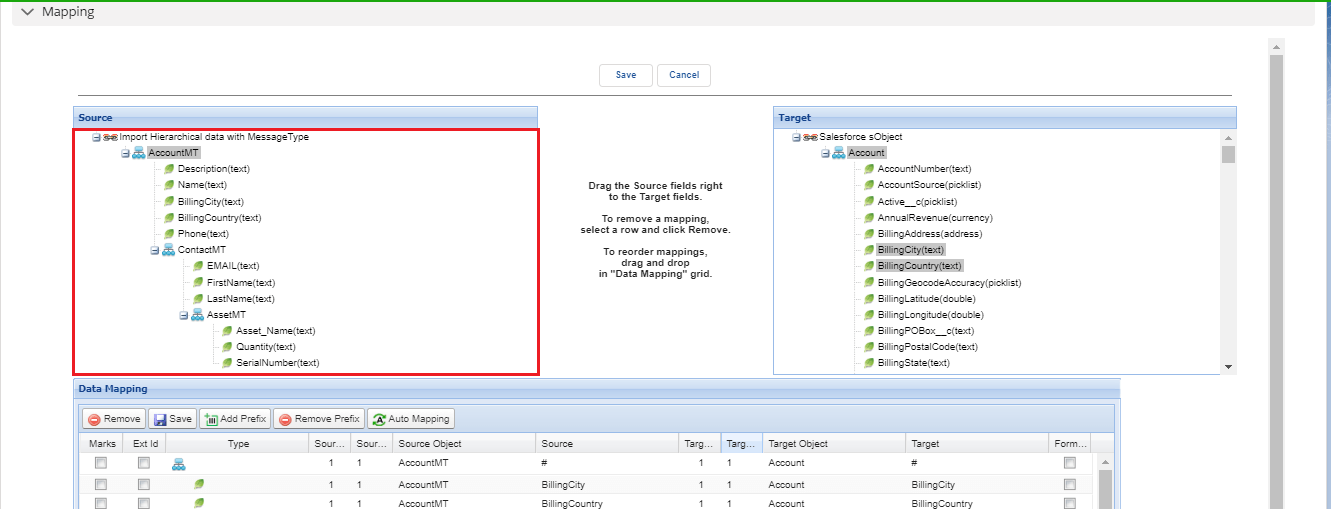
- The highlighted section of mapping shows 3 levels. Which includes Account, Contact, and Asset. Now we need to manually load the Hierarchical XML file. And after that, we can check message monitoring. As shown in the picture given below.
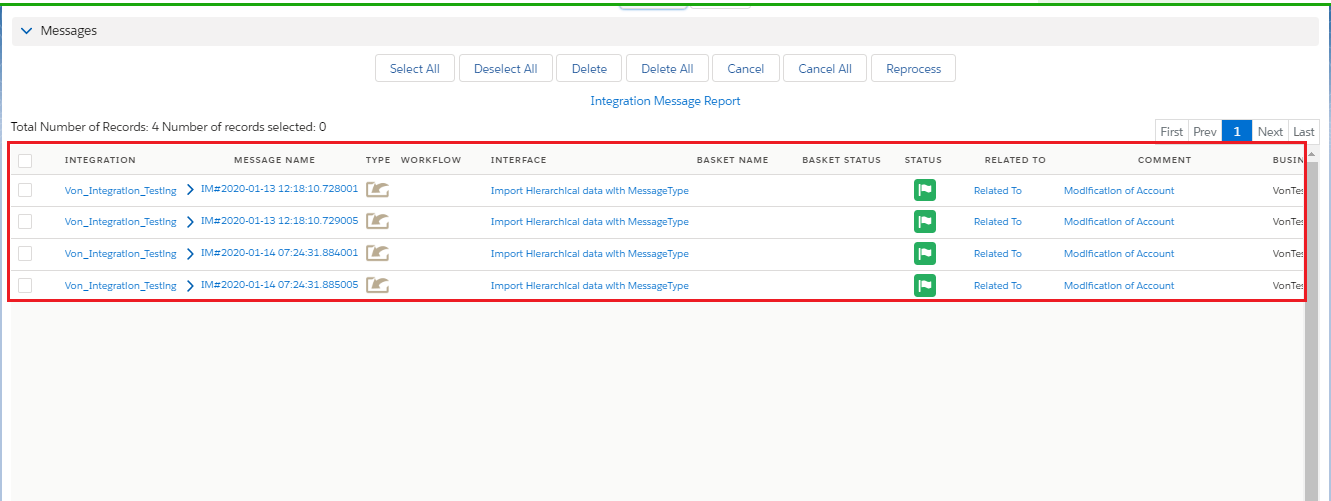
- Now if we want to check the different nodes we need to click on this arrow as shown in the picture given below.
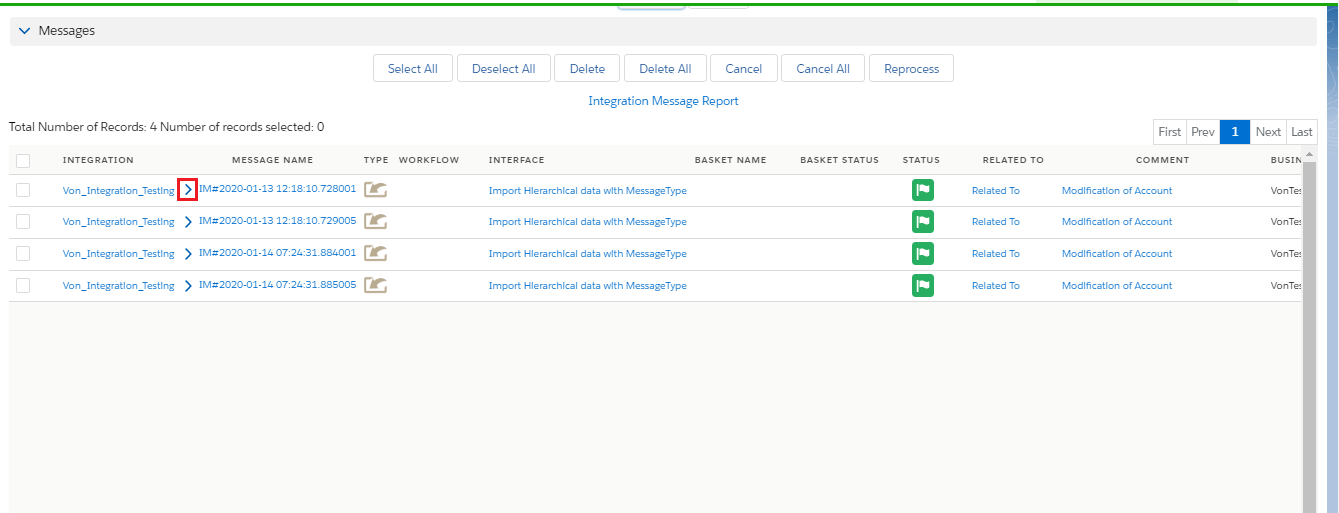
- After clicking on the arrow we can see different nodes as shown in the picture given below.
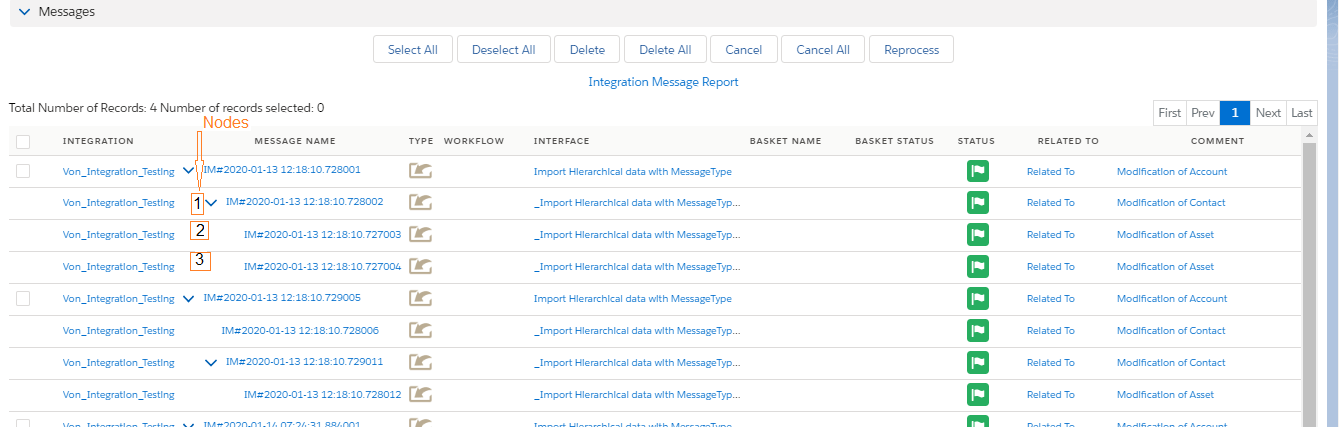
So from here, we can view message details for each node.
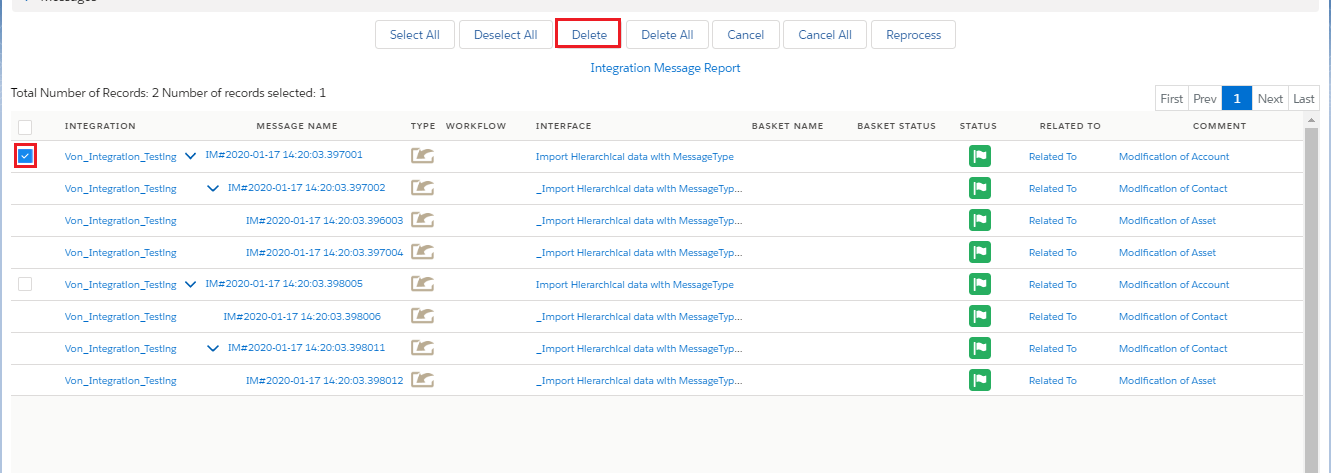
Deleting of message e.g. the whole tree message or only from a node with all its children’s.
- We can delete a single message with all its children as shown in the picture given below.
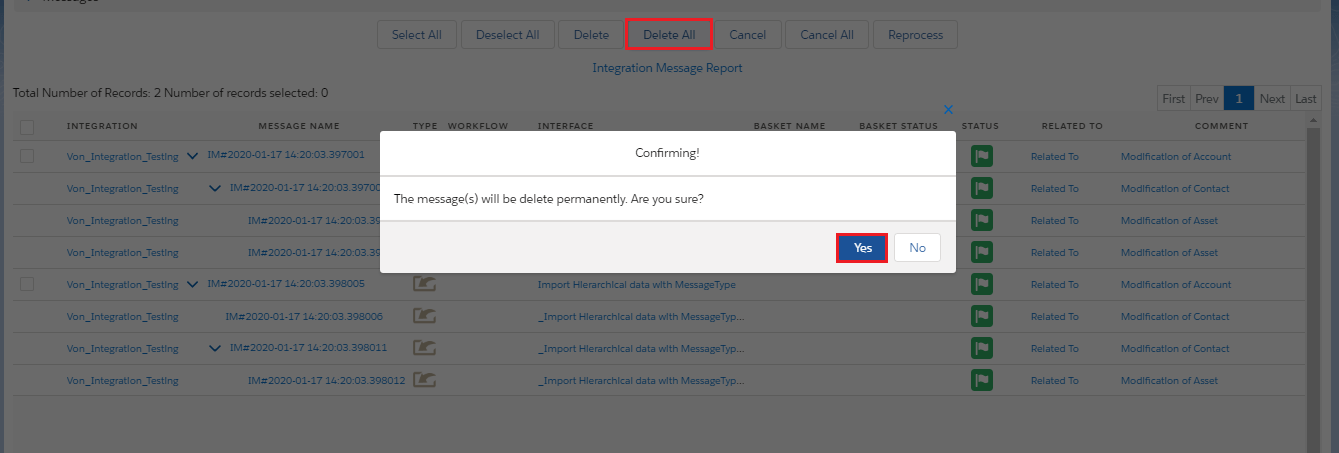
- We can delete all the messages:-
For this, we have the best option of "Delete All". Here we need to click on Delete All option and we can see the screen below for confirming that we wan to delete or not as shown in the picture given below.
Changing the status of the message
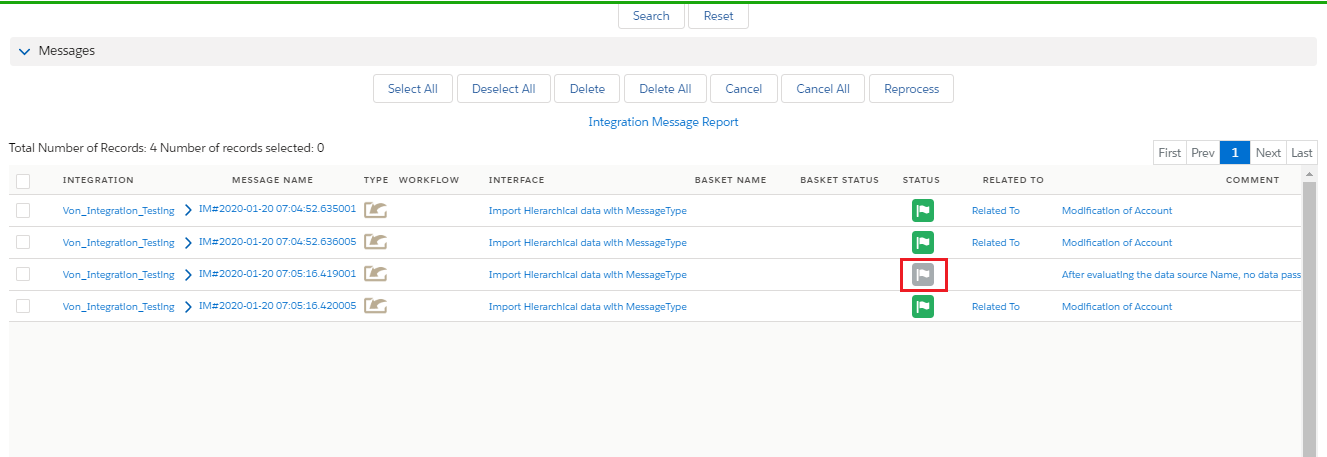
- We need to click on cancel to change the status from failed to cancel. As shown in the picture given below:-
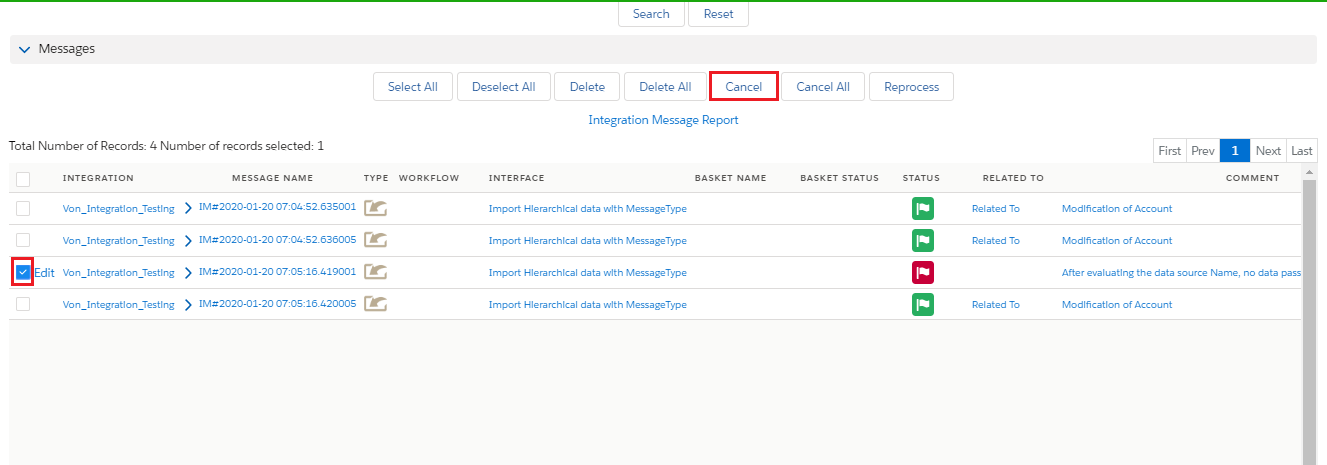
- After clicking on the Cancel button color of the flag will change into grey as shown in the picture given below.
Reprocessing of messages
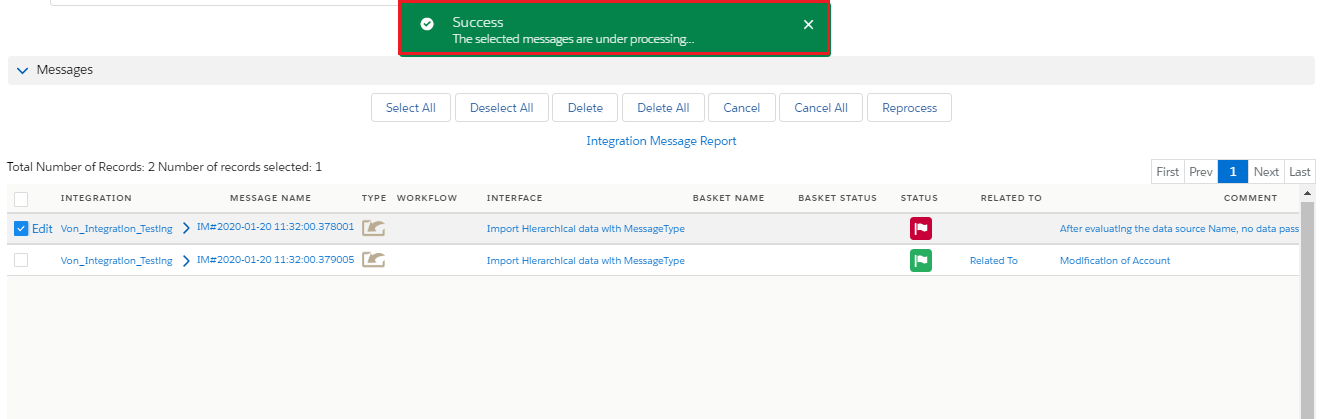
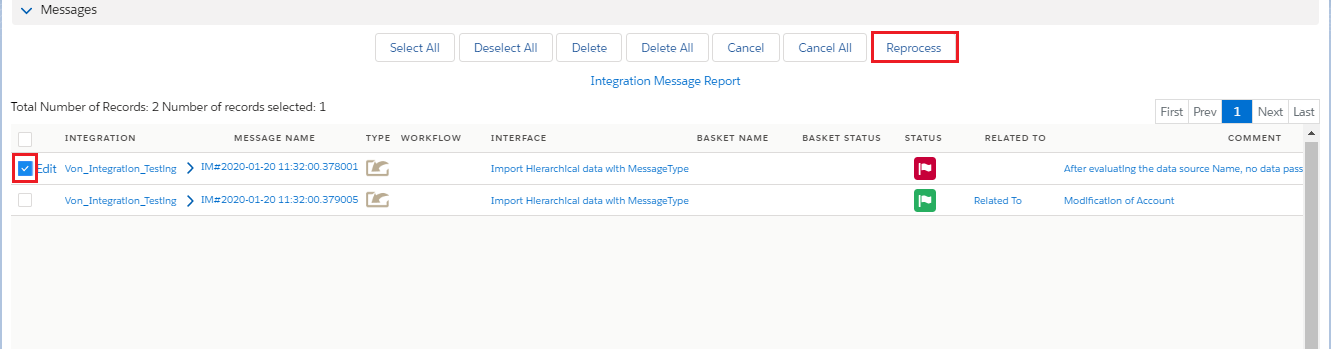
- Reprocessing of messages can be done for the messages which are failed or pending, we cannot reprocess completed or canceled messages. For this we are having a Reprocess button by clicking on it the processing will generate.
- We can select the message which we want to reprocess and then we will click on the "Reprocess" button. As shown in the picture given below.
- After clicking on the Reprocess button we can see the popup on the screen.