165. How to use google cloud storage adapter?
INTRODUCTION
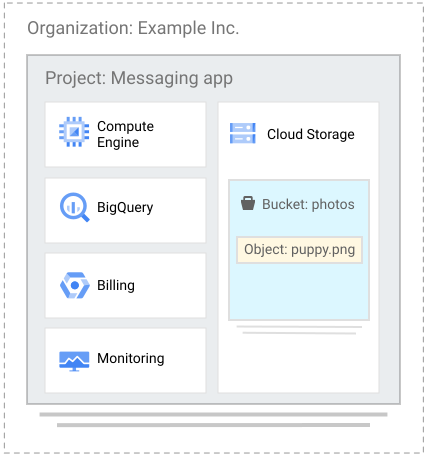
loud Storage is a service for storing your objects in Google Cloud. An object is an immutable piece of data consisting of a file of any format. You store objects in containers called buckets. All buckets are associated with a project, and you can group your projects under an organization. After you create a project, you can create Cloud Storage buckets, upload objects to your buckets, and download objects from your buckets. You can also grant permissions to make your data accessible to principals you specify, or - for certain use cases such as hosting a website - accessible to everyone on the public internet. The Cloud Storage structure looks like this:
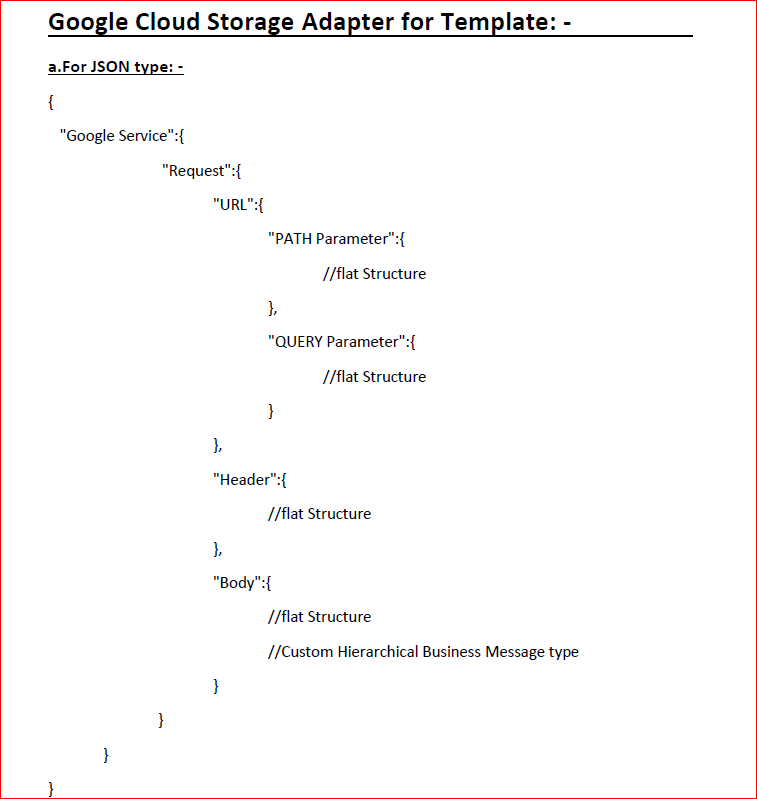
GOOGLE CLOUD STORAGE TEMPLATE
Pre-Requisite:-
- Create Integration.
- Create Adapter.
Step 1 :
We have to create the following data for inbound processing:
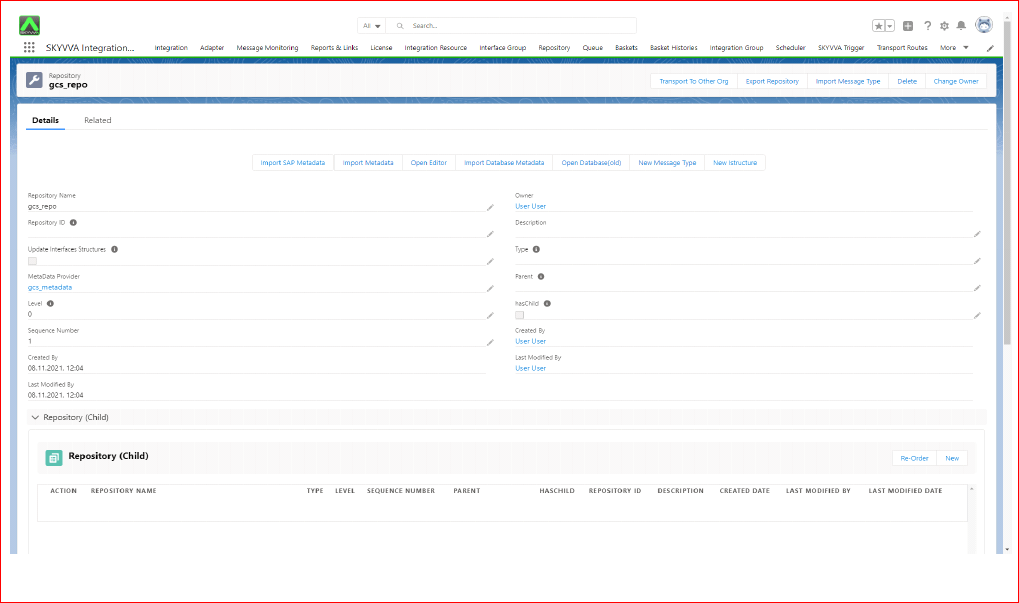
- Create Metadata for message type -> Create I structure Repository in it -> Create appropriate message type.
- The next step is to create Integration.
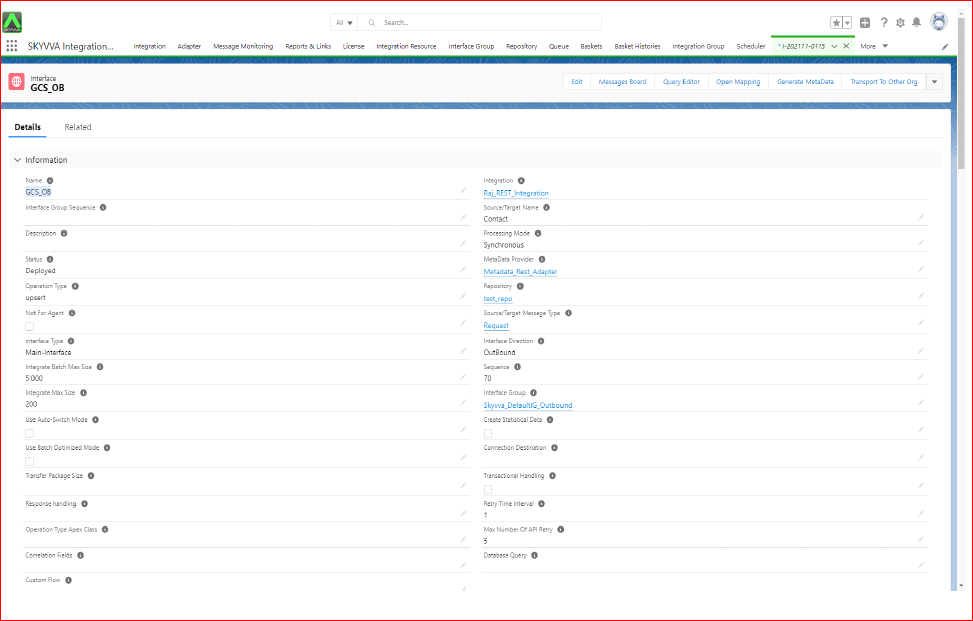
- Then Create an Inbound Interface where we have to select your Metadata, Repository, and message type. Then Select your adapter.

NOTE a. Here, the “Google Cloud Service” name can be anything. But Node Request, URL, PATH Parameter, QUERY Parameter, Header, Body should be exactly like these. b. Here we use basically three types of file JSON ,XML and CSV and we can store the data in that formation in the google cloud storage from the SF. Test Cases 1: - Oauth2.0 Authentication Type Integration Name: Raj_REST_Integration Outbound Interface: GCS_OB
Step 2 :
Click on open mapping We need to drag fields from Source and drop it to Target and save it.
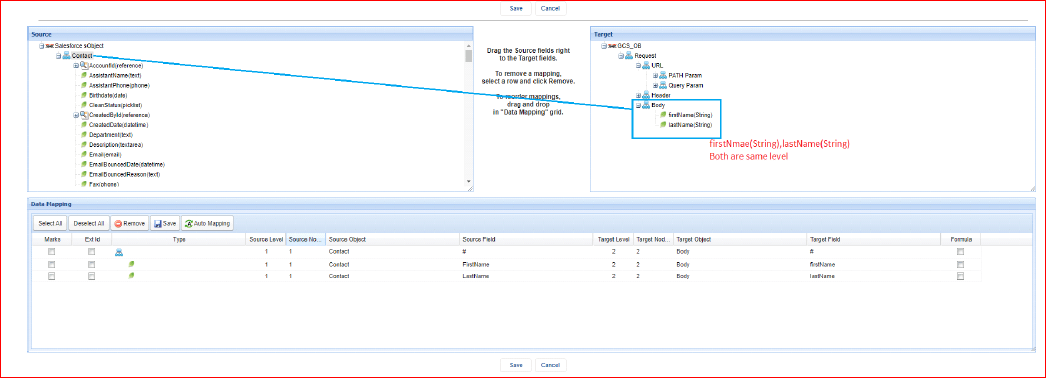
Click on open mapping We need to drag fields from Source and drop it to Target and save it.
Step 3 :
Create the adapter.

- Open Dev Console.
- Check Debug Only.
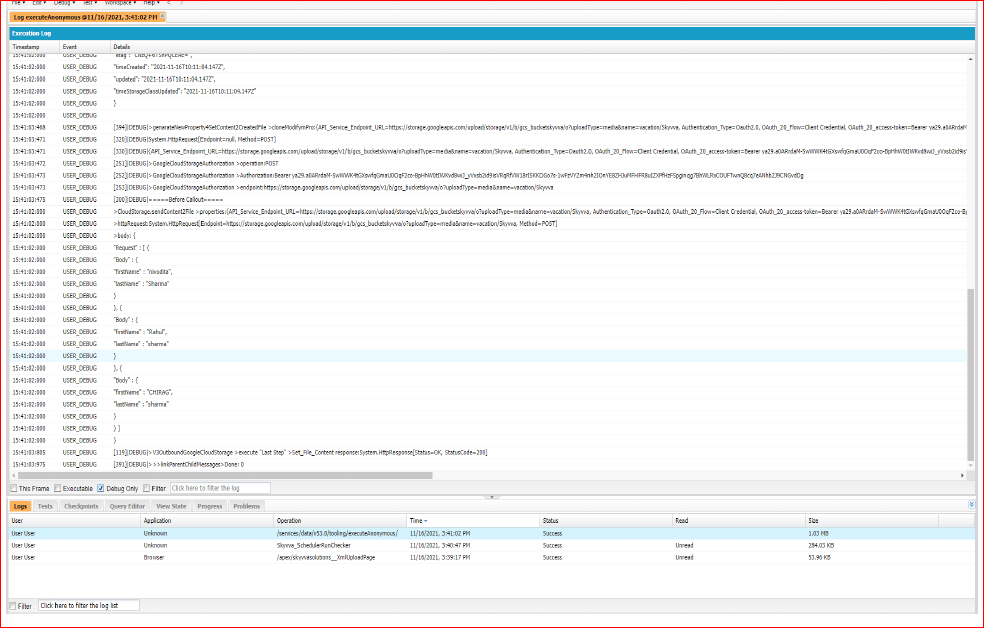
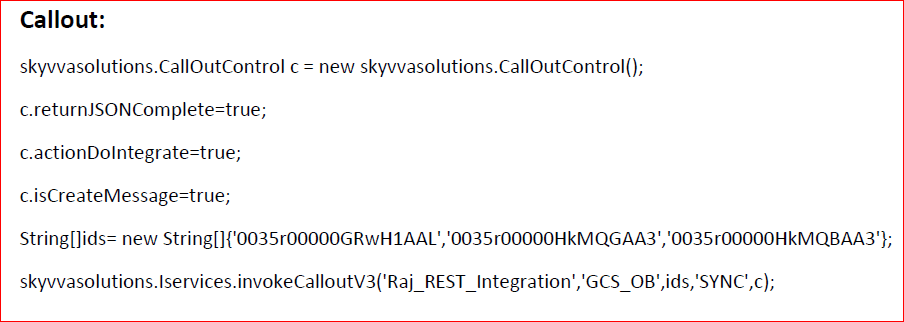
Execute From Manually: -


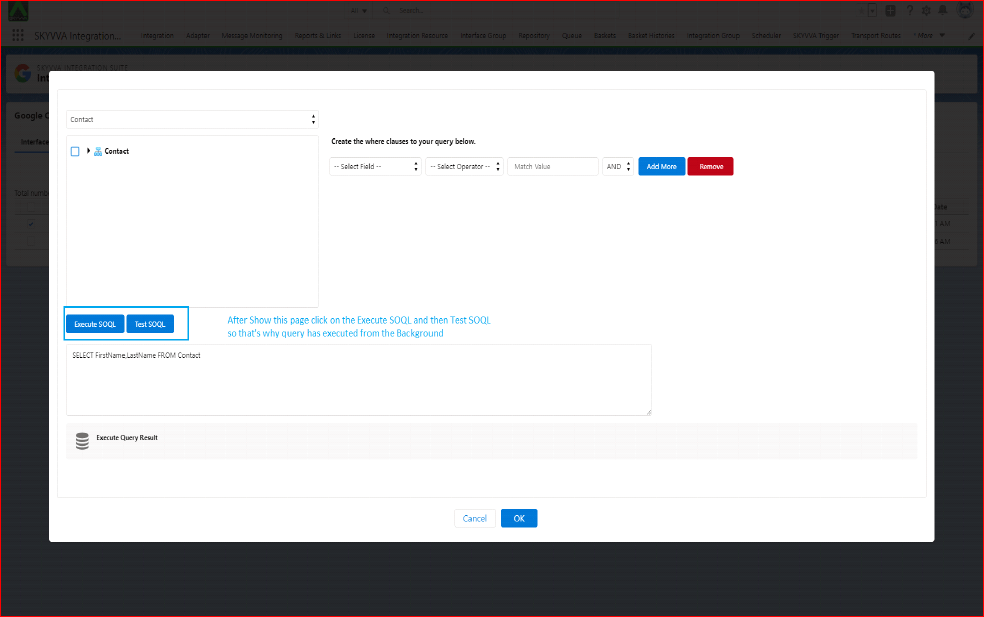

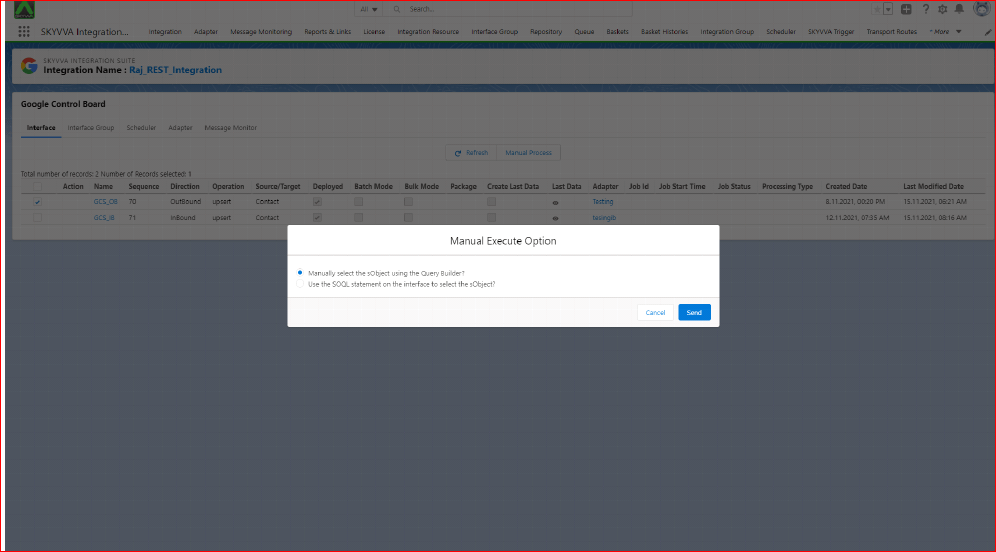

Step 4 :-
Check on message monitoring.

SUMMARY In this chapter we have learnt how to to inbound and outbound processing using google cloud storage adapter.