3. Message Type and Different ways of creating message type.
What is Message Type?
Message Type uses to represent the hierarchical structure of service (aka Repository). For example, a service using Webservice. Message Type can be used to describe its request and response. The message type can be generated in different ways:- 1. By importing different files format, such as:-
- CSV
- XML
- JSON
- JSON Schema
- XSD
- WSDL 1.1/2.0
- Open API 2.0 (Swagger 2.0) / Open API 3.0
2. We can import from sap metadata as table, bapi, idoc and create a message type:- 3. Creating manually.
For example we can see how to upload JSON to model interface data structure:-
This tool will allow us to parse the JSON schema. JSON Schema is a hierarchical structure. It can be described with our Message Type and IStructure Structure. The node that has children will be considered as MessageType otherwise it will be considered as IStructure. A MsgTypeFieldEntery will be created accordingly if there is an IStructure connected with a MessageType. How to create a message type by uploading a JSON file. For message type, we have to create a metadata provider and IStructure . This is the pre-requisite for the message type.
- Open the Integration Admin tab and create a new MetaData Provider.
- Create New Istructure Repository by clicking it under the MetaData Provider detail page.
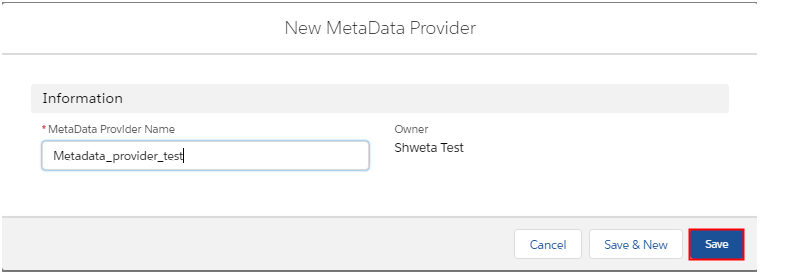
- MetaData Provider Name – MetaData_test
- IStructure Repository Name - IstructureRepo_test
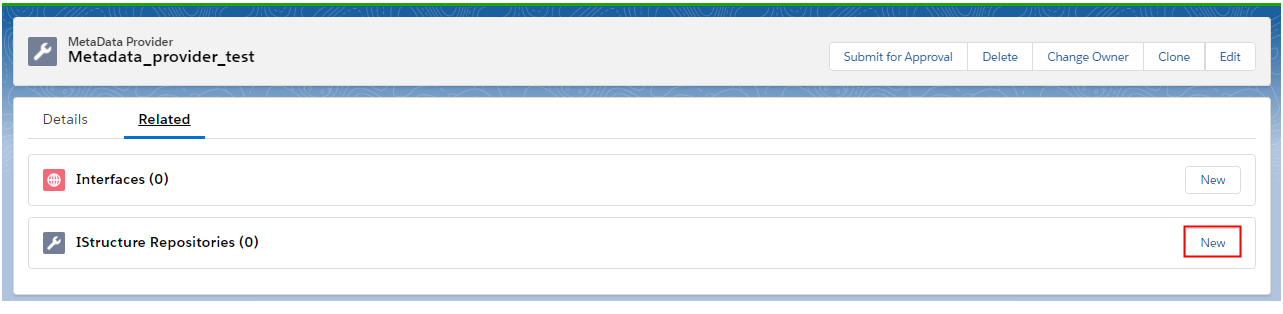

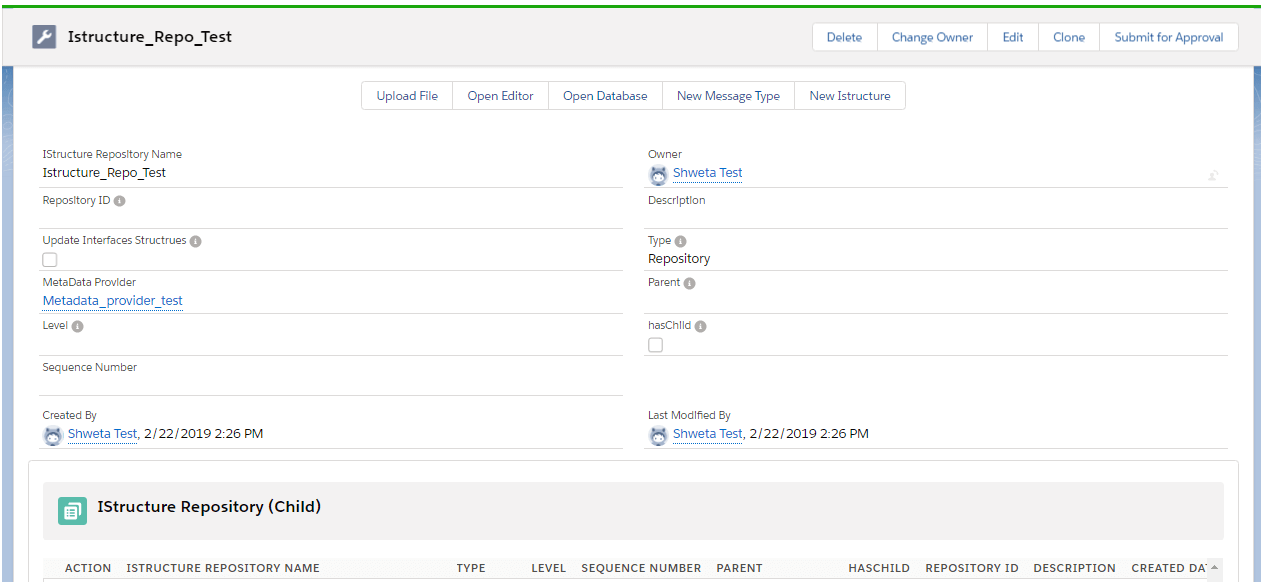
Upload JSON File
- Click on the upload button
- Choose the file and Save.

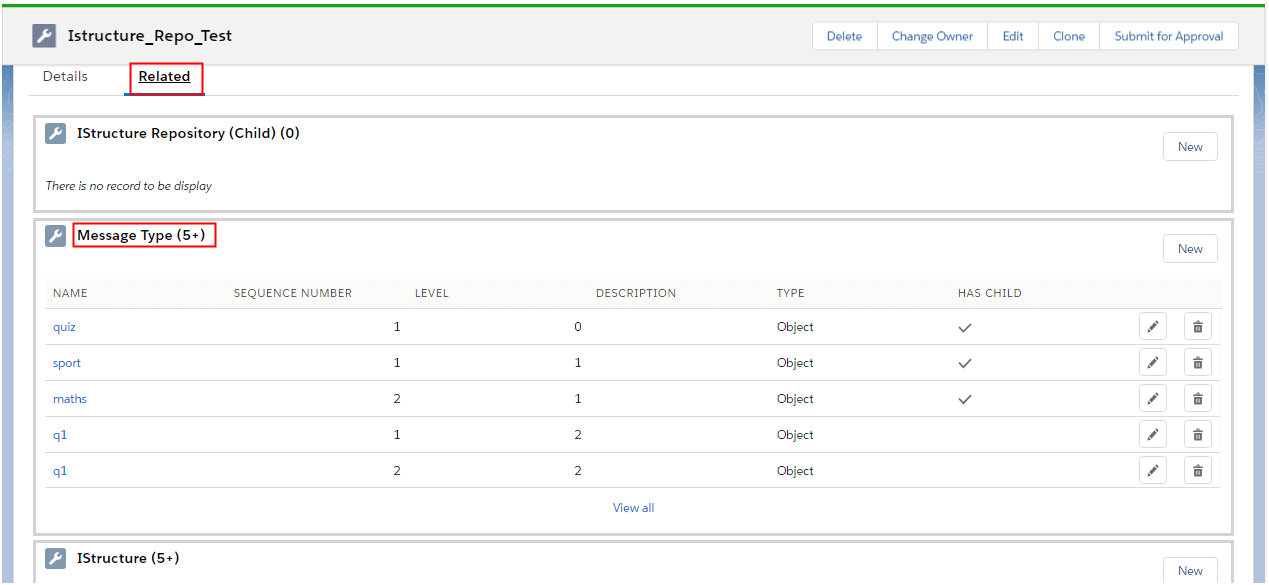
- Click on the related tab to check the created message type.
Create an Interface (Inbound/ Outbound) and use the message type Create a new inbound interface. We have select metadata provider, IStructure repository, and message type. And save the interface. For message type, we have to create a metadata provider and Istructure . This is the pre-requisite for the message type.
- Open the Integration Admin tab and create a new MetaData Provider.
- Create New Istructure Repository by clicking it under the MetaData Provider detail page.
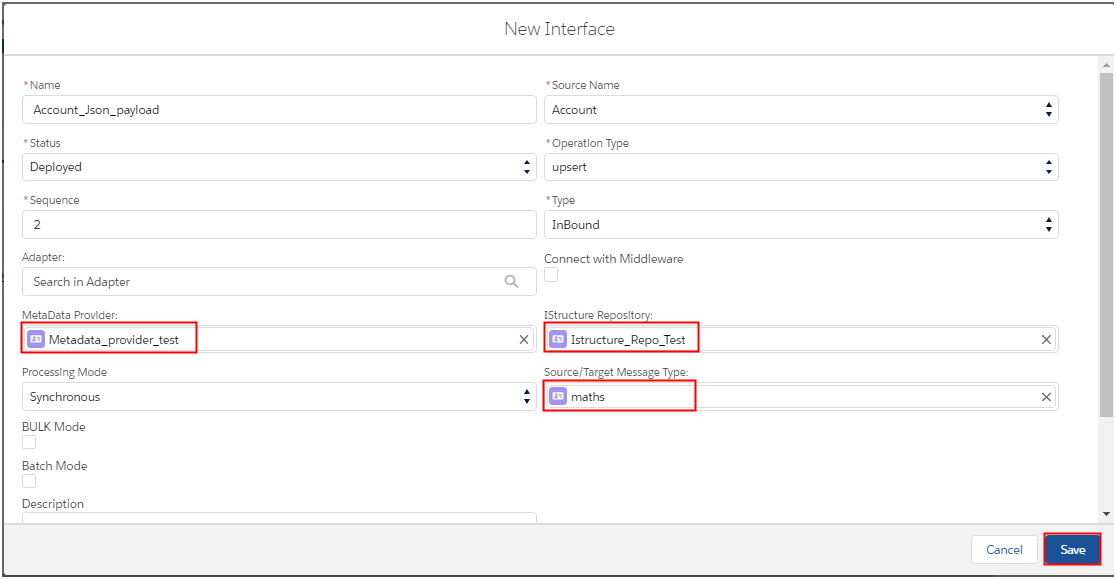
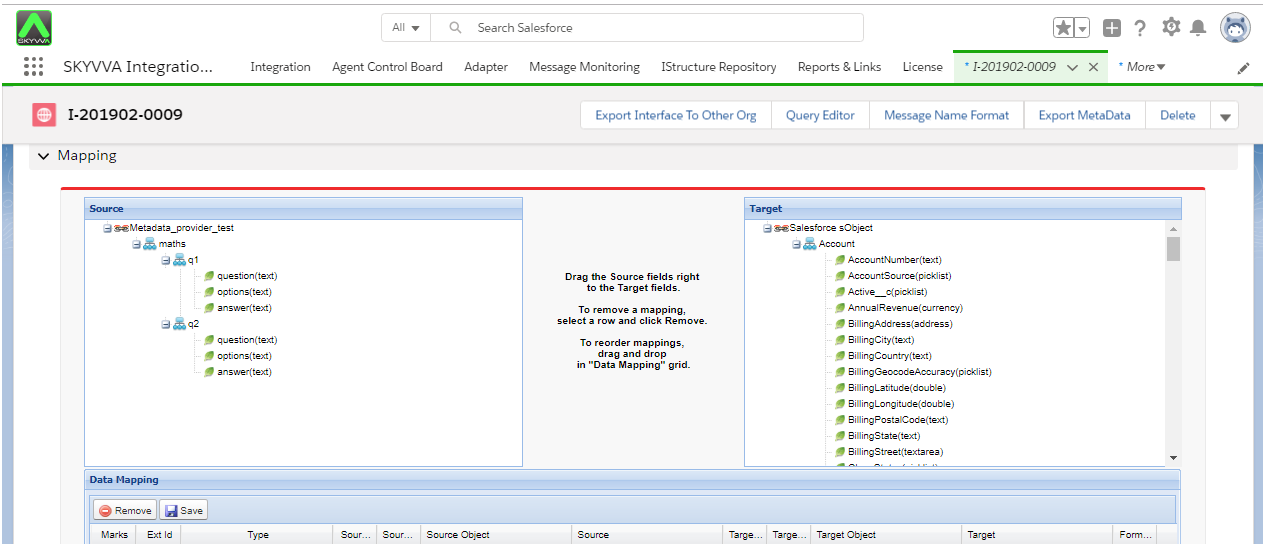
Click on the created interface to see Istructure in the mapping section.
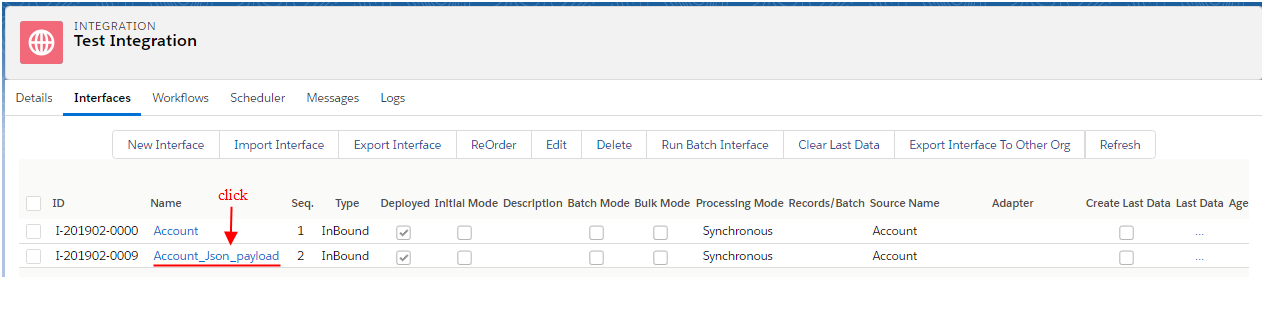
When we clicked on interface it should navigate to the following page. (Scroll down the page to mapping section)
Use message type to model interface data structure With message type, you can create a message type for example by importing a WSDL from an external system. You can create a message type which links to other message types to create a hierarchy of message type. After you have created the message type simply, use it as an interface data type. The advantage of using a message type is that you can reuse that message type repeatedly for other interfaces. With the old concept, you can only create structure, which bound only to a local interface. The message type needs to be stored in a catalog. Such a catalog is the repository concept. A repository contains different message types like a library contains different functions. In other to logically group similar repository from a system let says Google, Amazon or SAP we provide the concept of the Meta Data Provider. The MetaData Provider denotes a system or a vendor. For example, you want to create messages type to connect to SAP. Therefore, you need first to create the Metadata provider with the name “SAP”. Now you can create different repository below this name. This is like building a logical category. There are several ways to create Message Type:
- SAP
- Upload File
- Open Editor
- Open Database
- The manually created Message type
- Salesforce sObject
The WSDL generation is currently based on sObject fields. But for the future, we need to change this generation logic to use the message type. In order to be backward compatible we need to do as follow:
- If the interface doesn't use message type (old style) then use the old logic
- If the interface uses the message type then use the new logic.
So the main purpose of this export feature is to give input format to third-party users to give us input in this format. Generate WSDL, swagger 2.0 and openAPI for metadata exchange between Skyvva and another platform:- This task is to add the functionality to generate XSD from our interface. When we use our interface as the basis for the generation we can generate hierarchical objects based on our chain interface concept. We now can use Message Type and Interface to generate the metadata file. We can create a Swager 2.0 and OpenAPI 3.0 definition file for message type exchange. When we generate WSDL or swagger/open API, we use the interface name as the top-level name and for the type definition the sObject or message type name. For WSDL and swagger/open API, we need to generate the binding parameter so that a consumer can use it to invoke our API right away. When a user wants to generate the WSDL or swagger/openAPI for an interface he has to choose for which API he wants to generate. For soap and rest we provide the following API:
- createMessage
- processMessage
- IntegrateSynchronous
- Integrate
- integrateBatch
- SearchService
- integrate3
- integrate3Synchronous
You can generate six different types of file as below:
- XSD
- WSDL 1.1
- WSDL 2.0
- JSON Schema
- Swagger 2.0
- OpenApi 3.0
Why we use this feature?
We are implementing this functionality to generate different file formats from our interface. For the easy and smart way, we can provide client or external applications to directly get the format by calling an API e.g. soap or rest. If the external client is soap then it can call our soap API and if it is a rest based client then use the rest API. Therefore we provide a soap/rest API to get the format we export and generate as files. We need to give our interface data structure to the consumer so that they know how to consume our services. There are two ways to generate metadata for file:
- sObject Type
- Message Type
For metadata file which generates through sObject type we have two way:
- Old way - (Using sObjectName)
In the Old way, we have to generate the file using sObjectName for Element in XSD and WSDL and Object Name for JSON Schema and Swagger.
- New Way – (Using Interface Name )
In New way, we have to use Interface Name for Element in XSD and WSDL and Jason schema and Swagger. The default way is New Way Using Interface Name.
Prerequisite:
- We have to create Integration
- We have to create two Interfaces, one using sObject (Account) and another one using Message Type.
How to generate WSDL, Swagger 2.0 and OpenAPI 3.0?
- Navigate to Manage MiddleWare WSDL which located in your integration detail page
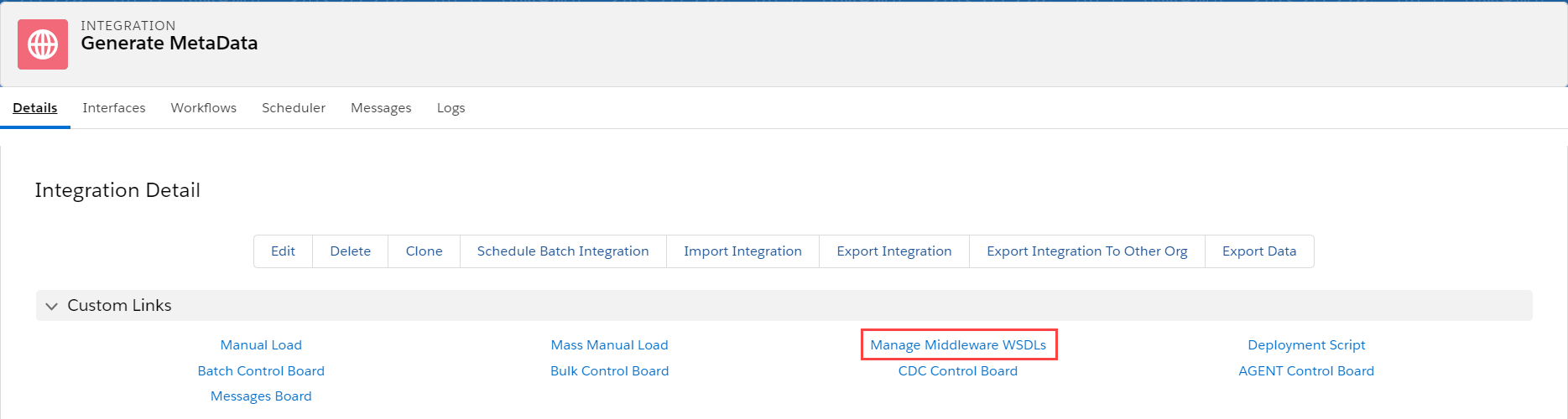
- Choose your desired API and format (XSD, WSDL, JSON Schema, Swagger and OpenAPI)
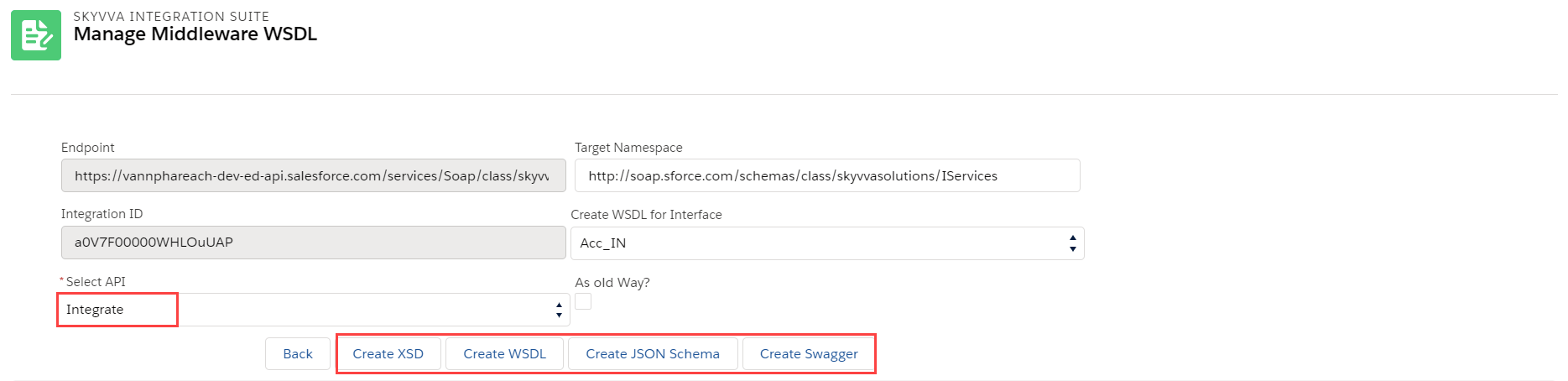
- Then download your file that just generated.
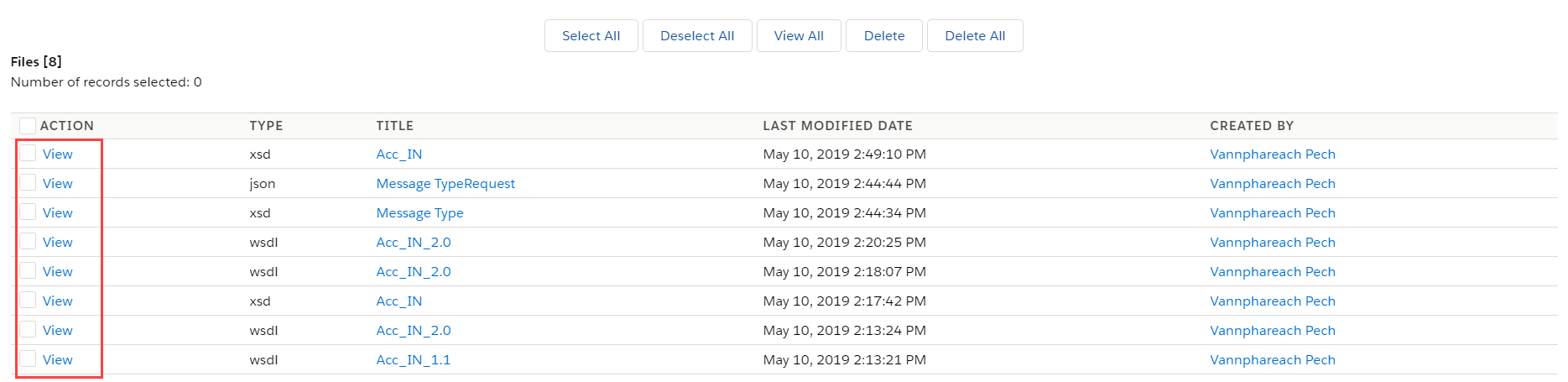
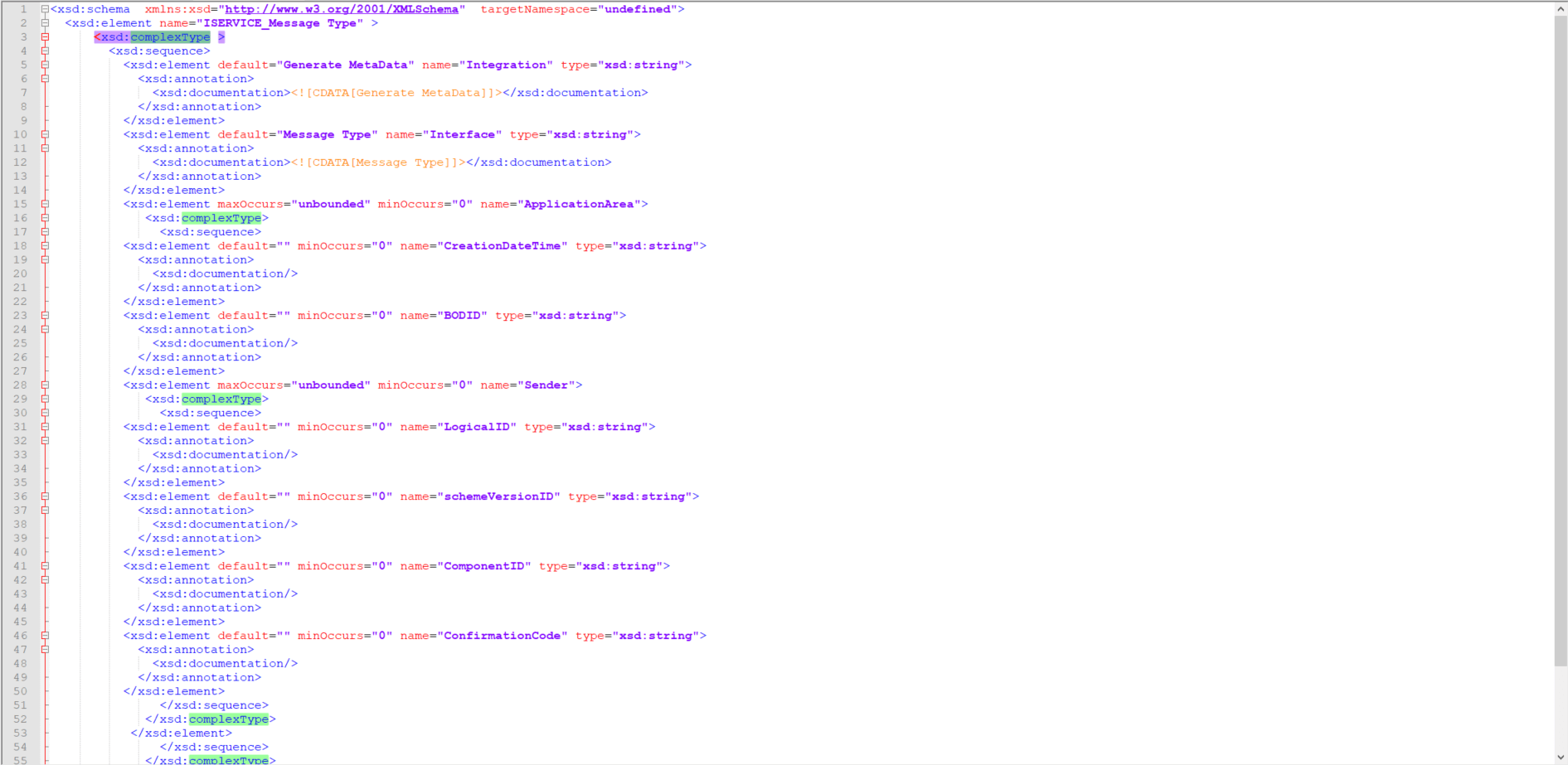
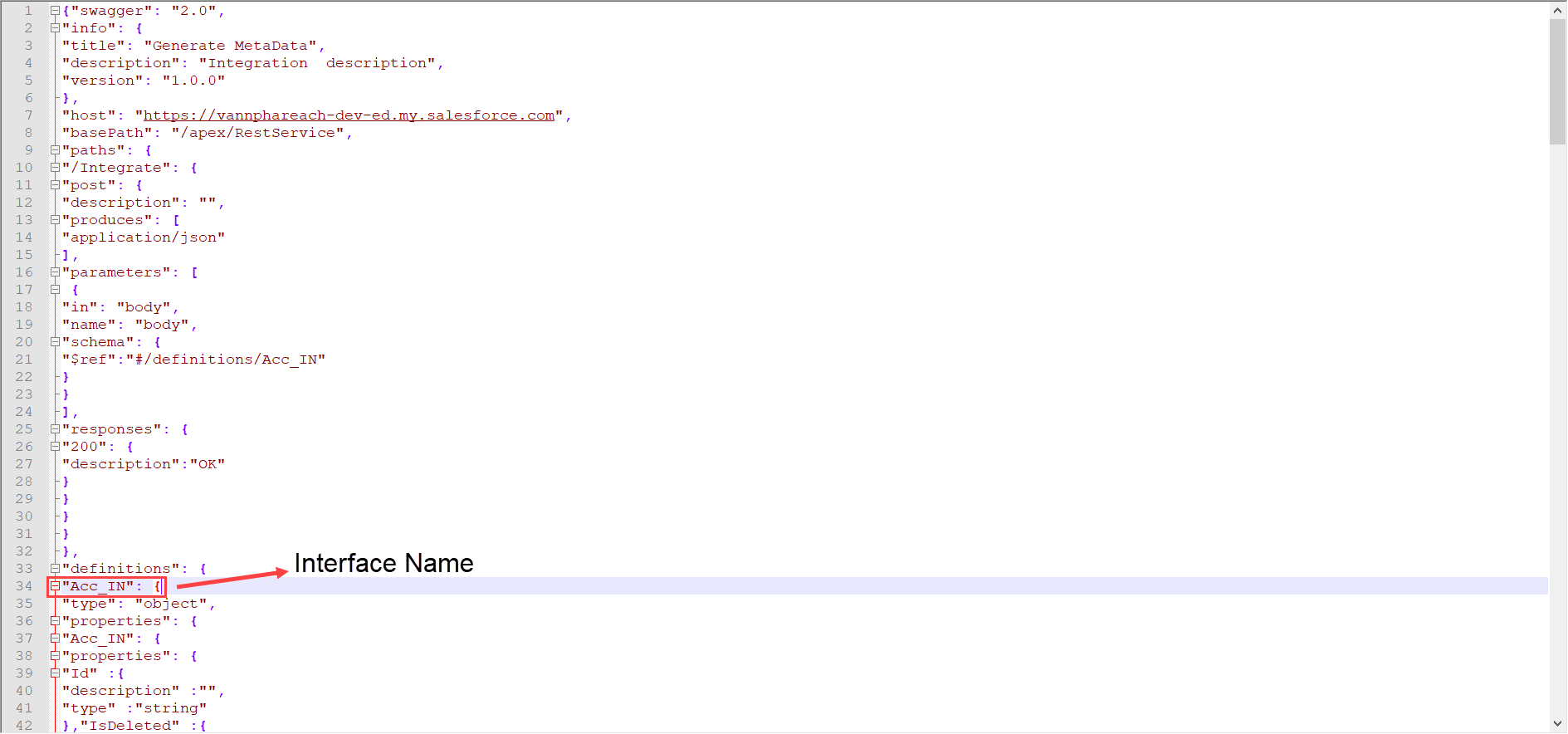
- For XSD and JSON Schema, we take the sObject name or the root message type name to write as the complex type or object type. Have a look at the screenshot below:
- For WSDL and Swagger/OpenAPI, we use the interface name as the top-level name and for the type definition the sObject or message type name.
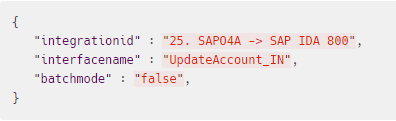
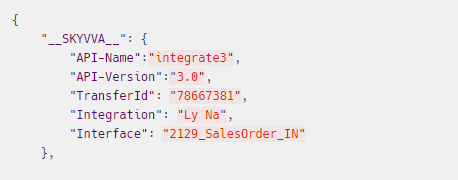
[su_box title="Note" box_color="#2a8af0" title_color="#000000"]For the header field, some API has a special parameter. If you are using to SOAP-UI to integrate you will have to add it manually, but it can be auto-generating by using an adapter.[/su_box]
The header for Integrate API:
For Integrate3x we define a header format:
What is the use of that exported WSDL file? Let's take an example, Consider we have one inbound interface. In this case, the user needs to call our web service URL. While calling this service they need to provide input the same as we have the structure in message type. For this purpose, they need to check the SalesForce structure, but as we provide exported (WSDL) files, they will easily get which field they need to send and which hierarchy they need to send. Also, this file will help to know what type of req they need to send and what type of response they will get. WSDL file used for the SOAP request structure. Pre-requisite :
- We have to create hierarchical Message type:
- We have to create Integration.
- We have to creation Interface.
How to process message type based Interface?
To process the message type-based interface we have to follow the given steps: Step1: We have to Create a hierarchical Message type. There is some pre-requisite to creating a message type.
- Create a metadata provider.
- Create IStructure repository in metadata provider
- We can manually create a message type or we also can use the upload file feature to create a message type.
Step2: We have to create Integration. Step3: We have to create an outbound interface.
- Select sObject for a query statement
- Select message type existing for interface
Step4: Do mapping using SKYVVA mapping tool
- Scroll down the page until the source definition section.
- Map the fields using drag and drop.
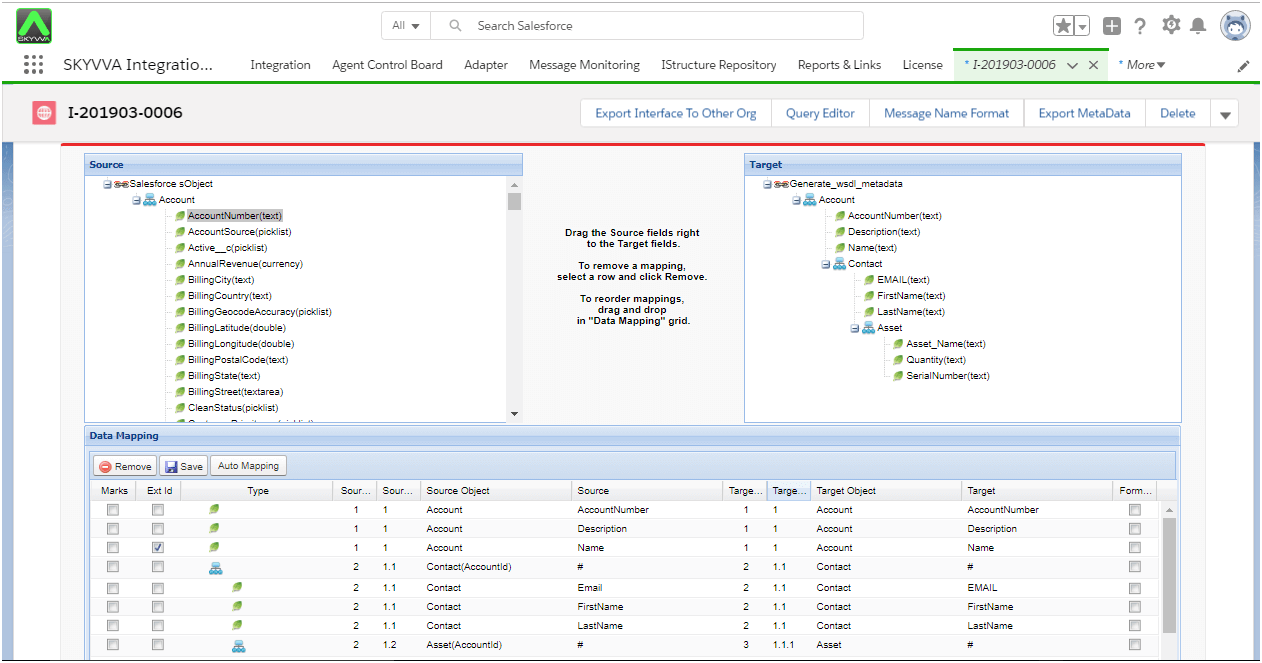
Step5: Export WSDL File using Export metadata button
- We have to click on the “ExportMetadata“ button.
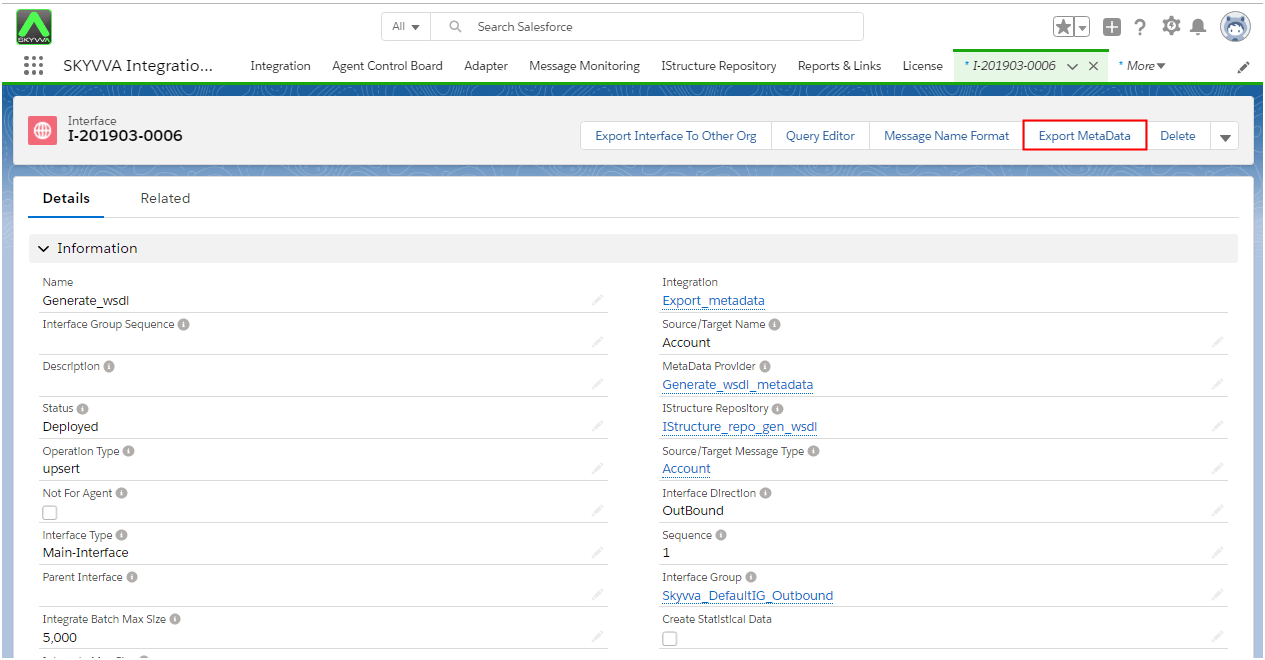
- ExportMetadata button should navigate to :
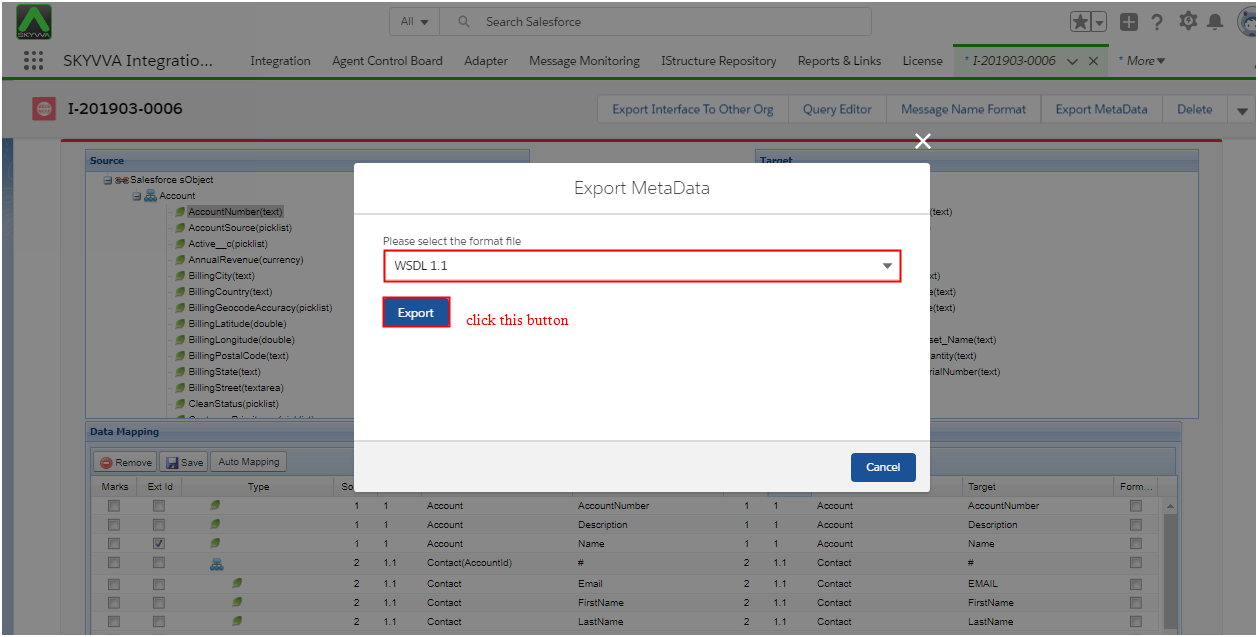
- WSDL file is generated when we click on the export button. We have to check the structure of the exported file.
Here we can see an example of creating message type manually:-
Go to MetaData Providers Tab
- Click on New
- Create MetaDeta Providers
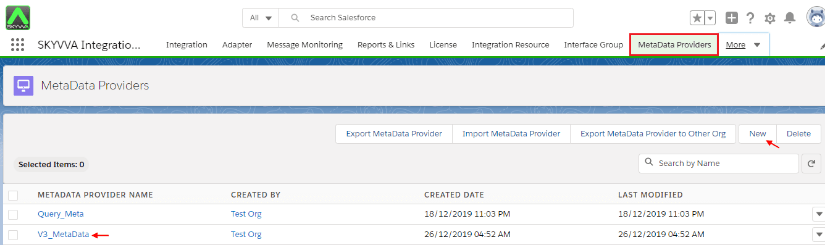
- Create IStructure Repository
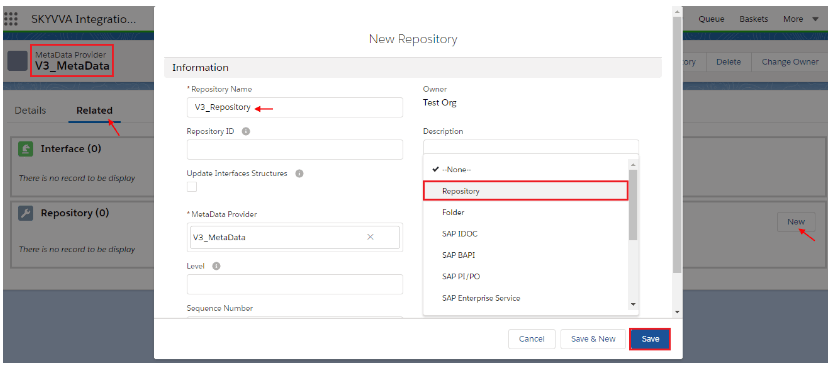
- Save
- Create Message Type as Hierarchical
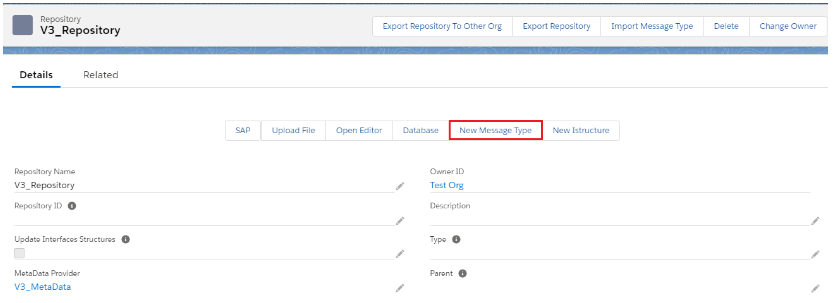
- Create Message Type Name & Select Plain structure from Type picklist
- Root_MSG-Test, AccountTestV3, ContactTestV3 & CaseTestV3 message type Name
- Save
User Just Create Root_MSG-Test Message Type
- Click on Related List
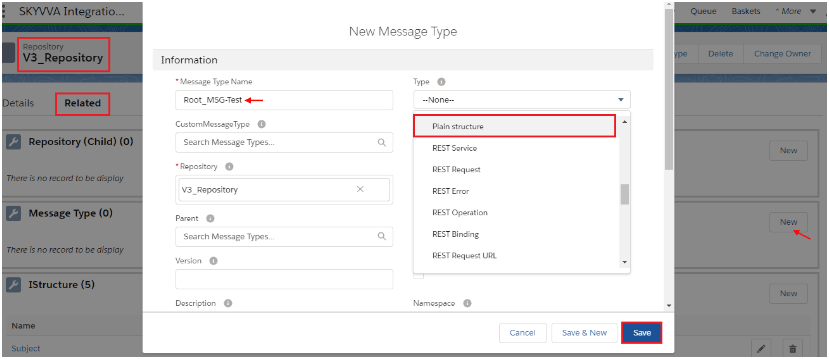
- Click on Message Type (Child) New button
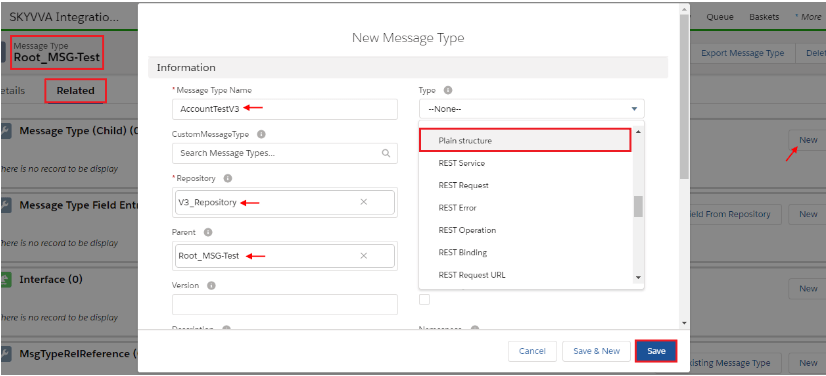
- User Just Create AccountTestV3 Message Type
- Click on Related List
- Click on New Button of Message Type Field Entry
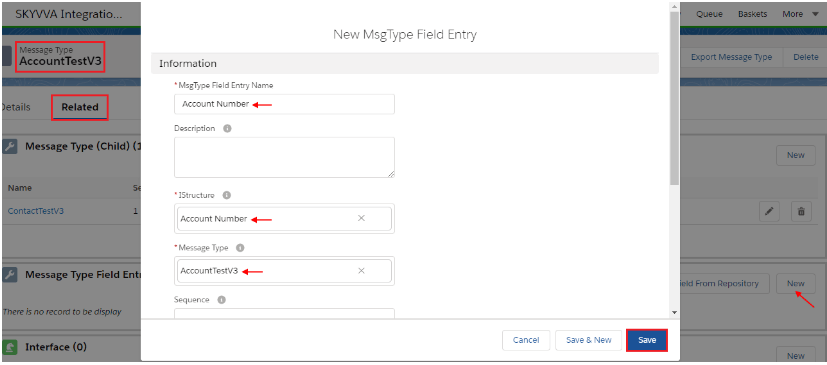
- Create Account Number IStructure AccountNumber
- Create IStructure Name
- Create Account_ID IStructure Account_ID
- Create Billing City IStructure BillingCity
- Create Billing Country IStructure BillingCountry
- Save
Great user Create Message Type Field Entry Successfully
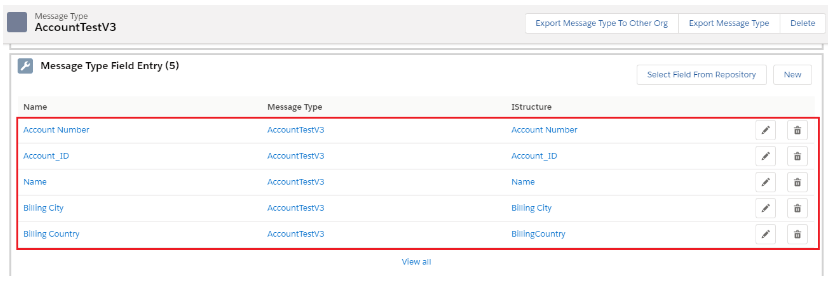
Now the user has to Go to Related List
- Click on Message Type (Child) New button
- Save

- User Just Create ContactTestV3 Message Type
- Click on Related List
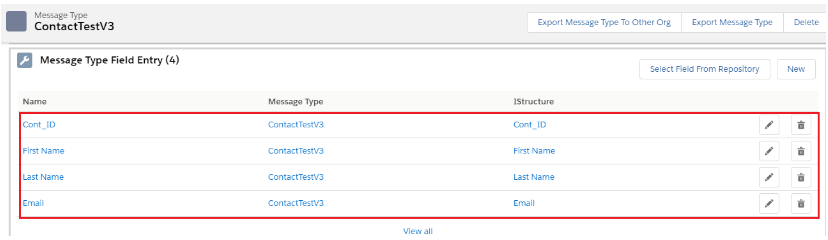
- Click on New Button of Message Type Field Entry

- Create Cont_ID Istructure Cont_ID
- Create First Name Istructure FirstName
- Create Last Name Istructure LastName
- Create Email Istructure Email
- Save
Great user Create Message Type Field Entry Successfully
Now the user has to Go to Related List
- Click on Message Type (Child) New button
- Save

- User Just Create CaseTestV3 Message Type
- Click on Related List
- Click on New Button of Message Type Field Entry
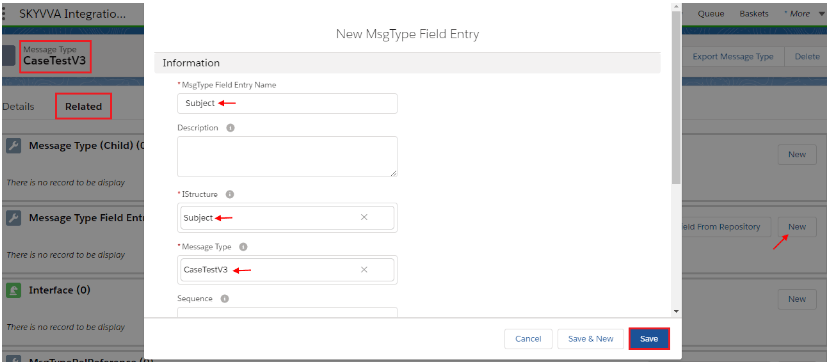
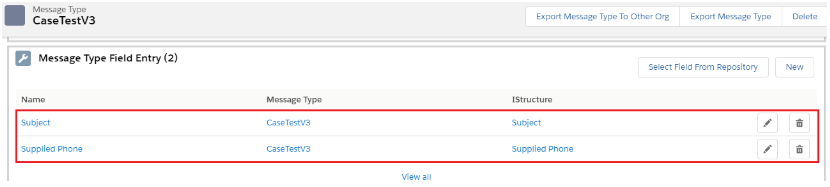
- Create Subject Istructure Subject
- Create Supplied Phone Istructure SuppliedPhone
- Save
Great user Create Message Type Field Entry Successfully
Go to Istructure Repository Details page
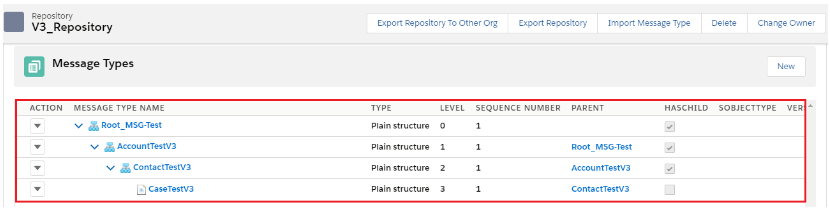
- See how Hierarchical Type look in Tree