9. Alerting
This alert tab is used for monitoring Working Basket limit, and EOIO queues' status.If the status of the EOIO queue(s) is 'Hold' or the threshold from the alert tab is smaller than the working basket value, a notify email will be sent to the assigned alert channels.
For batch processing (inbound) , we are using queues. We have two types of queues e.g.
- EO (Exactly Once)
- EOIO (Exactly Once In Order)
For EOIO queue when a message get failed the queue status is set to 'Hold' and the processing is stopped immediately. A user needs to correct the message, reprocess it and resolve the queue status. Resolve the queue status mean that the user needs to change the status from 'Hold' to 'Ready'. If the status of an EOIO-Queue remains 'Hold' it will never be processed again! This fact makes it necessary to send an alert to the user that the queue XX is in hold status. How often to send this alert? Do we send only once to tell the user? Do we send every 5 minutes? Should we let the user set the time-frequency for alert? I think the best solution for the customer is to let them configure the alert time-frequency. The setting should be done in the interface group. Therefore we have to created a new field 'AlertTimeFrequence__c'.
How to use Alert?
We use Alert Scheduler to notify to user email and send message to External Email The Alert Scheduler will notify to user email or send message to External Email when:
- EOIO-Queue is turn to 'Hold'
- Number of Working Basket records more than value in Threshold
Here is Example set alert
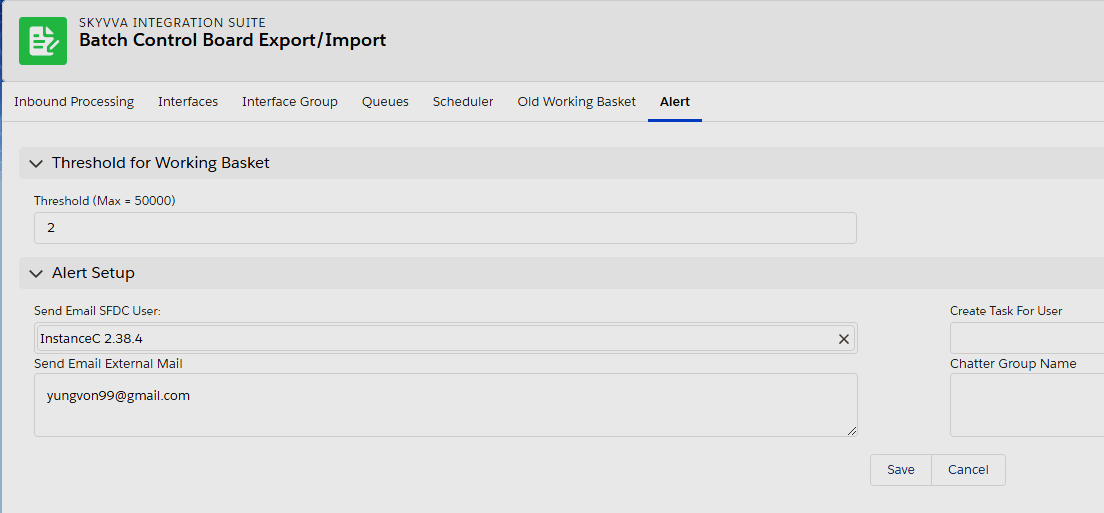
The total Number of records in working baskets are:
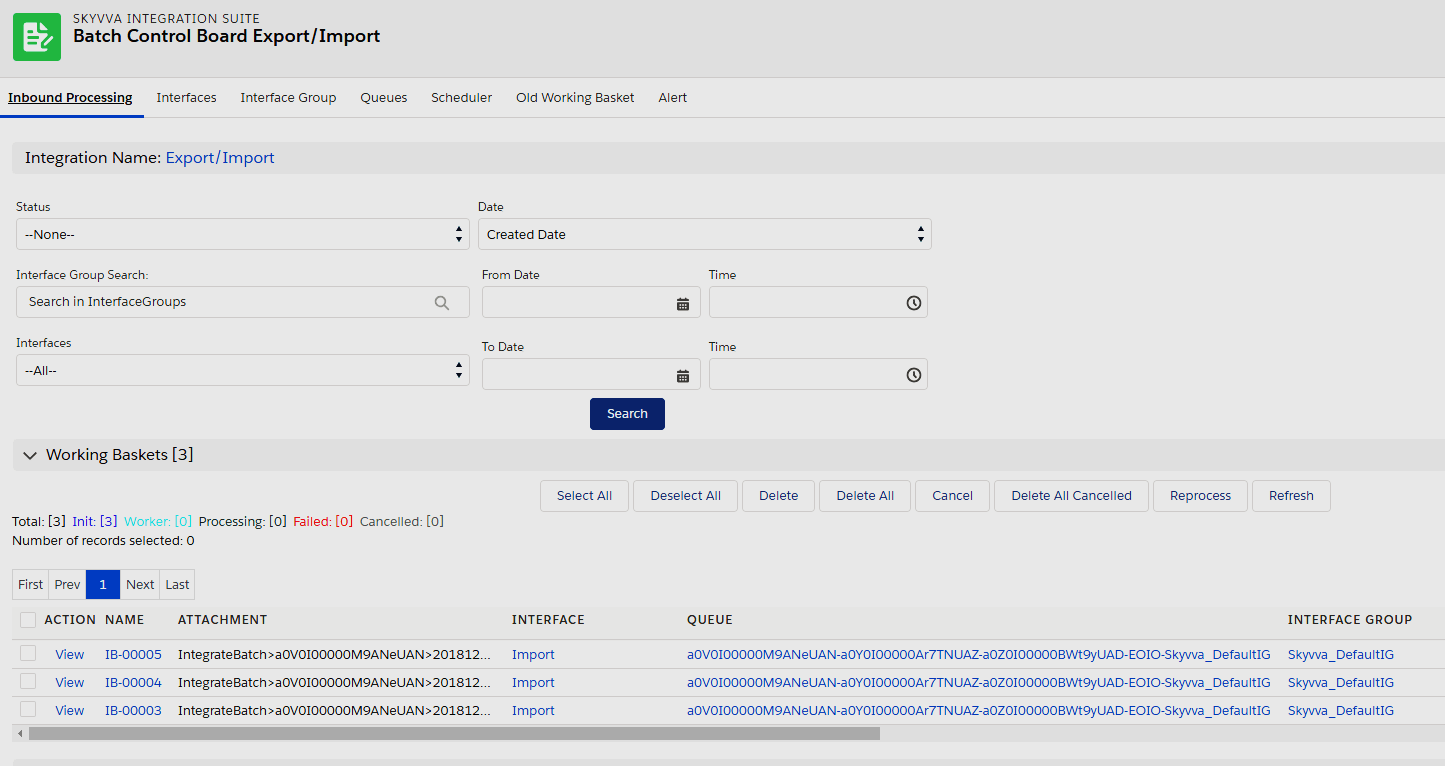
When the condition satisfied. EOIO-Queue is turn to 'Hold'

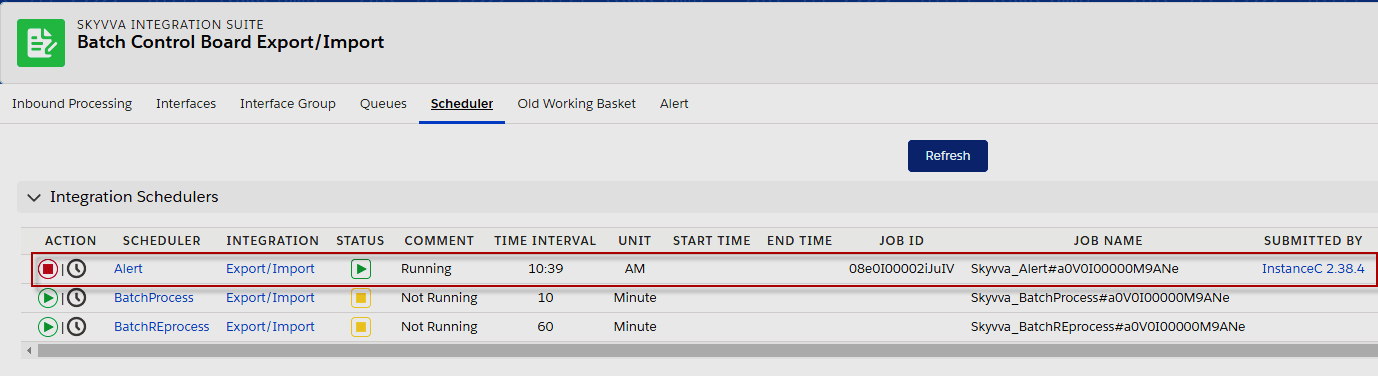
Then Set Alert Scheduler, Apply the time interval.
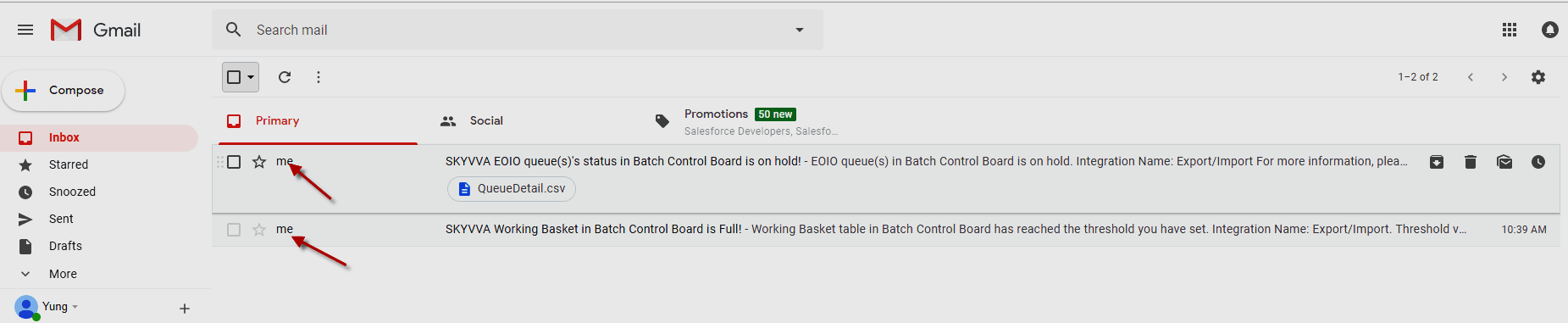
The result on email Inbox after Alert Scheduler run completed