11. Detail view of message monitoring
- Message Monitoring is used to check the integration result after processing the Inbound or Outbound interface. The integration result includes Pending, Failed, Completed, Cancelled status, and the reason why it failed. Additionally, we can know the real sObject is integrated successfully with completed status.
- Now in this section, we will describe the detail view of message monitoring. Here we have two panels one on left and one on right. In the left panel, we can see a simple tree view. In the right panel, we can see the detail of the messages.
Firstly we will see how we can reach the detail view page
- Open message monitoring.
- Select the mode, Interface name, and Integration name as shown below.
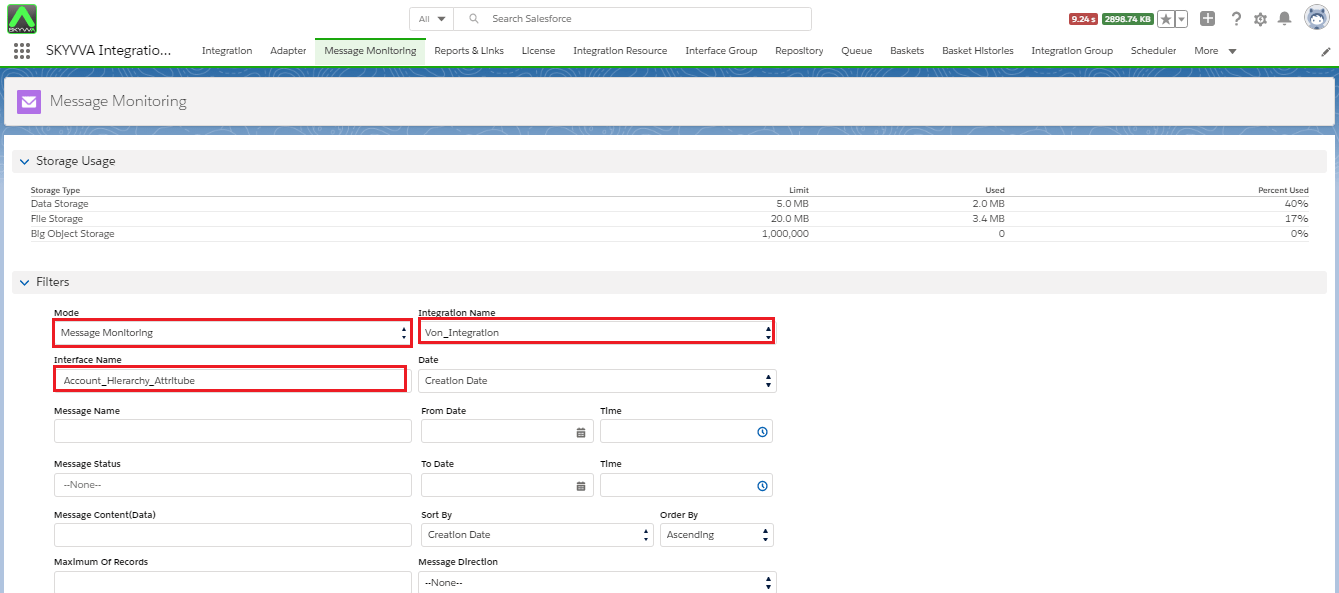
- Then click on Search.
- We can see messages now click on "Message name" as shown in the picture given below.
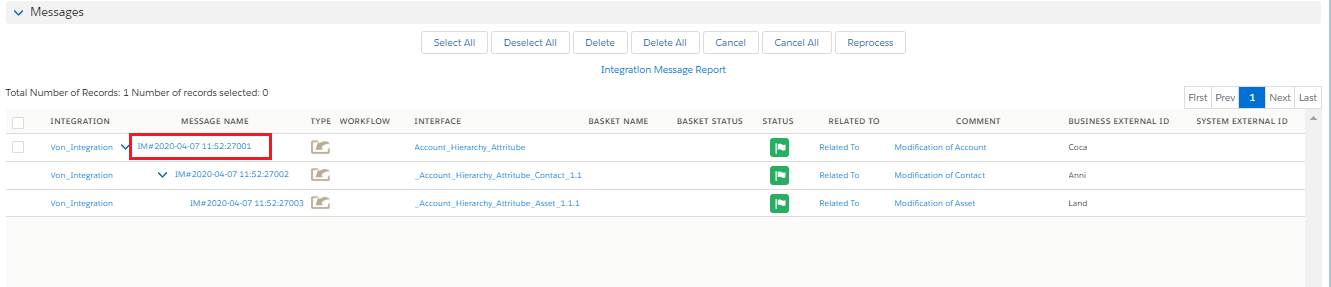
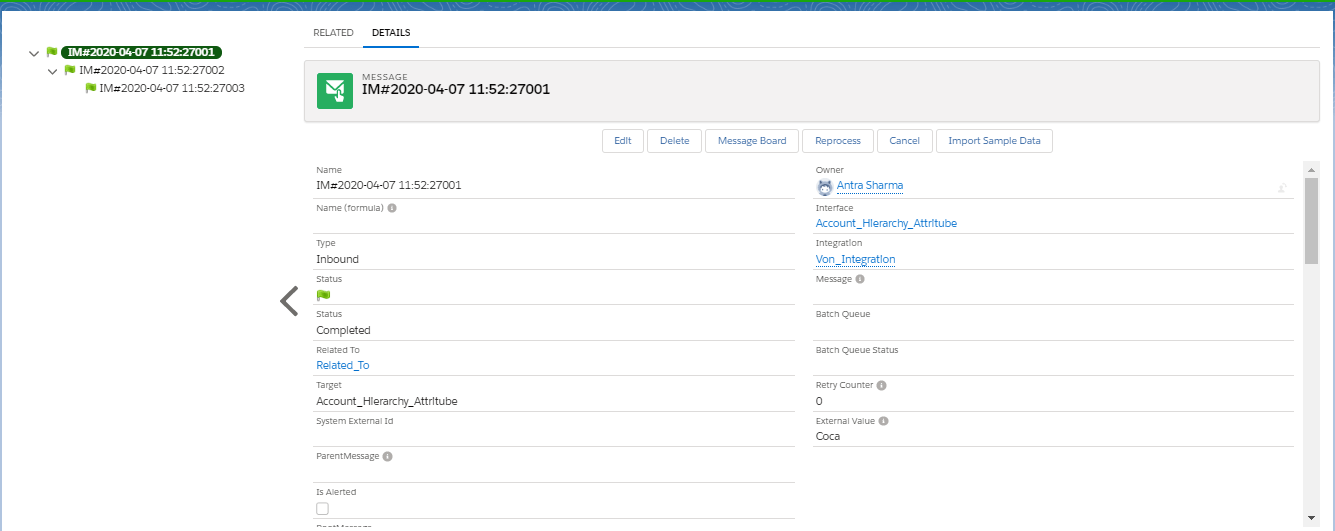
- And here is the page for which we are searching.
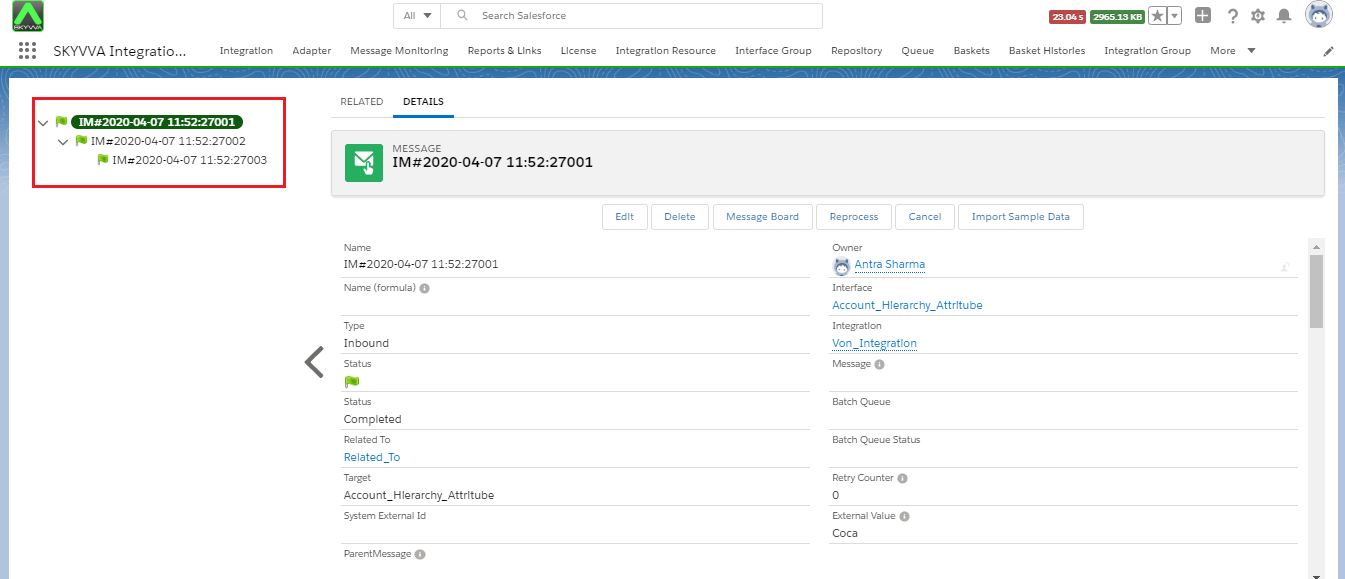
Left panel
The Left panel shows the tree view of the message. As you can see the picture given below, it looks like hierarchical. Like it is a three level hierarchical mapping Account, Contact and Asset.
Right panel
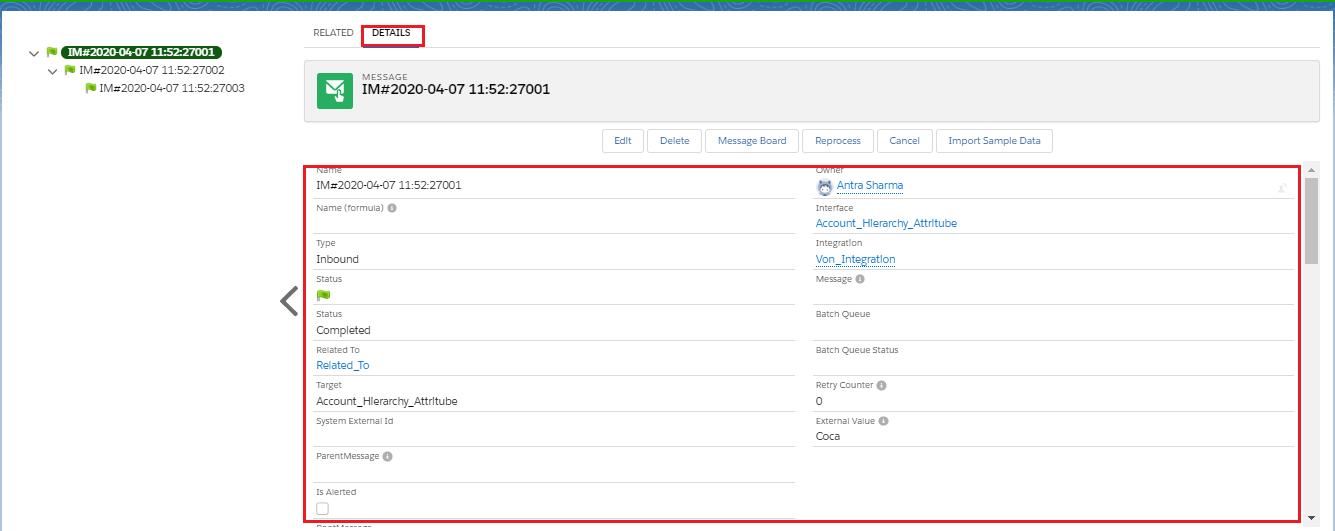
- In the Right panel we can see different fields which tell us about the message. Like we can see in the picture given below.
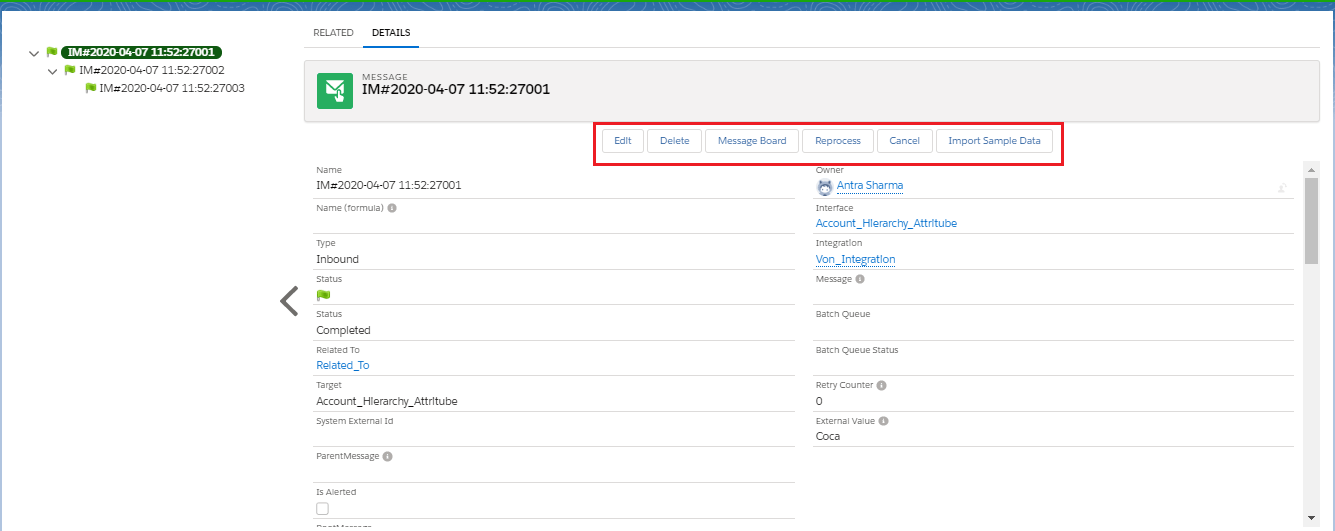
- We also have different buttons, these buttons have different and important functionality. We can see the picture given below:-
- We can edit, delete, reprocess the messages. We can go on message board by clicking on this button. We can also import sample data from here.
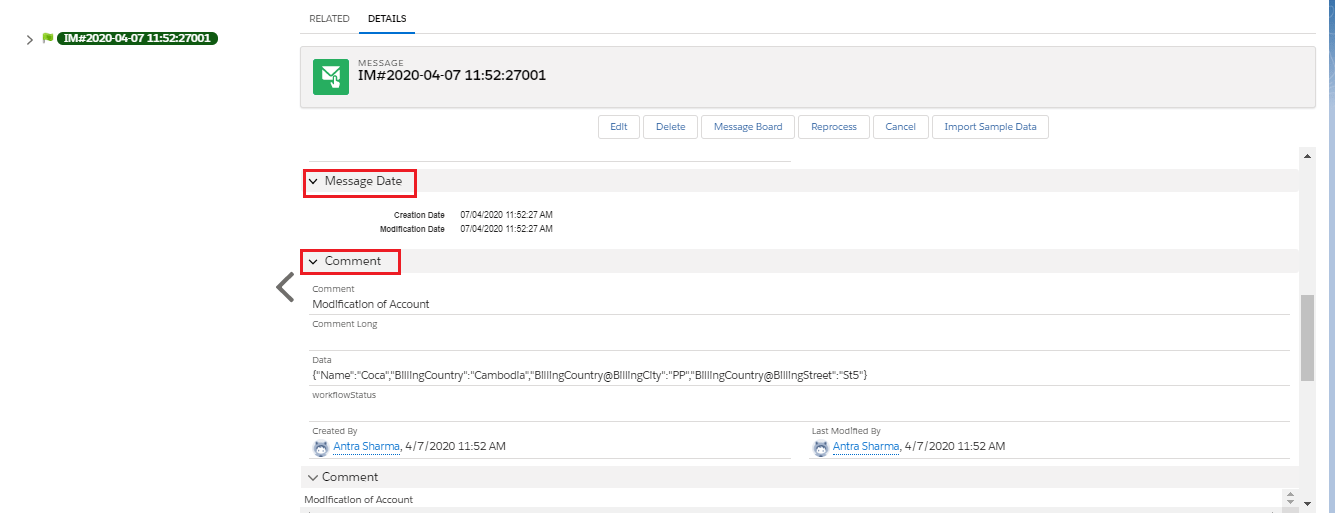
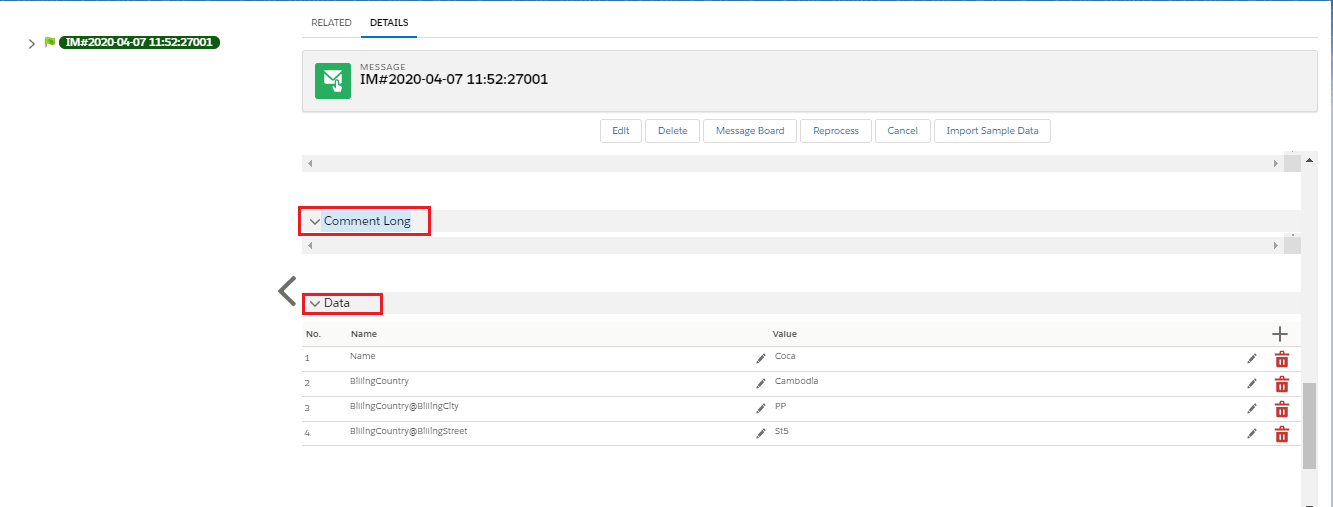
- In the pictures given below we can see the following section
- Message Date- Here we can see Creation Date and Modification Date.
- Comment- Here we can see about modification.
- Long Comment- If we have long comment then we can add it in this section.
- Data- Here we can see Data's name and value.
Reprocessing from Message detail page: If we get failed messages at that time we can reprocess those messages after recorrecting the issue. Go to message detail page and click on reprocessing button.
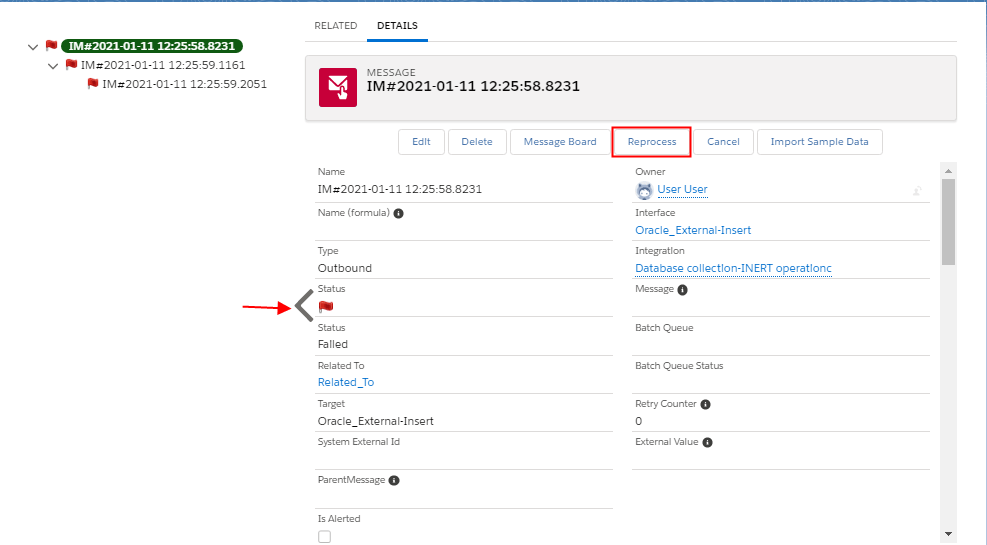
When we clicked on reprocessing button confirmation pop up windows shown on screen.
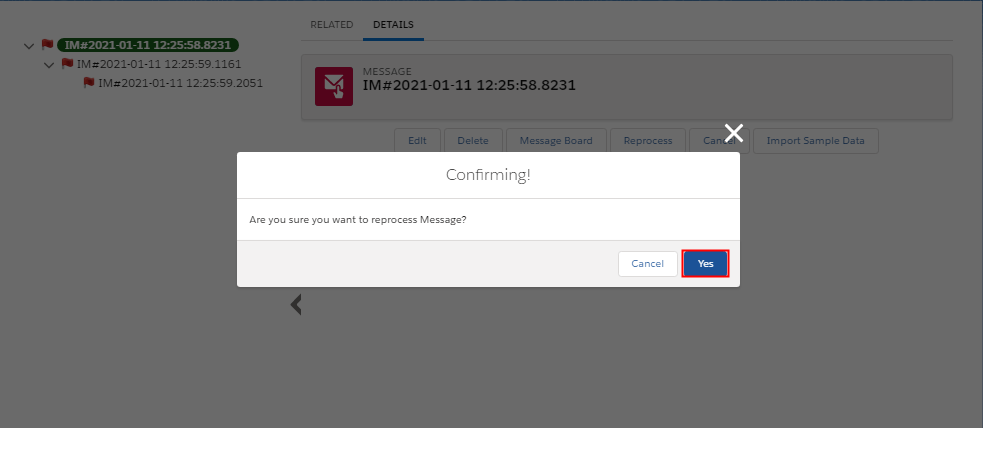
We will get the reprocessing result on message detail page.