2. Warnings
Adding several new picklist values when upgrading the new release of SKYVVA
To prevent some errors while users use those picklists, SKYVVA wants to warn you that every new picklist value created by us will not be overwritten when you upgrade to a new release of SKYVVA. However, if you install our latest release, you will have all those picklists included in the package. To be able to use those picklists you need to manually add them.
Added picklist on “Message Type” field on “Message” object:
- Custom Message
- Composite Message
- Basket Message
- You can click “Setup” on the top of the interface page.
- In the “Quick Find” box type the word “Object Manager” or click on the Object Manager tab
- Click on Object Manager then scroll down the page to find the “Message” object or you can search it in the “Quick Find” box, then click it.
- On the left side of the page, you will the panel select the “Field & Relationship” field.
- You can search the Message Type” field in the “Quick Find” box or scroll down the page to find it.
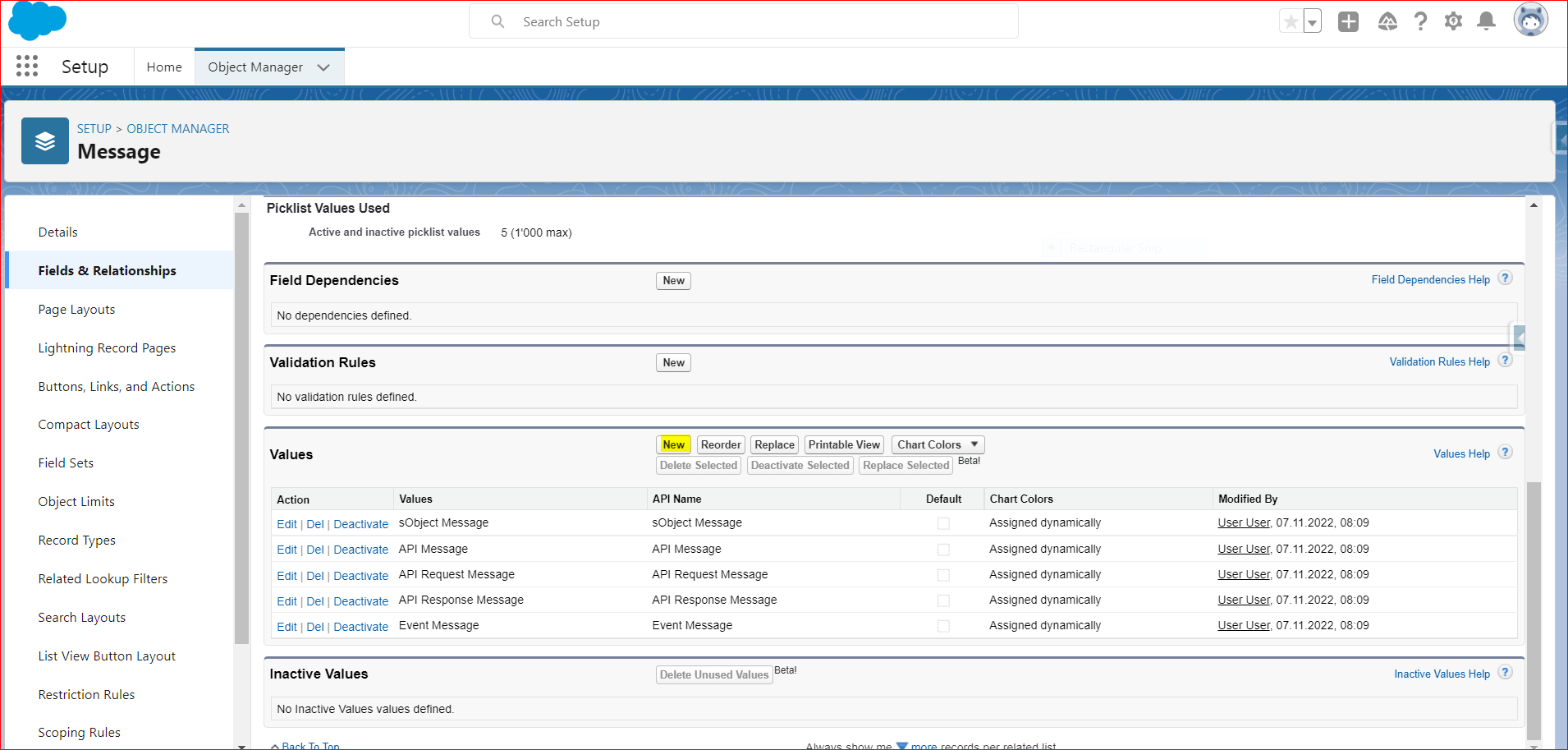
- Select the field and scroll the page down to find the value section. You will find some values are already there, so to add the new picklist just click the “New” button.
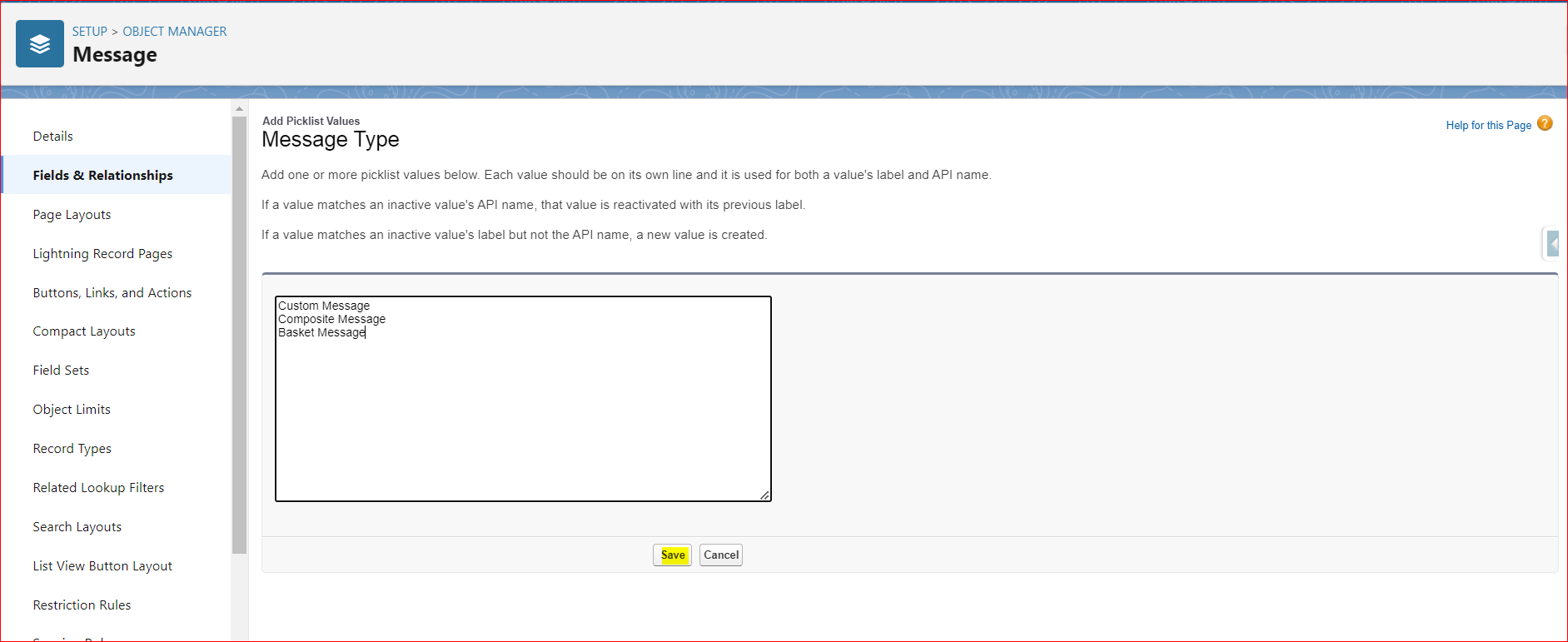
Fill value’s API name in the box and click the save button.
Custom Message
Composite Message
Basket Message
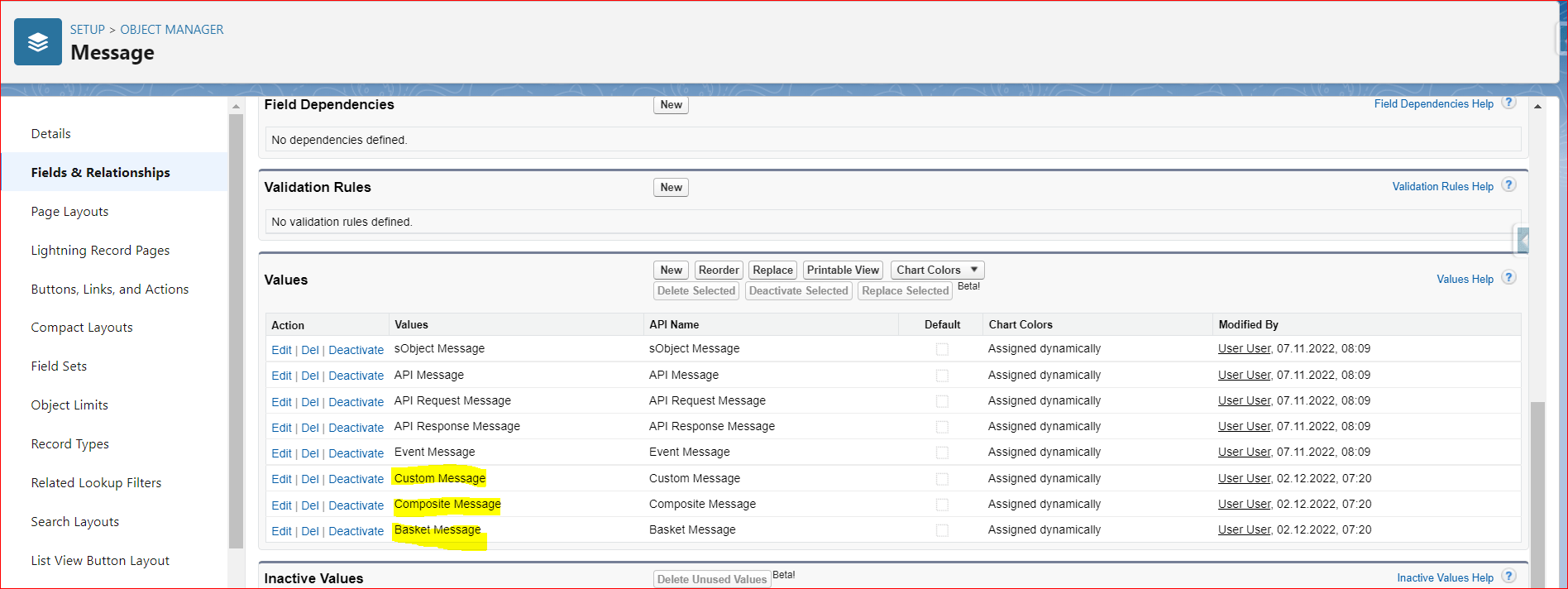
Finally, we will get the “Custom Message,Composite Message and Basket Message” type picklist value as the screenshot below.
[su_box title="Note" box_color="#2a8af0" title_color="#000000"]However, some organizations will face missing some picklist values in this Message Type field. To avoid the problem please kindly add those values by checking the box of the picklist value for a particular Message Type.[/su_box]