3. Warning
Adding a picklist value while upgrading to the new version
In general, the picklist value from the package will not be added automatically when you upgrade the package. Therefore, you must add them manually after the upgrade. Note that this problem will not arise for a new installation.
Added few picklists below to the “skyvvasolutions__RecordType__c” field of “skyvvasolutions__InterfaceControlRuntime__c” object:
- SchedulerSubmittedTime
- Child Relationship Name
Follow the steps below to create the picklist:
- You can click “Setup” at the top of the interface page.
- In the “Quick Find” box, type the word “Object Manager” or click on the Object Manager tab
- Click on Object Manager, then scroll down the page to find the “skyvvasolutions__InterfaceControlRuntime__c” object, or you can search for it in the “Quick Find” box, then click it.
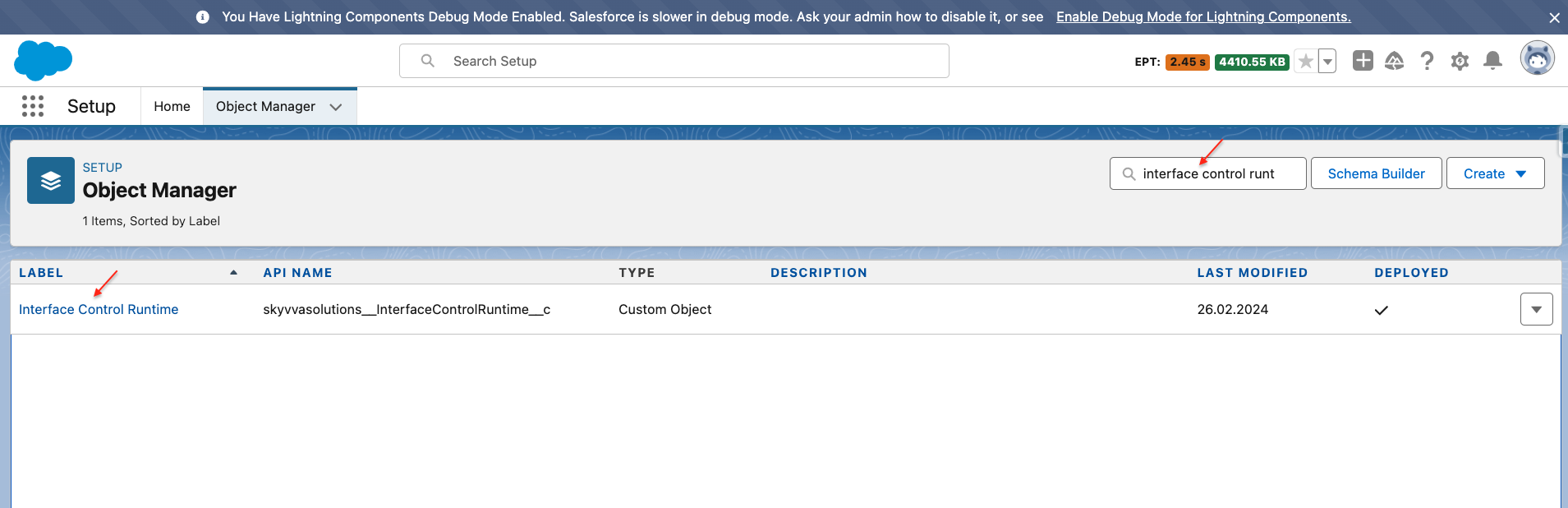
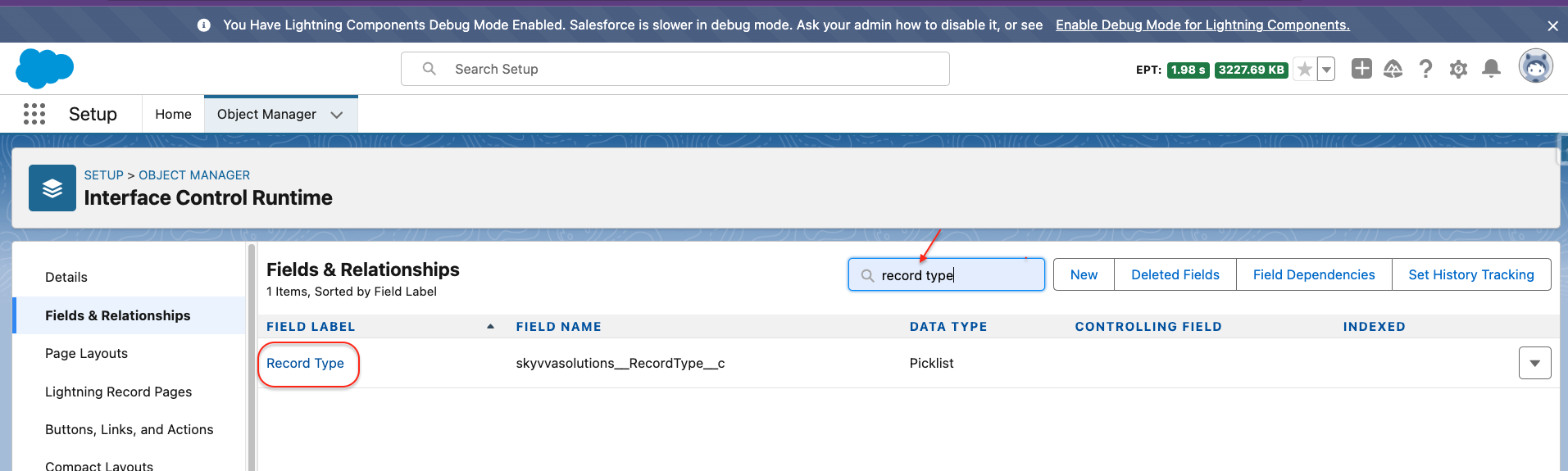
- On the left side of the page, you will see the panel select the “Fields & Relationships” field.
- You can search the “Record Type” (API Name: skyvvasolutions__RecordType__c) field label in the “Quick Find” box or scroll down the page to find it.
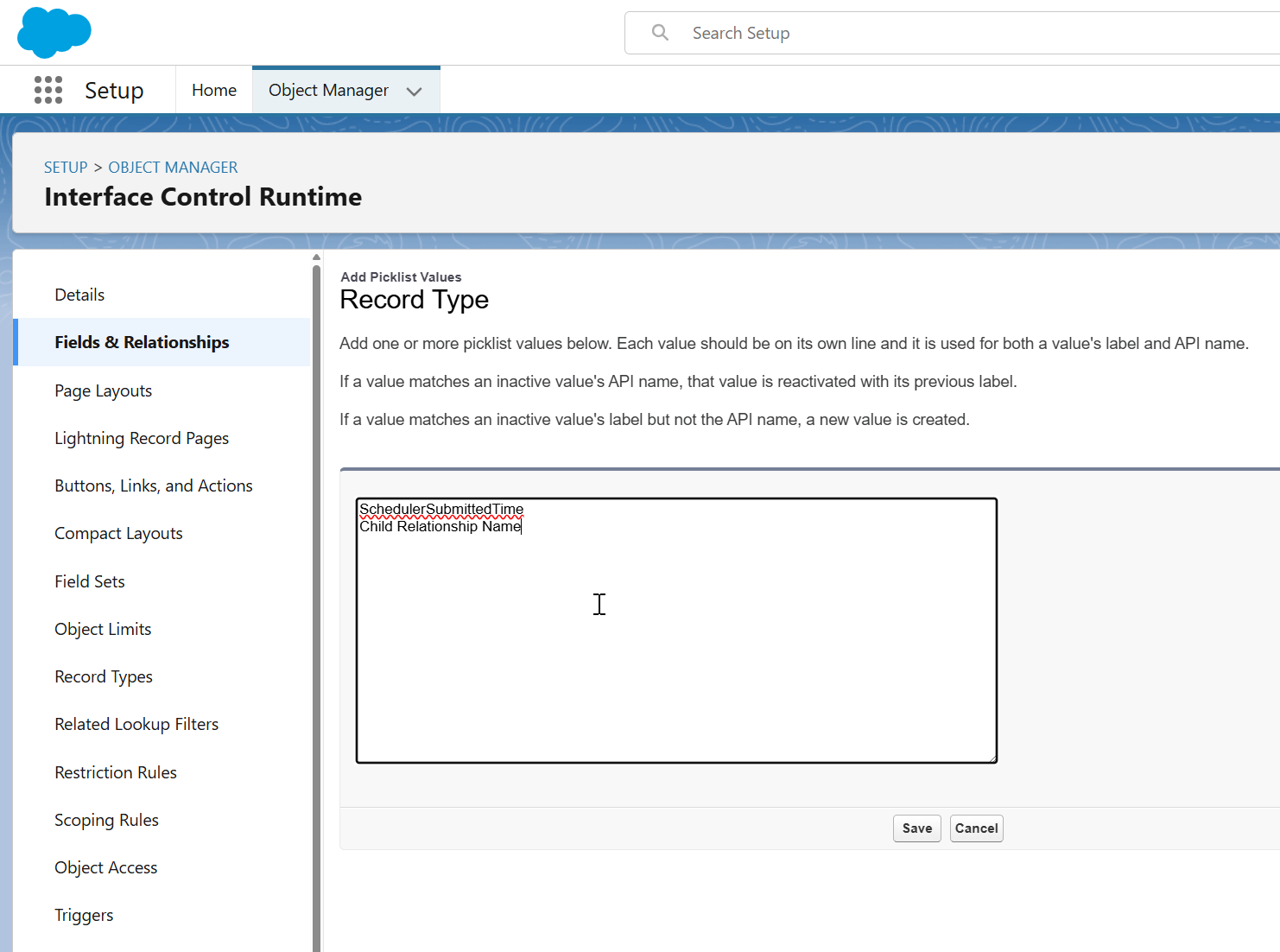
- Fill in the value’s API name below in the box and click the save button.
- SchedulerSubmittedTime
- Child Relationship Name
Finally, we will get the "SchedulerSubmittedTime" and "Child Relationship Name" picklist values on skyvvasolutions__RecordType__c of skyvvasolutions__InterfaceControlRuntime__c Object as in the screenshot below.

Note:
However, some organizations will face missing this picklist value in this skyvvasolutions__RecordType__c field. To avoid the problem, please kindly add this value by checking the box of the picklist value for a particular skyvvasolutions__RecordType__c.
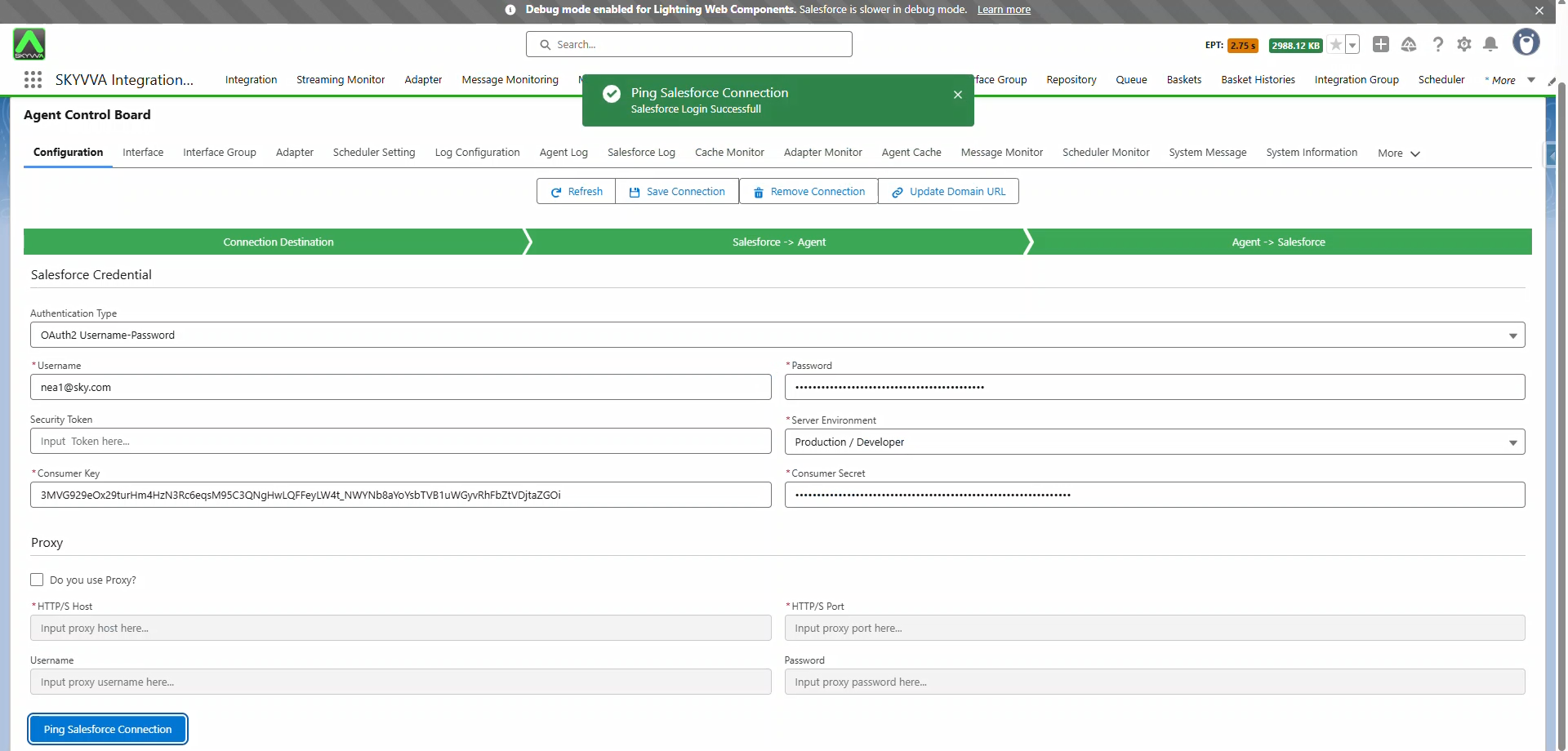
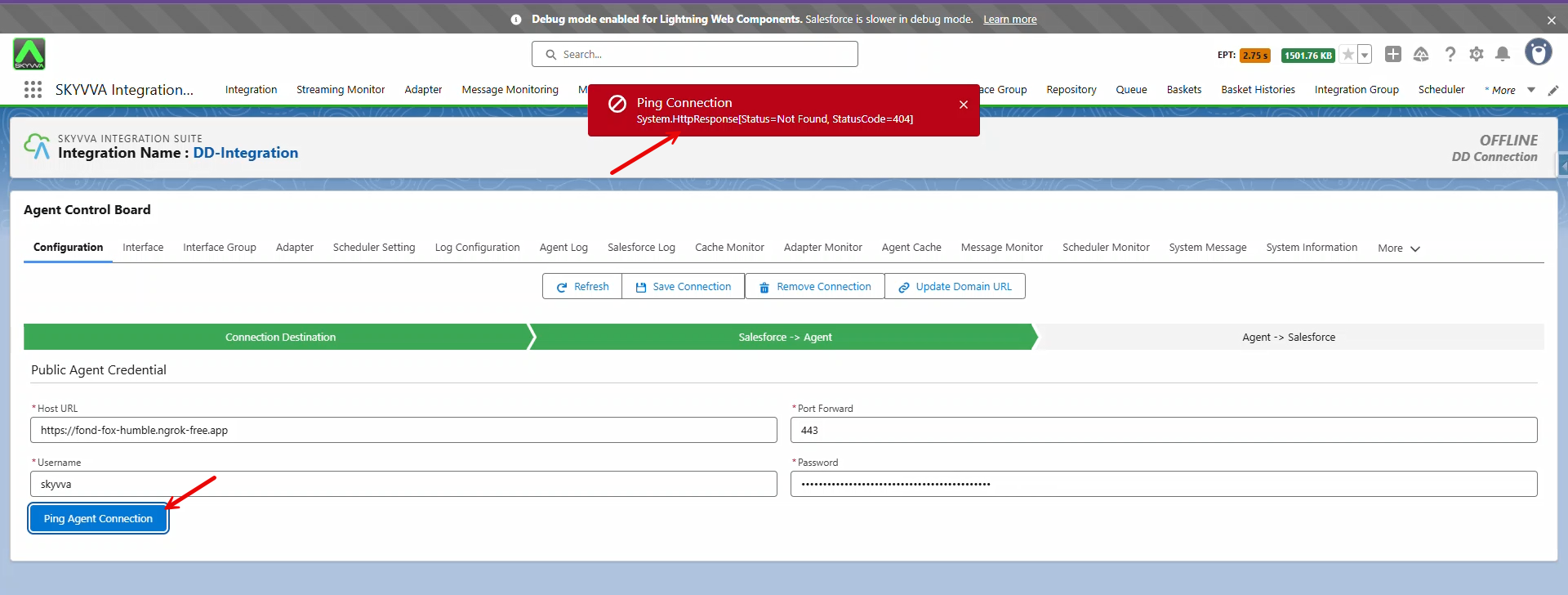
If the Agent Service is running and you receive an error message while trying to ping the Agent Connection, please follow the instructions below:
In this Skyvva version, you may encounter an error with some Agent versions (3.06.xx) because Skyvva attempts to call an API that is no longer included in the New Agent. You will see the error message: 'System.HttpResponse[Status=Not Found, StatusCode=404]' in the screenshot below:
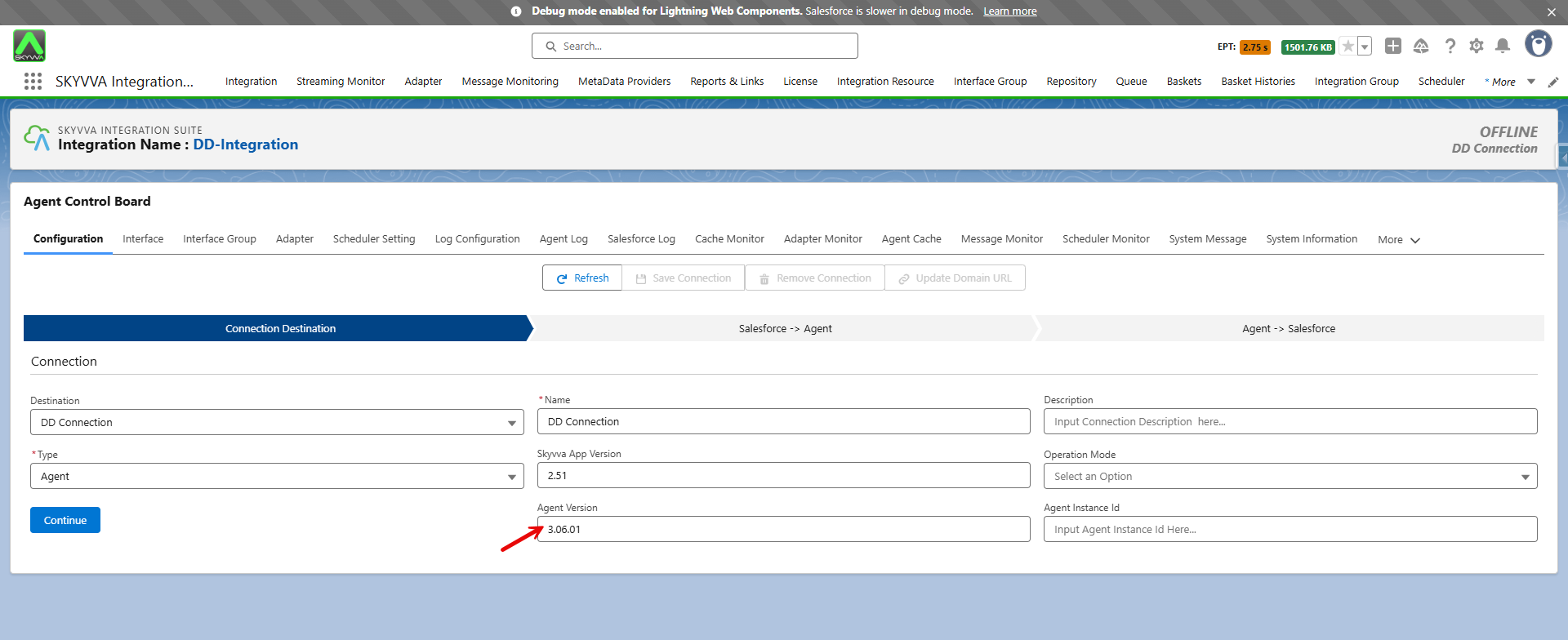
As a workaround, simply leave the Agent Version blank to call the old API that is still present in the New Agent.
After removing the Agent Version value, click the Continue button.
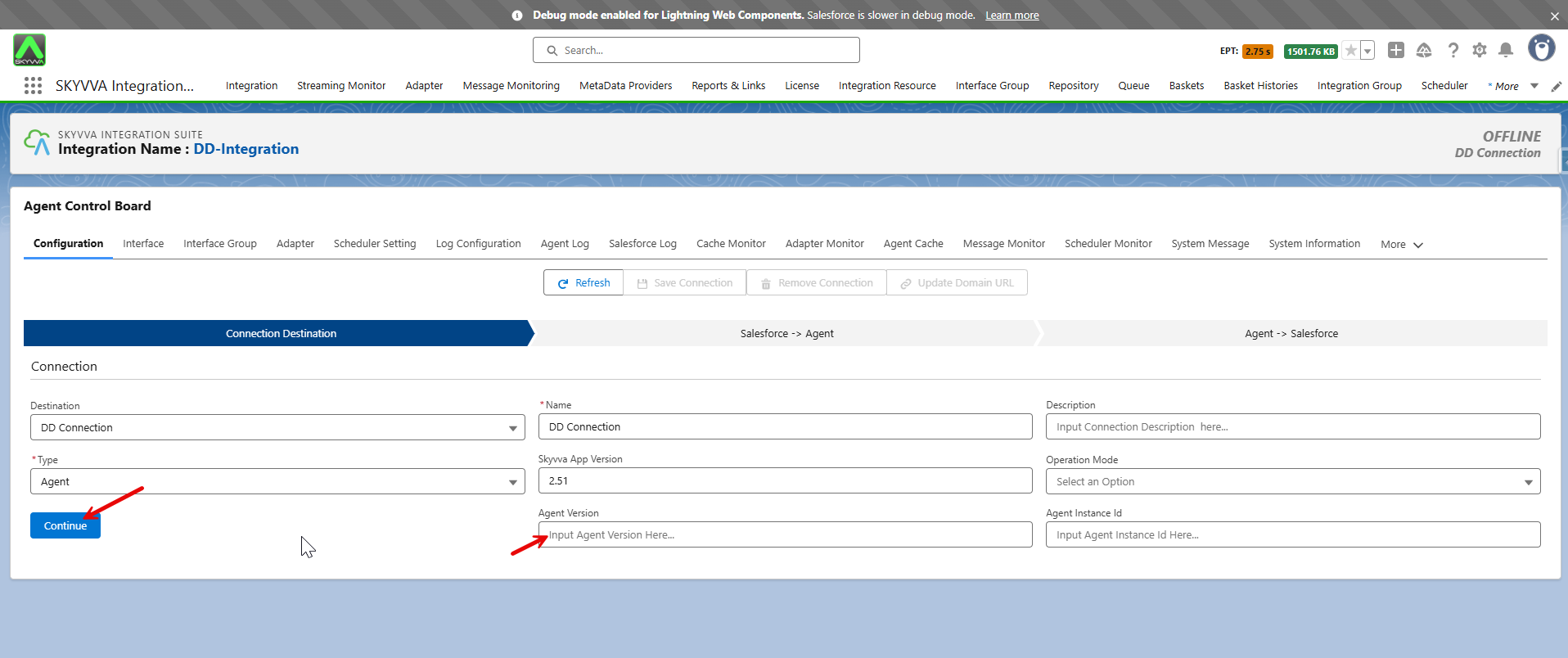
Finally, you can successfully ping the Agent Connection.