2. How to create free defined message type?
This tutorial explains what message type is and how to generate them. It also describes the configuring and how to use.
1. What is message type?
Free define message type is a type and structure definition which is store in Repository. The message type can be resided in a WSDL, in SAP IDoc, SAP Bapi, etc... It can be stored in a file in csv, xml or other format.
2. The creating of Message Type
There are four ways to create Message Type: 1. Upload Istructure 2. Upload WSDL 3. Upload sObject 4. Manually create Message Type (Free define message type) However, this tutorial will mainly explain the detail about free define message type.
2.1 How to create free define message type
For this section you can either create interface before or after the creating of message type. However, as an example, this tutorial will be focus on creating message type and also portraying each steps as following:
- Enter Salesforce and select on Integration Admin Tab
- Click on MetaData Provider tab then select on existed MetaData Provider or create a new one (If you haven’t create yet)
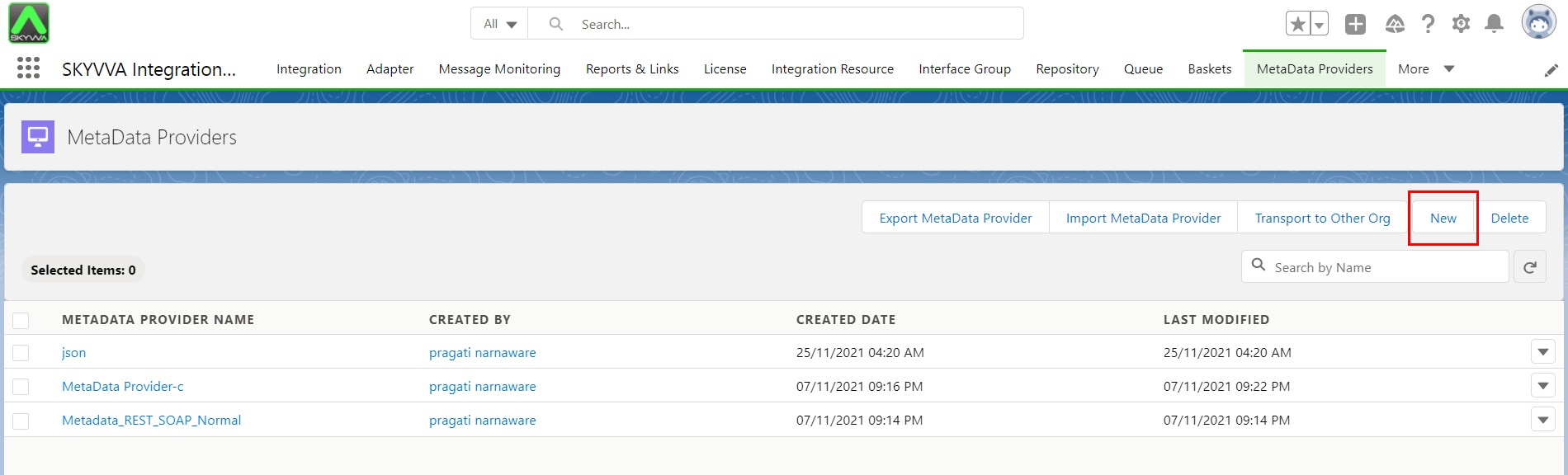
- After select on MetaData Provider you will land on it detail, what you have to do next is to create IStructure Repository.
2.1.1 Creating IStructure Repository
To create IStructure Repository you have two options: 1. You can create it in MetaData Provider detail page by clicking on New IStructure Repository button. 2. You can create it in IStructure Repository Tab which is locate in Integration Admin Tab. Create IStructure Repository in MetaData Provider Detail page:
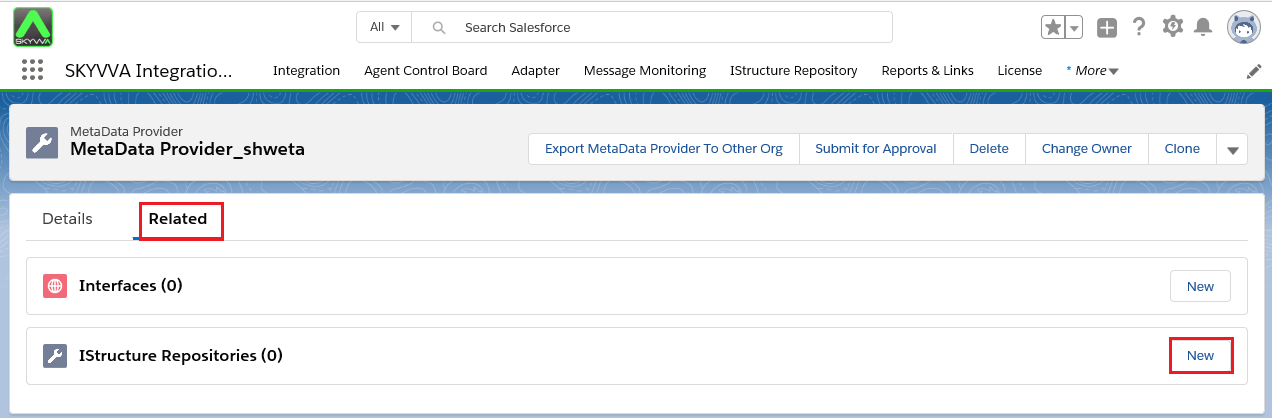
- Click on Related tab on metadata provider page.
- Click On New button.
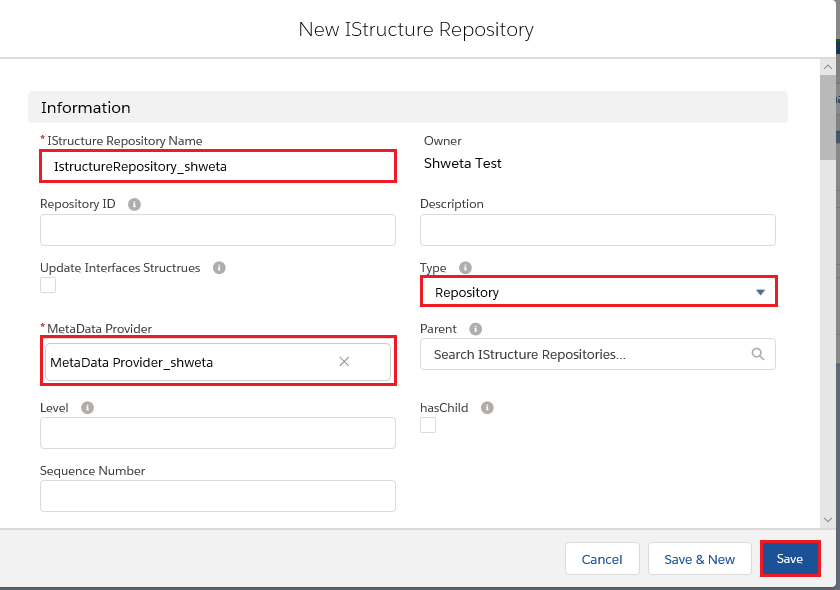
- Fill in the information as below:
- Name the IStructure Repository: IStructure Repository_shweta
- Choose MetaData Provider: MetaData Provider_shweta
- Choose type: Repository
- Save it.
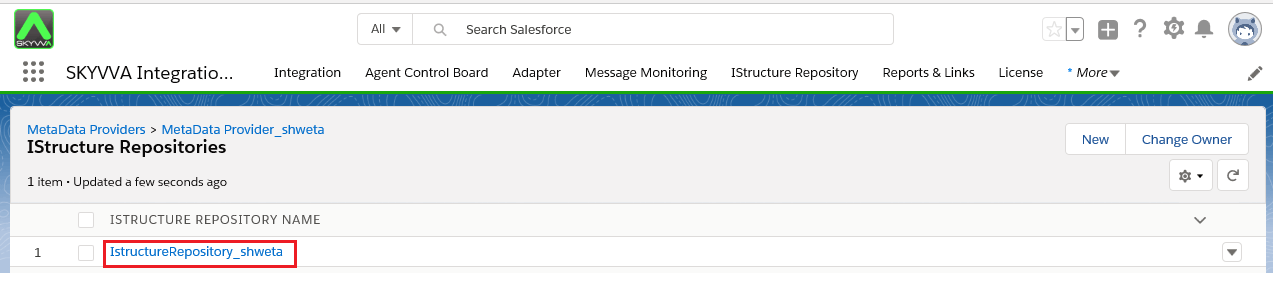
You can see the created IStructure Repository.
Create IStructue Repository in IStructure Repository Tab:
- Select IStructure Repository tab and click on New IStructure Repository button
Note: The next process is similia with the first one
2.1.2 Creating IStructure
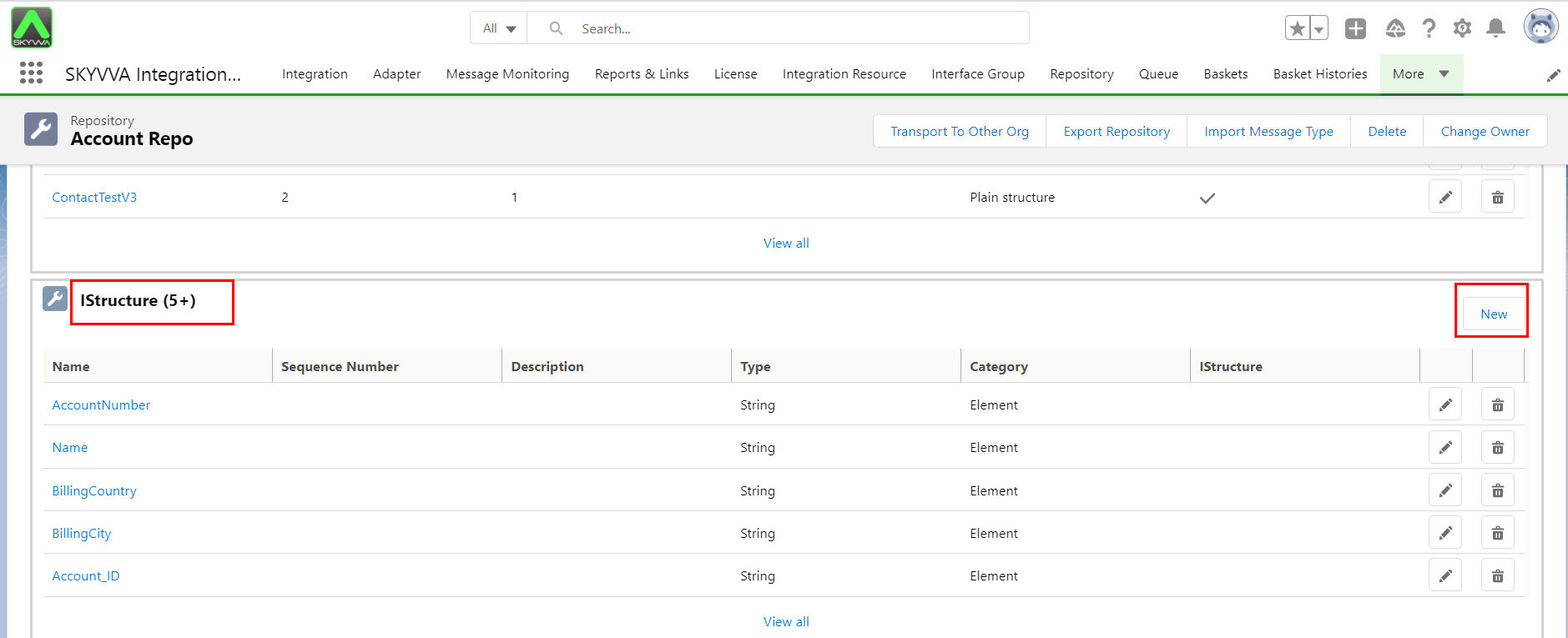
To create IStructure is the next step after you had created IStructure Repository. Just enter IStructue Repository and scroll down to IStructue section, which locate at the bottom of detail page. This section allow you to create the fields you want to use in message types field entries.
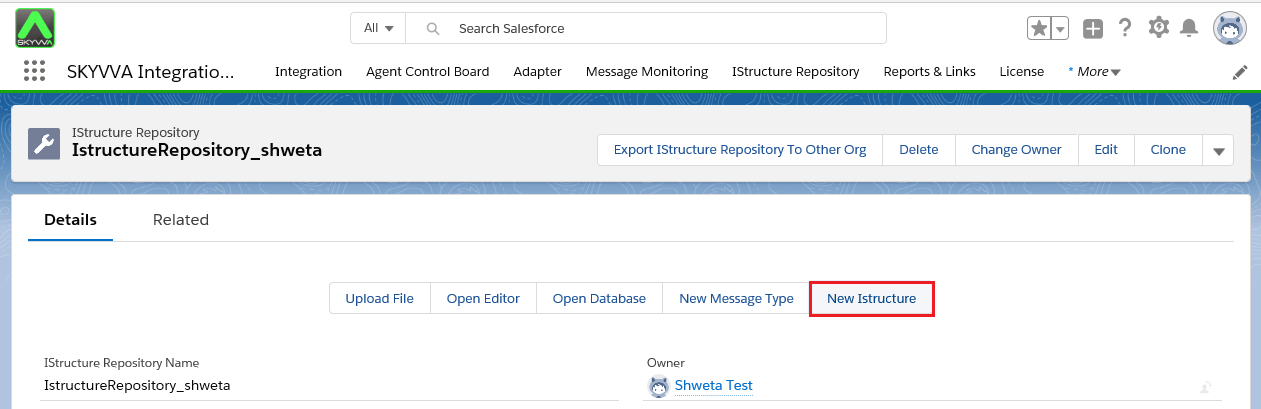
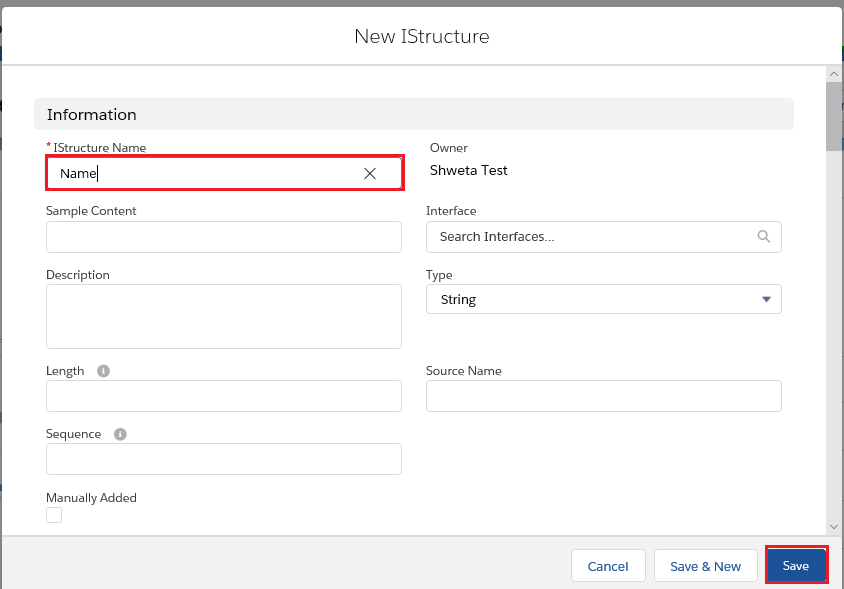
- Click the New IStructure button and name it.
2.1.3 Creating Message Type
This step is to portray how to create Message Type. Just click on Message Type button, which is located among other buttons in detail page.
- Click Message Type button then fill in the information:
1. Message Type Name: Structure 2. Type: Plain structure 3. IStructure Repository: IStructureRepository_shweta
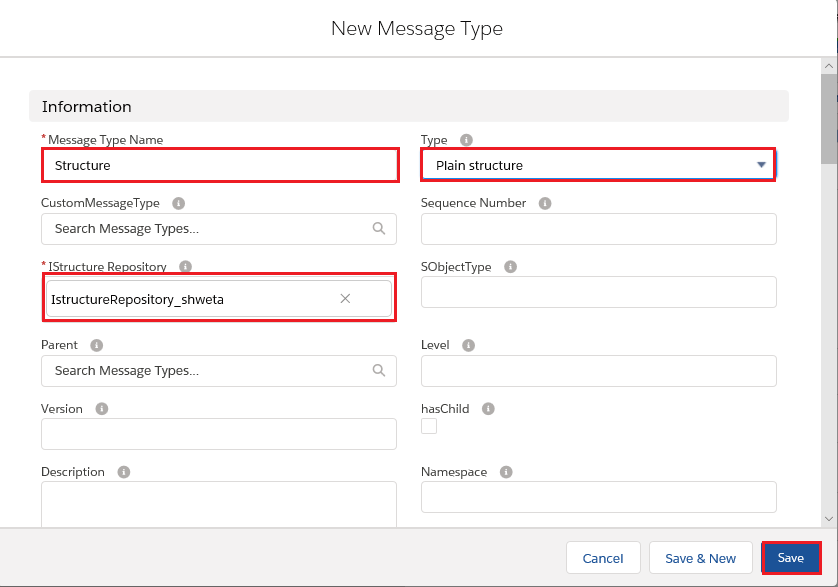
- Enter Message Type, which you had created. Then scroll down to the bottom of the page and you will see Msg Type Field Entries. You can create either a New MsgType Field Entry or Select Field from the Repository. The following step is showing how to select Field from Repository.
- Create Message Type field entry.
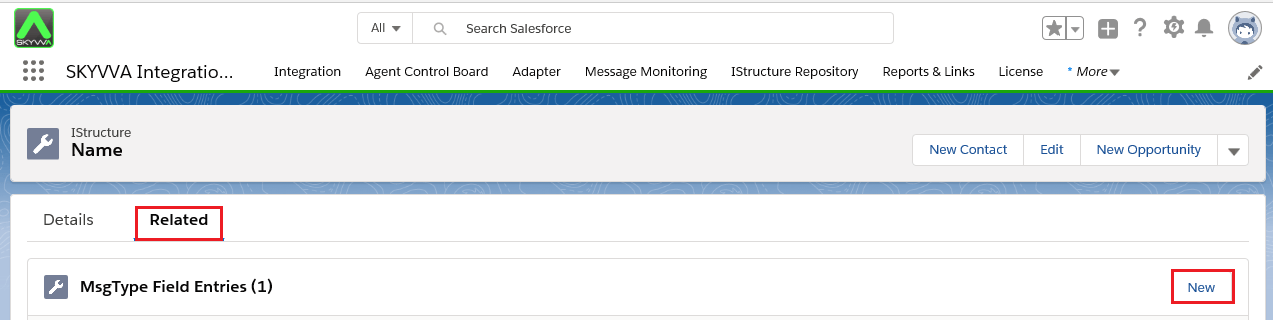
- Click On New Button.
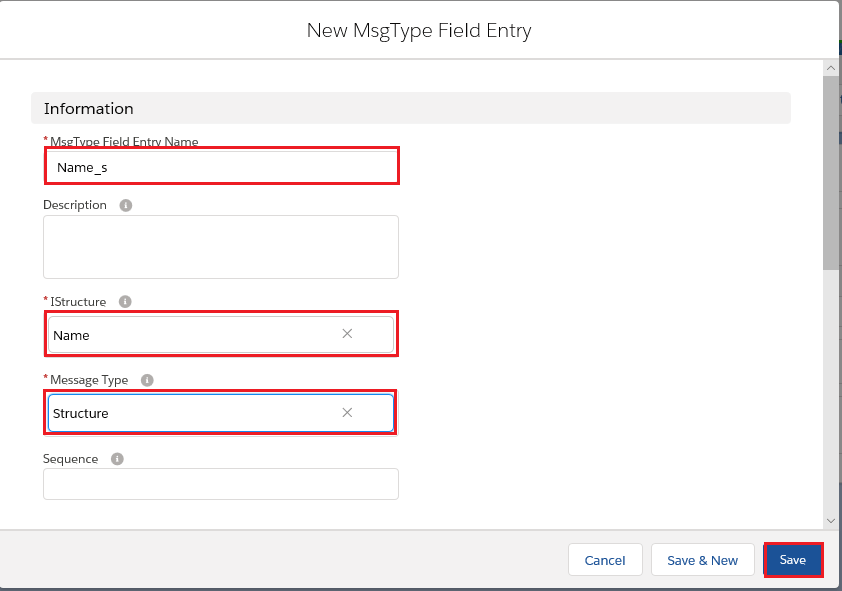
2.1.4 Creating Interface
For this part, it is up to you to decide when you want to create an interface. However, the example will be showing the creation of interface which is happened to be the final step.
- Just select on the New Interface button which located in the Message Type Detail page.
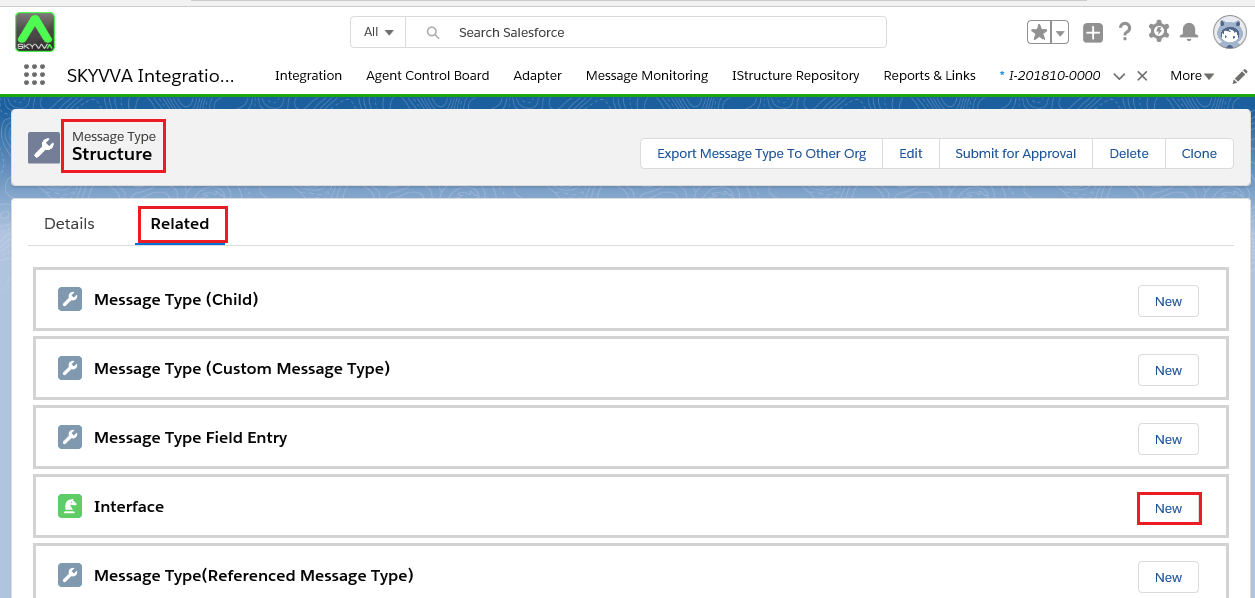
- Fill in the information as below
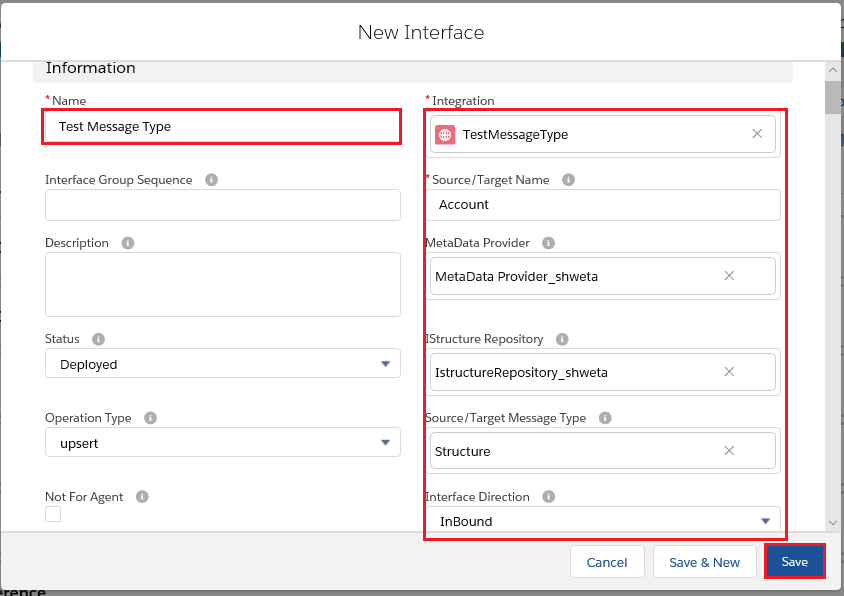
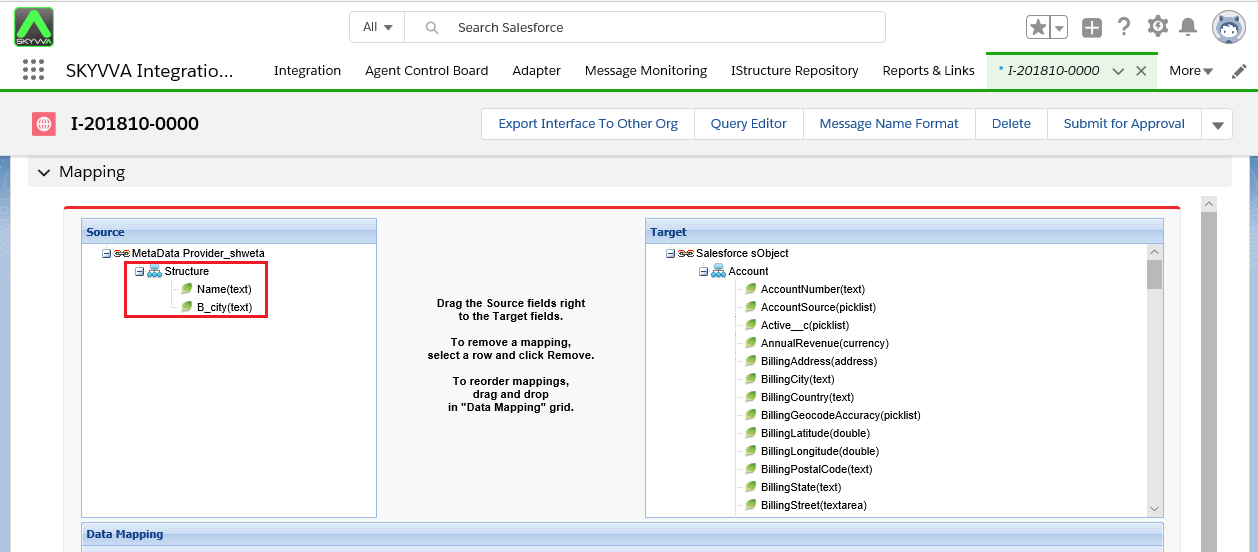
- After you done saving the interface you will land on Interface detail page. You can scroll down to Mapping section to check the structure of message type which you had created.