2. How to Export Binary file using manual process ?
The technical integration scenario involves the SKYVVA integration application and the handling of binary files in the context of an Internet Adapter for outbound interfaces.
While dealing with binary files in integration, the user will consider the following aspects:
- File Format: Ensure that you understand the format of the binary files you are dealing with. This is crucial for proper handling and interpretation of the data.
- Encoding and Decoding: Binary files need to be encoded before transmission and decoded upon reception. Common encoding methods include Base64 encoding. Ensure that both the sender and receiver understand and agree on the encoding/decoding process.
- Message Transformation: The SKYVVA integration application provides features for transforming messages. Ensure that the user integration scenario includes appropriate transformations to handle binary data.
- Adapter Configuration: For the specific Internet Adapter involved, make sure it's configured to handle binary data. Configure the adapter to specific settings or configurations related to binary file handling. When transmitting binary files, especially over the internet, consider encryption and secure transmission protocols to protect the data.
Expectation:
How does the outbound processing of the Internet adapter work in a user integration scenario? The goal is to export a binary file type, such as an image stored as a binary blob in Salesforce, and send it to Google Drive. Here's a step-by-step overview of the process:
- Base64 Encoding in Salesforce:
Convert the binary blob (image) stored in Salesforce to a Base64-encoded string. Salesforce supports encoding binary data to Base64 through Apex code. This encoding ensures that the binary data is represented as a string.
- Mapping in SKYVVA Integration Application:
The mapping only supports string format, ensure that the mapping configurations in the SKYVVA integration application are set up to handle the Base64-encoded string format.
- Outbound Processing with Internet Adapter:
Configure the outbound processing in the Internet adapter (Google Drive) to accept the Base64-encoded string as input.
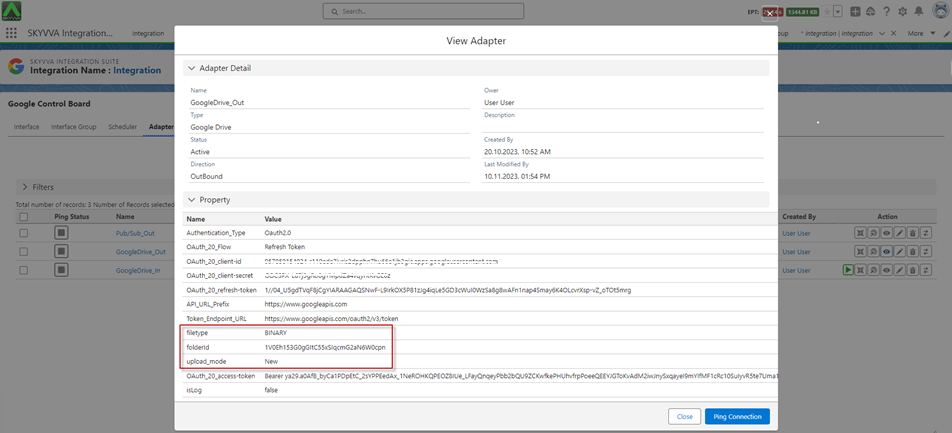
- Ensure that the Internet adapter is set up to handle binary data, in this case, the Base64-encoded string.
- Transmission to Google Drive:
Use the configured Internet adapter in support of the SKYVVA integration application to transmit the Base64-encoded string to Google Drive.
[su_box title="Note" box_color="#D71339" title_color="#000000"]The support for Binary File type has been integrated into adapters such as Google Drive, Dropbox, Amazon S3, and Microsoft OneDrive.[/su_box]
Required step:
- Create an Integration
- Create an Outbound Adapter, Google Drive
- Create an Outbound Interface -> Create IStructure on the Interface -> Do Mapping
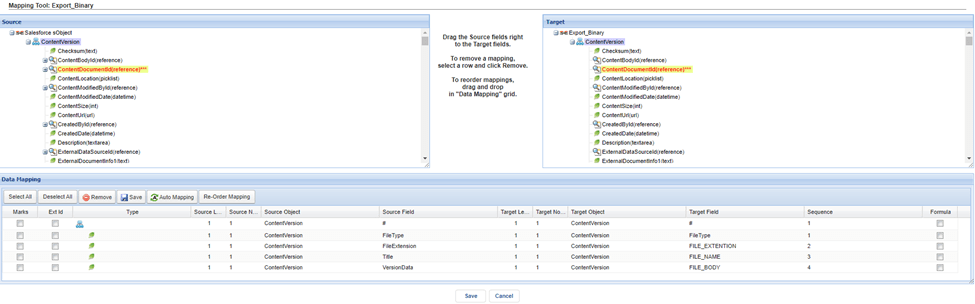
Define Interface and Mapping:
- Required fixed message field entries where you can map any formula for file name, extension, or any other desired field:
FILE_NAME
- FILE_EXTENION
- FILE_BODY
- Users can create a custom message type with these required fields or use IStructure directly on the interface.
- The Transfer Package Size must be 1 because we cannot send multiple requests per transaction. This limitation is due to the potential large mapping result from our outbound processing, which returns a Map
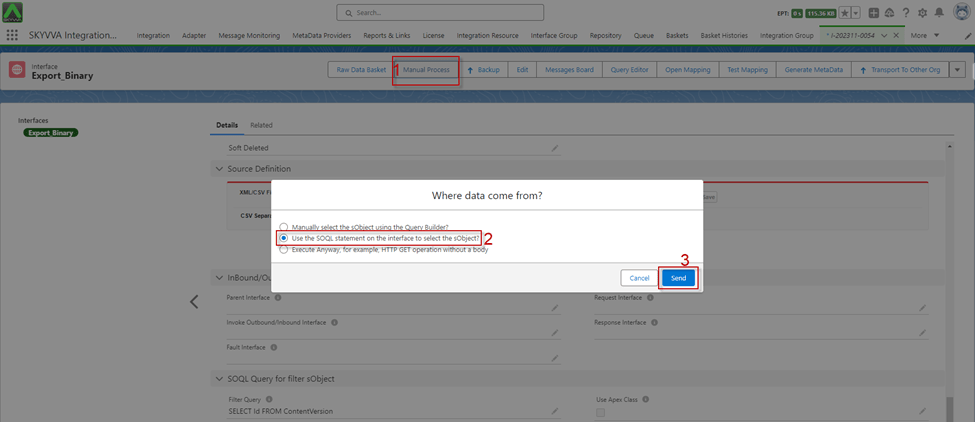
Go to Interface Detail -> Scroll down to SOQL Query for filter sObject -> Set the condition on the file Filter Query
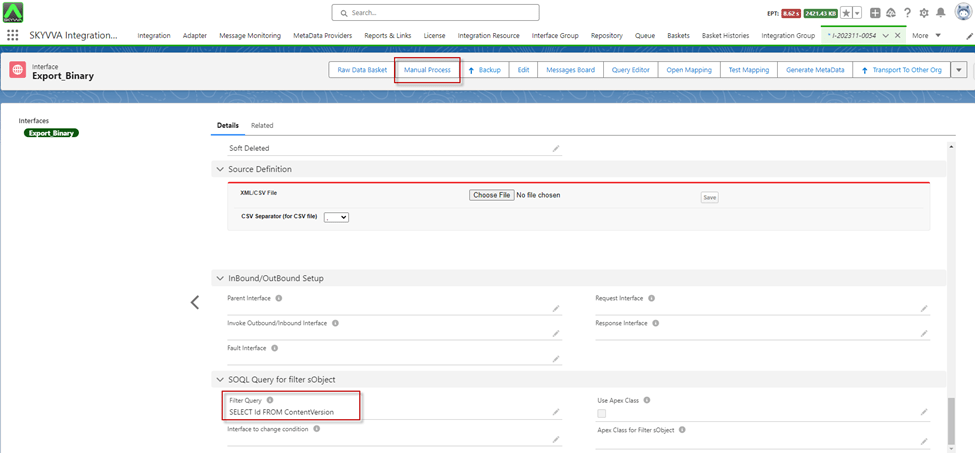
- Click on the Manual Process button to callout the records
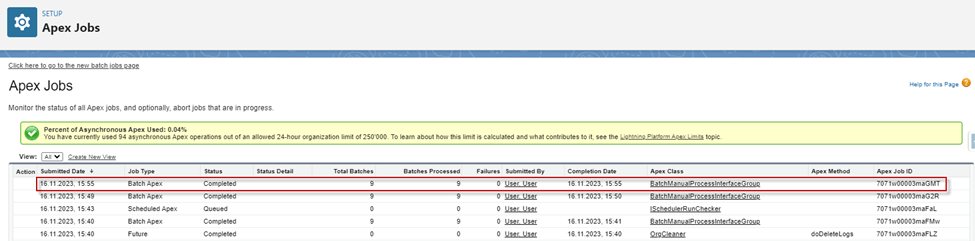
- Apex Job
- After apex job processing was completed, we got the Message Monitoring
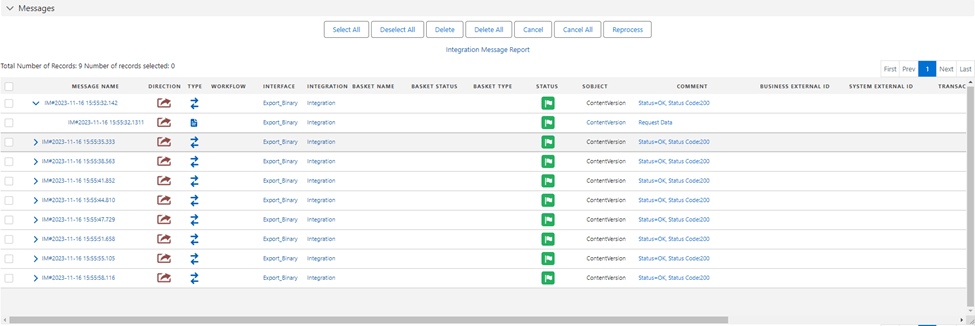
- Here is the Payload from Google Drive

[su_box title="Result:" box_color="#2a8af0" title_color="#000000"]The 'Manual Process' button for the callout execution, we obtain a 'Message Success' notification accompanied by a payload. This payload is determined by the conditions specified in the 'Filter Query' of the 'SOQL Query for filter sObject' section. Consequently, the payload retrieved from Google Drive contains images represented as a binary blob.[/su_box]
Note:
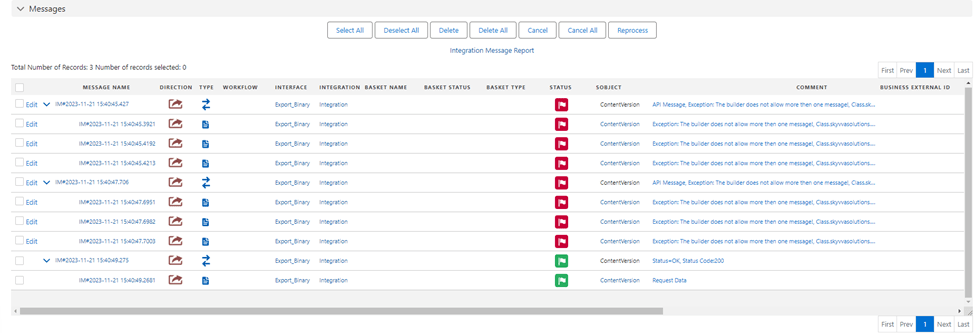
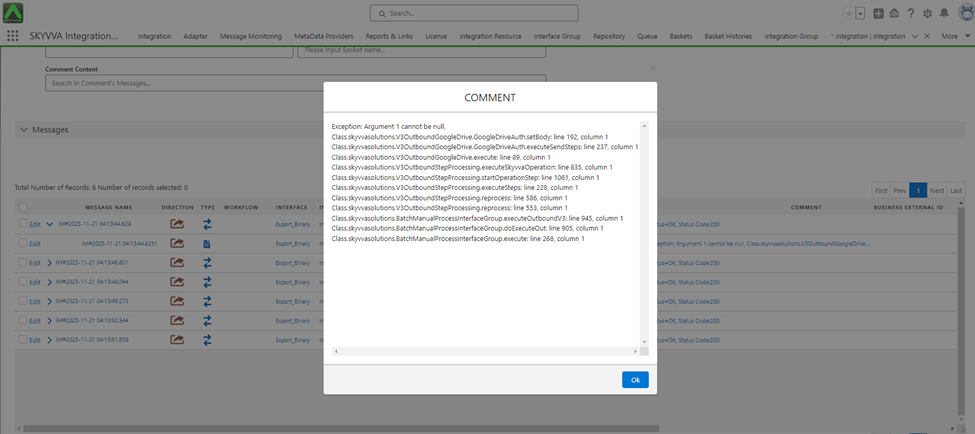
- If you mapping ConectVersion are missing required field 'FILE_BODY' with 'VersionData(base64)', when you execute callout the records with binary, you get with the failed message monitoring as below.
- If you using Transfer Package Size set on the Interface. The Binary File cannot support multiple files per request due to the potential size limitation of the mapping result. Since the mapping result is a base64(string), it can become excessively large. Therefore, when we set the Transfer Package Size on the interface and execute the callout, an error message will be alerted stating 'The builder does not allow more than one message'.