2. How to use the Agent Kafka Adapter for Producer?
Introduction
Agent Kafka adapter for Producer uses for writing data to Topic, meaning that sends data from Salesforce to Topic in Apache Kafka. To use Kafka for Producer, we need to have a Kafka; then, we need to configure an adapter in the Agent control board. In this chapter, we will learn how to use the Agent Kafka Adapter for Producer, and we will know how to do outbound with CSV, XML, and JSON file type. Pre-require
- Configure a new agent control board.
- To checking to catch a new agent control board.
- Starting and create Topic in the Kafka system.
1.How to configure a new agent control board.
- Go to the Integration Detail page.
- Click on the new agent control board.
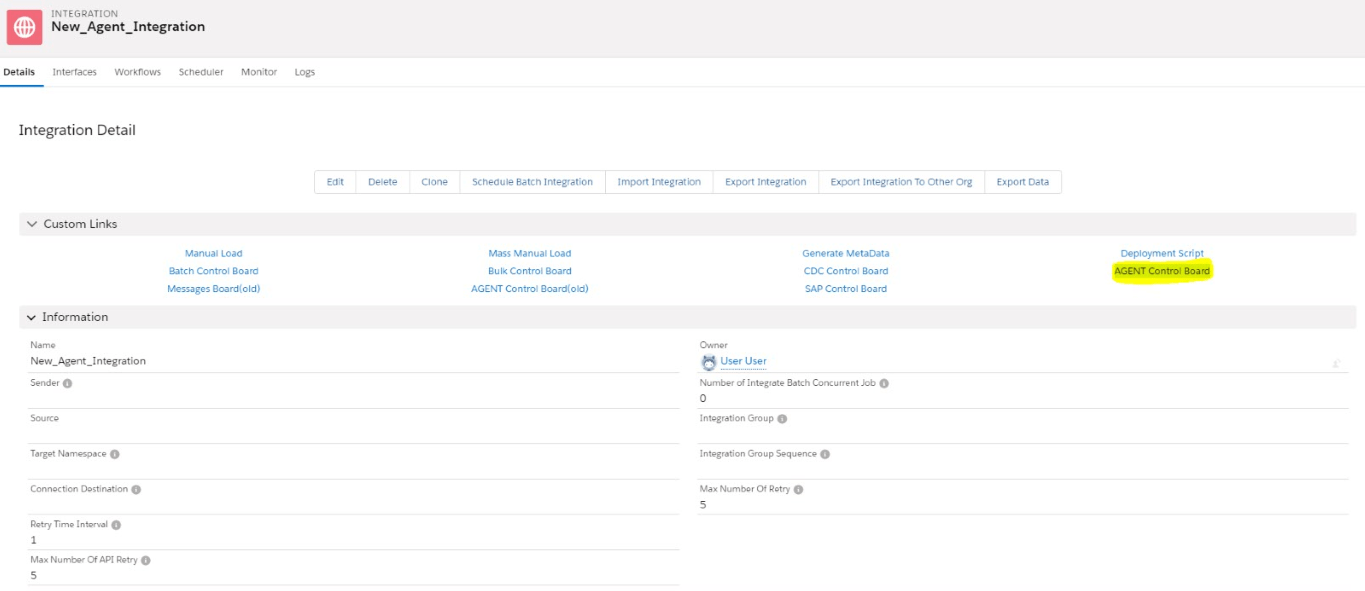
- Now we need to create a connection destination. For that, we can give any name to the destination. As shown below.
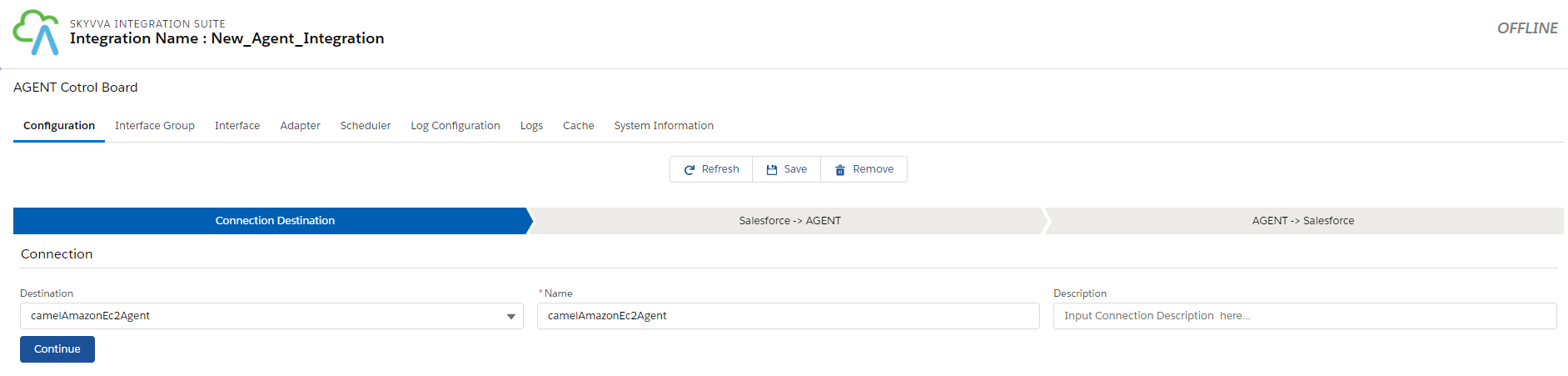
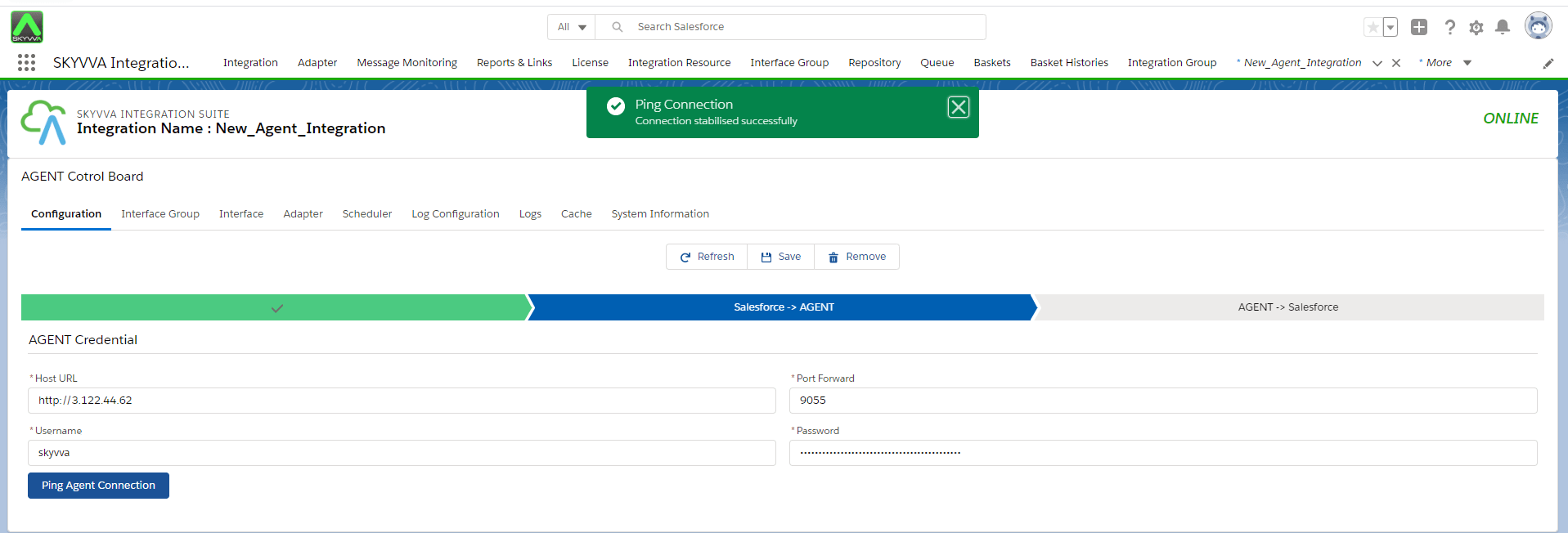
- Fill all the required fields in Salesforce > Agent.

- Click on the Ping Agent connection.
- Fill all the required fields in Agent > Salesforce.
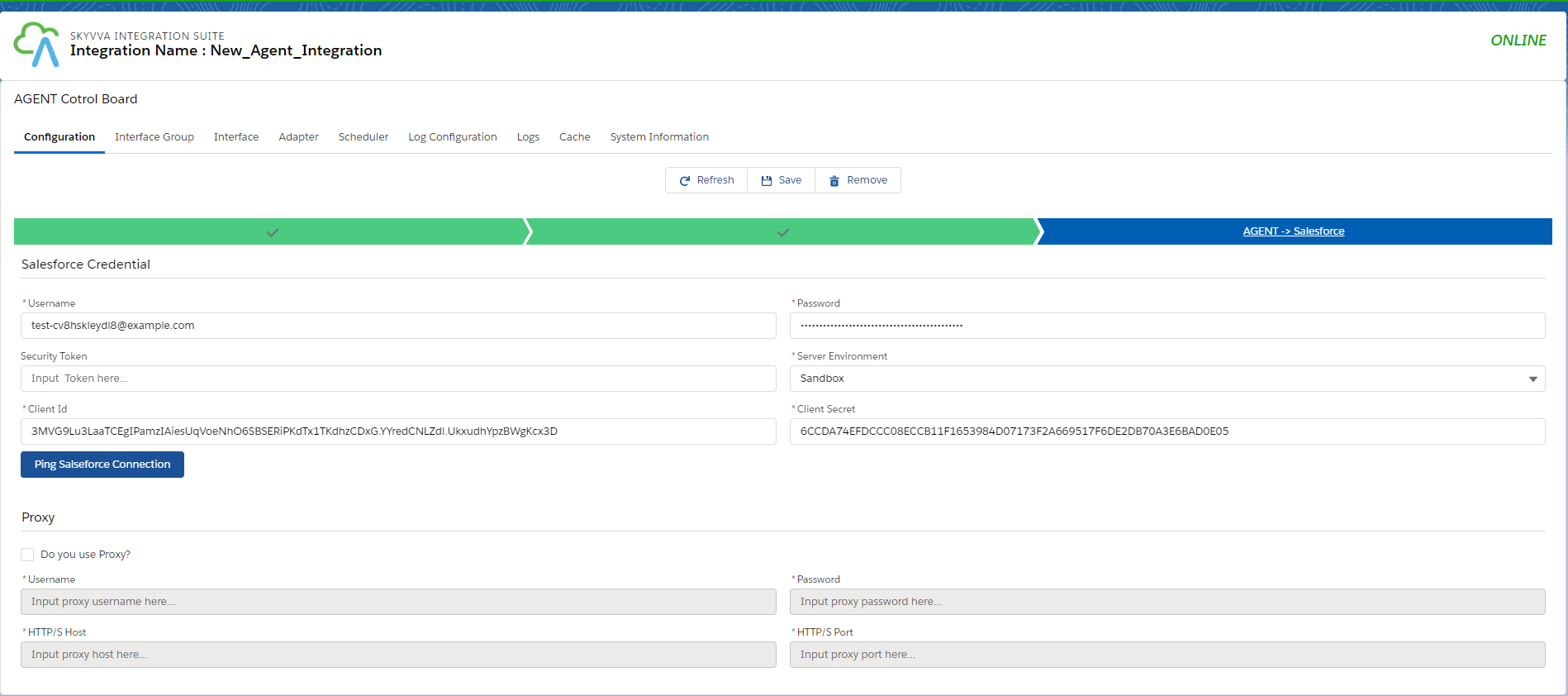
- Click on the Ping Salesforce connection.
- And save it.

2. How to check the Caching New Agent control board We can check it for different Object name.
- Check for the Integration. For that, select Integration in the object name.

- Check for the Interface. For that, select Interface in the object name.

- Check for the Mapping. For that, select Mapping in the object name.
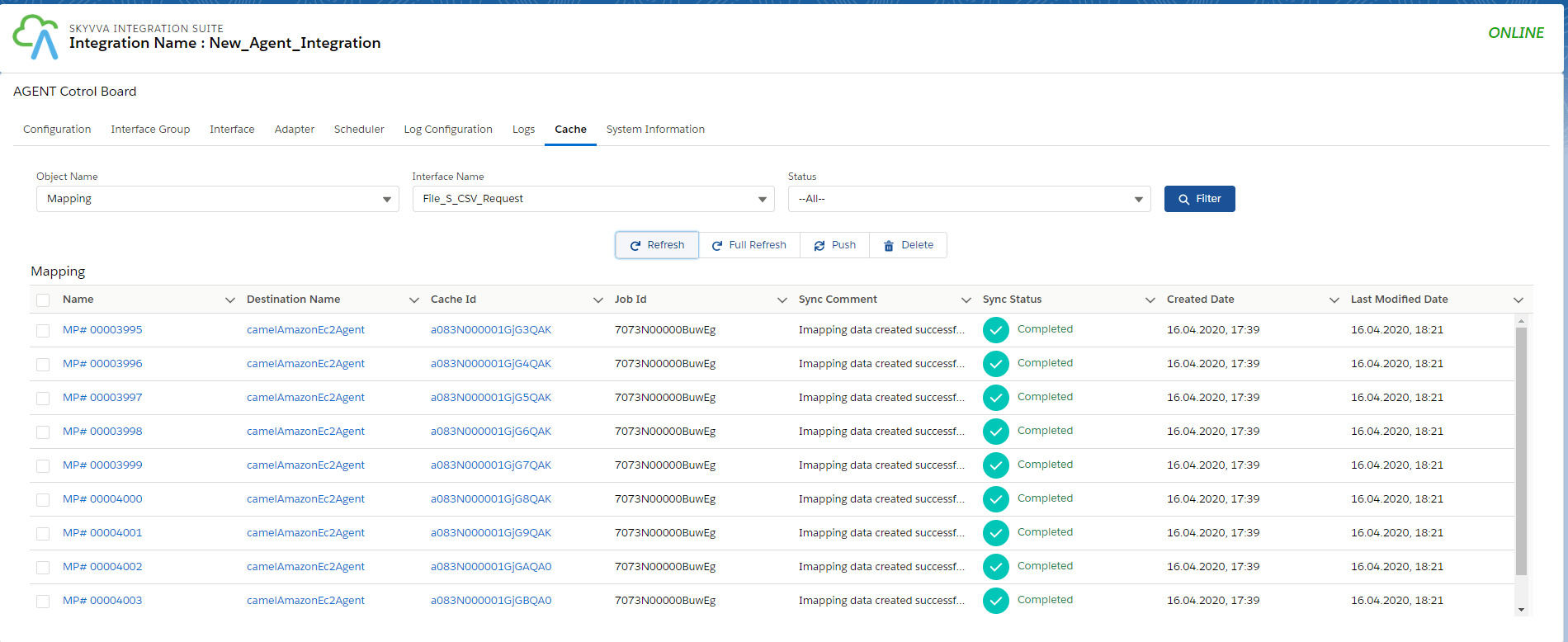
- Check for the Adapter. For that, select the Adapter in the object name.

- Check for the Interface Group. For that, select Interface Group in the object name.
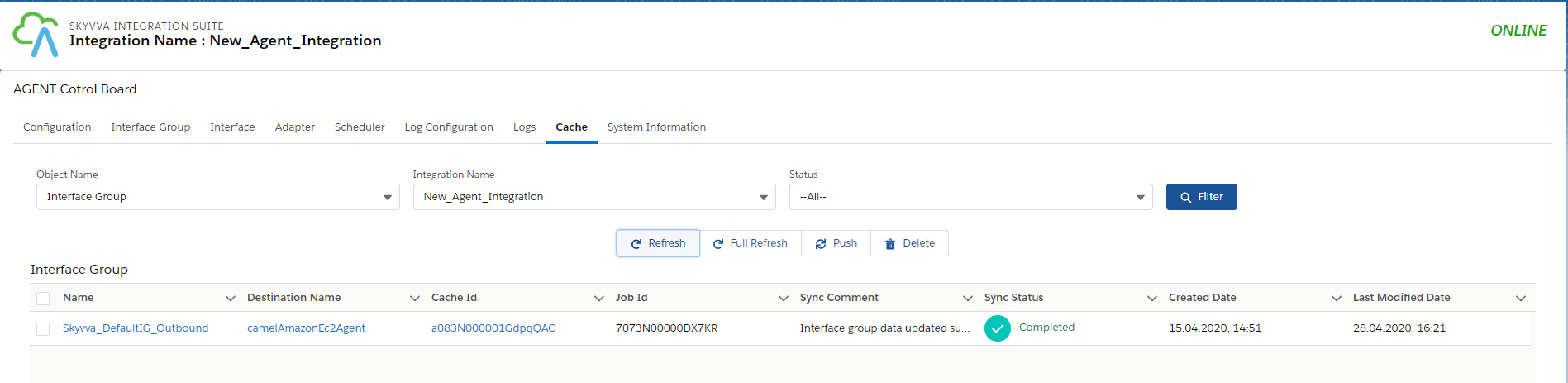
3. How to work with Kafka Outbound Adapter?
Case 1: Create Outbound KAFKA Adapter for CSV format.
- Firstly, we need to create a Kafka topic on the Kafka server.
- Create a Kafka topic named: CSV-Topic (As shown in the picture given below).

- We should create different topics to identify various data formats. (This we needed for other use cases, for now, we are using CSV Topic ).
- ${KAFKA_HOME}/bin/kafka-topics.sh --create --bootstrap-server localhost:9092 --replication-factor 1 --partitions 1 --topic CSV-Topic
- ${KAFKA_HOME}/bin/kafka-topics.sh --create --bootstrap-server localhost:9092 --replication-factor 1 --partitions 1 --topic XML-Topic
- ${KAFKA_HOME}/bin/kafka-topics.sh --create --bootstrap-server localhost:9092 --replication-factor 1 --partitions 1 --topic JSON-Topic
- After creating a topic we can use command below to show all Kafka topic.
- ${KAFKA_HOME}/bin/kafka-topics.sh --zookeeper localhost:2181 --list
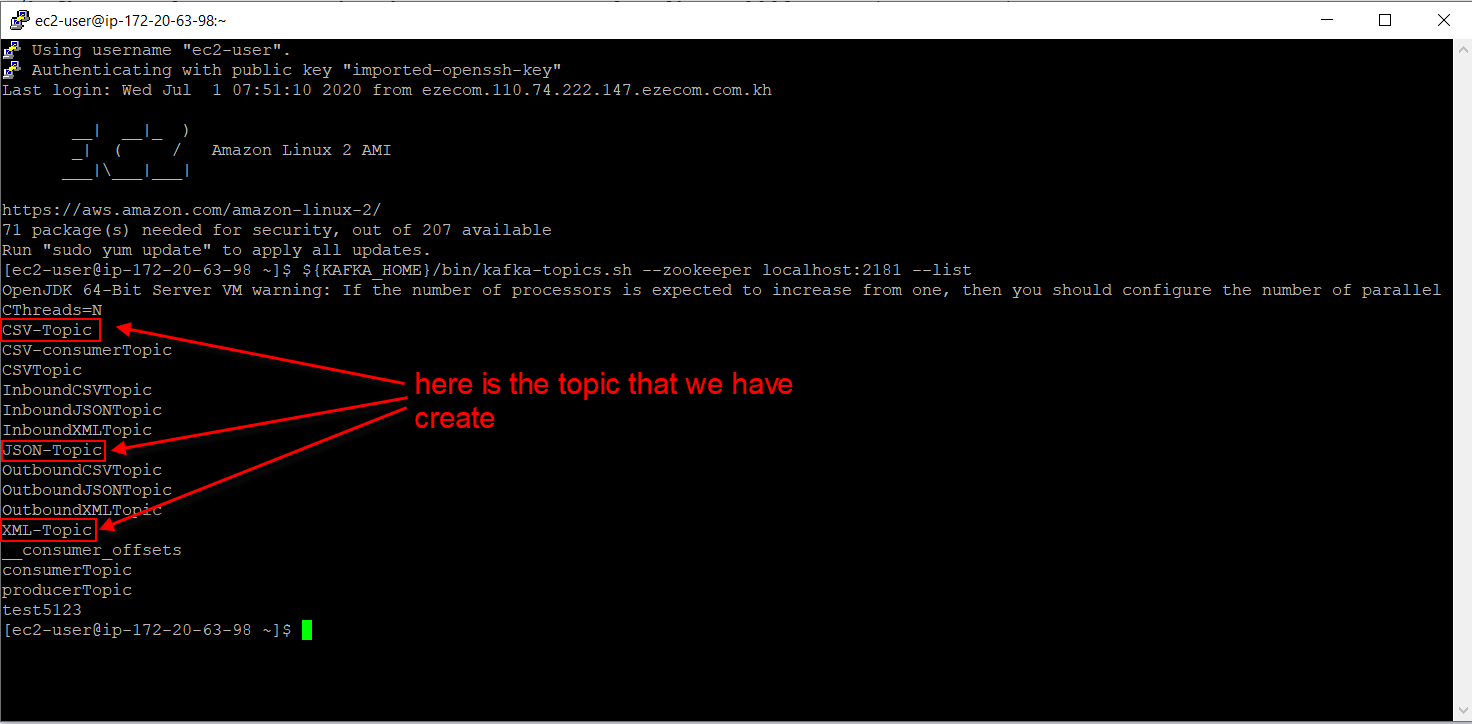
- Create KAFKA Outbound Adapter for testing with CSV format.
- Click on New, as shown below.

- Fill all the required fields, as shown below.
- Save it.
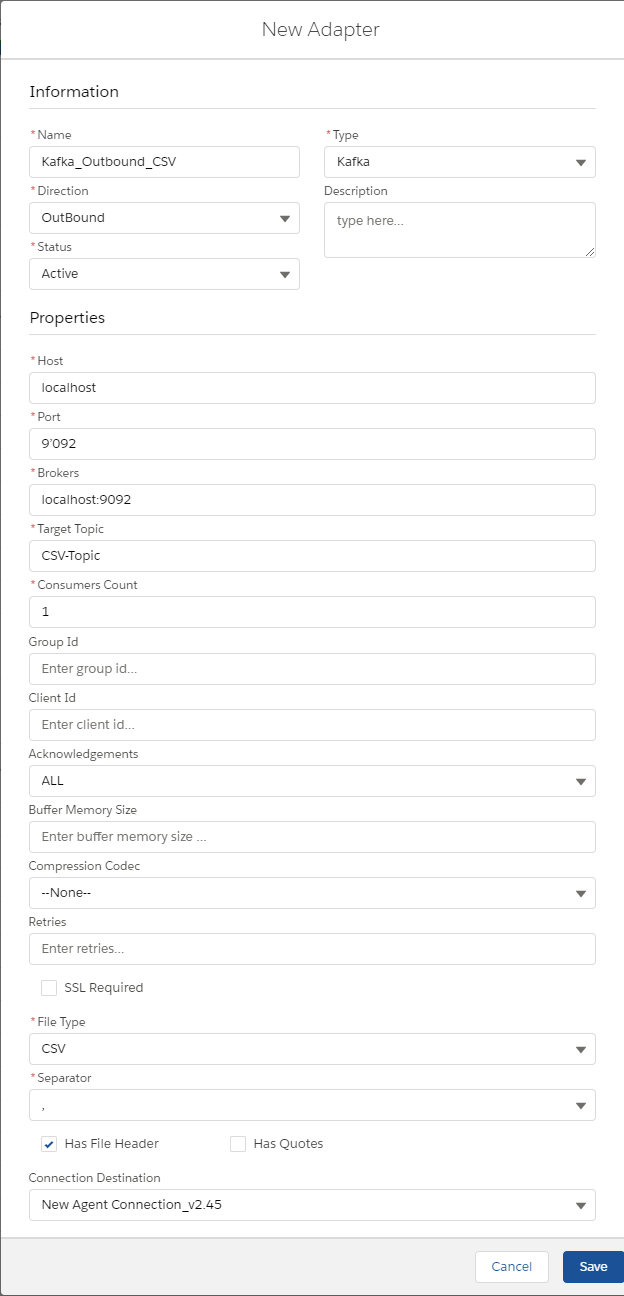
[su_box title="Note" box_color="#2a8af0" title_color="#000000"]CSV file supports Flat mapping and XML/JSON supports hierarchical mapping.[/su_box]
- Create a message type using below XML.
[aux_code language="javascript" theme="tomorrow" title="" extra_classes=""]
- Create Integration.
- Create Interface
- Name
- Source: Account
- Status: Deployed
- Operation: upsert
- Type: Outbound
- Processing Mode: Synchronous

[su_box title="Note" box_color="#2a8af0" title_color="#000000"]Kafka supports only Synchronous Processing Mode [/su_box]
- Adapter:- Add CSV Kafka outbound adapter, which we created in point 6.
- Metadata Provider
- Repository
- Message Type: Add the message type, which we have created in point 7.
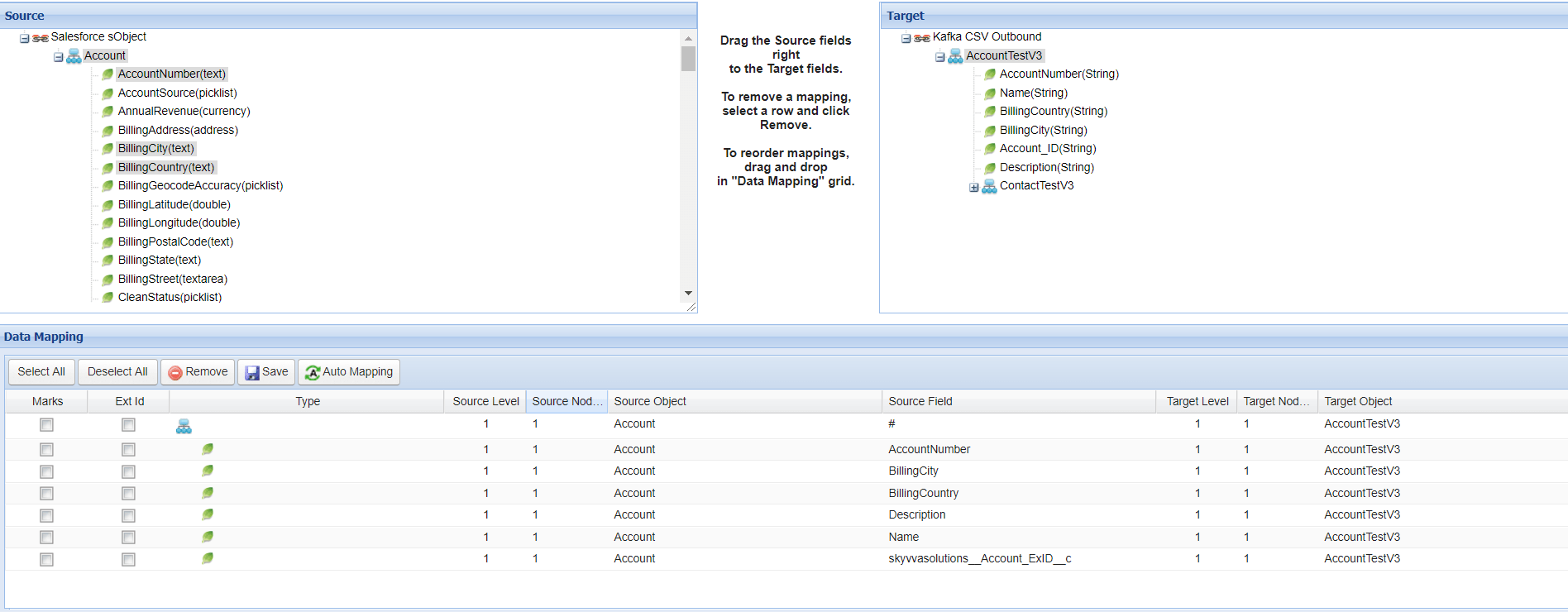
- Mapping
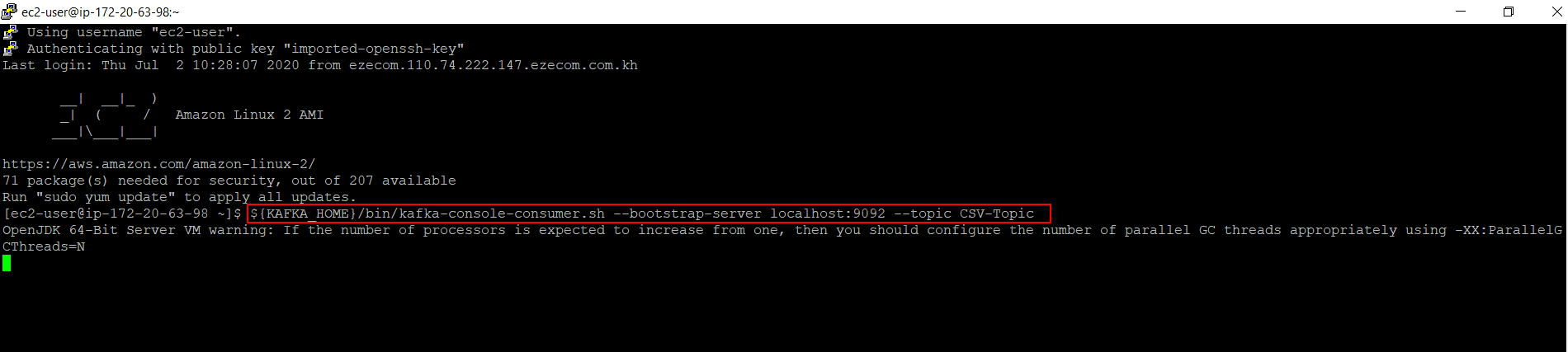
- Consume message send from Salesforce in CSV format
${KAFKA_HOME}/bin/Kafka-console-consumer.sh --bootstrap-server localhost:9092 --topic CSV-Topic
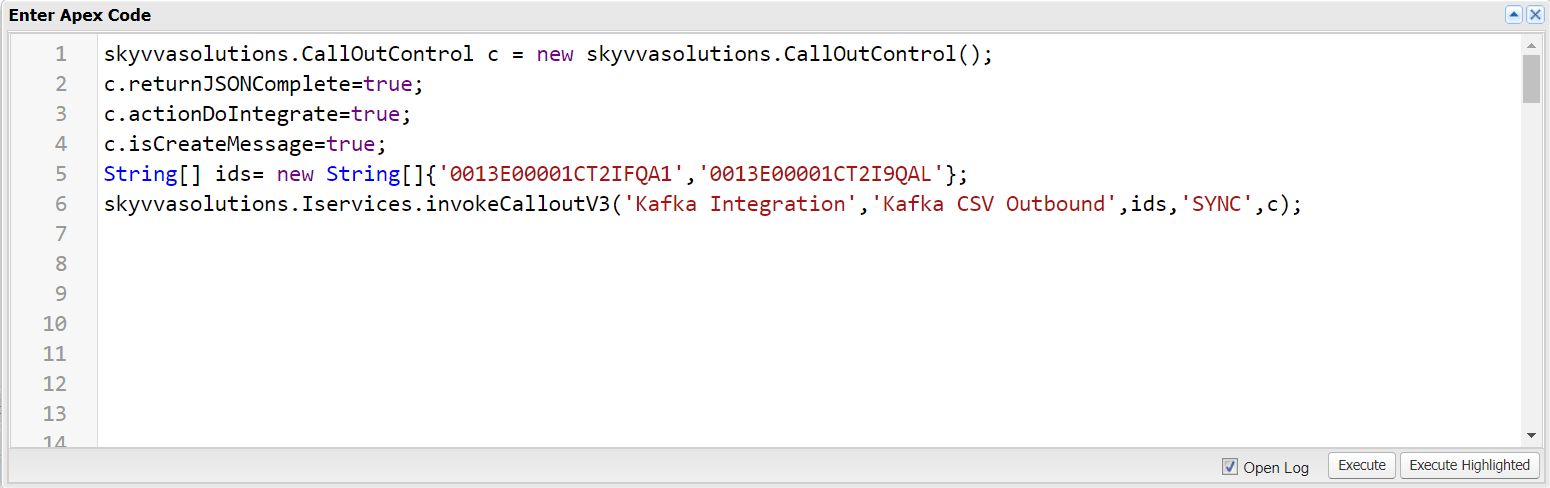
- Callout to Kafka server
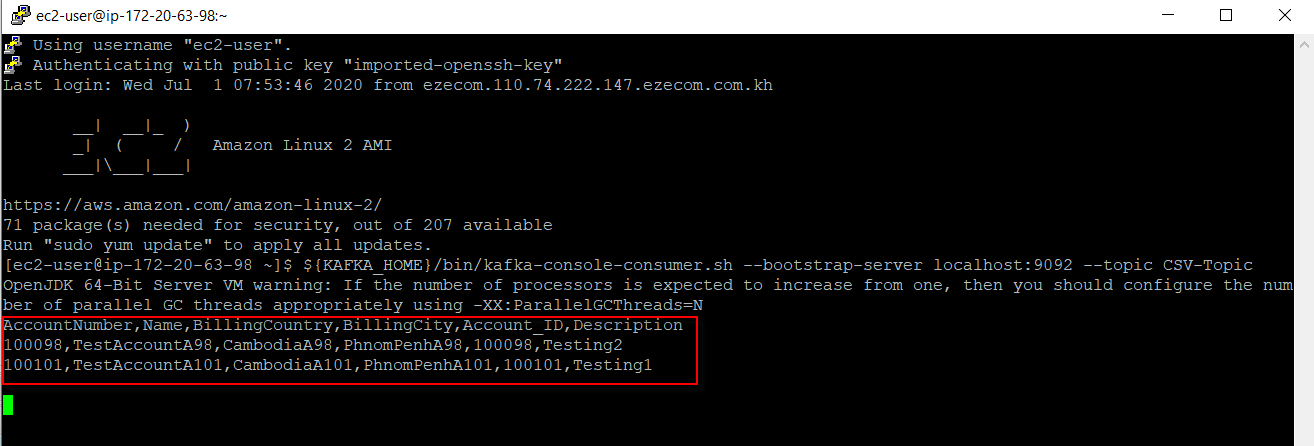
- Here is the result on the server.
- The result
 in message monitoring.
- CSV support other separators like the semicolon, tab, and pipe separator.

Case 2: Create Outbound KAFKA Adapter for JSON format.
- Create JSON Adapter.
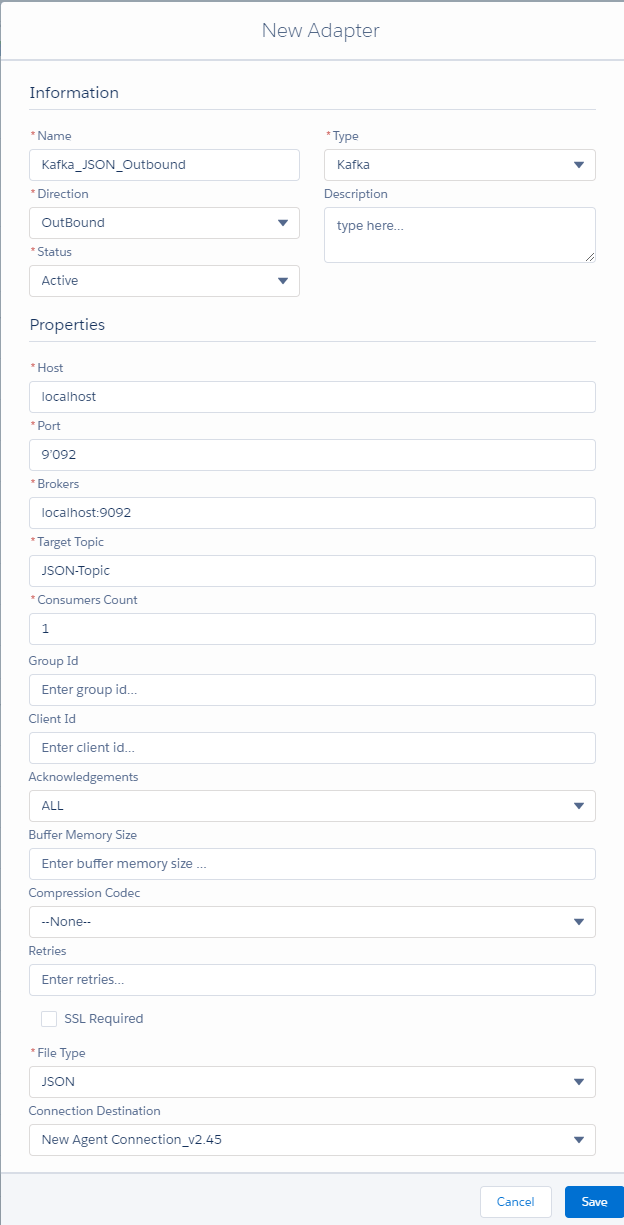
- Create Integration.
- Create Interface
- Name
- Source: Account
- Status: Deployed
- Operation: upsert
- Type: Outbound
- Processing Mode: Synchronous

[su_box title="Note" box_color="#2a8af0" title_color="#000000"]Kafka supports only Synchronous Processing Mode [/su_box]
- Adapter:- Add JSON Kafka outbound adapter.
- Metadata Provider
- Repository
- Message Type: Add the message type. (Hierarchical structure)
- Mapping
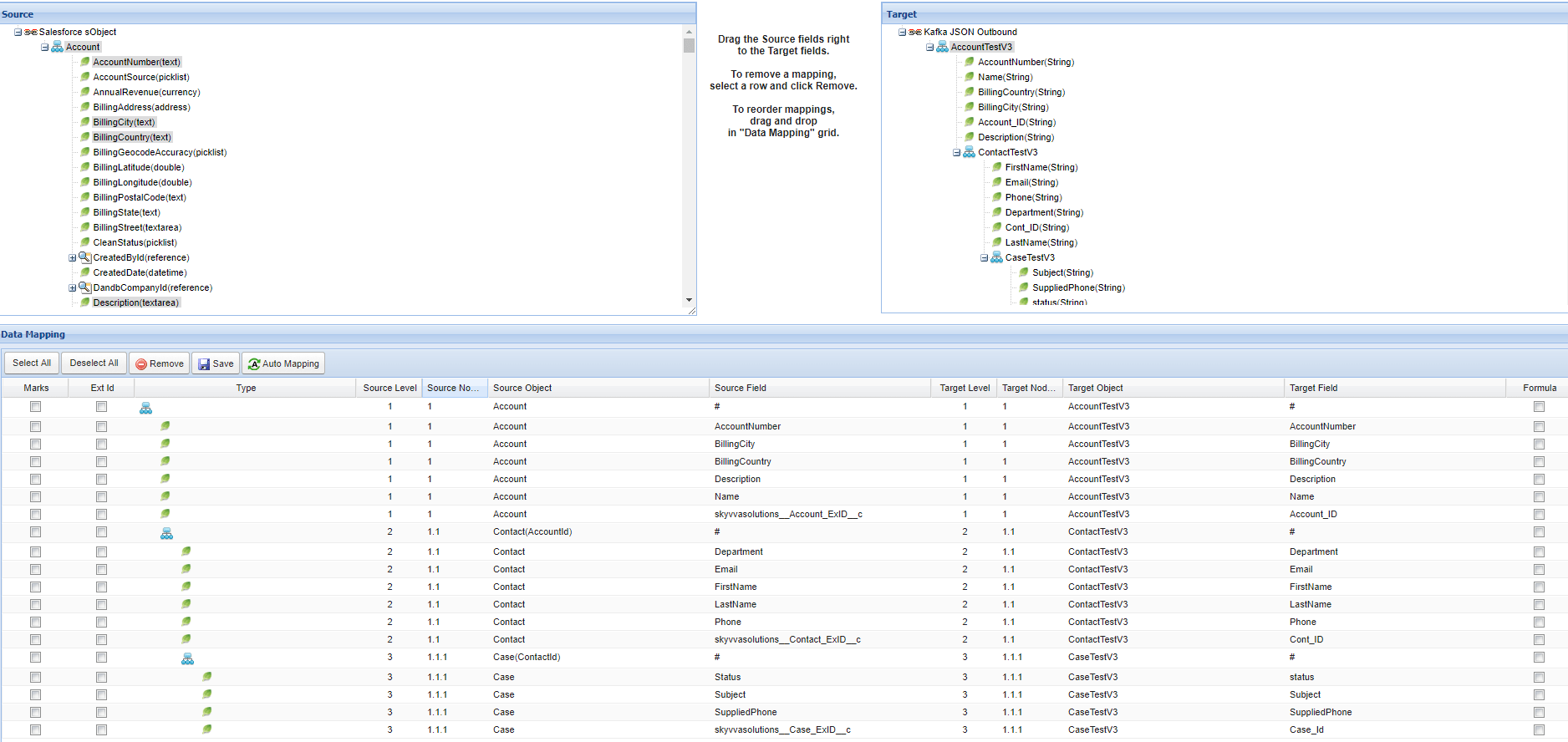
- Consume message send from Salesforce in JSON format.
${KAFKA_HOME}/bin/Kafka-console-consumer.sh --bootstrap-server localhost:9092 --topic JSON-Topic

- Callout to Kafka server

- Here is the result on the server.
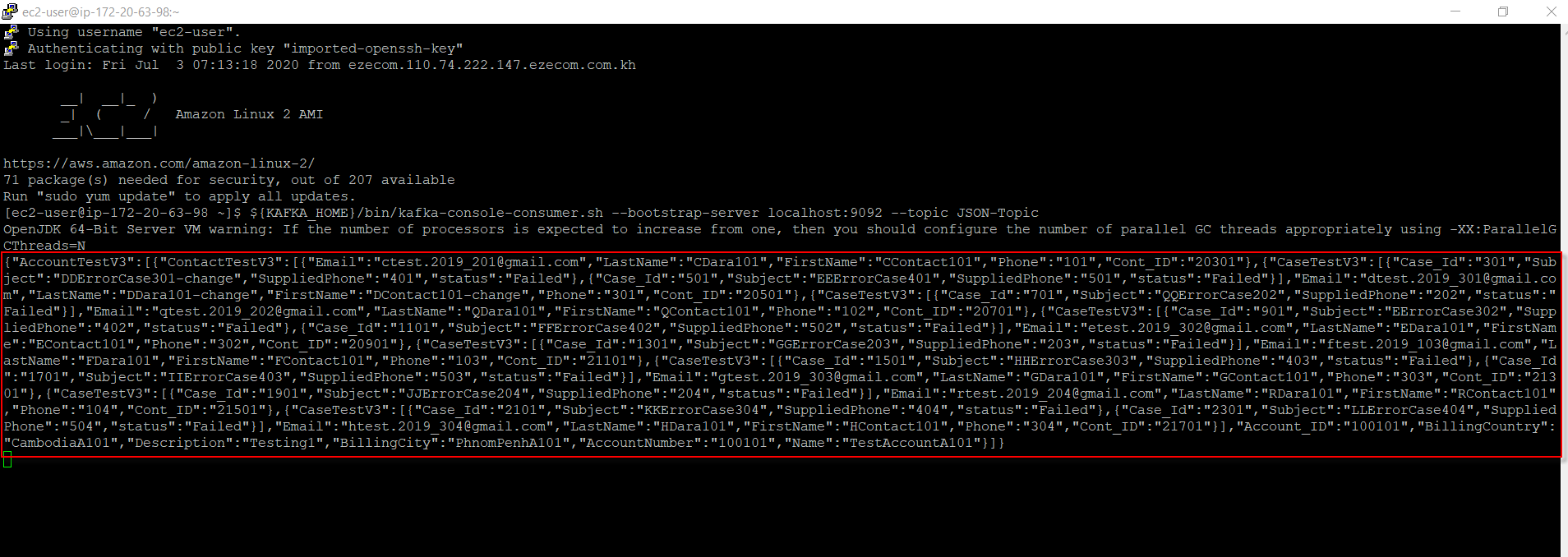
- The result on Message Monitoring.

Case 3: Create Outbound KAFKA Adapter for XML format.
- We need to follow the same steps as in case 2. We just need to create an XML adapter.
- We also need to convert data to a single line.
Summary:
Agent Kafka for Producer uses for writing data from Salesforce to the Topic in Kafka, meaning that we use outbound data from Salesforce to Kafka. In Agent Adapter for a producer can work with CSV, XML, and JSON data records, but we need to configure file type in Adapter too. Follow this guide to learning How to use Agent Kafka adapter for consumers (#article/tutorial-v2-41-lightning ).