2. How to use XML payload with /V4/integrate?
Introduction
In this tutorial, we are using Postman as the client for testing the SKYVVA V4 API. The request payload can be XML or JSON and the response can be XML or JSON format. The response formats can be different from the request format, example the request is XML file format but the response can be JSON. Especially, this API we can parse the raw data that is the XML or JSON without convert to any style. Prerequired
- Create Metadata Provider, Repository and MessageType
- Create Integration, Inbound Interface and do mapping
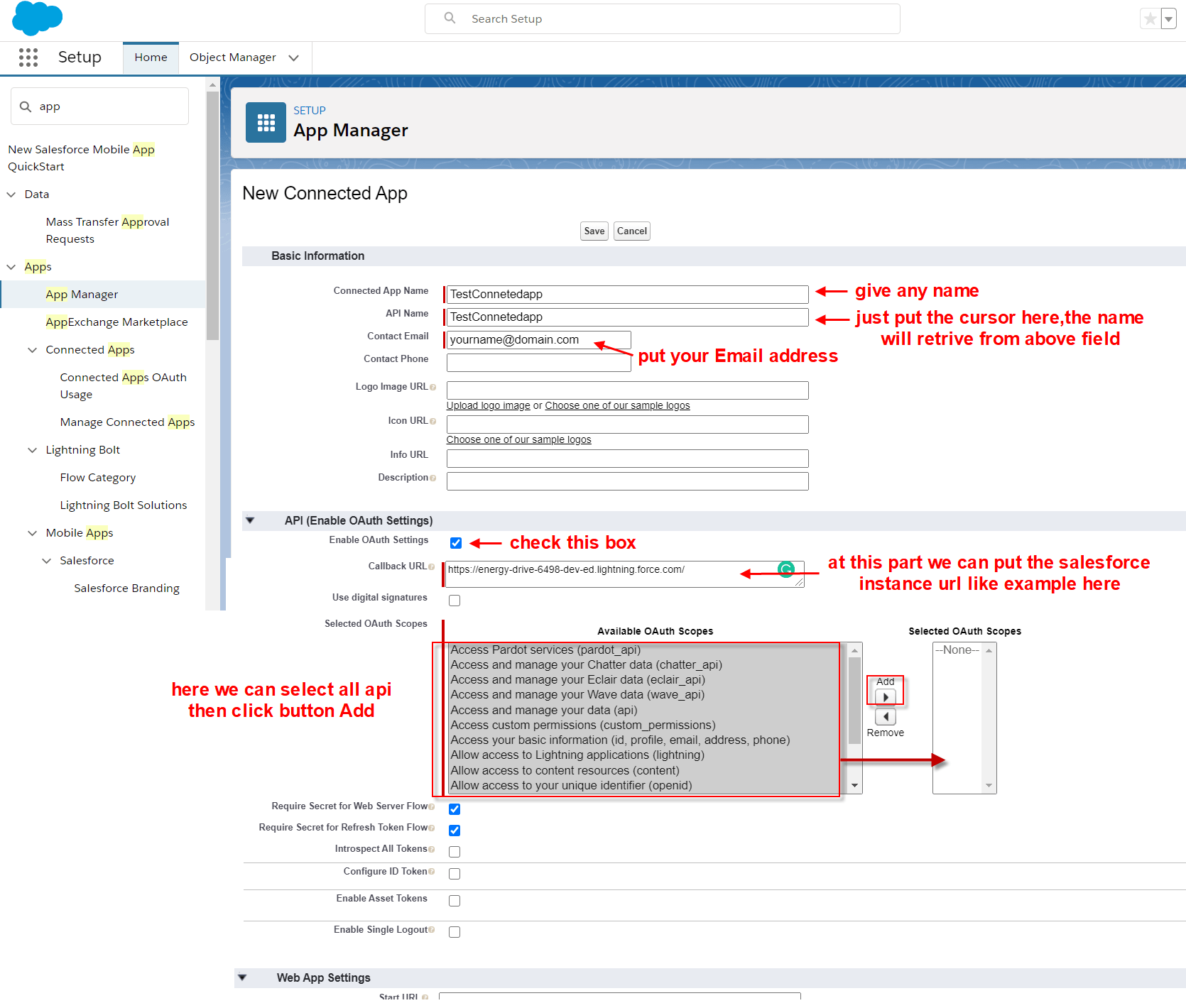
- Create a connected app on Salesforce org to get Client-Id and Client-Secret that is needed to generate access token in Postman
- Create request on Postman to invoke Salesforce API to get access token and use SKYVVA V4 API to post data to Salesforce
Step-1 create Metadata Provider, Repository and generate MessageType
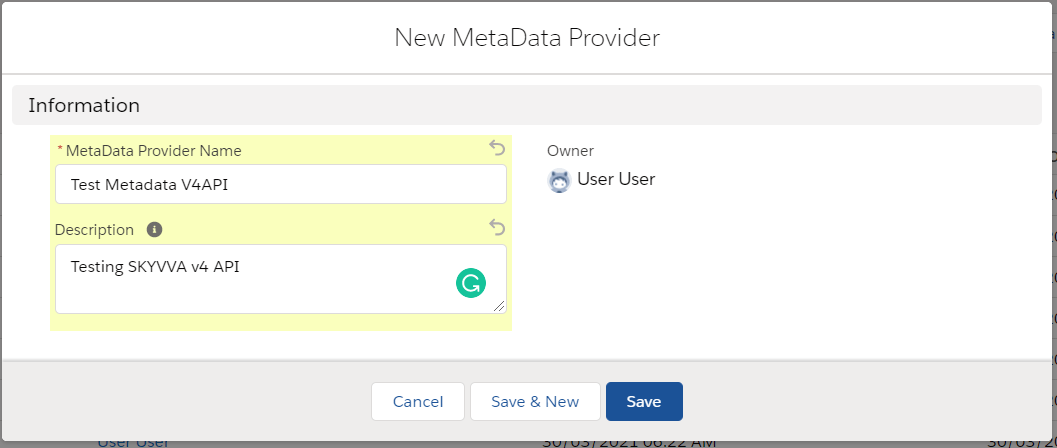
- Navigate to the Metadata Provider tab and click the button New

- Fill in all required information then Save
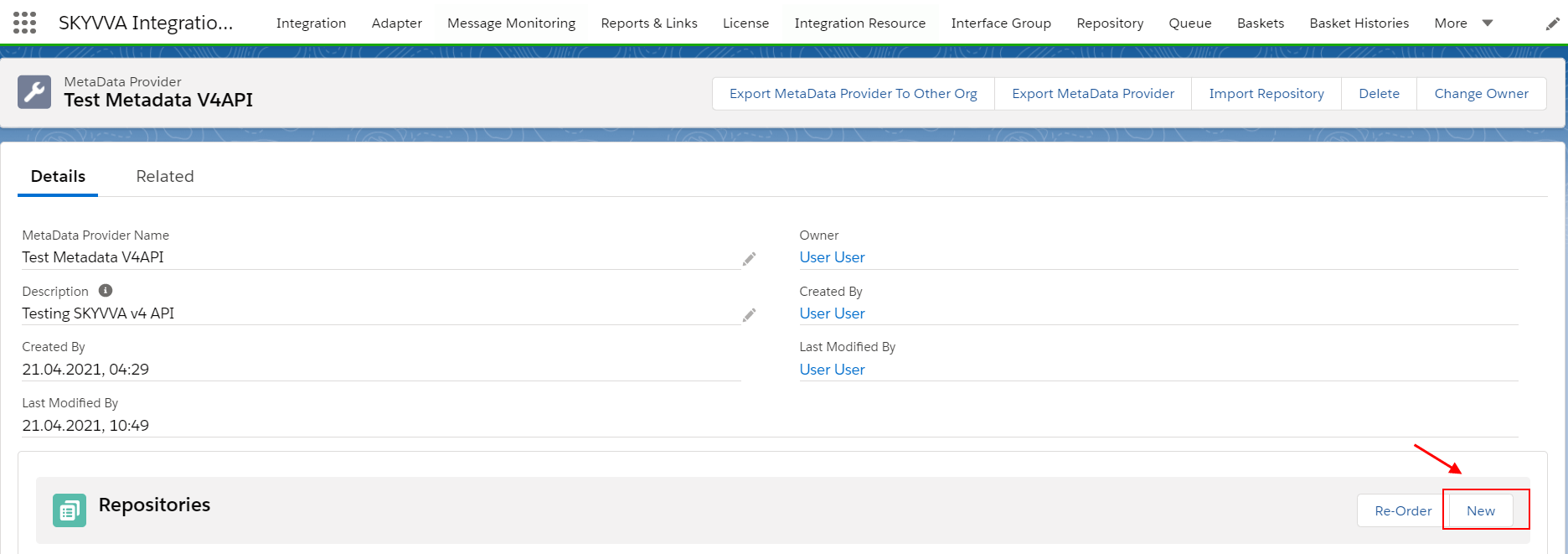
- Create new Repository
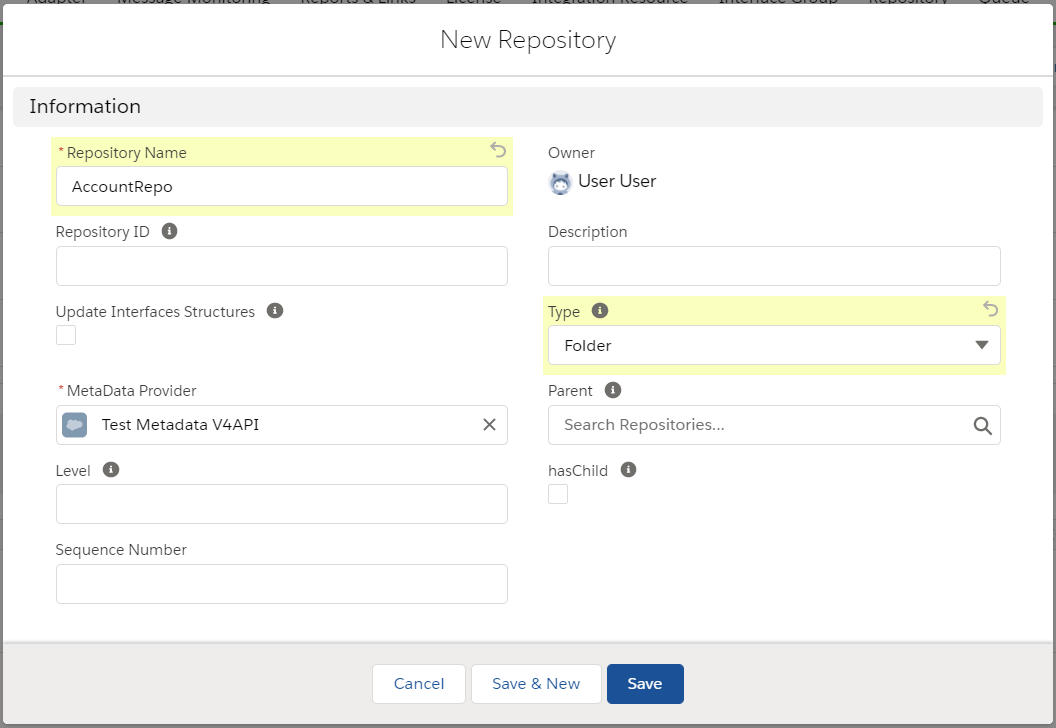
- Fill in all required information then Save
- Generate MessageType from the payload
We should use the simple payload that is matched the real data structure, if we use the whole data to generate MessageType, sometimes the whole data can contain any special character that is affected by the logic for generating MessageType.
- Click the button Open Editor or we use Import Metadata to upload the file
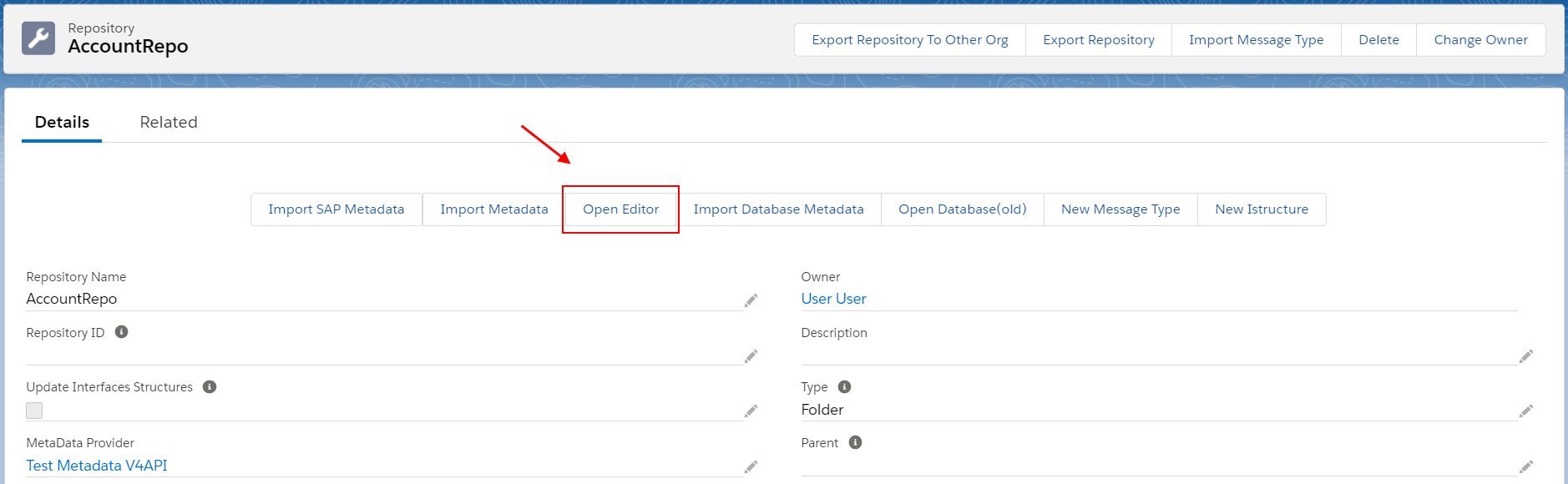
- Paste the sample payload here to generate MessageType
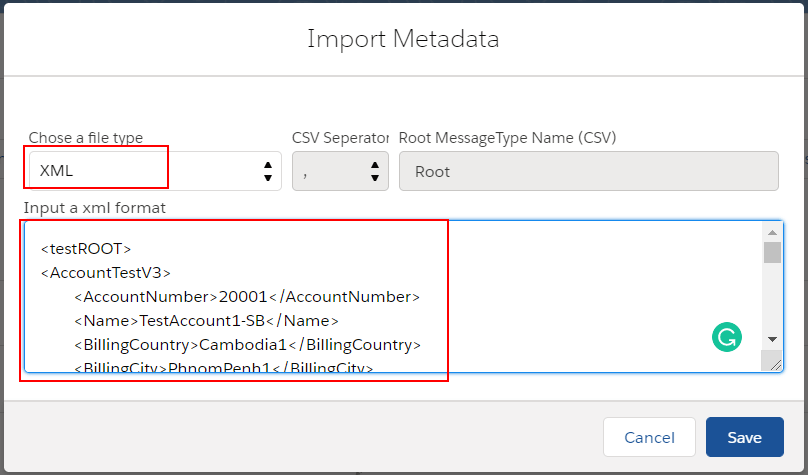
- Now the MessageType has been generated as the example below
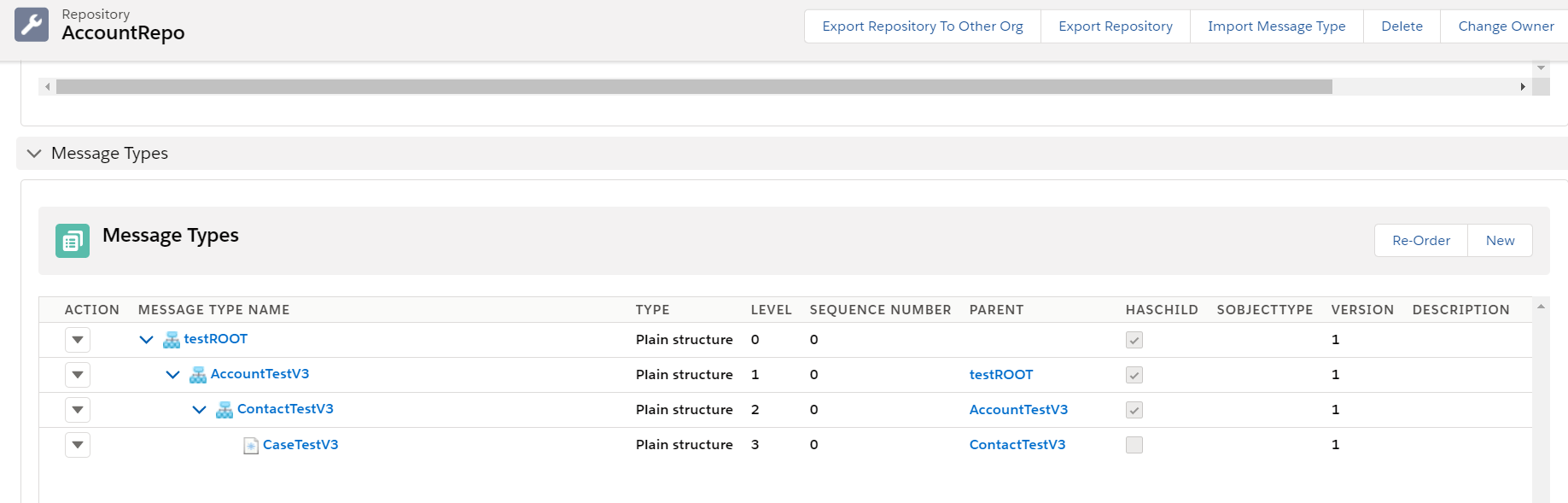
Step 2: create Integration, inbound Interface, and do mapping Suppose we have created Integration now we need to create Inbound Interface

- Fill required information
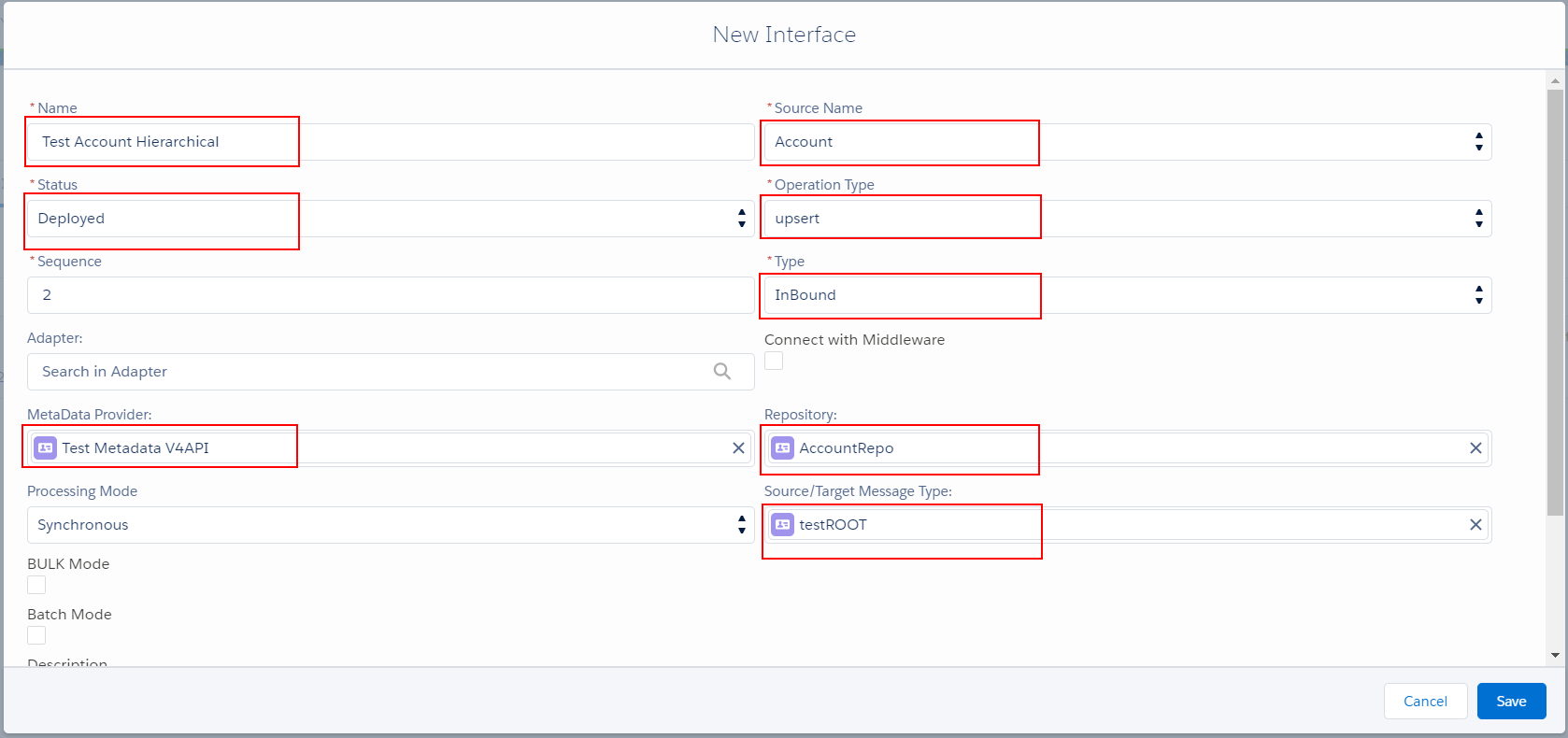
On the Interface, we need to choose the MessageType that is matched the payload. Example in my XML file begins with node “testROOT”, so the MessageType should choose “testROOT”.
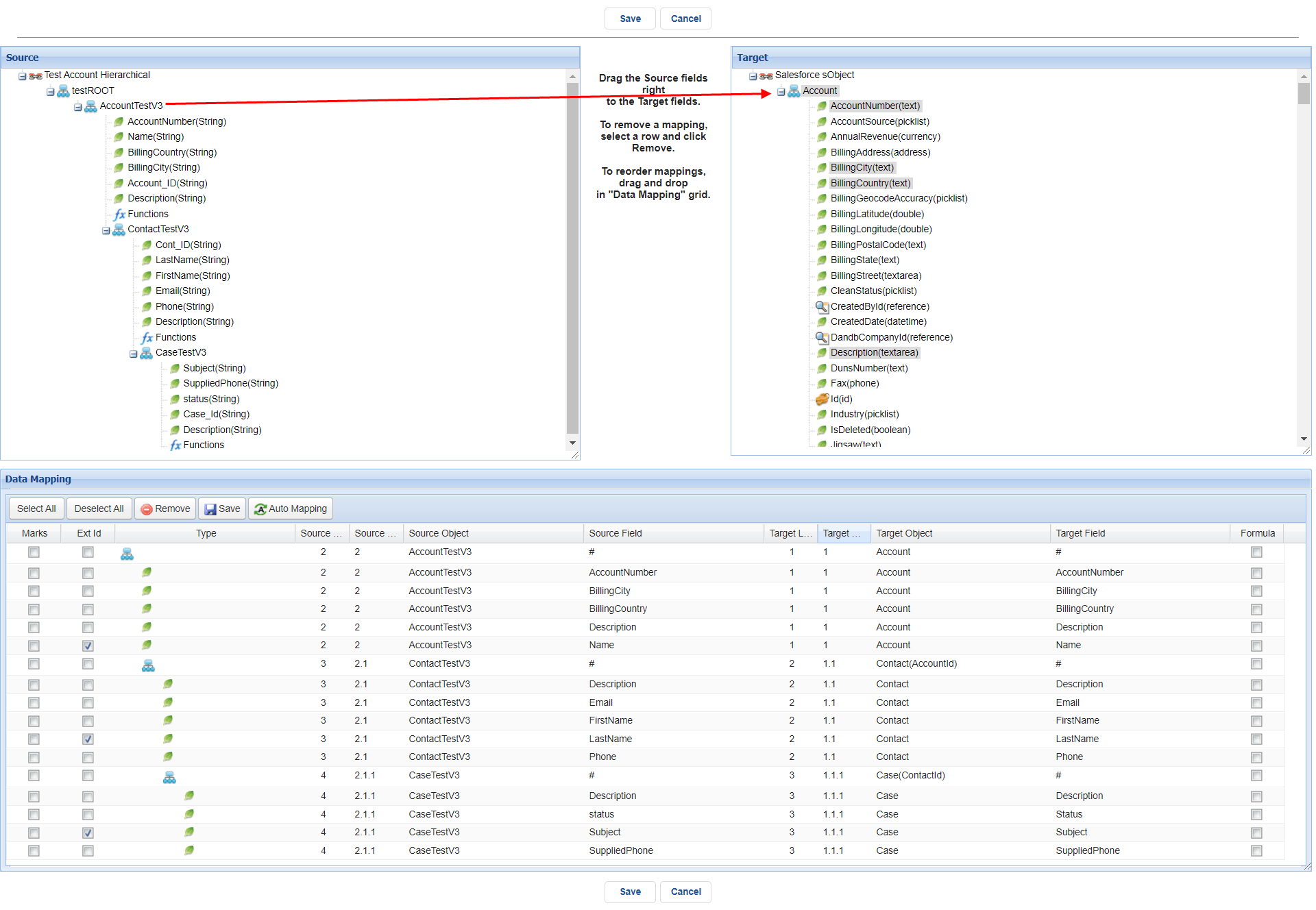
- Do Mapping
Here we need to map from the Source node to Target first, and then field to field. We can choose any node as the root to map to target that depends on the business requirement.
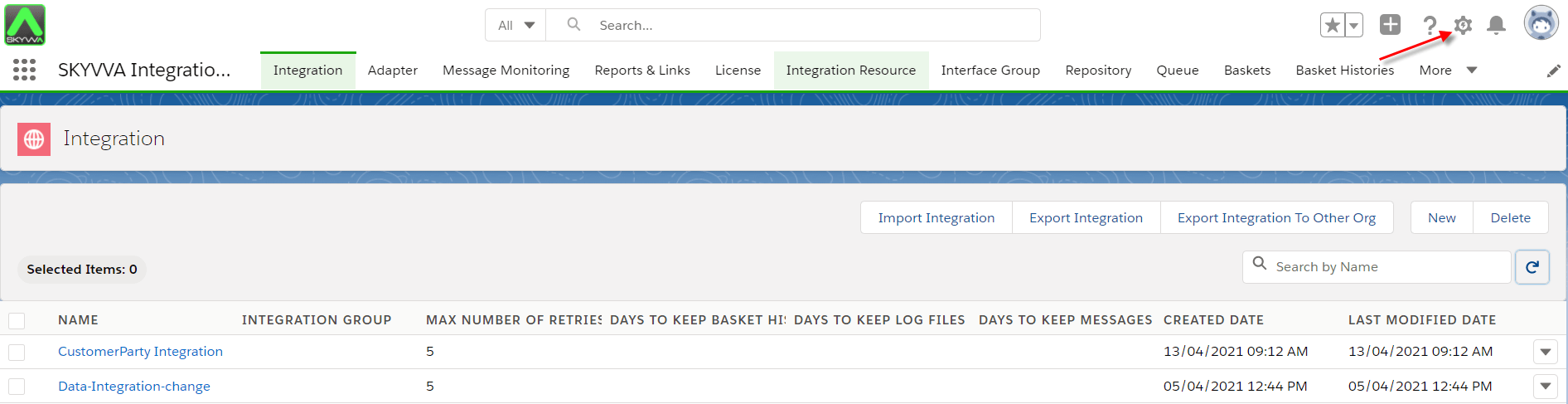
Step 3 Create a connected app on Salesforce Navigate to the Setup gear icon
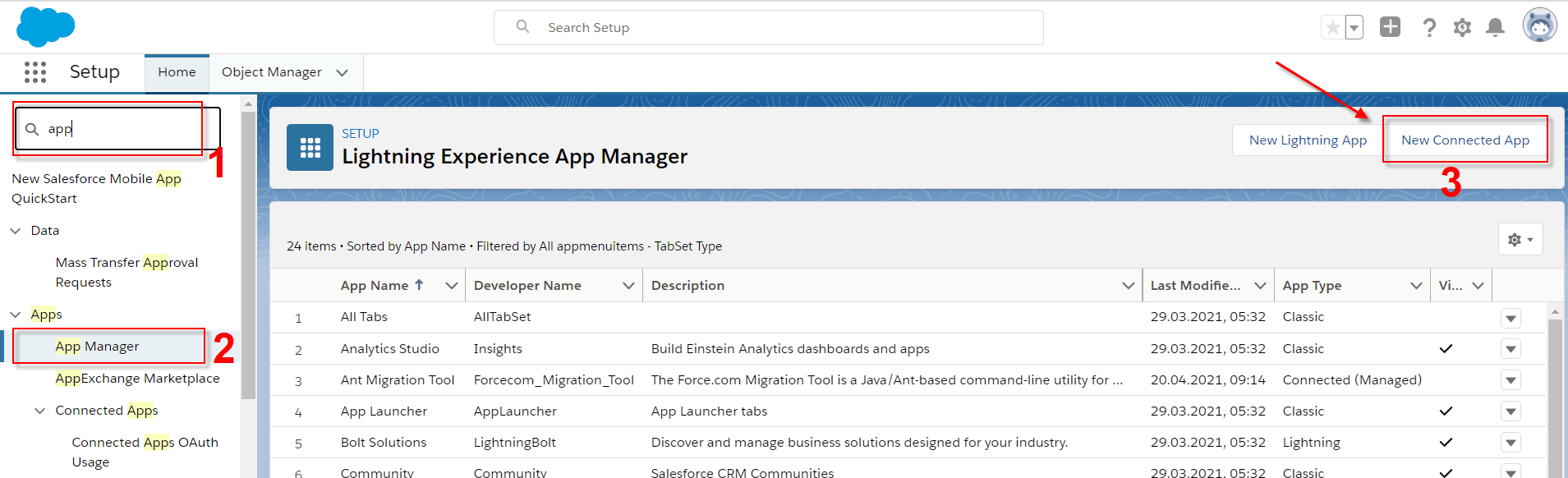
- Navigate to the search box and just type “app…” for finding the App Manager menu then click New Connected App to create a new connected on Salesforce
- Fill required information
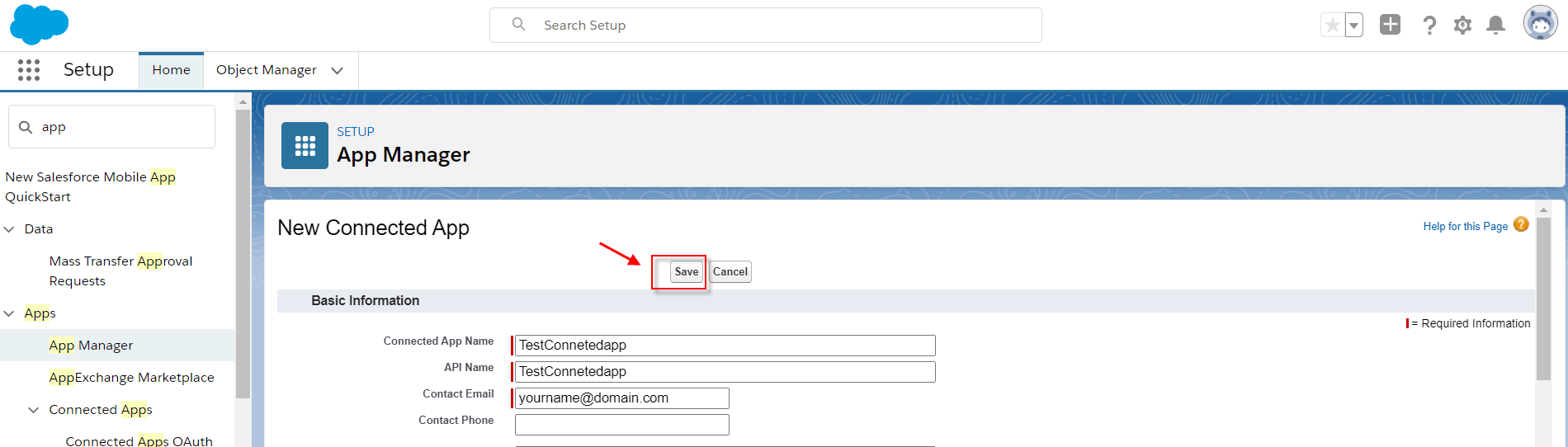
- After that click button Save
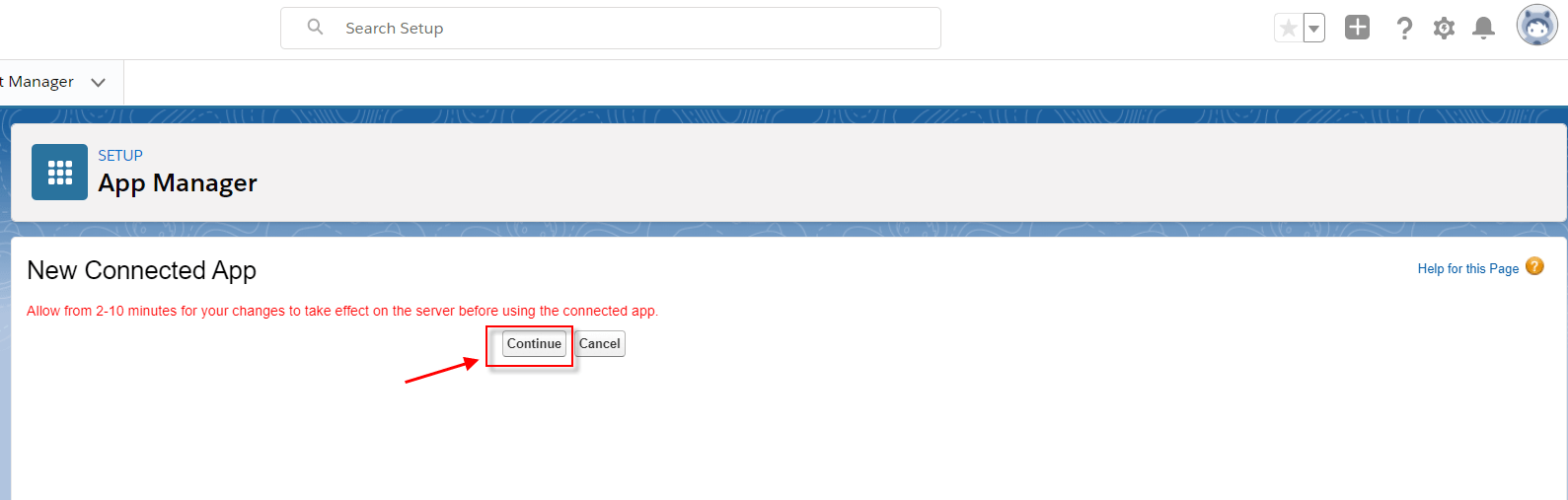
- Click continue
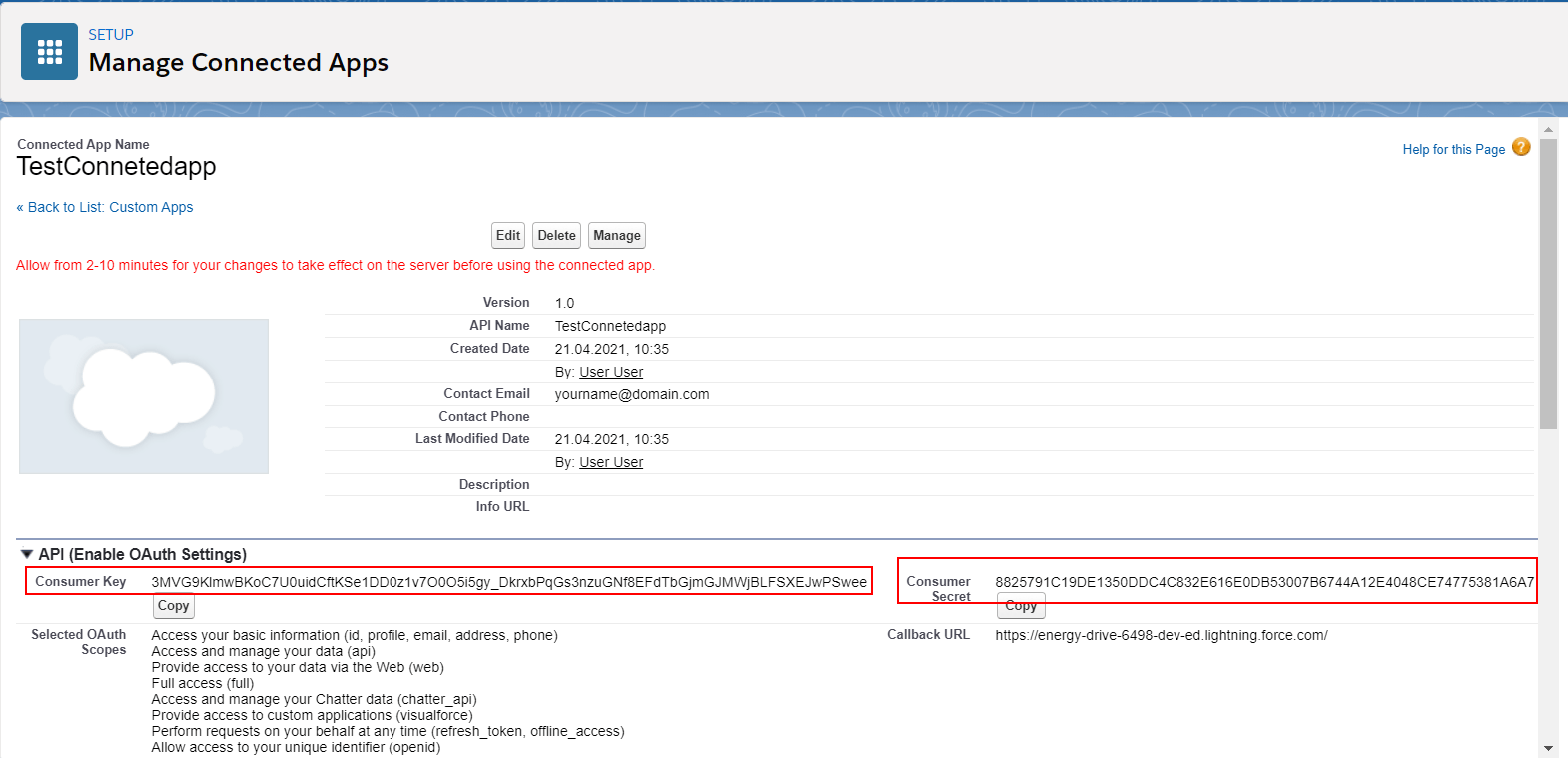
- Here is the Client-Id (Consumer Key) and Client-Secret (Consumer Secret). But we cannot use those keys immediately as Salesforce has a display of a warning in the red line.
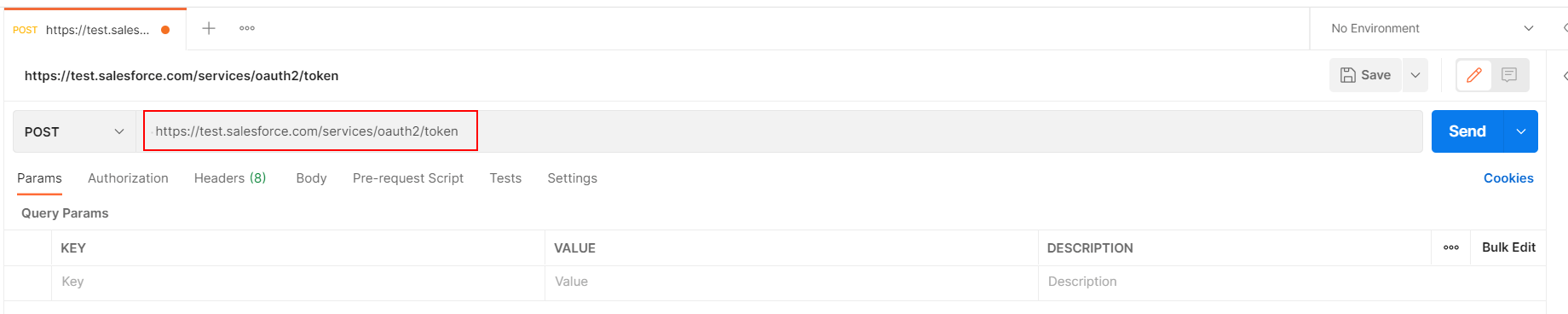
Step 4 Configuration on Postman Salesforce provides two API depend on the type of Organization: Sandbox and Production. The method that for these API is POST. Sandbox: https://test.salesforce.com/services/oauth2/token
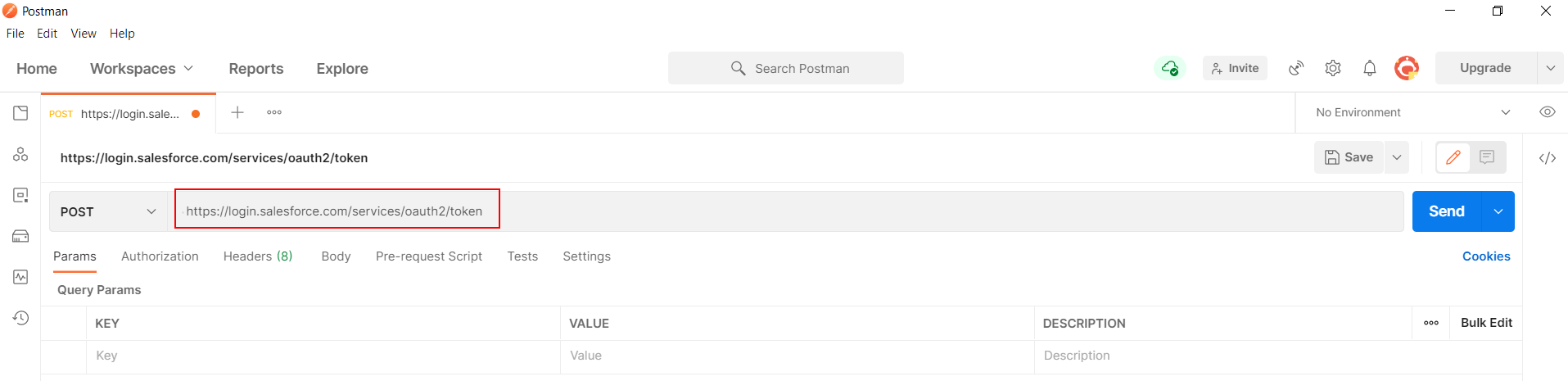
Production: https://login.salesforce.com/services/oauth2/token
- Create a request to invoke Salesforce API for getting Access Token
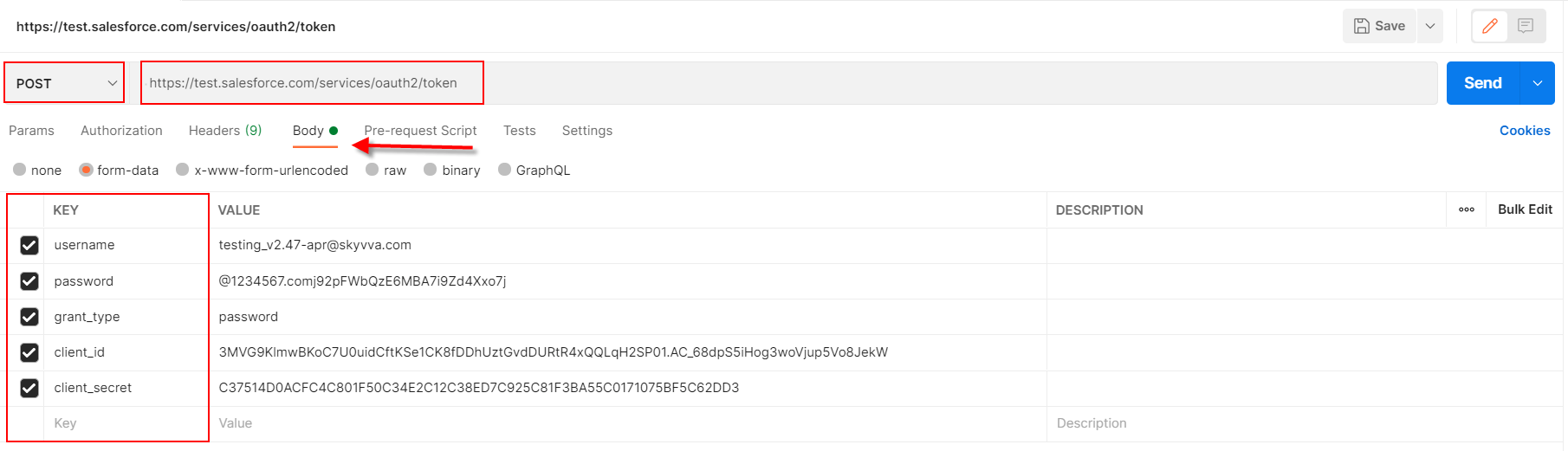
- username: org’s username
- password: org’s user password+security token
- grant_type: password
- client_id: consumer key (connected app)
- client_secret: consumer secret (connected app)
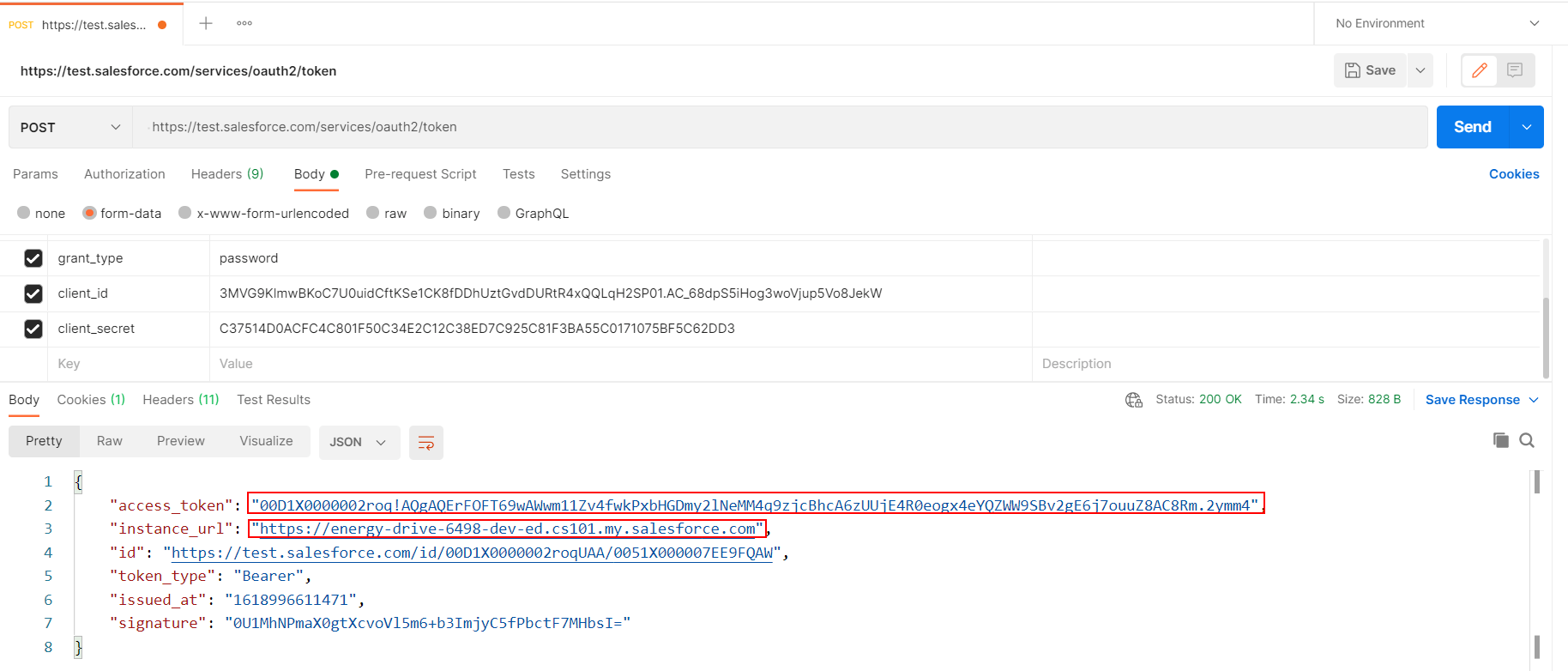
- After click the button Send, the Salesforce was responded as the screenshot below that including access token and instance URL
- Create a request to invoke SKYVVA V4 API for posting data to Salesforce
On the endpoint, we need to put Instance URL and SKYVVA V4 API
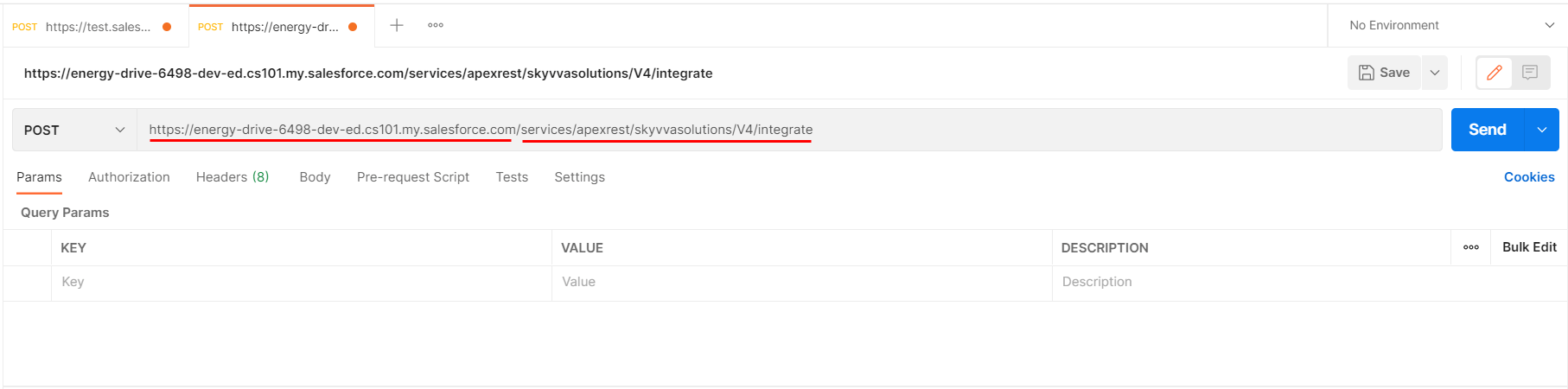
- Instance URL use the URL that is Salesforce Classic version does not use URL from Lighting. That is not supported. We can find the Instance URL on the above step when we invoke Salesforce API.
- SKYVVA V4 API: /services/apexrest/skyvvasolutions/V4/integrate
- On the Parameter, put the key value as below
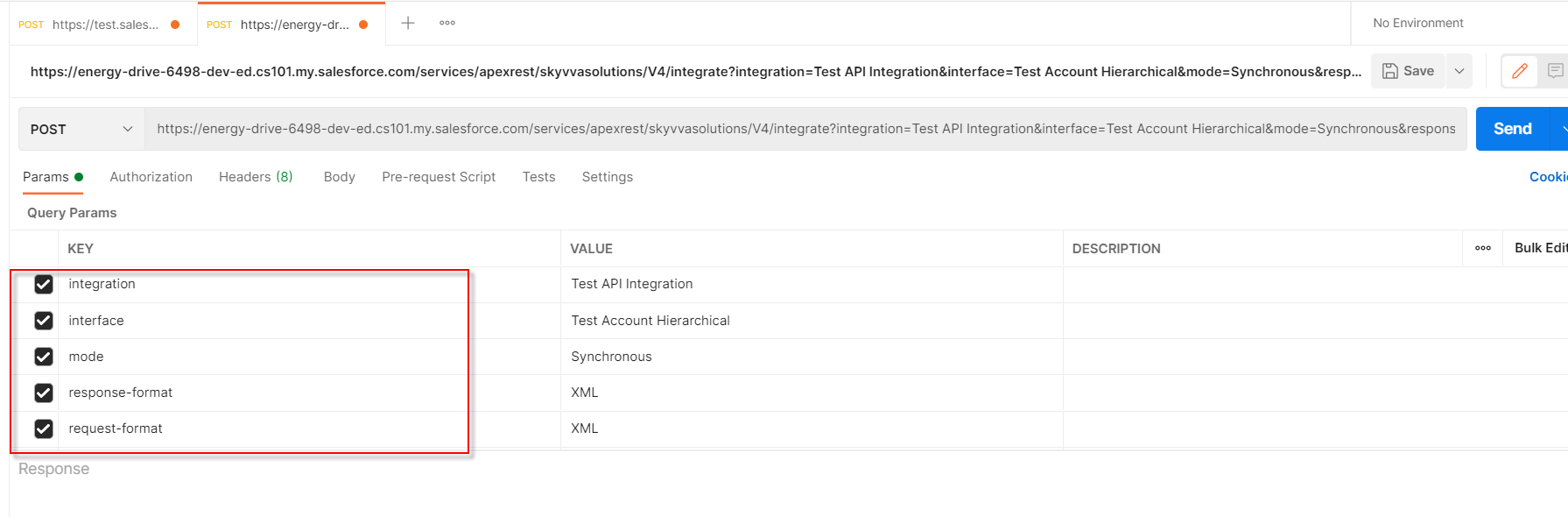
- integration: your Integration name
- interface: your interface name
- mode: Synchronous/Asynchronous(higher priority than the mode Interface)
- response-format: XML/JSON
- request-format: XML/JSON (depend on data file format)
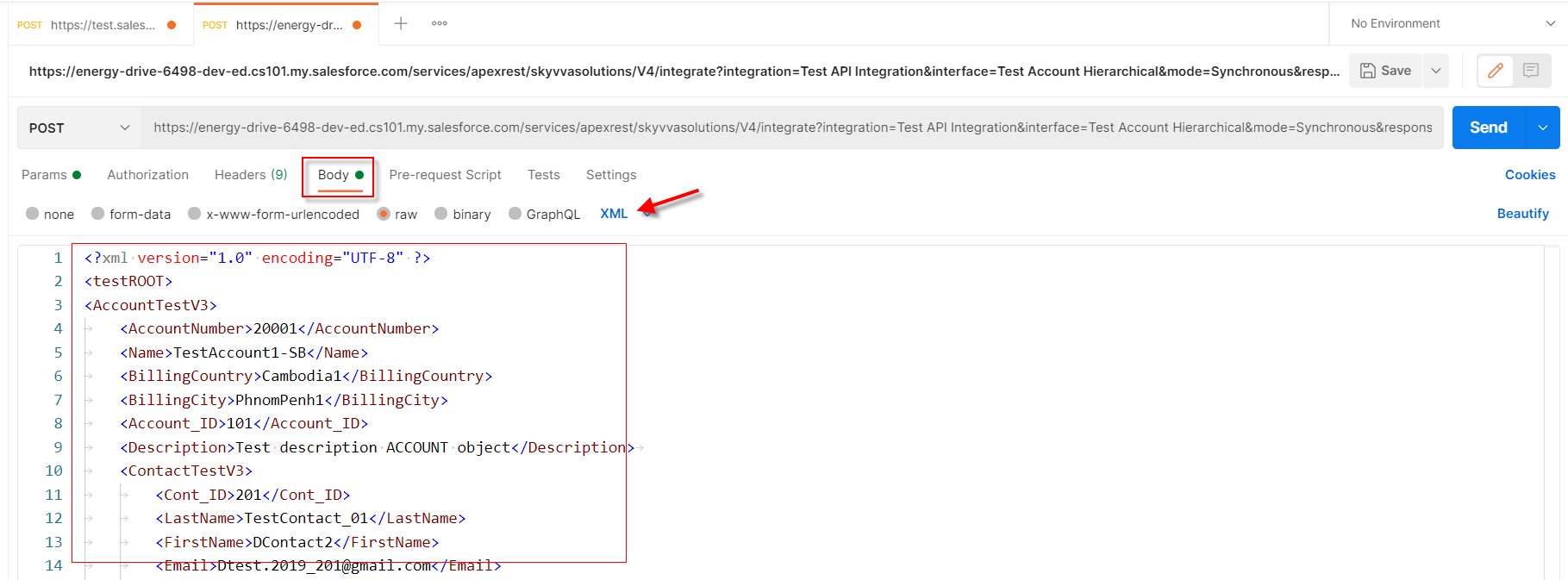
- Navigate to Body and then put the data
In this example, we are posted XML data and respond as XML too.
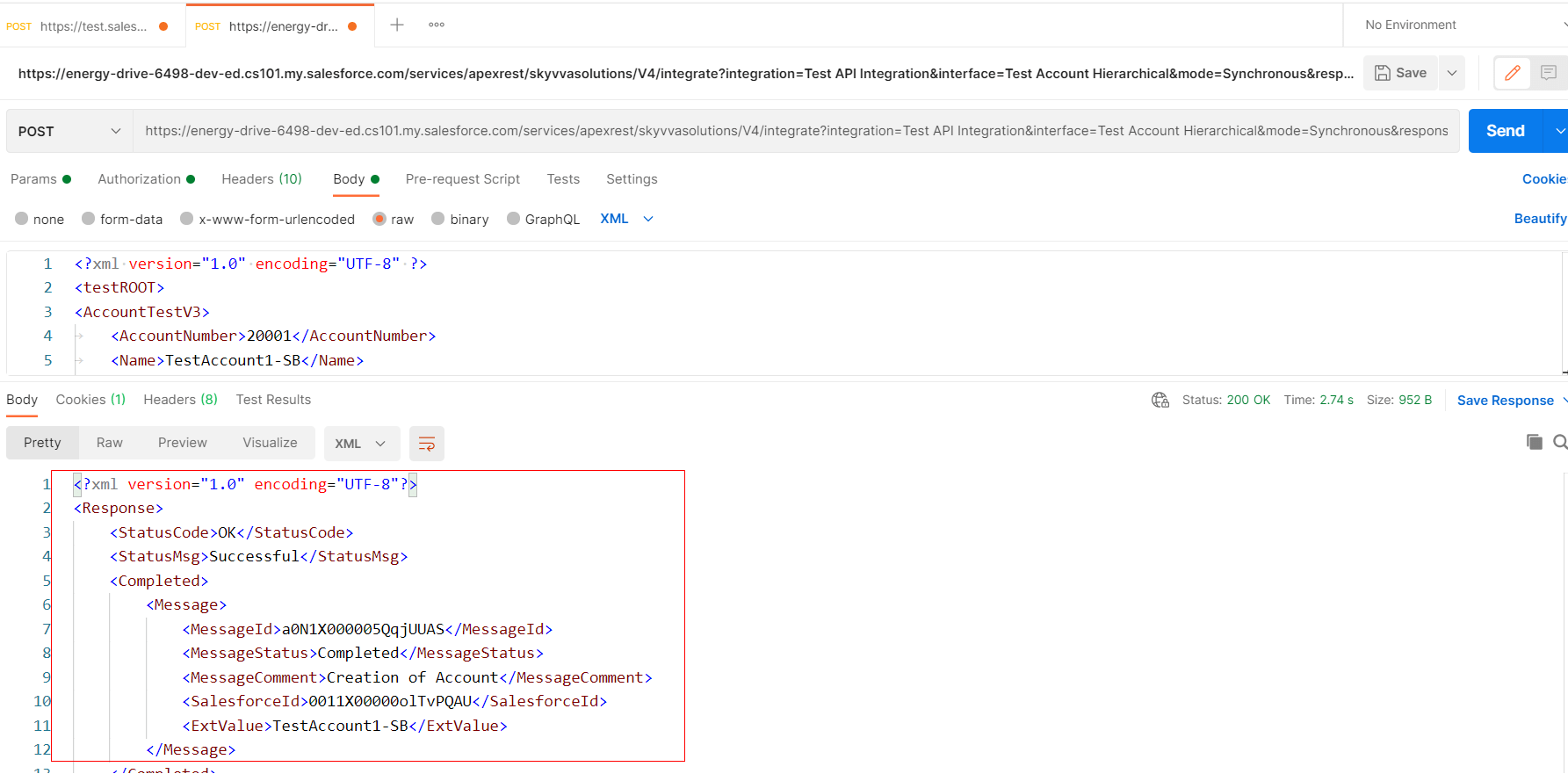
- After click the button Send, we got the success status. So now we have posted data to Salesforce completely through SKYVVA V4 API.
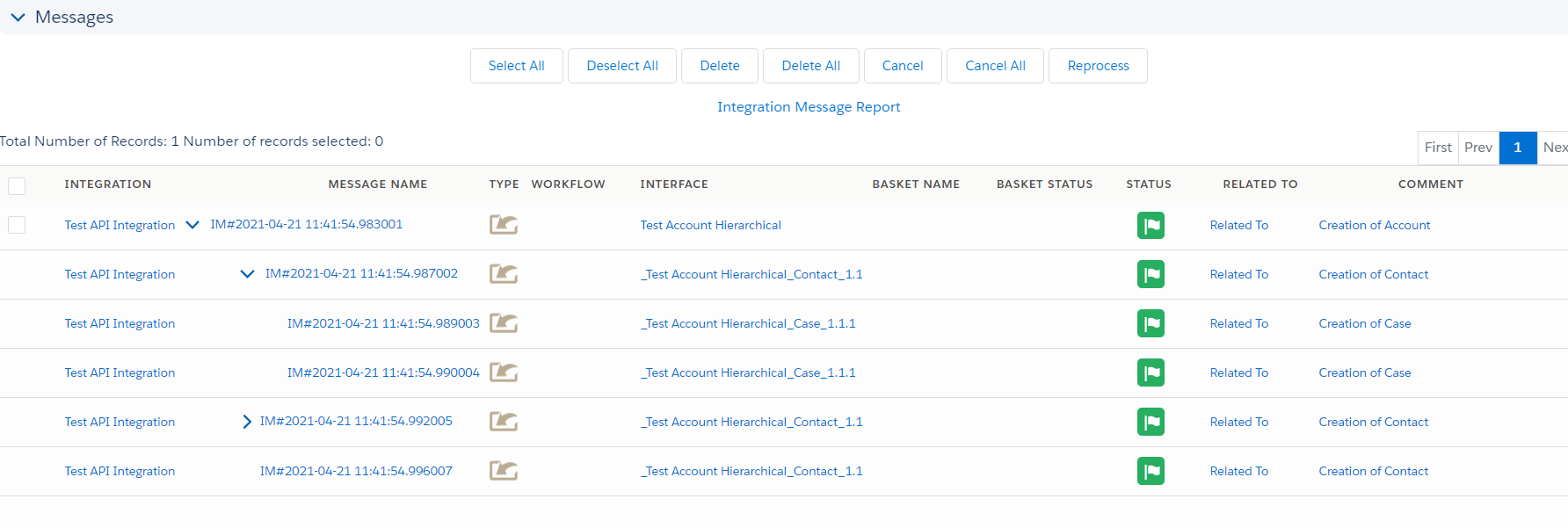
- Go to Message Monitoring to check the result
Summary
Finally, we have learned how to use SKYYVA API with V4 API that is used Postman as the client-side and also learn about to generate Salesforce access token in Postman. We have understood the Salesforce connected app creation and generating MessageType for do mapping on inbound Interface.