This unit describes:- How to import skyvva transports into SAP
Introduction:-
In this chapter, you will learn about the “import skyvva transports into sap. Manually Importing Transports into SAP – you will receive transport files from Skyvva Team ,who have developed custom solutions for SAP and you will be required to import their transports into your SAP System manually.
Import skyvva transports into sap
You will receive transport files from Skyvva Team, you did the following steps:
Unzipped the transport file sent through by the developer
This gave me four files:
IDB
IDB
NWA
NWA
Naming convention used is R<6 digits>. and K<6 digits>. (The Source system is the developers source system)
a. K Type Transport = Cofile – Normally only 1 – 3 KB b. R Type Transport = Datafile – Normally more than the Colfile
IDB and K900326.NWA were a Cofile – it doesn’t contain much data, it has the attributes of the data file stored in it. Command or change request information files that include information on the transport type, object classes, required import steps, and post-processing exit codes
IDB and K900326.NWA were a Datafile – This contains the actual data for the Transport – what changes will be made in your system.
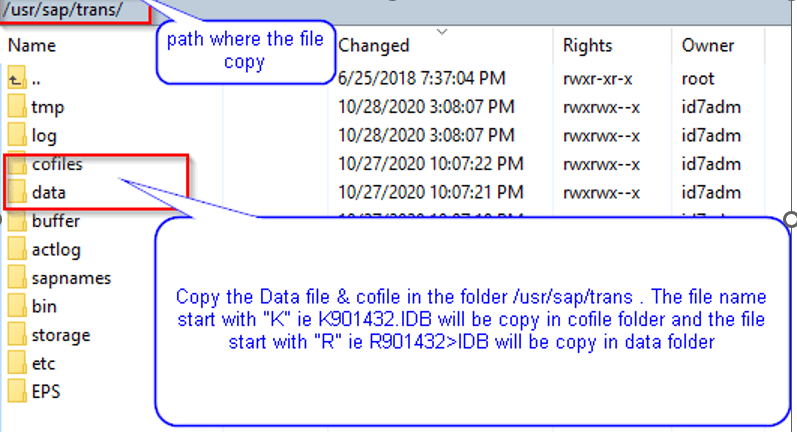
Go to the Development Server and navigated to the following directory: D:\usr\sap\trans.
a. Copy the K Type Transport to Cofile folder located in D:\usr\sap\trans\cofile . b. Copy the R Type Transport into the data folder located in D:\usr\sap\trans\data .
Go into the SAP ECC Dev System and proceed to transaction STMS
Proceed to import queue (F5 then Select Dev System)
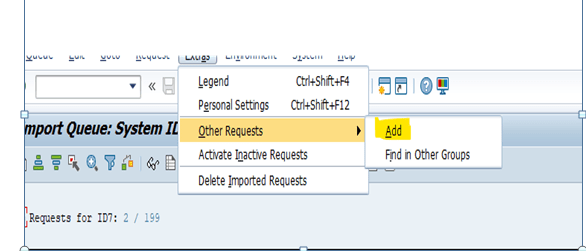
Go to the Extras Menu, Select Other Requests then select Add
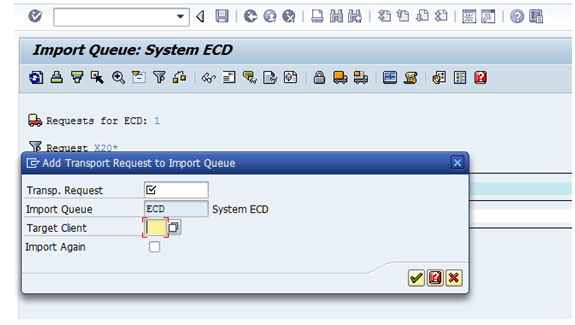
This will show the following screen, enter your target client (in our case it is 100 as the golden development system)
Then select the Transport request search button
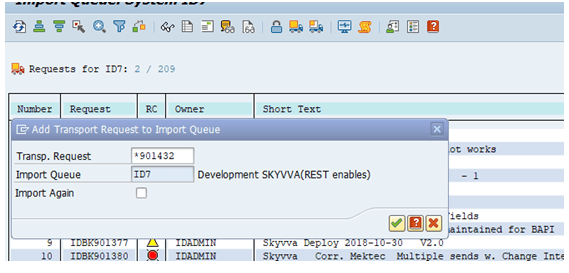
Search for your transports by entering the at the start for a wildcard selection and then putting in the digit code in the transport file – ie 901432 don’t include the . IDB extension, this will likely show up as the transport prefix) and lastly ensure you pump up your number restriction to a number that will give you the result you are after.
Find your transport number and select it
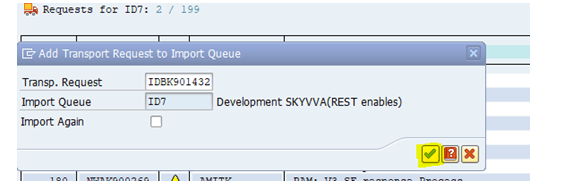
Then you will end up with a screen like below with your transport request filled out, target client and import queue filled out. You can if you want select import again if you are re-importing this transport.
Click Yes when asked to attach to import queue.
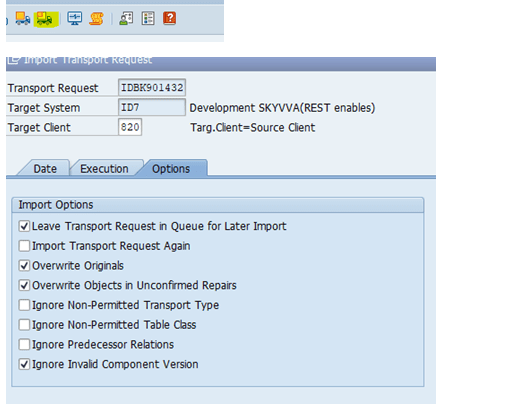
Then once it is attached to the import buffers, import the transport then use the forward transport options from the menu system to send the transport to QA for testing