21.1 DoMaintenance Scheduler
DoMaintenance Scheduler
DoMaintenance is another global scheduler which locates among others in the Scheduler tab. It provides all the functionalities to keep the data storage clean. In simple words it deletes pending, failed and completed records You have to activate and run this scheduler otherwise no data cleaning activities are carried out. It exists only 1 in SKYVVA process all integrations. There are two ways to find DoMaintenance Scheduler:-
- Using the Scheduler tab in the Admin page.
- Using the Separate tab 'Scheduler' in the integration detail page.
- Using Scheduler Tab in Admin page to find DoMaintenace:-
Case:
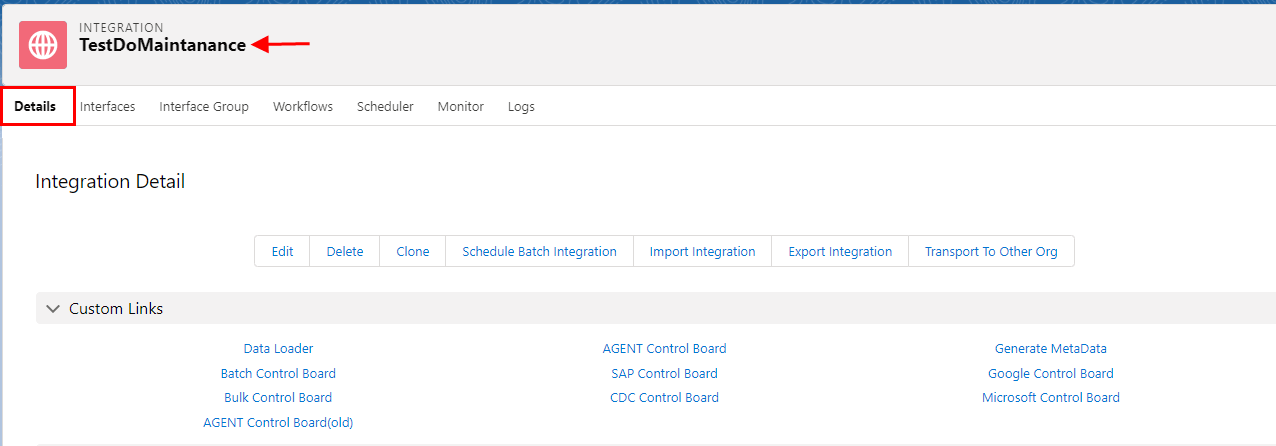
- Go to Integration detail page
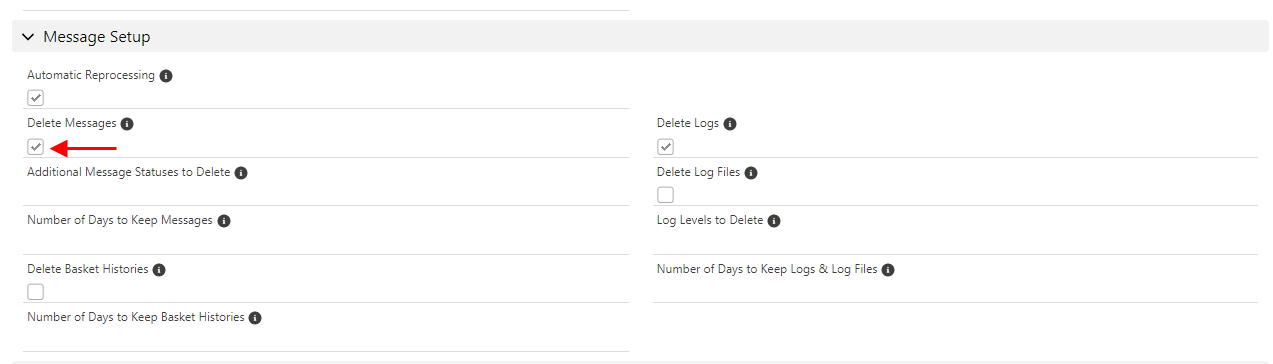
- Scroll down to Message Setup
- Check (Flag) Delete Message
- Now Go to Interface Detail page
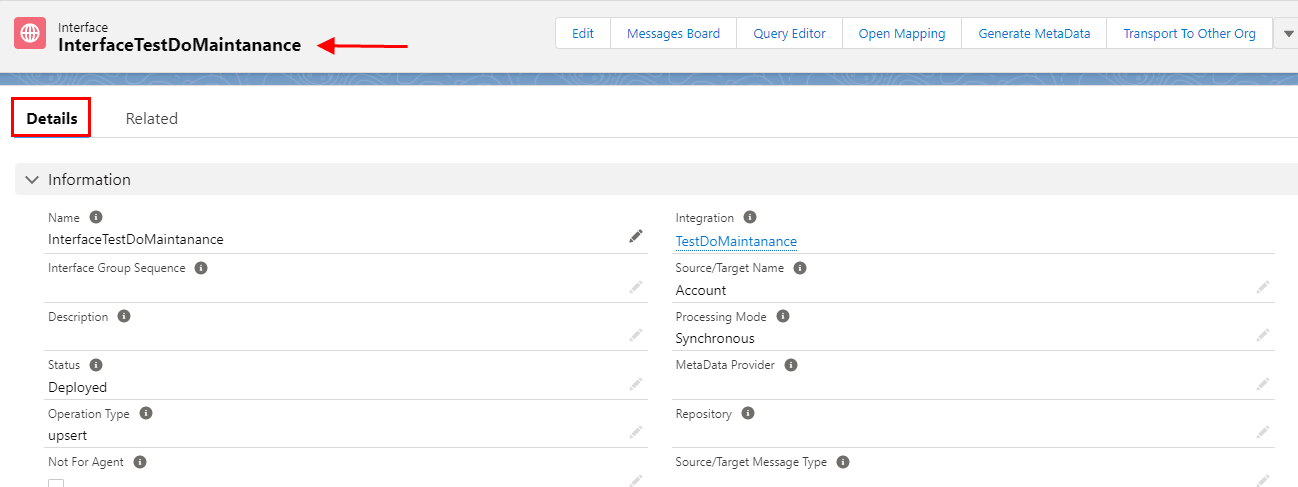
[su_box title="Note" box_color="#2a8af0" title_color="#000000"]User can choose Number of Days to Keep Messages both on Integration & Interface Detail Page as per Business requirement. [/su_box]
- Now Go to Scheduler Tab
- Scroll Down to Others Section
- Save
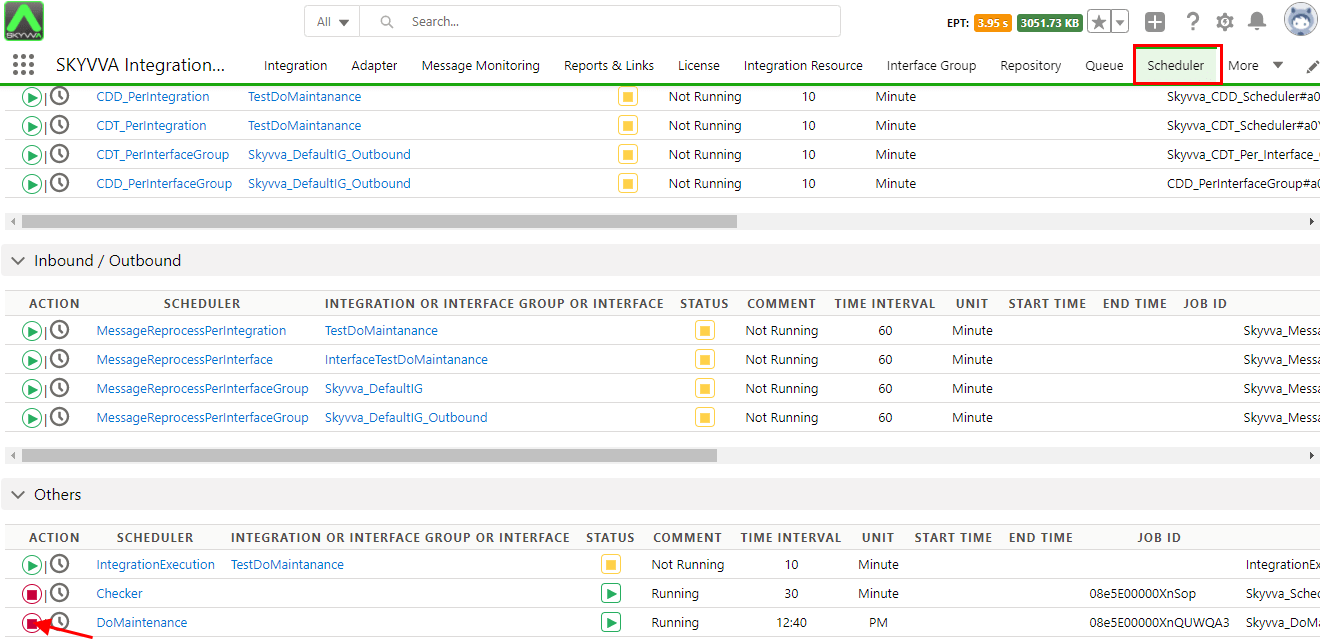
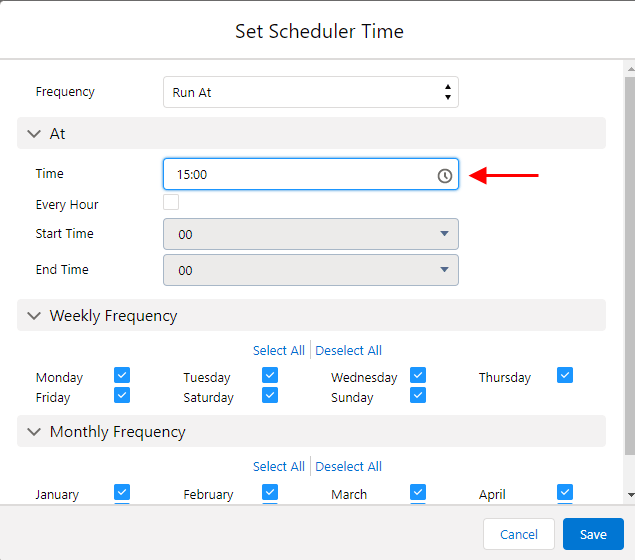
- Set Scheduler time as per user requirement
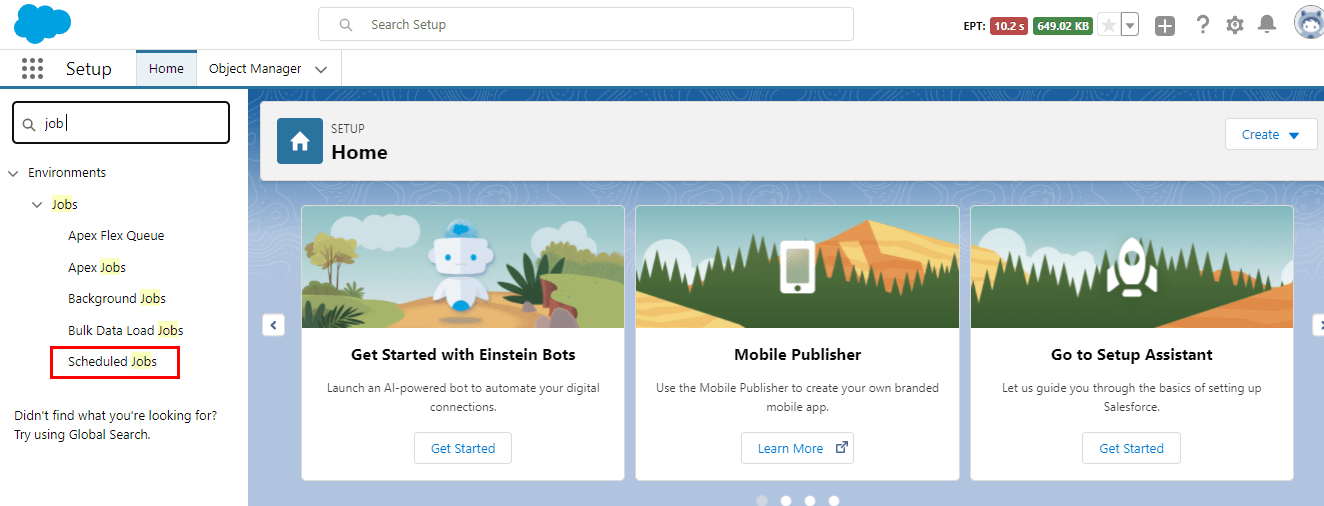
- Now Go to Setup on User Org.
- Click on Scheduled Jobs
- Use can see Skyvva_DoMaintenance job here as per the Set time Scheduler
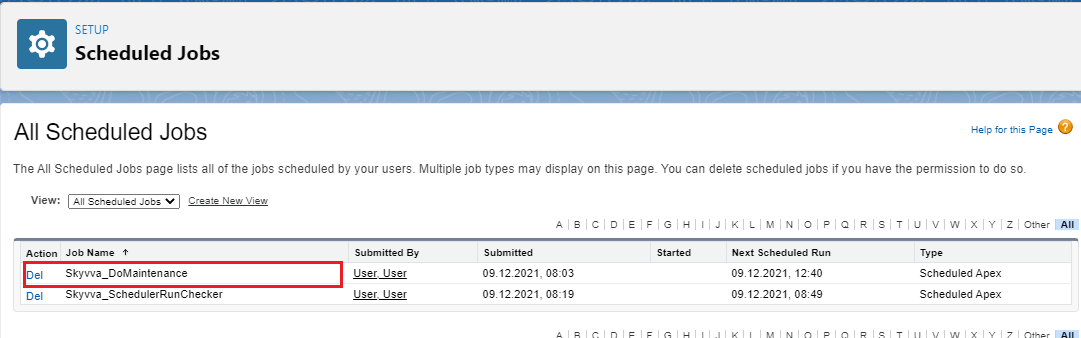
[su_box title="Note" box_color="#2a8af0" title_color="#000000"]The Skyvva_DoMaintenance automatically vanished/delete when job is done. The process that runs scheduled Apex quite regularly as a Scheduler job. This process runs on a schedule, and looks into a job table (object). If it finds work to do, it kicks off a Scheduler job.[/su_box] Summary : Now user learned how to create a DoMaintenance job by setting Scheduler Time