9. Bulk Query
This document describes how to create an inbound interface using SKYVVA Bulk query mode in SAP PI/PO with a new SKYVVA V3 connector module.
What Is Bulk Query?
BULK query - With this mode we can support the very big size of the query result. Like the REST query, it can return only the raw result of the select statement. It will retrieve the existing records only. You can configure in your Interface with operation type as "Bulk Query“ to use the Bulk v3 Query feature. Then you need to configure your SQOL in PI/PO Channel parameters or in SAP PI/PO mapping or in the SKYVVA interface. Base on your configuration in Interface SkYVVA connector will automatically detect the operation type and work accordingly with the same Search operation.
The following figure shows how the Bulk Query works with the New V3 module.
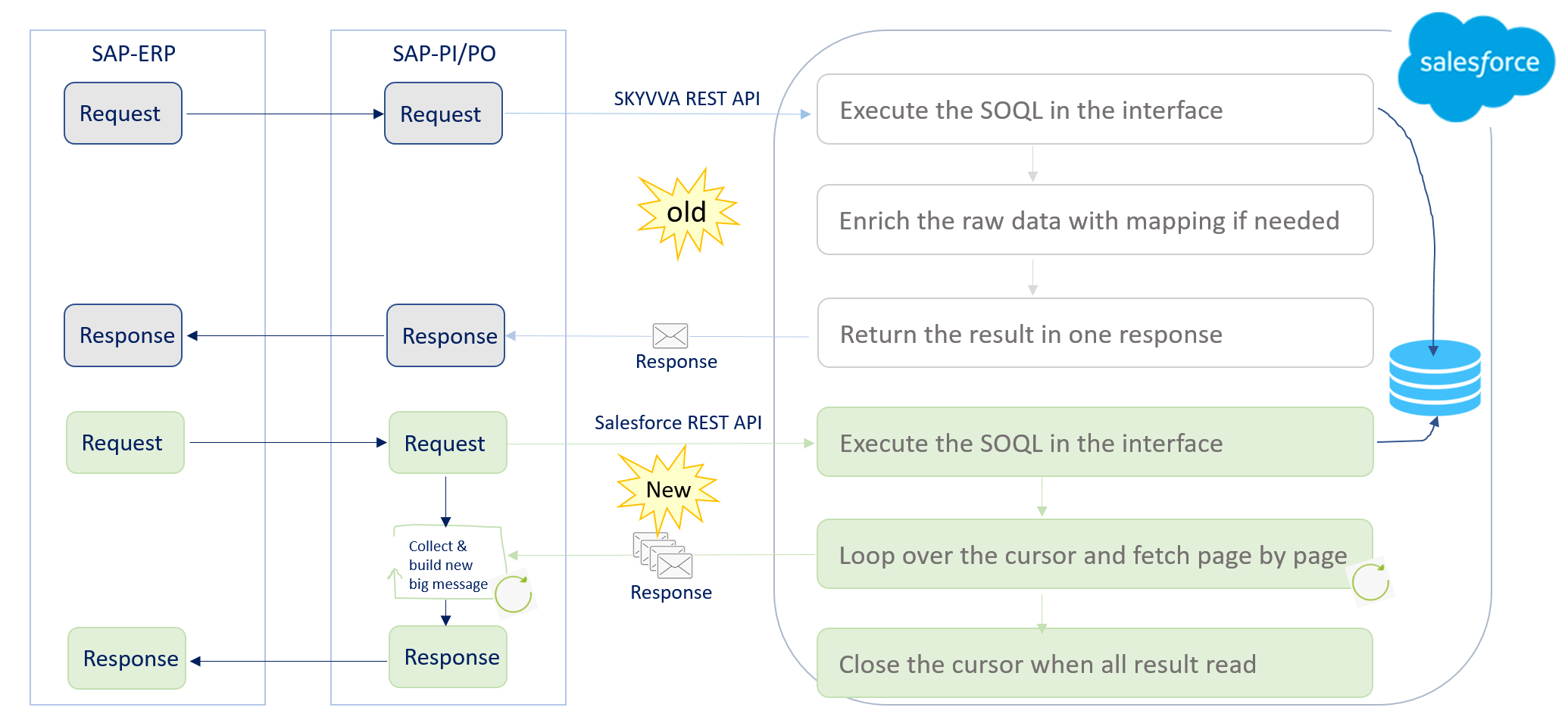
How Bulk Query works
- Create an inbound interface.
- Select the Operation type as Bulk Query". As shown below.
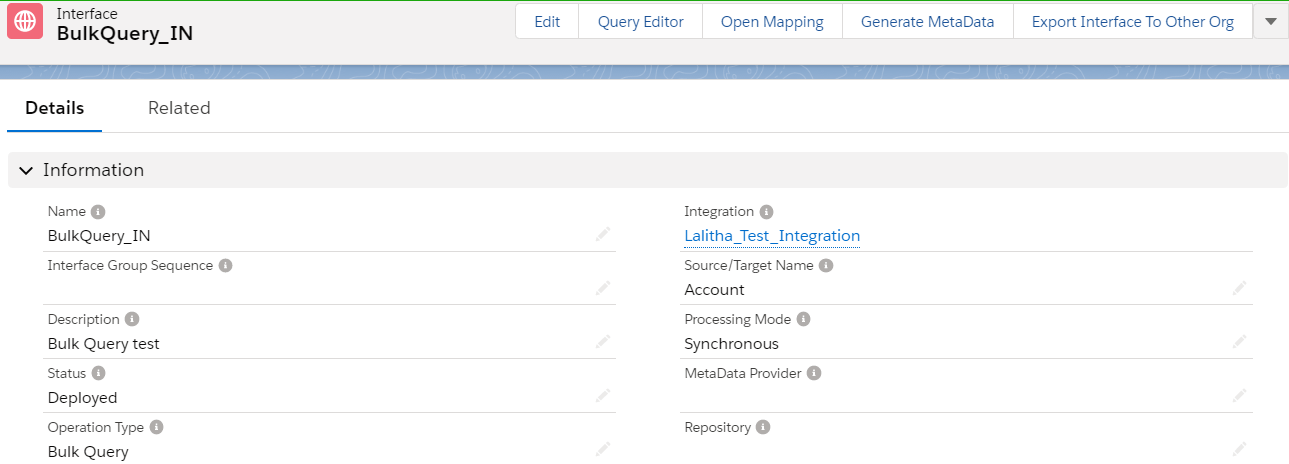
- maximum integrate Batch size will be 5000
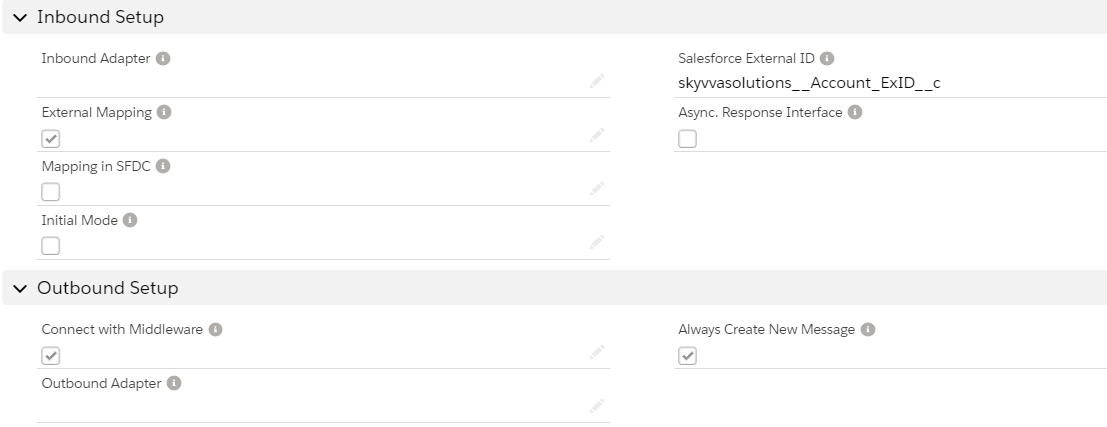
- In this example, we are going to put the SQL statement in the SAP PO Mapping.
- Now save the interface and download the WSDL from the Lightening mode.
- For new V3 we are going to use the new way WSDL.
- Generating the WSDL from Lightening as shown below.
- Go to Integration in that user have to select the "Generate Metadata"
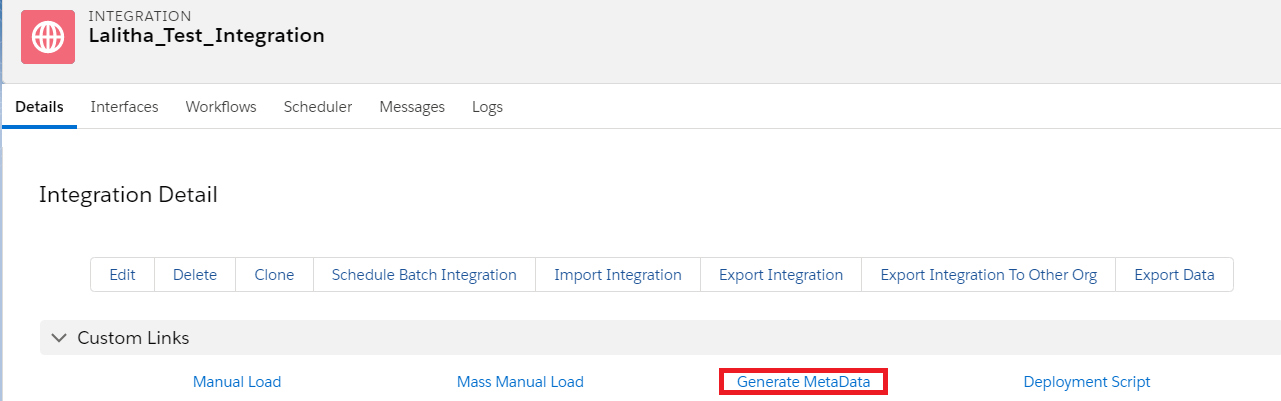
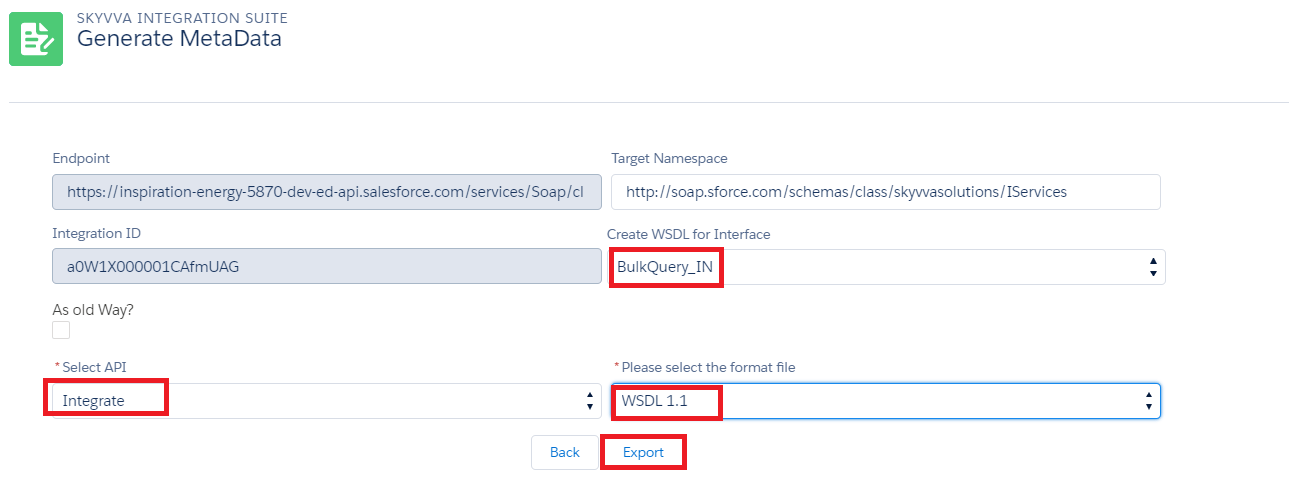
- Provide all the required details and click on export to generate the file.

- Now click on View to download the generated WSDL file.
- In this example, we are going to use only one interface for both request and response.
- Import WSDL into ESR
Test the Inbound Interface.
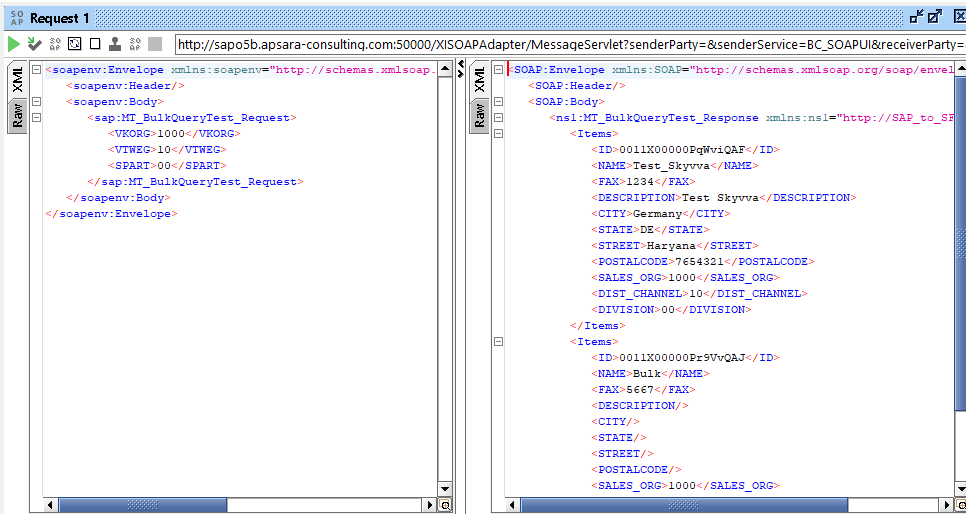
- Triggering the data from the Source system.
- Here is the result from Salesforce.