12. Store Procedure
In this chapter, we will see one of the operation types which is the "Store Procedure".
Introduction
This chapter explains how to use the new feature store procedure by handling the response using Agent. the responding store procedure is calling out from Salesforce to database system via store procedure. After callout and we will get a response or fault message back real-time in the same calling. It supports only Synchronous mode.
How to call store procedure by handling the response using Agent
Pre-request call store procedure by handling the response Firstly, you need to have some required step before you can do call store procedure by handling the response:
- Create a Store Procedure
- Create Interface (Inbound as a response and outbound as a request interface)
- Create Adapter
- Do mapping (Inbound and Outbound)
Configuration
- Create a Store Procedure
[aux_code language="javascript" theme="tomorrow" title="Stored Procedure template:" extra_classes=""] CREATE PROCEDURE [dbo].upsertAccountTest01, @name nvarchar (255), @billingcity nvarchar (255), @billingcountry nvarchar (255), @nameOut nvarchar (255) OUTPUT, @billingcityOut nvarchar (255) OUTPUT, @billingcountryOut nvarchar (255) OUTPUT ) AS BEGIN IF EXISTS(SELECT id, name, billingcity, billingcountry FROM Account_Out WHERE Name=@name) BEGIN UPDATE Account_Out SET id=@id, name=@name, BillingCity=@billingcity, BillingCountry=@billingcountry WHERE Name=@name; END ELSE BEGIN INSERT INTO Account_Out (Id, Name, BillingCity, BillingCountry) VALUES (@id, @name, @billingcity, @billingcountry); END SELECT @id=id, @nameOut=name, @billingcityOut=billingcity, @billingcountryOut=billingcountry FROM Account_Out WHERE name=@name; END [/aux_code]
- Create an interface
- Select Operation Type for Inbound: UpSert
- Select Operation Type for Outbound: Store Procedure
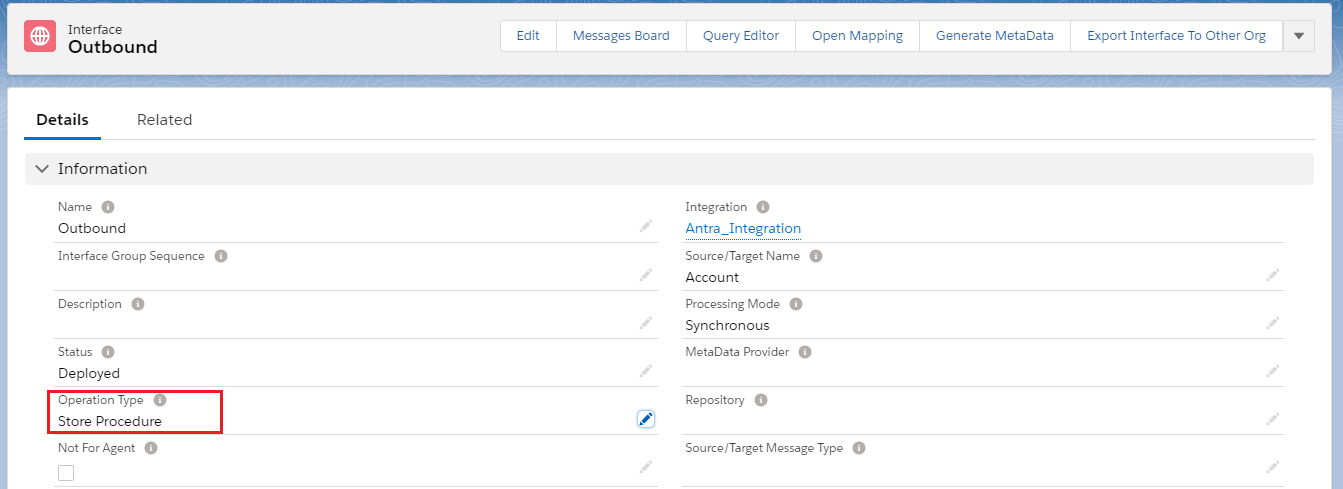
- Select processing mode: Synchronous
- The inbound interface as a Response interface
- An outbound interface as a Request interface

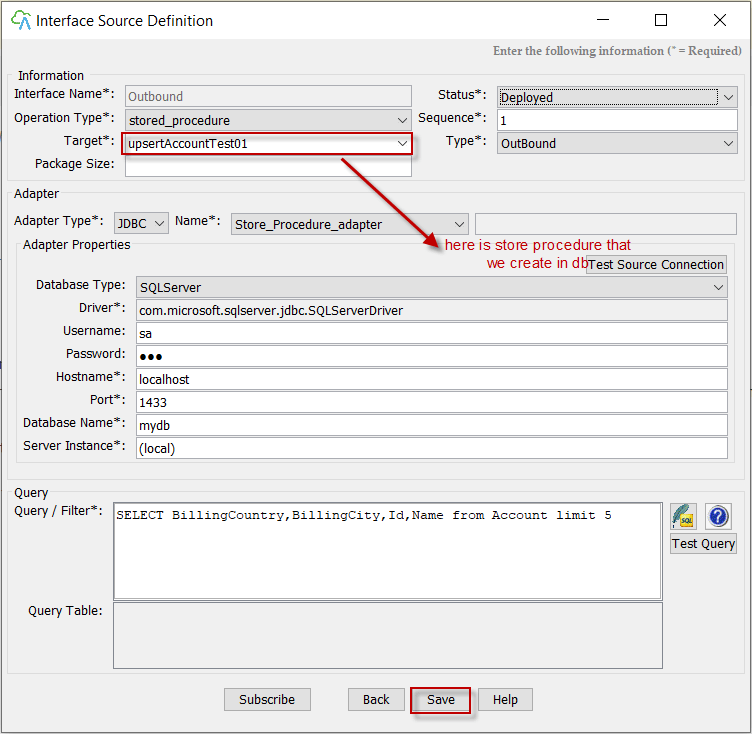
- Create Adapter on Agent UI
- Please run SKYVVA Integration Agent -> Integration Wizard
- Choose your Property File
- Go to interface detail by double click any interface in the interface list
- Creating of JDBC Adapter
- Do mapping
- Outbound interface
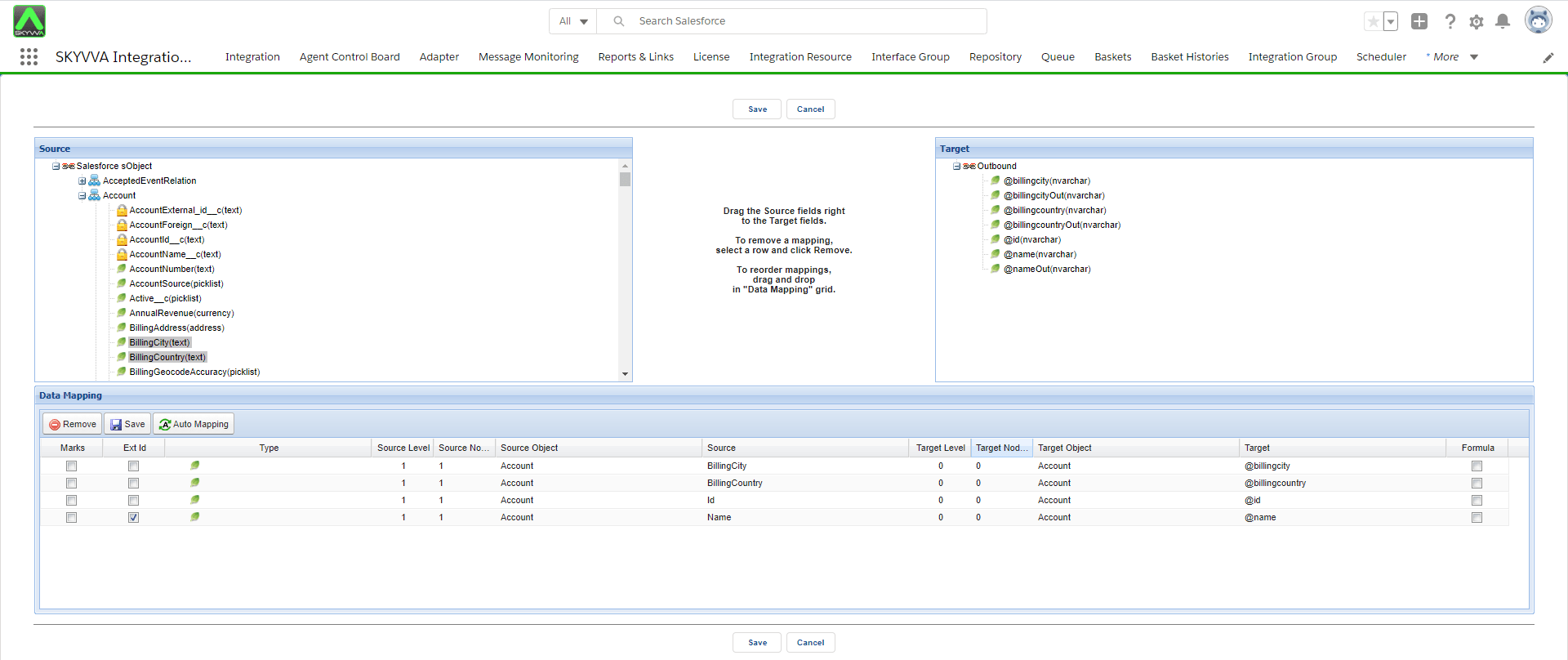
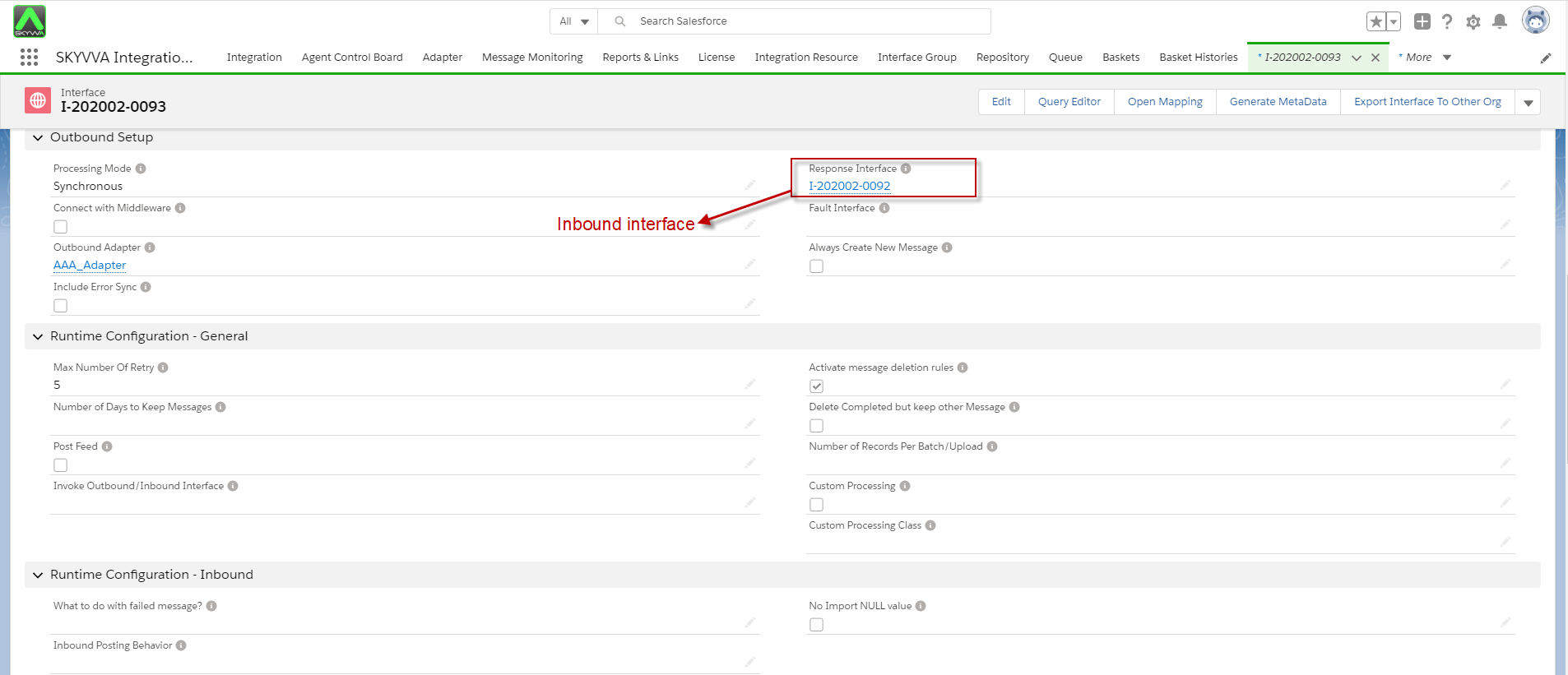
- On Outbound interface you need to add the ID of Inbound interface on-field Response interface
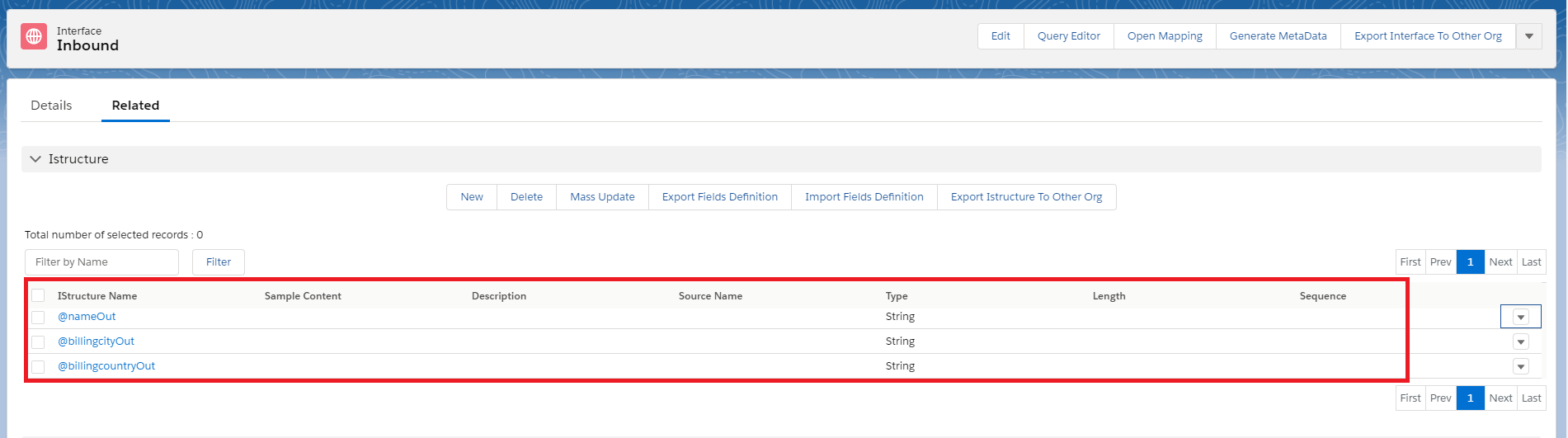
- The inbound interface you need to create Istructure (@nameOut,@billingcityOut,@billingcountryOut) like parameter in Store Procedure
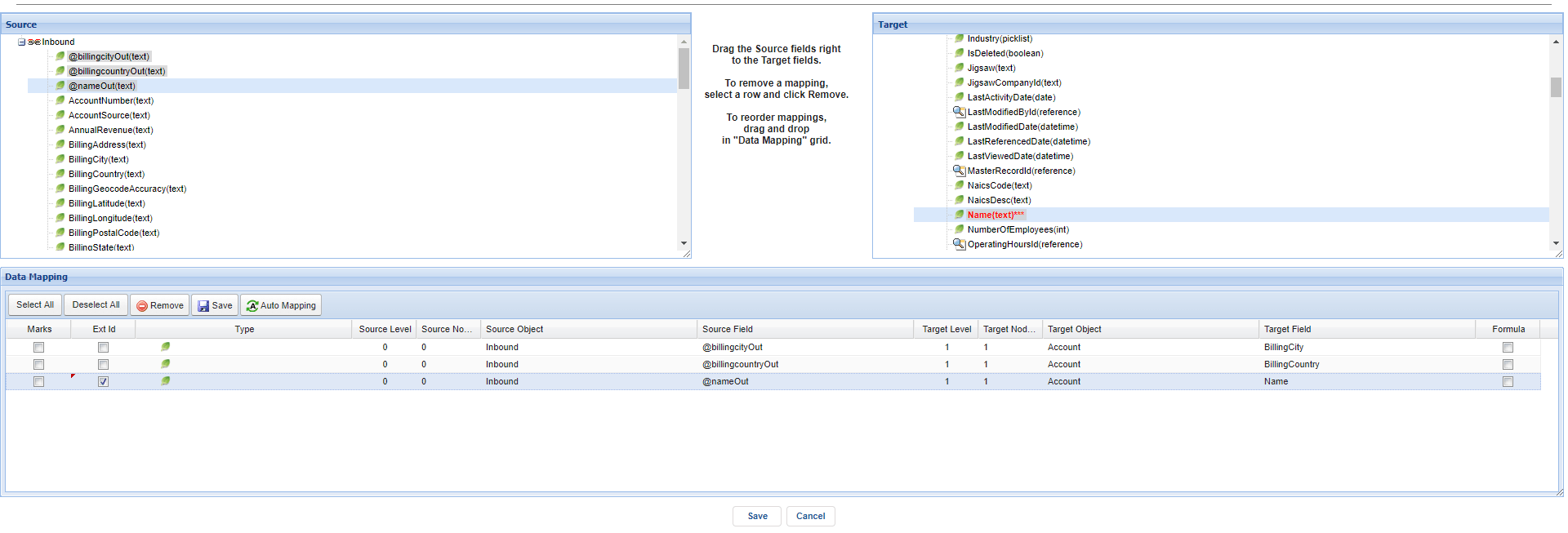
- Do mapping on Inbound interface
- Push data

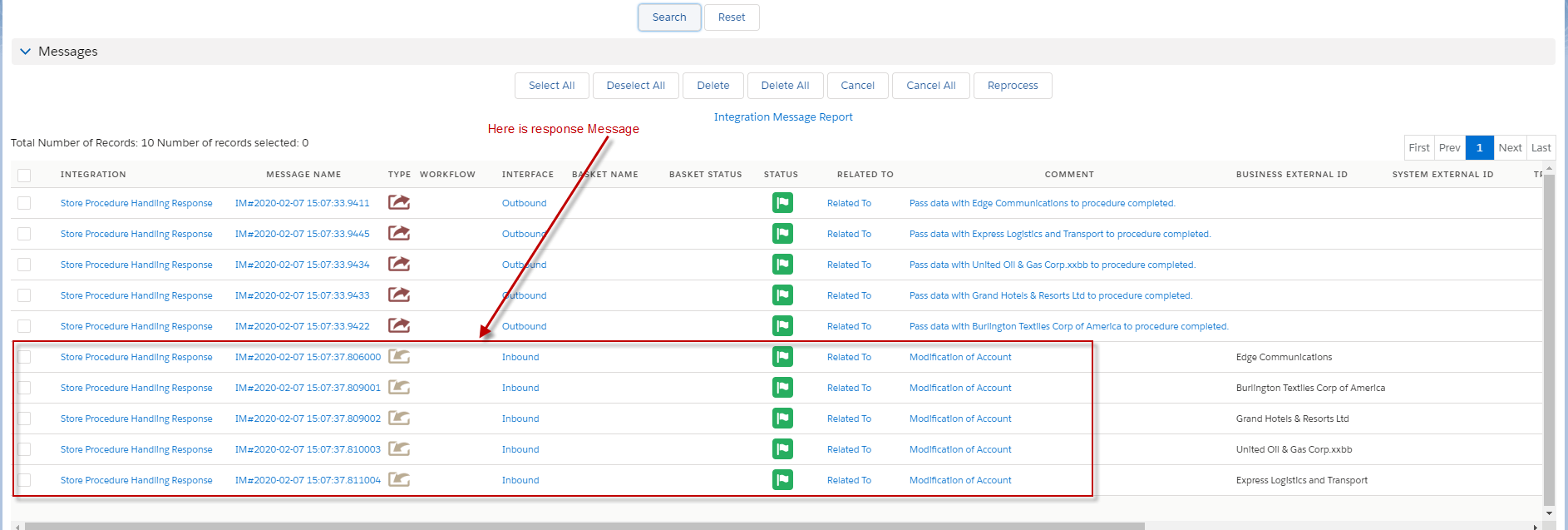
- Check the result on Message board