23.8 Rest Query
This document describes how to create an inbound interface using SKYVVA REST query mode in SAP PI/PO with a new SKYVVA V3 connector module.
REST Query
REST query -This is the new type we support and we can handle bigger sizes as the searchService. This is possible because Salesforce held the cursor and can return the result page by page. In our module, we can collect the result set and combine it with a new message. You can configure in your Interface with operation type as "REST Query“ to use the REST Query feature. Then you need to configure your SOQL in the SKYVVA interface. Base on your configuration in Interface SkYVVA connector will automatically detect the operation type and work accordingly with the same search operation. The following figure shows how the new V3 REST Query works with the new V3 module
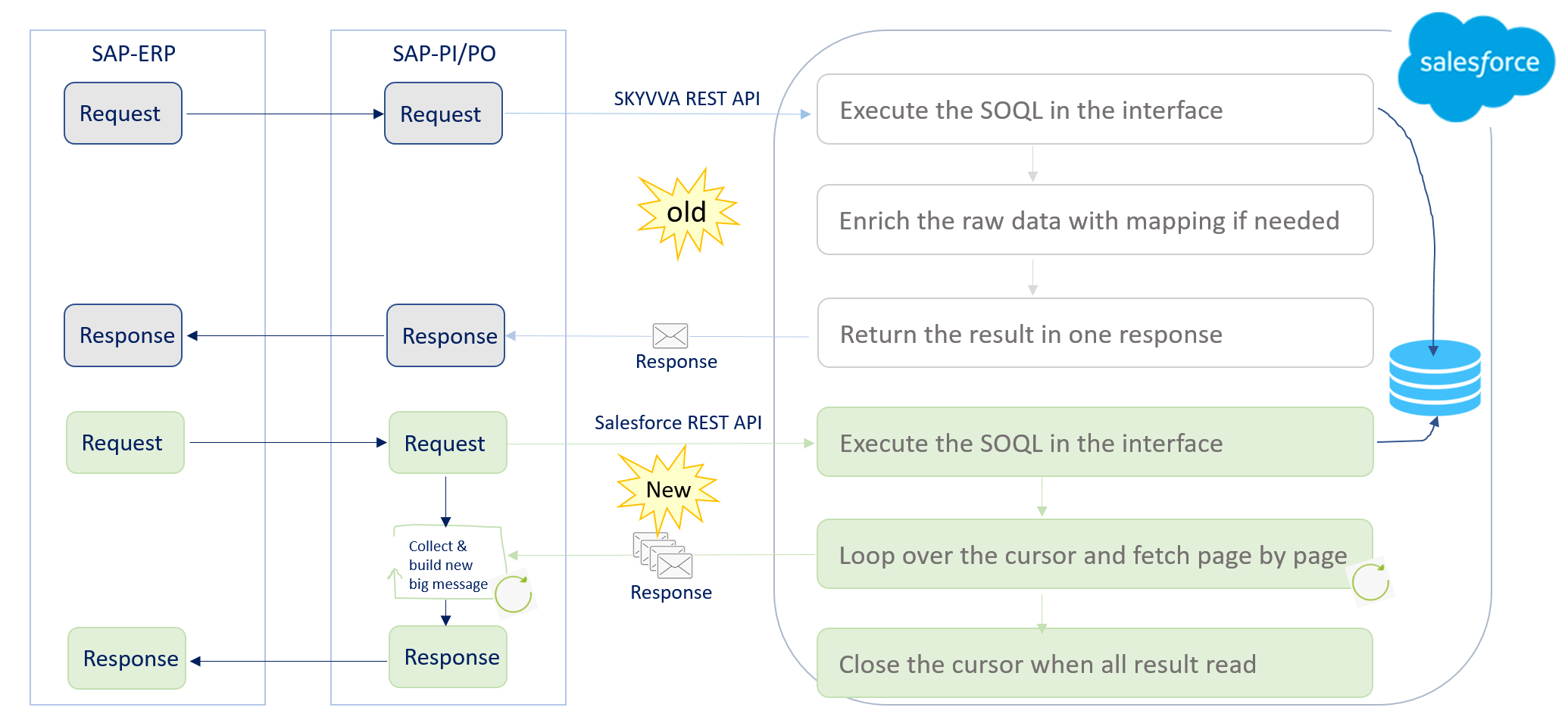
How Rest Query works
- Create an inbound interface.
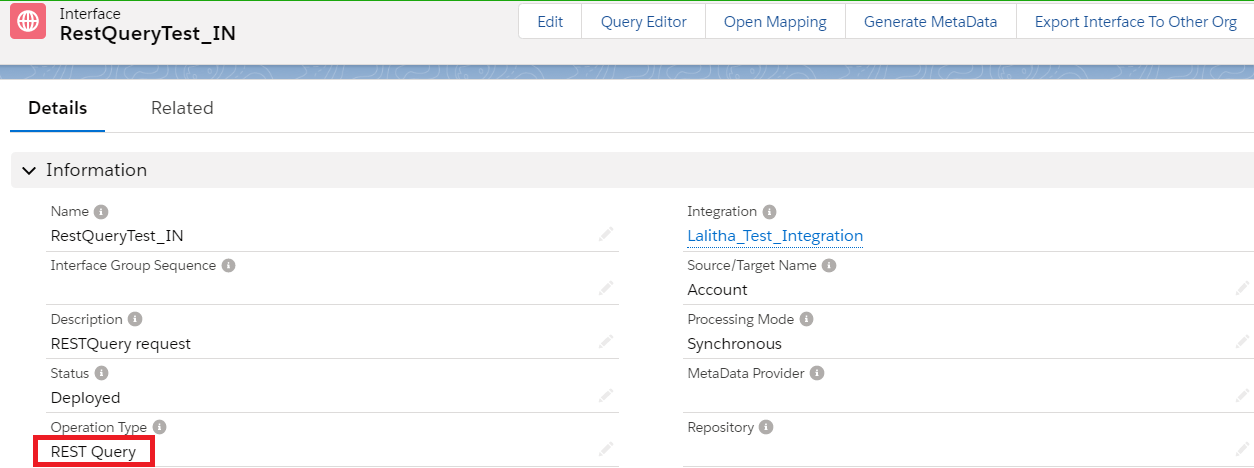
- Select the Operation type as REST Query". As shown below.
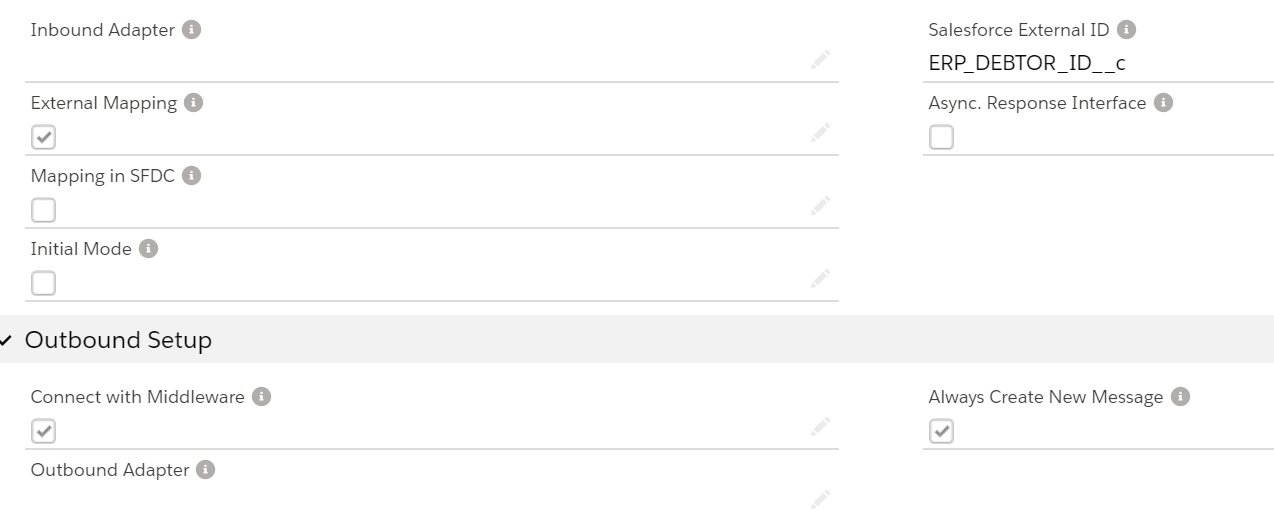
- Now we will put the SQL statement in the Skyvva Interface. As shown below.
[su_box title="Note" box_color="#2a8af0" title_color="#000000"]For example: The Soql query we can use like. SELECT BillingCity,BillingCountry,BillingPostalCode,BillingState,BillingStreet,Description,Fax,Id,Name,Phone,skyvvasolutions__SAP_Distribution_Channel__c,skyvvasolutions__SAP_Division__c,skyvvasolutions__SAP_Sales_Org__c FROM Account where skyvvasolutions__SAP_Distribution_Channel__c = '{!skyvvasolutions__SAP_Distribution_Channel__c}' and skyvvasolutions__SAP_Sales_Org__c = '{!skyvvasolutions__SAP_Sales_Org__c}' and skyvvasolutions__SAP_Division__c = '{!skyvvasolutions__SAP_Division__c}'[/su_box]
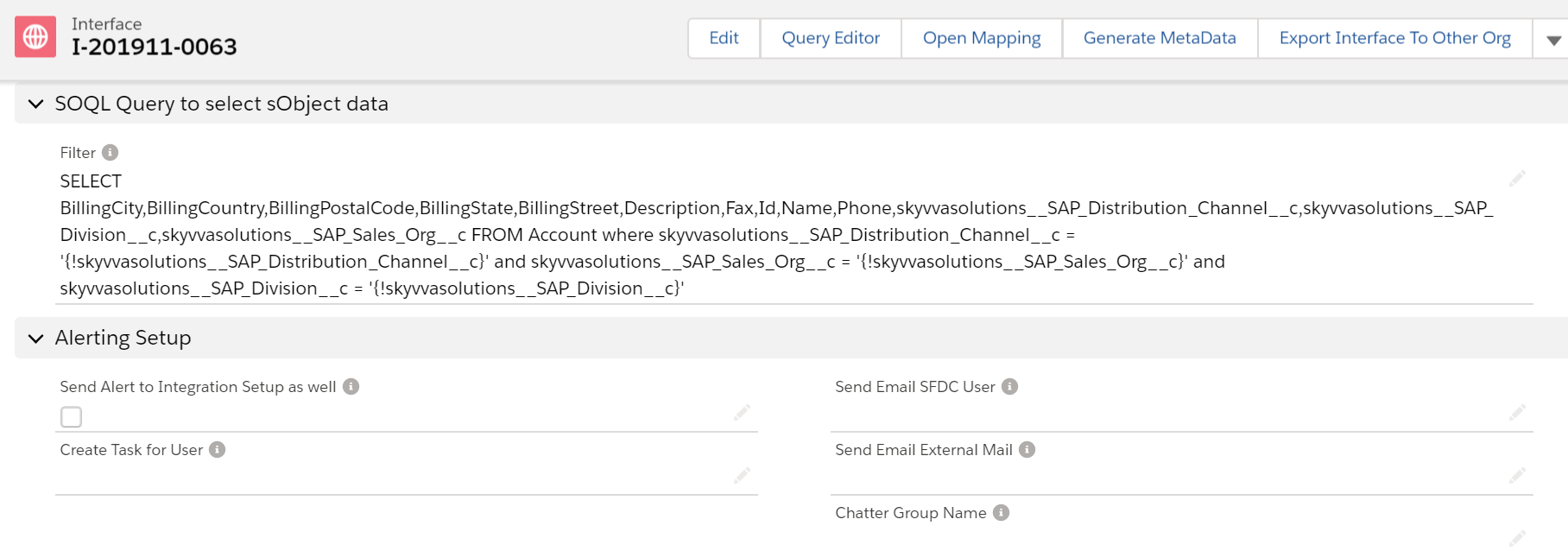
- Save the interface.
- Follow the below steps to download the WSDL from Lightening
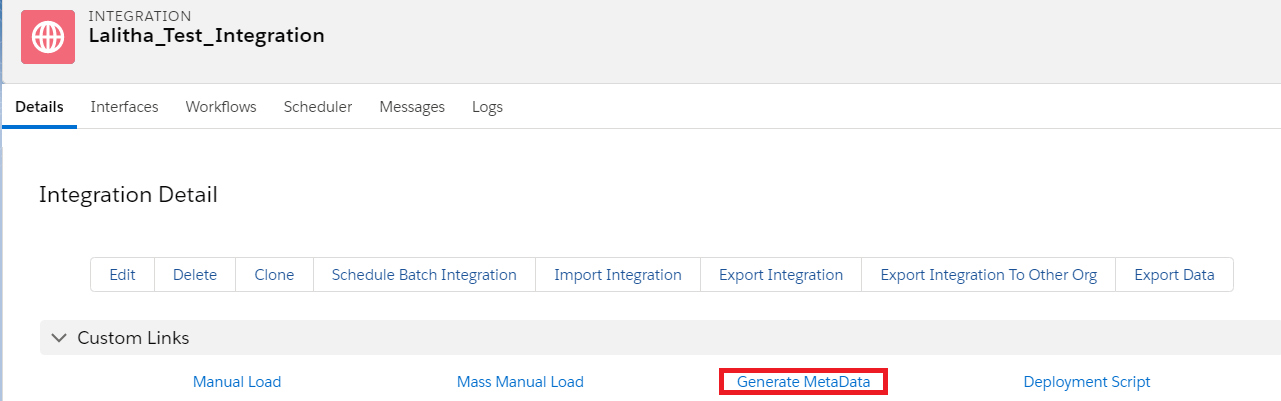
- Click on "Generate Metadata" on the Integration detail page as shown below.
- Fill all the highlighted fields accordingly, use your interface name.
- Click on Export.

- Click on view to download the WSDL file

- Import WSDL into ESR
- First, we have to create a namespace in ESR like "http://SAP_to_SF_RESTQueryTest".
- Now create an external definition under the namespace like below. Here the WSDL is for RESTQueryTest. So, we can give the name as ED_RESTQuery_Req

- Here instead of WSDL from salesforce, we can also use our own message type in this example as below.
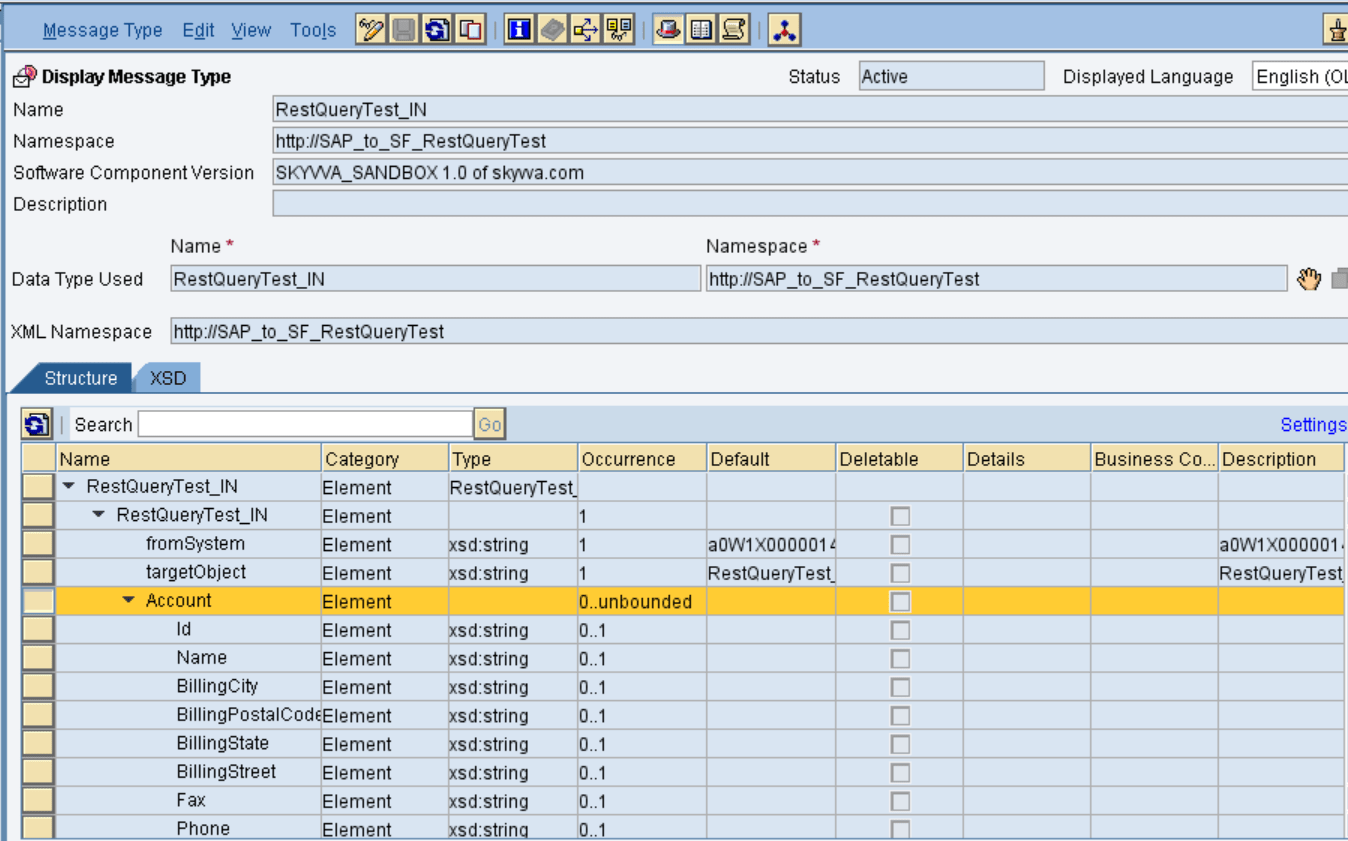
- Here we are going to use only one interface for both Request and Response.
- Import the WSDL and save and activate the external definition.
Sender request datatype
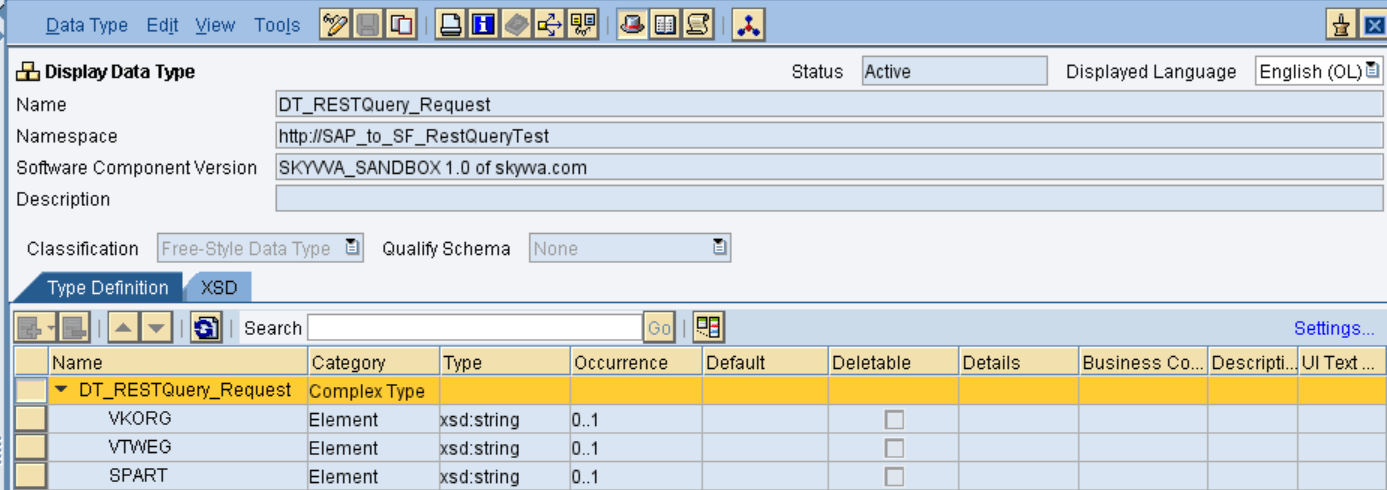
- Create sender request data type as shown below
Sender response datatype
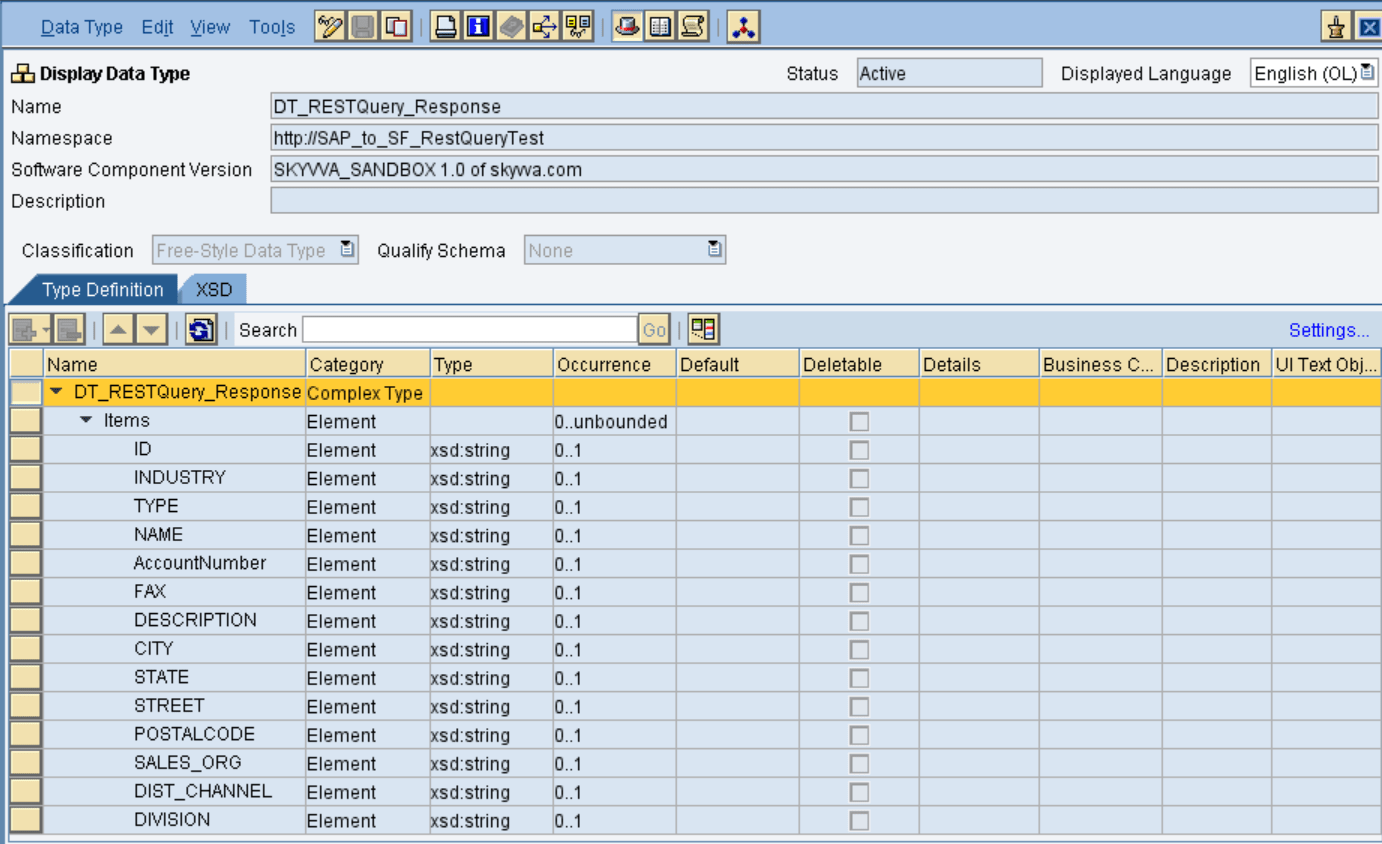
- After creating the source data type click on save and activate.
Source request message type
- Create the request message type as shown below:
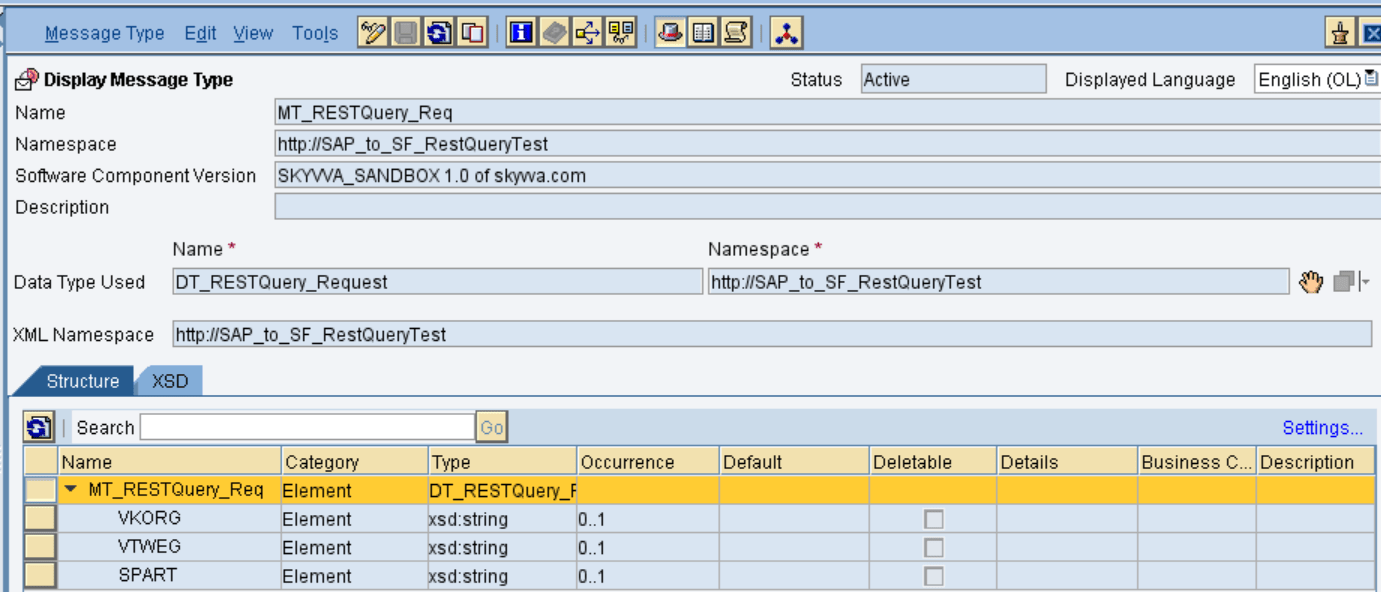
Source response message type
- Create the response message type as shown below:
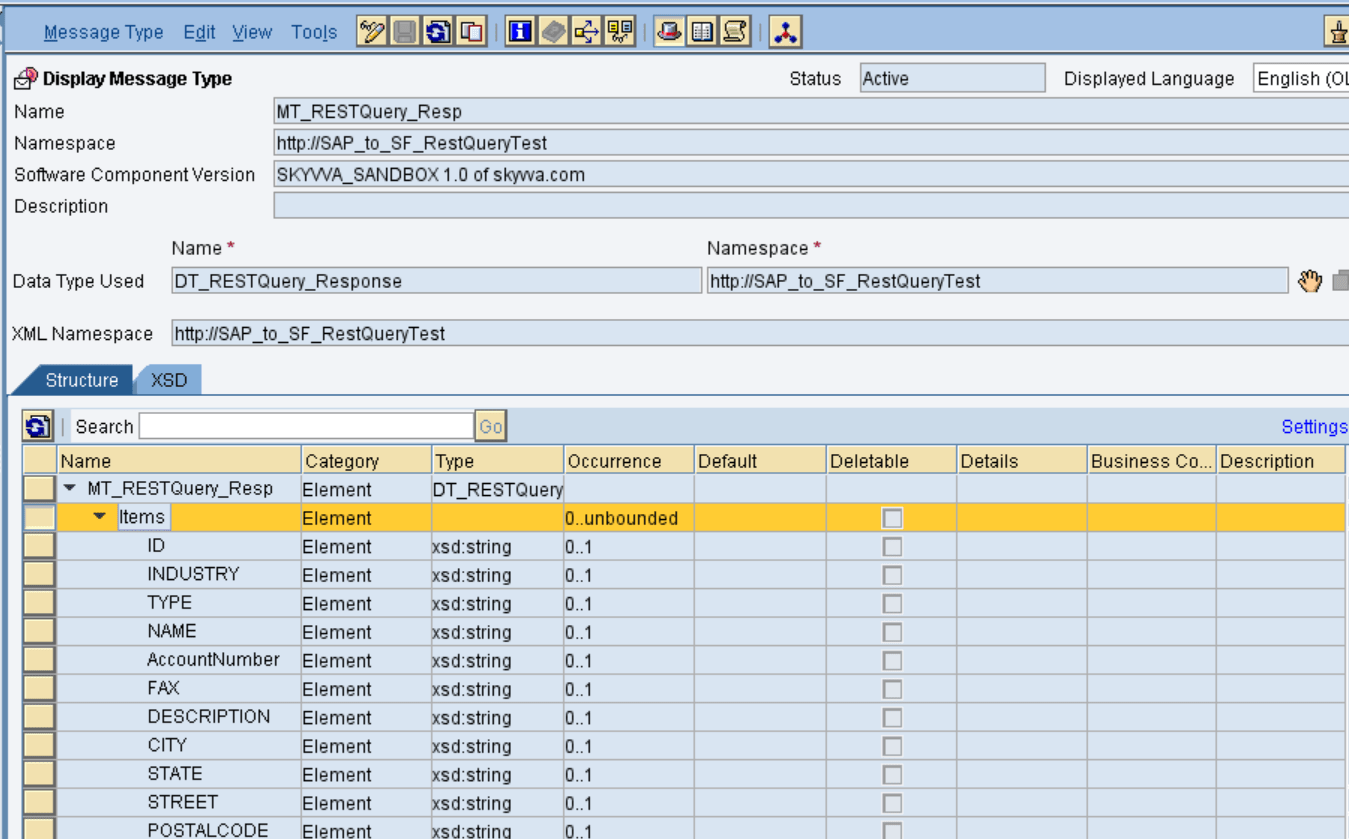
Outbound Service Interface
- Create an Outbound service interface, in that select category as outbound and select the respective message type.
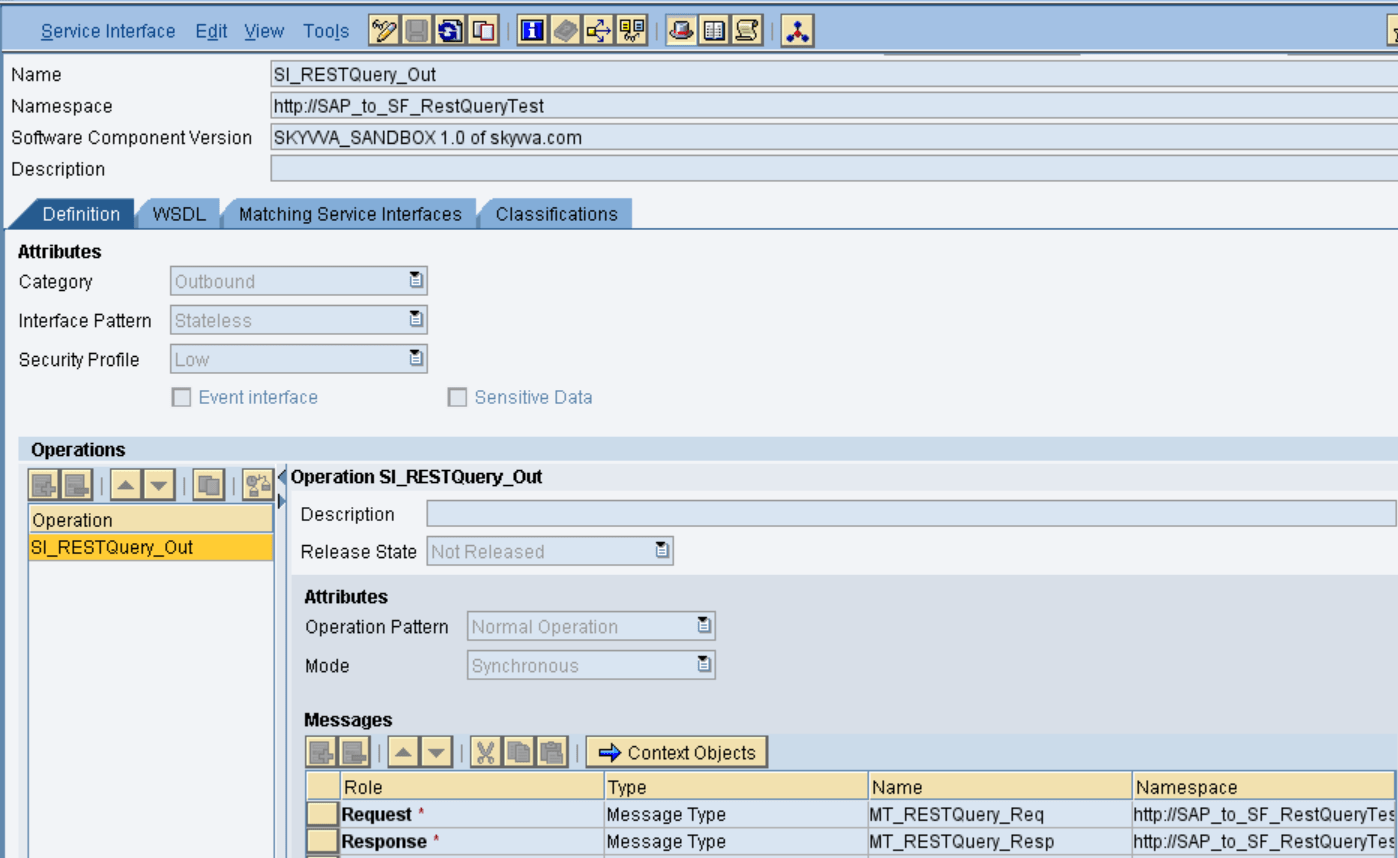
- Save and activate the outbound service interface.
Inbound Service Interface
- Create an inbound service interface, in that select category as inbound and select the respective external definition.
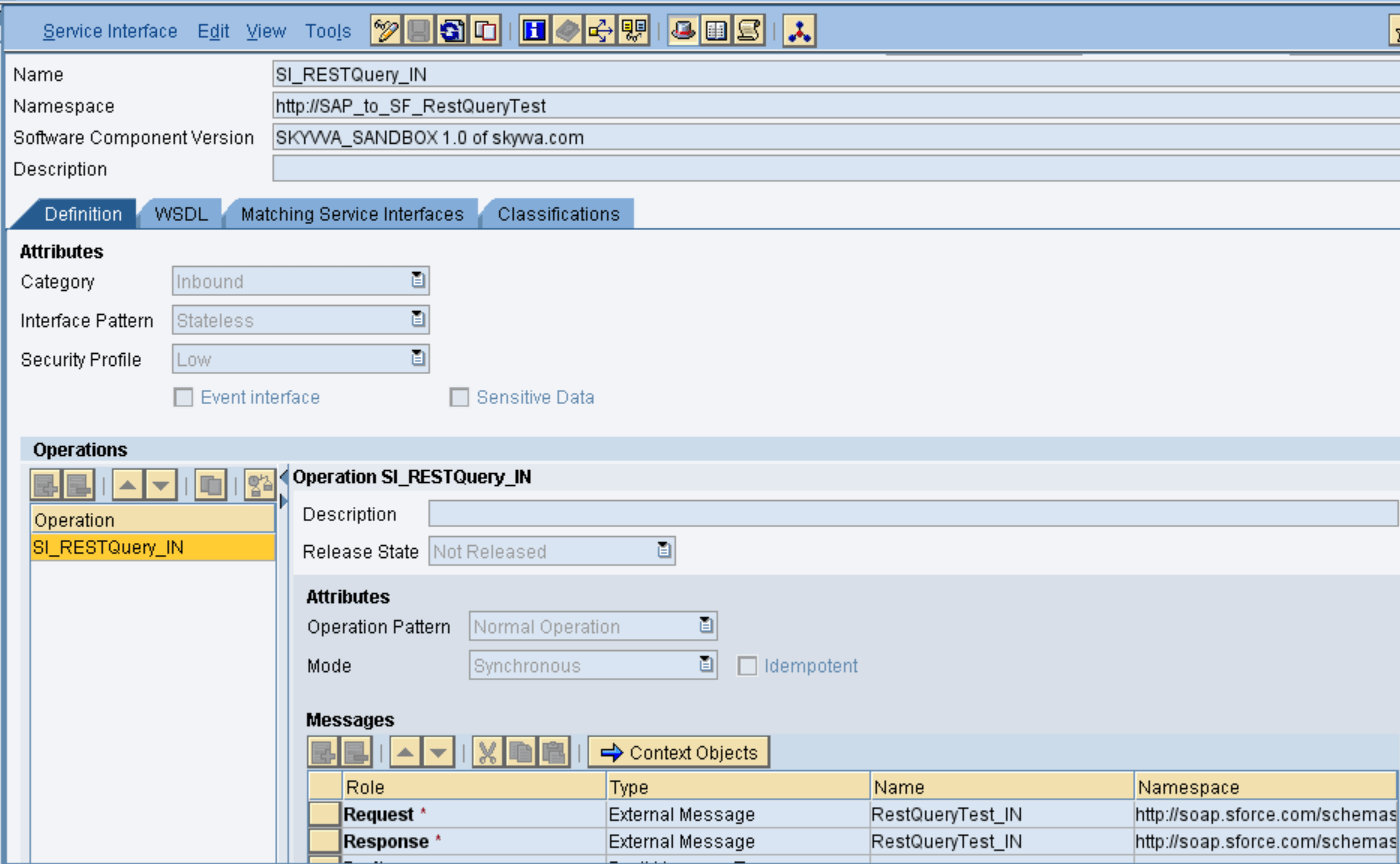
- Save and active the inbound service interface.
Request Message Mapping
- Create request message mapping as shown below:

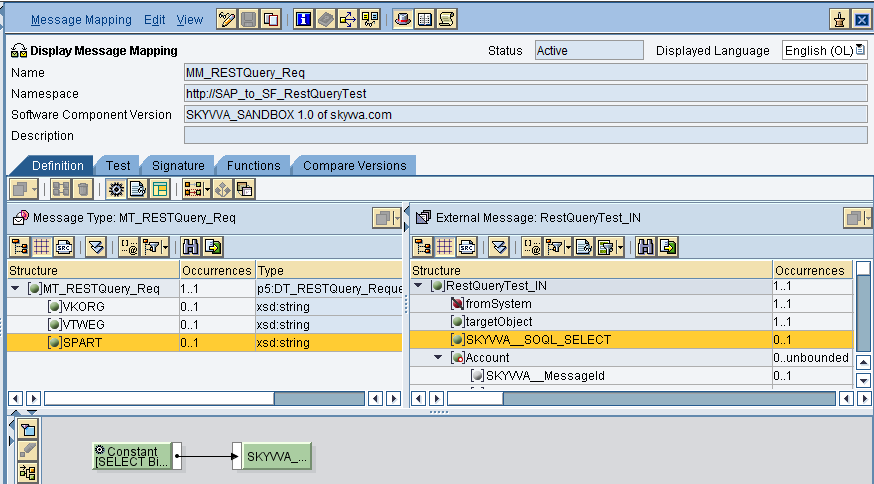
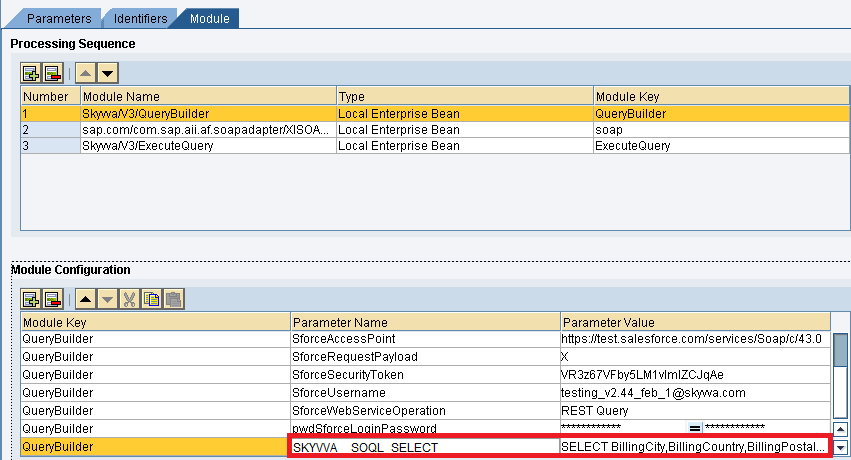
The different way to put the SELECT statement Here we are able to build the select statement dynamically by the pi mapping. Thus we need a field in the request payload which for example is called 'SKYVVA__SOQL_SELECT' and where we can build the SELECT-statement by using concat formula in the mapping. In this case, you are taking the value from this field and it will dominate the SELECT-statement on the module parameter. In the request WSDL we need to add SKYVVA system field e.g. 'SKYVVA__SOQL_SELECT' and build dynamically the SELECT in the mapping. We have 3 different options to place the SELECT statement e.g.:
- In the PO request mapping in the field 'SKYVVA__SOQL_SELECT' as shown below
- In the Skyvva interface
- In the module parameter
Here is the SQL Statement used in the interface. [aux_code language="javascript" theme="tomorrow" title="" extra_classes=""]BillingCity,BillingCountry,BillingPostalCode,BillingState,BillingStreet,Description,Fax,Id,Name,Phone,skyvvasolutions__SAP_Distribution_Channel__c,skyvvasolutions__SAP_Division__c,skyvvasolutions__SAP_Sales_Org__c FROM Account where skyvvasolutions__SAP_Distribution_Channel__c = '{!skyvvasolutions__SAP_Distribution_Channel__c}' and skyvvasolutions__SAP_Sales_Org__c = '{!skyvvasolutions__SAP_Sales_Org__c}' and skyvvasolutions__SAP_Division__c = '{!skyvvasolutions__SAP_Division__c}'[/aux_code]
- SQL Statement in the SAP PO Mapping
- SQL Statement in the Skyvva Interface

- SQL Statement in the SAP PO module parameter:
Response Message Mapping
- Create response message mapping as shown below:

- Insert the respective source and target structure and then do the mapping.
- Now save and activate the message mapping.
Operation Mapping
- Create Operation mapping as shown below


- Select the respective outbound and inbound service interfaces and also the message mapping for request and response then save and activate the operation mapping.
Creation of Integrated Configuration Objects
- After creating the objects in ESR. We have to configure these objects in the integration directory.
- First, we have to create Configuration Scenario.

An Integration scenario has the following objects.
- Business System for Sender and Receiver
- Sender and Receiver Communication channel
- Integrated Configuration
These are the objects we should create. Since in this example we are using SOAPUI as source system. So need to create Business component for SOAPUI as BC_SOAPUI. For Salesforce you can use our proposal "Salesforce" as the business system. We have to import these business systems from SLD. Configuring the Sender SOAP communication channel
- Create a sender communication channel as shown below.
- Since we are using SOAP UI as a source. So, here we are using SOAP in the sender channel.

- Provide the necessary details as shown and then save and activate the channel.
Configuring the SOAP receiver channel
- Configuration for Tab "General"

- Specify the parameters as shown in the above screenshot.
- Below is the configuration for the "Advanced" Tab.
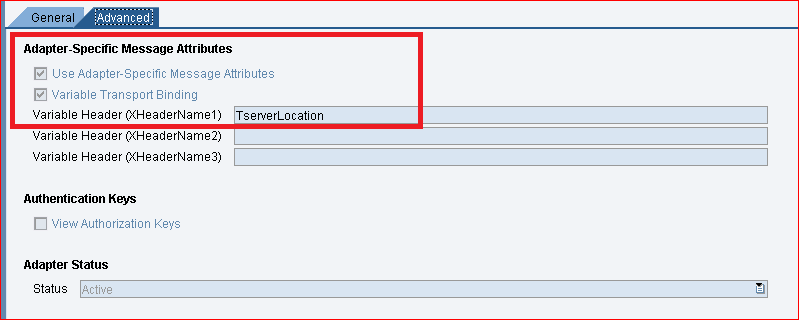
- The value "TserverLocation" has to be entered for the parameter Variable Header (XHeaderName1).
- Below is the settings for Tab "Module". Here, the SKYVVA module containing the logic for session handling must be specified.
For V3 Skyvva module: We need 3 modules in the soap receiver channel
- Skyvva/V3/QueryBuilder -> prepare the execution of the REST and BULK query and pass the message payload to the 3. module
- XISOAPAdapterBean -> calling our new soap API 'RouteRequest' to just pass back the request from the 1. module
- Skyvva/V3/ExecuteQuery -> here we only fetching the result which has been executed


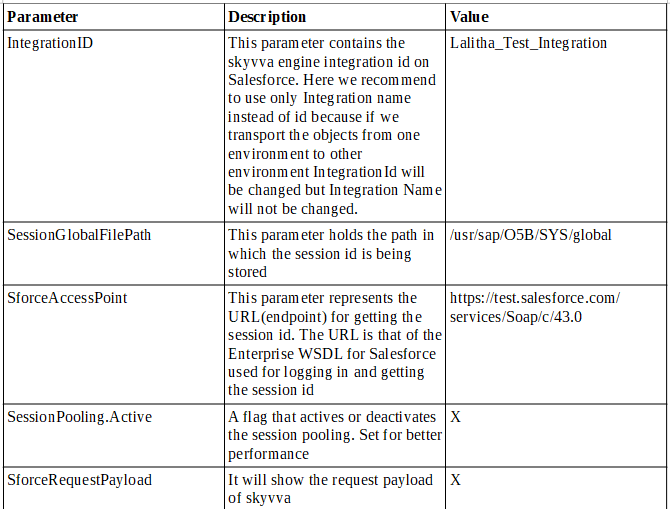
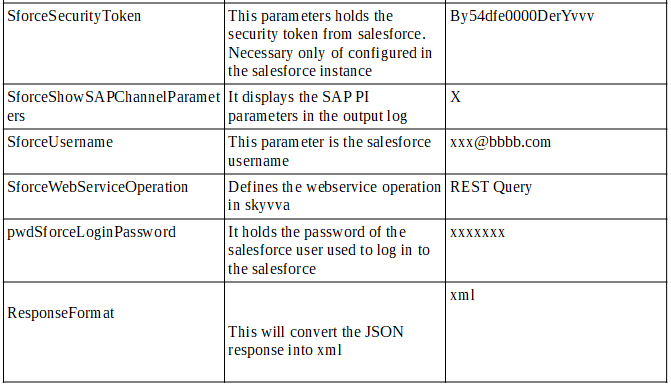
- The below parameters has the following meaning.
- For V3 we don't need to specify SforceBulkInterfaceId in the parameters
Integrated Configuration
- Create integrated configuration objects as shown below.
- Enter the required data e.g. the Communication Component, Interface, and Namespace, and then click on the create button to create an ICO.
- Now go through the tabs from left to right to configure the relevant objects. In this first tab “Inbound Processing” here we have to specify the sender communication channel.

- Here in the “Receiver” tab, we have to specify the receiver business system.

- In the Receiver interfaces tab specify the operation mapping.
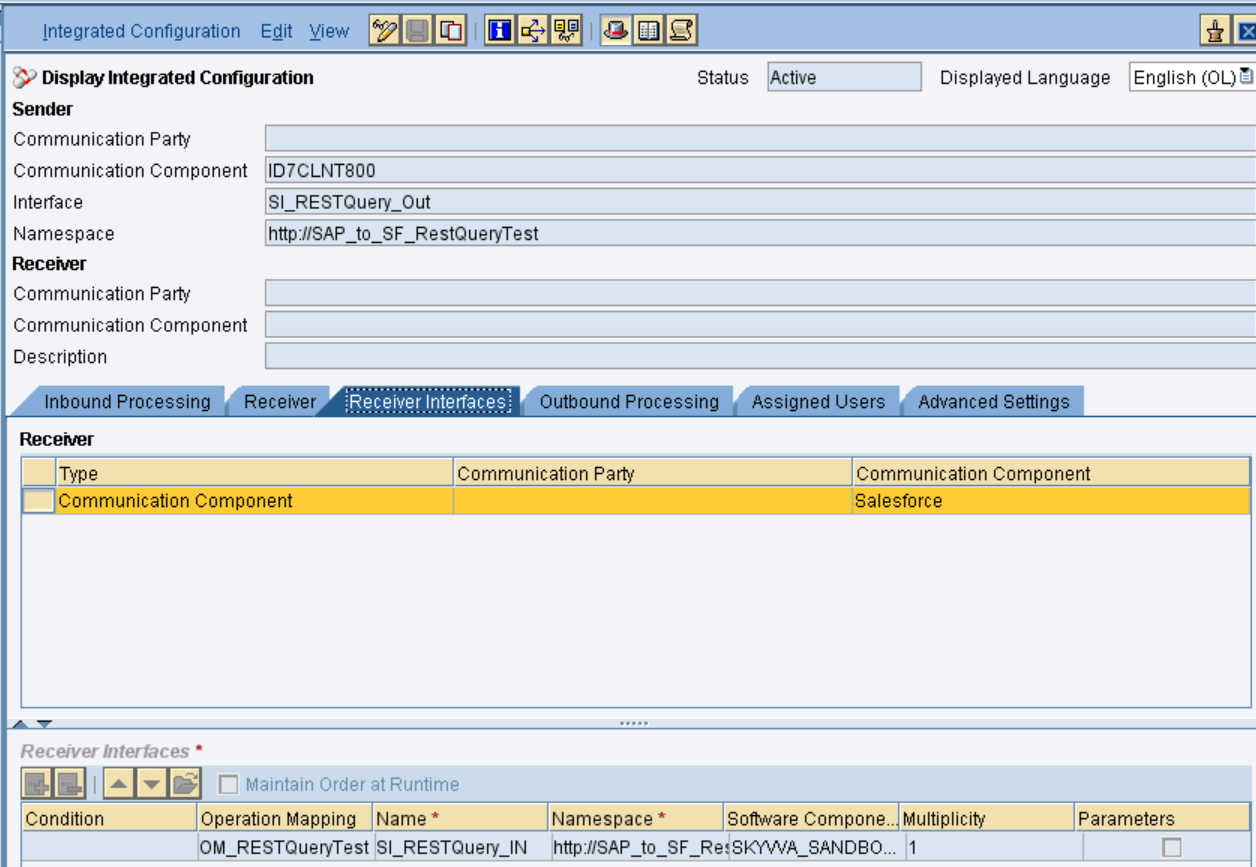
- In the “outbound processing” tab, we have to specify the receiver channel.

Test the Inbound Interface.
- Triggering the data from the Source system.
- Here is the result from Salesforce.
