27.5 How to create SOAP interface using the SOAP adapter?
Learning Objective: After completing this unit, you’ll be able to:
- Describe what SoapAdapter is.
- Comfortably use SoapAdapter.
Introduction
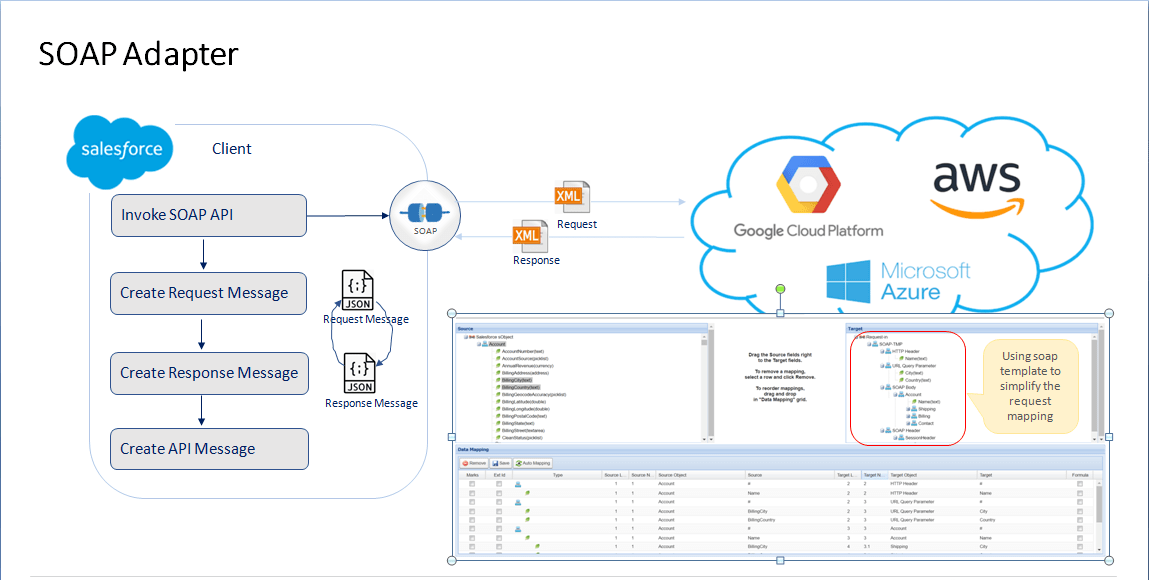
SOAP is the Simple Object Access Protocol, a messaging standard defined by the World Wide Web Consortium and its member editors. SOAP uses an XML data format to declare its request and response messages. In SKyvva, we have a SOAP Adapter used for data processing of both directions, like Inbound and outbound. We use SOAP Adapter to Integrate data between Salesforce to systems that have SOAP API. As we knew that SOAP has Request, Response, and Fault Response, there is control by API Structure and different objectives and structures. SOAP Service
- Request
- Response
- Fault Response
Soap request-> Outbound interface
As we have Four elements in Request:
- SOAP Header
- URL Query Parameter
- HTTP Header
- SOAP Body
Soap response-> Inbound interface There are three elements under Response:
- Envelope
1.1 Header 1.2 Body Fault Response -> Inbound interface There are two elements under Fault Response:
- Envelope
1.1 Body
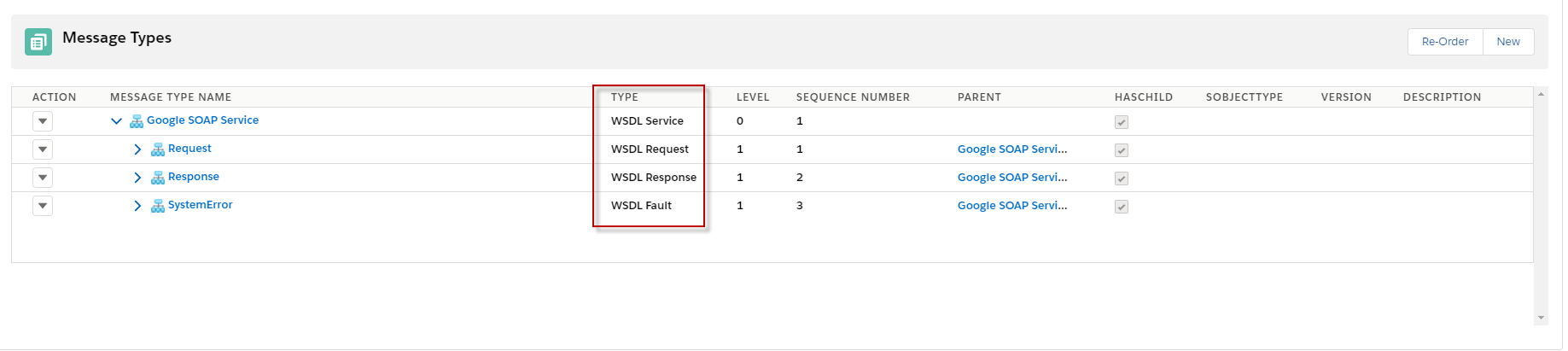
SOAP Template using in SKYvva. We have SOAP Service that types WSDL Service with three children: Request, Response, and Fault Response. For those children, they have different types like Request is WSDL Request Type, Response is WSDL Response, and Fault Response is WSDL Fault Type.
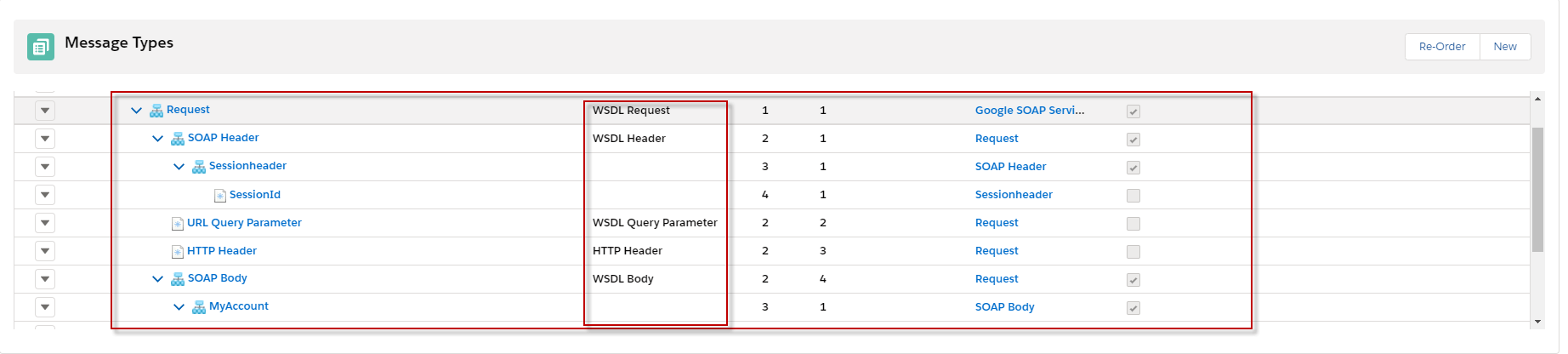
In Request Message Type is Type WSDL Request, and It has several elements like First is SOAP Header have type WSDL Header that contains Sessionheader, and in Session header, it has SessionID. About Session Header and SessionID, we can put type plaint Structure or none. Seconds is URL Query Parameter has type WSDL Query Parameter. The third is HTTP Header that has the type HTTP Header. The fourth is SOAP Body that has type WSDL Body that contains Business data which type is Plaint Structure or none. See the picture below.
In Response Message Type is the WSDL Response type. It has one element that is the Envelope message type has a Type WSDL Envelope. In Envelop has Header, type WSDL Header and Body has WSDL Body containing Business data Message Type with Plain structure type or none. See the picture below.

In Fault Response Message Type is Type WSDL Fault and it contains two elements such as Envelope has Type WSDL Envelope. In Envelop Message Type has Body that is WSDL Body type and under the Body is Business Message Type that is a plain structure or none type. see the picture below.

Setup:
Step1: Create an Adapter
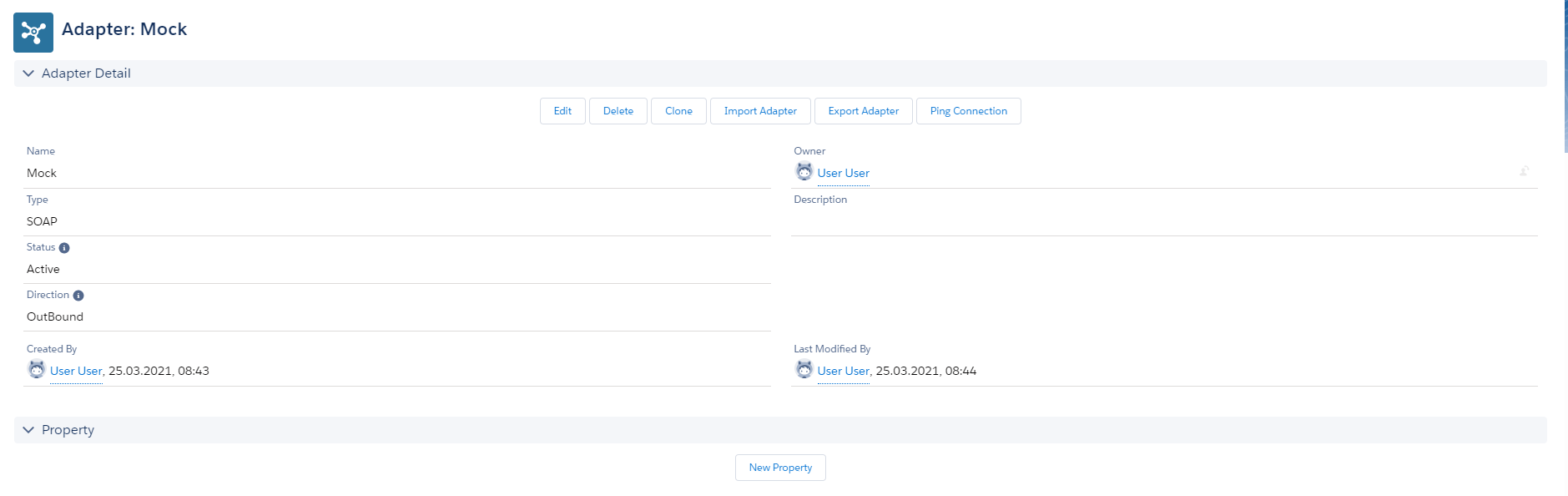
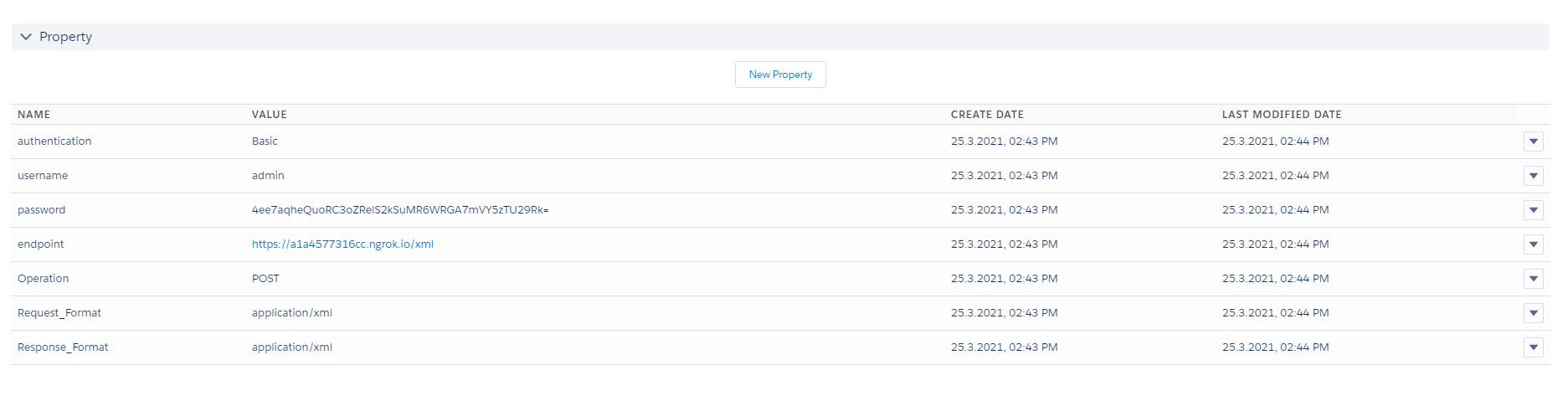
- First Insert Adapter Record By giving prefer Name and select Type = SOAP
- Now Insert Properties: If Need Authorization
- Endpoint: “” , Insert Endpoint URL where Request will direct
- Username: “”, Your Endservice UserName
- Password: “”, Your Endservice Password
- Authentication: “BASIC”
Example:
- Type: SOAP
- Direction: Outbound
- Endpoint : Endpoint of System + /xml Example: https://a1a4577316cc.ngrok.io/xml
- Authentication : Basic
- Operation : Post
- Username: e … admin
- Password : e … 12345
- Resquest Format: application/xml
- Response Format: application/xml
We can handle if the business has URL Query Parameter and HTTP Header URL Query Parameter : ?pCity={!City}&pCountry={!Country} HTTP Header : Content-Type:Application/xml|{!LastName}:{!FirstName}
Step2: Create Metadata
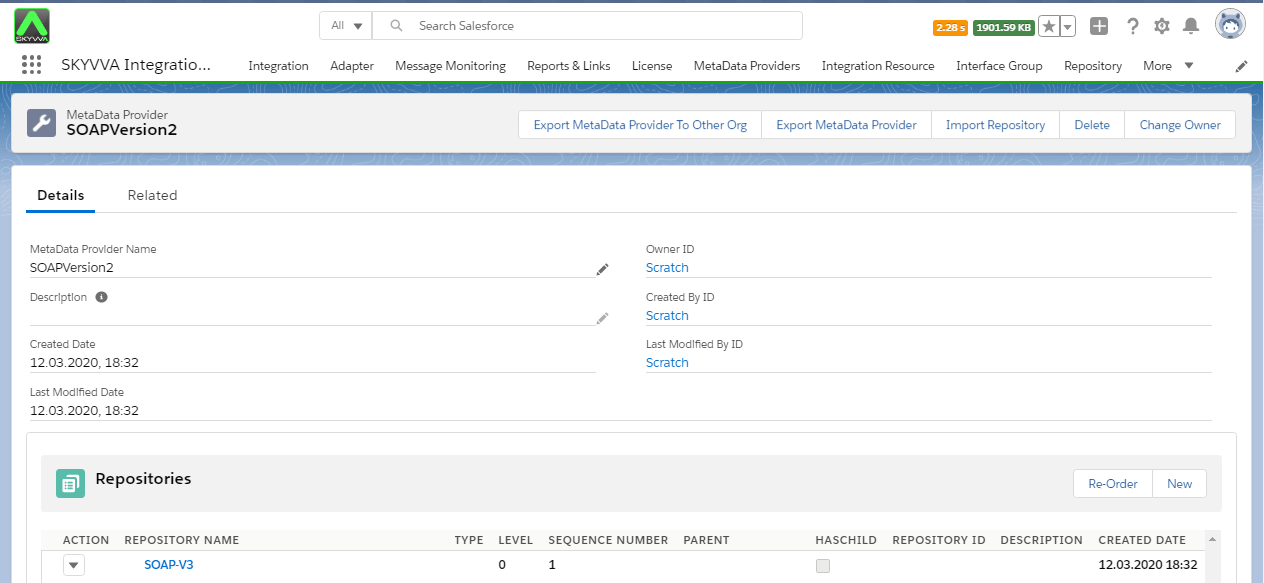
Now, Insert the METADATA record By giving prefer details. In Skyvva, when we create metadata, the Name field is only a mandatory field. On MetaData the Name cannot be duplicated.
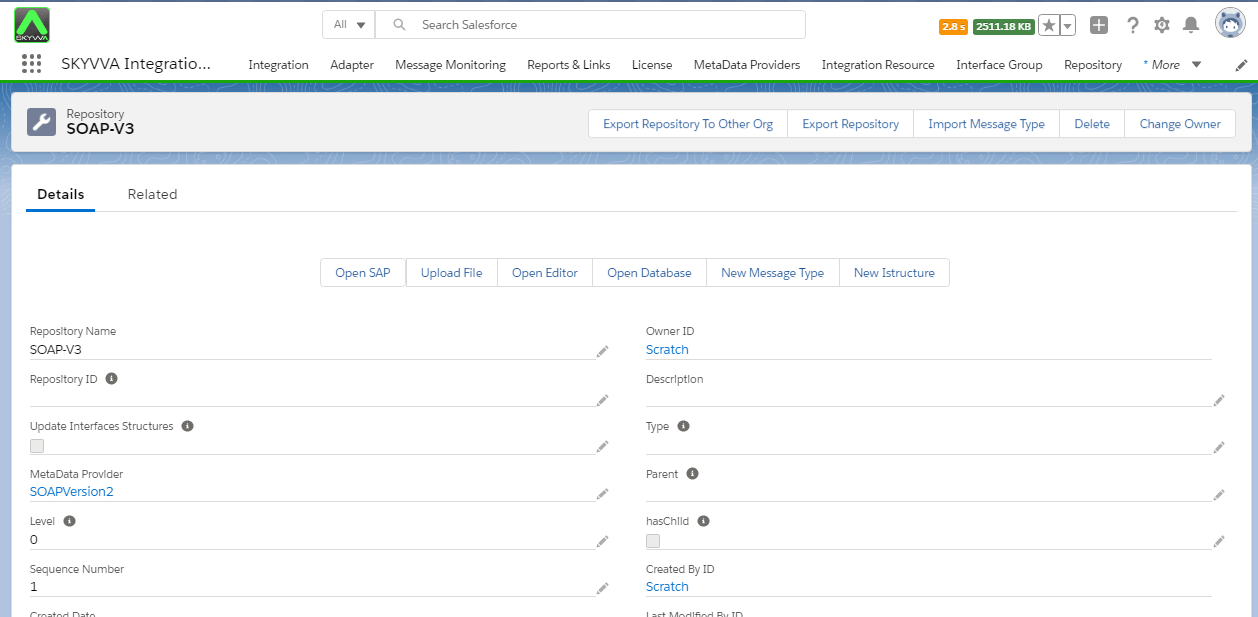
Step3: Create Istructure repository
Step4: Create Message Type
For the Message Type, you have to use our defined Structure Defined Structure. -Here is SOAP template created by Message Type for build xml payload:
Message Type Name TYPE
MessageType: Google SOAP Service WSDL Service
MessageType: Request WSDL Request
MessageType : URL Query Parameter WSDL URL Query Parameter
MessageType : SOAP Header WSDL Header
MessageType : HTTP Header HTTP Header
MessageType: SOAP Body WSDL Body
MessageType : Response WSDL Response
MessageType : Envelope WSDL Envelope
MessageType : SOAP Header WSDL Header
MessageType : SOAP Body WSDL Body
MessageType : Fault WSDL Fault
MessageType : Envelope WSDL Envelope
MessageType : SOAP Body WSDL Body
Here's a sample SOAP Message Type we can use by using the Import Metadata provider function. SOAPVersion2_skyvvasolutions__MetaDataProvider__c (21) Step2: Create message type for SOAP template Manual create message type for SOAP template
- To create Metadata Provider.
- To Create Istructure Repository.
- Go to Istructure Repository and click on "New message Type" button.
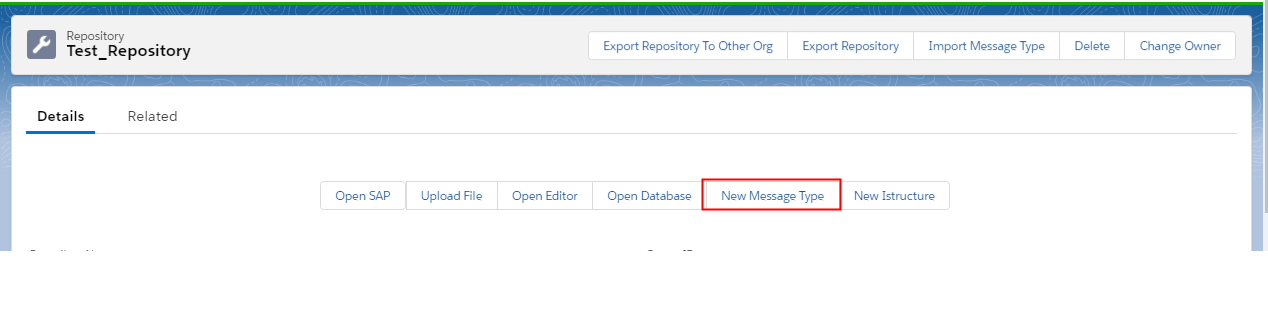
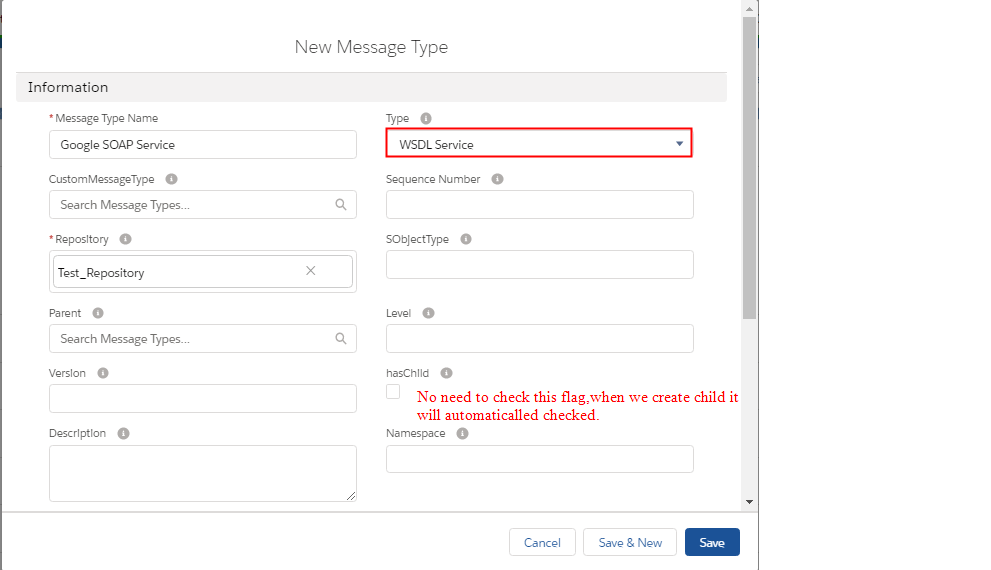
Once we Save this Message type is created.
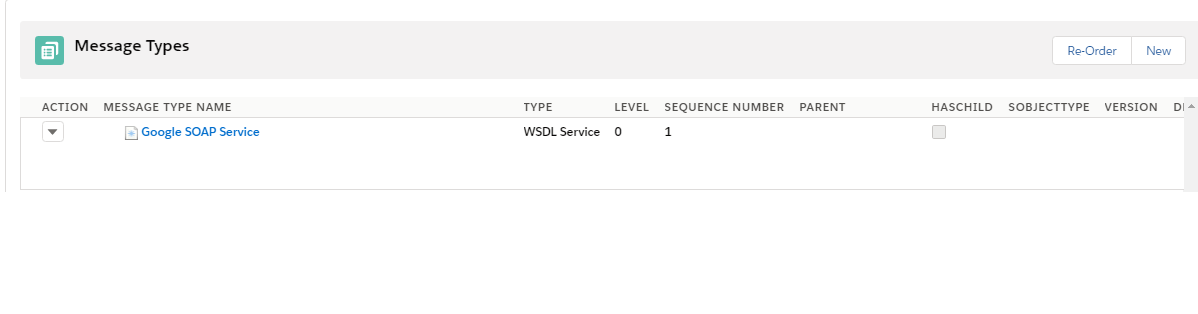
Now create all child message types. Create IStructure for it and Message field Entry in each message type.
Step5. Create Integration. Refer tutorial (How to create integration.)
- Link adapter we created earlier
- Max Number of Retry (This means a number of times should we retry if the request fails the first time).
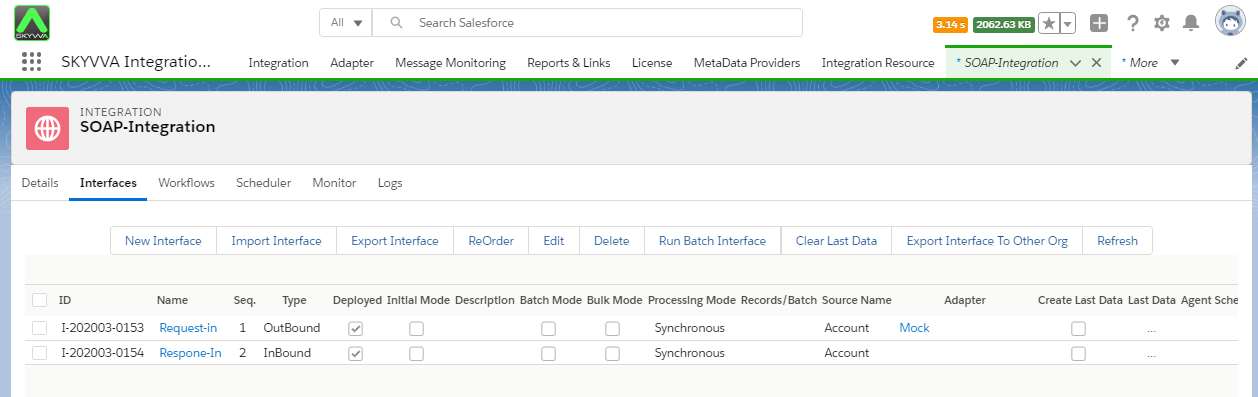
Step6. Create Interface (Inbound/Outbound). Refer tutorial to create Interface. (How to create Interface?) Create outbound Interface for request Must fill this fields of Outbound Interface : 1. Outbound Adapter: Select we created earlier
2. Metadata Provider: Select we created earlier
3. IStructure Repository: Select created iStructure Repo.
4. MessageTypes: Select MessageType (Selected MsgType TYPE should always be WSDL REQUEST)
5. Source/Target Name: Select Any Object
6. Query: Query needs to be inserted and the query should always include all fields we have mapped or going to map.
7. Map Fields

Do mapping for Request. Here's Example.
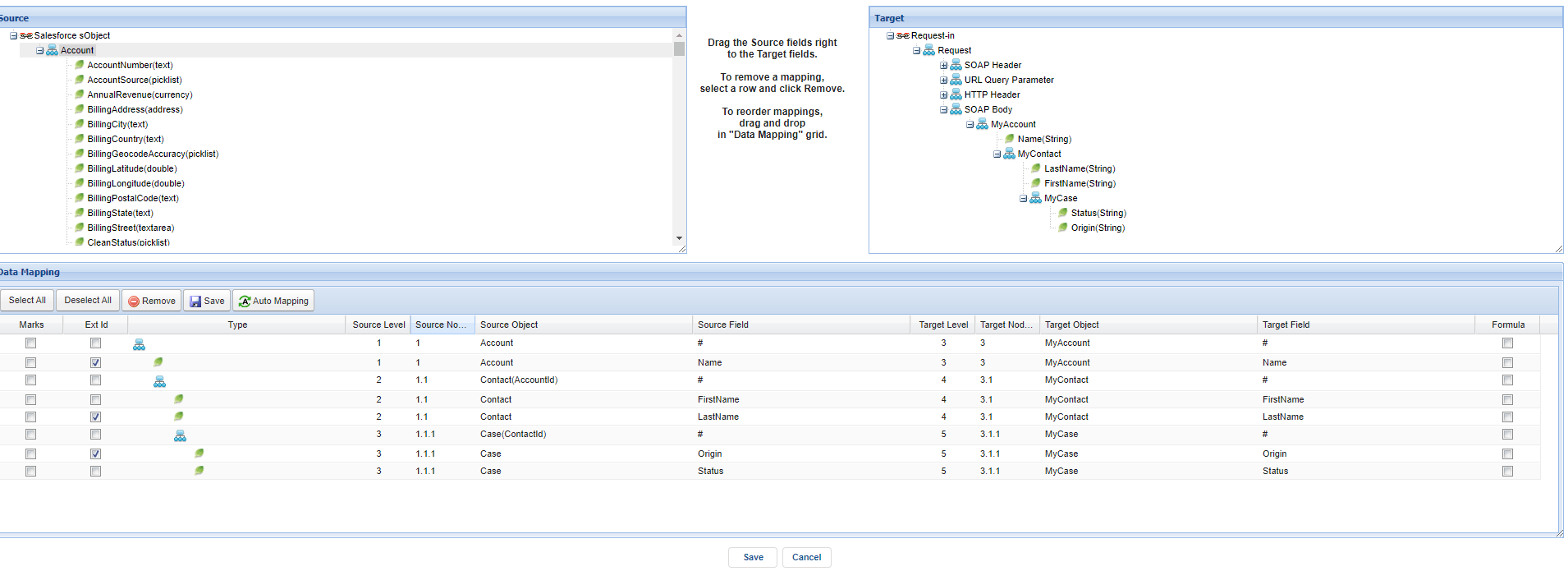
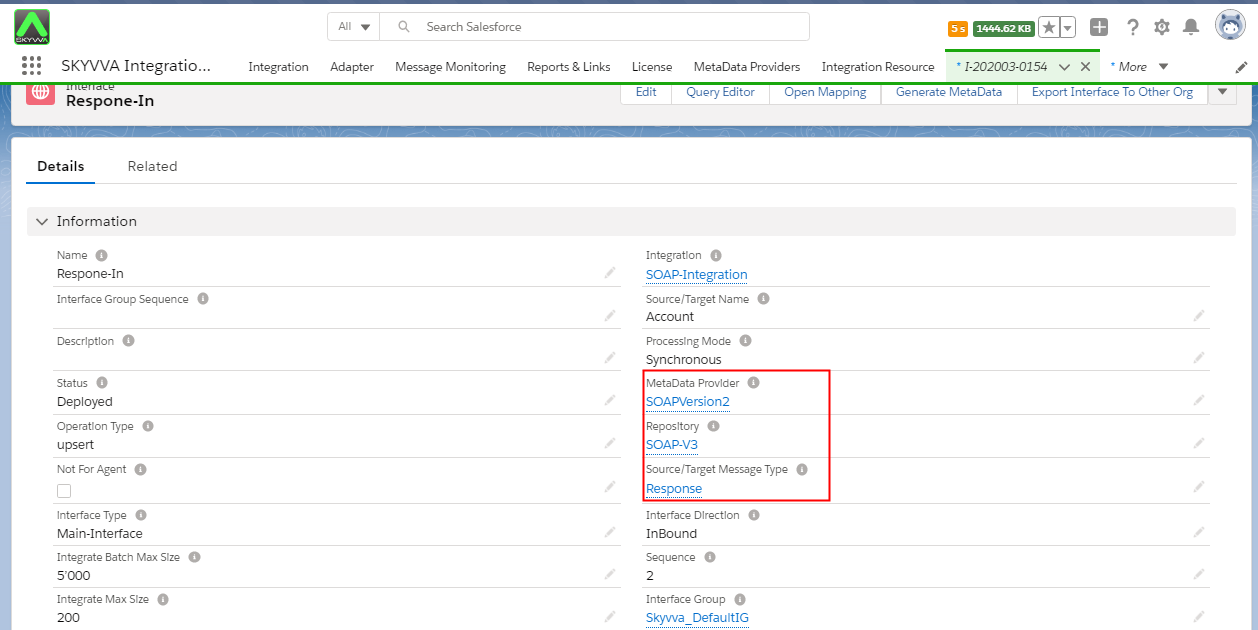
Create an inbound Interface for response
We must fill these fields:
- Inbound Adapter: Select we created earlier
- Metadata Provider: Select we created earlier
- IStructure Repository: Select created IStructure Repo.
- MessageTypes: Select MessageType (Selected MsgType TYPE should always be SOAP RESPONSE)
- Source/Target Name: Select Any Object.
Do mapping for a response Interface. Here's an example of mapping

We have to link this inbound interface with our outbound interface which is a responsive interface.
How to link request and response Interface?
Follow the given step to link the request and response interface.
- Go to an outbound interface. Scroll down the page until the outbound setup section.
- Edit the response interface field and select the inbound interface id.
- Save the changes.

Now go to our inbound interface -> scroll down the page to mapping section and map the fields with Skyvva mapping tool.
- To get a response from endpoint you should have data at endpoint (Soap API which you called) For example if you have data like:
- Now callout the data with a developer console.
- Go to developer console and enter this code to Execute Anonymous window.
- Go to the developer console and enter this code to Execute Anonymous window.
skyvvasolutions.CallOutControl c = new skyvvasolutions.CallOutControl(); c.returnJSONComplete=true; c.actionDoIntegrate=true; c.isCreateMessage=true; String[] ids= new String[]{'0011x00001FPNWBAA5'}; //ID of sObject List

- Execute the callout and check the result on message monitoring.
- Go to Integration detail page -> click on Messages


Follow this link #article/97-enhancement-handling-fault-message-with-v3 to learn more about Fault SOAP.