11. How to post the SKYVVA message Id on the application Subject
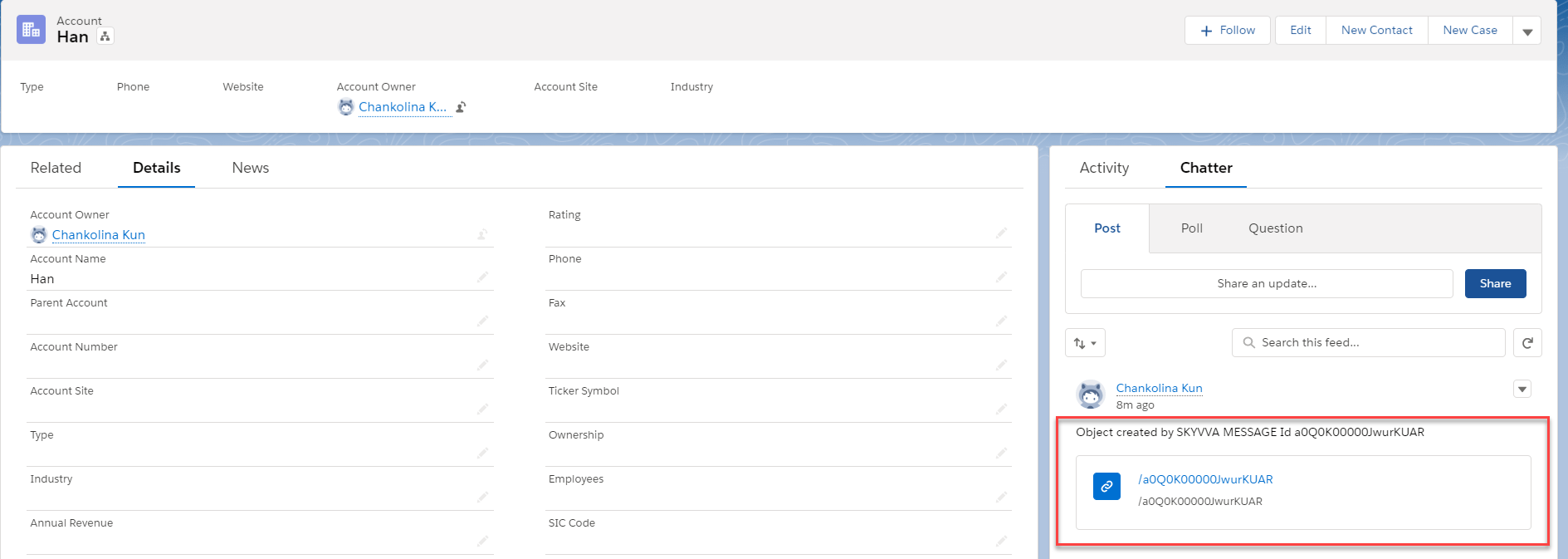
This feature allows you to see who has created the business object eg. An Account on the feed item section. This gives you great control and insight into how the object was created. You can switch on and off to see the SKYVVA message in the feed text area. If you find it annoying or simply do not want to see any post from our app just switch it off.
Why use this feature?
You can use this feature to:
- Post SKYVVA message Id
- See the message link on the sObject which was created or modified by the message
- Jump from the record to the SKYVVA Message
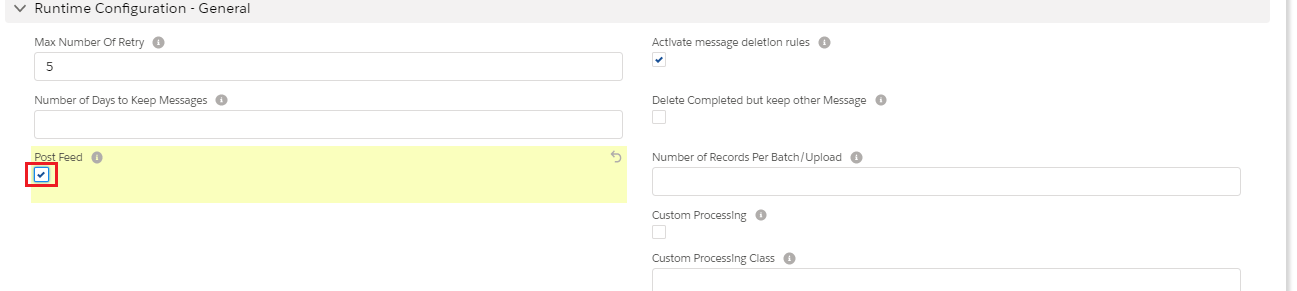
Posting SKYVVA Message in the feed text area To be able to post SKYVVA Message you need to configure on the interface. The following steps will display how to post SKYVVA message:
- From the interface page, in Runtime Configuration-General, Check the flag "Post Feed".
- Do mapping
- Using Manual Load to push Data
- Check the message on Message Monitoring board
- In Message Board, in Messages, select Related To (You will jump from the record to SKYVVA Message in Account)
- From the Account, in Detail page, select Chatter
- Check on Post text area