3. Creating MessageTypes from JSON File Payloads
Introduction
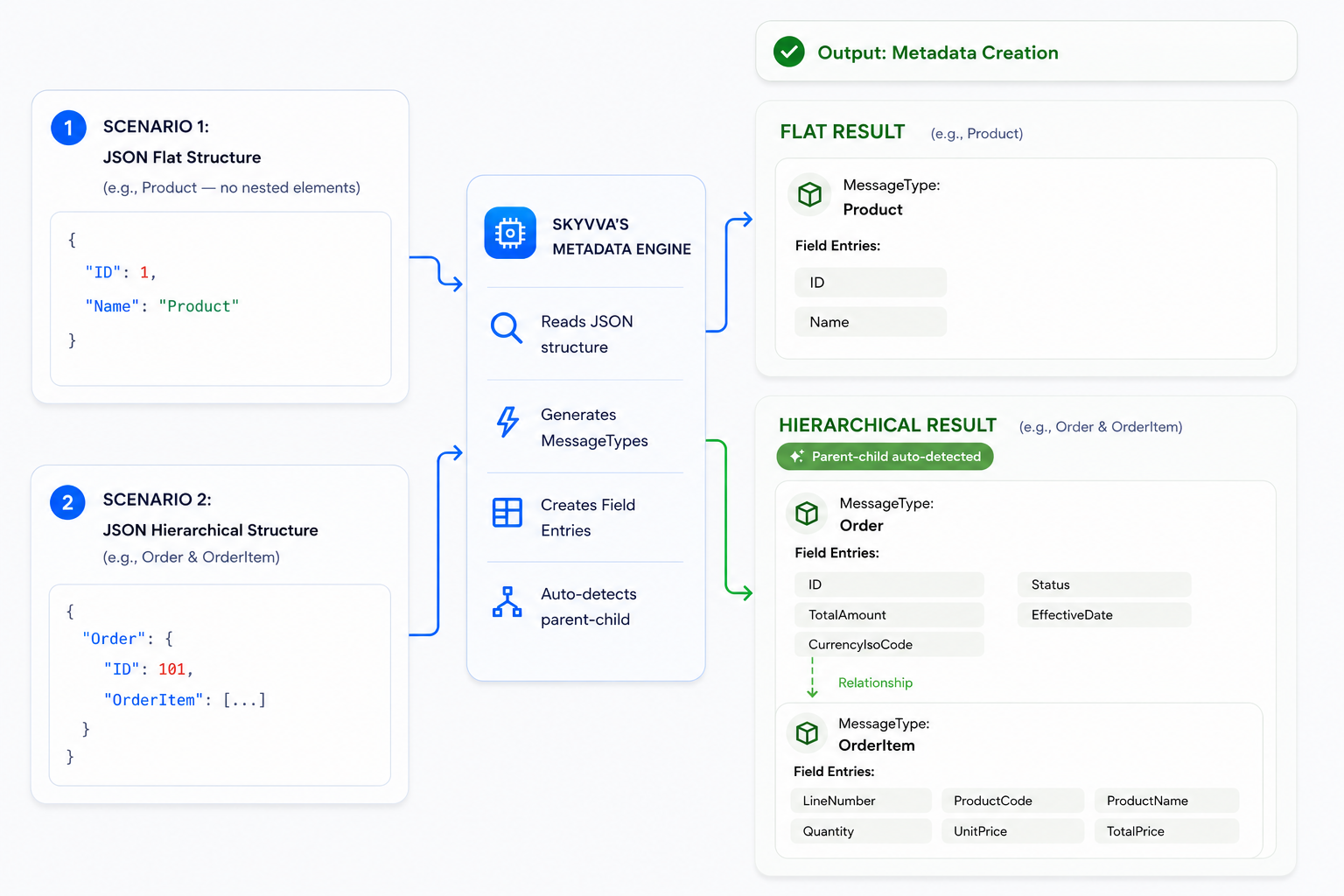
Skyvva's metadata engine supports integration scenarios where systems exchange data through structured JSON payloads. Unlike CSV, JSON does not require separators or column definitions. Unlike XML, it uses key-value pairs instead of tags. The system reads JSON key names directly as field names, making schema setup fast and intuitive.
When a JSON file is uploaded via the Open Editor, the engine parses the key structure and automatically generates MessageTypes and Field Entries. This works for flat JSON (all keys at the root level) and hierarchical JSON (nested objects and arrays representing parent-child relationships such as Orders containing OrderItems).
While JSON is a widely used format across many integration scenarios in Skyvva, this guide focuses specifically on JSON file payloads uploaded through the Open Editor. Use cases such as API-based integrations that also rely on JSON are not covered here.
This guide covers two key scenarios: uploading a flat JSON payload and uploading a hierarchical JSON payload. In the hierarchical case, you define the parent-child structure manually using the Open Editor tree view, assigning keys to the appropriate MessageType levels.
Scenario 1: Upload JSON — Flat Structure
This scenario covers uploading a JSON file that contains a flat structure, where all fields exist directly under the root object with no nested child objects or arrays. The system reads the JSON keys and automatically generates one MessageType with corresponding Field Entries.
Step 1 – Upload Payload
Upload a JSON file containing flat data (e.g., a simple Order with no nested objects):
- Go to Repository details → click Open Editor
- Select file type: JSON → click Next
- Paste your JSON payload (example below) → click Next
{
  "OrderNumber": "ORD-2026-1001",
  "EffectiveDate": "2026-05-08",
  "Status": "Draft",
  "CurrencyIsoCode": "EUR",
  "TotalAmount": 2450.00
}
- Enter a root name: Order → click Save to confirm metadata generation
Step 2 – Metadata Generation Result
Once saved, the page refreshes and the Order MessageType appears in the Repository list.

The system reads each JSON key as a field name and auto-generates one Field Entry per key, each assigned a sequential sequence number.
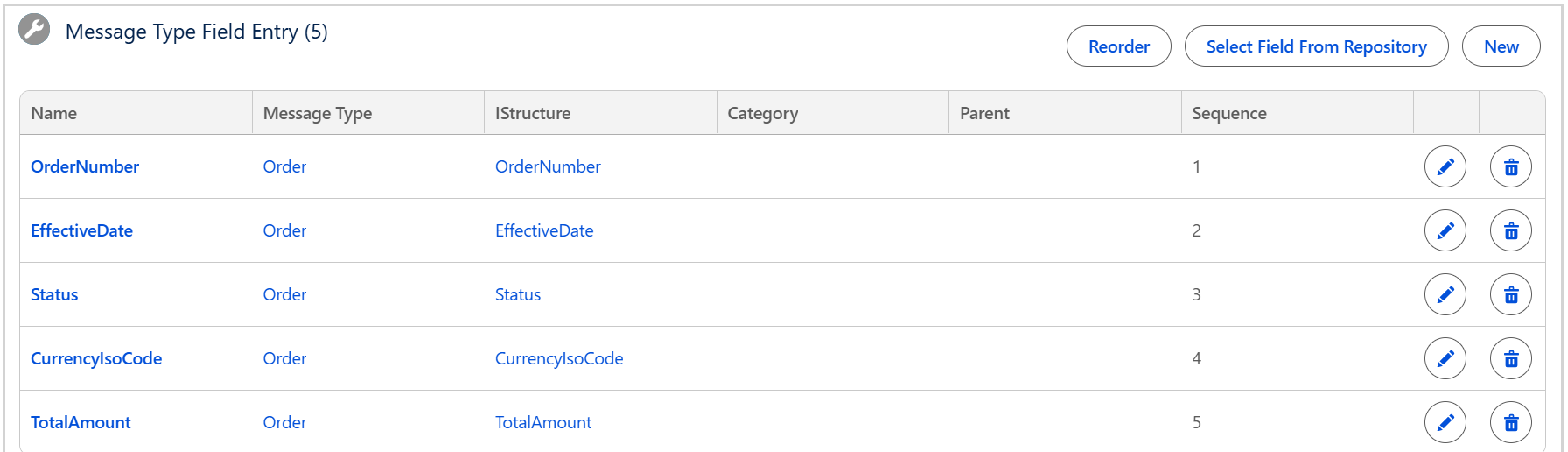
Note: The generated Field Entries are now ready to use in the next step of your Interface configuration.
Scenario 2: Upload JSON — Hierarchical (Parent-Child) Structure
This scenario applies when the JSON contains nested objects representing two or more related entities — for example, an Order (parent) containing OrderItems (child array). The system detects the nested structure and automatically generates a parent MessageType and child MessageTypes based on the JSON nesting.
Key difference from CSV: After the JSON payload is uploaded, Skyvva automatically generates the MessageType structure, including the full parent-child hierarchy, based on the JSON nesting. No manual tree assignment is required.
Step 1 – Upload Payload
Upload a JSON file containing hierarchical data (e.g., Order with nested Account, BillingAddress, and OrderItems):
- Go to Repository details → click Open Editor
- Select file type: JSON → click Next
- Paste your JSON payload (example below) → click Next
{

  "OrderNumber": "ORD-2026-1001",

  "Account": {

    "ExternalCustomerId": "CUST-10045",

    "Name": "Berlin Tech Solutions GmbH"

  },

  "EffectiveDate": "2026-05-08",

  "Status": "Draft",

  "CurrencyIsoCode": "EUR",

  "BillingAddress": {

    "Street": "Alexanderplatz 12",

    "City": "Berlin",

    "Country": "Germany"

  },

  "TotalAmount": 2450.00,

  "OrderItems": [

    {

      "LineNumber": 1,

      "ProductCode": "LAPTOP-PRO-15",

      "Quantity": 2,

      "UnitPrice": 950.00,

      "TotalPrice": 1900.00

    }

  ]

}
- Enter a root name: Order → click Save
Step 2 – Metadata Generation Result
Once saved, the page refreshes and Skyvva automatically analyzes the JSON structure, detects nested objects and arrays, and generates the MessageTypes. The Repository list displays:
- Order — root-level parent MessageType
- OrderItem — repeating child MessageType within the OrderItems array
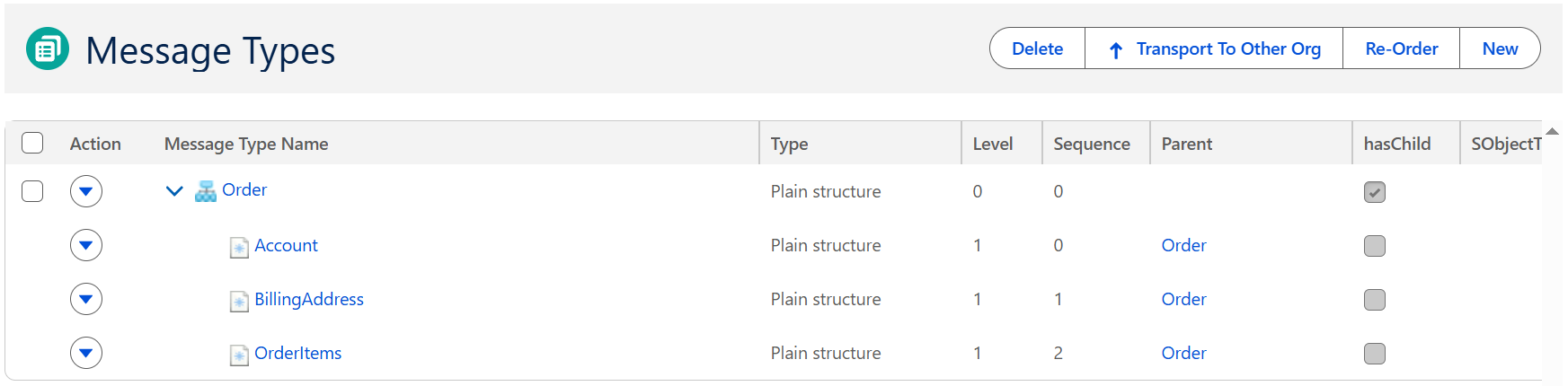
Note: Nested objects such as Account and BillingAddress are recognized as grouping nodes. Their child keys (e.g., ExternalCustomerId, Street, City) are mapped as fields belonging to their respective MessageType level. Arrays such as OrderItems are treated as repeating child nodes.
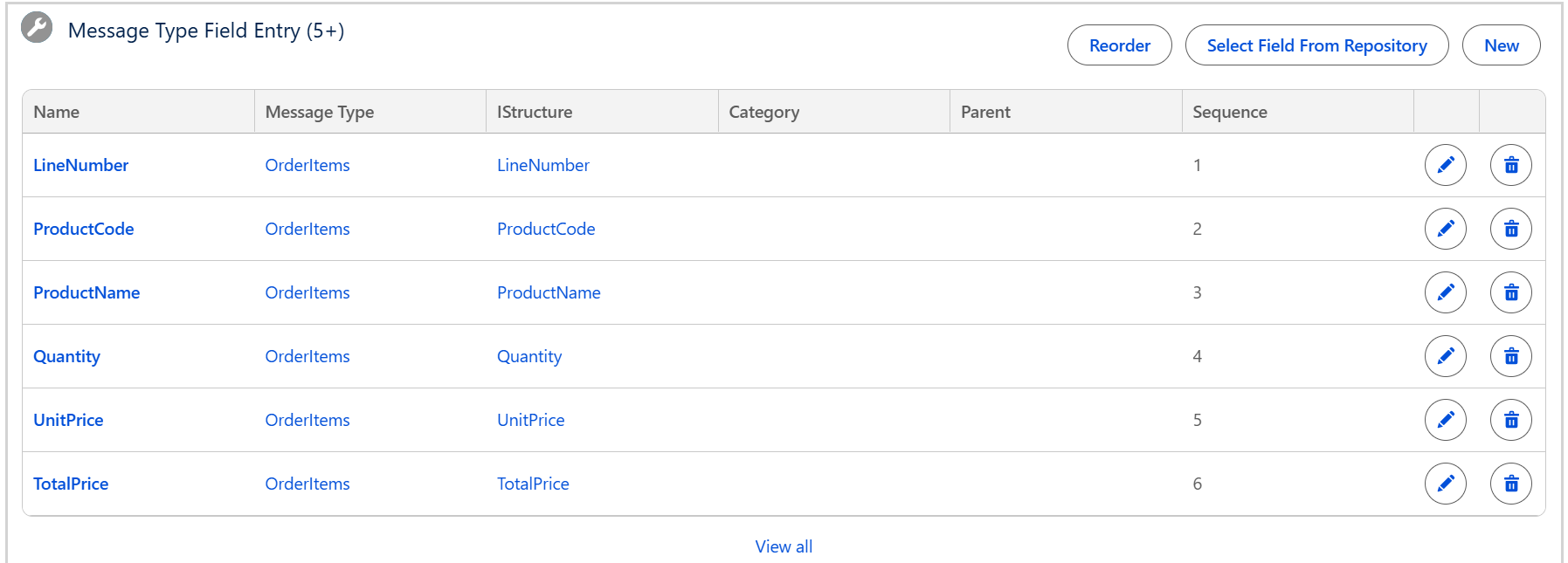
Navigate to Order to review its Field Entries, then navigate to OrderItem to inspect its Field Entries — each assigned sequential sequence numbers.
- Order:
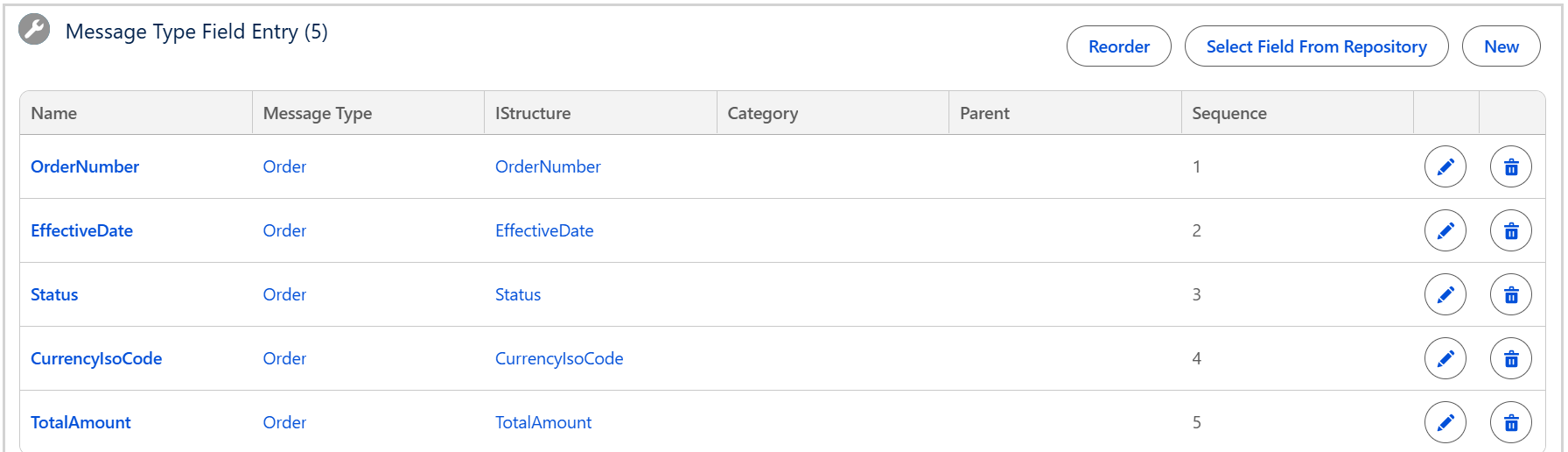
- OrderItems:
Note: Once all Field Entries are confirmed, they are ready to be used in the next step of the Interface configuration.
Summary
- JSON payloads use key names directly as field names — no separators or tag definitions are needed.
- Flat JSON (all keys at the root level, no nesting) generates a single MessageType with one Field Entry per key.
- Hierarchical JSON (nested objects and arrays) triggers automatic hierarchy detection — Skyvva generates the full parent-child MessageType structure without requiring manual tree assignment.
- Nested objects (e.g., Account, BillingAddress) are recognized as grouping nodes; their keys are mapped as Field Entries under the appropriate MessageType level. Arrays are treated as repeating child nodes.
- The generated MessageTypes are reusable and serve as the structural foundation for Inbound and Outbound interface configuration.