3. How to use Agent Kafka adapter for Consumer?
Introduction
Agent Kafka adapter for consumer uses for reading data records from Topic, meaning that we do inbound from Kafka to salesforce. To use Agent Kafka for consumer, we need to configure the Agent control board, and we need to create an Agent Kafka adapter. In the adapter, we need to fill in a specific topic name and one broker to connect, and Kafka will automatically take care of pulling the data from the right broker to the salesforce. This tutorial will learn how to do Agent Kafka adapter for the consumer with file types CSV, XML, and JSON. Pre-require
- Configure a new agent control board.
- To checking to catch a new agent control board.
- Starting and create Topic in the Kafka system.
- Create an adapter.
- Create integration and Interface.
1.How to configure a new agent control board.
- Go to the Integration Detail page.
- Click on the new agent control board.
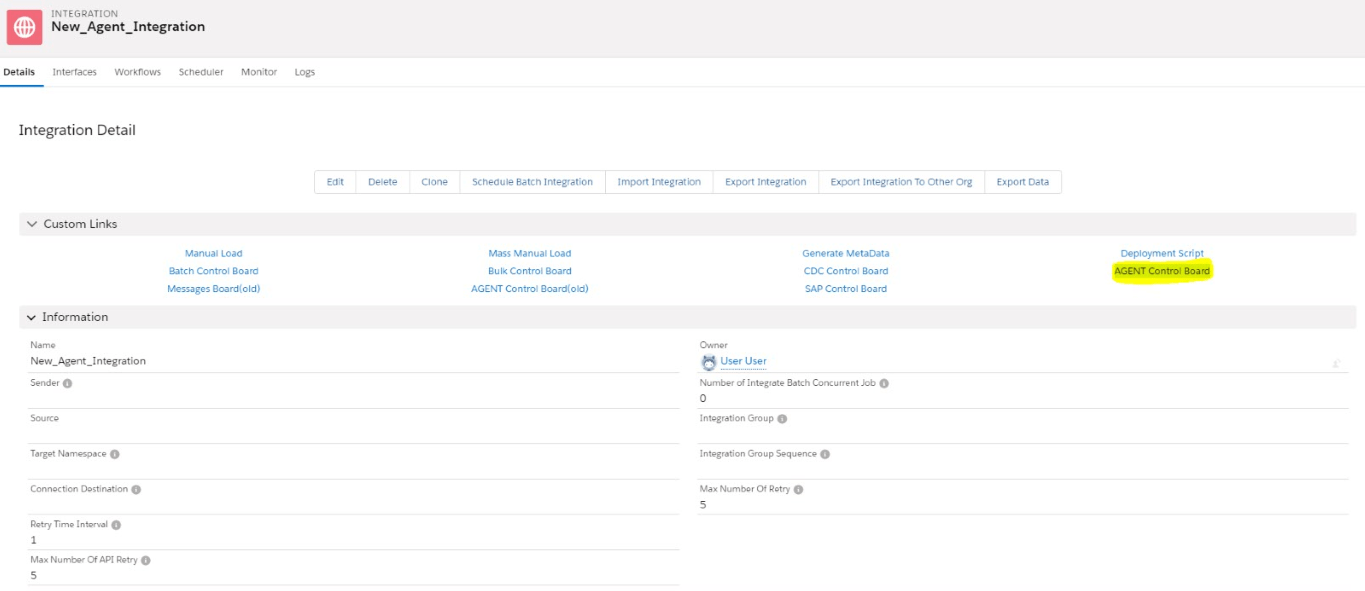
- Now we need to create a connection destination. For that, we can give any name to the destination. As shown below.
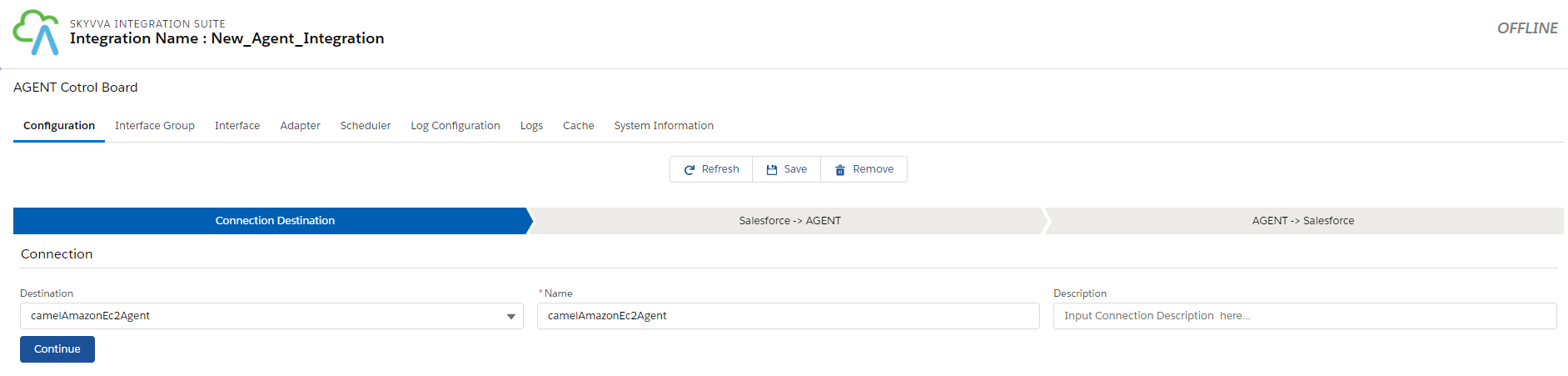
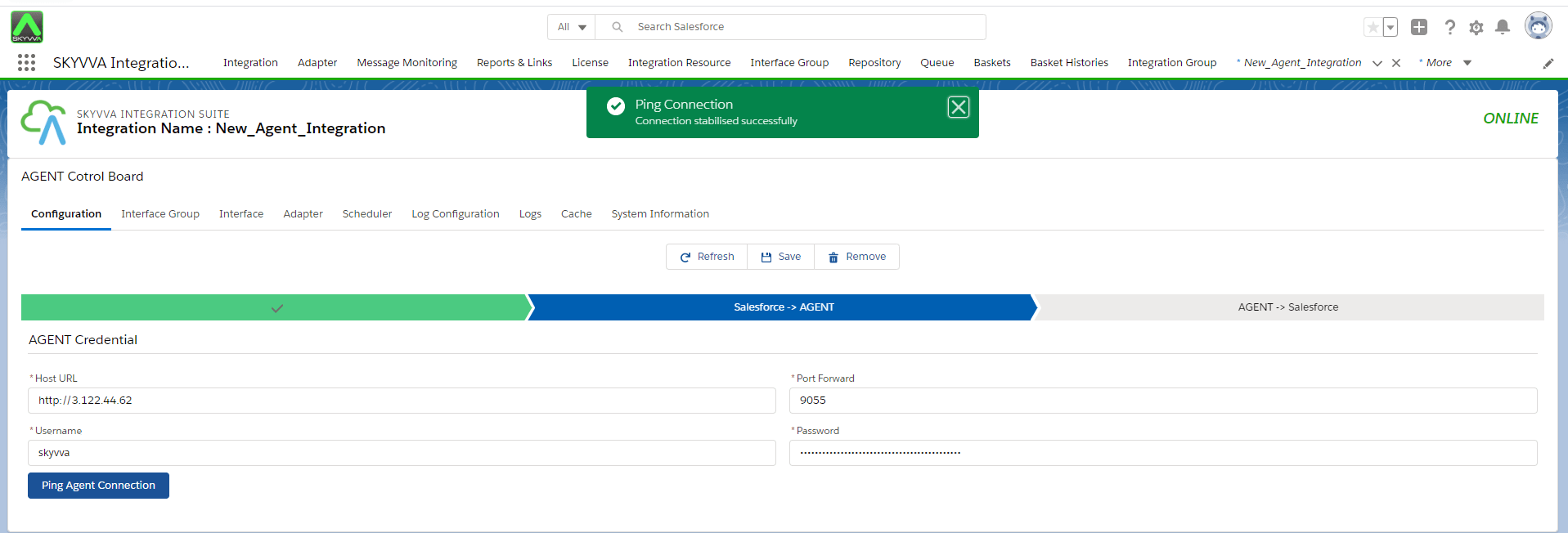
- Fill all the required fields in Salesforce > Agent.

- Click on the Ping Agent connection.
- Fill all the required fields in Agent > Salesforce.
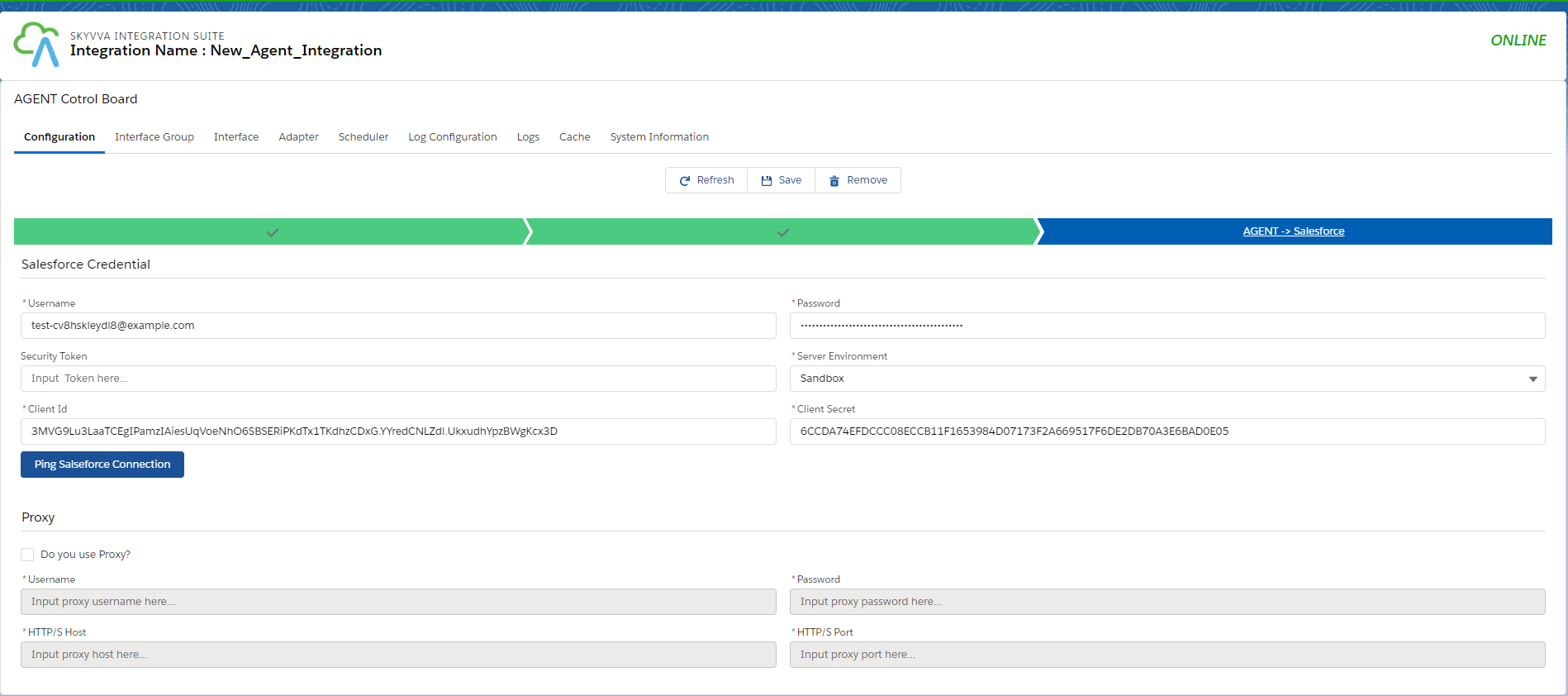
- Click on the Ping Salesforce connection.
- And save it.

2. How to work with Kafka Inbound Adapter?
- We need to create a Topic first.
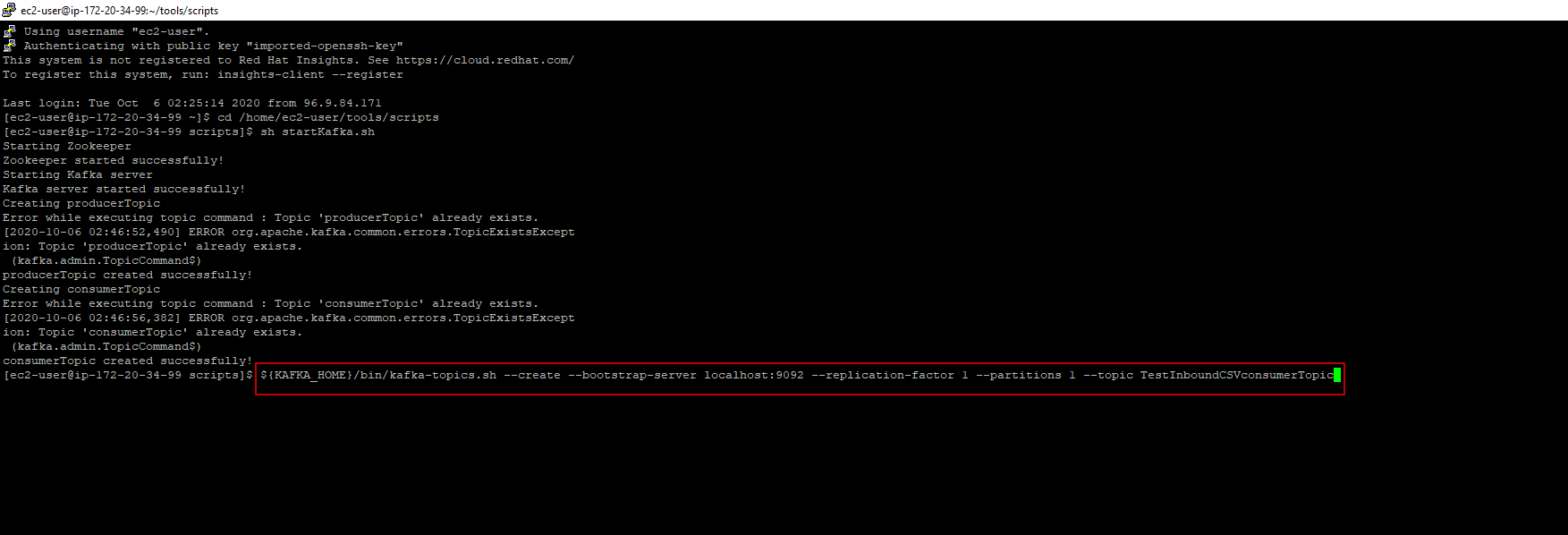
A topic is a category/feed title to which records are stored and published. All Kafka records are organized into topics. In Kafka, we need to create different topics for different types of records. Example: We have three types of records such as CSV, XML, and JSON so we need to create different topics also like TestInboundCSVconsumerTopic, TestInboundXMLconsumerTopic and TestInboundJsonconsumerTopic.
- here's a command line to create Topic.
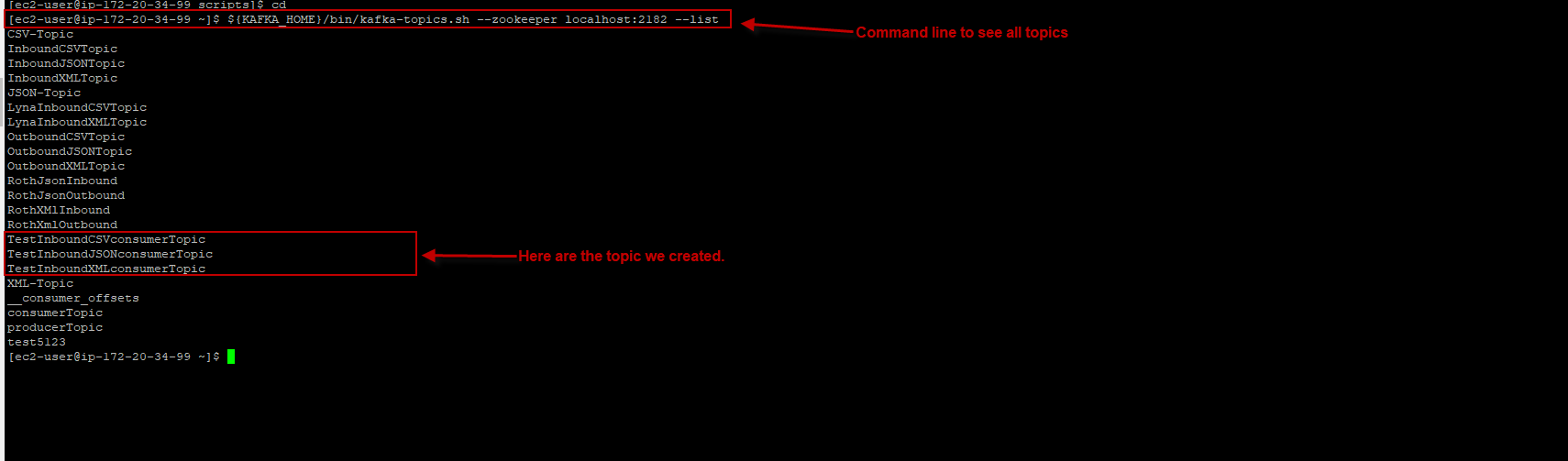
After we create different topics, we can use the command line to see all the topics that we have in Kafka. - here's the command line to see all the topics in Kafka. ${KAFKA_HOME}/bin/kafka-topics.sh --zookeeper localhost:2182 --list - here's example.
Case 1: Create Inbound KAFKA Adapter for CSV format.
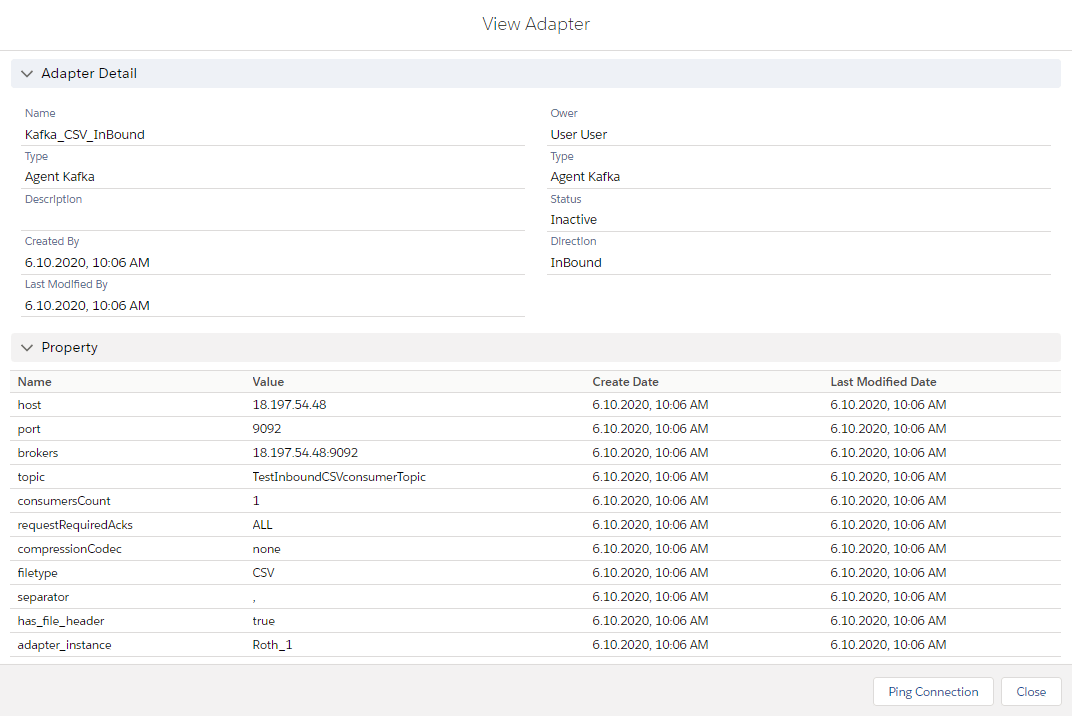
- Go to the new Agent control board and create a new Adapter Kafka for CSV data format inbound processing
- Here's adapter InboundCSV
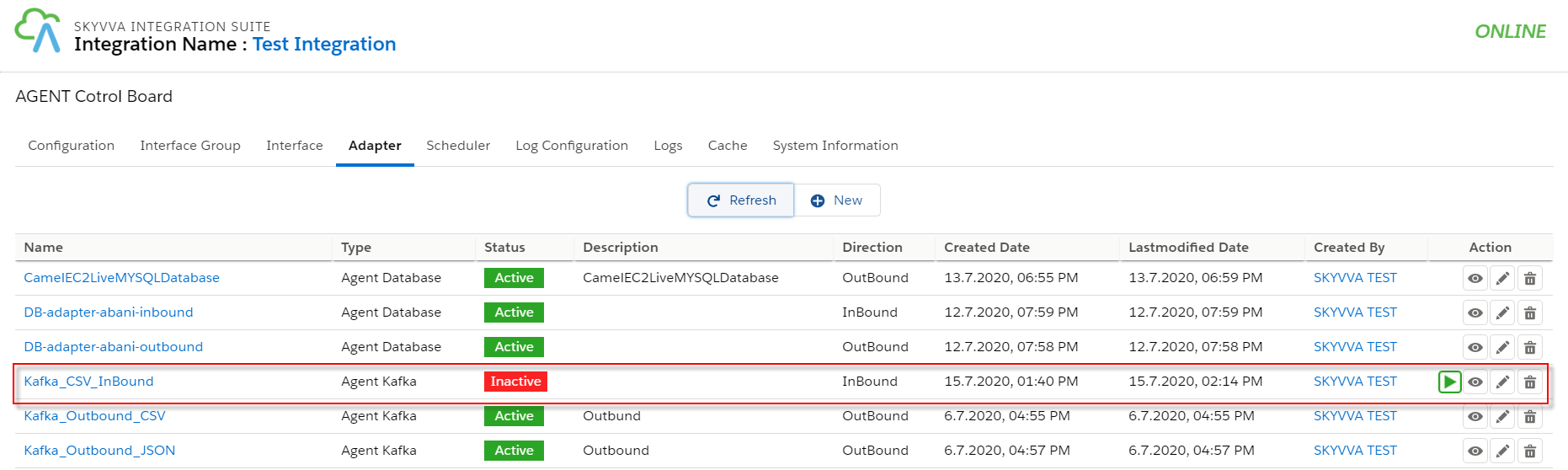
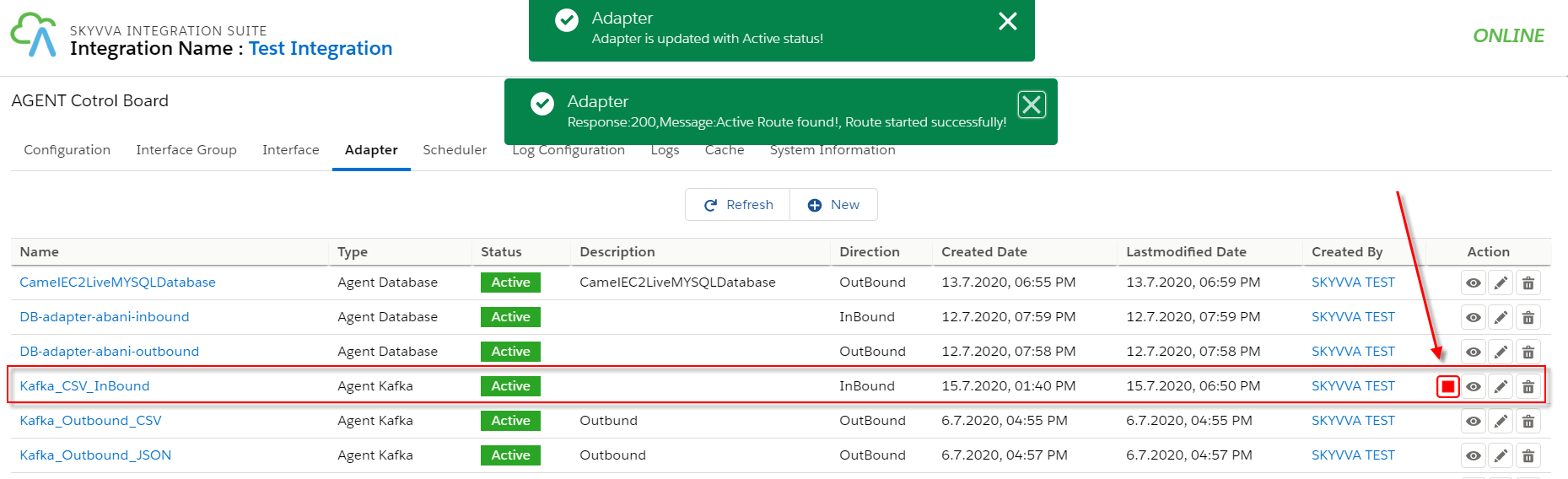
- We can run or stop Kafka Inbound adapter in the Adapter Screen.
- Create message type for CSV Kafka inbound using below CSV data
- Create Integration.
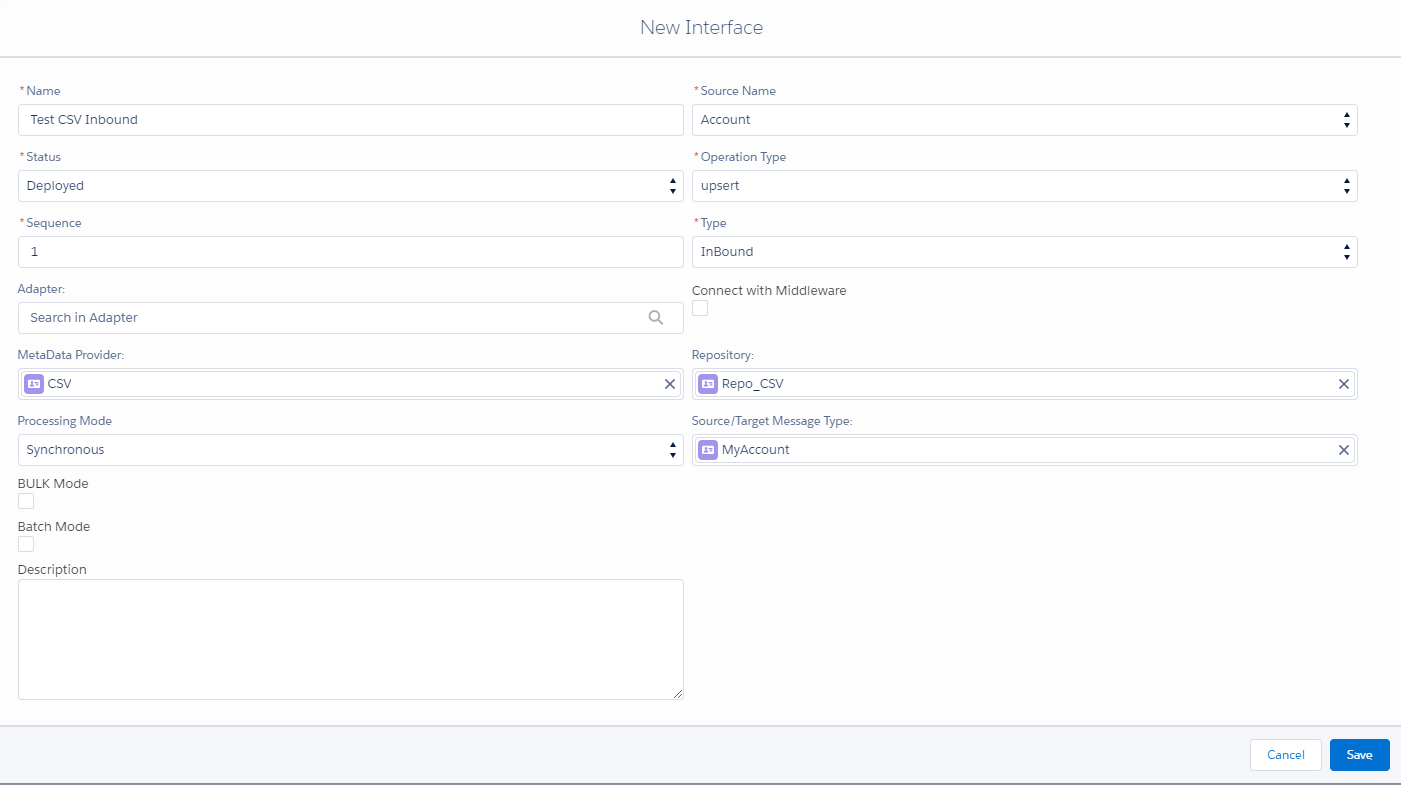
- Create Interface.
- Name
- Source: Account
- Status: Deployed
- Operation: upsert
- Type: Inbound
- Processing Mode: Synchronous
[su_box title="Note" box_color="#2a8af0" title_color="#000000"]Kafka supports only Synchronous Processing Mode [/su_box]
- Adapter:- Add CSV Kafka Inbound adapter.
- Metadata Provider
- Repository
- Message Type: Add the message type. (Flat structure)
- Mapping
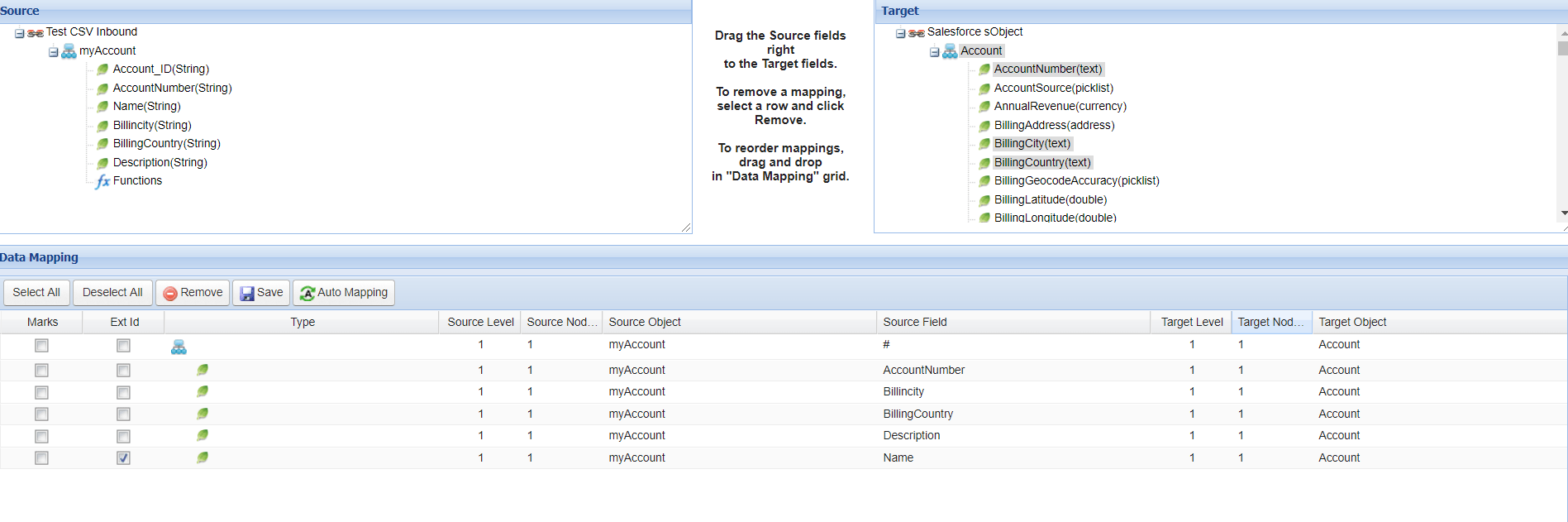
- Click the button start Adapter to start the route.
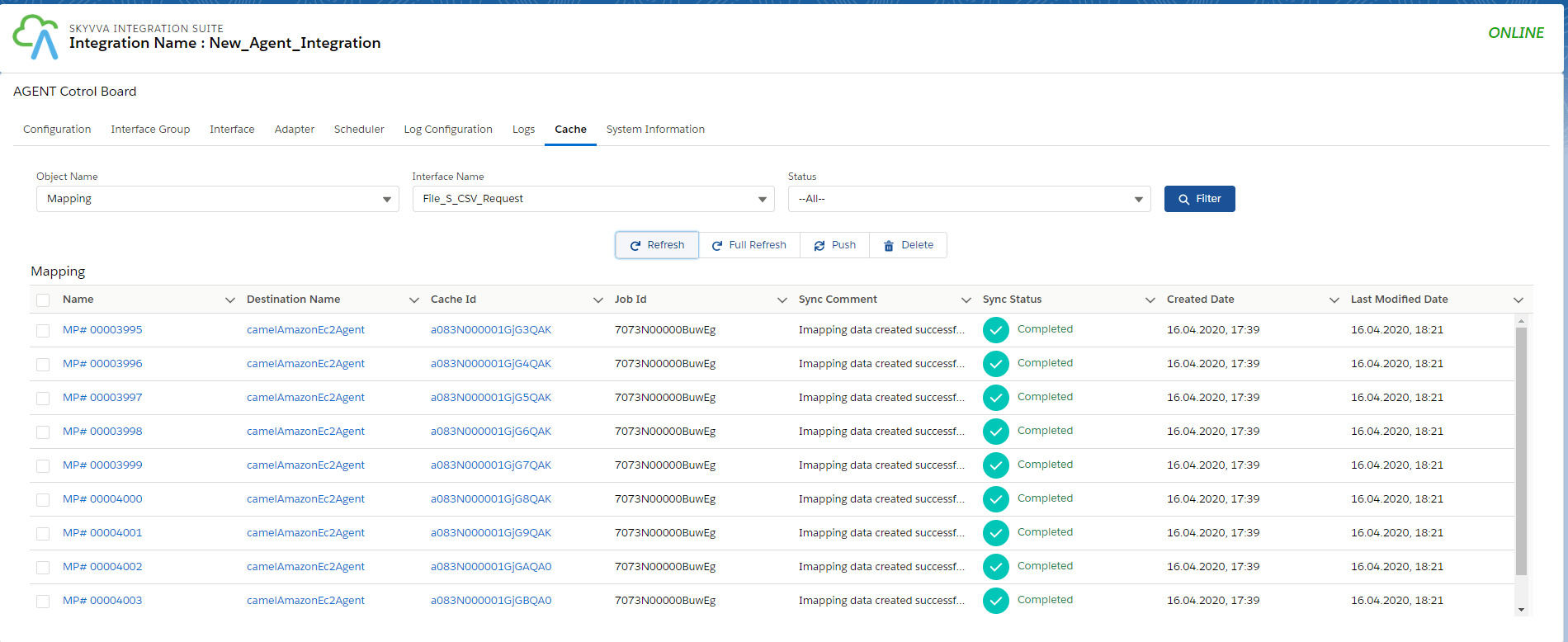
3. How to check the Caching New Agent control board We can check it for different Object names. To ensure that Integration, Interface, adapter, and mapping are in the catch. If we some properties that don't work in the catch, it will get an error.
- Check for the Integration. For that, select Integration in the object name.

- Check for the Interface. For that, select Interface in the object name.

- Check for the Mapping. For that, select Mapping in the object name.
- Check for the Adapter. For that, select the Adapter in the object name.

- Check for the Interface Group. For that, select Interface Group in the object name.
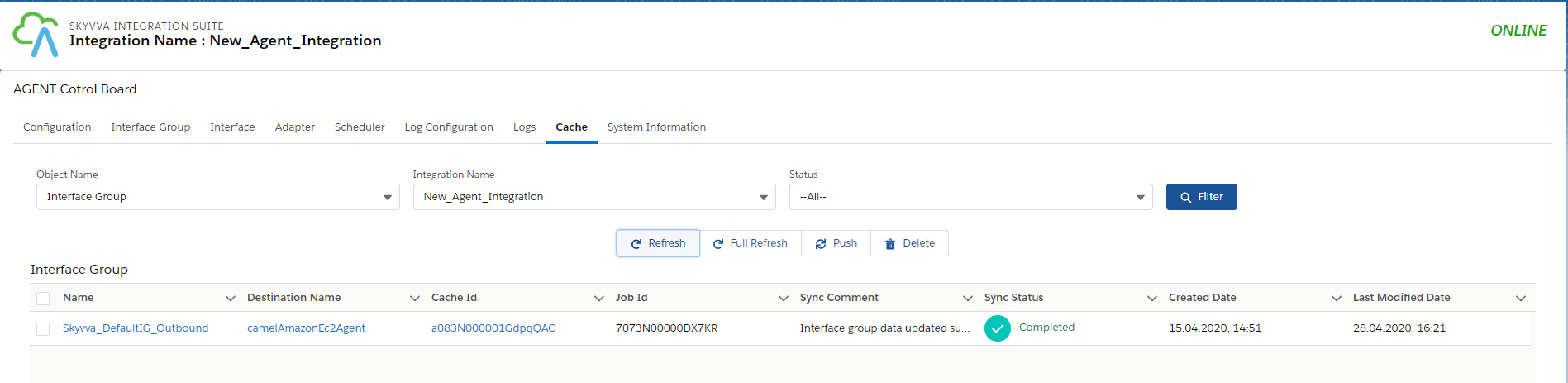
4. How to set data to Kafka to send to salesforce?
- Public message to the topic
$KAFKA_HOME/bin/kafka-console-producer.sh --broker-list localhost:9092 --topic TestInboundCSVconsumerTopic
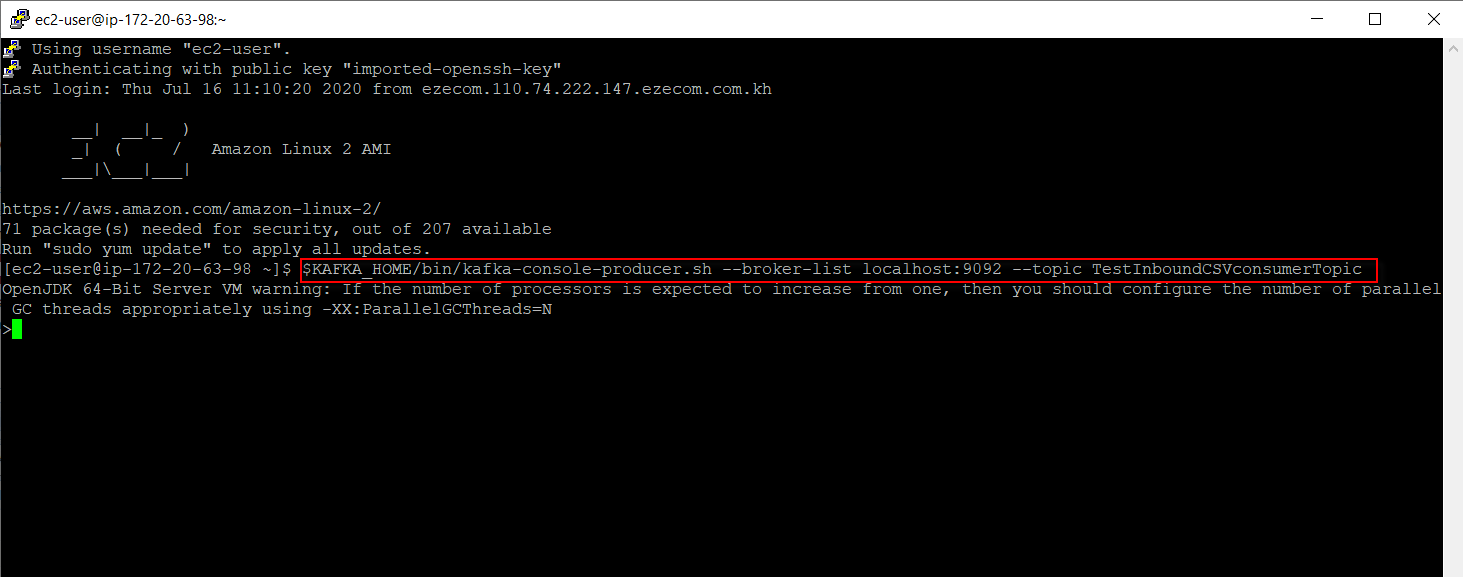
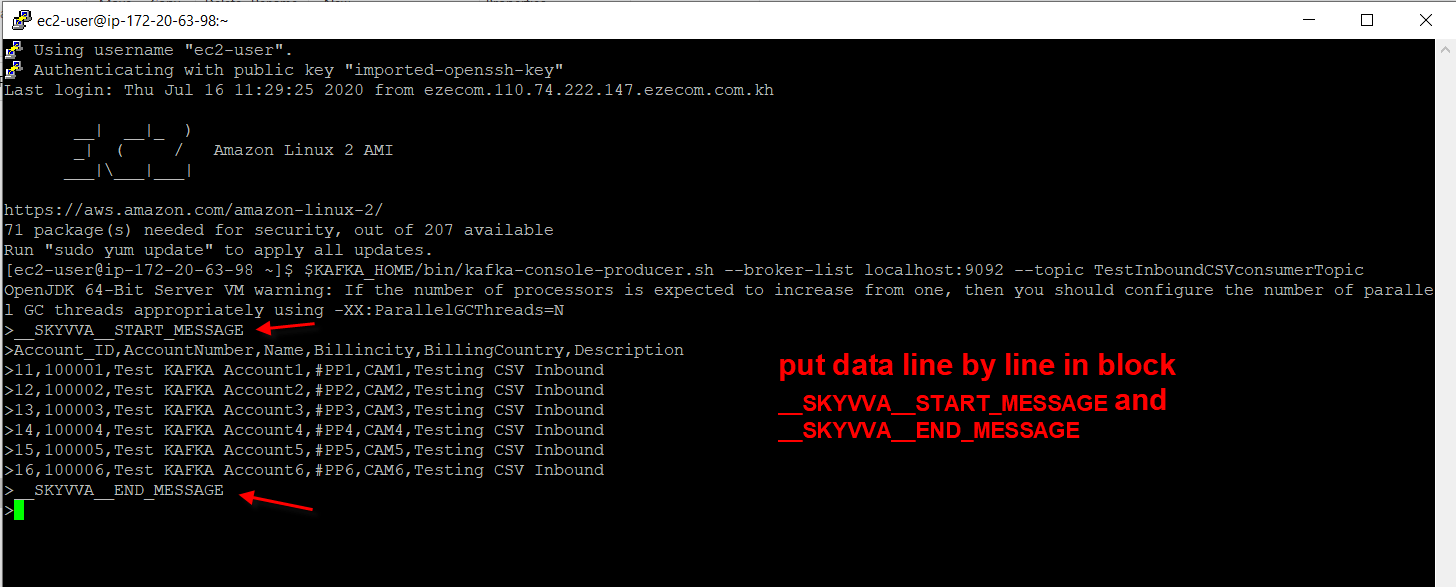
- The format is given below for data for CSV.
- Check the result on message monitoring.
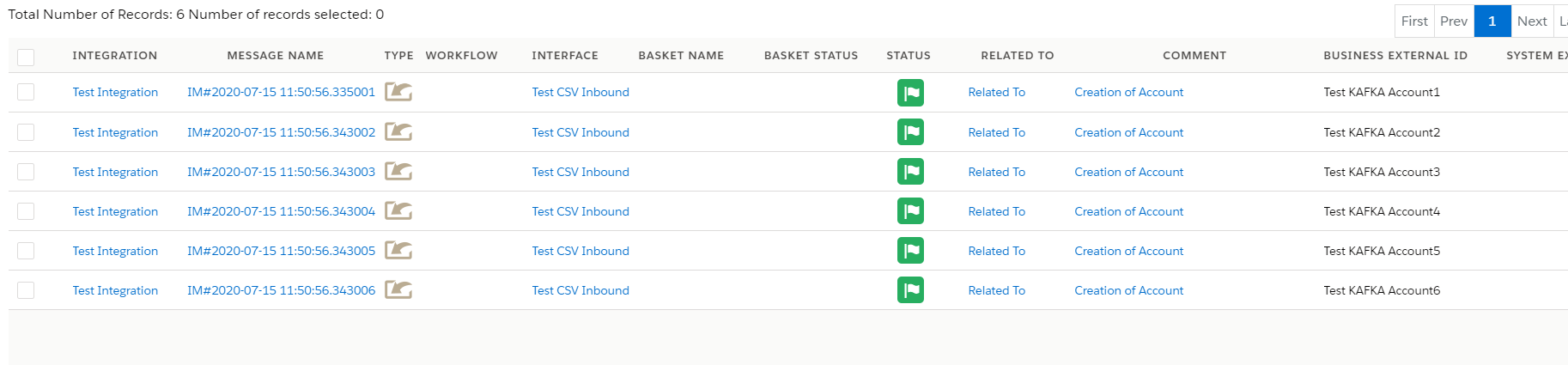
Case 2: Create Inbound KAFKA Adapter for XML format.
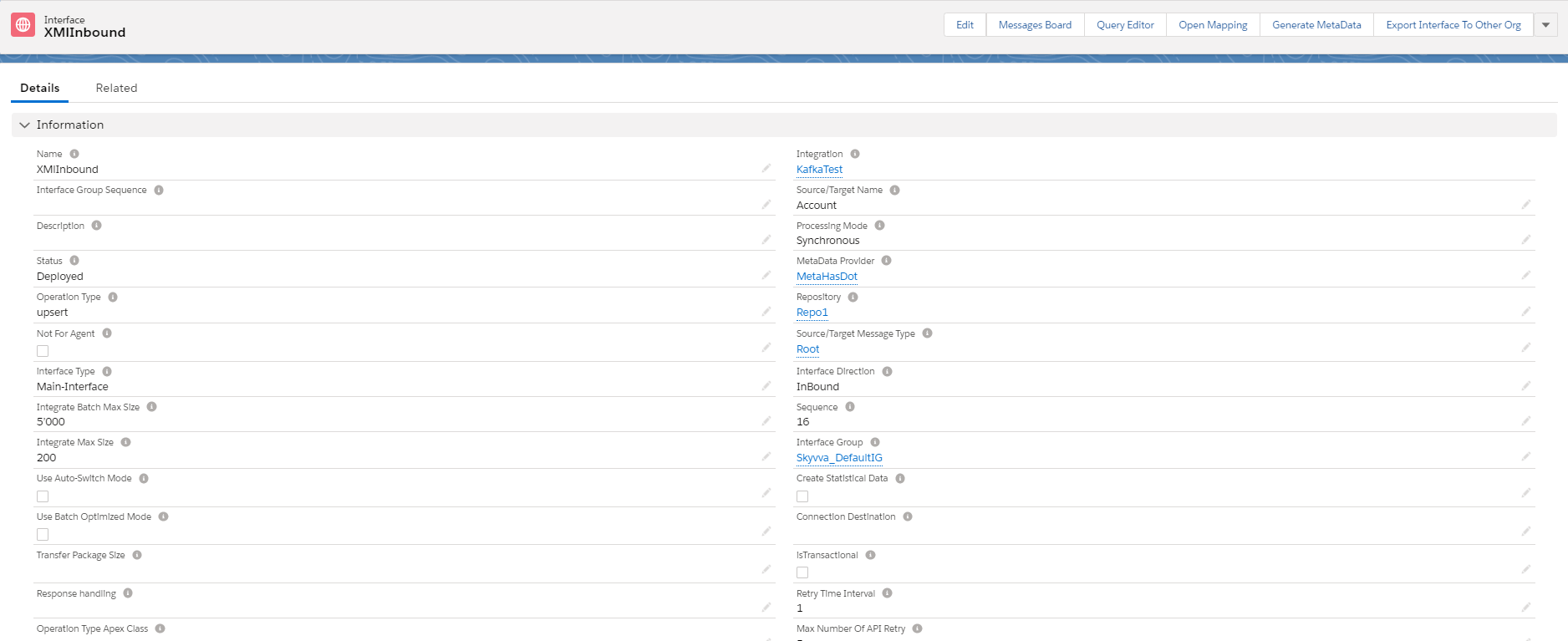
- Create inbound Interface with XML message Type.
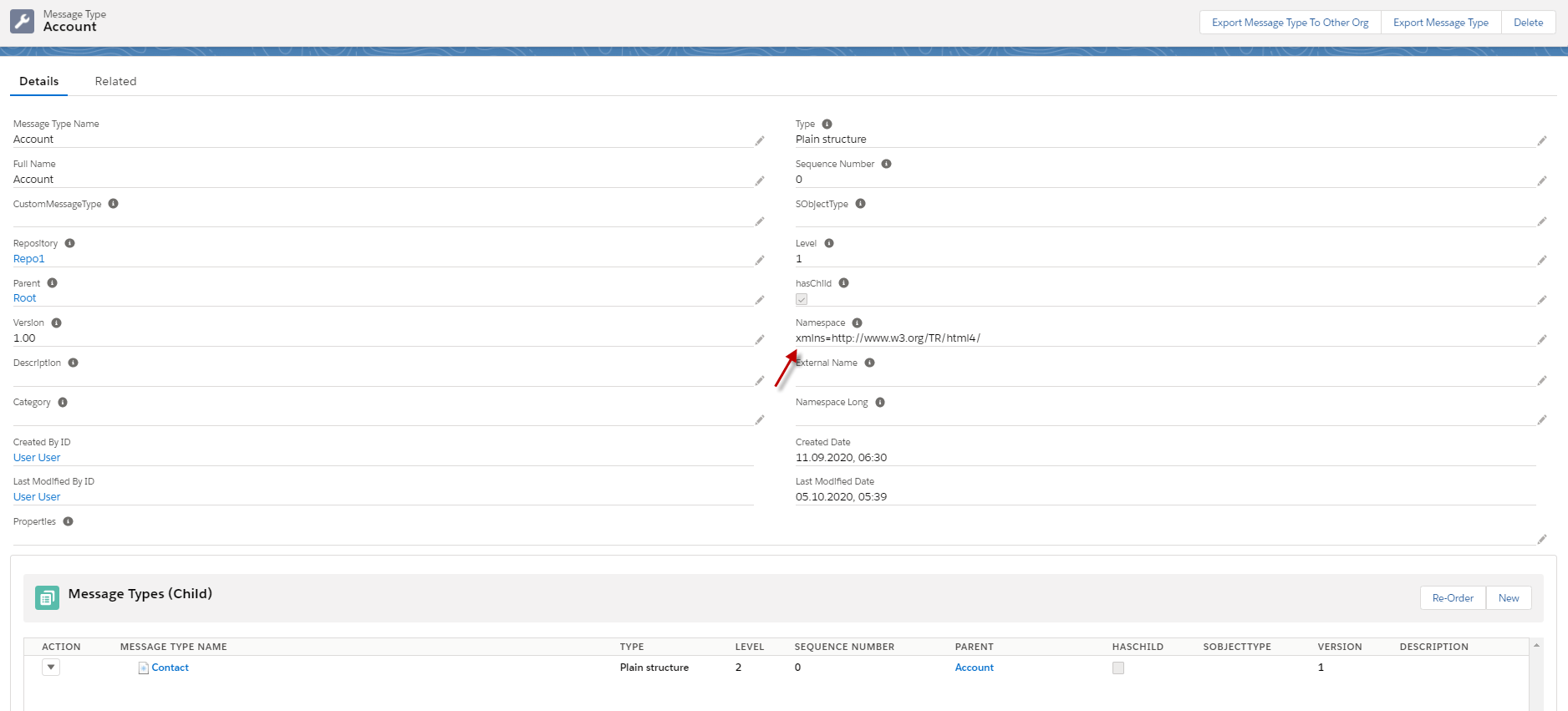
- Here's the message type XML, and we need to put Namespace for the first level.
- Here's the Inbound Interface.
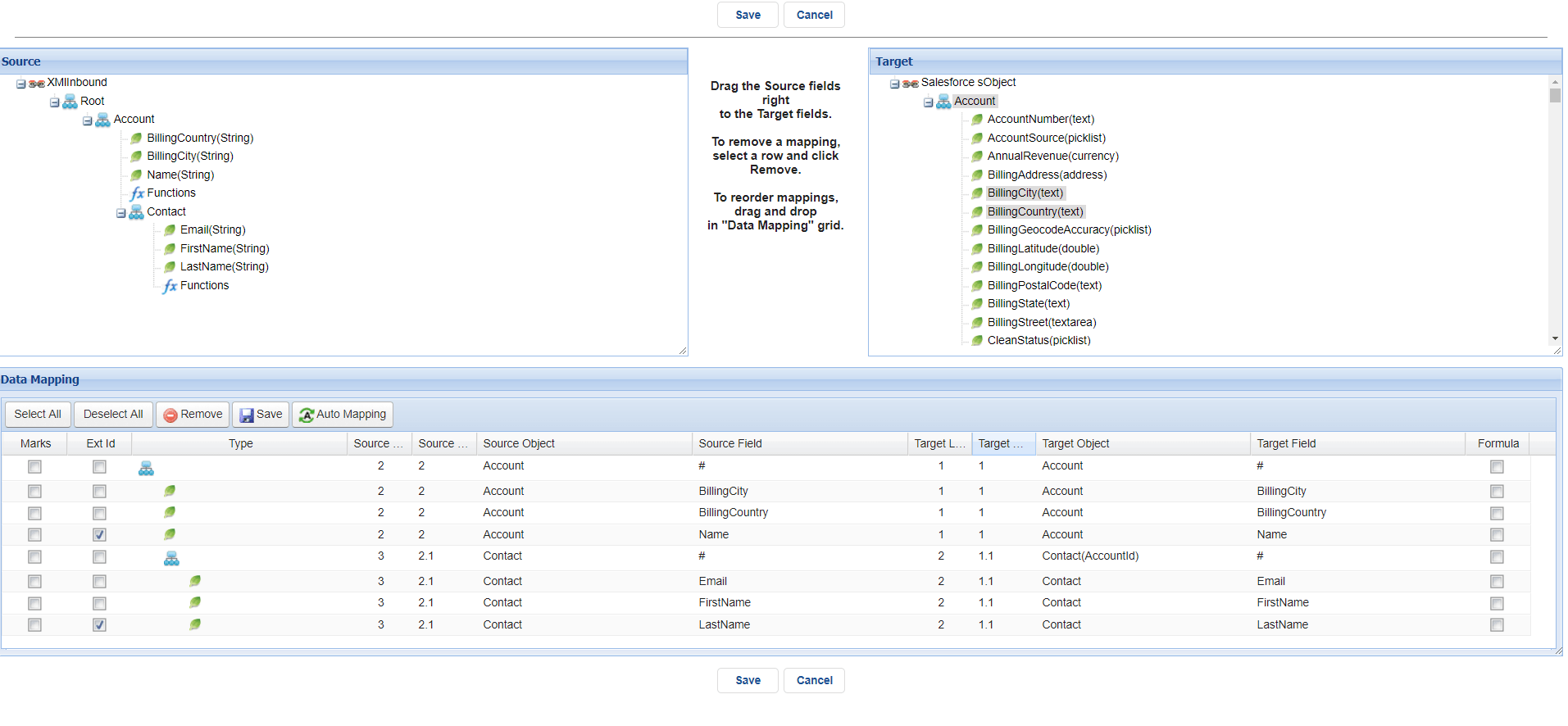
- Here's the mapping.
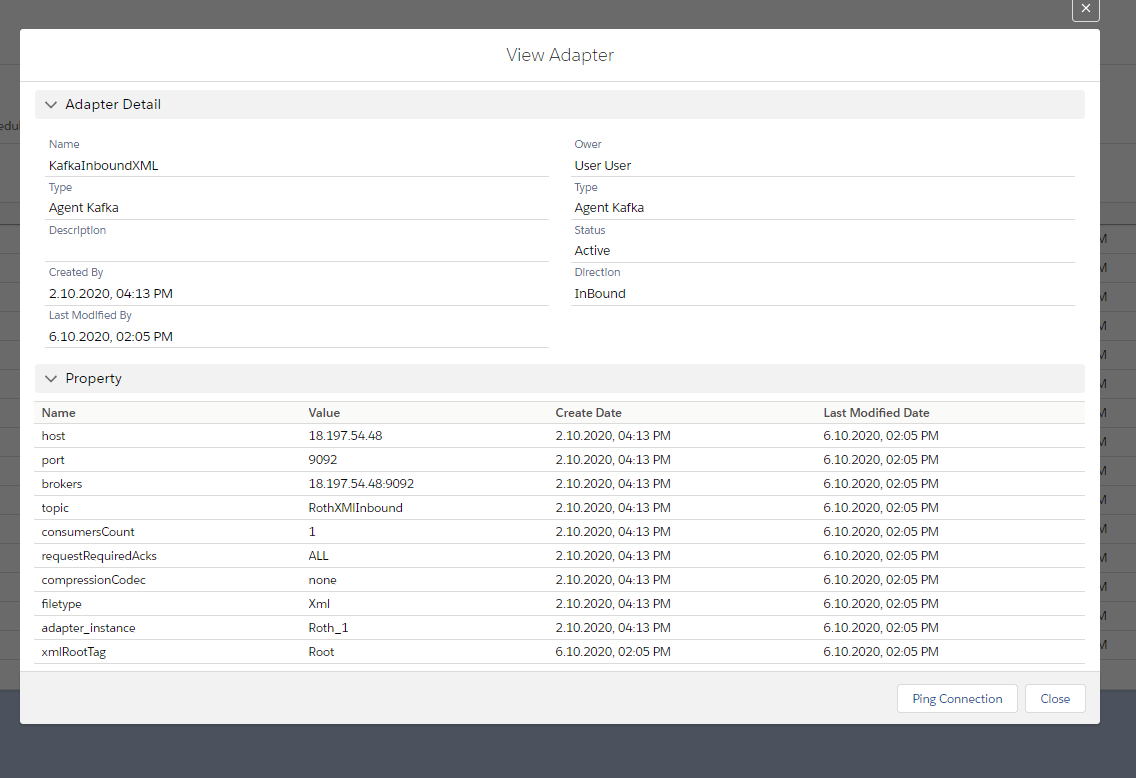
- We need to create an XML adapter, Kafka.
- Here's the XML adapter Kafka.
- Click the button start Adapter to start the route.
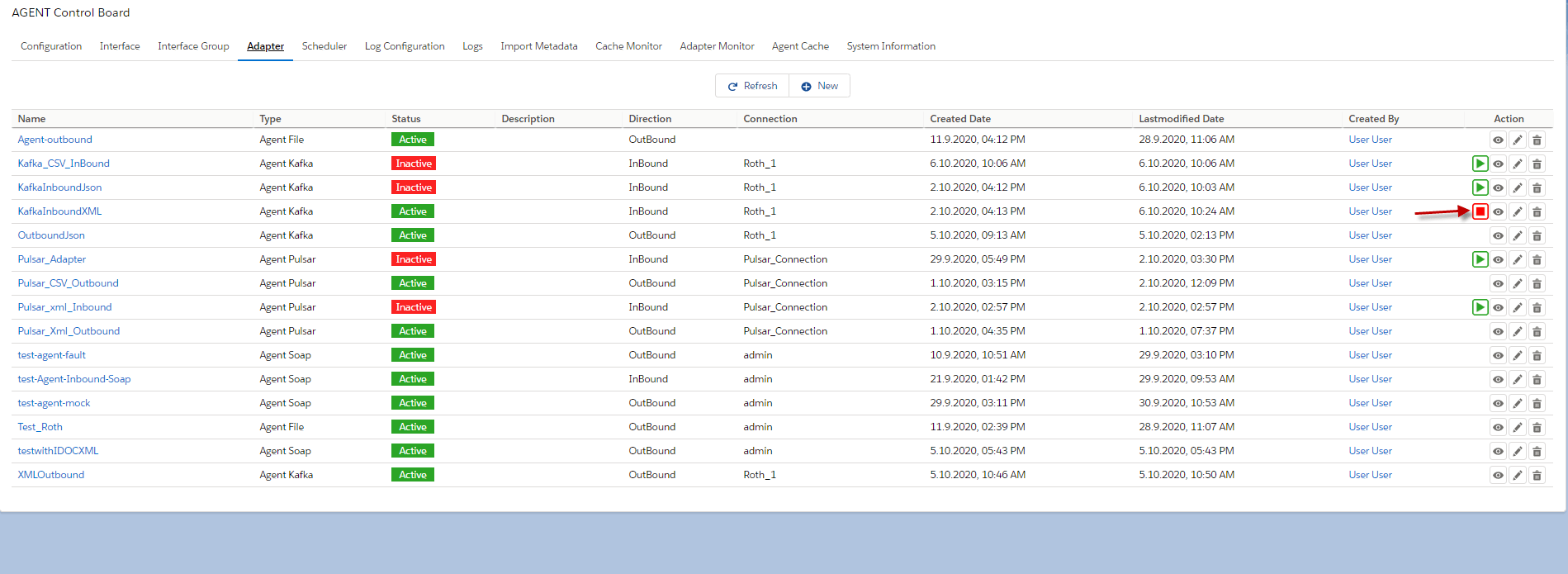
- Linked the adapter on Interface.
- Public message to the topic
- Here's an example below.

[su_box title="Note" box_color="#2a8af0" title_color="#000000"]When we want to use XML record, we don't need to have Start and End message but we need to convert XML data in to one line. Also, make sure that Data and message Types are the same structure. [/su_box]
- Here's xml that converts to one line.
- Here's the example to public.

- Here's the result of XML

Case 3: Create an Inbound KAFKA Adapter for JSON format.
- Create inbound Interface with message Type.
- Here's the message type.
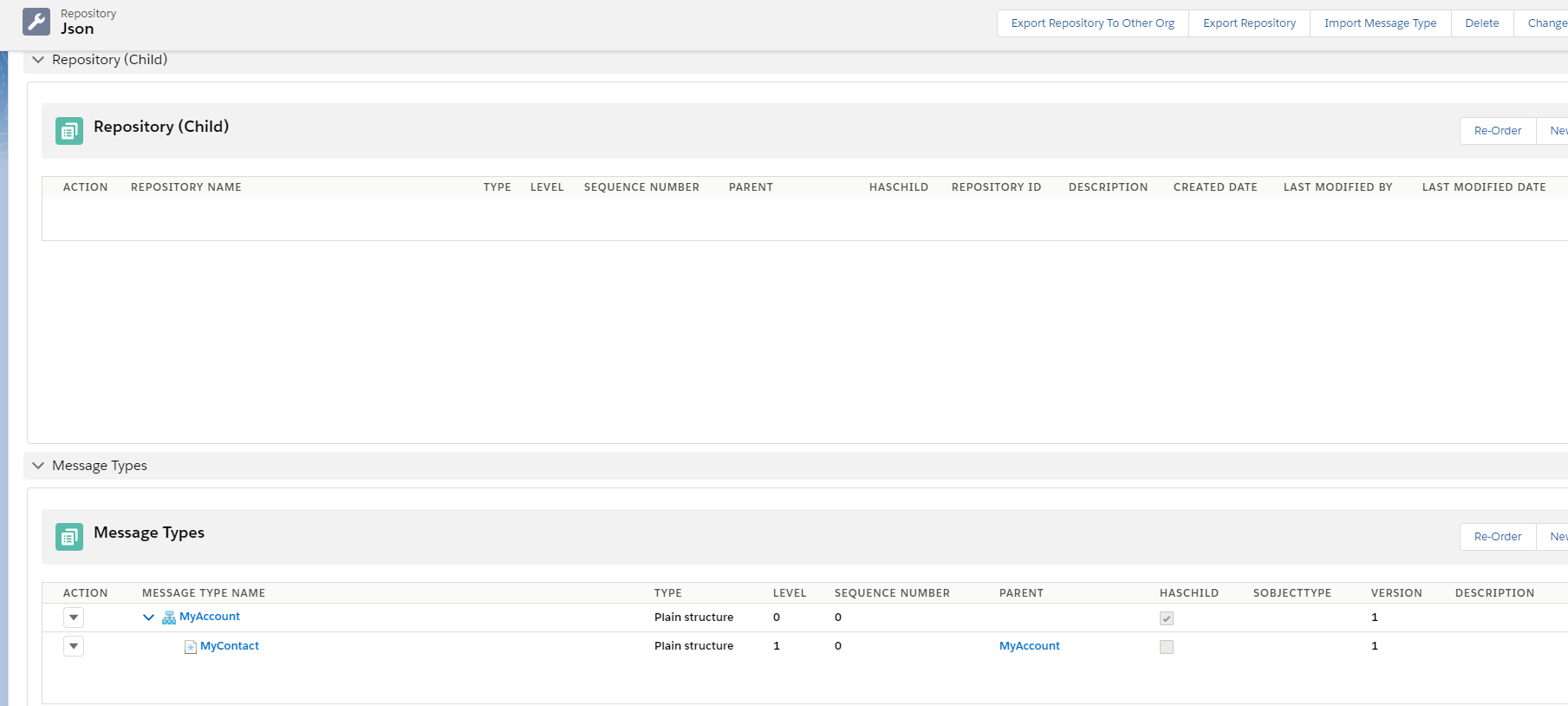
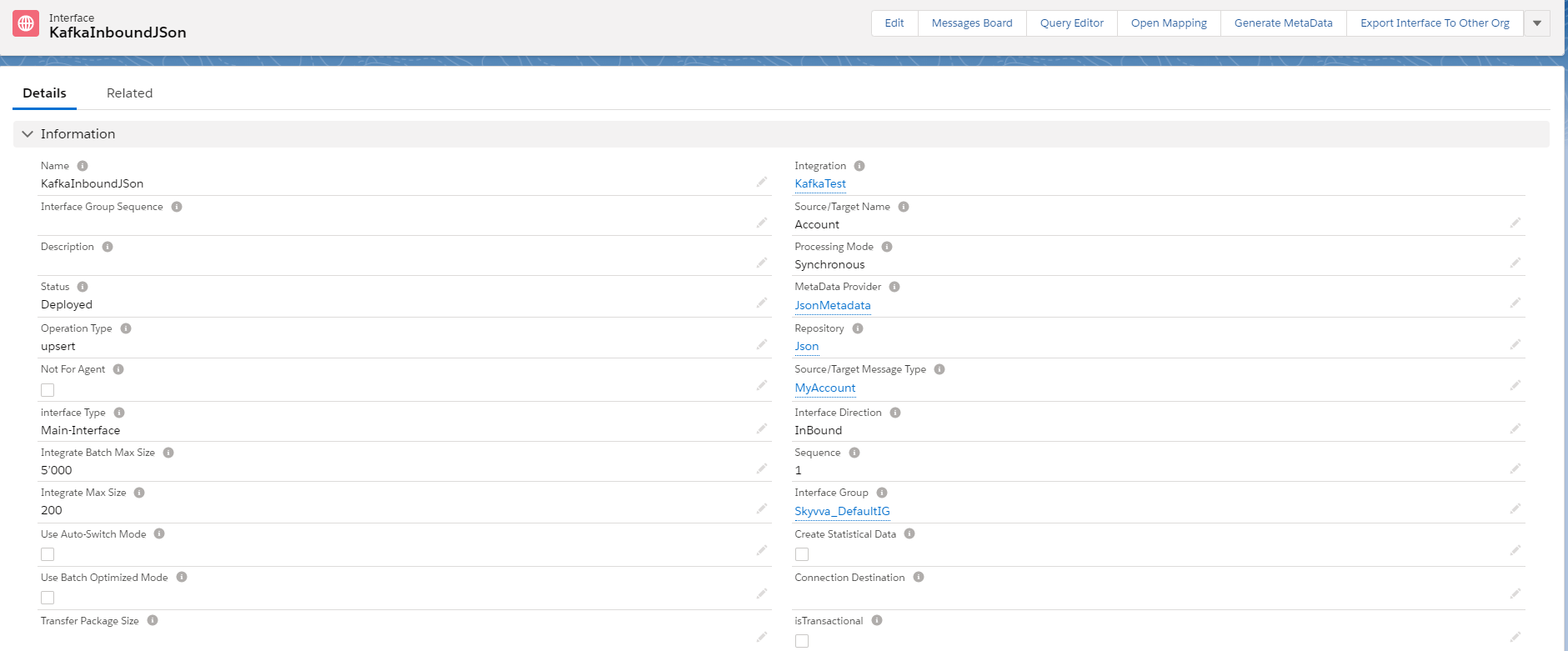
- Here's Inbound Interface with Message Type.
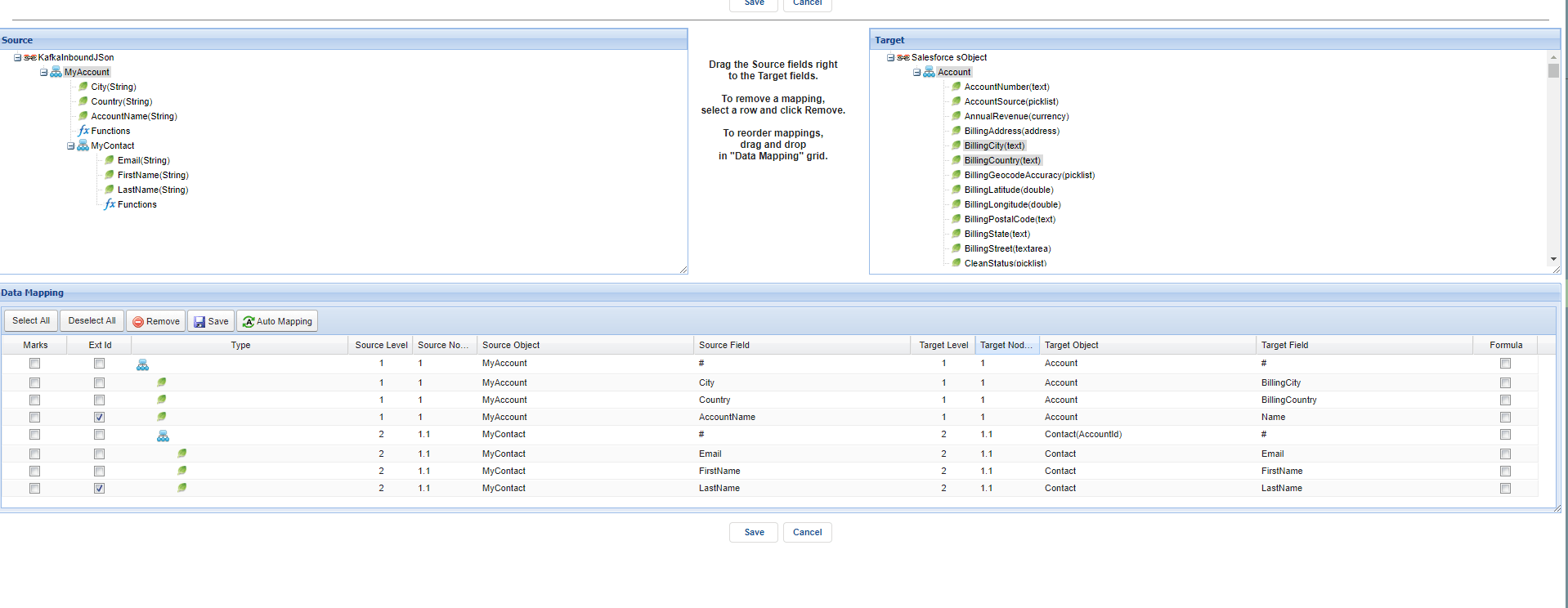
- Do mapping
- We need to create a Kafka adapter Type JSON.
- Here's JSON Adapter Kafka.
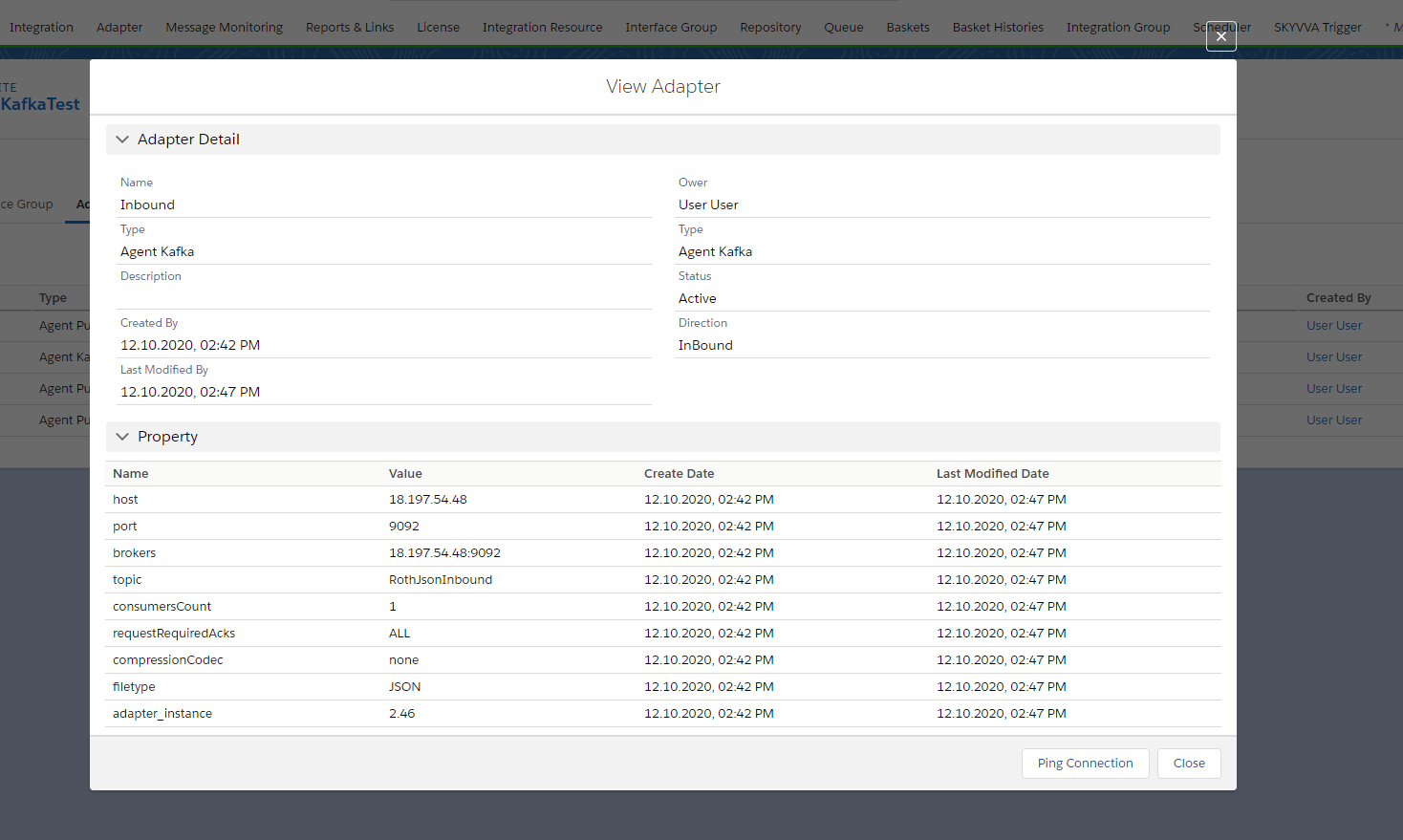
- Click the button Start adapter.
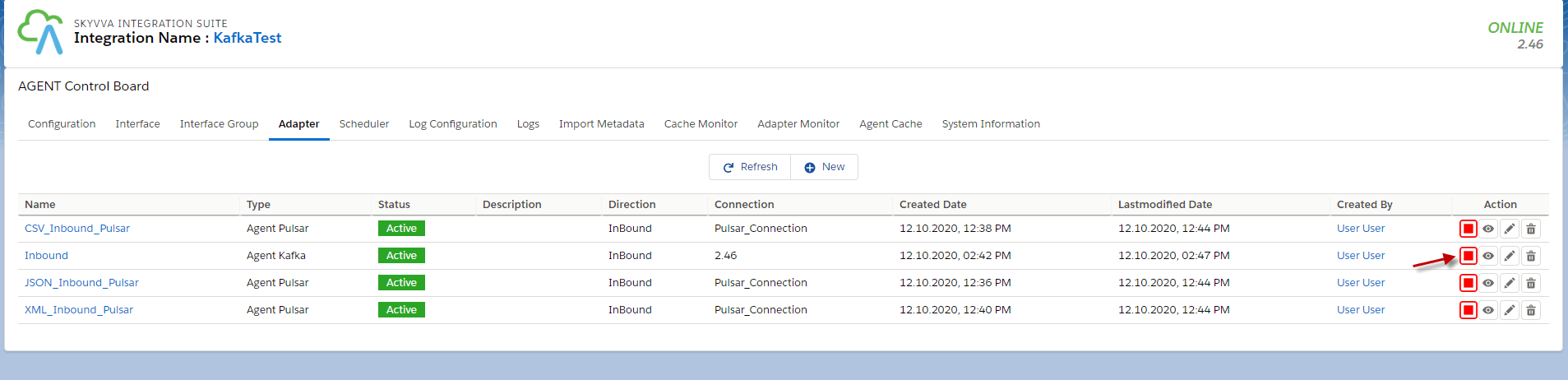
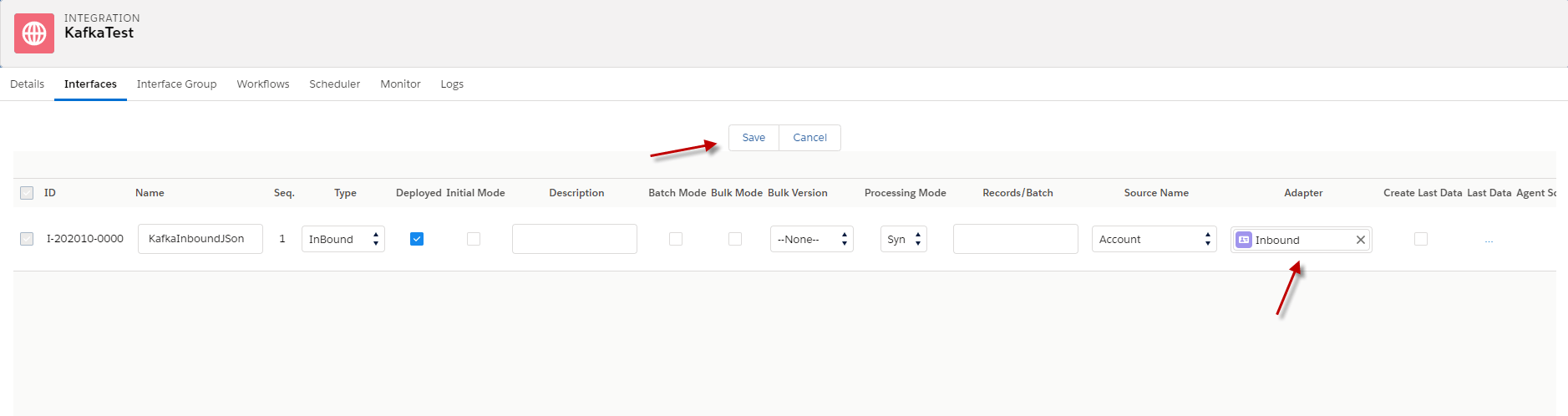
- Linked adapter with the Interface.
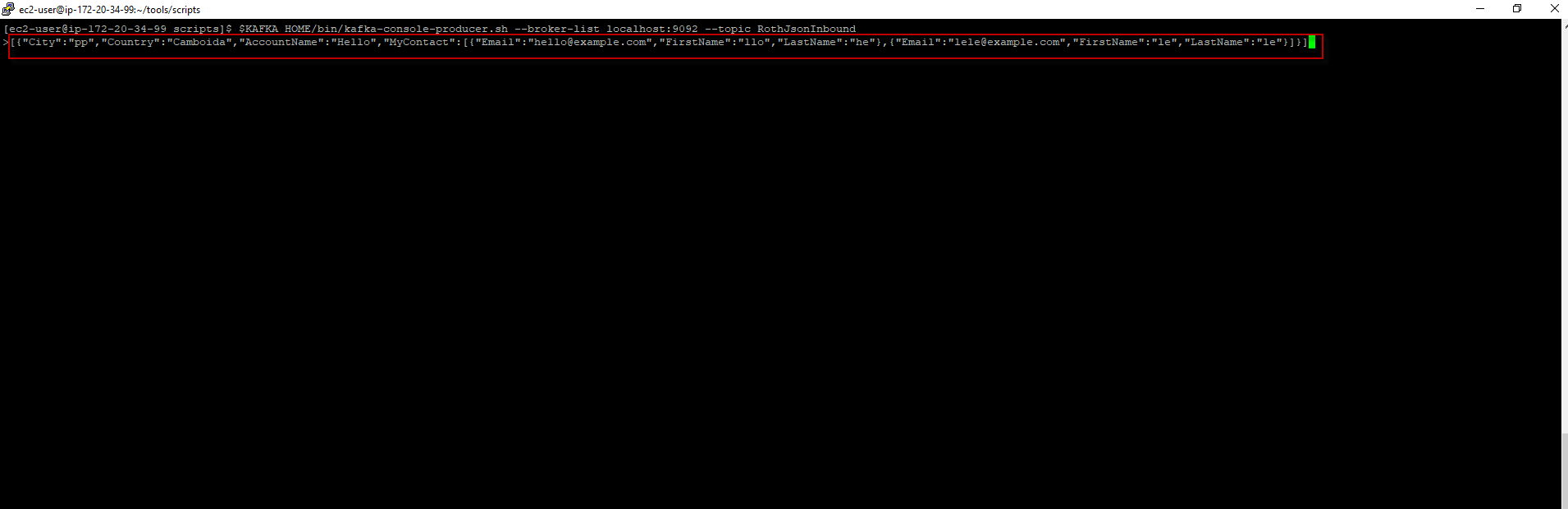
4.Public message to the topic. $KAFKA_HOME/bin/kafka-console-producer.sh --broker-list localhost:9092 --topic RothJsonInbound [su_box title="Note" box_color="#2a8af0" title_color="#000000"]We need to convert Json data to single line. [/su_box]
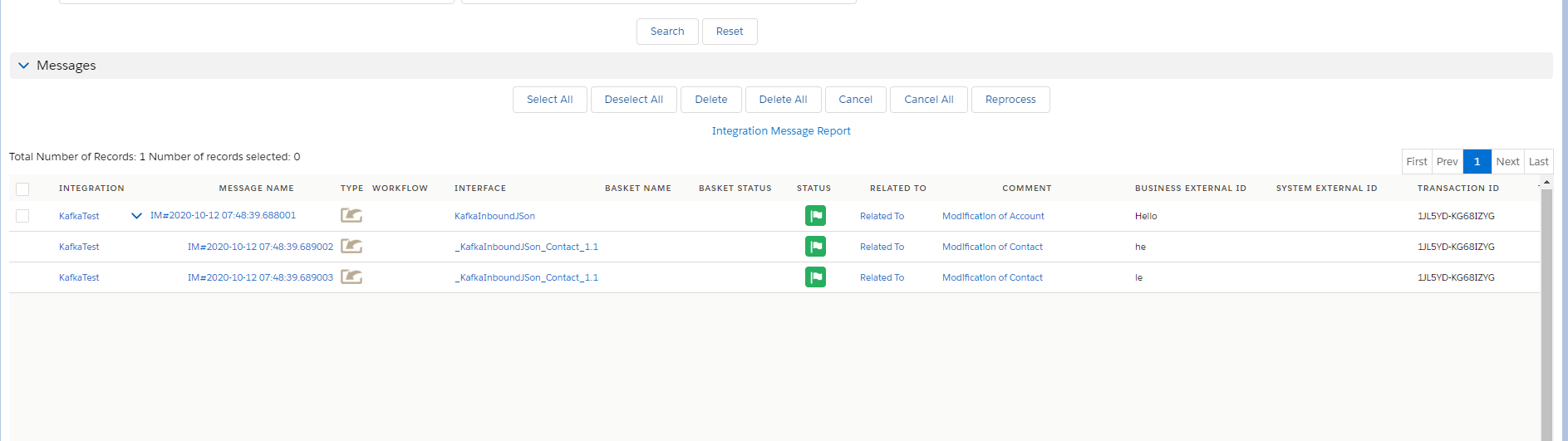
- Go to monitor to see the result.
Summary Agent Kafka Consumer uses reading data from Topic to Salesforce, which means we Send data from Topic in Kafka to Salesforce. In this adapter, we can do Inbound with CSV, XML, and JSON data records, but we need to make sure our Adapter is configurated to match the file type.