3. How to use Agent Pulsar adapter for Producer?
Learning Objectives:- This unit describes:-
- How to use an Agent Pulsar adapter for Producer?
Introduction:
In this tutorial, we will learn how the Agent Pulsar adapter works for Producers. In simple words, an Agent pulsar adapter for Producer means Outbound Pulsar Adapter. We need an Outbound Pulsar Adapter when we want to send data out from salesforce, here We need to create a topic first. From salesforce, we can send data messages to the API endpoint of our agent, and then we have a camel producer to publish into the topic invoice, which is on the Kafka side. This is the outbound process because we are sending data out here, It plays the role of Producer. So now we are going to check the use cases for Outbound Pulsar Adapter i.e, for Producer. To configure, firstly we need to learn and follow some steps: 1.How to configure a new agent control board.
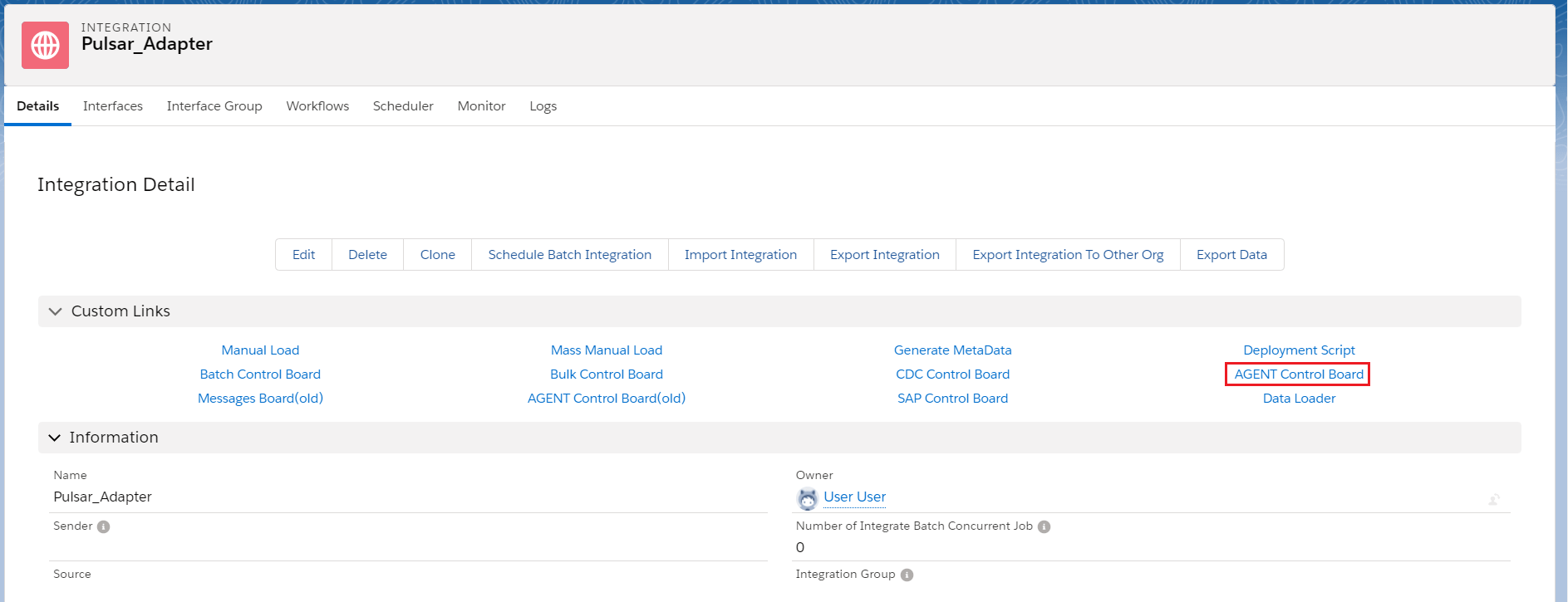
- Go to the Integration Detail page.
- Click on the new agent control board.
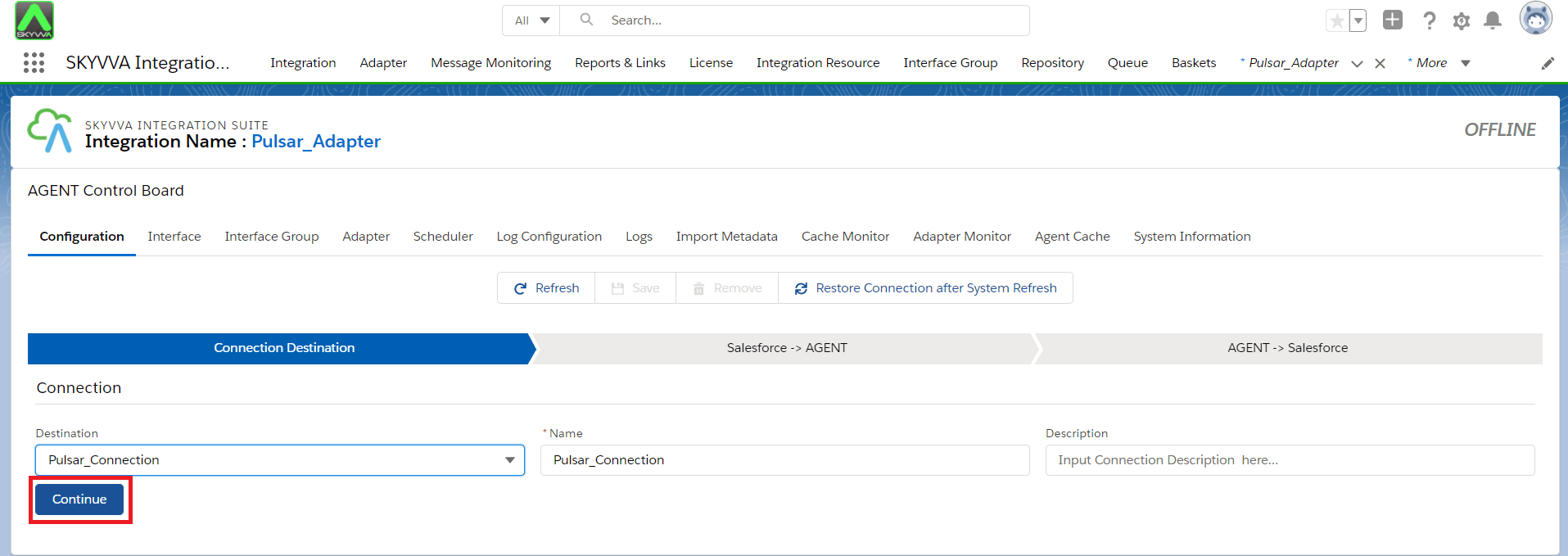
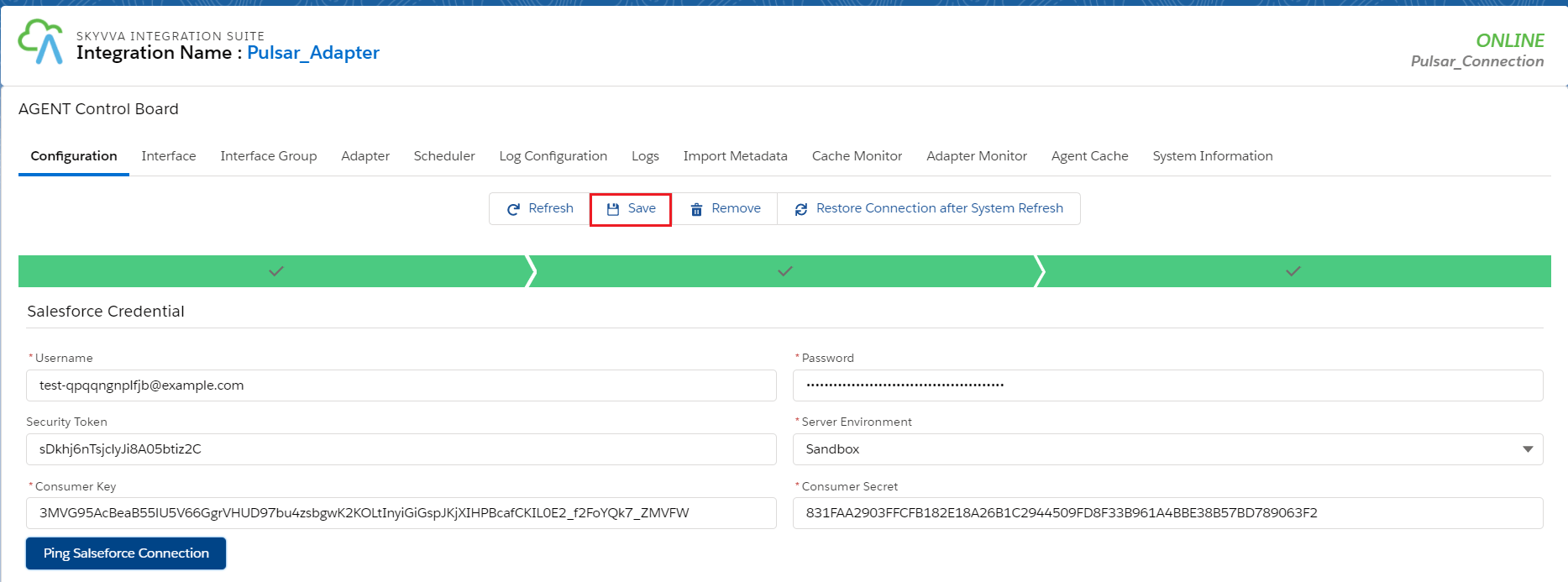
- Now we need to create a connection destination. For that, we can give any name to the destination. As shown below.
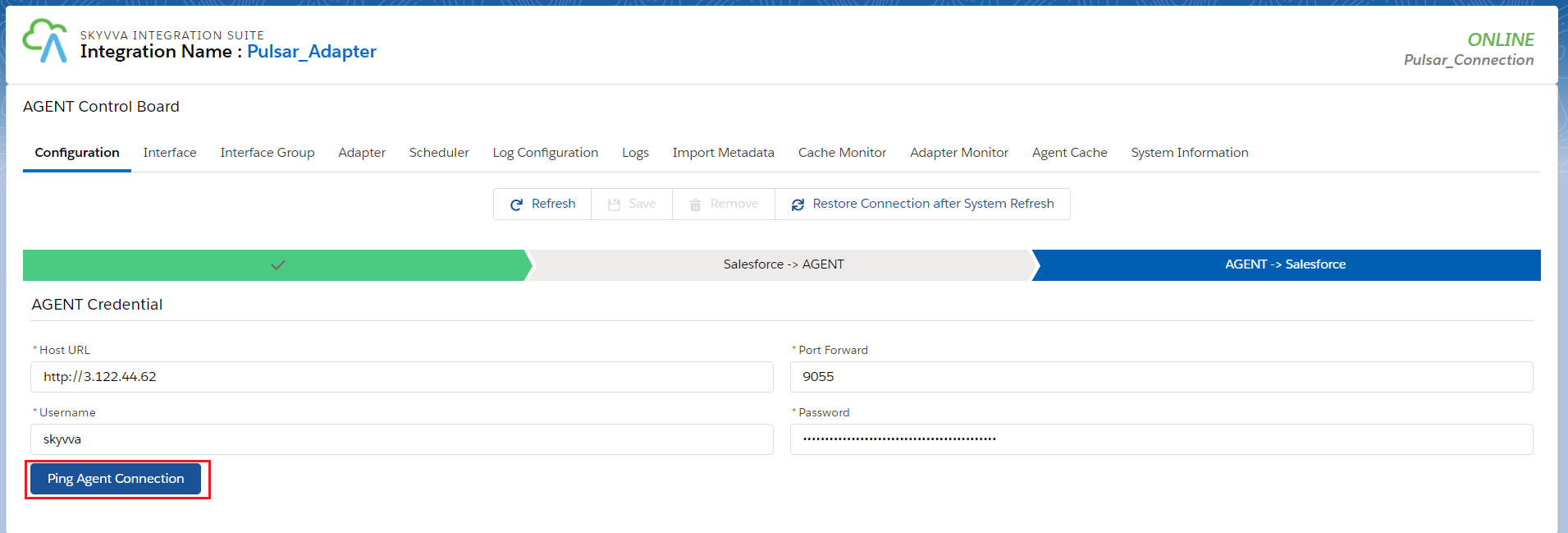
- Fill all the required fields in Salesforce > Agent.
- Click on the Ping Agent connection.
- Fill all the required fields in Agent > Salesforce.
- Click on the Ping Salesforce connection.
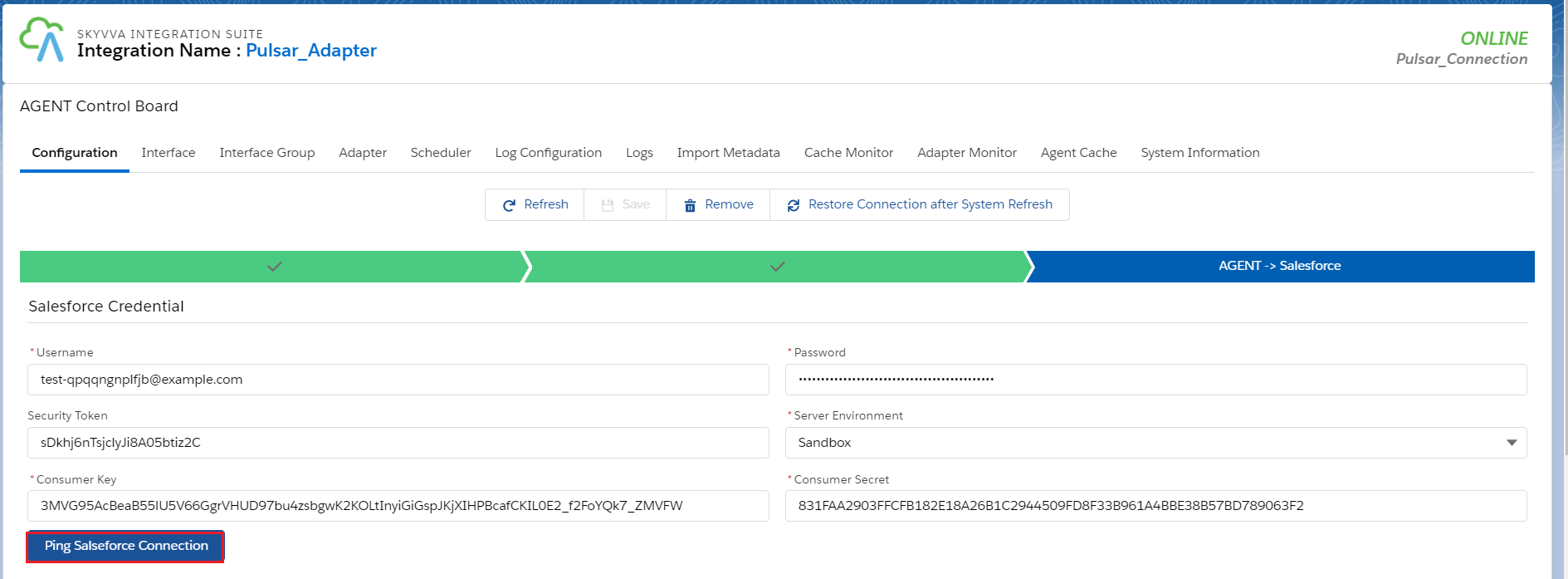
- And save it.
CASE 1: Use Case for file type CSV
2. Create an Adapter:
- Add any name in Topic and the topic will automatically be created on the Pulsar server.
- Select Direction Outbound.
- Select Type Agent Pulsar
- Select File Type.
- Select Connection Destination which we have created recently.


3. Configure Interface page:
- Create Integration.
- Create Interface.
- Add Metadata Provider, Istructure Repository, and Message type to the interface page as shown below.

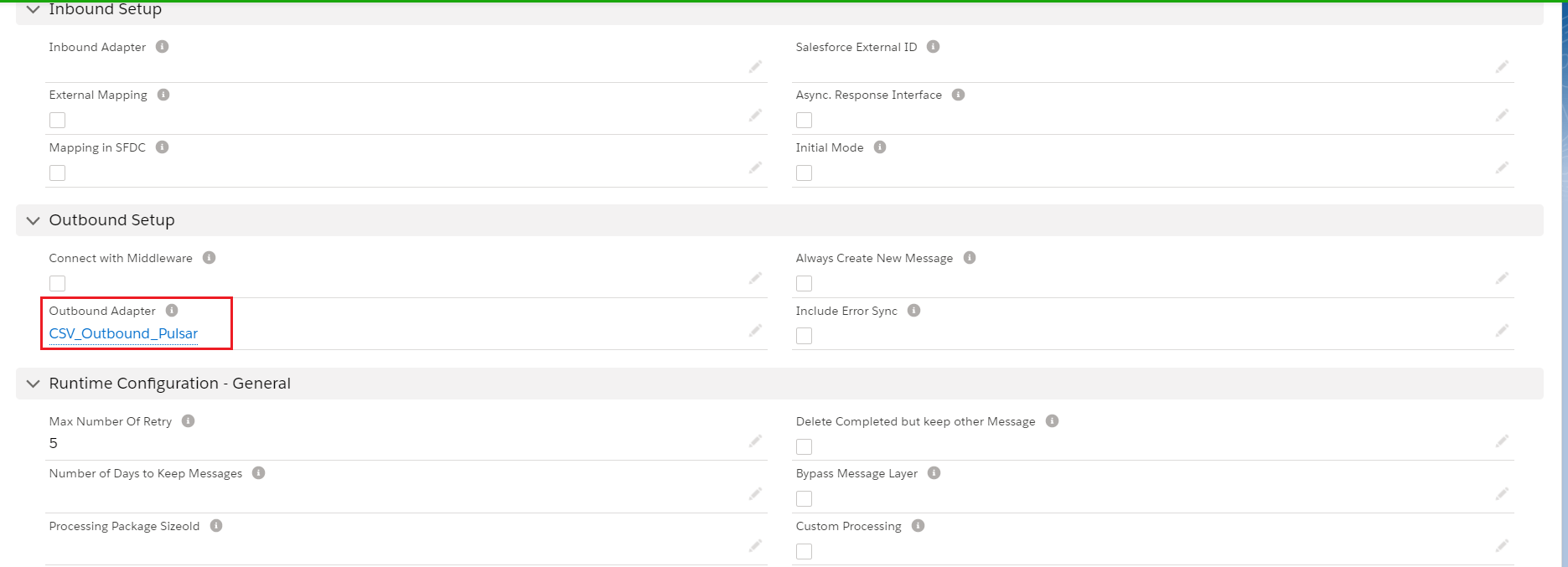
- Add Inbound Adapter
5. Do Mapping:

6. Callout: [aux_code language="javascript" theme="tomorrow" title="" extra_classes=""] skyvvasolutions.CallOutControl c = new skyvvasolutions.CallOutControl(); c.returnJSONComplete=true; c.actionDoIntegrate=true; c.isCreateMessage=true; String[] ids= new String[]{'0016E00001CHaYWQA1','0016E00001CHaYXQA1'}; //Account Record Ids List
7. Callout to pulsar server: [aux_code language="javascript" theme="tomorrow" title="" extra_classes=""] Command :( You need to execute below command on ec2 new agent-tools-server command prompt). pulsar-client consume -n 0 -s test non-persistent://vip/skyvva/OutboundCSVTopic Separator: Comma ( , ) OR Semi Colon ( ; ) OR Tab ( Tab ) OR Pipe ( | ) [/aux_code]

8. Message Monitoring:

CASE 2: Use Case for file type XML
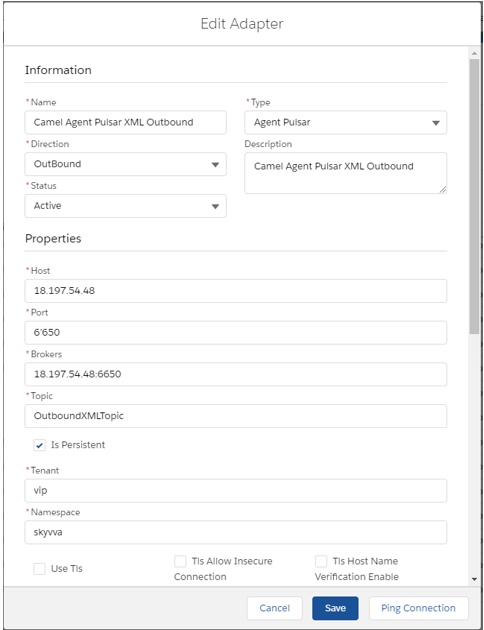
2. Create an Adapter:
- Add any name in Topic and the topic will automatically be created on the Pulsar server.
- Select Direction Outbound.
- Select Type Agent Pulsar
- Select File Type xml
- Select Connection Destination which we have created recently.

3. Configure Interface page:
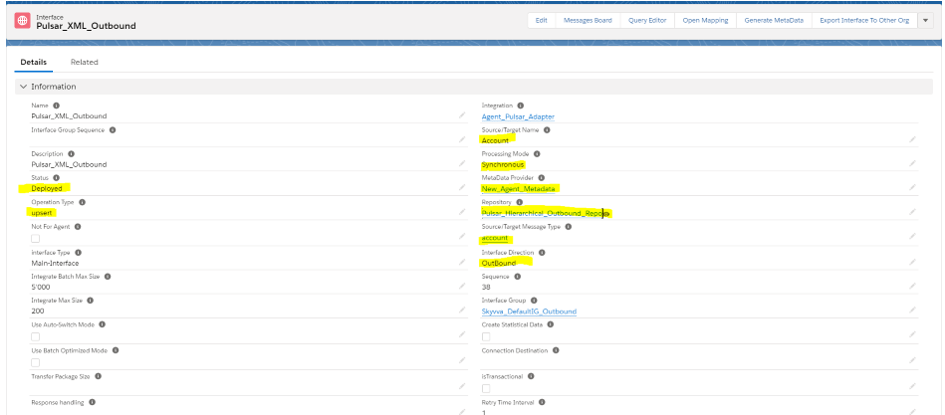
- Create Integration.
- Create Interface.
- Add Metadata Provider, Istructure Repository, and Message type to the interface page as shown below.
- Add Outbound Adapter

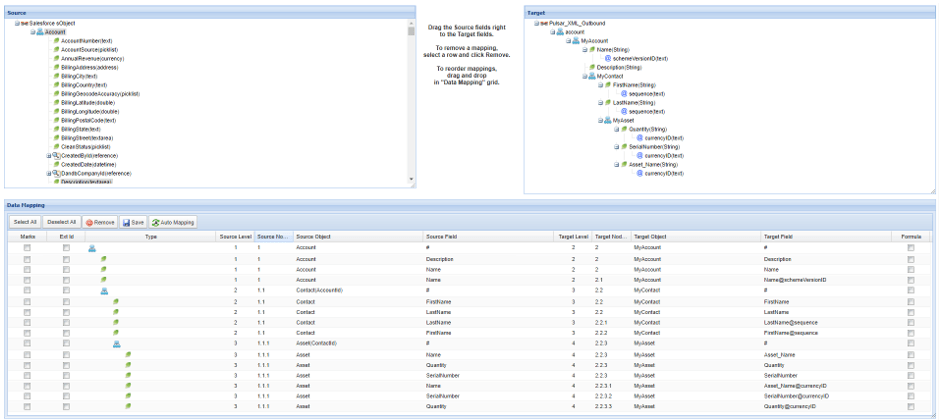
5. Do Mapping:
6. Callout: [aux_code language="javascript" theme="tomorrow" title="" extra_classes=""] skyvvasolutions.CallOutControl c = new skyvvasolutions.CallOutControl(); c.returnJSONComplete=true; c.actionDoIntegrate=true; c.isCreateMessage=true; String[] ids= new String[]{'0016E00001CHaYWQA1','0016E00001CHaYXQA1'};//Account Record Ids List
7. Callout to pulsar server: [aux_code language="javascript" theme="tomorrow" title="" extra_classes=""] Command :( You need to execute below command on ec2 new agent-tools-server command prompt). pulsar-client consume -n 0 -s test non-persistent://vip/skyvva/OutboundXMLTopic [/aux_code]

8. Message Monitoring:
