3. How to use JSON Payload with V4/integrate?
Introduction:
- Our V4/integrate rest variant supports JSON, XML and CSV and therefore it is possible to pass the Rest envelope XML , JSON,CSV to the body of the v4/integrate. This means that for invoking the skyvva API we use only the rest variant ../services/apexrest/skyvvasolutions/v4/Integrate with either XML or JSON payload.
- In the URL of V4 API, the query parameter is added in URL only.
We have two type of response:
- standard response
- custom response using the response (outbound) interface to do the mapping
1. standard response
Pre-requisites:-
- Create an Integration
- Create Metadata Provider
- Create Repository.
- Create a Message Type.
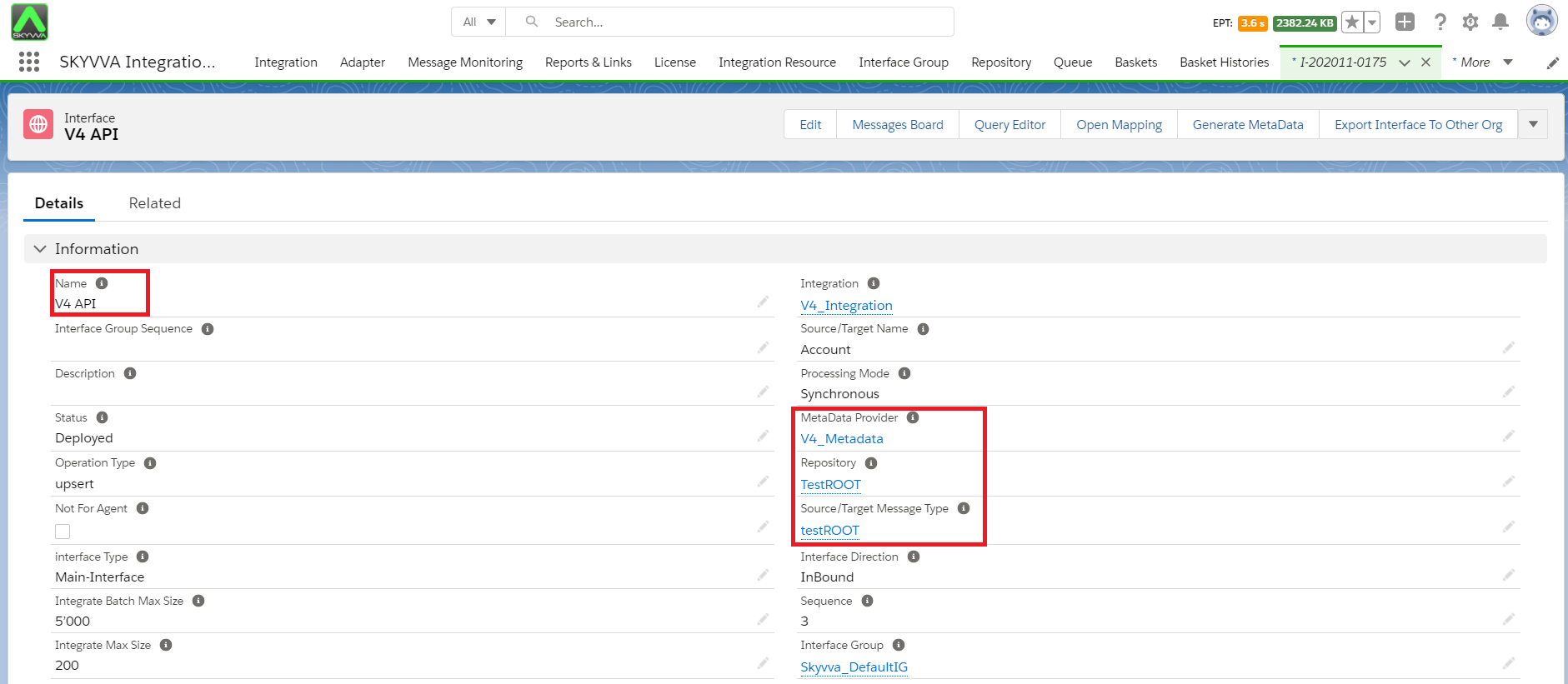
1. Create Inbound Interface:-
a. Enter Metadata Provider. b. Enter Repository. c. Message Type.
2. Do Mapping:-
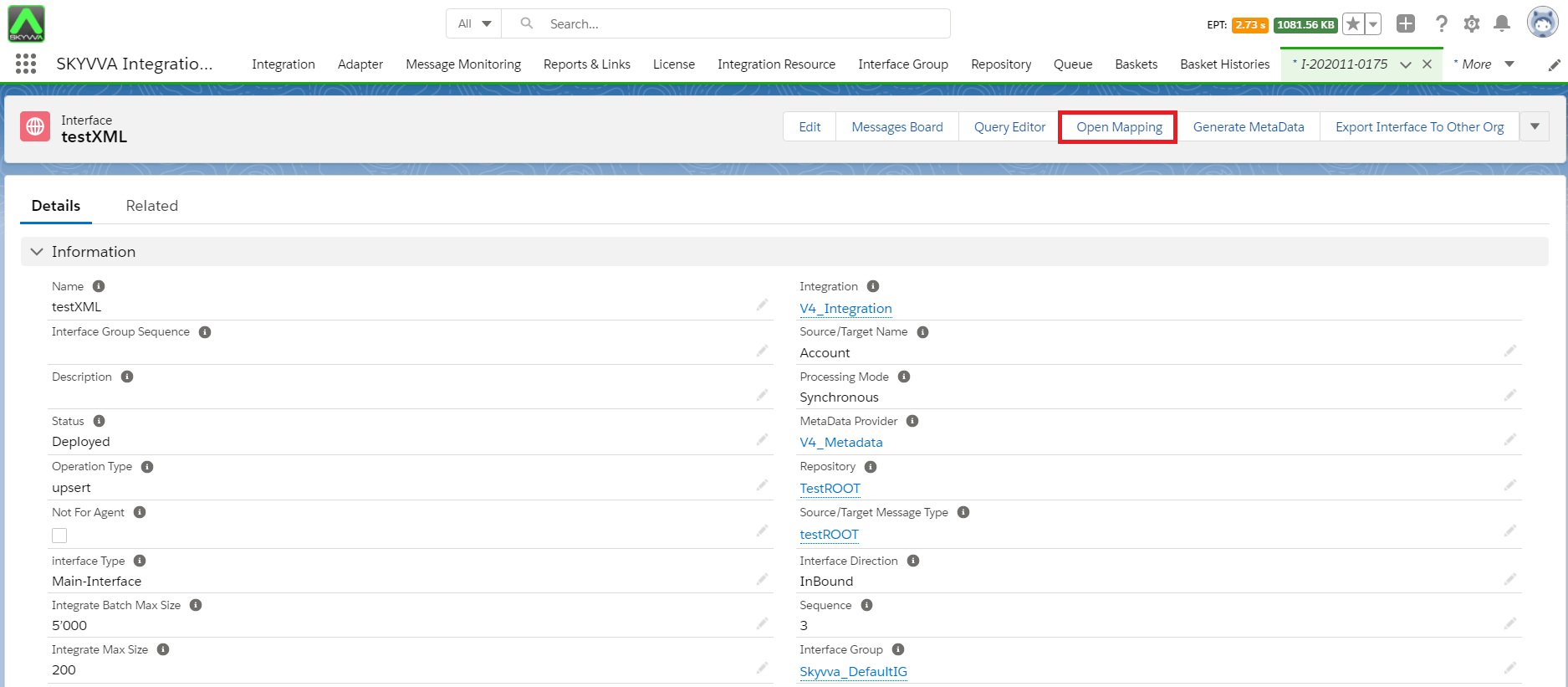
- Save Mapping:

3. Configuration on postman side:-
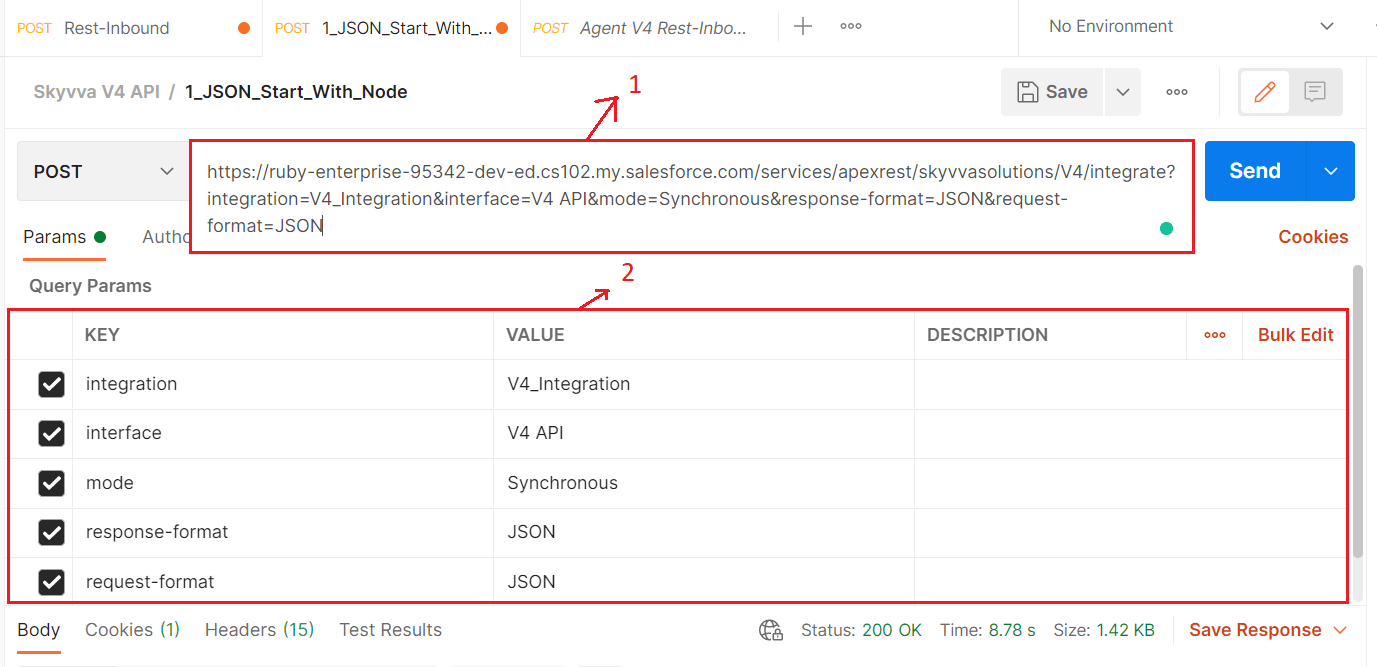
1. V4 API:-
V4 API pass Integration, Interface, mode, request-format, response-format parameter inside the URL query parameter.
2. The URL contains:-
- Salesforce classic URL.
- Integration name.
- Interface name.
- mode.
- response-format.
- request-format.
Please check the sample below:- [aux_code language="javascript" theme="tomorrow" title="" extra_classes=""] https://ruby-enterprise-95342-dev-ed.cs102.my.salesforce.com/services/apexrest/skyvvasolutions/V4/integrate?integration=V4_Integration&interface=V4 API&mode=Synchronous&response-format=JSON&request-format=JSON[/aux_code]
3. Authorization:-
- Select No Auth.

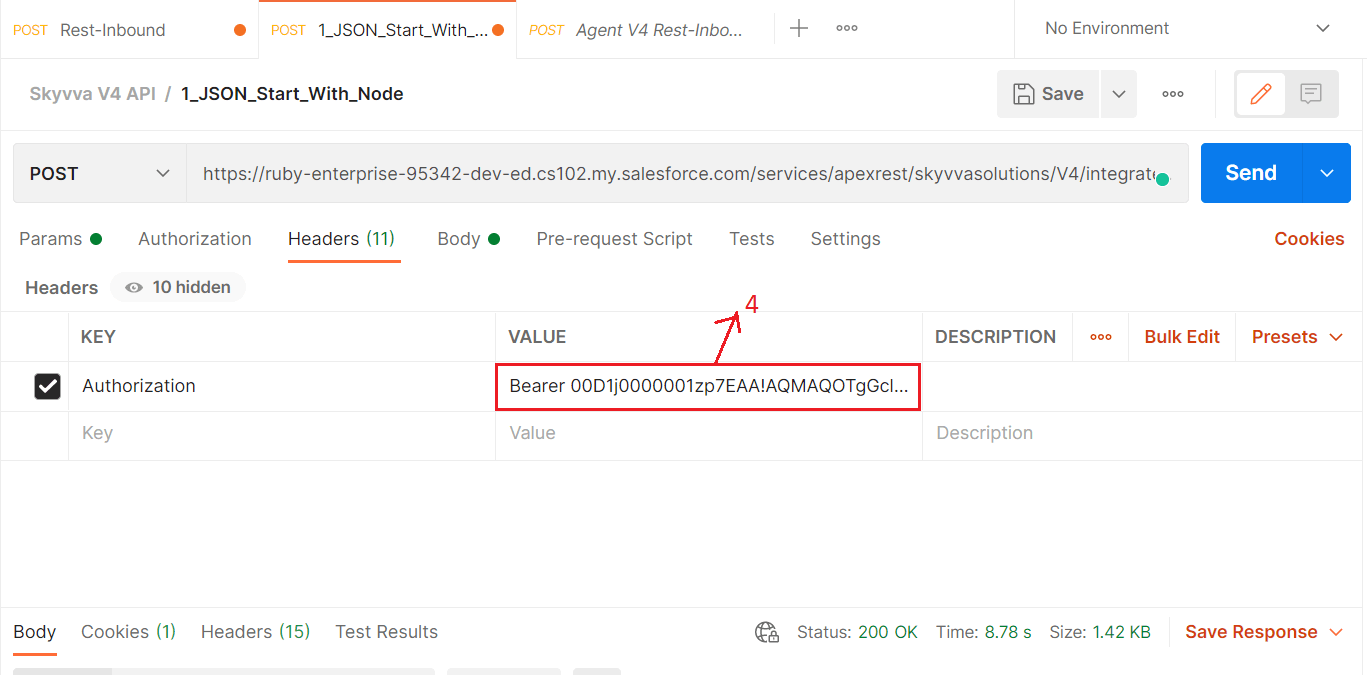
4. Header:-
- Enter "Bearer+Session ID".
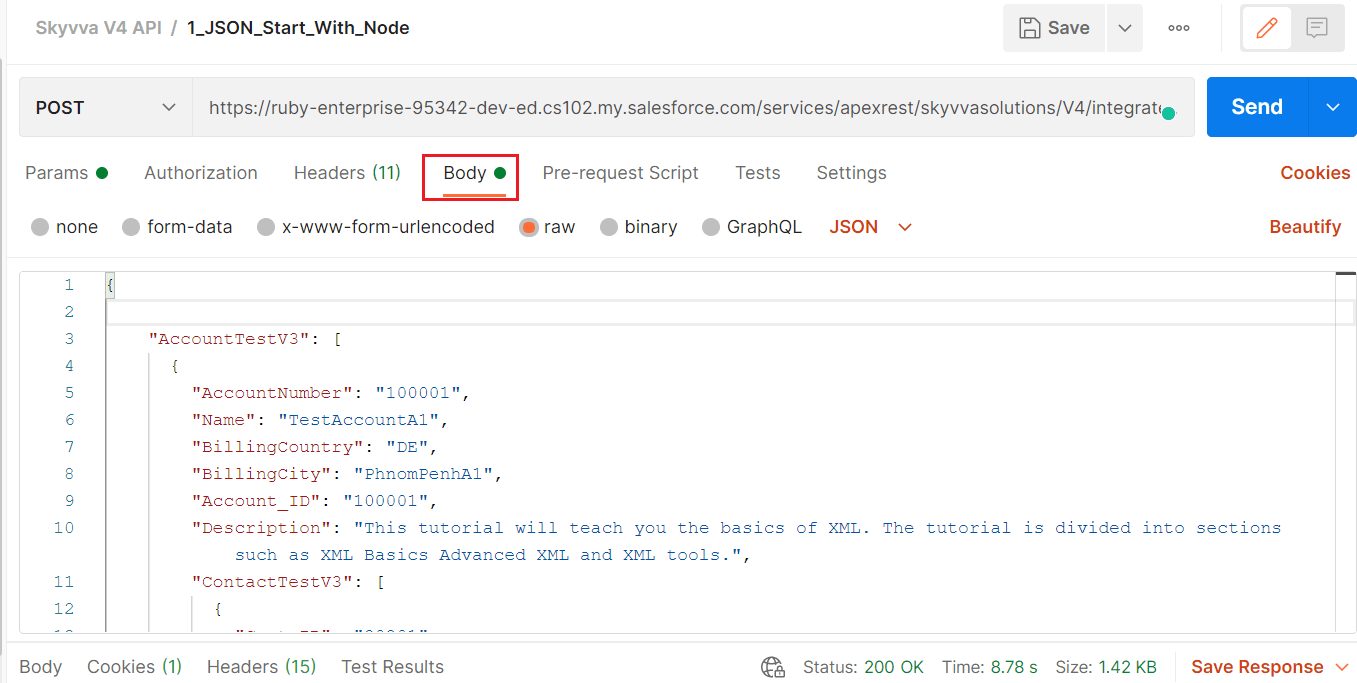
5. Body:-
- Enter JSON ,CSV or XML payload as per your message type which we have created earlier.
6. Send the Request:-
- Click on send button.

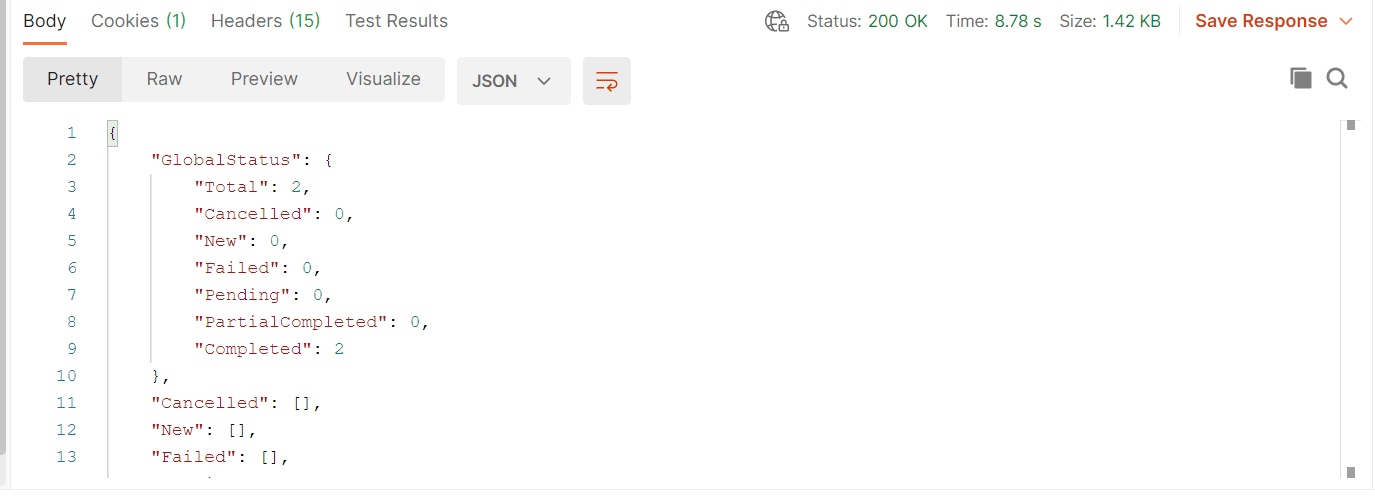
7. Check the Result:-
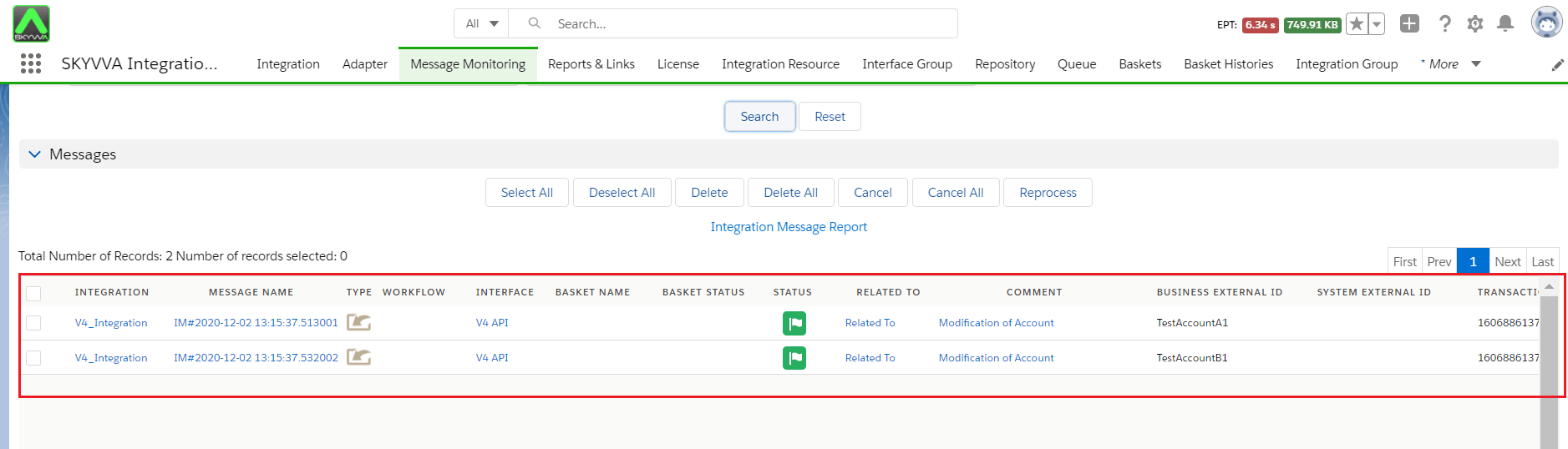
8. Check Result on Message monitoring:-