3. Update the Parent Record While Update the Child of Inbound integrate V4
In this section, you will understand to do inbound processing of integrate V4 by updating the child records and also updating parents' records. Our mapping will allow you to append the parent reference field to be mapped.
Pre-requisite
- Create Integration and Inbound interface with operation Update

- Create a message type
- Link a message type for the inbound interface
- Mapping
Note: You can append any parent reference field. Therefore, you will able to map the parent fields. For example, if you append on AccountId(reference), you will see the parent's field as screenshot below. You can map the AccountNumber to the AccountNumber of Account field in order to update the AccountNumber field on the Account of the case's parent.
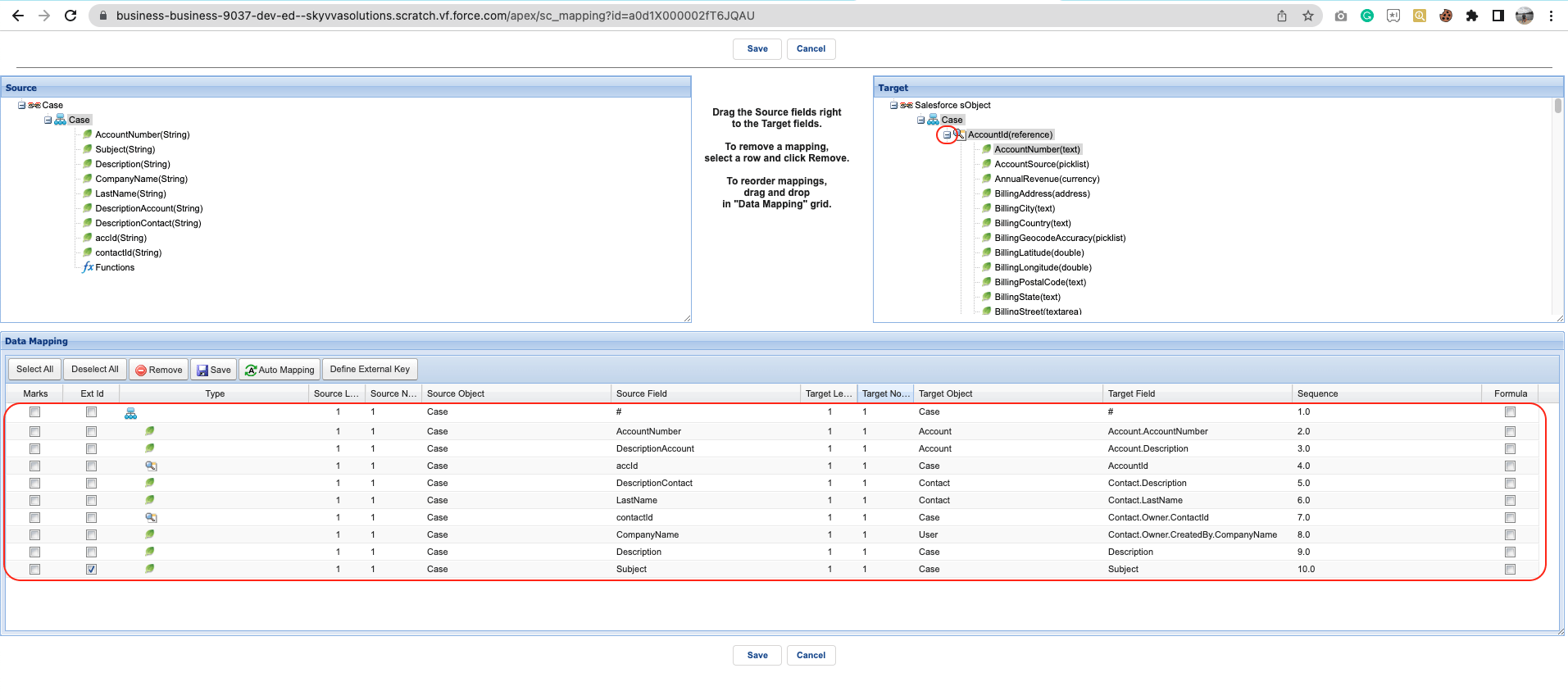
- Click save mapping
- Enter to postman
Fill in the URL of your org concat with /services/apexrest/skyvvasolutions/V4/integrate
- Fill Query Params
integration Name
- interface Name
- mode Processing
- response-format
- request-format

- Fill Token of Authorization

Here is the sample XML payload

- Click Send button
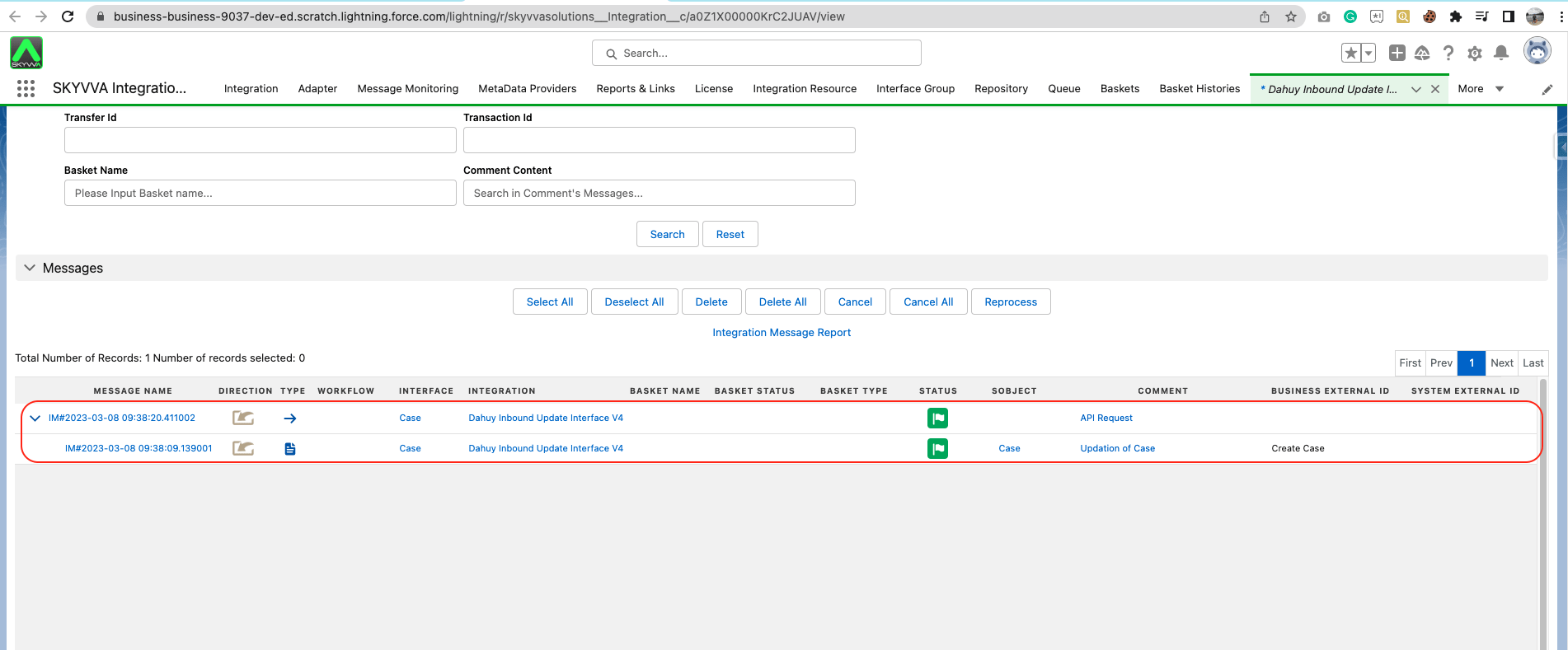
It will create a completed message as below
The case record has been created then the link account and contact
Payload field Value Description
accId 0011X000018ymwiQAA Link this account id to the case
contactId 0031X00000wpWYLQA2 Link this Contact id to the case
Description
Update Case where subject equal Create Case and Update parent fields such as AccountNumber, DescriptionAccount,Description of case, DescriptionContact, and LastName
The value will pass to the Description field of case sObject
Subject
Create Case
The value will pass to the Subject field of case sObject

Update the Account's field of Case Parent
Payload field Value Description
AccountNumber
Acc003
Update the AccountNumber field of the Account that is the case's parent
DescriptionAccount
Update the Case and Update AccountNumber to Acc003
Update the description field of Account sObject that is the parent of the case

Update the Contact's field of Case Parent
Payload field Value Description
CompanyName Skyvva Update CompanyName to createby user of contact parent of case
LastName Pisey Update the description field of Account sObject that is the parent of the case
DescriptionContact
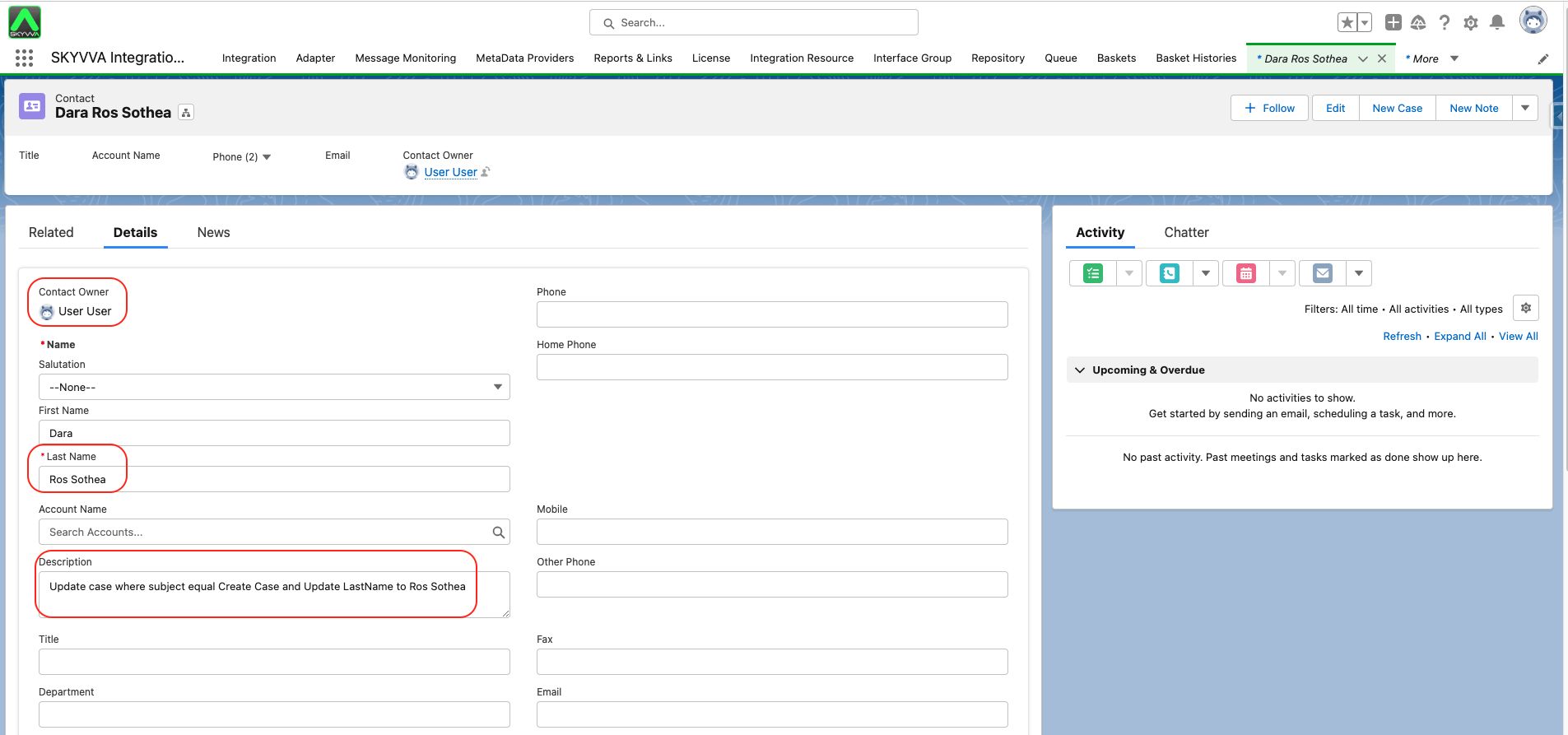
Update case where subject equal Create Case and Update LastName to Ros Sothea
Update the description field of contact sObject that is the parent of the case