16. SAP Business One adapter
Introduction
In Skyvva, we have a new feature to send out data from Salesforce to SAP Business one client application by using SAP business one adapter. This adapter has worked with different SAP business modules such as Business Partner, Sale, Purchasing, and many modules in Sap Business One. This section will show how to use SAP Business One Adapter. To use this Adapter we need to have SAP Business one connection destination and we need to generate SAP Business One Message Type. This Adapter supports Dynamic URLs, PATH Parameter, QueryParamenter, and multiple operations such as POST, GET, PATCH, DELETE.
SAP Business One Adapter is used for Request and Response processing by using SAP business one Message type. To generate SAP Business One Message Type follow this link How to generate SAP business one message Type. There are two deployments in this adapter such as On Cloud and Premise.
- If we using On Cloud we need to follow the properties required:
- Deployment: On Cloud.
- Integration Framework: Service Layer.
- Protocol: Rest
- Authentication: Basic
- API Service Endpoint URL: (The API service layer)
- Header: (Optional)
- URL Path Parameter: ( to put the key-value when some operation needed),
- URL QUERY Parameter: (Optional)
- Operation: (what we want to use)
- Request Format and Response Format: Application/JSON.
- Connection Destination
- If we using on Premise we need to follow properties required: (Not yet Implement)
- Deployment: On-premise.
- Integration Framework: B1if.
- Protocol: (We can choose REST and SOAP)
- Authentication: Basic
- API Service Endpoint URL: (The API service layer)
- Header: (Optional)
- URL Path Parameter: ( to put the key-value when some operation needed),
- URL QUERY Parameter: (Optional)
- Operation: (what we want to use)
- Request Format and Response Format: Application/JSON.
- Connection Destination.
Setup:
Step1: Create SAP Business One Destination.
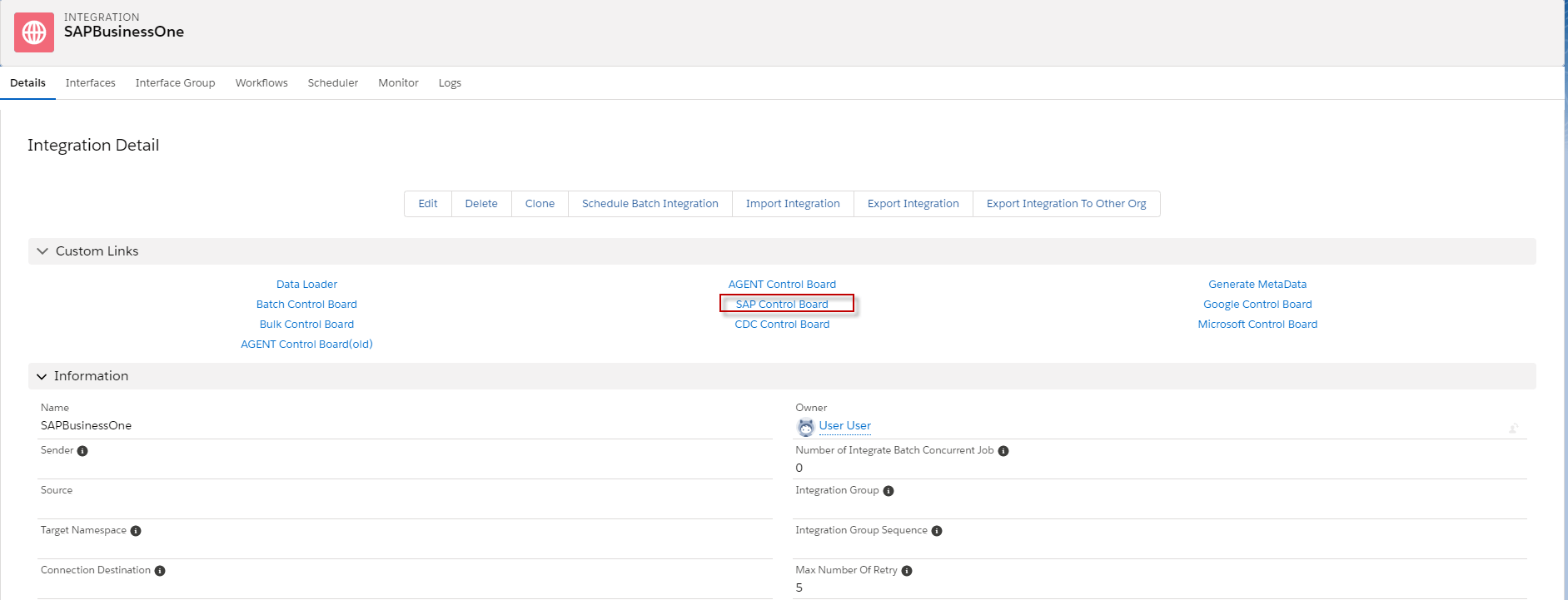
- Go to Integration and click SAP Control Board. Here’s an example below.
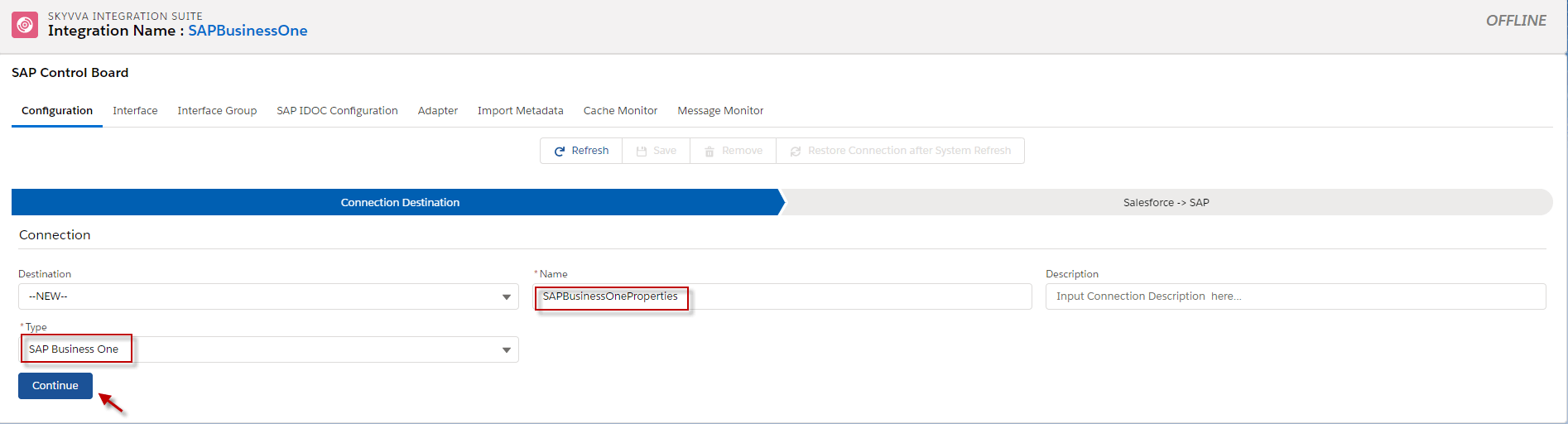
- Create Connection Destination.
- Choose Type to SAP Business One, fill in the Name, and click continue.
- After we click Continue, we need to configure SAP Credential.
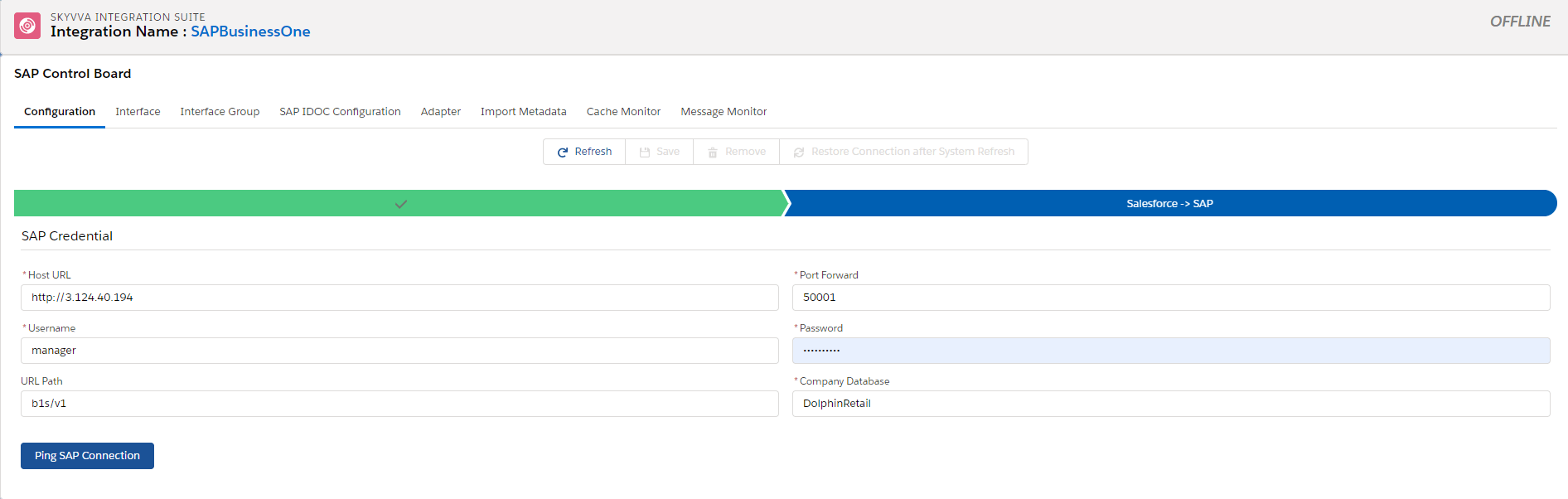
- When we configured SAP Credential, we need to click the save button and click the Ping SAP Connection Button to ensure that the credential is correct.

Step2: Create SAP Business One Adapter on SAP Control Board.
- Click adapter tap on SAP Control Board and click New Button.

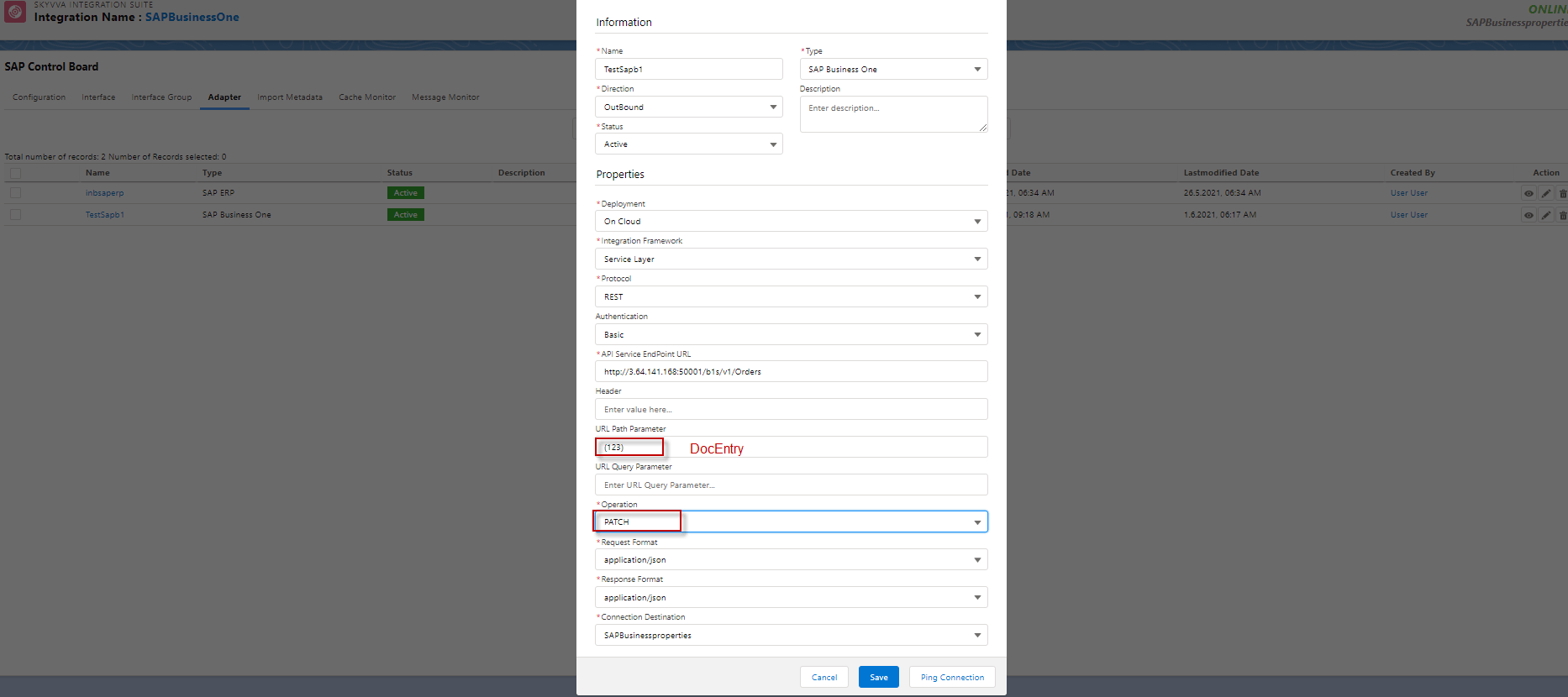
- Fill in the required fields of properties Adapter, Click the Ping connection button to make sure that it works, and then click the save button.
- Here's the example.

II. How to using Instance value in URL Path Parameter on adapter SAP Business One?
We use Path Parameter on SAP Business One because some Operations are needed. For example, when we want to update the Order so we need to change Operation from POST to PATH and update the Order in sap business one Application, we need to know DocEntry to put DocEntry in Field URL PATH Parameter. See the example below.
To know about PATH Query Parameter and URL QUERY Parameter Fileds in Adapter please Follow this Link: #article/4-11-how-to-build-the-dynamic-url-parameter-for-the-soap-rest-adapter