4. How to use Push JSON Payload to Agent Using V4/integrate?
Introduction:
- Our V4/integrate rest variant supports JSON and XML and therefore it is possible to pass the Rest envelope XML or JSON to the body of the v4/integrate. This means that for invoking the skyvva API we use only the rest variant ../services/apexrest/skyvvasolutions/v4/Integrate with either XML or JSON payload.
- In the URL of V4 API, the query parameter is added in URL only.
We have two types of response:
- standard response
- custom response using the response (outbound) interface to do the mapping
if we want to get data from the response interface then we need to do mapping for the response interface and link it to the request interface. Only data send from the input will return back as a response. If we want anything other than the input data then we have to use VLOOKUP formulae in the response mapping.
Difference between two api v4/integrate api to skyvva and to agent:
Incase of v4/integrate api to skyvva, data transformation happens on the Salesforce side using skyvva API., and Incase of an agent, Data transformation happens in Agent for the agent side API where agent works as a middleware. we are using agents to push data through the Agent to Salesforce.
Usecase:
Objective: custom response using the response (outbound) interface to do the mapping
Pre-requisites:
- Create Integration. refer tutorial to create integration.
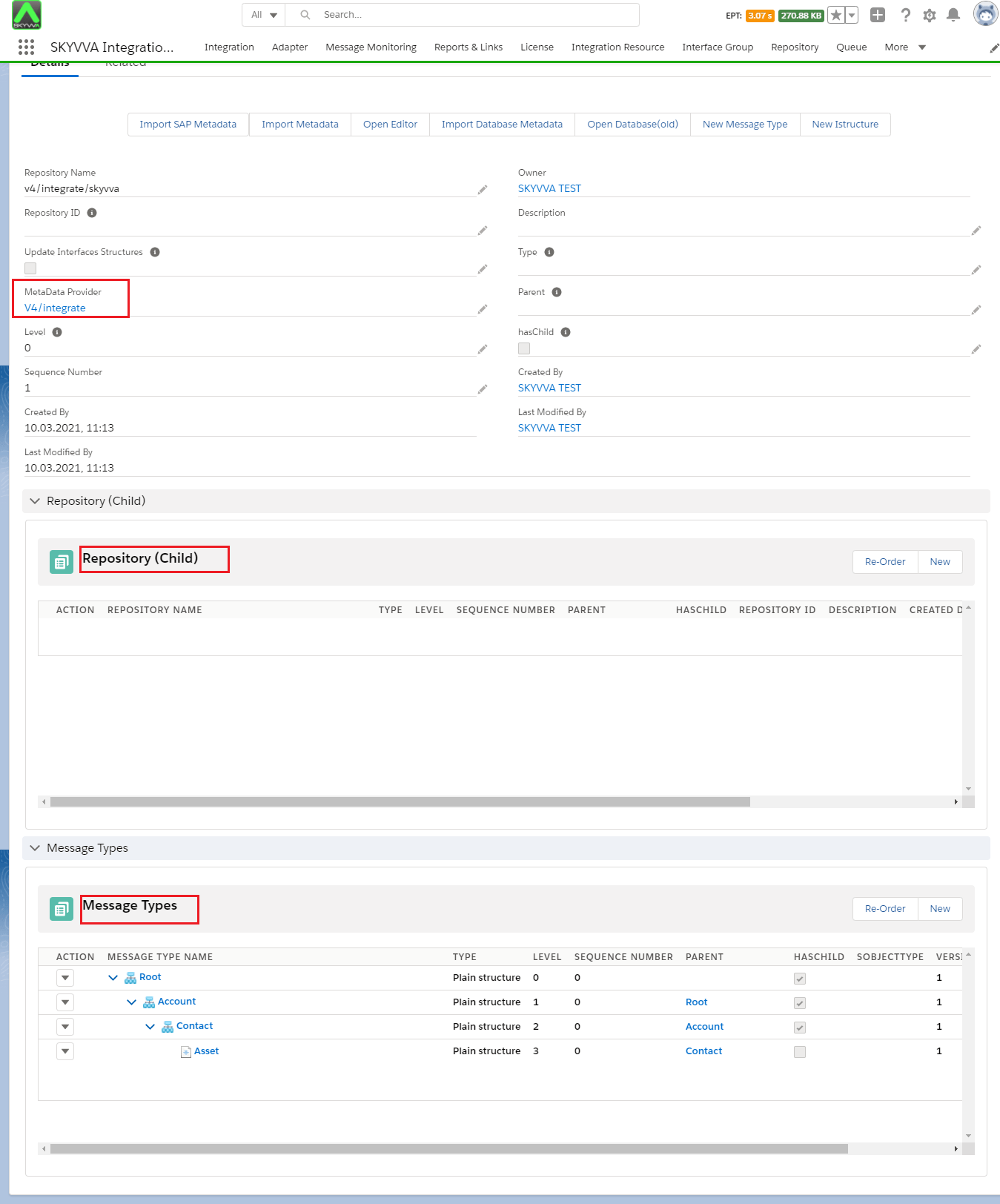
- Create Message Type:
- We have to create metadata for to repository.
- In metadata, create a repository.
- Then you should create a message type with JSON/XML format.
[su_box title="Note" box_color="#2a8af0" title_color="#000000"]
- Make sure agent should be started.
- Start the instances which you need.
- Create your connection destination or you can use existing one.
[/su_box]
Steps:
Follow the given steps to use v4/integrate api to agent for standard response: step1: Create Agent Inbound Adapter.
- Go to an Integration detail page.
- Click on the agent control board custom link.
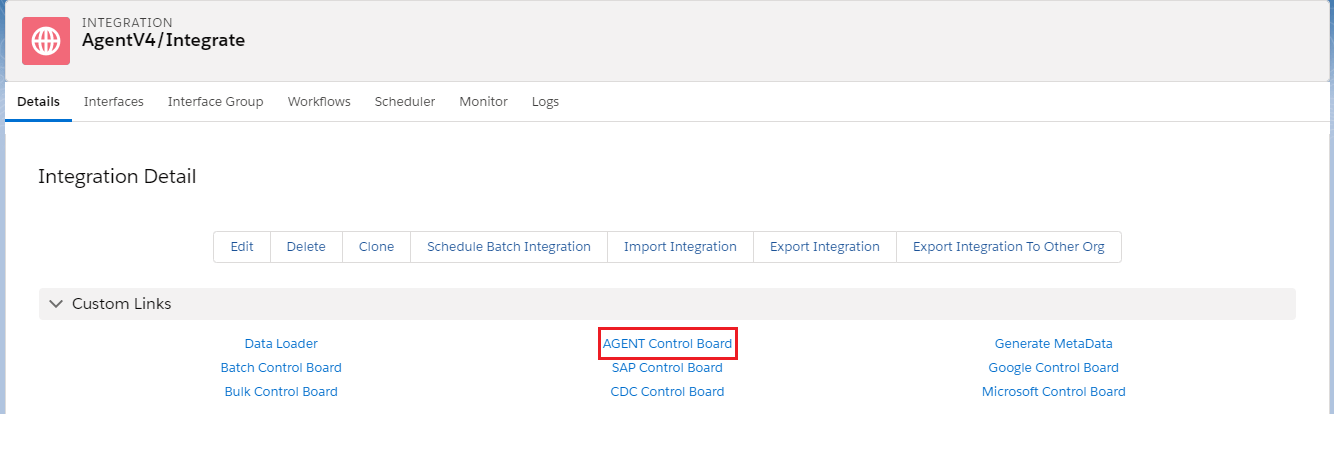

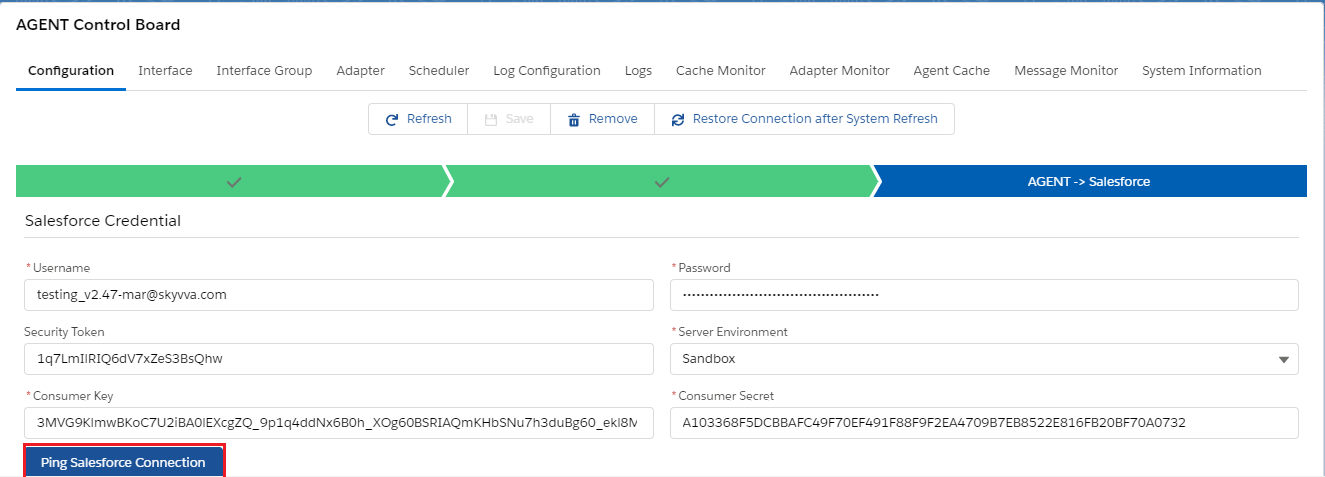
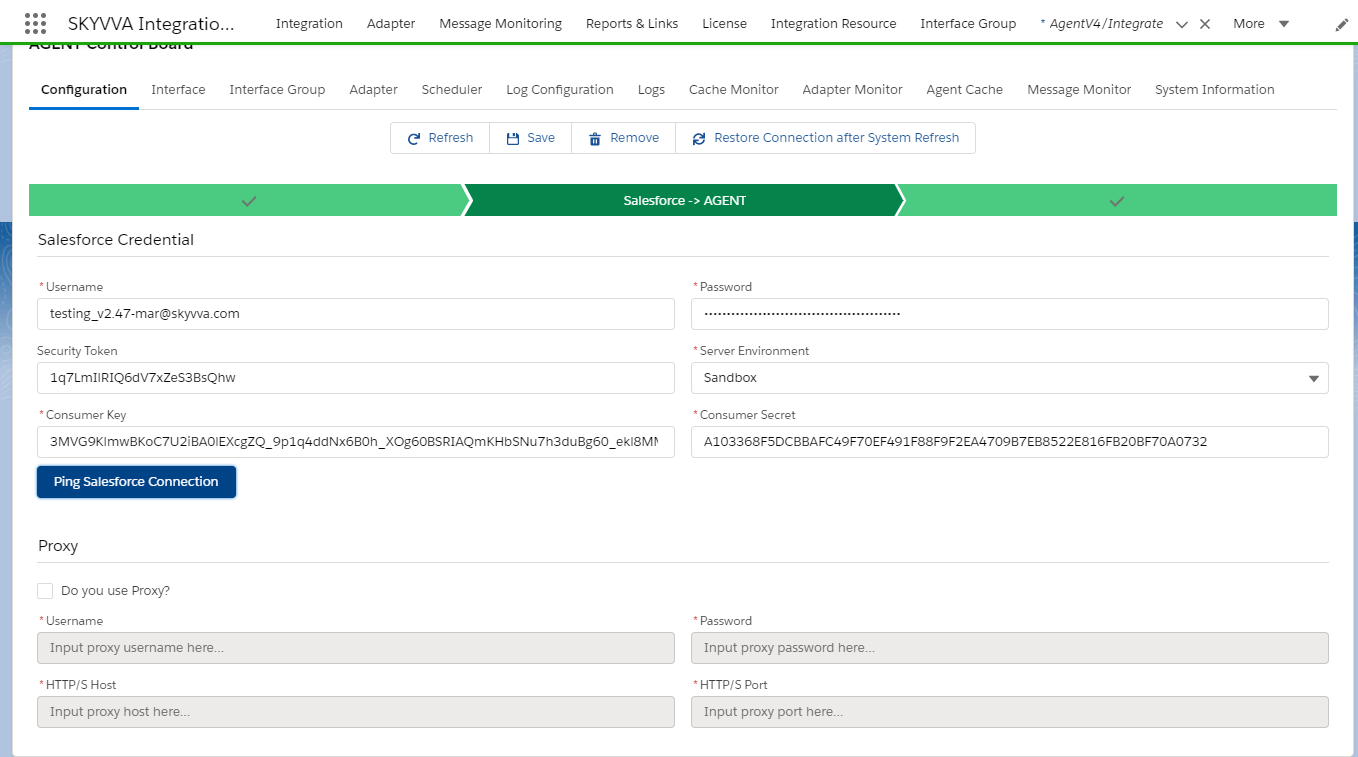
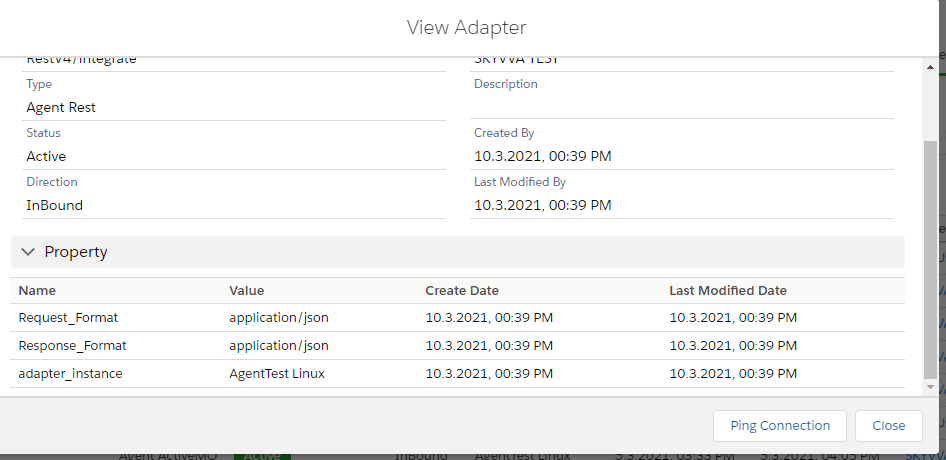
Then Go to the adapter tab and create an Inbound adapter. Here we are using the Rest adapter for the Inbound direction.
Step 2: Create Inbound Interface. To create an Inbound interface refer tutorial from our website: How to create Interface?
- Select Metadata which you have created earlier: ex: V4Integrate
- Select Istructure Repository
- Select Message Type
- Select Inbound adapter: agent Rest adapter
- Save the Interface.

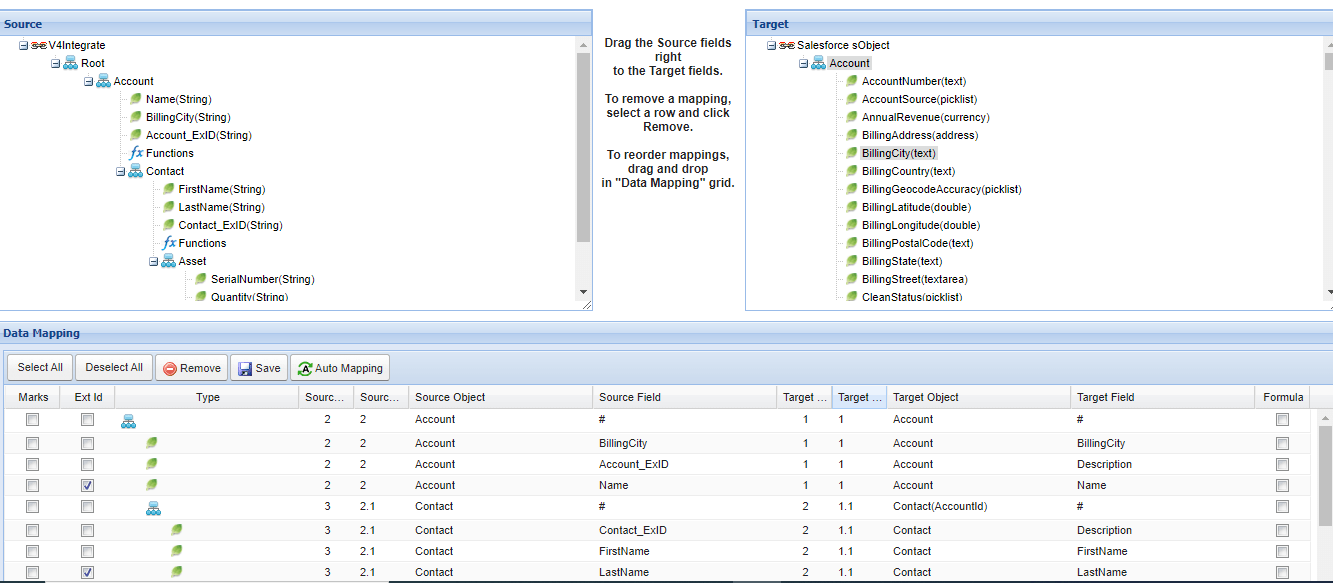
Step3: Do mapping and save it.
[su_box title="Note" box_color="#2a8af0" title_color="#000000"]
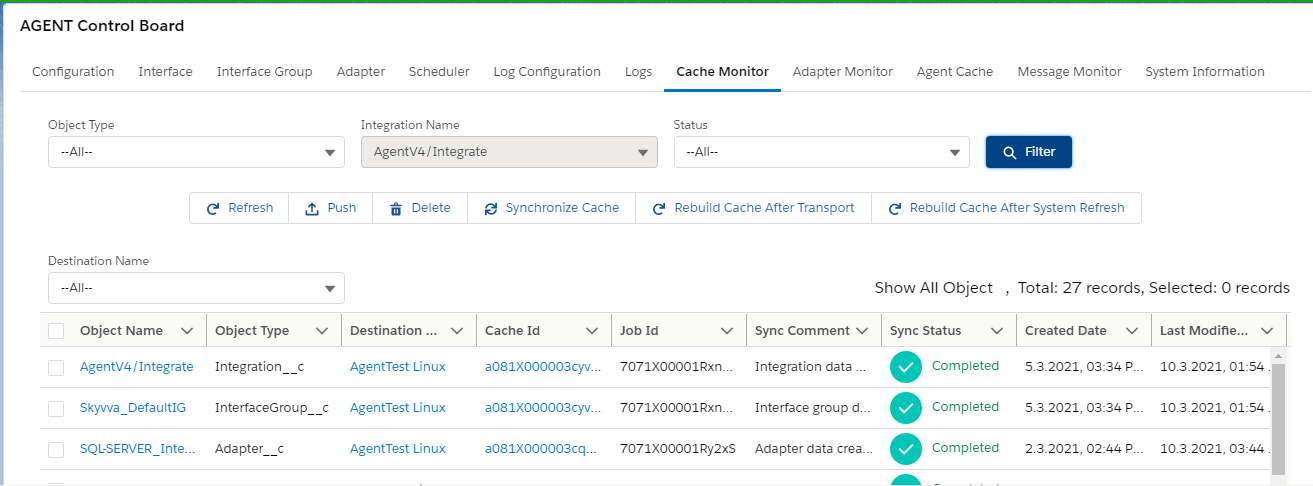
- Make sure cache should be created
- Check to cache for each object: Integration, interface, mapping.
[/su_box]
step4: Configuration on postman side
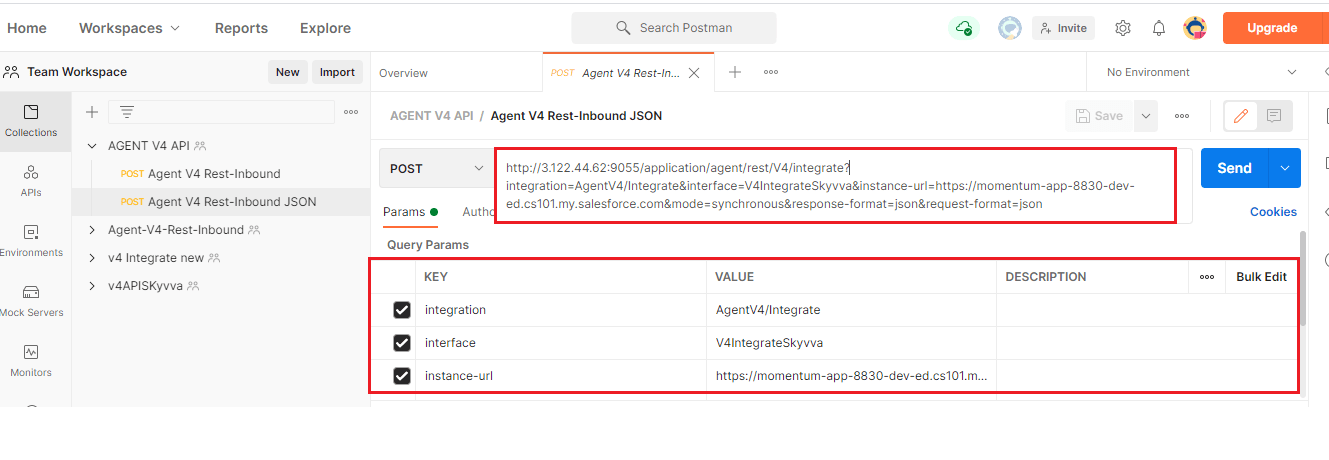
[su_box title="Note" box_color="#2a8af0" title_color="#000000"] Please make sure there is no unwanted space after value inside query params[/su_box]
1. V4 API:-
V4 API pass Integration, Interface, mode, request-format, response-format parameter inside the URL query parameter.
2. The URL contains:-
- Salesforce classic URL.
- Integration name.
- Interface name.
- mode.
- response-format.
- request-format.
Please check the sample below:- [aux_code language="javascript" theme="tomorrow" title="" extra_classes=""]http://3.122.44.62:9055/application/agent/rest/V4/integrate?integration=AgentV4/Integrate&interface=V4IntegrateSkyvva&instance-url=https://momentum-app-8830-dev-ed.cs101.my.salesforce.com&mode=synchronous&response-format=json&request-format=json[/aux_code]
3. Authorization:
- Select No Auth.

4. Header:-
- Enter "Bearer+Session ID".
[su_box title="Note" box_color="#2a8af0" title_color="#000000"] To generate session id for your org:
- Go to Developer console
- Execute the code: System.debug(
Userinfo.getOrganizationId()+ Userinfo.getsessionId().substring(15) );
- You will get session-id in debug log only.
[/su_box]

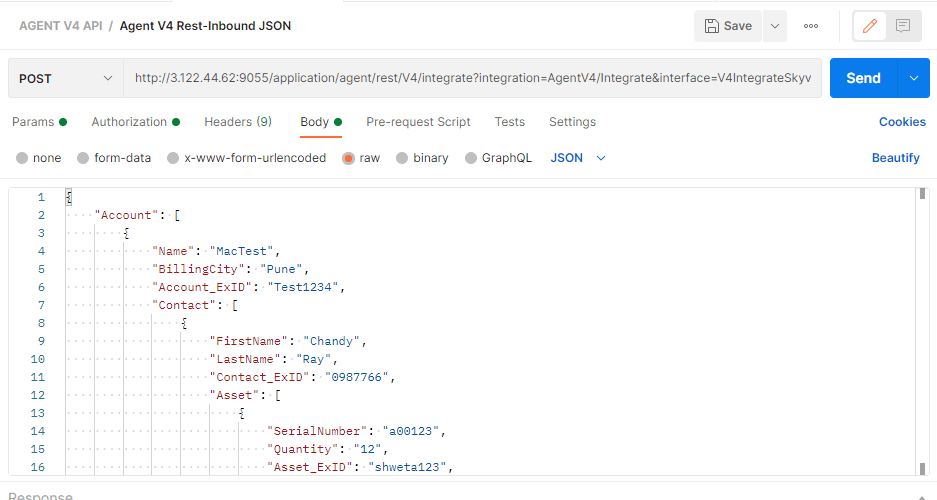
5. Body:-
- Enter JSON or XML payload as per your message type which we have created earlier.
6. Send the Request:-
- Click on the send button.
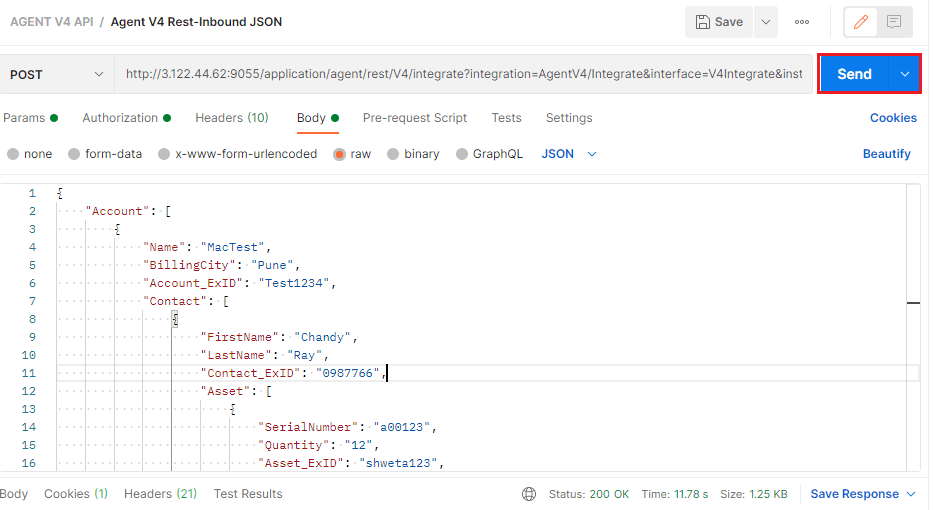
7. Check the Result:

8. Check Result on Message monitoring:-
