4. Manual Processing
Introduction
In terms of real-time communication with Salesforce, it’s important to keep in mind that there are huge differences between how to handle inbound and outbound communication. Inbound communication is covered completely by the core API, which means that it’s also completely covered by SKYVVA Agent Any Connect for Salesforce. Salesforce limits the number of API calls you can execute per day according to this table. Due to this polling, it’s not a great option for getting data out of Salesforce. This is addressed by offering outbound messaging.
Inbound
The core API is the normal SKYVVA API that allows you to perform CRUD-type operations. Any Connect fully supports the Salesforce Core API.
- This is useful when the user is interacting with Any Connect as part of an orchestration or automation process and you need to perform CRUD-type operations against Any Connect. For example, if you have a case in Agent that has been resolved in another system such as SAP and the case needs to be closed in Agent.
- This might not be the best option when the user needs to update a large number of objects in one go. The core API only supports updates a few objects at a time. Also, if it doesn’t make sense to maintain duplicate data in Salesforce org.
– How to run the inbound interface group through them manual and scheduler?
[su_box title="Note" box_color="#2a8af0" title_color="#000000"]Manual processing can only use with inbound database processing. We don't need this function for file, Kafka, or Pulsar. Therefore, they have a consumer for inbound interface already. If the interfaces bind into the interface group, it will be possible to process it with the file adapter.[/su_box]
Pe-required
- Create Integration and configuration on the new Agent Control Board
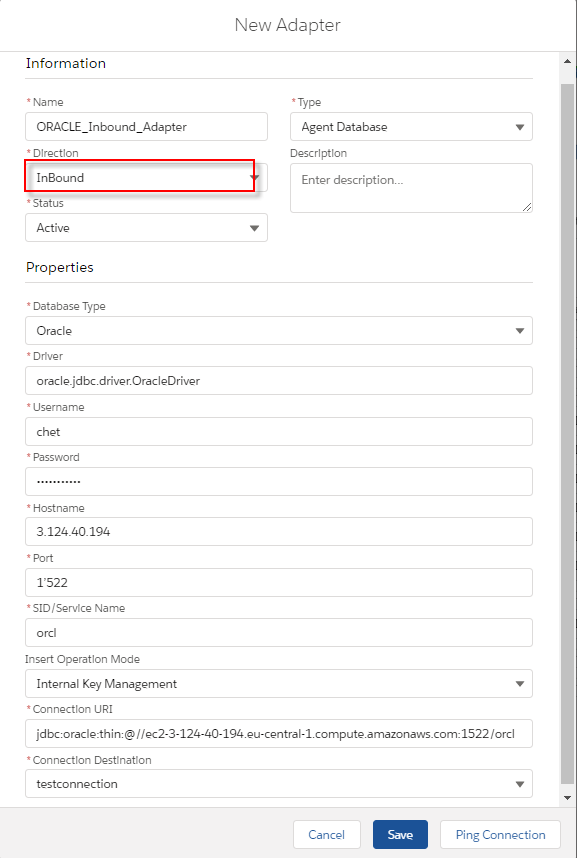
- Create database adapter (for inbound) on new Agent Control Board
- Create Metadata Provider, Repository and generate Message Type from the database
- Create an inbound Interface (Response)
- Checking Cache monitoring status
- Do manual process button
[su_box title="Note" box_color="#2a8af0" title_color="#000000"] For Insert operation, we have a template for generating message type for a single table
- Create a root message type with the prefix” Database_”+” Table’s name” within type as “Database table template”
- Create two messages type as a child of the root with the fixed name. The first one is “Request”, and another one is “Response”.
- Under request, create a message type as the child. The Table’s name is used for this Message Type within type as “Database Table”.
- Under response, create a message type as a child that has the fixed name” record” within type as “Plain Structure”.
- Under “record”, create message type as the child. the table’s name is used for this message type within type as “Plain structure”.(In this message type, was generated the field name like on the table)[/su_box]
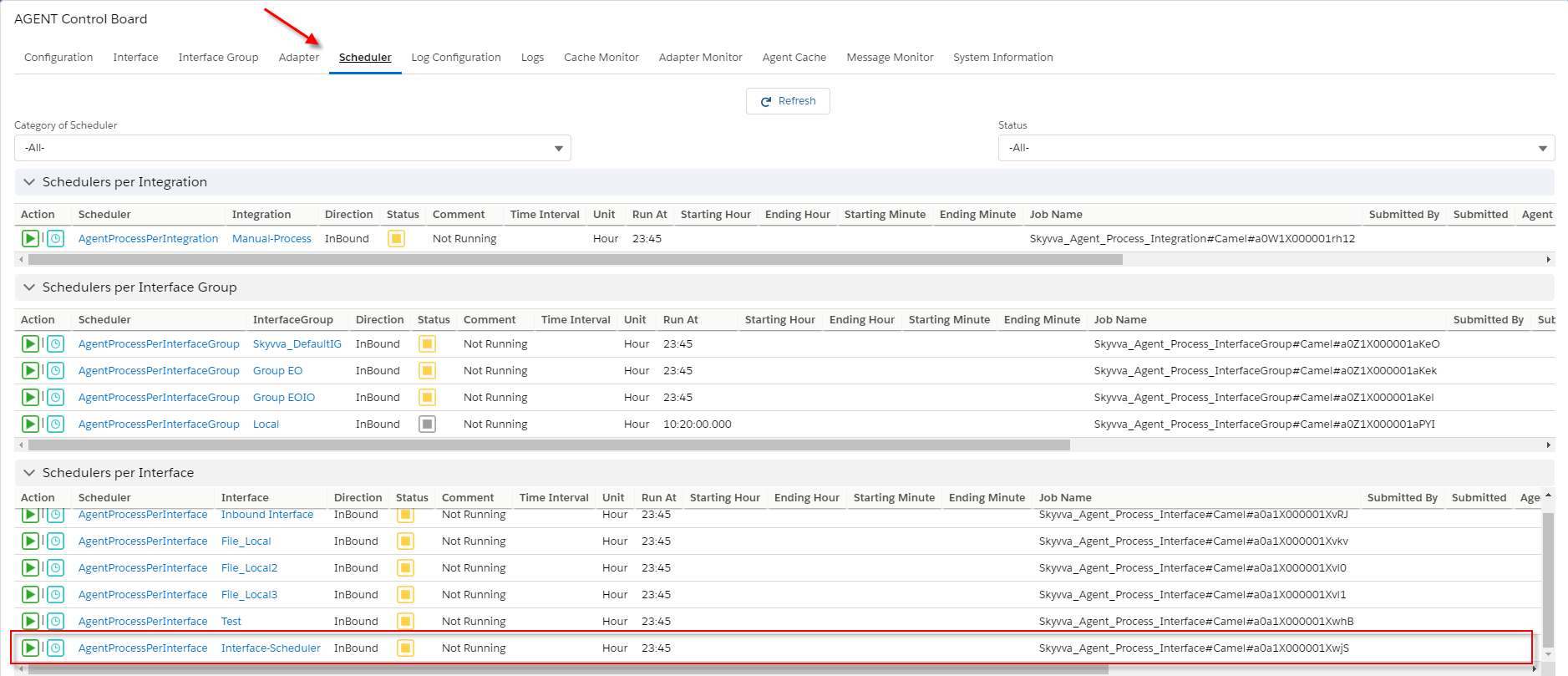
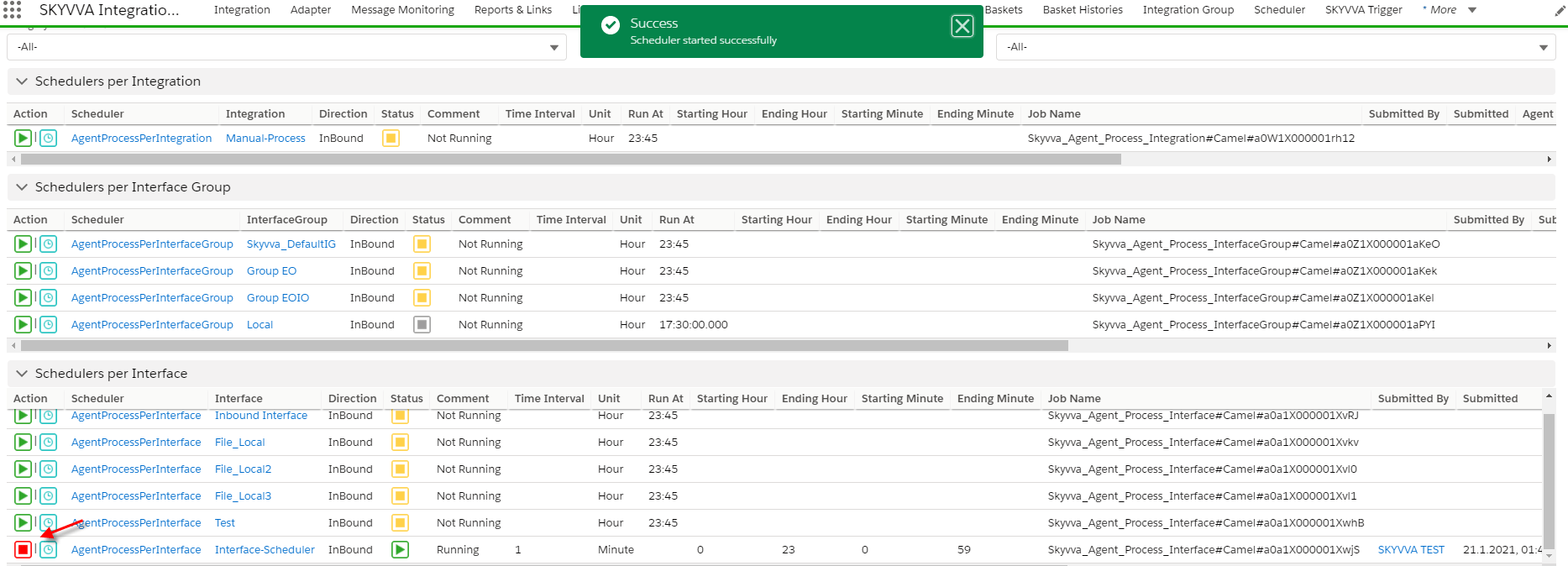
- Set the time to run every 1 minute

[su_box title="Note" box_color="#2a8af0" title_color="#000000"] If the machine has small memory, We should not set the time for running every 1 minute because it will block another job. You have to run every 5 or 10 minutes or more is a good recommendation.[/su_box]
- You need to check the message monitor tap to ensure that salesforce received data from the database is correct.
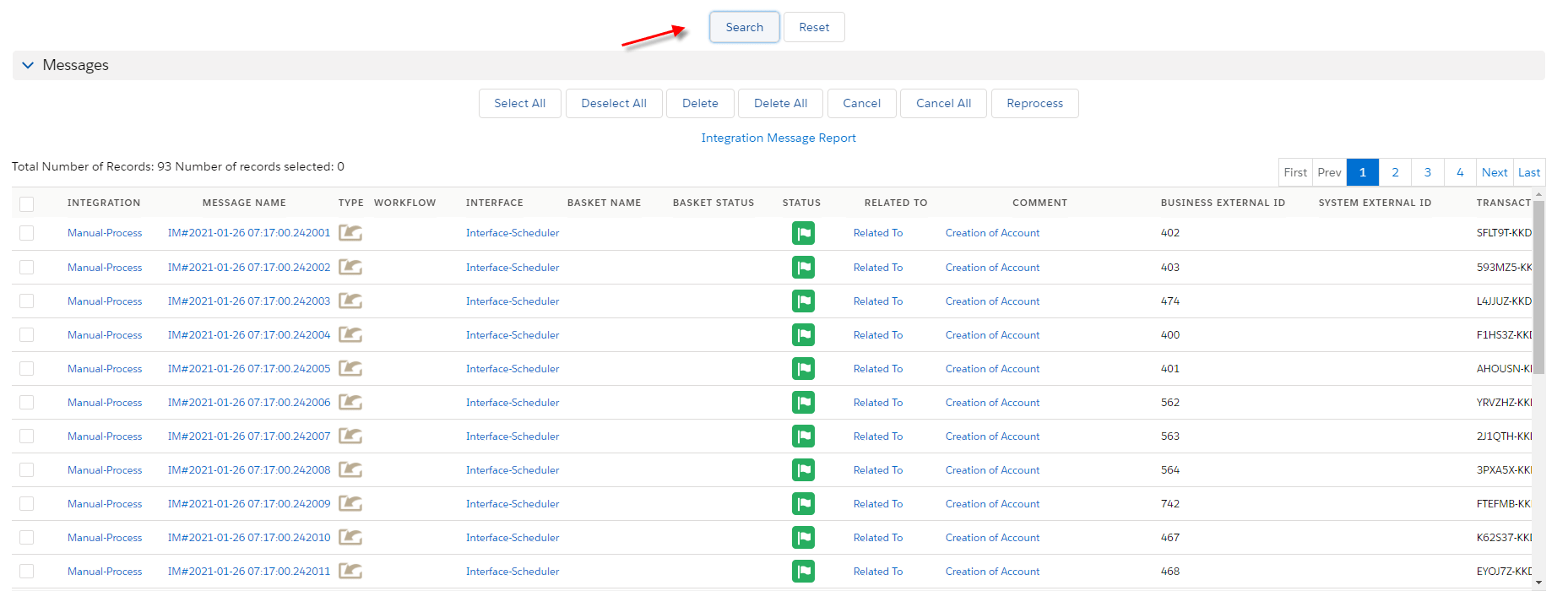
[su_box title="SKYVVA Schedulers is a type of scheduled job which runs regularly bases on-time setting. There are 4 categories of Schedulers." box_color="#00d9a6" title_color="#000000"]
- Schedule per integration: is a global scheduler process all interfaces on integration, it will skip either the Interface group or interface that is running its scheduler.
- Schedule per-interface group: process all interfaces in the group, if the scheduler has been started then all the schedules of the interface in this group will stop automatically.
- Schedule per interface: it will process a specific interface. It cannot be started if its interface group scheduler has already started.
- Other: it will process Agent Camel for LogEntryTransfer.
[/su_box]
Outbound
Any Connect outbound messaging is being configured as part of a workflow defined in Agent and it’s a callout to an external SOAP service defined by Agent. When configured in the package, a WSDL will be generated that is available for download. It’s then up to you to implement and expose a SOAP service that Salesforce can make the callout to. From Any Connect's perspective, the way to handle this is to implement that service using XML over HTTP.
- This is useful when there is a transactional event in SKYVVA that needs to be processed, such as an opportunity being updated. The main benefit with outbound messages vs other options is that it has retries built-in; so if for some reason the receiving application is unavailable, SKYVVA will retry and report as an error if the defined retries have been exhausted.
- This might not be the best option when you don’t have the ability to implement SOAP services. SKYVVA offers complete support for exposing SOAP services. However, if the event triggering the callout is more informational and does not require an acknowledgment or retries, then the streaming API might be easier to implement.
– How to run the outbound interface through the manual or scheduler?
- Manual outbound processing is a manual process button on the interface tab in an Agent control board. We can use it instead of executing the InvokecalloutV3 apex code. For example, when the user selects fives interfaces, we are executing the interfaces in random order. There is no sequence to follow.
- You can do the manual processing on the outbound interface of the new agent. To use this function, you need to select the "Manually select the sObject using the Query Builder or Use the SOQL statement interface to select the sObject" option.
- For example, you use the "Manually select the sObject the Query Builder" option, you will able to query record base on the query builder. You will able to select the records from the execute query result to processing the callout.
If, you use the "SOQL statement on the interface to selects the sObject" option. You can select the record from the SOQL Query for the filter sObject base on record id.
Pre-require:
- Create Integration
- Configuration Agent control board
- Create adapter agent rest
- Create inbound interface

- Agent scheduler will be generated after the user clicks the scheduler tab.
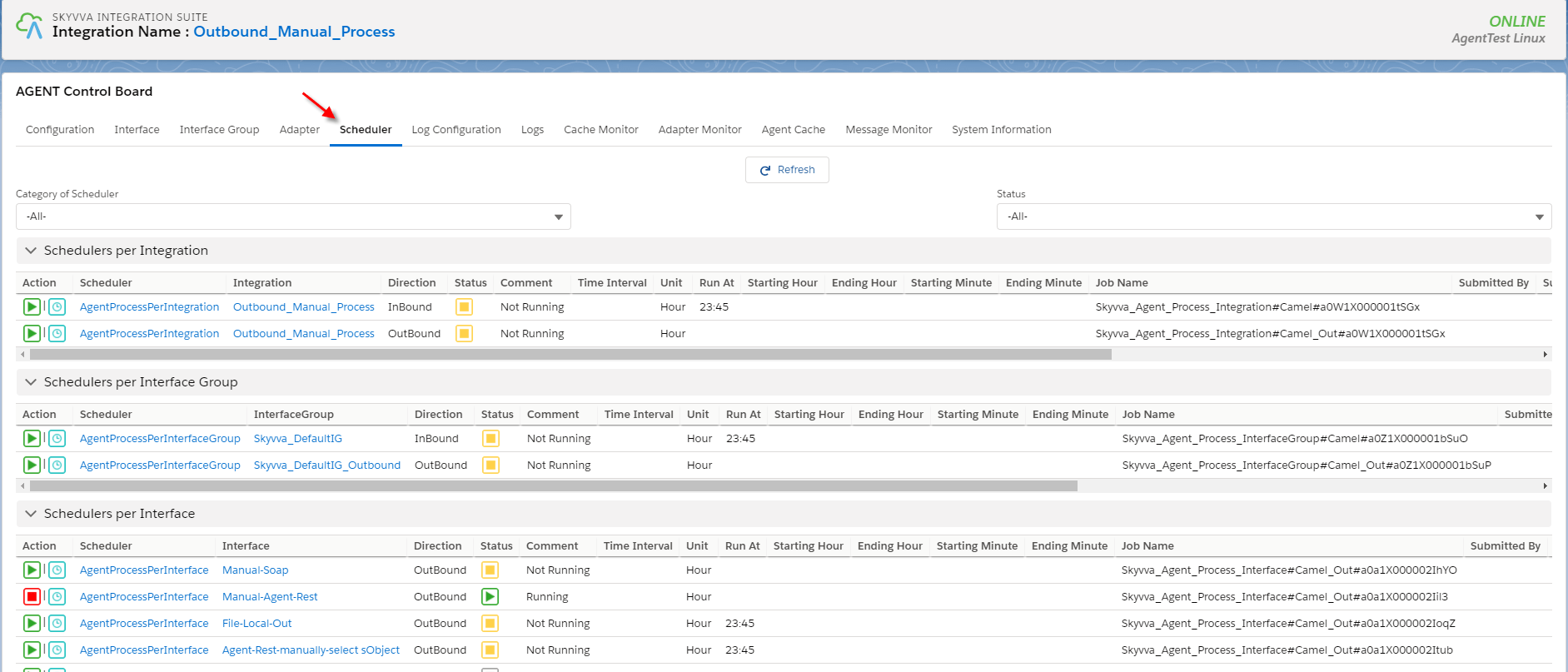
- The scheduler is starting
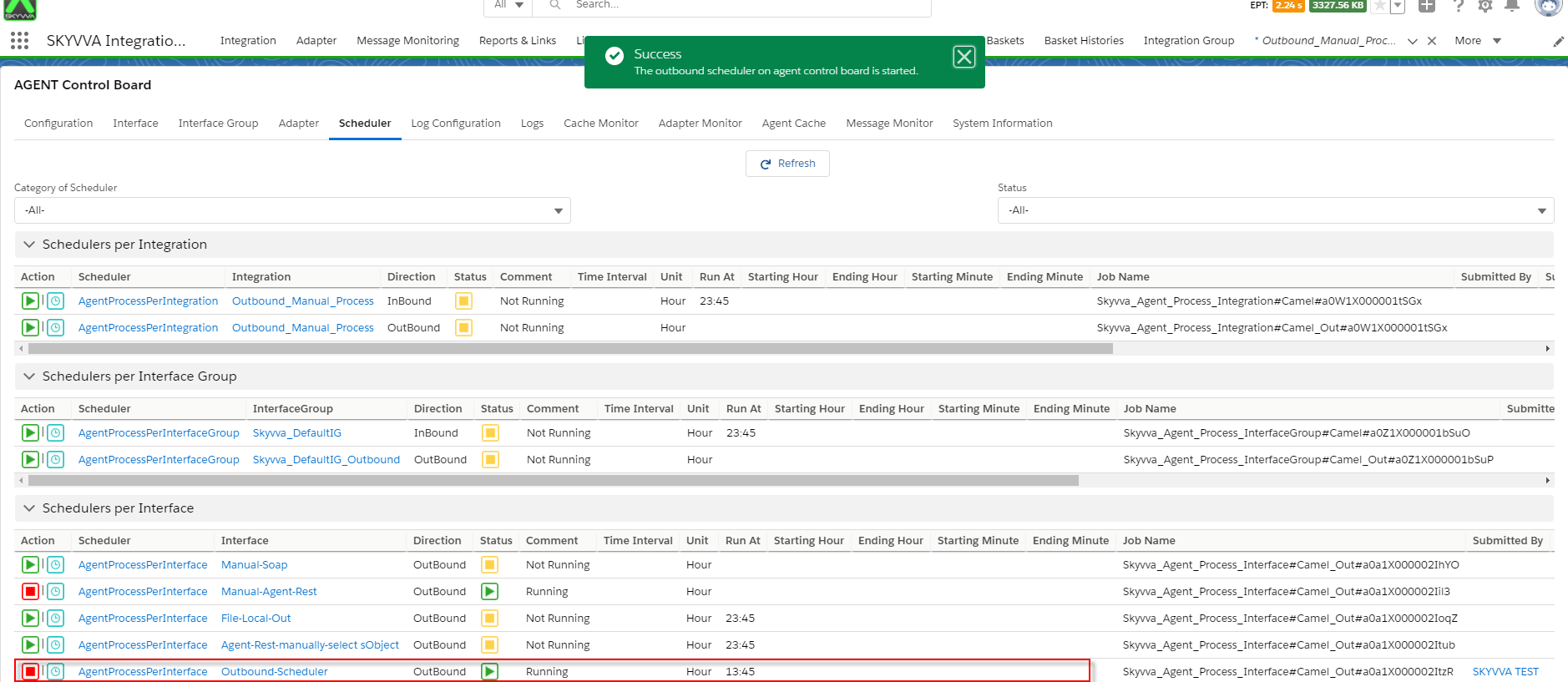
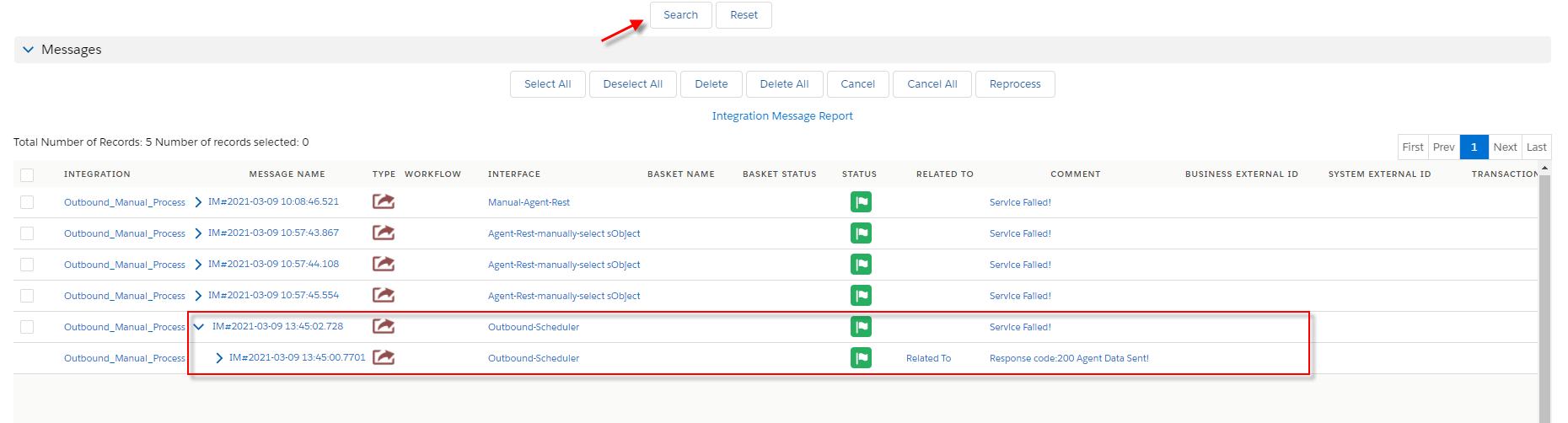
- Go to check the result on the monitor tab.