47.4 How to generate (export) JSON Schema?
Introduction
JSON Schema is a detail for JSON based format for characterizing the structure of JSON information. In SKYVVA, we have a tool to generate JSON from Integration, Interface, and Message Type. This function is useful for users who want to generate JSON structure from their Integration Interface and Message type. We can generate JSON from both Interfaces Inbound and Outbound, and we will get the structures of fields with descriptions. So this tutorial will show about How to generate or export JSON Schema from Integration, Interface, and Message Type. [su_box title="Note" box_color="#2a8af0" title_color="#000000"] + In tool Generate Json Schema we need to know about this following:
- If It is the message type, so it will generate the field has type as an object.
- If It is the message type, so it will generate the field has type as an object.
- If the message is Rest temple, it will get only the business message underbody of the rest template. It will not take three SKYYVA fields with the Interface linked Rest Message template.
- If the message is Rest temple, it will get only the business message underbody of the rest template. It will not take three SKYYVA fields with the Interface linked Rest Message template.
- If the message is Rest temple, it will get only the business message underbody of the rest template. It will not take three SKYYVA fields with the Interface linked Rest Message template.
- If the message type is using with the outbound interface, it will generate a field of SKYVVA as SKYVVA__MessageId.
- If the IStructure in interface creation by from file, it won't generate the SKYVVA field.
[/su_box] Pre-Require
- Create Integration
- Create Interface
- Create Meta provider
- Create Repository
- Create Message Type
- Link Message Type with Interface (Outbound or Inbound)
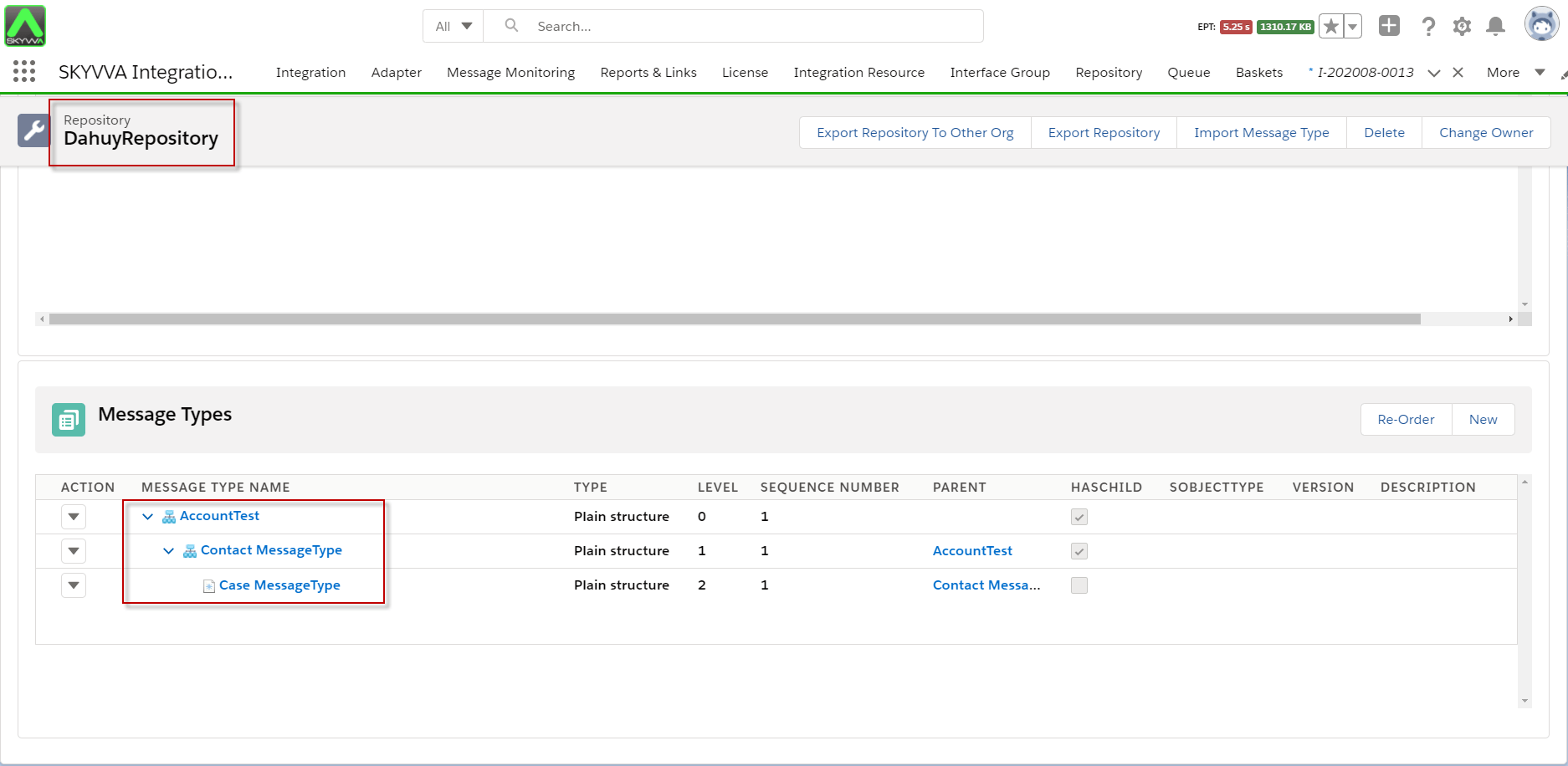
- Here is the message type sample to link the inbound Interface
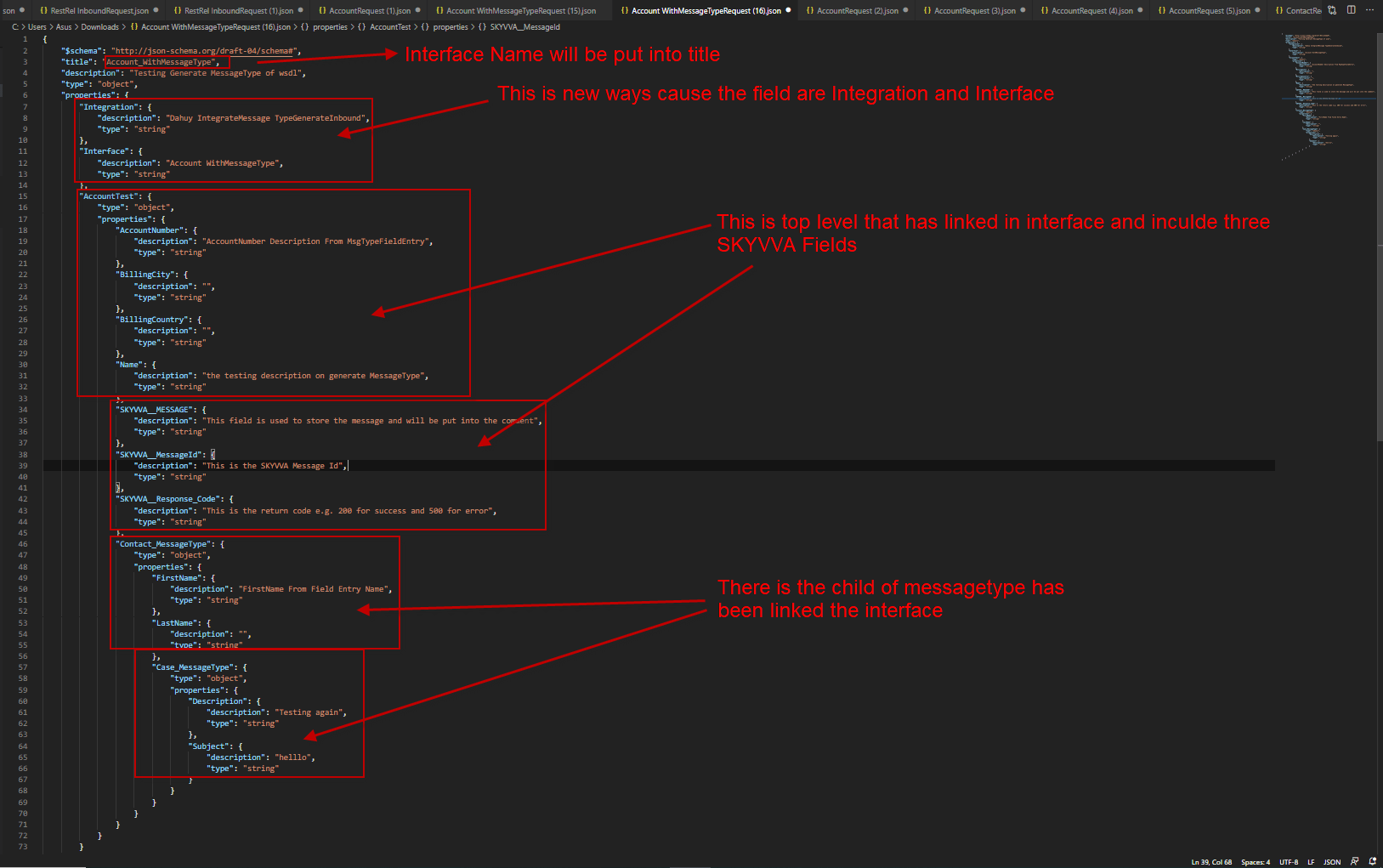
-AccountTest has four message type field entry such as Name, AccountNumber, BillingCity, and BillingCountry.
- The name has a description as "the testing description on generating MessageType".
- AccountNumber has description as “AccountNumber Description From MsgTypeFieldEntry”.
-Contact MessageType has two message type field entry such as FirstName and LastName.
- FirstName has a description as "FirstName From Field Entry Name".
- Case MessageType has two message Types as Subject and Description.
- The subject has a description of "hello".
- The description has the description "Testing again".
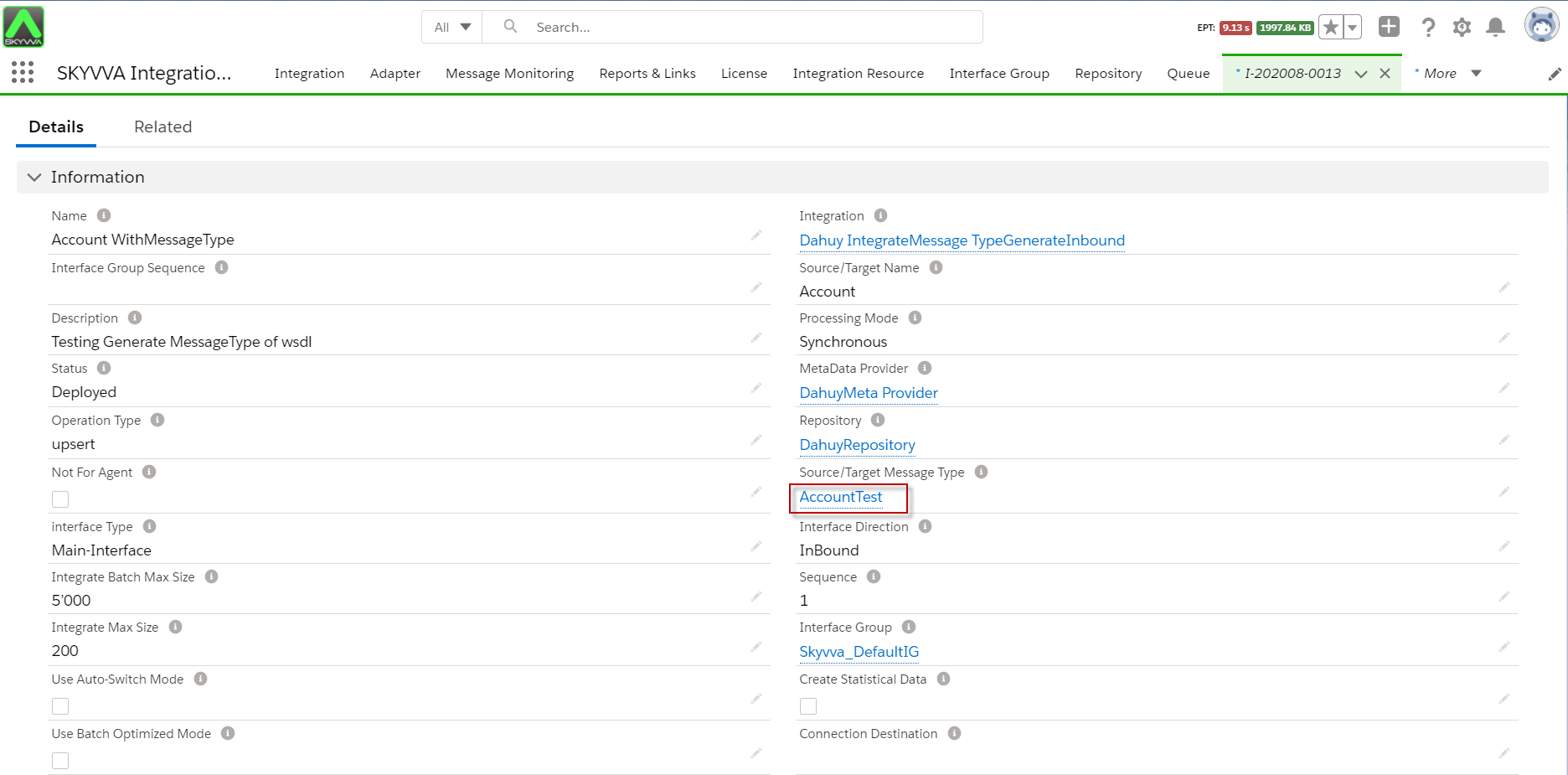
- Here the Interface links the AccountTest Message Type.
1. How to generate JSON Schema from the Generic page?
Generate JSON schema on generic page “Generate Meta” custom link of Integration, and It allows users to select which Interfaces that users want to generate without leaving to find every Interface. For example, when we have 10 Interfaces, and we need to generate Json for 5 Interfaces, we can use this technique. Ingenerate JSON schema on Integration, there are two ways to generate, such as New way and Old way. In old ways, we get fields from System and description is ID Integration, but in a new way, we change the word from System to Integration and change from integration ID to Integration Name.
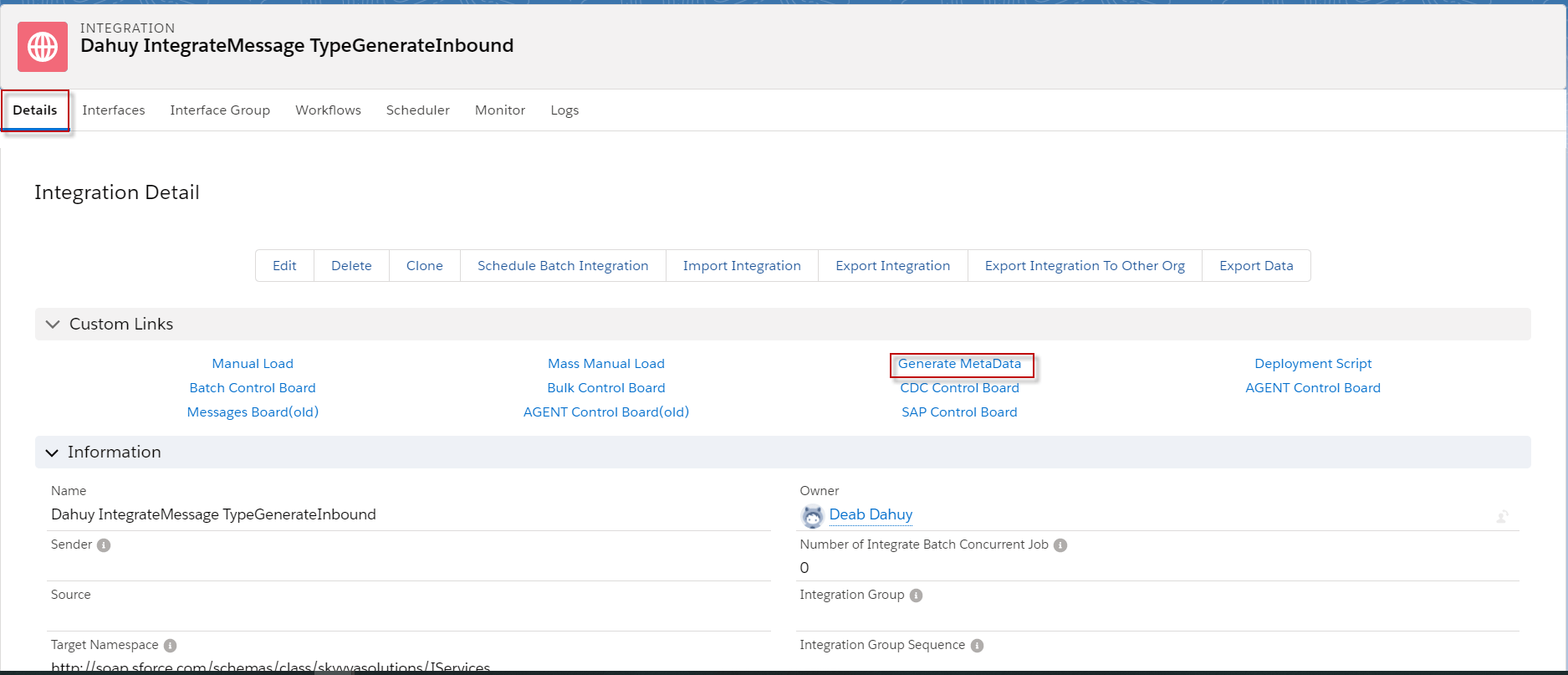
- Enter to Integration->Click Generate MetaData in Custom link section->Choose Inbound Interface->and chose a format file
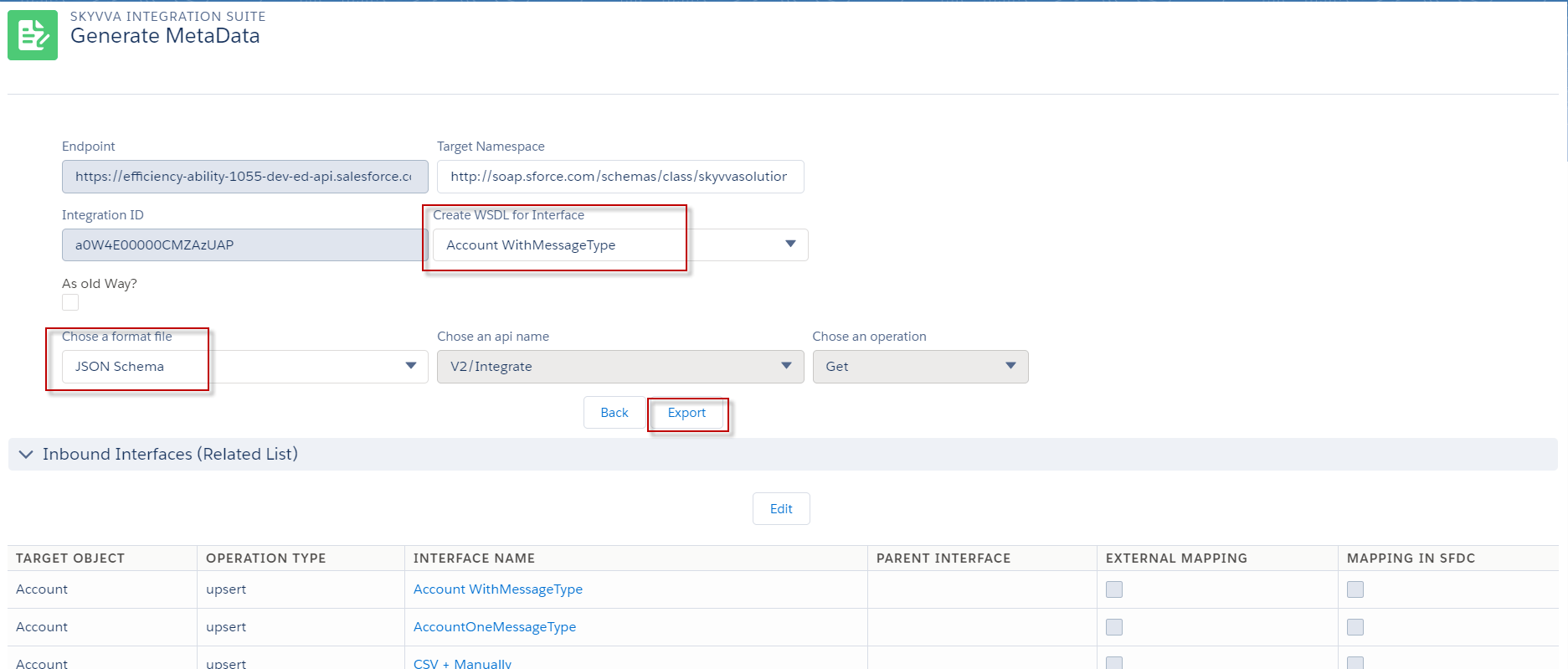
- Choose the Account WithMessageType in Create WSDL for Interface->Choose JSON Schema in Chose a format file->Click the Export button.
[su_box title="Note" box_color="#2a8af0" title_color="#000000"] As old way and the new ways just different 2 field. [/su_box]
- in the old way will generate a target object and from System
-the description of the form system is the id of Integration -the description of the target object is the name of Interface
- in the new ways will change target object to Interface and from System to Integration
- the description of Integration is Integration name
- the description of Interface is the interface name
- Scroll down to find the class file and click view to download the file.

- Here's the result of generating JSON Schema.
2. How to generate JSON Schema from Generate Metadata on Interface?
Generate JSON file from Generate Metadata on Interface is useful for a user who knows the exact Interface that he/she wants to generate.
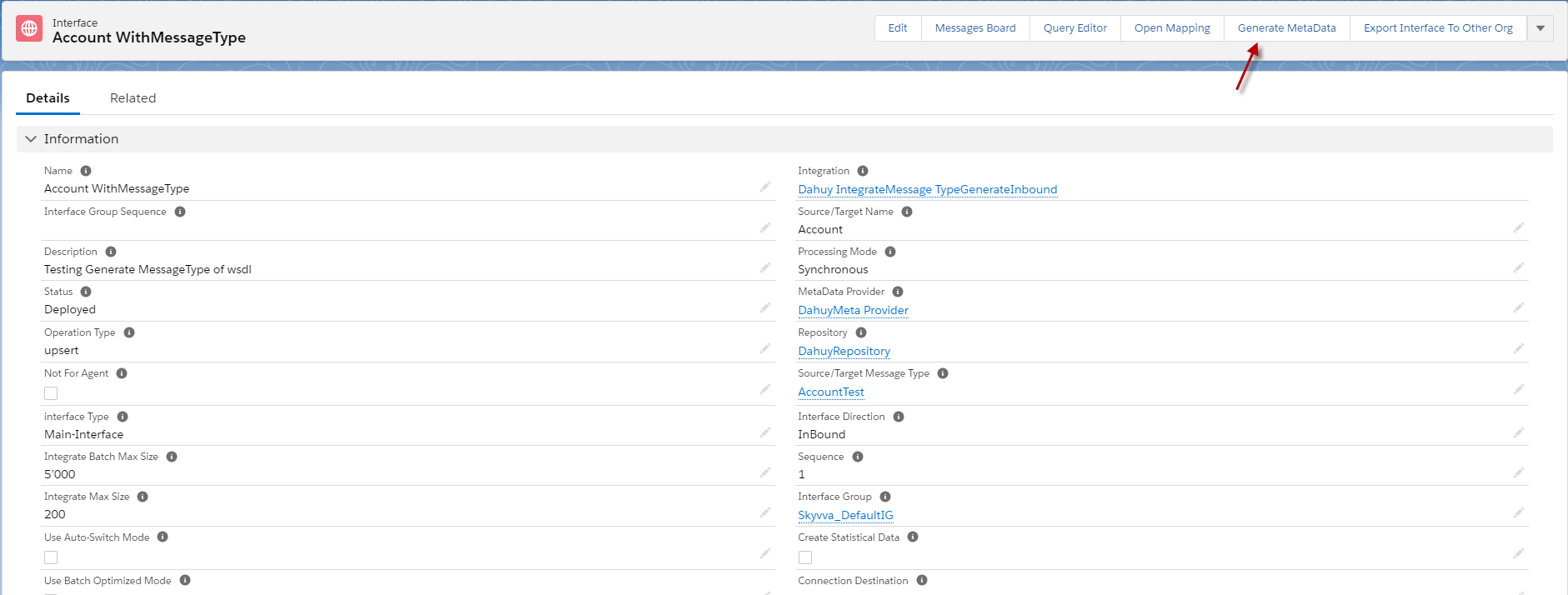
- Go to Interface -> click Generate MetaData (The picture is below).
- Choosing a format file =JSON Schema and click the Export button.

- After we click the export button, it will download the JSON Schema file automatically.
- Here's the JSON schema file that we generate On Interface.( Export on Integration and Interface, the result is the same.)
3. How to generate JSON Schema from the message type of Repository?
Generate JSON Schema file from Export Metadata on message type of Repository is to allow users to choose the Message Type that the user wants to use. The Message Types that the user choosing will be takes the whole child message type.
- Go to the Repository that we want to generate JSON Schema->enter to message type section->click Export Metadata in action button.
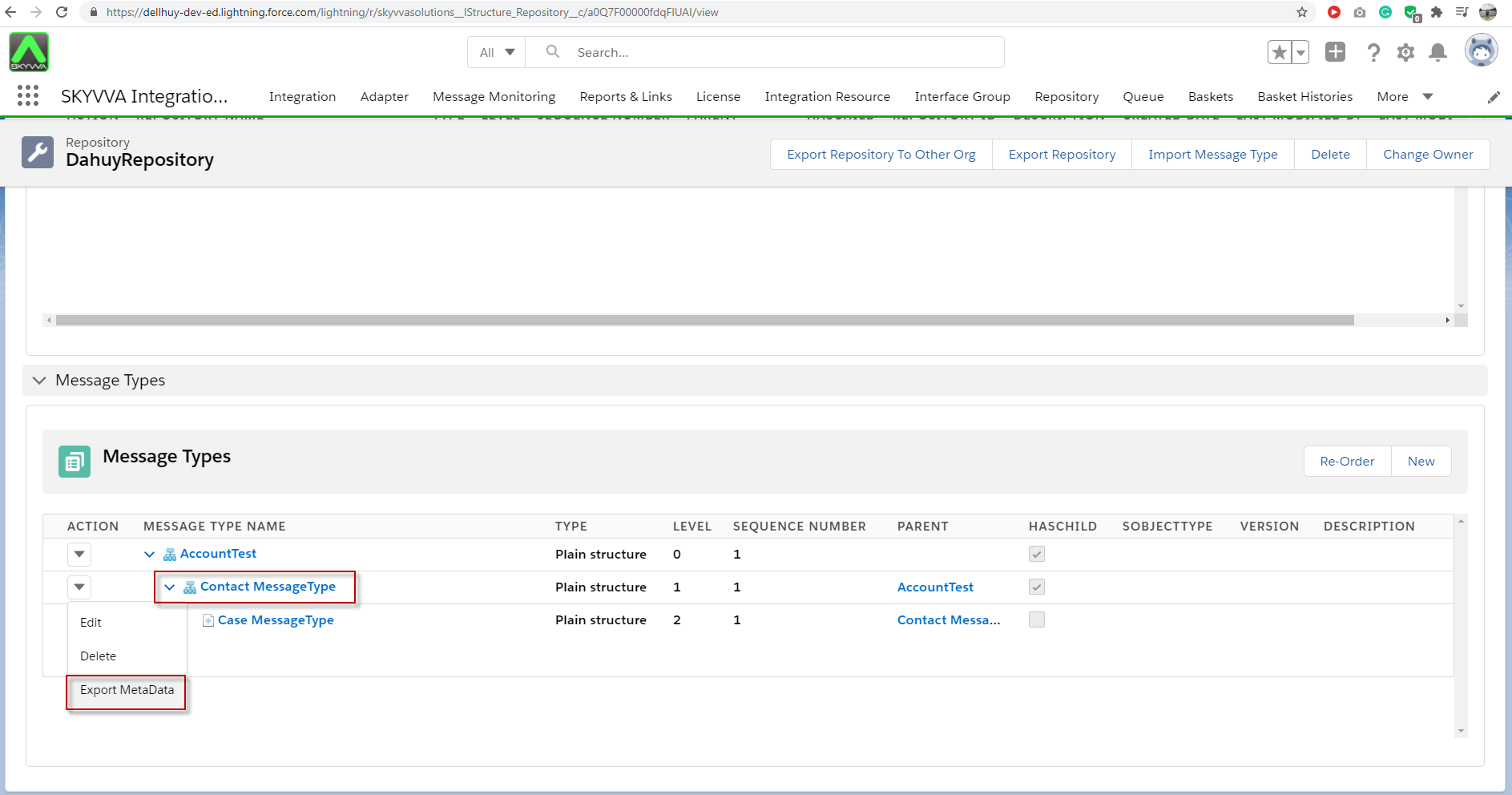
- It will pop-up to export metadata, then please choose the JSON Schema file format.
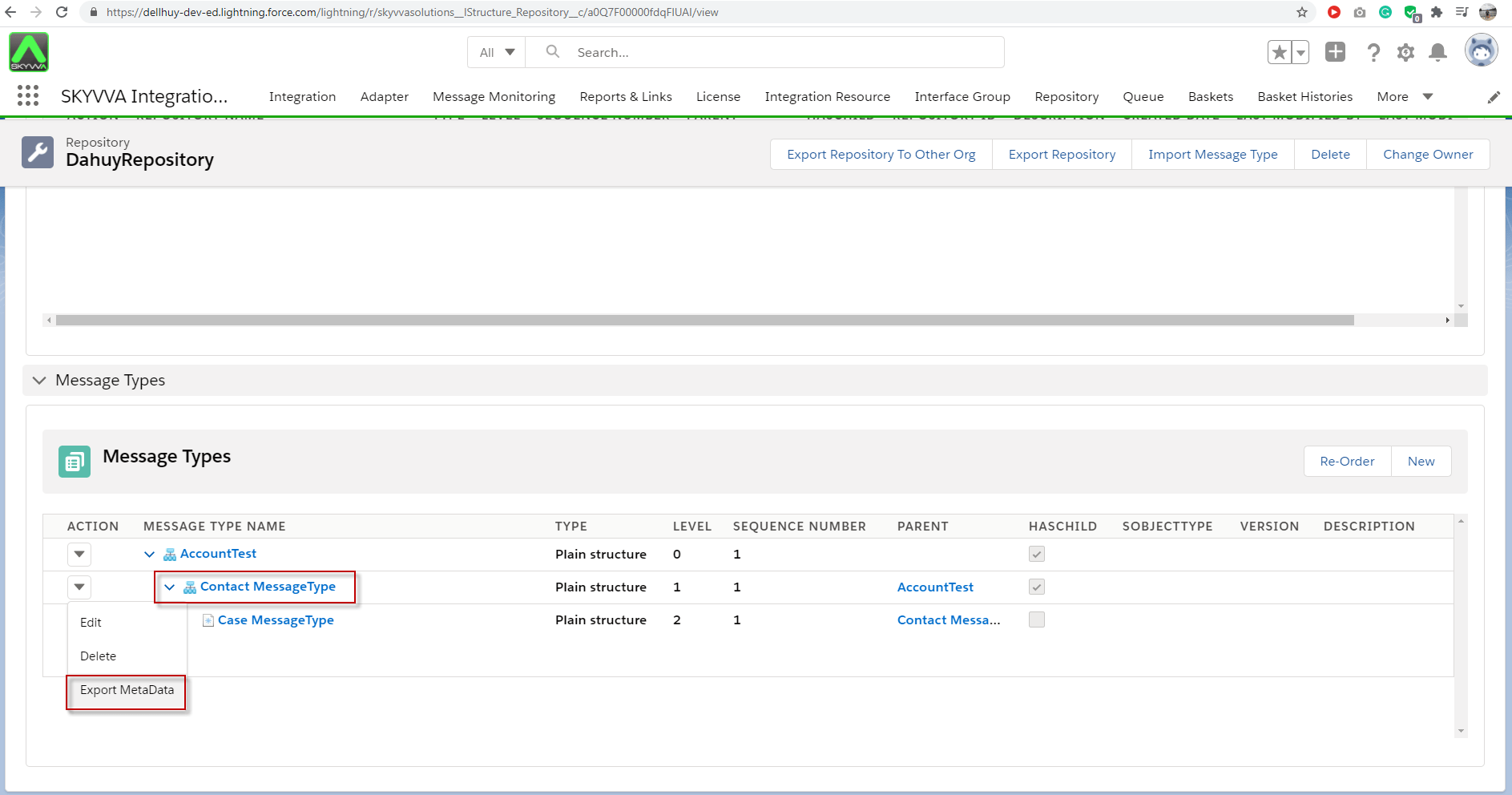
- After exporting, we will get structure Contact and his child that is Cases Message Type. Because we choose, Contact is a parent of Cases Message Type.
- Here is the result of Export JSON Schema from Message Type on Repository.

Summary Finally, we have learned how to generate the JSON Schema file on Integration, Interface, and Repository. There are individual benefits like we use on Integration that we can choose the Interfaces that we want to get structures to generate the JSON Schema file. We use to generate the JSON Schema file from the Interface when we have known the exact Interface, and We generate message types from the Repository when we want to get specific business message types.